
MoreLogin Review 2026: Secure Multi-Account Browser & Cloud Phone
Take a Quick Look
Unbiased MoreLogin review covering antidetect browser features, cloud phone pricing, fingerprinting tests, pros/cons, and comparisons with top alternatives—ideal for multi-accounting.
🔥 Limited-Time Offer! Save extra 10% off on your first monthly plan with code: Anitdetect10
Sign upMoreLogin Review 2026: Secure Multi-Account Browser & Cloud Phone
MoreLogin is a dual‑engine platform that pairs a hardened antidetect browser with pay‑as‑you‑go Android cloud phones. It’s designed for professionals and teams who need to operate dozens of isolated web and mobile accounts—without raising red flags. Since launch over seven years ago, the tool claims to have safeguarded more than 5 million accounts.
In this detailed MoreLogin review, we at AdsPower sifted through public evidence, real user feedback, and hands‑on feature tests to separate marketing claims from everyday reality. If you’re comparing MoreLogin to AdsPower, GoLogin, or Dolphin Anty, we also point you to deeper side‑by‑side analyses later on.
What Is MoreLogin?
MoreLogin Review 2026: Secure Multi-Account Browser & Cloud Phone - MoreLogin product image 1.
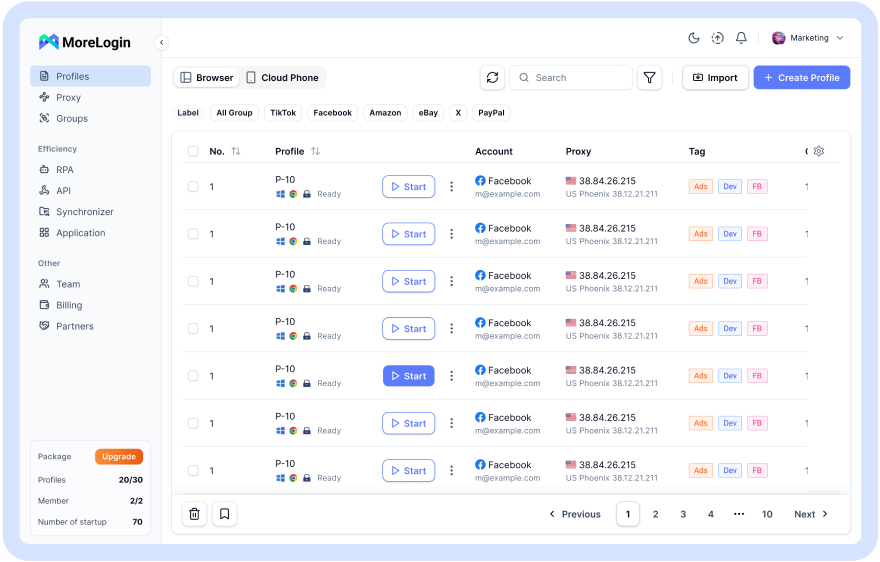
MoreLogin is a unified workspace for secure multi‑account operations. It offers two core environments:
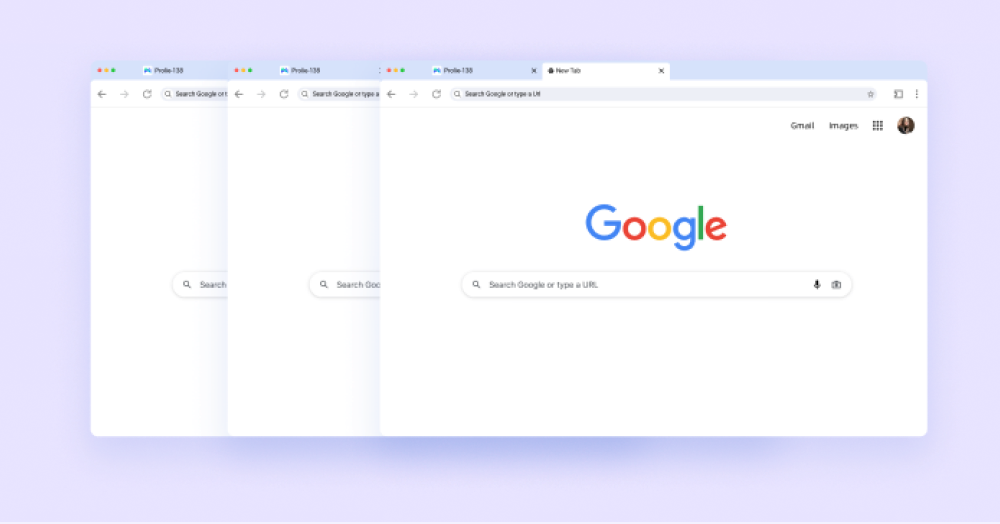
- Antidetect browser profiles — Each profile mimics a unique device fingerprint (OS, screen resolution, WebRTC, fonts, etc.) and runs in an isolated container. You can create profiles based on Chromium or Firefox engines.
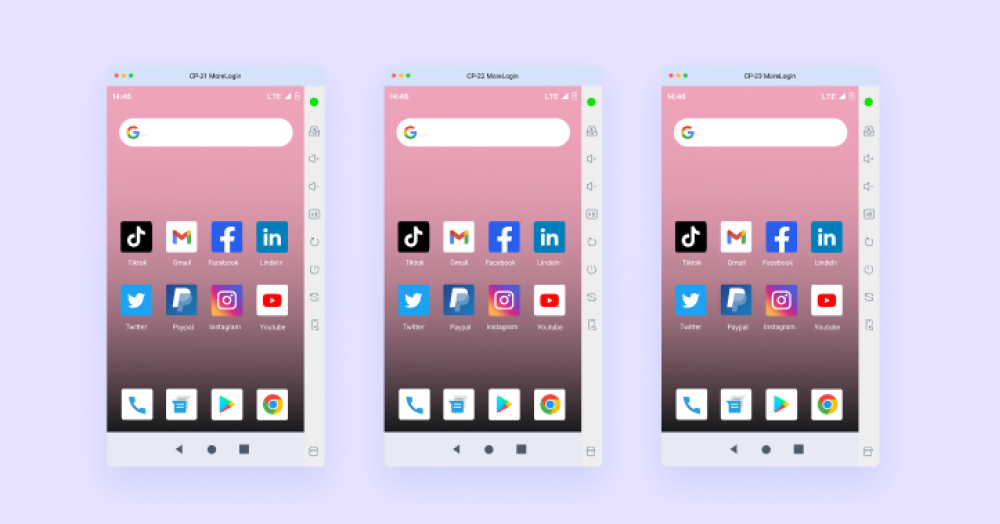
- Cloud Android phones — Real mobile devices hosted in the cloud, giving you genuine Android hardware fingerprints. They’re billed per minute and can be automated the same way as browser profiles.
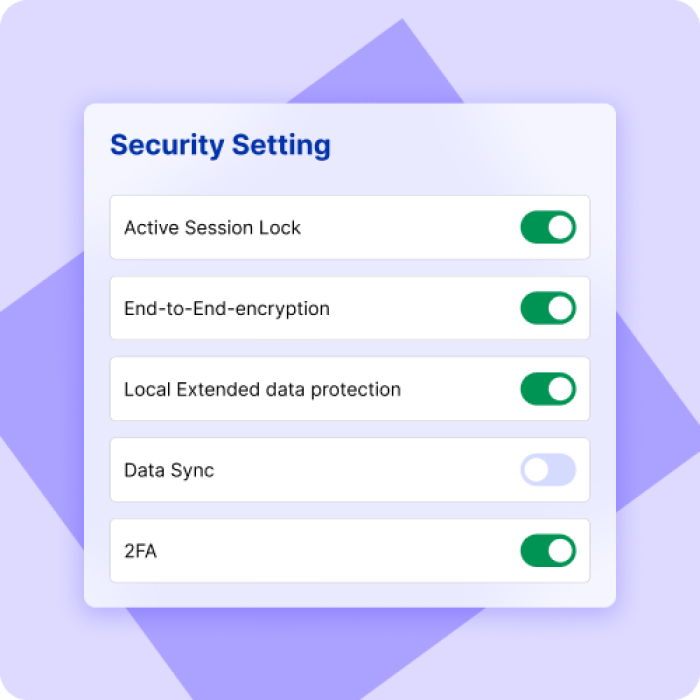
The platform also bundles automation capabilities (RPA, APIs, CLI, and MCP integration), team management with granular permissions, and a built‑in proxy manager. MoreLogin stores all data with zero‑knowledge encryption, so only you hold the decryption keys.
Key Features of MoreLogin
MoreLogin Review 2026: Secure Multi-Account Browser & Cloud Phone - MoreLogin product image 2.
1. Dual‑Engine Browser Profiles
Quick Create and Advanced profile modes let you craft fingerprints that match real devices. Bulk import of accounts and cookies is supported, so you can migrate existing setups without starting from scratch. Profiles refuse to launch if a proxy error is detected—an extra guardrail that prevents accidental leaks.
2. Cloud Android Phones
MoreLogin’s cloud phone support puts genuine Android devices at your fingertips. They can run mobile apps like TikTok, Instagram, or mobile games natively, and you can synchronize actions across multiple phones. The metered billing starts from a free allowance of 100 minutes, then moves to a pay‑as‑you‑go model that scales with your usage.
3. Automation & Scripting
Beyond the built‑in synchronizer and cookie robot, MoreLogin exposes an API, CLI, and MCP server. This allows technical teams to integrate multi‑account operations into larger data pipelines. If you need lighter browser automation, check out our guide to Top 10 Browser Automation Libraries.
4. Team Collaboration
Share profiles and groups with colleagues, controlling their access level (view, edit, transfer). Activity logs show who did what and when. This makes MoreLogin viable for agencies where multiple hands touch the same client’s accounts.
5. Built‑in Proxy Management
MoreLogin integrates with several proxy providers and supports static, rotating, ISP, and residential IPs. Pasting proxy details auto‑fills credential fields. However, the interface has been criticized for being unintuitive, especially for newcomers—more on that in the Limitations section.
Who Should Use MoreLogin?
MoreLogin Review 2026: Secure Multi-Account Browser & Cloud Phone - MoreLogin product image 3.
- E‑commerce sellers managing multiple Amazon, eBay, or Shopify stores can isolate each identity and avoid account linking. If you’re specifically working with Amazon Seller Central, our AdsPower guide for Amazon shows the steps with another popular browser.
- Social media agencies running dozens of client accounts on TikTok, Facebook, or Instagram benefit from both browser profiles and cloud phones—mobile app scraping gets a real Android payload instead of a spoofed desktop user agent.
- Affiliate marketers who need to test creatives or manage multiple ad accounts can rotate fingerprints rapidly.
- Gaming and airdrop hunters use cloud phones to claim rewards without device restrictions.
Pricing Plans
MoreLogin Review 2026: Secure Multi-Account Browser & Cloud Phone - MoreLogin product image 4.
MoreLogin offers a free tier limited to 2 browser profiles, 2 team members, and 20 profile launches—plus 100 cloud phone minutes. Paid plans start at $9/month for 10 profiles and scale up to custom enterprise contracts. Cloud phone minutes are always billed separately. A full‑featured trial is not available; the free plan is the only way to test the tool without paying.
From a cost perspective, MoreLogin sits in the budget‑friendly range, especially for small teams that need cloud phones alongside browser profiles. But if your needs extend to hundreds of profiles with advanced sync features, you might find better value in a competitor like AdsPower—see our AdsPower vs GoLogin vs Genlogin comparison for a detailed pricing and feature breakdown.
Setup and First Steps
Getting started takes minutes:
- Sign up on the official MoreLogin website. Verify your email.
- Download the desktop application (Windows or macOS).
- After installation, you’ll complete three short surveys about your intended use—MoreLogin uses this to pre‑configure suggestions.
- On the main dashboard, click Quick Create to spin up your first browser profile. MoreLogin auto‑generates a fingerprint.
- Attach a proxy: either pick a built‑in provider or paste your own IP details. The system checks the proxy before the profile opens.
- Launch the profile and start working inside a clean, isolated browser instance.
For cloud phones, you’ll purchase minutes and choose a device model. The phone boots in seconds, and you can side‑load apps or use the built‑in synchronizer.
Fingerprinting & Security: How Well Does It Hide You?
Third‑party tests with services like Pixelscan and Iphey show mixed results. When using a Quick Create Chromium profile with a matching proxy, Iphey detected no issues, but Pixelscan flagged an inconsistent fingerprint. This suggests that out‑of‑the‑box fingerprints may pass basic checks but can be caught by more sophisticated anti‑fraud systems. Competitors like GoLogin consistently pass both tools, indicating stronger baseline fingerprinting. MoreLogin’s Firefox‑based profiles might offer an advantage on Windows, but support is limited.
Encryption is handled with a zero‑knowledge model, meaning MoreLogin cannot access your data. The team permission system helps prevent internal misuse, and the proxy‑error lockout is a useful safety net.
Nevertheless, social proof is a concern. At the time of writing, the Trustpilot page shows a 2.4‑star average across 31 reviews, with many flagged as potentially AI‑generated. Several reviews on G2 and other platforms appear to have been written by the vendor’s own staff. While a low volume of genuine reviews doesn’t automatically mean the product is insecure, it does make independent due diligence harder.
Strengths and Limitations
What Works Well
- Cloud phone integration — genuine Android fingerprints for mobile‑first platforms; rare in this price bracket.
- Free tier with cloud minutes — lets you test core functionality before spending.
- Dual browser engines — the option to use Firefox profiles gives more fingerprint variety.
- Automation‑ready — API, CLI, and MCP open doors for power users.
- Team controls and encryption — suitable for collaborative work without exposing sensitive data.
Where It Falls Short
- English translation and interface — menus feel “raw,” with awkward wording and inconsistent fonts. Non‑technical users will need extra patience.
- Proxy management UX — adding, editing, or purchasing IPs can be confusing; some built‑in proxies come with a 2‑hour provisioning delay.
- Fingerprinting gaps — Pixelscan failures suggest the default fingerprint randomness could be improved.
- Scarce genuine reviews — the abundance of AI‑flavored testimonials makes it hard to gauge real‑world reliability.
- Missing convenience features — profile cloning, local storage export, and scenario scripting (found in Dolphin Anty and others) are absent.
MoreLogin vs. Top Alternatives
| Aspect | MoreLogin | GoLogin | AdsPower | Dolphin Anty |
|---|---|---|---|---|
| Cloud phones | ✅ Android, pay‑per‑min | ❌ | ❌ | ❌ |
| Free plan | 2 profiles, 20 launches, 100 cloud min | 3 profiles, unlimited launches | 2 profiles (free) | 10 profiles, free |
| Starting paid price | $9/mo | $24/mo | $9/mo | $0 (with paid plans from $89/mo for teams) |
| Browser engines | Chromium + Firefox (Win) | Chromium (Web app too) | Chromium + Firefox | Chromium |
| Fingerprint test (Pixelscan) | Occasional failures | Passes consistently | Passes | Passes |
| UI polish | Technical, rough translation | Clean, beginner‑friendly | Well‑organized | Beginner‑friendly, native‑grade translations |
GoLogin and Dolphin Anty are more polished and better supported in Western markets, while AdsPower matches MoreLogin’s price point with a more mature feature set—see our AdsPower vs RoxyBrowser vs Kameleo comparison for an in‑depth look. MoreLogin’s cloud phone feature, however, is genuinely unique. If you need mobile device fingerprints for TikTok or mobile gaming, neither AdsPower nor GoLogin can replicate that natively.
Related reading
- What Is Data Scraping? Complete Guide with Tools & Protection - Learn what data scraping is, how it works, common techniques, legitimate uses, risks, and how to protect your data. See how AdsPower simplifies large-scale scraping.
- Scrapingdog Review: Reliable Web Scraping API for Developers? - In-depth Scrapingdog review covering speed tests, pricing, dedicated APIs, setup, and ideal use cases for SEO, e-commerce, and AI teams.
Sources and further reading
- MoreLogin Browser Alternative: Updated Review 2026 - MoreLogin browser from China offers competitive business features, but seems to get many AI reviews. Is it worth the money for 2026 business?
- Dolphin Anty vs MoreLogin - Análise do navegador anti-detect MoreLogin. Avaliações do navegador anti-detect MoreLogin, download, preços, vantagens, desvantagens.
Frequently Asked Questions
Is MoreLogin safe to use?
MoreLogin uses zero‑knowledge encryption and isolates profiles. However, users should combine it with fresh residential proxies and avoid logins that violate platform terms of service. For reliable IPs, check our Proxy‑Seller review.
Does MoreLogin work for e‑commerce multi‑accounting?
Yes. Many sellers use it to manage separate Amazon, eBay, and Shopify stores. Just be sure to match proxies to each store’s region and avoid linking by logging in from a single device.
Can I automate tasks with MoreLogin?
Yes. MoreLogin supports RPA, an API, CLI, and MCP. It also includes a native synchronizer that replicates actions across open profiles.
How does the cloud phone billing work?
Cloud phones are billed per minute. Every account gets 100 free minutes to start, after which you pay by the second. You can set spending limits to avoid unexpected charges.
Why are MoreLogin reviews so mixed?
Many online reviews appear AI‑generated, and the vendor has been caught posting its own testimonials. This inflates the positive count but also triggers skepticism. We recommend testing the free plan yourself and weighing the tool’s technical merits against your own experience.
Conclusion: Is MoreLogin Right for You?
MoreLogin occupies a distinctive niche: an antidetect browser with genuinely integrated cloud Android phones at a low entry price. For TikTok marketers, mobile game operators, and anyone needing real mobile fingerprints without buying physical devices, this is a compelling advantage. The team features and automation hooks also make it suitable for agencies who are comfortable navigating a rough‑around‑the‑edges interface.
On the other hand, if you prioritize a polished UI, watertight fingerprinting out‑of‑the‑box, and a track record of authentic community feedback, you might lean towards GoLogin or AdsPower. Our head‑to‑head comparison between AdsPower, GoLogin, and Genlogin can help you decide.
Ultimately, MoreLogin’s value depends on whether you need the cloud phone functionality. If you do, it’s currently one of the few all‑in‑one solutions. If not, the market offers several more mature alternatives that cost roughly the same. As always, the best strategy is to run your own tests using the free plan and compare results with your specific use case.