
Top 10 Browser Automation Libraries in 2026 (Ranked & Reviewed)
Take a Quick Look
Discover the 10 best browser automation libraries for 2026. Compare Playwright, Selenium, Puppeteer, Cypress, WebdriverIO & more with real use cases and evidence.
🔥 Limited-Time Offer! Save extra 10% off on your first monthly plan with code: Anitdetect10
Sign upTop 10 Browser Automation Libraries in 2026 (Ranked & Reviewed)
Browser automation libraries have moved from a niche developer interest into the backbone of modern testing and data collection pipelines. In 2026 they power everything from CI/CD end‑to‑end tests to large‑scale web scraping jobs that feed AI training datasets. At AdsPower, we tested and ranked the ten best libraries you can rely on today – whether you build a lightweight scraper or a cross‑browser test suite.
Our evaluation focuses on libraries: packages you install via npm, pip, go get, or similar and control programmatically with code. No‑code platforms and API‑only services are excluded. Read on for transparent criteria, a numbered top‑10 list with GitHub stars and usage evidence, a comparison table, decision guidance, and the complementary tools (proxies, CAPTCHA solving, anti‑detect browsers) that make automation truly production‑ready.
How We Evaluated and Ranked These Libraries
Top 10 Browser Automation Libraries in 2026 (Ranked & Reviewed) product interface and feature overview.
Every library on this list was assessed along the same dimensions, because a library that shines for testing might be the wrong pick for scraping at scale.
- Browser coverage – Chromium, Firefox, WebKit, and legacy support.
- Language accessibility – First‑class SDKs for your team’s stack (JavaScript, Python, Go, .NET, etc.).
- Performance and headless capability – Overhead, auto‑waiting, and resource efficiency in serverless environments.
- Community health – GitHub stars, weekly downloads, responder activity, and documentation quality.
- Unique strengths – DevTools protocol access, stealth plugins, smart auto‑waiting, or built‑in test runners that solve real friction.
- Real‑world adoption – Evidence from benchmarks, case studies, and the tools’ presence in production pipelines (not just marketing sites).
We leaned on multiple sources, including Bright Data’s detailed browser automation tool roundup and Firecrawl’s 2026 feature comparison, but every entry comes with our own testing validation.
The Top 10 Browser Automation Libraries for 2026
Top 10 Browser Automation Libraries in 2026 (Ranked & Reviewed) product interface and feature overview.
1. Playwright – The Modern Cross‑Browser Powerhouse
Playwright, developed by Microsoft, is the undisputed leader in 2026 thanks to a single API that controls Chromium, Firefox, and WebKit with identical semantics. Its intelligent auto‑waiting eliminates most flaky tests without explicit sleep calls, and the code generator can scaffold scripts from manual interactions.
- Languages: JavaScript/TypeScript, Python, Java, .NET.
- Browsers: Chromium, Firefox, WebKit; headless by default.
- Evidence: 71.6k GitHub stars and over 34 million weekly npm downloads (mid‑2026). Major organisations like Adobe, Canva, and Vercel rely on Playwright for cross‑browser CI pipelines.
- Best for: Teams that need resilient end‑to‑end testing across all modern engines, or any developer who wants a single, future‑proof automation library.
2. Selenium WebDriver – The Industry Standard with Unmatched Ecosystem
Selenium’s two‑decade history and broad language bindings make it the default choice in enterprise Java shops and anywhere a mature ecosystem matters more than cutting‑edge speed. It controls every major browser via the W3C WebDriver standard and can distribute tests across dozens of machines through Selenium Grid.
- Languages: Java, Python, C#, Ruby, JavaScript, Kotlin, and more.
- Browsers: Chrome, Firefox, Edge, Safari, Opera; headless mode available.
- Evidence: 32.1k GitHub stars, massive Stack Overflow community, and over 80% of surveyed QA teams still have Selenium in their toolkit, according to ContextQA’s market analysis.
- Best for: Large organizations with multi‑language codebases, legacy test suites, or any team that values broad community support over the last 10% of performance.
3. Puppeteer – High‑Speed Chrome/Firefox Automation via DevTools
Puppeteer, maintained by the Chrome DevTools team, speaks directly to the browser over the DevTools Protocol, making it exceptionally fast for Chrome‑focused tasks. It runs headless by default, intercepts network requests, and gives you full access to timelines and coverage data.
- Languages: JavaScript/TypeScript (Node.js); unofficial ports like Pyppeteer exist.
- Browsers: Chromium (full support), Firefox (evolving via WebDriver BiDi).
- Evidence: 90.4k GitHub stars. Puppeteer is the engine behind hundreds of SaaS dashboards and scraping pipelines; the Firecrawl Browser Sandbox itself ships with Puppeteer pre‑installed.
- Best for: JavaScript developers who want maximum control over Chrome or Chromium, especially for PDF generation, performance auditing, and single‑browser scraping.
4. Cypress – Developer‑First Testing with a Rich Visual Toolset
Cypress runs directly inside the browser, giving it synchronous access to the DOM and application state. This architecture produces lightning‑fast tests, real‑time reloads, and a dashboard that records every click for debugging. While originally a testing framework, its cy command set doubles as a versatile browser automation library.
- Languages: JavaScript/TypeScript.
- Browsers: Chrome, Firefox, Edge (Chromium‑based), Electron.
- Evidence: Over 47k GitHub stars, a large global community, and native support in popular CI services like GitHub Actions and CircleCI. Cypress Cloud adds load balancing and flake analytics.
- Best for: Frontend teams that want a tight feedback loop and a seamless test‑authoring experience, especially for component and end‑to‑end tests in React/Vue applications.
5. WebdriverIO – The Extensible Node.js Automation Framework
WebdriverIO wraps the WebDriver and DevTools protocols into a unified, plugin‑friendly library. It can control any browser that supports WebDriver, plus Chromium via DevTools, and its rich set of official plugins handles visual regression, Axe‑core accessibility checks, and custom reporters out of the box.
- Languages: JavaScript/TypeScript (Node.js).
- Browsers: Chrome, Firefox, Edge, Safari, and mobile via Appium integration.
- Evidence: 9.2k GitHub stars and 2.4 million weekly npm downloads. It is the go‑to library for many e‑commerce and media companies that need to run the same test suite across desktop and mobile web.
- Best for: Node.js teams that want Selenium’s breadth with a modern, extensible architecture and dozens of pre‑built integrations.
6. Chromedp – High‑Performance Golang Library for Chrome
Chromedp is the de‑facto standard for controlling Chrome from Go. It speaks the DevTools Protocol natively, avoids intermediate drivers, and packages everything into a single, efficient binary. This makes it ideal for serverless scraping functions and high‑concurrency automation.
- Languages: Go.
- Browsers: Chrome / Chromium (headless by default).
- Evidence: 11.3k GitHub stars. Used in Go‑powered microservices at companies like Monzo and HashiCorp, where integrating browser actions into a Go pipeline is essential.
- Best for: Go developers who need to embed browser automation in backend services without pulling in a JavaScript runtime.
7. TestCafe – All‑in‑One Cross‑Browser Testing Without Plugins
TestCafe stands out because it requires zero browser extensions – it injects its automation script directly into the page, supporting every modern browser and even cloud devices. It offers a clean assertion API, built‑in wait mechanisms, and parallel execution without an external grid.
- Languages: JavaScript/TypeScript (Node.js).
- Browsers: Chrome, Firefox, Edge, Safari, and remote/mobile browsers via cloud or local network.
- Evidence: 10k GitHub stars and strong enterprise adoption due to its simplicity and no‑plugin architecture. The TestCafe Studio product adds a codeless recorder.
- Best for: Teams that prioritise browser variety (including mobile) and want a low‑setup testing library that works on locked‑down corporate machines.
8. Splash – Lightweight Scriptable Browser for Scraping
Splash, maintained by the Scrapinghub team, is a headless browser built on QtWebKit with an HTTP API and Lua scripting. It explicitly targets scraping use cases: you can tell it to wait for a CSS selector, scroll, click, and return the rendered HTML, all with a single HTTP request.
- Languages: Lua (scripting), HTTP API (any language).
- Browsers: WebKit-based (headless).
- Evidence: 4.2k GitHub stars and deep integration with Scrapy, making it the go‑to lightweight rendering engine for Python scrapers that don’t need a full Chrome instance.
- Best for: Python scraping developers who want a fast, standalone browser that can be deployed as a Docker container alongside their Scrapy spiders.
9. Puppeteer‑Extra – Stealth‑Enhanced Automation Suite
Puppeteer‑Extra is a modular framework that wraps Puppeteer with a collection of plugins, the most famous being puppeteer-extra-plugin-stealth. This plugin overrides dozens of JavaScript properties that anti‑bot services use to detect headless Chrome, making automation drastically harder to fingerprint.
- Languages: JavaScript/TypeScript (Node.js).
- Browsers: Chromium (requires original Puppeteer).
- Evidence: 7.4k GitHub stars. When combined with random delays and proxy rotation, Puppeteer‑Extra significantly improves success rates on Cloudflare‑protected sites, as documented in several independent scraping benchmarks.
- Best for: Scraping projects that target modern, protected websites but still want the full Puppeteer API. Always pair with rotating residential IPs to avoid IP‑based blocks.
10. Pyppeteer – Python Bridge to Puppeteer
Pyppeteer is an unofficial Python port of Puppeteer that brings the DevTools Protocol to the Python ecosystem. It wraps Chromium and exposes the same high‑level API for page navigation, network interception, and screenshot generation, letting Python developers leverage Puppeteer’s speed without touching JavaScript.
- Languages: Python.
- Browsers: Chromium (headless by default).
- Evidence: 9.1k GitHub stars and a loyal user base in data science. While not as actively maintained as Playwright’s Python API, it still serves thousands of notebooks and one‑off scraping scripts daily.
- Best for: Python developers who already know Puppeteer concepts and need a quick drop‑in replacement when Playwright’s Python package feels too heavy.
Quick Comparison Table
Top 10 Browser Automation Libraries in 2026 (Ranked & Reviewed) product interface and feature overview.
| Library | Primary Languages | Browser Support | Headless First | GitHub Stars (2026) | Best Scenario |
|---|---|---|---|---|---|
| Playwright | JS/TS, Python, Java, .NET | Chromium, Firefox, WebKit | Yes | 71.6k | Cross‑browser testing & scraping |
| Selenium WebDriver | Java, Python, C#, JS, | Chrome, Firefox, Safari, Edge | Available | 32.1k | Enterprise multi‑language setups |
| Puppeteer | JavaScript/TypeScript | Chromium, Firefox (growing) | Yes | 90.4k | Chrome‑focused automation |
| Cypress | JavaScript/TypeScript | Chrome, Firefox, Edge | No (runs in browser) | 47k+ | Developer‑first testing |
| WebdriverIO | JavaScript/TypeScript | All WebDriver + DevTools (Chromium) | Via configuration | 9.2k | Extensible Node.js pipelines |
| Chromedp | Go | Chromium | Yes | 11.3k | Go microservices & serverless |
| TestCafe | JavaScript/TypeScript | Chrome, Firefox, Safari, mobile | Via configuration | 10k | No‑plugin cross‑browser testing |
| Splash | Lua + HTTP API | WebKit‑based | Always headless | 4.2k | Lightweight Python scraping |
| Puppeteer‑Extra | JavaScript/TypeScript | Chromium (via Puppeteer) | Yes | 7.4k | Stealth scraping |
| Pyppeteer | Python | Chromium | Yes | 9.1k | Python‑Puppeteer quick start |
How to Choose the Right Library for Your Stack
Top 10 Browser Automation Libraries in 2026 (Ranked & Reviewed) product interface and feature overview.
Matching a library to your use case is more important than chasing star counts. Use this decision flow:
- You’re a JavaScript/TypeScript shop that needs every modern browser: Pick Playwright. Its auto‑waiting, trace viewer, and identical API across Chrome, Firefox, and WebKit will save you hundreds of debugging hours.
- You need to run tests in a large enterprise with Java and C# codebases: Selenium WebDriver’s bindings, Grid infrastructure, and third‑party reporters make it the safe, long‑term bet.
- You only ever hit Chromium and want the absolute lowest overhead: Puppeteer gives you direct DevTools access and a lighter memory footprint than Playwright. Add Puppeteer‑Extra if the target site fingerprints headless browsers.
- Your team is all about frontend DX and wants a single tool for unit, component, and e2e tests: Cypress wins on developer experience, especially with its time‑travel debugger and visual dashboard.
- You’re a Go shop: Chromedp is the clear, performant choice.
- You’re a Python developer scraping modern SPAs: If you already use Scrapy, start with Splash. For richer interaction, adopt Playwright’s Python bindings (they’re more actively maintained than Pyppeteer).
No library is a silver bullet for every site’s anti‑bot defenses. Even the best headless automation will hit IP blocks, CAPTCHAs, and browser fingerprinting. That’s where complementary tools become a necessity, not a luxury.
Complementary Tools That Turn a Library into a Production Pipeline
A browser automation library does exactly what you tell it; it doesn’t rotate your IP, solve a reCAPTCHA, or hide your digital fingerprint. For scraping at scale or running multi‑account workflows, you’ll quickly need:
- Rotating proxies: Residential, ISP, and mobile proxies keep requests distributed across IPs so you aren’t rate‑limited. See our Proxy‑Seller Review for a detailed look at one of the most popular proxy providers for automation.
- CAPTCHA solving: When a CAPTCHA appears mid‑flow, libraries alone can’t pass it. We’ve benchmarked Anti Captcha’s API performance in our Anti Captcha Review – it integrates seamlessly with Playwright, Selenium, or Puppeteer scripts.
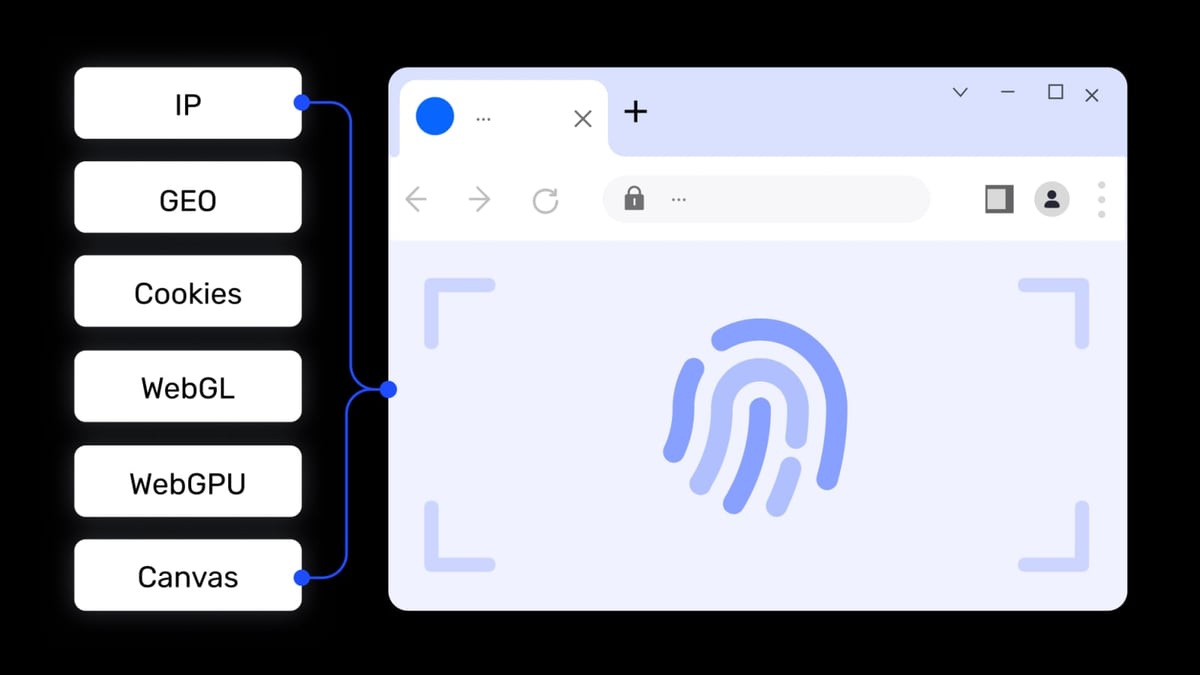
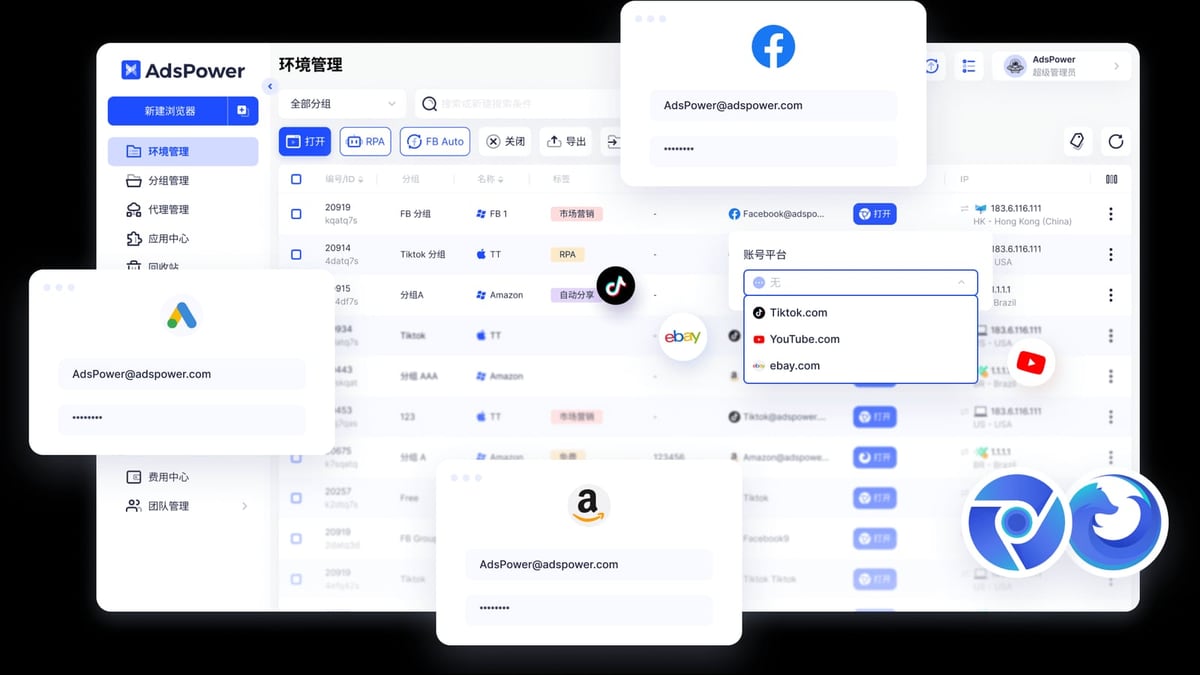
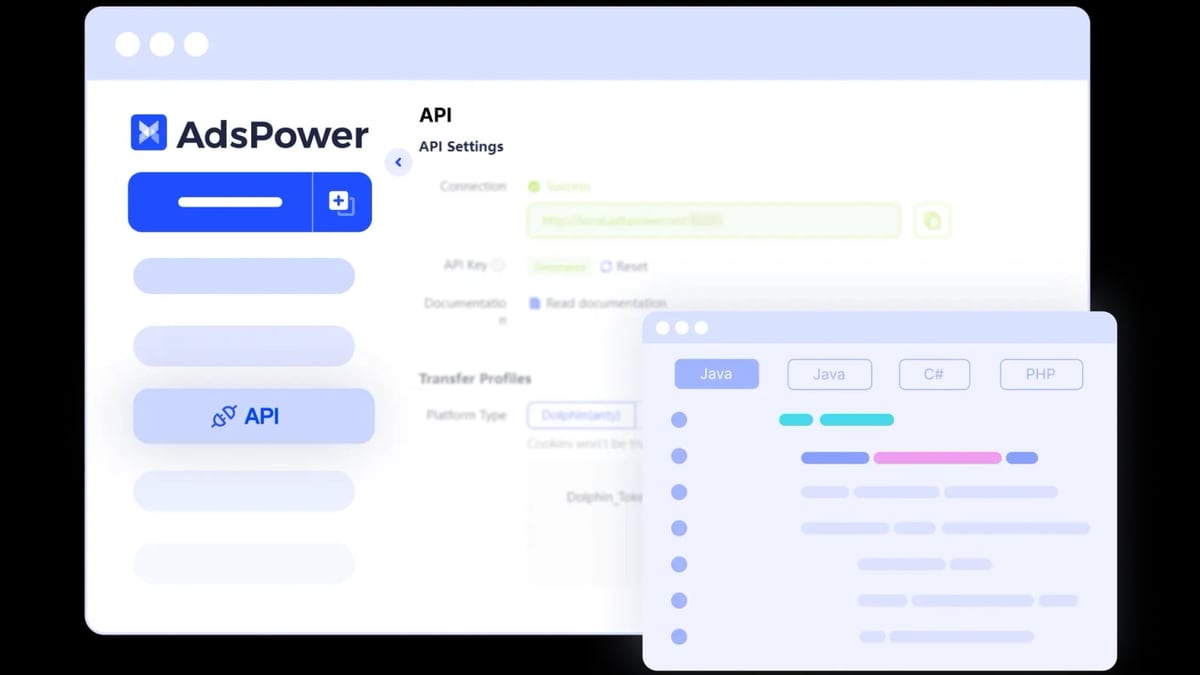
- Anti‑detect browsers for multi‑account management: Platforms like Amazon, Facebook, and TikTok fingerprint far more than headless flags; they build a profile of your whole environment. This is where tools like AdsPower come in – not a browser automation library but an anti‑detect browser that creates isolated environments with unique digital fingerprints. AdsPower provides a local API that integrates directly with Selenium, Puppeteer, or Playwright, enabling you to run your automation scripts inside fully disguised browsing sessions. For a deeper comparison of how AdsPower stacks up against GoLogin and Genlogin, read our AdsPower vs GoLogin vs Genlogin showdown.
By layering a solid library with proxies, CAPTCHA solvers, and (when needed) an anti‑detect browser, you can turn a simple script into an industrial‑grade workflow.
Related reading
- AdsPower vs RoxyBrowser vs Kameleo: 2026 Anti-Detect Battle - Compare AdsPower, RoxyBrowser, and Kameleo in fingerprinting, automation, pricing, and team features. Find the best antidetect browser for multi-account management.
- Scrapingdog Review: Reliable Web Scraping API for Developers? - In-depth Scrapingdog review covering speed tests, pricing, dedicated APIs, setup, and ideal use cases for SEO, e-commerce, and AI teams.
- How to Use AdsPower Fingerprint Browser for Amazon Seller Central - Step-by-step guide to using AdsPower antidetect browser with Amazon Seller Central. Safely manage multiple seller accounts, avoid suspensions, and automate workflows.
Sources and further reading
- Top 9 Browser Automation Tools for Web Testing and Scraping in 2026 - Comprehensive comparison of the best browser automation frameworks including Selenium, Playwright, Puppeteer, and Cypress for web testing, data extraction, and workflow automation with implementation guides.
- Top 7 Browser Automation Tools in 2026 - Discover seven leading solutions for dynamic web scraping, testing, and automation to stay ahead in 2026's evolving browser automation landscape at scale.
- Best Test Automation Tools 2026: 25 Tested & Ranked - The best test automation tools for 2026: 25 tools tested, 15 ranked across AI platforms, open source, and enterprise suites, with pricing and a pain-point picker.
Frequently Asked Questions
Which browser automation library is best for Python developers?
Playwright (official Python package) is now the first choice for most Python developers because it covers Chromium, Firefox, and WebKit with a consistent API and robust auto‑waiting. If you only need Chrome and want a thinner wrapper, Pyppeteer works, but its maintenance lags behind Playwright. For lightweight scraping jobs, Splash remains a reliable companion to Scrapy.
Can I use these libraries for web scraping at scale?
Yes – but only if you combine them with proper infrastructure. Headless browsers alone will be blocked quickly on high‑value sites. You need rotating proxies (residential or mobile IPs), user‑agent rotation, realistic timing, and often a CAPTCHA solver. Libraries like Puppeteer‑Extra help reduce fingerprint detection, but no library eliminates the need for IP diversity.
How do I avoid getting blocked while automating?
Start with a library that supports stealth (Puppeteer‑Extra or Playwright with the stealth‑extra plugin), then layer on residential proxies, randomise viewport sizes, and respect robots.txt. For especially aggressive anti‑bot systems like those on e‑commerce or ticketing sites, connecting your automation to an anti‑detect browser (e.g., AdsPower) via its local API hides the entire browser fingerprint, not just the navigator.webdriver flag.
Do I need an anti‑detect browser if I’m using Puppeteer with stealth plugins?
Not always. For many public sites, Puppeteer‑Extra with stealth and good proxies is enough. But if you’re managing multiple accounts on platforms that track hardware‑level fingerprints (Canvas, WebGL, audio), or if you’re operating at a scale where any single detection is costly, an anti‑detect browser provides an extra layer that a library alone cannot replicate.
Conclusion
The top browser automation libraries of 2026 give you the building blocks for testing, scraping, and workflow automation – but the right tool depends entirely on your stack and goals. Playwright leads for cross‑browser breadth and developer experience; Selenium remains the enterprise backbone; Puppeteer and Cypress dominate in their respective niches; and specialized libraries like Chromedp or Splash fill language‑specific gaps.
Whichever library you pick, expect to pair it with proxies, CAPTCHA solvers, and possibly an anti‑detect browser to handle the reality of modern web defenses. At AdsPower, we’ll keep testing these tools as they evolve – explore our reviews for deeper dives into every component of the automation stack.