
AdsPower vs RoxyBrowser vs Kameleo: 2026 Anti-Detect Battle
Take a Quick Look
Compare AdsPower, RoxyBrowser, and Kameleo in fingerprinting, automation, pricing, and team features. Find the best antidetect browser for multi-account management.
🔥 Limited-Time Offer! Save extra 10% off on your first monthly plan with code: Anitdetect10
Sign upAdsPower vs RoxyBrowser vs Kameleo: Which Anti-Detect Browser Fits Your Workflow?
Managing multiple online accounts without triggering bans has become a top priority for e‑commerce sellers, social media managers, and affiliate marketers. Platforms like Amazon, Facebook, TikTok, and Google constantly refine their detection algorithms, and a single linked footprint can erase months of work. Anti‑detect browsers create isolated digital identities that mask parameters such as Canvas, WebGL, WebRTC, and operating system fingerprints, making it nearly impossible for sites to tie accounts together.
Three tools dominate the conversation in 2026: AdsPower fingerprint browser, RoxyBrowser, and Kameleo. Each takes a different approach—some prioritize team workflows, others focus on raw automation power, and a few sacrifice simplicity for bulletproof stealth. This side‑by‑side comparison breaks down their strengths, limitations, and ideal use cases so you can pick the right engine for your multi‑account stack.
What to Look for in an Anti‑Detect Browser
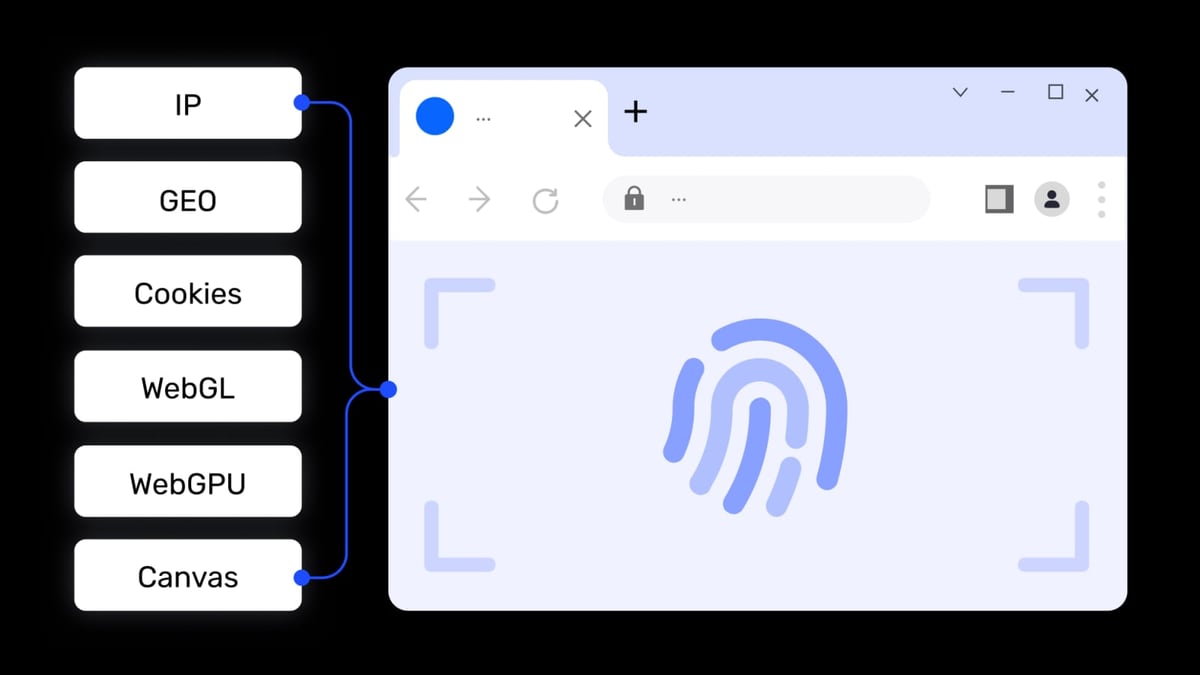
AdsPower vs RoxyBrowser vs Kameleo: 2026 Anti-Detect Battle product interface and feature overview.
Before diving into specs, keep these six dimensions in mind. They shape how well a browser fits your daily operations:
- Fingerprint depth – How many parameters are masked, and how realistic are the generated identities?
- Automation & API – Can you script actions via Selenium, Playwright, or Puppeteer? Does it offer no‑code RPA?
- Team features – Role‑based sharing, activity logs, and permission controls matter when you’re not working alone.
- Ease of use – A shallow learning curve saves time if you’re onboarding freelancers or new staff.
- Platform support – Dual kernel browsers (Chromium + Firefox) and mobile emulation expand where you can safely operate.
- Pricing model – Free tiers, trial periods, and per‑profile costs influence total cost of ownership.
Head‑to‑Head Comparison
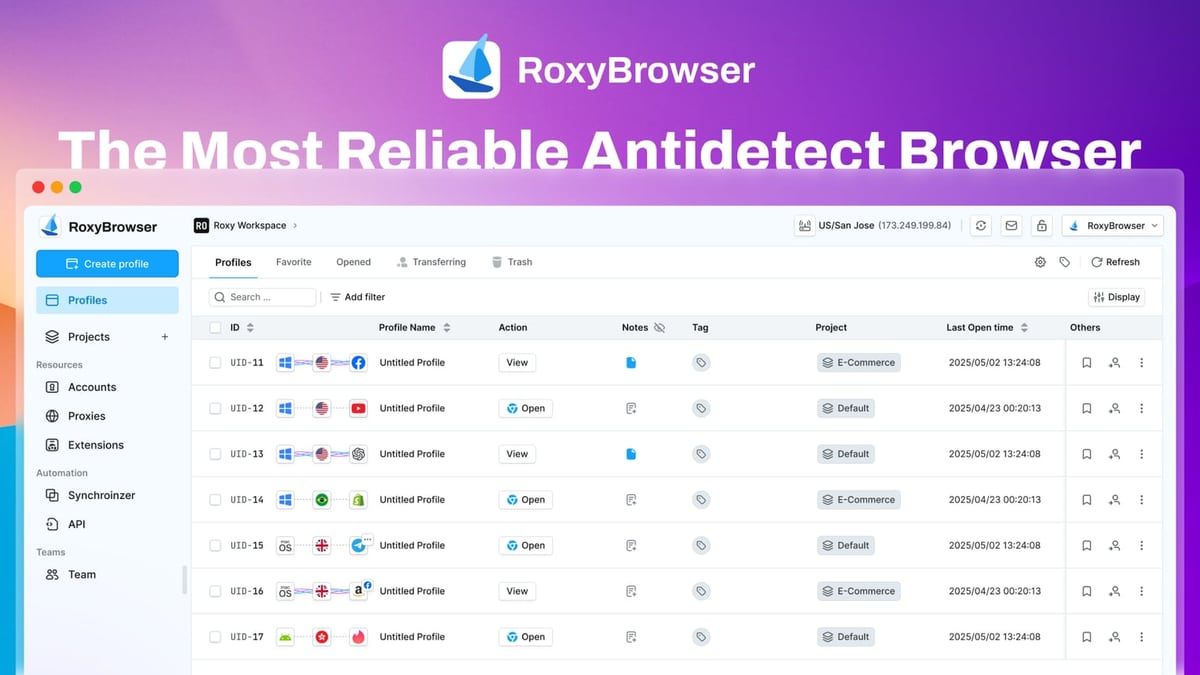
AdsPower vs RoxyBrowser vs Kameleo: 2026 Anti-Detect Battle product interface and feature overview.
Fingerprinting and Stealth
RoxyBrowser applies advanced fingerprint isolation, giving each profile a unique set of attributes. It integrates tightly with the RoxyIP proxy infrastructure, reducing the chance of IP–fingerprint mismatches. However, testing shows it masks fewer parameters than its rivals, which makes it suitable for moderate‑risk environments like social media scheduling or simple e‑commerce dashboards. A third‑party comparison by Multilogin notes that RoxyBrowser covers essential identifiers but is less granular for demanding platforms.
Kameleo positions itself as the automation‑grade stealth browser. It ships with continuously auto‑tested stealth modes and claims to bypass tough anti‑bot systems such as DataDome and Cloudflare. Users can generate unlimited real‑world fingerprints, and the browser releases updates in lockstep with Chrome and Firefox versions—often within 24 hours. This fast cycle is critical when detection rules change overnight. Kameleo’s fingerprinting is backed by years of scraping‑specific R&D; the team proudly highlights over 1,500 GitHub stars and a 99.99 % uptime record for automated workloads.
AdsPower gives you control over 20+ fingerprint parameters (Canvas, WebGL, Audio, fonts, time zone, etc.), and every fingerprint is derived from real device data. Its dual‑kernel architecture—SunBrowser (Chromium) and FlowerBrowser (Firefox)—lets you match the browser to the platform. If a social network behaves differently on Firefox, you can spin up a Firefox‑based profile without leaving the dashboard. This hardware‑level separation adds an extra layer of security that pure Chrome‑based alternatives can’t replicate.
Who leads? If you need to bypass the most aggressive anti‑bot filters, Kameleo’s rapid updates and proven track record against DataDome make it the top pick. For marketers who want deep manual control and the safety net of a Firefox kernel, AdsPower delivers the widest fingerprint‑tuning toolkit.
Automation and API Capabilities
Kameleo was built with developers in mind. Its local API and SDK support Playwright, Puppeteer, and Selenium out of the box, and the whole setup can be containerized with Docker. Teams that operate headless browsers at scale (web scraping, automated account creation, or affiliate campaign testing) will appreciate the ability to launch hundreds of profiles with a single script. The Docker‑ready deployment also simplifies CI/CD pipelines.
RoxyBrowser supports the same automation libraries—Puppeteer, Selenium, Playwright—but its tooling is less extensive. You’ll need to bring your own orchestration layer if you plan to run dozens of profiles concurrently. For small‑scale marketing tasks, however, the built‑in integration is often enough.
AdsPower stands out with its no‑code RPA engine. Marketers who don’t write code can record and replay browser actions (clicking, form filling, scrolling) and schedule them across multiple environments. The platform also exposes a full local API, compatible with Selenium, Puppeteer, and Playwright, plus the newer MCP protocol that lets AI agents control browser sessions directly. Window synchronization—the ability to mirror clicks and keystrokes into several profiles simultaneously—is a rare feature that saves hours during bulk social media posting.
Who leads? AdsPower’s RPA gives non‑technical users a huge efficiency boost, while Kameleo’s SDK and Docker model make it the preferred choice for dev‑first automation teams. RoxyBrowser meets basic automation needs but lacks the depth of either.
Team Collaboration and Permissions
AdsPower excels here. It offers role‑based access controls, detailed operation logs, and the ability to share browser environments without exposing passwords. Managers can assign specific profiles to team members, restrict export permissions, and monitor activity timelines. This makes it a solid fit for agencies that handle client ad accounts or e‑commerce brands with remote VAs.
RoxyBrowser introduces Workspaces to group profiles and collaborate on projects, but the permission system is less granular. You can share access, yet fine‑tuning individual rights or tracking changes across a large team still requires workarounds.
Kameleo was designed primarily for single‑user automation environments. There’s no built‑in team dashboard or permission hierarchy. Larger groups who need to manage shared accounts will have to layer on third‑party password managers and maintain strict internal protocols.
Who leads? For any setup with two or more people, AdsPower’s collaboration features are unmatched. If you’re a solo operator, though, this category matters less.
Ease of Use and Setup
RoxyBrowser is the lightweight contender. Its interface feels like a clean, modern browser with a simple profile sidebar. First‑time users can create an isolated profile in under a minute, assign a proxy, and start working. This low barrier appeals to freelancers who need a quick fix for a handful of accounts.
AdsPower packs more features, and the initial interface can feel dense. However, the platform compensates with guided onboarding, video tutorials, and a dedicated help center. Once users understand the logic of environments, profiles, and groups, the daily workflow becomes intuitive. The richness is a trade‑off: you get more power but a slightly steeper learning curve.
Kameleo targets technical users. Configuration often happens via command‑line tools or JSON settings files. While the browser itself is straightforward, setting up automation stacks requires a developer’s mindset. Non‑coders may struggle to extract full value.
Who leads? RoxyBrowser is the easiest to adopt on day one. AdsPower strikes a better long‑term balance between functionality and usability. Kameleo is best left to teams that already live in a terminal.
Platform and Mobile Support
AdsPower operates on Windows and macOS and provides full iOS digital fingerprint simulation. This lets you mimic mobile Safari environments, which is especially useful for TikTok, Instagram, and Pinterest ad managers who need to test mobile creatives. However, native Android emulation isn’t natively built in.
Kameleo ships a custom Android application and can emulate both Android and iOS profiles inside its desktop interface (Advanced plan and above). For web scrapers or affiliate marketers targeting mobile‑first platforms, this dual mobile capability significantly widens the attack surface.
RoxyBrowser runs on Windows and macOS but currently offers no mobile fingerprint simulation. All profiles mimic desktop or laptop environments.
Who leads? Kameleo’s Android‑iOS combo gives it the broadest mobile reach. AdsPower’s iOS simulation is a valuable niche feature, while RoxyBrowser is desktop‑only.
Pricing and Free Tiers
- AdsPower provides a permanent free plan with two browser environments, complete with RPA, cookie import, and access to both SunBrowser and FlowerBrowser. Paid plans start at $9/month (Base) and $50/month (Pro), offering more profiles, team management, and local API access. This free entry point is ideal for testing or running a minimal side operation at zero cost.
- RoxyBrowser advertises scalable pricing from free to enterprise. The free option likely includes a limited time trial or a restricted feature set, but details vary. Paid plans are budget‑friendly and aim at freelancers who need fewer than 50 profiles.
- Kameleo has no permanent free tier. It starts at €59/month for unlimited local profiles on Basic, rising to €89/month (Advanced, adds mobile and cookie tools) and €199/month (Automation, with full API and SDK). The unlimited profiles policy makes it cost‑effective for high‑volume, single‑user automation, but the entry price is higher than both competitors.
Who leads? AdsPower’s free tier lowers the barrier to entry dramatically. For automation‑heavy, single‑user workflows with hundreds of profiles, Kameleo’s unlimited model becomes attractive once you scale beyond 50 profiles.
Which Browser Should You Choose?

AdsPower vs RoxyBrowser vs Kameleo: 2026 Anti-Detect Battle product interface and feature overview.
The right tool depends on who you are and how you operate:
- Marketing agency or e‑commerce brand with multiple team members → AdsPower. Role‑based sharing, operation logs, and browser‑window sync streamline teamwork. The free tier lets you pilot it before committing, and the dual‑kernel architecture accommodates almost any platform. For detailed setup walkthroughs, refer to our AdsPower guide for Amazon Seller Central and the Shopify multi‑store management tutorial.
- Developer‑centric automation team that needs bulletproof anti‑bot bypass → Kameleo. Unlimited local profiles, Docker‑ready deployment, and rapid browser updates keep scraping and affiliate bots running 24/7. It’s the go‑to when you’re fighting DataDome or similar challenges.
- Solo freelancer or small business with a tight budget and a handful of accounts → RoxyBrowser. Its simple UI and affordable pricing cover basic multi‑account needs without the overhead of learning complex features.
If you’re still exploring alternatives, our recent AdsPower vs GoLogin vs Genlogin comparison breaks down three other popular antidetect browsers that sit between these extremes.
Related reading
- Scrapingdog Review: Reliable Web Scraping API for Developers? - In-depth Scrapingdog review covering speed tests, pricing, dedicated APIs, setup, and ideal use cases for SEO, e-commerce, and AI teams.
- Proxy-Seller Review: Reliable Proxies for Multi-Accounting & Sneakers? - In-depth Proxy-Seller review: residential, ISP, datacenter, and mobile proxies. Real user feedback, pricing, strengths, drawbacks, and who should buy.
Frequently Asked Questions
What is an antidetect browser?
An antidetect browser masks or alters your device’s digital fingerprint—things like screen resolution, fonts, WebGL, and audio hardware—so websites cannot link your accounts. It creates isolated environments, each with a unique identity, making it possible to run dozens of profiles from a single machine.
Can Kameleo really bypass Cloudflare?
Kameleo’s stealth mode is continuously auto‑tested against major anti‑bot providers, and users report successful bypasses of Cloudflare, DataDome, and others. Its fast release cycle means fingerprint adjustments land quickly when detection rules change. However, no tool guarantees 100% invisibility; proxy quality and behavioral patterns also matter.
Is AdsPower’s free plan enough for a small business?
Yes, if you only need two separate environments. The free tier includes all core fingerprinting controls, RPA, and support for both Chromium and Firefox kernels. When you outgrow it, the Base plan at $9/month adds team features and more profiles, making scaling predictable.
Does RoxyBrowser require a separate proxy?
Yes. RoxyBrowser works with standard HTTP, HTTPS, SOCKS5, and SSH proxies, but it doesn’t bundle traffic. You’ll need to purchase proxies from a third‑party provider. The platform integrates seamlessly with RoxyIP services if you want an all‑in‑one billing experience.
Conclusion
The antidetect browser market is no longer about who shouts the loudest. It’s about matching the tool to your exact workflow.
- RoxyBrowser keeps it simple and affordable—perfect for solo operators with modest needs.
- Kameleo chains raw automation strength with military‑grade stealth for developers who live in scripts and pipelines.
- AdsPower bridges the gap: it wraps deep fingerprint control, cross‑kernel support, no‑code RPA, and enterprise‑grade teamwork into one platform, while still offering a generous free entry point.
Whichever you lean toward, test the free trials, benchmark them against the platforms where your accounts live, and only commit when real‑world results match the promise. For more side‑by‑side reviews and deep dives, keep an eye on the AdsPower blog.
Statements in this article are based on publicly available documentation, vendor claims, and independent comparisons such as the Multilogin analysis of RoxyBrowser vs AdsPower. General fingerprint browser context is also drawn from AdsPower’s own antidetect browser ranking.