
AdsPower vs GoLogin vs Genlogin: 2026 Anti-Detect Browser Comparison
Take a Quick Look
Compare AdsPower, GoLogin, and Genlogin anti-detect browsers across fingerprinting, automation, pricing, and team features to find the best tool for multi-account management.
🔥 Limited-Time Offer! Save extra 10% off on your first monthly plan with code: Anitdetect10
Sign upAdsPower vs GoLogin vs Genlogin: 2026 Anti-Detect Browser Comparison
Managing dozens or hundreds of online accounts without triggering bans has become a critical skill for e‑commerce sellers, affiliate marketers, social media managers, and web scrapers. Platforms like Amazon, Google, Facebook, and TikTok actively monitor device fingerprints to detect linked accounts. Anti‑detect browsers solve this by creating isolated environments, each with a unique digital identity. Three names dominate the conversation: AdsPower, GoLogin, and Genlogin. In this article, we compare them across the features that matter most—so you can pick the tool that truly fits your workflow.
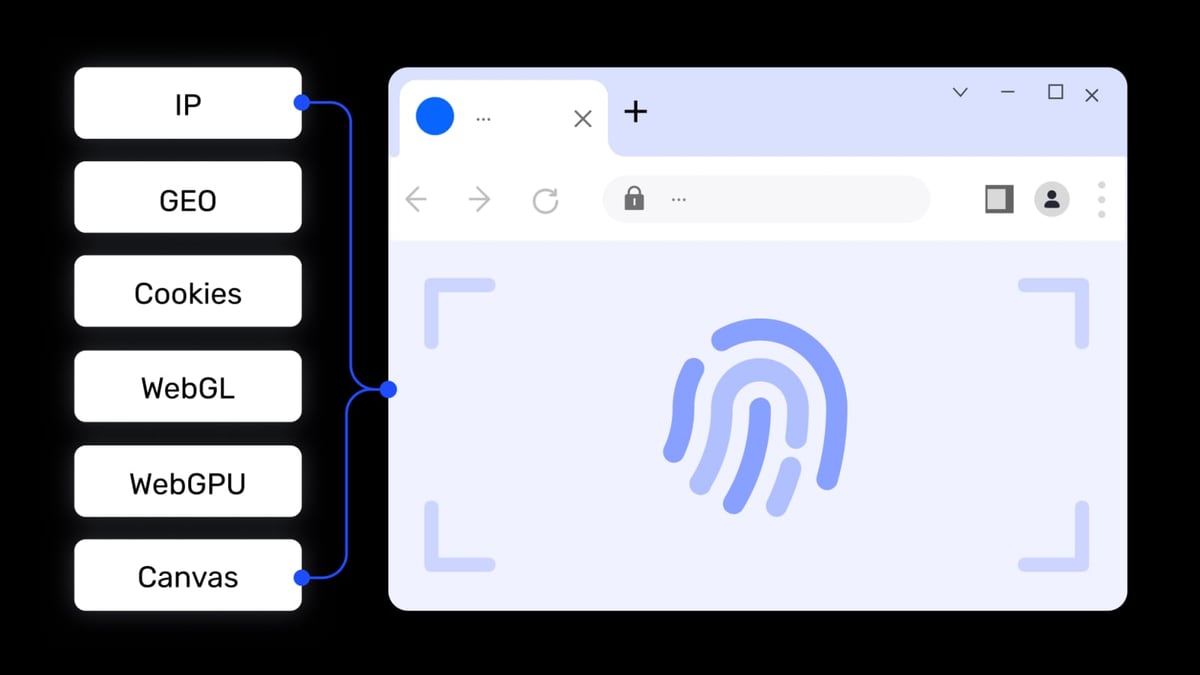
Browser Fingerprint Depth & Customization
AdsPower vs GoLogin vs Genlogin: 2026 Anti-Detect Browser Comparison product interface and feature overview.
All three browsers generate separate profiles with independent cookies, local storage, and proxy settings. However, the level of control varies significantly.
AdsPower lets you adjust over 20 fingerprint parameters, including Canvas, WebGL, Audio, WebRTC, fonts, and more. You can also simulate iOS device fingerprints—a rare capability that helps bypass platforms with separate mobile detection logic. The browser supports both Chrome-based (SunBrowser) and Firefox-based (FlowerBrowser) kernels, giving you flexibility when a site behaves differently across engines.
GoLogin offers solid but more standardized fingerprint randomization. It covers the basics well and is reliable for general multi‑account use, though it lacks the same depth of per-parameter customization and does not simulate iOS environments natively.
Genlogin provides effective fingerprint masking tailored to e‑commerce and marketing platforms. While it doesn’t expose as many raw fingerprint controls as AdsPower, its default masking works seamlessly for typical Amazon, eBay, or Facebook account operations.
Verdict: For users needing fine-grained fingerprint engineering—especially mobile simulation—AdsPower holds a clear advantage.
Built-in Automation: RPA vs. No‑Code Workflows
AdsPower vs GoLogin vs Genlogin: 2026 Anti-Detect Browser Comparison product interface and feature overview.
Repetitive account actions (logging in, checking ads, posting content) eat up time. This is where built-in automation separates the three browsers.
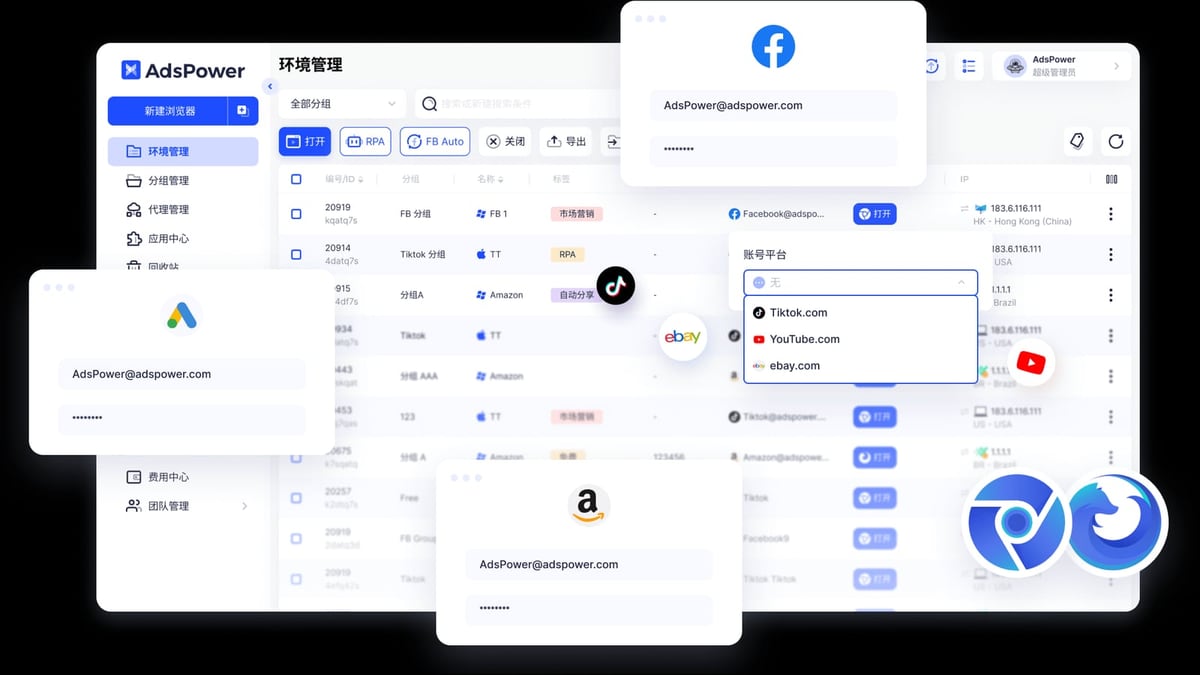
AdsPower includes a full RPA (Robotic Process Automation) suite with pre‑built templates and a drag‑and‑drop workflow builder. You can automate tasks across hundreds of profiles in one click, schedule jobs, and even synchronize windows so that an action performed in one browser is mirrored simultaneously across many. For enterprises, the local API supports Selenium, Puppeteer, Playwright, and the MCP protocol for AI agent integration. This native RPA often eliminates the need for external scraping tools (though pairing AdsPower with a captcha‑solving service can take automation even further—see our Anti Captcha review for a deep dive).
GoLogin does not offer built-in RPA. Automation relies on external scripts through a REST API or integrations with Selenium/Puppeteer. While this provides flexibility for developers, non‑technical users face a steeper learning curve and must manage additional tooling.
Genlogin sits in the middle with its built-in automation tasking and synchronizer module. You can record and replay actions, control multiple windows at once, and access a mini‑app store that offers ready‑made integrations for platforms like Shopee or Lazada. This makes Genlogin a practical choice for users who want automation without coding but don’t need enterprise‑grade RPA.
Verdict: AdsPower leads in code‑free enterprise automation; Genlogin offers a strong, accessible alternative with its synchronizer and mini‑app ecosystem. GoLogin is best suited for those who already script their workflows. For broader RPA platforms, check our top web scraping and RPA platform list.
Pricing & Free Plans
Cost is often the first filter for freelancers and growing teams.
- AdsPower: A free‑forever plan covers 2 browser profiles. Paid plans start at $9/month (billed monthly), with annual discounts dropping the effective price below $6/month. The tier system scales gently, and advanced features like RPA and window sync come included, so you don’t need to buy extra tools.
- GoLogin: Offers a 7‑day free trial, after which the Professional plan begins at $49/month (or $24/month billed annually). While the higher price includes cloud browser access and an Android app, it can be a barrier for small operators.
- Genlogin: Provides a free plan with 5 profiles, which is more generous than AdsPower’s free entry point. Paid plans are competitively priced, with a 50% discount on yearly billing. Exact monthly rates are not publicly fixed but fall in a budget‑friendly range, making Genlogin an attractive option for freelancers who need more free profiles right away.
Verdict: AdsPower offers the lowest entry price for paid plans and the most inclusive feature set per dollar. Genlogin wins on the sheer number of free profiles, while GoLogin’s higher price tag reflects its cloud and mobile capabilities.
Team Collaboration & Security Permissions
Agencies and multi‑member teams need more than just profile separation—they need controlled access.
AdsPower provides granular role‑based access control, profile‑specific permissions, activity logs, and secure environment sharing. You can set up groups, restrict who can edit versus view, and track every action. Two‑factor authentication (with authenticator, email, or SMS), login IP allowlists, and remote login alerts further protect sensitive accounts. The platform holds SOC 2 Type II, ISO 27001, and ISO 27701 certifications.
GoLogin supports profile sharing among team members with basic access rights, but lacks the deep permission tiers that larger teams need. Security includes two‑step verification, though some manual storage adjustments may be required to avoid potential data‑leak risks.
Genlogin enables multi‑user access and profile sharing, but detailed permission management is not its primary focus. It suits smaller teams or individual businesses that don’t require strict role divisions.
Verdict: For structured agencies handling dozens of clients, AdsPower’s governance and security framework is unmatched.
Where GoLogin Excels: Cloud & Mobile Access

AdsPower vs GoLogin vs Genlogin: 2026 Anti-Detect Browser Comparison product interface and feature overview.
GoLogin stakes its claim with platform flexibility. You can run profiles in the cloud through any ordinary browser, removing the need for heavy local hardware. An Android app lets you operate mobile‑specific accounts on the go, something neither AdsPower nor Genlogin currently offers as a native solution. This makes GoLogin particularly appealing for social media managers who quickly toggle between desktop and phone‑based accounts, or for teams that prefer not to maintain a dedicated server.
Genlogin’s Unique Angle: Mini‑App Store & Synchronizer
AdsPower vs GoLogin vs Genlogin: 2026 Anti-Detect Browser Comparison product interface and feature overview.
Genlogin differentiates itself with a built‑in mini‑app marketplace. These mini‑apps are pre‑configured integrations that automate platform‑specific tasks—such as bulk listing on Shopee or inventory monitoring on Amazon—without needing to create a custom workflow from scratch. Combined with the synchronizer that mirrors actions across multiple profiles, Genlogin delivers a pragmatic “out‑of‑the‑box” experience for e‑commerce sellers who don’t want to touch automation code at all.
Which Anti‑Detect Browser Is Right for You?
- Choose AdsPower if you need industrial‑grade fingerprint control, iOS simulation, built‑in RPA with scheduling, and rigorous team permissions—especially when accounts are high‑value and detection risks must be minimized. It’s the go‑to for professional Shopify multi‑store management, cross‑border e‑commerce, and ad arbitrage.
- Choose GoLogin if mobility and cloud flexibility are your top priorities. The Android app and the ability to open profiles in a normal browser without local installation suit teams that work from multiple devices or need instant scaling through cloud infrastructure.
- Choose Genlogin if you want a generous free tier (5 profiles), a low‑cost path to automation with a synchronizer and mini‑apps, and you mainly operate on e‑commerce marketplaces where complex fingerprint deep‑dives are less critical.
Related reading
- AccsMarket Review: Unbiased Look at Social Account Marketplace - In-depth AccsMarket review covering account quality, ideal use cases, pricing signals, seller program, and real-world limitations for marketers and arbitrage teams.
FAQ
Is AdsPower completely free?
Yes, the free‑forever plan includes 2 browser profiles and many core features. Additional profiles and advanced capabilities require a paid plan.
Can GoLogin simulate iOS fingerprints?
No. GoLogin does not offer native iOS device fingerprint simulation. It focuses on desktop platforms and cloud browsing with standard fingerprint profiles.
Does Genlogin support team collaboration?
Yes, Genlogin allows profile sharing among team members, but it does not provide the same depth of role‑based permissions found in AdsPower.
Which browser has the best automation for non‑coders?
AdsPower’s drag‑and‑drop RPA templates and Genlogin’s synchronizer/mini‑app store both cater to non‑coders. AdsPower offers more advanced scheduling and enterprise features, while Genlogin is simpler and commerce‑oriented.
Are these browsers safe and legal?
Yes, anti‑detect browsers are legal tools for privacy and account management. They must be used in compliance with each platform’s terms of service. AdsPower, GoLogin, and Genlogin all use encryption and security protocols to protect your data.
Conclusion
AdsPower, GoLogin, and Genlogin each solve the same core problem—isolating browser identities to prevent account bans—but they diverge sharply in execution. AdsPower dominates in fingerprint depth, built‑in RPA, iOS simulation, and team security, making it the most future‑proof solution for power users and agencies. GoLogin offers unmatched platform reach through cloud and Android support. Genlogin brings a generous free plan, an intuitive mini‑app store, and straightforward automation that lowers the barrier for e‑commerce sellers. The right pick depends entirely on your scale, technical comfort, and the platforms you target.
For a more detailed feature‑by‑feature breakdown between AdsPower and GoLogin, see this head‑to‑head analysis. Bright Data’s neutral comparison also offers additional perspective on the core differences.