
How to Use AdsPower Fingerprint Browser for Amazon Seller Central
Take a Quick Look
Step-by-step guide to using AdsPower antidetect browser with Amazon Seller Central. Safely manage multiple seller accounts, avoid suspensions, and automate workflows.
🔥 Limited-Time Offer! Save extra 10% off on your first monthly plan with code: Anitdetect10
Sign upHow to Use AdsPower Fingerprint Browser with Amazon Seller Central
Running multiple Amazon seller accounts on a single device is a minefield. One wrong move—a shared IP, a reused browser fingerprint—and Amazon’s systems can link your storefronts together, triggering account suspensions that wipe out months of work. AdsPower fingerprint browser was built precisely for this challenge. By pairing AdsPower with Amazon Seller Central, you can operate several seller accounts in strictly isolated environments, automate repetitive tasks, and collaborate with teams without ever exposing your main credentials.
This guide walks through the complete workflow: why sellers need a fingerprint browser, how to set up AdsPower profiles for Seller Central, methods to avoid suspensions, team collaboration strategies, and automation techniques that save hours every week.
Why Amazon Sellers Need a Fingerprint Browser
How to Use AdsPower Fingerprint Browser for Amazon Seller Central product interface and feature overview.
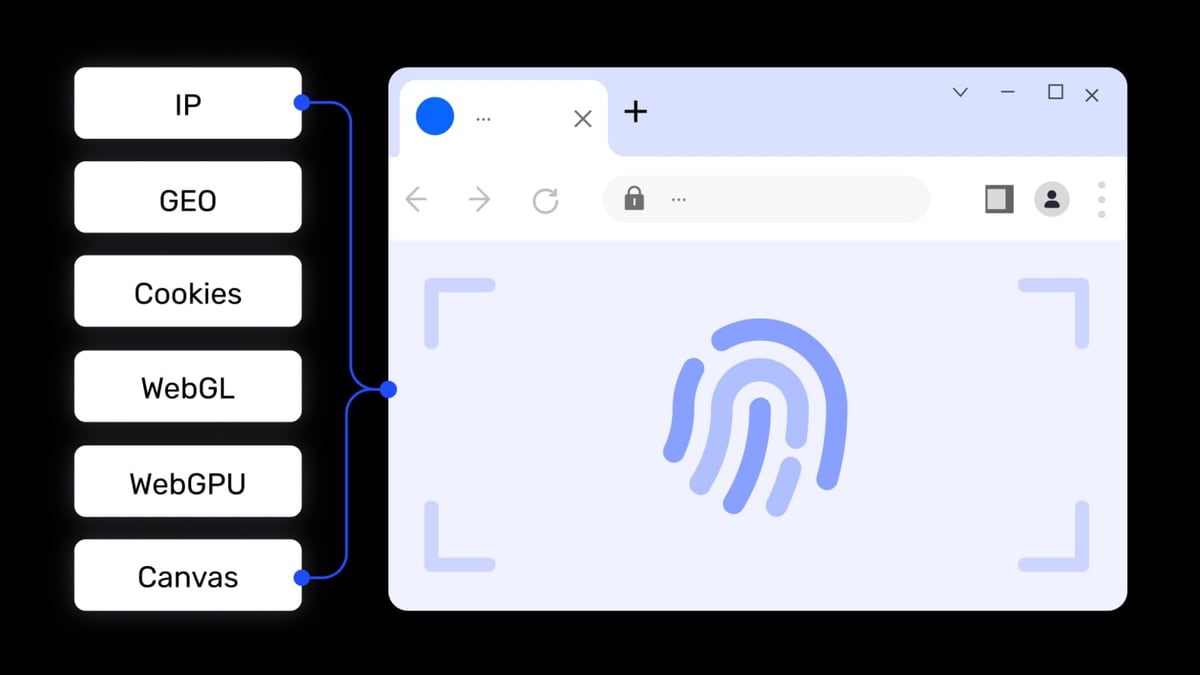
Amazon’s Selling Policies and Seller Code of Conduct makes one thing clear: operating multiple seller accounts without a legitimate business need and explicit permission can lead to immediate suspension. Even if you have permission, Amazon aggressively detects accounts that appear to be controlled by the same person. It does this by collecting browser fingerprint data—Canvas hashes, WebGL renderer, audio stack, WebRTC leaks, installed fonts, and more—alongside IP addresses and cookie pools.
A standard browser or simple VPN isn’t enough. You need a dedicated antidetect browser that re-writes every identifying piece of information for each account. AdsPower does exactly that: each browser profile mimics a completely different device and network environment, fooling Amazon’s linkage-detection algorithms. The result? You can log into Seller Central for a US-based store, a UK marketplace store, and a wholesale account side‑by‑side without leaving cross-account traces.
Step-by-Step Setup: AdsPower + Amazon Seller Central
How to Use AdsPower Fingerprint Browser for Amazon Seller Central product interface and feature overview.
Follow these steps to create your first secure Amazon Seller Central profile.
1. Install AdsPower and Create Your Account
Go to the AdsPower website and download the client for Windows or macOS. The free tier provides two browser profiles—enough to test the workflow. Sign up and log into the AdsPower dashboard.
2. Create a New Browser Profile
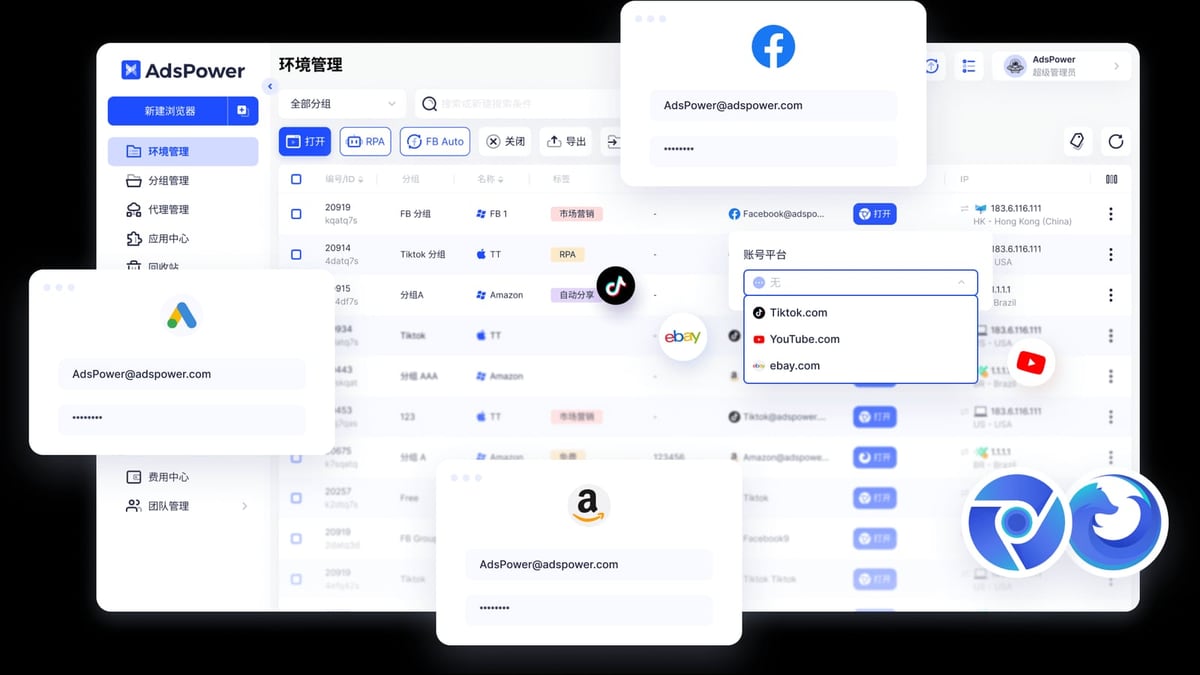
Click New Profile (or Create Profile). Give it a recognizable name, such as Amazon-US-MainSeller. Under Kernel, choose SunBrowser (Chrome-based) for best compatibility with Seller Central. If you prefer Firefox, FlowerBrowser is also available.
3. Configure Proxy Settings
In the Proxy tab, select a proxy type—HTTP, HTTPS, or SOCKS5. For Amazon, residential or ISP proxies with sticky sessions work best. Paste the proxy host, port, username, and password. AdsPower will test the connection before saving. Each Seller Central account must have a unique, dedicated proxy IP; never reuse the same one.
4. Customize Browser Fingerprint
Switch to the Fingerprint tab. Leave Auto-generate fingerprint on to have AdsPower create realistic, non-repeating values. For advanced users, you can manually set over 20 parameters—Canvas, WebGL, Audio, ClientRects, fonts, operating system, language, timezone, screen resolution—to match the country of your proxy and the “persona” of the account owner.
A key tip: always set the timezone and geolocation to align with your proxy IP. Inconsistencies can raise suspicion.
5. Launch the Profile and Log into Seller Central
Click Open. The insulated browser window launches with its own cookies, cache, and storage completely separated from other profiles. Navigate to sellercentral.amazon.com and sign in with your credentials for that specific seller account. Bookmark the page; AdsPower saves the browsing session inside the profile.
6. Repeat for Additional Accounts
For each new Seller Central account, repeat the entire process: create a fresh profile, assign a new proxy, generate a unique fingerprint. AdsPower’s profile tags, color codes, and notes fields help you organize by marketplace, brand, or team member.
Managing Multiple Amazon Accounts Without Getting Suspended
How to Use AdsPower Fingerprint Browser for Amazon Seller Central product interface and feature overview.
The biggest operational risk is accidental linkage. Here’s the daily workflow that keeps accounts clean:
- One profile per account, one IP per profile. Never log into two Seller Central accounts from the same AdsPower profile, even if you change IPs midway. The session’s fingerprint and cookies remain coupled.
- Use different browser kernels thoughtfully. If you have many accounts, alternating between SunBrowser and FlowerBrowser can add a natural variance layer, but it’s the proxy and fingerprint consistency that matters most.
- Log out and close the profile window after each session. AdsPower ensures no crumbs leak between profiles, but human error—like copy-pasting a link from one profile to another—can still cause trouble. Discipline is essential.
Practical example: A dropshipper sells home goods on Amazon US, electronics on Amazon UK, and health supplements on Amazon Japan. They set up three AdsPower profiles: Home-US with a New York residential IP, Electronics-UK with a London ISP proxy, Health-JP with a Tokyo proxy. Each profile’s language and timezone match the marketplace. They switch profiles by simply opening each one from the AdsPower client; no VPS, no multi-computer setup.
Team Collaboration and Amazon Seller Central Permissions
How to Use AdsPower Fingerprint Browser for Amazon Seller Central product interface and feature overview.
Amazon Seller Central supports user permissions so you can invite secondary users without sharing login credentials. AdsPower amplifies this with profile sharing and role-based access controls.
Workflow for a support team:
- The primary account holder creates an AdsPower profile for the Seller Central account (as described above).
- In Seller Central, they go to Settings → User Permissions and add a secondary user with limited rights—for example, only Manage Orders and Customer Service.
- Inside AdsPower, the primary user can share that profile with the team member via the Team feature. You assign a role (e.g., Viewer or Operator) that allows opening and using the profile without revealing the proxy password or Amazon credentials.
The team member sees the profile in their AdsPower client, launches it, and lands directly on the Seller Central interface, fully logged in. When they finish, the profile closes with no credential leak. This solves the common pain point of “how do I let my VA handle returns without giving away my main account?”
Automating Amazon Workflows with AdsPower RPA
Manual checks across multiple accounts drain time. AdsPower’s built-in RPA (Robotic Process Automation) lets you build no-code workflows that run inside isolated profiles.
Amazon-ready automation examples:
- Daily account health check: Open a profile, navigate to Account Health, screenshot the page, close. Repeat for all accounts.
- Competitor price scraping: Visit a target listing, extract the Buy Box price and stock status, write results to a local file. Rotate profiles to avoid rate limits.
- Review monitoring: Log into each seller account, open the latest feedback, flag negative reviews, and send a Slack notification.
You can schedule these workflows or trigger them manually. If a step encounters a CAPTCHA, you can optionally pause for human input or integrate a captcha-solving service; our Anti Captcha review covers one reliable option.
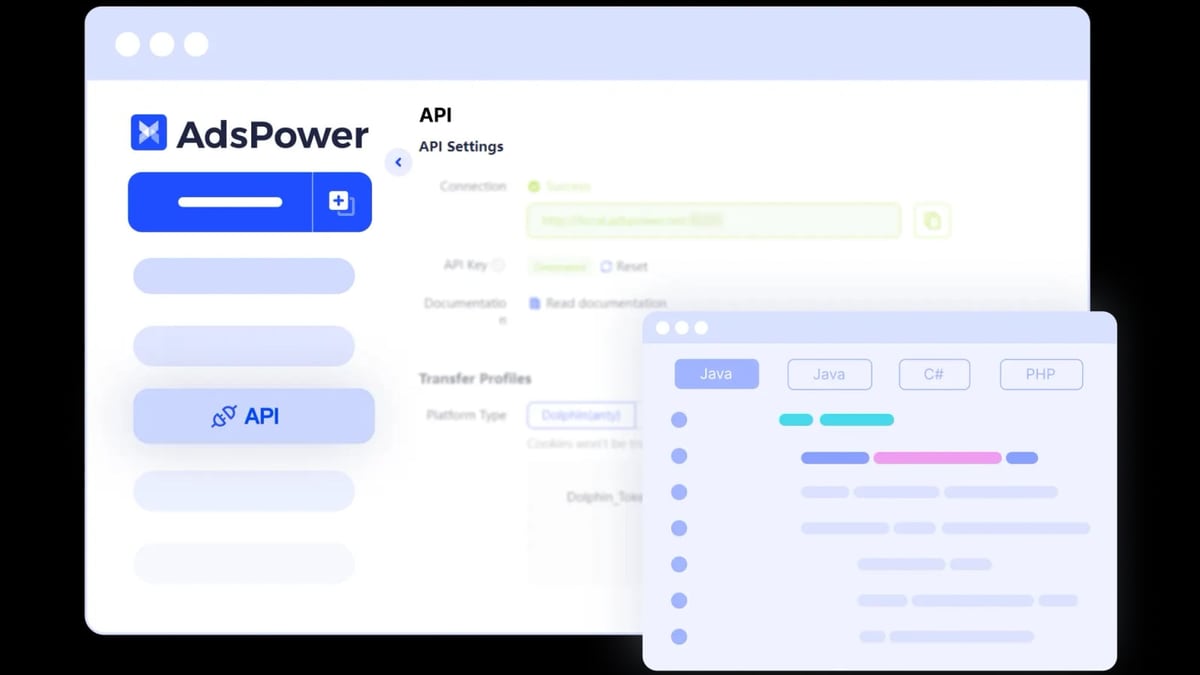
For technical teams, AdsPower also offers a Local API compatible with Selenium, Puppeteer, and Playwright. That means you can write custom scripts that control Amazon Seller Central profiles programmatically—bulk updating inventory, fetching sales reports, or managing advertising campaigns at scale.
Why AdsPower Stands Out for Amazon Sellers
When comparing antidetect browsers for Amazon, three factors matter most: fingerprint authenticity, proxy integration, and team features. AdsPower delivers on all three with a generous free tier and enterprise-ready collaboration. For a deeper feature-by-feature comparison with other popular tools, see our AdsPower vs GoLogin vs Genlogin analysis. Here’s a quick cheat sheet:
| Feature | AdsPower | Typical Antidetect Browser |
|---|---|---|
| Customizable fingerprint params | 20+ | 10–15 |
| Dual browser kernels | SunBrowser (Chrome) + FlowerBrowser (Firefox) | Often Chrome only |
| Built-in RPA automation | Yes, with templates | Rarely included |
| Team collaboration with permissions | Yes, role-based | Limited sharing |
| Free plan profiles | 2 | Usually 1 |
For sellers serious about scaling on Amazon without the fear of linked accounts, the fingerprint depth and automation tools make AdsPower a single-pane solution.
Related reading
- AccsMarket Review: Unbiased Look at Social Account Marketplace - In-depth AccsMarket review covering account quality, ideal use cases, pricing signals, seller program, and real-world limitations for marketers and arbitrage teams.
- Top 10 Web Scraping API & RPA Platforms 2026 - Discover the 10 best web scraping API and RPA platform products of 2026. Compare features, anti-bot bypass, automation, and pricing based on real benchmarks.
Sources and further reading
- The Essential Amazon Guide: Account Management, Security & Solutions - Master Amazon account management with this guide. Fix suspensions, scrape data safely, and secure your accounts. Get the expert solutions you need to succeed.
- Run Multiple Amazon Accounts with AdsPower Antidetect Browser - Run multiple Amazon accounts without risk of suspension. Use our antidetect browser to stay secure, automate workflows, and scale your Amazon business.
Frequently Asked Questions
Is it against Amazon’s rules to use a fingerprint browser?
Using a fingerprint browser is not inherently prohibited. Amazon’s policy forbids operating multiple seller accounts without permission and any deceptive practice. If you have a legitimate business reason for multiple accounts and obtain approval, keeping them isolated with AdsPower is a security best practice. Always review the latest Amazon Seller Code of Conduct and consult legal advice for your specific situation.
Can I use free proxies with AdsPower for Seller Central?
We strongly advise against it. Free proxies are often shared, blacklisted, or already flagged by Amazon’s fraud-detection systems. Investing in clean residential or ISP proxies from reputable providers is critical for account longevity.
How many Amazon accounts can I manage with AdsPower?
Technically, AdsPower supports an unlimited number of profiles on paid plans (the free tier includes two). The practical limit is determined by your proxy resources and hardware capacity. Sellers commonly manage 20–50+ accounts on one mid‑range machine.
Does AdsPower work with Amazon’s two‑factor authentication?
Yes. When you log into Seller Central with 2FA enabled, AdsPower saves the browser’s authenticated session. Subsequent launches of the same profile keep you logged in; you’ll only need to re‑enter a code if the session expires.
What is the most affordable AdsPower plan for an Amazon seller?
The free plan with two profiles lets you test the entire workflow. For more accounts, the Base plan starts at $9/month (billed annually) and supports up to 10 profiles, which is often enough for individual sellers expanding to a few marketplaces.
Conclusion
Pairing AdsPower with Amazon Seller Central removes the constant anxiety of account linking. With properly isolated fingerprints, dedicated proxies, and permission‑based team sharing, you can manage multiple storefronts from a single computer without breaking Amazon’s policies. Add RPA automations to slice through daily repetition, and you’ll reclaim hours while staying compliant.
Start with AdsPower’s free tier, set up two test profiles following the steps above, and experience the difference a real fingerprint browser makes. For more guides on scaling e‑commerce operations, explore the resources here at AdsPower.
Note: This guide reflects the platform state as of 2026. Always check Amazon’s latest policies and AdsPower’s updated documentation for any changes.