
Hootsuite Review 2026: Plans, Features & Multi-Account Workflow
Take a Quick Look
Hootsuite review for 2026: plans from $99/user/month, AI features, multi-account limits, and how to pair it with anti-detect profiles for safe scaling.
Hootsuite Review 2026: Plans, Features, and Multi-Account Workflow
Hootsuite is one of the longest-running social media management platforms, and in 2026 it has repositioned itself around an AI teammate called Wisdom. If you are evaluating it for a team, an agency, or a multi-brand operation, the real questions are: what does each plan actually include, where do the account limits bite, and how do you run many social profiles without tripping platform checks? This review answers those questions with current pricing and practical workflow guidance.
What Hootsuite Does in 2026
Hootsuite Review 2026: Plans, Features & Multi-Account Workflow - What Hootsuite Does in 2026.
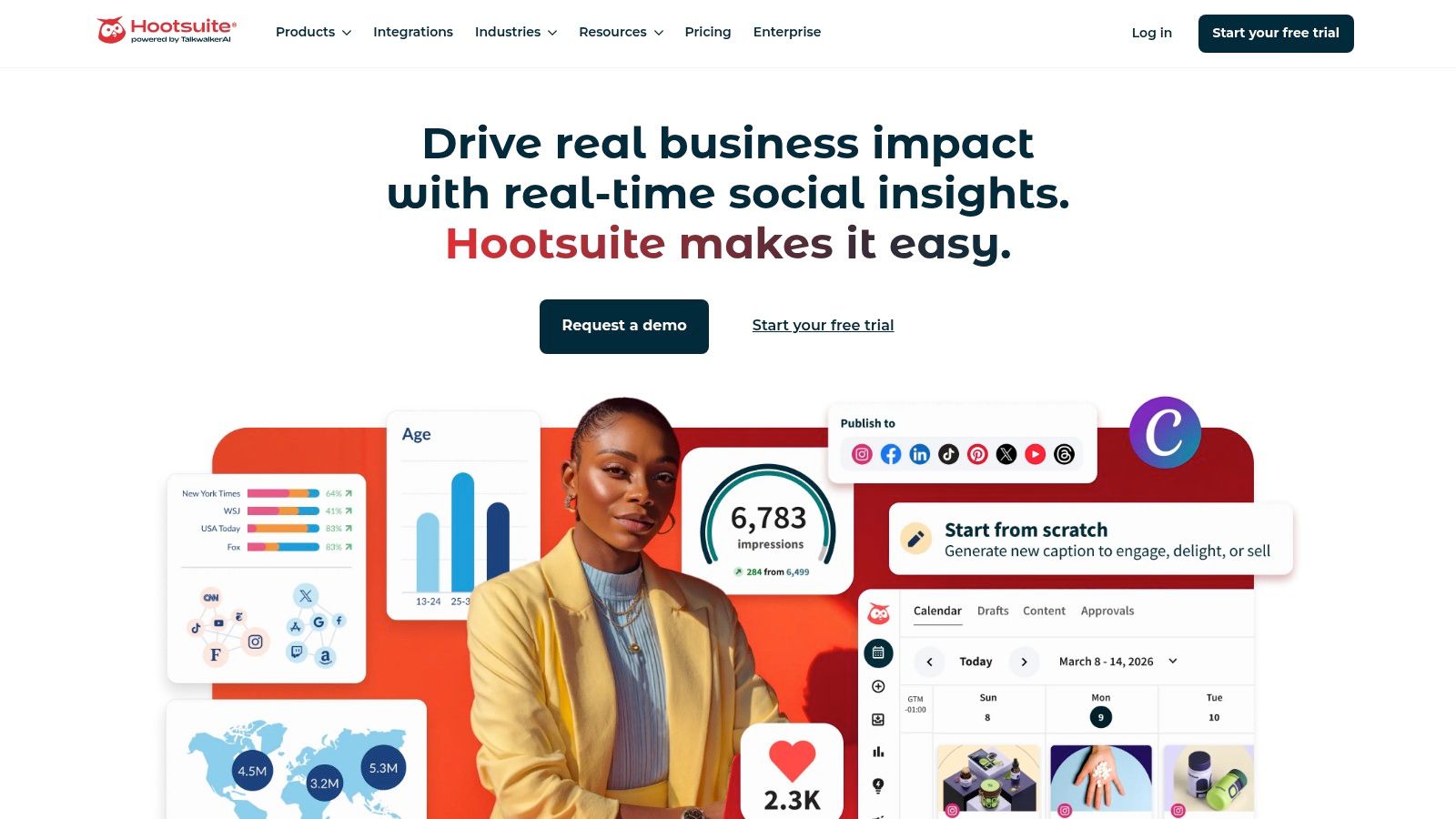
At its core, Hootsuite remains a dashboard for scheduling posts, managing a unified inbox, tracking analytics, and listening to brand mentions. The 2026 version layers AI across every tier: Wisdom drafts content, recommends posting times, surfaces insights from analytics, and can forecast trends. Hootsuite also offers MCP connectors so you can manage workflows from AI tools such as ChatGPT, Claude, Copilot, and Gemini.
That AI-first positioning matters for search intent. People searching for Hootsuite are usually deciding between three things: whether the tool is worth the price, which plan fits their account count, and how it compares with newer social media suites.
Hootsuite Pricing and Plans
Hootsuite Review 2026: Plans, Features & Multi-Account Workflow - Hootsuite Pricing and Plans.
Hootsuite sells per user seat, with monthly or annual billing. The published entry price is $99 per user per month for Standard on annual billing, rising to $199 for Professional and $399 for Advanced. Enterprise is custom-priced. A 14-day free trial is available without a credit card, though trial accounts have daily posting limits and no bulk scheduling.
| Plan | Price (annual billing, per user/month) | Best for | Key limits |
|---|---|---|---|
| Standard | $99 | Solo marketers and small brands | Up to 10 social accounts, 1+ seats |
| Professional | $199 | Growing teams automating inbox and reporting | Unlimited social accounts |
| Advanced | $399 | Teams needing approvals and customer care routing | Unlimited accounts plus collaboration tools |
| Enterprise | Custom | Large organizations with governance needs | SSO, compliance, advanced listening |
A frequent misunderstanding is that the headline price covers a whole team. It does not. Each additional user seat is billed separately, so a five-person team on Standard is a five-figure annual commitment before taxes. Budget accordingly.
Feature Breakdown by Tier

Hootsuite Review 2026: Plans, Features & Multi-Account Workflow - Feature Breakdown by Tier.
Standard: The Essentials
Standard covers the fundamentals: a calendar for up to 10 social profiles, unlimited scheduled posts, AI-generated posts and images, a single inbox, and competitor monitoring. It is a reasonable fit for a solo operator or a small brand with a handful of profiles.
Professional: Automation and Unlimited Accounts
Professional removes the 10-account cap and adds automation that saves real time: automated inbox replies and DM workflows, link shortening and tracking, auto-boosting of top posts, 30-day listening search, 90-day trend forecasting, and custom scheduled reports. For agencies managing multiple client brands, this is usually the first tier worth considering.
Advanced: Team Collaboration
Advanced adds approval workflows, internal comments, message assignment with skill-based routing, customer satisfaction surveys, and team productivity reporting. If content must be reviewed before publishing or customer care is handled by a rotating team, these features justify the jump.
Enterprise: Governance and Deep Listening
Enterprise brings SSO, custom compliance, 13 months of historical listening data, advanced attribution and ROI reporting, and Salesforce integration. It is built for organizations where social is a regulated, cross-department function.
The Multi-Account Reality: Where Hootsuite Stops
Hootsuite Review 2026: Plans, Features & Multi-Account Workflow - The Multi-Account Reality: Where Hootsuite Stops.
Hootsuite is excellent at organizing accounts you legitimately own or are authorized to manage. It is not designed to solve platform-level identity problems. Social networks increasingly link accounts through browser fingerprints, IP addresses, and device signals. If you operate many profiles across clients, regions, or brands, logging into all of them from one browser can create associations you did not intend.
This is where the workflow question becomes practical rather than theoretical. A common setup is to keep Hootsuite as the scheduling and analytics layer while isolating each social identity in a separate browser environment. Anti-detect browsers such as AdsPower create isolated profiles with unique Canvas, WebGL, user agent, and network fingerprints, so each account appears as a distinct device. Teams that manage dozens of client profiles often pair a scheduler with this kind of isolation layer to reduce cross-account linkage risk.
If you are comparing isolation tools, our top 10 anti-detect browsers and multi-account tools for 2026 breaks down the options by fingerprint control, automation, and pricing. For teams planning seats and permissions across many profiles, the guide to team seats in anti-detect browsers explains how sharing and granular access work in practice.
How to Combine Hootsuite with Isolated Browser Profiles
A workable operating model looks like this:
- Map identities to profiles. Assign each client brand or regional account its own browser profile with a dedicated proxy. Never mix two brands in one profile.
- Schedule in Hootsuite. Use the calendar and AI drafting tools to plan content centrally.
- Publish from the correct profile. Open the assigned isolated profile when you need to log in, verify, or handle inbox conversations that require native platform access.
- Audit fingerprints quarterly. Check that Canvas, WebGL, and timezone settings still match the proxy location. Drift is a common cause of verification prompts.
- Document access. Keep a record of which team member owns which profile so offboarding does not leave orphaned accounts.
This division of labor plays to each tool's strength: Hootsuite for content operations, isolation software for identity hygiene.
Hootsuite vs Alternatives: Decision Guidance
Hootsuite's main differentiators are its maturity, its unified inbox, and the Wisdom AI layer baked into every plan. Competitors often undercut it on price for solo users or offer stronger native automation for specific platforms.
Choose Hootsuite if:
- You need a proven approval and customer-care workflow across a team.
- You want AI-assisted drafting and forecasting without adding another vendor.
- You manage a moderate number of owned brand accounts and value consolidated reporting.
Look elsewhere or supplement if:
- You are a solo creator on a tight budget; per-seat pricing is steep.
- Your core problem is managing many independent identities rather than scheduling owned brands.
- You need deep platform-specific automation that Hootsuite does not expose.
For a broader comparison of isolation and automation tooling, see our roundup of anti-detect cloud browser automation products.
Related reading
- How to Use AdsPower with Skyvern: AI Browser Automation - Learn how to combine AdsPower's isolated browser profiles with Skyvern's AI automation to run reliable, multi-account workflows at scale.
- AdsPower vs IP Checkers vs MuLogin: Anti-Detect Guide - Compare AdsPower, What Is My IP Address? leak tools, and MuLogin for multi-account work. See which fits fingerprint isolation, teams, and automation.
- AdsPower vs Nox Core: Anti-Detect Browser Comparison 2026 - Compare AdsPower and Nox Core anti-detect browsers: fingerprint isolation, automation, team features, pricing, and crypto payment limits to choose the right tool.
Sources and further reading
- Social Media Marketing & Management Dashboard - Hootsuite - Hootsuite is a social media management tool that brings scheduling, content creation, analytics, and social listening to one place.
- Hootsuite Plans, Prices, and Features - Explore Hootsuite's social media management plans, starting at $99/user/month. Try it for free — no credit card required.
- Hootsuite 🦉 (@hootsuite) • Instagram photos and videos - 236K Followers, 1,933 Following, 988 Posts - See Instagram photos and videos from Hootsuite 🦉 (@hootsuite)
FAQ
Is Hootsuite free?
No. There is a 14-day free trial, but ongoing use requires a paid plan starting at $99 per user per month on annual billing. Trial accounts have daily posting limits.
How many social accounts can Hootsuite manage?
Standard supports up to 10 social accounts. Professional, Advanced, and Enterprise support unlimited accounts, though each user seat is billed separately.
Does Hootsuite include AI?
Yes. Every plan includes Wisdom, which drafts content, recommends actions, and analyzes performance. MCP connectors let you work from external AI assistants such as ChatGPT, Claude, Copilot, and Gemini.
Can Hootsuite manage multiple client accounts safely?
Hootsuite organizes authorized accounts well, but it does not isolate browser fingerprints. For many client identities, pair it with isolated browser profiles so each account logs in from a consistent, separate environment.
What is the difference between Standard and Professional?
Standard caps you at 10 accounts and core scheduling. Professional adds unlimited accounts, inbox automation, deeper listening, trend forecasting, and custom reports.
Conclusion
Hootsuite in 2026 is a mature, AI-enhanced social media operating system with clear tiering: Standard for small brands, Professional for agencies needing unlimited accounts and automation, Advanced for collaborative teams, and Enterprise for governance. Its per-seat pricing rewards focus and penalizes sprawl. The most effective setups treat Hootsuite as the content and analytics hub while handling identity isolation separately, so scheduling efficiency does not come at the cost of account safety.
For official details, see the Hootsuite plans page and the Hootsuite homepage.


