
How to Use AdsPower with MaxBounty: Safe Multi-Account Workflow
Take a Quick Look
Step-by-step guide to pairing AdsPower anti-detect profiles with MaxBounty CPA offers: setup, proxies, account isolation, tracking, and compliance.
How to Use AdsPower with MaxBounty: Safe Multi-Account Workflow
Affiliate marketers on MaxBounty often run multiple accounts, test dozens of offers, and manage traffic from several sources at once. Doing that from one regular browser is a fast route to flags, link rejections, or outright account bans. AdsPower solves the browser-side problem by giving each account its own isolated fingerprint, while MaxBounty supplies the offers, tracking, and payouts. This guide shows how the two fit together, how to set them up, and where the combination actually pays off.
Why pair AdsPower with MaxBounty
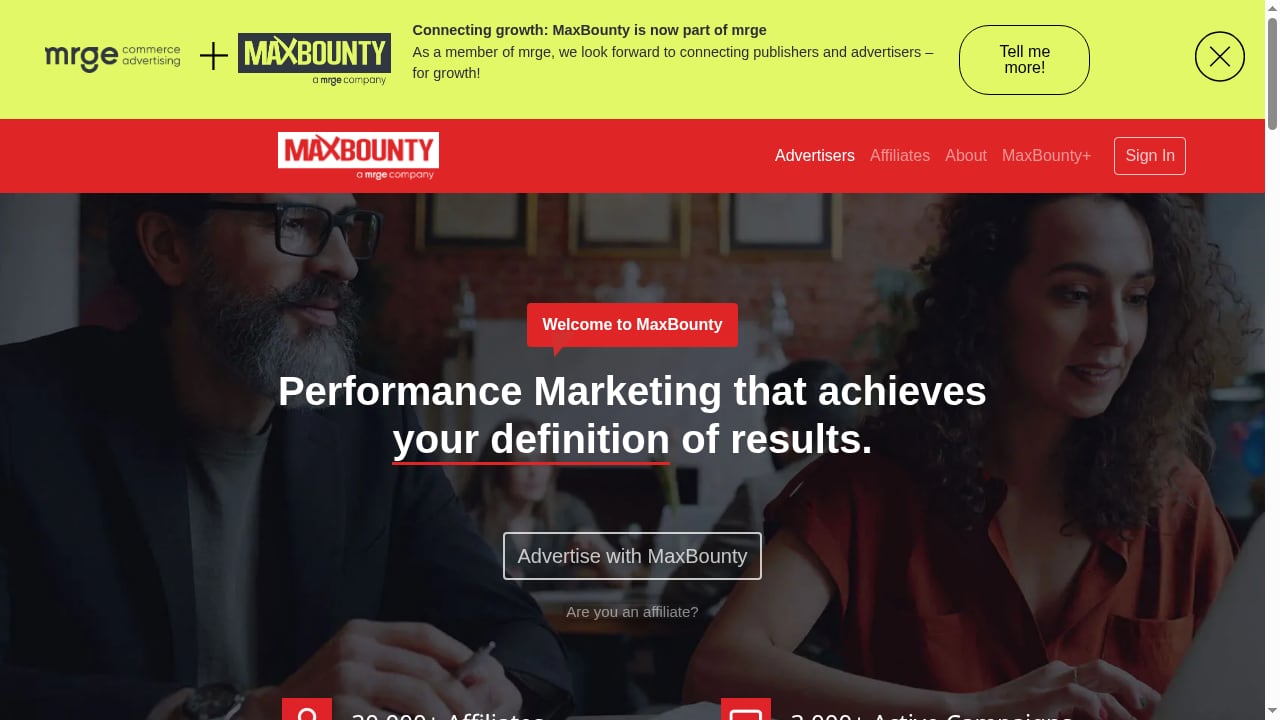
First viewport screenshot of MaxBounty - The industry leading performance marketing network..
MaxBounty is a CPA network founded in 2004, with 30,000+ affiliates and 3,000+ active campaigns across finance, health, security, retail, and services. It runs its own tracking platform and an in-house compliance team, which means account quality is watched closely. That is exactly why the browser layer matters.
AdsPower is an anti-detect browser built for multi-accounting. It creates isolated browser profiles, each with a unique fingerprint covering Canvas, WebGL, network, user agent, and other parameters. It ships two stealth browser cores, SunBrowser and FlowerBrowser, and holds SOC 2 Type II, ISO 27001, and ISO 27701 certifications.
The practical result: you can run several MaxBounty accounts, affiliate dashboards, and traffic-source logins from one machine without them bleeding into each other.
The problems this combination solves
- Account linkage: Shared cookies, storage, and fingerprints are the most common reason CPA accounts get linked and closed. Isolated profiles break that chain.
- Device cost: Instead of buying a laptop or VM per account, you run dozens of profiles on one device.
- Slow manual work: Batch profile creation, proxy assignment, and bulk open/close replace repetitive clicking.
- Team friction: Role-based access lets media buyers and account managers work on the same profiles without sharing raw credentials.
How AdsPower and MaxBounty fit together
The division of labor is simple:
| Layer | Handles |
|---|---|
| MaxBounty | Offers, tracking links, affiliate accounts, compliance, payouts |
| AdsPower | Browser identity, fingerprint isolation, proxy binding, profile automation |
| Proxy provider | The IP address each profile presents to MaxBounty and to traffic sources |
MaxBounty sees a normal affiliate logging in from a consistent browser and IP. AdsPower makes sure that "normal affiliate" is a distinct, stable identity for each account you operate.
Setup: step by step

First viewport screenshot of Affiliates.
1. Create your AdsPower workspace
Sign up, install the AdsPower client, and log in. Start on the Free plan if you are testing; upgrade to Professional or Business once you need more profiles or team seats. The 7-day free trial is enough to validate the workflow before you commit.
2. Prepare proxies before you create profiles
Each MaxBounty account should sit behind its own stable IP. Residential or mobile proxies are the usual choice for affiliate work because they look like real consumer connections. Avoid free or shared datacenter IPs for account logins.
If you are new to proxy binding, the AdsPower + Proxyrack HTTP, UDP, SOCKS setup guide walks through the exact fields and formats.
3. Create one profile per MaxBounty account
In AdsPower, create a new profile and assign:
- A clear name, for example
MB-US-account-01 - The proxy you reserved for that account
- A browser core (SunBrowser or FlowerBrowser)
- Fingerprint settings left on automatic unless you have a specific reason to override them
Keep one profile tied to one account permanently. Rotating profiles between accounts is how linkage happens.
4. Log in and warm the account
Open the profile, go to the MaxBounty login page, and sign in. Do not immediately start pushing traffic. Spend the first sessions reviewing offers, checking the dashboard, and behaving like a normal user. Consistency of IP and fingerprint over time is what builds trust with any network's compliance team.
5. Connect your tracking
MaxBounty provides tracking links and postback options. Place those links inside your landing pages or tracker as usual. AdsPower does not replace a tracker; it protects the browser session you use to manage campaigns and pull reports.
6. Scale with batch operations
Once one account runs cleanly, use AdsPower's batch tools to duplicate the structure: create profiles in bulk, assign proxies in bulk, and open or close groups together. This is where the cost advantage shows up, because you are adding accounts without adding hardware.
Practical examples
Example 1: Testing offers across geos
You want to test three MaxBounty finance offers in three different countries. Create three profiles, each with a proxy in the matching country, and log into the same MaxBounty account from the profile that matches the geo you are working on. Your dashboard sessions stay clean, and your landing page tests do not contaminate each other's cookies.
Example 2: Running separate affiliate accounts for separate traffic sources
Some affiliates keep one MaxBounty account for paid social traffic and another for native or push. Each account gets its own AdsPower profile and its own IP. If one traffic source gets flagged, the other account is not dragged into the review.
Example 3: A small media buying team
A team of three shares ten profiles. Role-based access in AdsPower lets a junior buyer open and work inside assigned profiles without seeing the proxy credentials or the other accounts. The account manager keeps read access to everything for reporting.
AdsPower vs. the alternatives for this use case
First viewport screenshot of Advertiser-Tracking-Platform.
If you are still choosing a browser, the AdsPower vs. ClonBrowser vs. StealthBrowser comparison and the AdsPower vs. Octo Browser vs. Kameleo breakdown cover fingerprint depth, automation, and pricing side by side. For a broader view of the category, see the top 10 anti-detect browsers for 2026.
For MaxBounty specifically, the deciding factors are usually:
- Fingerprint stability over time, because CPA networks watch for sudden environment changes
- Proxy binding per profile, so each account keeps a fixed IP
- Batch operations, because affiliates tend to scale account counts quickly
- Team permissions, if more than one person touches the accounts
AdsPower covers all four, which is why it fits CPA workflows better than a generic privacy browser.
Compliance and risk notes
First viewport screenshot of Careers.
Two things are worth stating plainly.
First, MaxBounty's terms govern how many accounts you may hold and what traffic is allowed. Read them. Using an anti-detect browser does not override a network's rules, and the in-house compliance team at MaxBounty is experienced at spotting patterns.
Second, anti-detect browsers reduce linkage risk; they do not eliminate it. Poor proxy hygiene, identical landing pages, or obvious automation will still get accounts reviewed. Treat AdsPower as infrastructure, not as a loophole.
For reference on how networks like MaxBounty are positioned alongside other CPA options, the PROXIES.SX partner directory lists MaxBounty with its affiliate and campaign counts, and HideMyAcc's roundup of fast-payout affiliate programs notes MaxBounty's payout options for trusted affiliates.
Related reading
- AdsPower vs Detect Expert: Which Anti-Detect Tool Wins? - AdsPower vs Detect Expert compared: fingerprinting, proxies, automation, team tools, pricing, and who each tool actually fits in 2026.
- GeeLark Review 2026: Cloud Phones, Pricing & Real Limits - An evidence-based GeeLark review covering cloud phones, antidetect browser profiles, RPA automation, pricing signals, setup, and who should avoid it.
- Create Facebook Accounts Automatically: Safe Workflow Guide - Learn how to automate Facebook account creation with anti-detect browsers, proxies, SMS, and warm-up. Includes risks, tools, and a safe workflow.
Sources and further reading
- How do I start affiliate marketing as a student with little money? - Answer (1 of 28): If you want to start affiliate marketing, you are supposed to figure out how it operates and understand what role you are going to play in the operation. There are three parties are involved in the affiliate marketing process: sellers, customers and affiliate marketers. Sellers ...
FAQ
Can I run multiple MaxBounty accounts with AdsPower?
Technically yes, each in its own isolated profile with its own proxy. Whether you are allowed to is a question for MaxBounty's terms and your affiliate manager. Always confirm before scaling account counts.
Do I need a proxy for every AdsPower profile?
For MaxBounty work, yes. A profile without a dedicated IP defeats much of the isolation. Use residential or mobile proxies and keep one IP tied to one account.
Does AdsPower replace a tracker like a postback setup?
No. AdsPower manages browser identity. Tracking links, postbacks, and conversion data still come from MaxBounty and your tracker.
Is the Free plan enough to start?
For one or two accounts, yes. Once you are running several profiles or working with a team, the Professional or Business plans make more sense because of profile limits and role-based access.
What is the biggest mistake affiliates make here?
Reusing a profile or IP across accounts. That single habit undoes the isolation the setup is designed to provide.
Conclusion
AdsPower and MaxBounty solve different halves of the same problem. MaxBounty gives you offers, tracking, and payouts; AdsPower gives you clean, isolated browser identities so each account and campaign stays separate. Set up one profile per account, bind a dedicated proxy, warm the session before pushing traffic, and scale with batch operations once the workflow is proven. Do that, respect MaxBounty's terms, and you get the efficiency of multi-accounting without the usual ban risk.


