
AdsPower vs Octo Browser vs Kameleo: Anti-Detect Comparison
Take a Quick Look
Compare AdsPower, Octo Browser, and Kameleo on fingerprinting, automation, proxies, and pricing to choose the right anti-detect browser for multi-accounting.
AdsPower vs Octo Browser vs Kameleo: Which Anti-Detect Browser Fits Your Workflow?
Choosing an anti-detect browser is not about picking the tool with the longest feature list. It is about matching a fingerprint engine, automation stack, and pricing model to the way you actually run accounts. AdsPower, Octo Browser, and Kameleo all solve the same core problem — isolating browser identities so platforms cannot link your accounts — but they solve it for different users.
This comparison looks at where each tool is strong, where the trade-offs sit, and which workloads each one suits. Octo Browser and Kameleo are treated as credible alternatives on their own terms, while AdsPower is highlighted only on criteria where its documented capabilities give it a clear edge.
What an Anti-Detect Browser Actually Does
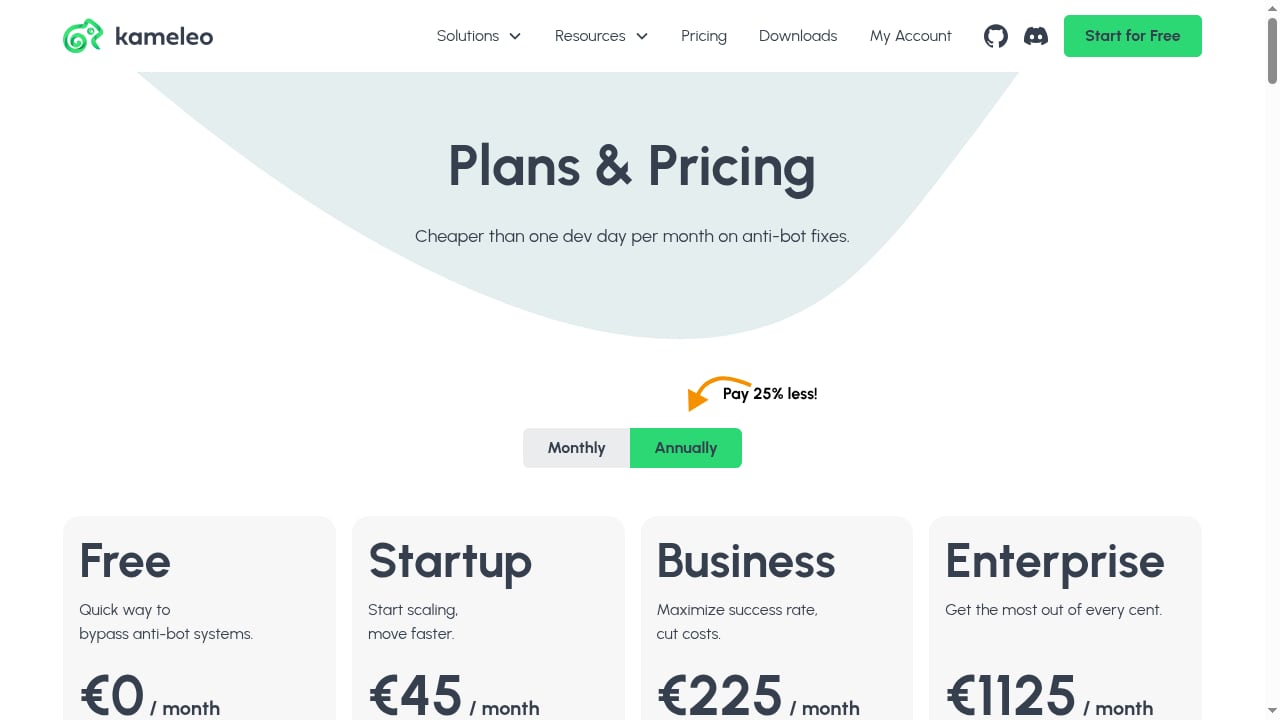
First viewport screenshot of Pricing – Kameleo.
Platforms no longer rely on cookies alone. They cross-reference Canvas and WebGL hashes, User-Agent strings, timezone, language, screen resolution, installed fonts, and hardware signals to build a device fingerprint. A standard Chrome profile leaks enough of these signals to tie separate sessions back to one machine, even in incognito mode.
An anti-detect browser creates isolated profiles, each with its own consistent fingerprint and proxy assignment. Done well, a platform sees what looks like separate real users rather than one operator running a cluster of accounts. The quality of that isolation — plus how well the tool holds up under long sessions and automation — is what separates a usable tool from a liability.
AdsPower at a Glance
AdsPower is an anti-detect browser built for multi-accounting at scale. It runs two stealth browser cores — SunBrowser (Chromium) and FlowerBrowser (Firefox) — and lets you customize fingerprints across Canvas, WebGL, network, and User-Agent parameters. The platform reports over 10 million users and holds SOC 2 Type II, ISO 27001, and ISO 27701 certifications.
Its operational strengths are batch profile management, proxy configuration, encrypted profile data, cross-device sync, and built-in automation tools. Pricing spans Free, Professional, Business, and Enterprise tiers with a 7-day free trial, and teams get role-based access with scalable profile counts. The pitch is straightforward: fewer physical devices, faster batch operations, and account safety through fingerprint isolation.
Octo Browser at a Glance
Octo Browser positions itself as a fast anti-detect browser for multi-accounting with strong protection against browser identification. It runs on Chromium and is aimed at power users and teams who want quick profile creation and real device parameters rather than heavy manual tuning.
In independent roundups, Octo Browser is typically grouped with tools valued for fingerprint quality and scaled operations. Its trade-offs are common to the category: no free tier, mid-range pricing billed in euros, and a narrower engine lineup than multi-core competitors. For teams that want a lean Chromium-based workflow and are comfortable paying from the start, it is a reasonable pick.
Kameleo at a Glance
Kameleo is an anti-detect browser built around automation, web scraping, and multi-profile management. Its differentiator is breadth: it supports multiple engines (Chroma, Junglefox, and mobile profiles) and lets users edit fingerprint elements such as Canvas, WebGL, AudioContext, fonts, and timezone.
That flexibility cuts both ways. Kameleo suits developers and technical users who want to shape browser environments precisely and who are comfortable troubleshooting configuration. It connects with Selenium, Puppeteer, and Playwright, though scripts often need custom adjustments for long sessions. Profiles are stored locally, and it relies on external proxy providers — no built-in residential traffic. For scraping and mobile emulation work, that configurability is the point.
Fingerprint Isolation and Stability
All three tools isolate profiles and mask core fingerprint signals. The practical differences show up under pressure.
- AdsPower offers customizable fingerprints across Canvas, WebGL, network, and User-Agent parameters, with two independent browser cores. That dual-core setup matters when a platform behaves differently toward Chromium and Firefox environments.
- Octo Browser is consistently noted for fingerprint quality and fast profile creation, which helps teams that scale profile counts quickly.
- Kameleo gives the most granular manual control, which is valuable for developers but increases the risk of inconsistent fingerprint combinations if settings are not aligned carefully.
If your priority is automated, repeatable fingerprint configuration across many profiles, AdsPower's parameter coverage and dual-core approach are a supported advantage. If you want manual depth and multi-engine flexibility, Kameleo's model is the better fit.
Automation and Web Scraping
First viewport screenshot of Anti-Detect Browser for Multi-Accounting & Web Scraping – Kameleo.
Automation is where these tools diverge most.
- AdsPower includes built-in automation tools and supports batch operations, which reduces the scripting overhead for teams running repetitive posting, verification, or data collection flows. For a practical setup, see how to use AdsPower with Browserbase for cloud automation workflows.
- Kameleo is explicitly built for automation, web scraping, and multi-profile management. It connects with Selenium, Puppeteer, and Playwright, and its mobile emulation support is a genuine asset for mobile-first targets. Developers who want to script against a configurable environment will find it capable.
- Octo Browser is less automation-forward in its positioning, focusing instead on speed and fingerprint quality for scaled operations.
For scraping teams that want a browser that behaves like a real user across mobile and desktop profiles, Kameleo is a credible choice. For teams that want automation plus batch profile management in one interface, AdsPower covers more of the workflow out of the box.
Proxy Handling
Every tool here depends on external proxies; none of the three ships built-in residential traffic as a core feature.
- AdsPower provides proxy configuration and management across profiles, which simplifies assigning and rotating IPs at scale.
- Kameleo works with external proxy providers, and profile safety depends on the quality of the IPs you bring.
- Octo Browser similarly relies on user-supplied proxies.
Because proxy quality often decides pass or fail more than the browser itself, pair any of these tools with clean residential or ISP proxies. For a broader view of IP and privacy tooling, see Top 10 Online Privacy & IP Intelligence Tools 2026.
Team Collaboration and Profile Management
- AdsPower supports role-based access, batch profile management, encrypted profile data, and cross-device sync. That combination is designed for teams where multiple operators touch the same accounts and permissions need to be scoped.
- Octo Browser targets teams and power users, with fast profile creation suited to scaled operations.
- Kameleo stores profiles locally, which speeds up access but complicates sharing, backups, and cross-device workflows for teams.
If collaboration and permission control are central to your operation, AdsPower's team tooling is a supported advantage. If you work solo or in a small technical group, Kameleo's local-first model is simpler.
Pricing and Free Access
| Tool | Free Tier | Starting Price (approx.) | Billing |
|---|---|---|---|
| AdsPower | Yes (limited) | ~$9/mo | USD |
| Octo Browser | No | €10/mo ($11) | EUR |
| Kameleo | Yes (limited) | €59/mo ($64) | EUR |
AdsPower offers a free tier and a 7-day trial, with plans scaling from Professional to Enterprise. Octo Browser has no free tier and bills in euros. Kameleo's entry pricing is the highest of the three, reflecting its developer-oriented feature set.
For cost-sensitive teams that need to scale profile counts, AdsPower's tiered structure and free entry point are a practical advantage. For developers who need Kameleo's multi-engine and mobile emulation capabilities, the higher price reflects a different value proposition.
Which Anti-Detect Browser Should You Choose?
First viewport screenshot of Release Notes – Kameleo.
Choose AdsPower if: you manage many accounts across teams, want batch operations and built-in automation, need role-based access and cross-device sync, and value a free tier plus USD pricing.
Choose Octo Browser if: you want a fast, lean Chromium-based browser with strong fingerprint quality for scaled operations, and you are comfortable with paid-only, euro-denominated plans.
Choose Kameleo if: you are a developer focused on web scraping and automation, need multi-engine support and mobile emulation, and prefer granular manual control over your browser environment.
There is no universal winner. The right tool depends on whether your bottleneck is team coordination, raw fingerprint speed, or scriptable flexibility. If you are still weighing options, AdsPower vs Octo vs Maskfog breaks down a related three-way comparison for cross-border e-commerce and social media operators.
Related reading
- AdsPower vs Indigo: Which Anti-Detect Browser Wins? - AdsPower vs Indigo compared: fingerprint depth, browser cores, automation, team tools, pricing, and security so you can pick the right anti-detect browser.
- Detect Expert Review 2026: VM Anti-Detect Suite Tested - Evidence-based Detect Expert review: VM-level fingerprinting, proxies, SMS, pricing signals, setup difficulty, and who should choose it over an anti-detect browser.
- Sell Social Media Accounts: Safe Marketplace Guide 2026 - Learn how to sell social media accounts safely in 2026: valuation metrics, top marketplaces, escrow, transfer steps, and multi-account safety tips.
Sources and further reading
- Kameleo vs AdsPower: Which Antidetect Browser Wins in 2026? - Kameleo vs AdsPower — which antidetect browser is better in 2025? Compare features, pricing. Discover why Multilogin outshines both6
- 10 Best Antidetect Browsers in 2026 (Tested + Free Picks) - Multilogin, GoLogin, and AdsPower lead our tested ranking of the best antidetect browsers in 2026, compared on pricing, free plans, and Android support.
- 15 Best Antidetect Browsers in 2026 - Honest Comparison - TL;DR: Antidetect browsers let you run multiple isolated browser profiles, each with a unique fingerprint, so platforms cannot link your accounts. This guide ranks the 15 best antidetect browsers of 2026 across fingerprint quality, automation support, pricing, and proxy integration. We also cover how these tools actually work, when a scraping API is the smarter choice, and which proxy type to pair with each use case.
Frequently Asked Questions
Is AdsPower better than Octo Browser?
They serve different priorities. AdsPower offers a free tier, dual browser cores, batch profile management, and team collaboration features. Octo Browser is valued for fingerprint quality and fast profile creation in scaled operations. The better choice depends on whether you need team tooling and a free entry point or a lean, speed-focused Chromium browser.
Is Kameleo good for web scraping?
Yes. Kameleo is explicitly designed for automation, web scraping, and multi-profile management, with support for Selenium, Puppeteer, and Playwright, plus mobile emulation. It suits developers who want configurable browser environments, though scripts may need adjustment for long sessions.
Do these anti-detect browsers include proxies?
None of the three ships built-in residential proxies as a core feature. All rely on external proxy providers, so proxy quality — residential or ISP IPs with clean reputations — heavily influences whether profiles stay safe.
Can I use AdsPower for free?
AdsPower offers a free tier with limited profiles and a 7-day free trial, with paid plans scaling from Professional to Enterprise. Octo Browser has no free tier, and Kameleo offers a limited free tier with paid plans starting around €59/mo.
Which tool is best for teams?
AdsPower is the strongest fit for teams that need role-based access, batch profile management, and cross-device sync. Kameleo's local-only profile storage makes team sharing harder, and Octo Browser targets teams but with less emphasis on permission scoping.
Conclusion
AdsPower, Octo Browser, and Kameleo each solve multi-accounting and fingerprint isolation, but they optimize for different users. AdsPower leads on team collaboration, batch operations, dual browser cores, and accessible pricing with a free tier. Octo Browser is a fast, fingerprint-focused Chromium option for scaled operations. Kameleo is the developer's choice for automation, scraping, and mobile emulation with granular control.
Match the tool to your bottleneck. If coordination and scale are the challenge, AdsPower's feature set is built for it. If scriptable flexibility is the priority, Kameleo earns its price. If speed and fingerprint quality in a lean package matter most, Octo Browser is worth a look.


