
How to Use AdsPower with FingerprintJS: Setup & Workflow
Take a Quick Look
Learn how to pair AdsPower anti-detect profiles with FingerprintJS for testing, QA, and fraud analysis. Step-by-step setup, practical workflows, and fixes.
How to Use AdsPower with FingerprintJS: Setup & Workflow
AdsPower and FingerprintJS sit on opposite sides of the same problem. AdsPower manufactures believable, isolated browser identities; FingerprintJS tries to recognise and score the visitor behind them. Used together deliberately, the pair becomes a practical lab: you can build clean test profiles in AdsPower and see exactly what a device-intelligence platform reports about each one.
This guide explains how the two products interact, walks through a repeatable setup, and shows the workflows that actually produce useful answers — whether you are a site owner validating your own FingerprintJS integration or an operator checking that your AdsPower profiles are internally consistent.
What each product does
First viewport screenshot of fingerprintjs.com.
AdsPower is an anti-detect browser. It creates separate browser profiles, each with its own cookies, storage, proxy, user agent, and spoofed fingerprint signals such as Canvas, WebGL, and network parameters. Profiles are isolated from one another, so work in one never leaks into another. AdsPower ships two Chromium-based stealth browsers (SunBrowser and FlowerBrowser), supports batch profile management, encrypted profile data, team collaboration, and a local API that automation tools can drive.
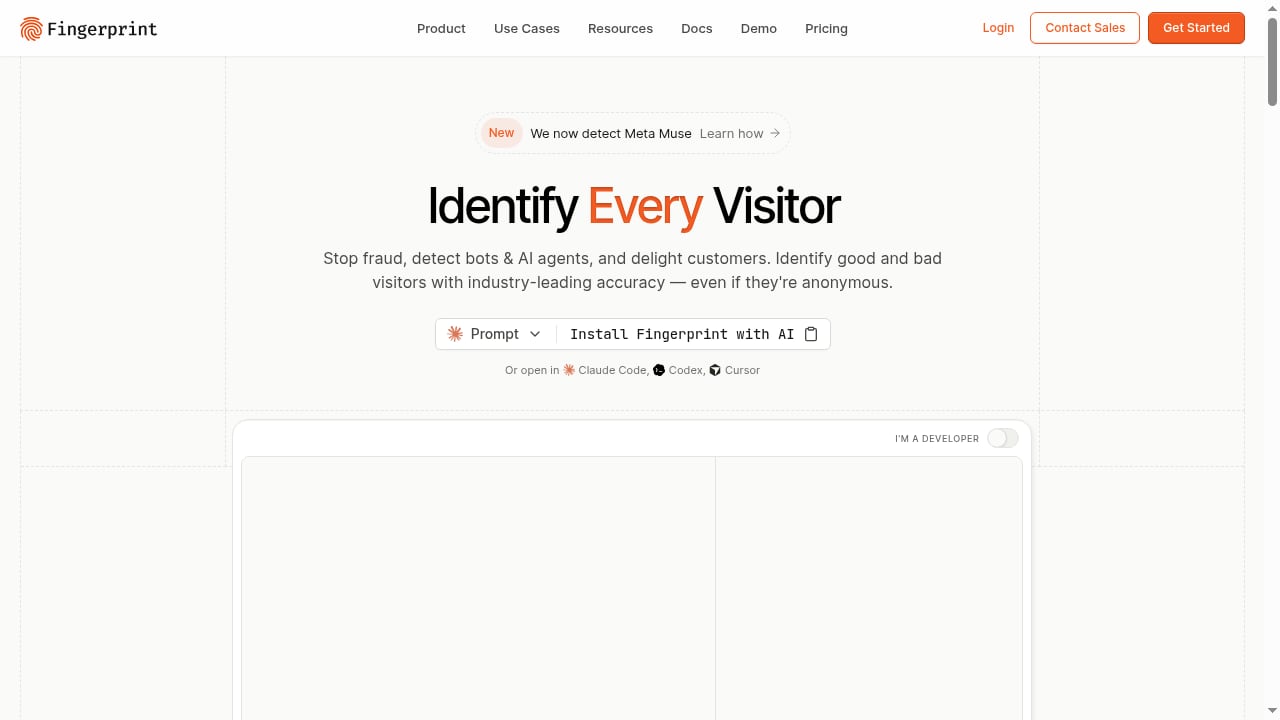
FingerprintJS is a device-intelligence platform. It identifies visitors across web and mobile apps with high accuracy, even when they are anonymous, and returns signals such as a stable visitor identifier, bot-risk scores, tamper detection, VPN detection, and device rarity. Site owners embed it to recognise returning users and to flag suspicious traffic.
In short: AdsPower controls what a browser claims to be. FingerprintJS judges how believable and consistent that claim is.
Why combine them?

FingerprintJS product interface.
There are three legitimate reasons to run these tools side by side.
- Testing your own FingerprintJS integration. You need several genuinely distinct visitors to confirm that your visitor identifier is stable per profile and different between profiles. AdsPower gives you those visitors on one machine.
- Validating profile quality. A well-built AdsPower profile should look internally consistent — its claimed OS, fonts, rendering output, and timezone should agree. FingerprintJS's tamper and rarity signals are a harsh but honest mirror.
- Understanding detection. If you operate a site with fraud controls, seeing how a layered detector reads an anti-detect profile teaches you where single-signal rules fail. For background on that layered approach, see Fingerprint's write-up on anti-detect browser detection.
A note on intent: this workflow is for testing your own properties and your own profiles. It is not a recipe for evading someone else's defences.
How the two systems interact
First viewport screenshot of fingerprintjs.com.
When an AdsPower profile loads a page with the FingerprintJS agent, a sequence unfolds:
- The agent collects browser and device characteristics — canvas and audio output, fonts, screen metrics, hardware details — plus network context.
- AdsPower's spoofing layer determines what those characteristics report. A profile configured as Windows 11 with an RTX GPU should return rendering output consistent with that claim.
- FingerprintJS combines the collected signals with server-side matching to produce a visitor identifier and a set of risk signals.
- Your backend decides what to do with the result.
The critical point is consistency, not uniqueness. A profile that reports a rare but self-consistent configuration may still be flagged by rarity checks. A profile that reports common values but contradicts itself — Safari user agent with Chromium rendering — is flagged by tamper detection. AdsPower's job is to keep every signal in agreement; FingerprintJS's job is to notice when they are not.
Prerequisites
Before you start, confirm you have:
- An AdsPower account with at least a few profiles available (the free plan includes 2 profiles; paid tiers add more).
- Access to a page with the FingerprintJS agent installed — your own site, a staging environment, or the vendor's public demo for learning.
- Basic familiarity with browser fingerprinting concepts: canvas, WebGL, audio, fonts, and network signals.
- Optionally, the AdsPower local API if you plan to drive profiles with automation.
Step-by-step setup
Step 1: Create distinct test profiles in AdsPower
Do not clone one profile three times. Create each profile from scratch so it has its own identity parameters:
- Profile A — plain desktop. A common Windows configuration, no proxy, local timezone.
- Profile B — different OS. A macOS or Linux configuration with matching fonts and rendering.
- Profile C — proxied visitor. A profile routed through a proxy in another region, with timezone and locale set to match that region.
Give each profile a clear name. You will be comparing results across them repeatedly.
Step 2: Keep the proxy and locale fixed
For any given test profile, lock the proxy and locale. If the proxy moves between runs, the apparent location changes, and FingerprintJS may return a different identifier or a higher risk score for reasons unrelated to your browser configuration. Stability is the whole point of a baseline.
If you are new to proxy pairing, the IPRoyal proxy setup workflow for AdsPower covers the mechanics of attaching proxies to profiles and fixing common errors.
Step 3: Open the FingerprintJS test page in each profile
Launch Profile A, navigate to your FingerprintJS-instrumented page, and record:
- The visitor identifier.
- The bot-risk classification and the reasons behind it.
- Any tamper, VPN, or rarity signals.
Repeat for Profiles B and C. Keep the results in a table next to the date and the profile settings, so you can compare after any change.
Step 4: Run each profile twice
Visit the page a second time with each profile. This is where the real information appears:
- Same profile, same identifier — expected. The profile keeps a stable identity.
- Same profile, different identifier — something that should be stable is changing. Investigate the proxy, locale, or any setting regenerated on launch.
- Different profiles, different identifiers — confirms your test profiles really are separate visitors.
- Two profiles, same identifier — the profiles share too many characteristics. Rebuild the second one from scratch.
Step 5: Drive one profile with automation (optional)
If you want to test how your rules treat automated traffic, connect Playwright, Puppeteer, or Selenium to an AdsPower profile through its local API, then confirm that FingerprintJS reports the expected automation indicators. Use the profile's own browser context rather than creating a new one, and close the session through the API when finished. AdsPower's local API supports high request rates, which matters when you are running repeated test cycles.
Step 6: Check your backend, not just the dashboard
A scoring service your backend ignores protects nothing. Trace one request end to end — from the browser call to the server decision — and confirm that the block, challenge, or allow action actually fires. This is the single most common gap in integration testing.
Practical example: a three-profile QA run
Suppose you run an e-commerce site and have just integrated FingerprintJS to flag suspicious sign-ups. Your test plan:
| Profile | Configuration | Expected result |
|---|---|---|
| A | Windows 11, Chrome, local IP | Stable identifier, clean bot risk |
| B | macOS, Safari user agent, local IP | Stable identifier, clean bot risk |
| C | Windows 11, Chrome, proxy in another country | Stable identifier, possible VPN signal |
Run each profile twice and record the identifier and risk signals. Then drive Profile A with Playwright and confirm your backend challenges the automated session. Finally, open one profile in a private window to see how the private-browsing signal is recorded.
If Profile B returns a tamper signal, the cause is likely an inconsistency between its Safari user agent and its Chromium rendering output. Fix the profile configuration rather than the test.
Common problems and fixes
The identifier changes between sessions on one profile. Usually a proxy that shifts location or a setting regenerated on each launch. Fix the proxy and locale for that profile and compare runs one change at a time.
Two profiles report the same identifier. They share too many characteristics, or one was cloned from the other without changes. Rebuild from scratch.
Bot risk is higher than expected for your own automation. Your test harness exposes automation indicators — that is what the service is designed to report. Decide whether your production rules should allow-list your known test infrastructure.
Results look right in the dashboard but nothing happens on the site. Your backend never reads or acts on the result. Trace one request end to end.
A real visitor was challenged. False positives happen — privacy tools, unusual networks, and assistive technology can all look atypical. Give challenged visitors a clear path to proceed rather than a silent block.
Fingerprint test fails on IP or browser checks. In AdsPower, update the kernel version or align the user agent with the kernel so the profile does not present a mismatch. For a broader look at what leak checks reveal, see this IP lookup and leak check review.
AdsPower vs FingerprintJS: different jobs
First viewport screenshot of fingerprintjs.com.
It is easy to conflate the two because both deal in fingerprints. They are not competitors.
| AdsPower | FingerprintJS | |
|---|---|---|
| Purpose | Create and isolate browser identities | Identify and score visitors |
| User | Operators managing multiple accounts | Site owners and fraud teams |
| Core mechanism | Spoofing and profile isolation | Signal collection and risk scoring |
| Success looks like | Consistent, believable profiles | Accurate identification and detection |
If your goal is managing many accounts safely, AdsPower is the tool. If your goal is recognising visitors and scoring risk on your own site, FingerprintJS is the tool. The value of this guide is in running them against each other to learn.
For a wider view of how anti-detect browsers compare on isolation, automation, and scale, see the top anti-detect browsers and automation platforms for 2026.
Related reading
- AdsPower vs StealthBrowser vs ixBrowser: Anti-Detect Picks - Compare AdsPower, StealthBrowser, and ixBrowser on free plans, fingerprint isolation, automation, and scale to find the right anti-detect browser in 2026.
- AdsPower vs MostLogin: Anti-Detect Browser & Cloud Phone Comparison - Compare AdsPower and MostLogin for multi-accounting: fingerprint isolation, automation, team features, pricing, and cloud phone support. Find the better fit.
- Anti-Detect Browser for Multiple Accounts: AdsPower Guide - Learn how an anti-detect browser manages multiple accounts safely. Compare AdsPower features, proxy pairing, fingerprint isolation, and team workflows.
Sources and further reading
- The Ultimate Guide to Fingerprint Checkers: Top 11 Online Tools - Find the best browser fingerprint checker tools to test your browser fingerprint and protect your online privacy. Learn how to minimize tracking risks and stay anonymous.
- How FingerprintJS Pro Identifies Browsers: A Walkthrough for Site Owners - A walkthrough of how FingerprintJS Pro identifies browsers and scores bot risk, and how site owners can test their own bot defences with separate test profiles.
FAQ
Can AdsPower profiles pass FingerprintJS detection?
A well-configured AdsPower profile presents internally consistent signals, which reduces obvious tamper flags. However, FingerprintJS uses layered detection — tamper scoring, automation checks, network intelligence, and device rarity — so no single configuration guarantees a clean result. Treat FingerprintJS output as diagnostic feedback, not a pass/fail grade.
Is FingerprintJS free to use with AdsPower?
FingerprintJS offers an open-source library and a commercial platform. The open-source version is free and useful for learning how fingerprinting works. The commercial platform, which provides the visitor identifier and risk signals described here, requires a subscription. AdsPower offers a free plan with 2 profiles and a 3-day free trial on paid tiers.
Why does my AdsPower profile get a different FingerprintJS identifier each time?
Something that should be stable is changing between launches — most often a rotating proxy, a locale that regenerates, or a setting reset on startup. Fix the proxy and locale for that profile, then compare runs one change at a time.
Can I use AdsPower's local API to automate FingerprintJS testing?
Yes. AdsPower's local API lets you launch profiles and drive them with Playwright, Puppeteer, or Selenium. Point the automated session at your FingerprintJS-instrumented page and confirm that your backend handles the reported automation indicators as intended.
Does using AdsPower with FingerprintJS violate any terms?
Testing your own site and your own profiles is legitimate QA. Using these tools to evade another site's fraud controls or to operate accounts in violation of a platform's terms is not. Keep the workflow scoped to properties you own or operate.
Conclusion
AdsPower and FingerprintJS are most useful together when you treat them as a feedback loop. AdsPower builds the profile; FingerprintJS tells you how consistent and believable that profile looks. Run the three-profile test, record identifiers and risk signals, check your backend actually acts on the results, and fix inconsistencies at the source rather than papering over them.
Start with a small, well-documented test set. A handful of clean, distinct profiles will teach you more about fingerprint consistency than a hundred hastily cloned ones — and that understanding is the real deliverable.


