
How to Use AdsPower with Fingerprint: A Complete Integration Guide
Take a Quick Look
Learn to integrate AdsPower anti-detect browser with Fingerprint device intelligence. Step-by-step setup, use cases, and how to test browser fingerprints thoroughly.
🔥 Limited-Time Offer! Save extra 10% off on your first monthly plan with code: Anitdetect10
Sign upHow to Use AdsPower with Fingerprint: A Complete Integration Guide
In this guide from AdsPower, you’ll learn exactly how to combine AdsPower—the professional anti-detect browser—with Fingerprint, the device intelligence platform, to create a workflow that not only isolates multi‑account identities but also validates that isolation with industry‑leading accuracy. Whether you’re running dozens of e‑commerce stores, managing social media accounts at scale, or building a fraud detection pipeline, this integration helps you answer one critical question: are my browser environments truly unique and untraceable?
We’ll walk through why these tools are stronger together, the exact steps to set them up, and real‑world scenarios where this combination solves expensive problems. If you’re still evaluating anti‑detect browsers, you might also want to read our AdsPower vs VMLogin vs Genlogin comparison to see why AdsPower is the solid foundation for this kind of integration.
Understanding AdsPower and Fingerprint

How to Use AdsPower with Fingerprint: A Complete Integration Guide product interface and feature overview.
Before diving into the workflow, let’s quickly define the two players.
AdsPower is a multi‑account management browser that builds isolated digital environments. Each environment has its own browser fingerprint—customizable canvas, WebGL, audio, WebRTC, fonts, and more. It supports Chrome (SunBrowser) and Firefox (FlowerBrowser) kernels, built‑in RPA automation, window sync, and enterprise‑grade team collaboration. With over 9 million users and certifications like SOC 2 Type II and ISO 27001, it’s one of the most trusted tools for cross‑border e‑commerce, affiliate marketing, and social media management. The free tier (two environments) makes it easy to start testing.
Fingerprint is a device intelligence platform used by developers and fraud analysts. It identifies visitors with a persistent and accurate visitor ID, even when cookies are cleared or VPNs are used. It offers 20+ Smart Signals—including VPN detection, browser tampering, emulator detection, and incognito mode checks—so you can assess risk with confidence. Trusted by 6,000+ companies, Fingerprint processes over 50 million API events daily and has helped prevent more than $1 billion in fraud losses. Its JavaScript agent and mobile SDKs are the backbone for account takeover prevention, payment fraud detection, and bot mitigation.
Why Pair an Anti‑Detect Browser with a Device Intelligence Platform?
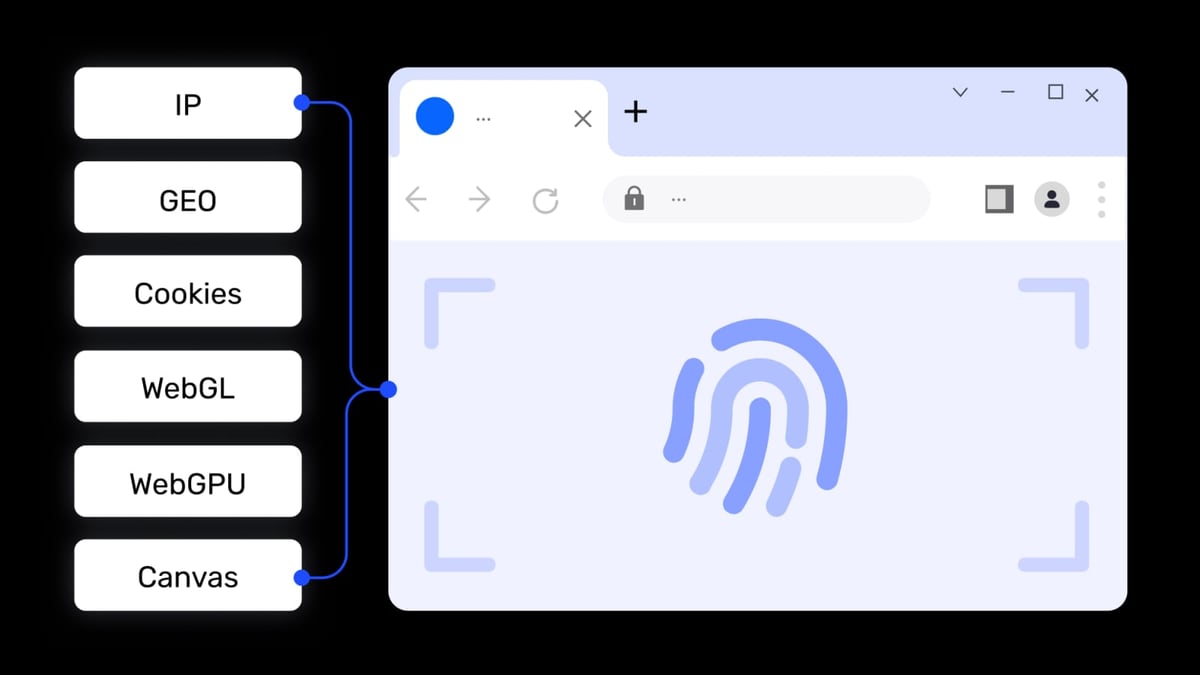
How to Use AdsPower with Fingerprint: A Complete Integration Guide product interface and feature overview.
On their own, AdsPower and Fingerprint serve different audiences. AdsPower creates browser environments that look like real, independent devices. Fingerprint detects and identifies those devices—or detects when a browser has been tampered with. When used together, you can:
- Validate isolation quality: Confirm that every AdsPower profile generates a completely different Fingerprint visitor ID, proving no fingerprint parameters are leaking across environments.
- Simulate real‑world multi‑device behavior: Use Fingerprint’s signals (e.g., VPN detection, browser consistency checks) to test whether your AdsPower setups pass rigorous fraud checks. This is vital for platforms with aggressive anti‑fraud systems like fintech, iGaming, or ad networks.
- Build a self‑assessment pipeline: Fraud analysts can create dozens of AdsPower profiles with deliberate inconsistencies, then run Fingerprint to see which environments trigger risk flags—tuning their anti‑detect configuration before going live.
- Augment company‑wide fraud detection: If your business already uses Fingerprint for visitor identification, you can use AdsPower’s RPA automations to simulate attack patterns in a controlled, isolated way, testing your own security posture without endangering real accounts.
In short, the combination gives you the power to both create realistic identities and verify their uniqueness at scale.
Step‑by‑Step: Setting Up AdsPower to Work with Fingerprint

How to Use AdsPower with Fingerprint: A Complete Integration Guide product interface and feature overview.
This walkthrough assumes you already have an AdsPower account and an active Fingerprint subscription (the free tier with 1,000 API calls is enough to get started). We’ll build a simple test page that runs Fingerprint’s JavaScript agent and then open it inside an AdsPower environment to see the visitor ID. You can then expand this pattern to entire automation flows.
1. Prepare Your Fingerprint Account and Snippet
Log into your Fingerprint dashboard and navigate to the API Keys section. You’ll need the public API key. For a quick test, you can use Fingerprint’s ready‑made HTML example or the CDN snippet.
A minimal loader looks like this:
<script src="https://cdn.fingerprintjs.com/v3/fp.min.js"></script>
<script>
  FingerprintJS.load({ apiKey: 'YOUR_PUBLIC_API_KEY' })
    .then(fp => fp.get())
    .then(result => document.getElementById('visitorId').innerText = result.visitorId);
</script>
Create a small index.html file with this code, plus a <span id="visitorId"> to display the result. If you don’t have a web server, you can host it for free on a service like GitHub Pages, Netlify, or simply use a local development server that AdsPower can reach (e.g., http://localhost:8080).
2. Create a Test Page with Fingerprint JavaScript
Upload your index.html to a publicly accessible URL (or a local address that your AdsPower environment can load). Verify that when you open the page in a regular browser, it shows a unique visitor ID. This page will now act as your “ground truth” check for every AdsPower profile.
3. Configure an AdsPower Browser Environment
Open the AdsPower desktop client and click New Browser.
- Environment name: Use something descriptive, like “FP‑Test‑Chrome‑01”.
- Browser kernel: Choose SunBrowser (Chrome‑based) for this test; you can also try FlowerBrowser (Firefox) later to compare results.
- Operating system: Select your target OS (Windows, macOS, Android, iOS). Fingerprint will read these values, so choose one that matches your intended use case.
- Proxy: This is crucial. For a clean test, assign a unique residential or mobile proxy to this environment. You can use any proxy provider; for help integrating proxies, see our detailed guide on setting up AdsPower with SSL proxies. (Remember, Fingerprint can detect mismatches between the IP and browser timezone/language, so align those settings.)
- Fingerprint settings: By default, AdsPower randomizes 20+ parameters. You can keep everything on “Smart Match” for now. For advanced testing, you might later manually tweak canvas, WebGL, or audio fingerprints to see how Fingerprint reacts.
Click OK to create the environment, then press Open to launch it.
4. Load the Fingerprint‑Enabled Page and Verify
Inside the AdsPower browser window, navigate to the URL where you hosted your test page. You should see a visitor ID displayed. Copy it.
Now create a second AdsPower environment with a different name, different proxy (or even a different browser kernel), and a different OS. Open the test page there. The visitor ID must be completely different from the first one. If both environments show the same ID, something is wrong—likely the fingerprint isolation isn’t working, or you’re sharing an IP or other identifying parameter.
To go deeper, you can open Fingerprint’s live demo (public URL) in each AdsPower environment and compare the detailed Smart Signal results: VPN detection, browser compatibility, incognito mode, and more. This is an excellent way to see which signals might flag your environment as suspicious on a target platform.
5. Automate Fingerprint Checks with AdsPower RPA
Manually checking dozens of profiles is tedious. AdsPower’s built‑in RPA lets you automate this.
- In AdsPower, go to RPA → New Process.
- Record a simple flow: open the test URL, wait for the visitor ID to appear, copy the text, and log it (or send it to a webhook).
- Alternatively, use one of the pre‑built RPA templates from the store and customize it to capture the Fingerprint result.
- Run this process across a batch of environments. You can then collect all visitor IDs and confirm uniqueness.
For programmatic users, AdsPower’s Local API (compatible with Puppeteer, Playwright, and Selenium) lets you script the entire workflow. You could even integrate Fingerprint’s Server API to correlate visitor IDs with backend risk scores, building a fully automated audit system.
Practical Scenarios Where This Combination Excels
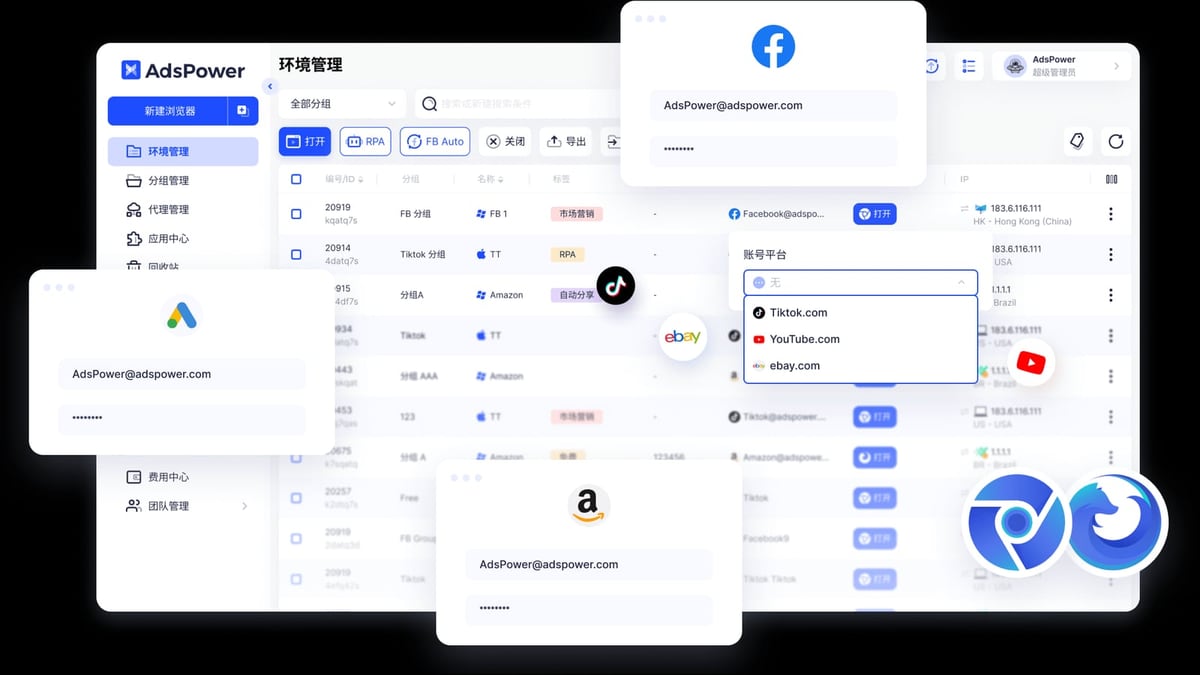
How to Use AdsPower with Fingerprint: A Complete Integration Guide product interface and feature overview.
E‑commerce Multi‑Store Sellers Testing Isolation
Imagine you manage 50 Amazon seller accounts. You use AdsPower to give each store a dedicated browser environment with a unique fingerprint and residential IP. Before going live, you load Fingerprint’s test page in every environment and confirm that all visitor IDs are distinct. This provides a quantifiable layer of confidence that Amazon’s anti‑association systems won’t link your stores through browser fingerprinting. You can even schedule a monthly check using RPA to make sure no environment has drifted due to browser updates or configuration changes.
Fraud Analysts Verifying New‑Account Risk
A fintech startup uses Fingerprint to block account opening fraud. Their security team wants to test whether fraudsters using anti‑detect browsers can bypass the check. Using AdsPower, they create 20 simulated “fraudster” environments—some with clean residential proxies, some with datacenter IPs, some with mismatched timezones. They then open the company’s own sign‑up page (which integrates Fingerprint) and observe which environments get high risk scores. This helps them fine‑tune rules without waiting for real attacks.
QA Teams Stress‑Testing Anti‑Fingerprinting
A web development agency builds a platform that uses browser fingerprinting for user authentication. Before launch, QA engineers use AdsPower to spin up hundreds of browser profiles with varied fingerprint setups and then run Fingerprint’s identification tests. They can quickly spot any configuration where the platform fails to generate a unique ID, or where the browser leaks real hardware information. This kind of automated, large‑scale testing would be impossible with physical devices alone.
Best Practices for Reliable Results
- Always assign a unique, high‑quality proxy to each AdsPower environment. Fingerprint’s VPN and proxy detection Smart Signals are advanced; a dirty IP can inflate risk scores and ruin your test.
- Match OS, timezone, and language settings. Fingerprint checks for inconsistencies. In AdsPower, set these to align with the proxy’s geolocation.
- Rotate user agents thoughtfully. If you open ten environments within minutes and they all use the exact same Chrome build timestamp, it’s a red flag. Use AdsPower’s “smart match” or rotate manually.
- Periodically re‑verify isolation. Browser kernel updates, extensions, or OS patches can accidentally introduce fingerprinting leaks. Build a regular RPA check to catch them early.
- Keep Fingerprint’s
visitorIdlogs alongside your AdsPower environment names. This creates an audit trail that helps you identify which profile might be at risk if an account gets flagged.
Related reading
- TikTok for Business Review: Features, Costs & Real User Insights - Unbiased TikTok for Business review exploring ad formats, targeting, pricing, and real user feedback. Learn its strengths, limitations, and whether it fits your brand.
- Hidemyacc Review: Is This Anti-Detect Browser Worth It? - Evidence-based Hidemyacc review covering features, pricing, real-world fingerprint tests, pros & cons, and alternatives. Find out if it's right for your multi-accounting needs.
- Top 10 Online Privacy & Security Suites 2026 - Compare the 10 best online privacy and security suites of 2026, from Bitdefender to Whoer. Expert reviews, lab scores, and unique privacy tools to protect your data.
Frequently Asked Questions
Can I use Fingerprint directly inside an AdsPower environment without any external page? Yes, but you’ll need a way to run Fingerprint’s JavaScript agent. The simplest is a hosted page; more advanced setups can inject the script through a custom browser extension installed in the AdsPower environment. For most users, a lightweight test page is enough.
Will using AdsPower automatically fool Fingerprint? No. Fingerprint is designed to detect inconsistencies, even on virtual machines. AdsPower reduces the surface area of detectable tampering, but careful configuration (especially proxies and timezone alignment) is still required. This is why testing with Fingerprint before live deployment is so valuable.
Is the free tier of Fingerprint enough to get started? Absolutely. The free tier includes 1,000 API calls per month, which is ample for verifying a few dozen AdsPower environments. Paid plans unlock higher call volumes and additional Smart Signals if you need to scale.
Does this setup work only for Chrome‑based environments? It works for both SunBrowser (Chrome) and FlowerBrowser (Firefox) kernels in AdsPower. Fingerprint’s JavaScript agent supports all major browsers, so you can test cross‑kernel isolation.
Conclusion
Coupling AdsPower’s powerful browser environment isolation with Fingerprint’s precise device identification creates a feedback loop that turns guesswork into measurable confidence. You can finally prove, not just assume, that your multi‑account infrastructure is watertight. Whether you’re preventing account bans, simulating real‑world traffic for fraud analysis, or hardening your own platform’s defenses, this integration is a practical, low‑cost way to level up your anonymity testing.
Start small: set up two AdsPower profiles, host a simple Fingerprint test page, and compare visitor IDs. Within an afternoon you’ll have a repeatable method to audit every environment you create. When you’re ready to scale, AdsPower’s RPA and API will let you automate it across hundreds of profiles—saving time and giving your operations the transparency they deserve.