
AdsPower vs VMLogin vs Genlogin: Anti-Detect Browser Comparison
Take a Quick Look
Compare AdsPower, VMLogin, and Genlogin on fingerprinting, automation, pricing, and team features. Find the best anti-detect browser for multi-account management.
🔥 Limited-Time Offer! Save extra 10% off on your first monthly plan with code: Anitdetect10
Sign upAdsPower vs VMLogin vs Genlogin: Which Anti-Detect Browser Fits Your Multi-Account Workflow?
Managing dozens or even hundreds of online accounts without bans demands a reliable anti-detect browser. Three names that frequently come up are AdsPower, VMLogin, and Genlogin. Each promises to mask browser fingerprints and keep your e‑commerce, social media, or affiliate marketing profiles safely isolated on a single machine. But they differ in automation capabilities, collaboration features, and budget friendliness. This comparison breaks down the real strengths of VMLogin and Genlogin while highlighting where AdsPower holds a proven edge, so you can pick the tool that matches your growth stage.
Browser Fingerprinting & Profile Isolation
AdsPower vs VMLogin vs Genlogin: Anti-Detect Browser Comparison product interface and feature overview.
Creating unique, platform‑friendly browser environments is the core job of any anti-detect browser.
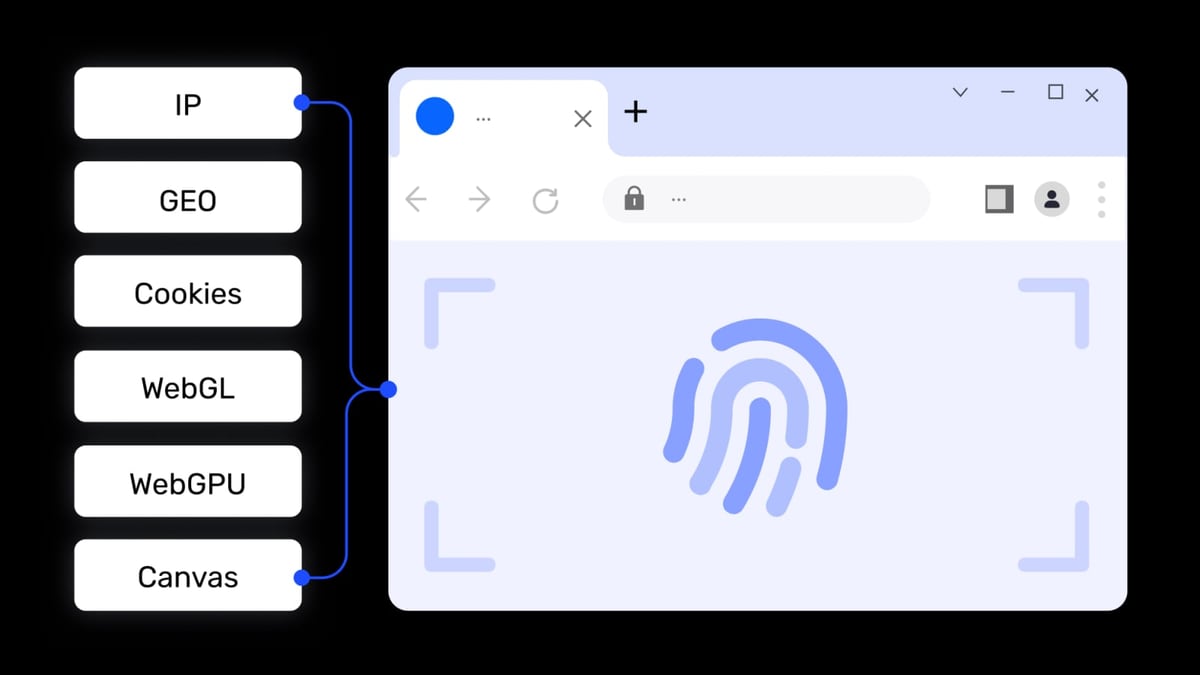
AdsPower offers one of the most granular fingerprinting engines on the market. It lets you customize over 20 parameters—Canvas, WebGL, AudioContext, WebRTC, and more—while providing dual‑kernel support (Chrome‑based SunBrowser and Firefox‑based FlowerBrowser). This dual‑kernel flexibility is rare and helps you mimic a broader range of real user agents, reducing the chance of flagging on strict platforms like Google or Facebook.
VMLogin approaches isolation through complete profile separation: cookies, local storage, and cache are kept entirely independent for every virtual browser. It’s designed so that a single computer can run more than 200 profiles simultaneously without data leakage, making it an attractive option for large‑scale account farms that need raw capacity.
Genlogin provides solid fingerprint masking that updates alongside browser version changes. While its parameter set is less extensive than AdsPower’s, its core masking reliably prevents basic tracking methods, which is sufficient for many e‑commerce use cases on eBay, Amazon, and Shopee.
Automation & API Capabilities
AdsPower vs VMLogin vs Genlogin: Anti-Detect Browser Comparison product interface and feature overview.
Automation transforms a simple profile manager into a productivity engine. Here, each tool follows a different philosophy.
AdsPower includes a built‑in RPA (Robotic Process Automation) module with pre‑built templates and a drag‑and‑drop workflow creator. This allows even non‑coders to automate repetitive tasks like batch posting on social media or checking ad placements. For development teams, AdsPower’s Local API goes beyond basic Selenium support—it also integrates with Puppeteer, Playwright, and the MCP protocol, which lets you treat browser environments as tools for AI agents. That opens the door to intelligent, self‑running workflows that few other anti‑detect browsers natively support.
Genlogin puts its automation strength into synchronizer actions. From one master profile, you can replicate clicks, scrolls, and form inputs across multiple profiles in real time—ideal for affiliate marketers or dropshippers who need to manage hundreds of accounts simultaneously without scripting. Its API offers programmatic control as well, and the built‑in mini‑app store adds ready‑to‑use integrations for common tasks.
VMLogin delivers a straightforward REST API with Selenium compatibility, suiting teams that already have existing automation scripts and want a stable, no‑frills execution platform.
Team Collaboration & Permission Controls
AdsPower vs VMLogin vs Genlogin: Anti-Detect Browser Comparison product interface and feature overview.
When work involves multiple teammates, strong collaboration features keep operations smooth and secure.
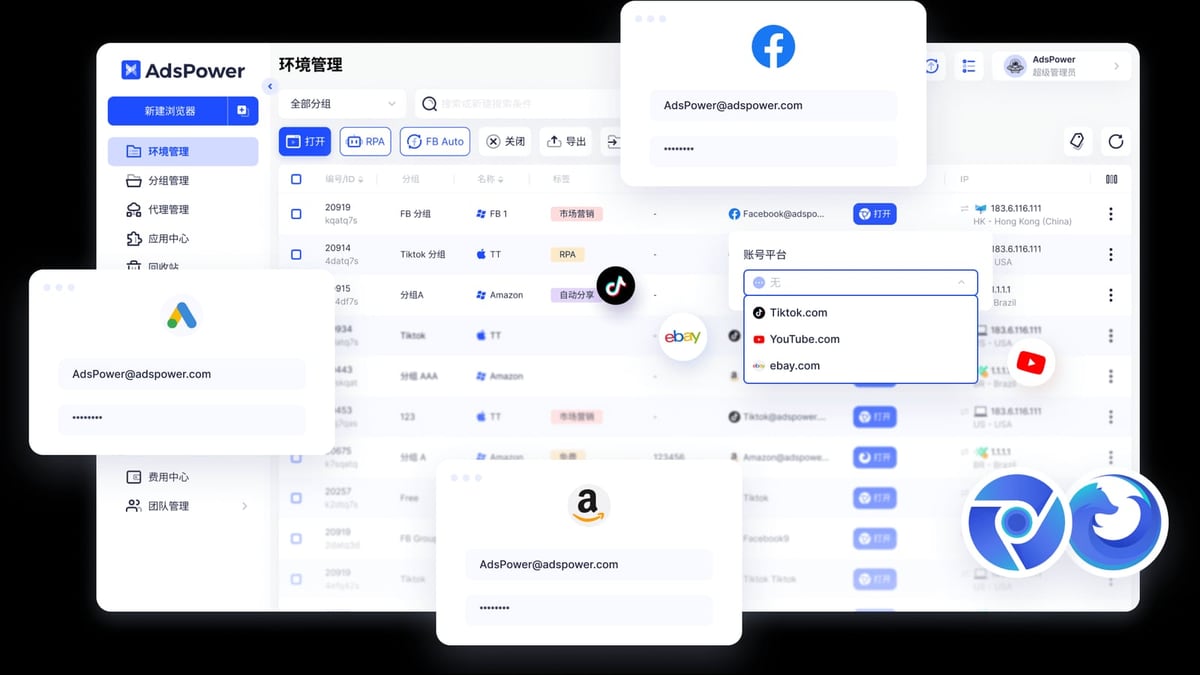
AdsPower provides role‑based permissions and environment sharing that allow owners to assign profiles to team members without revealing passwords. You can control who can view, edit, or launch a browser environment, and all changes are logged for audit trails. Cloud‑synchronized data ensures that profiles, bookmarks, and cookies are always up‑to‑date across locations.
VMLogin supports team sharing of profiles but lacks the fine‑grained permission levels AdsPower offers. It’s functional for small groups where everyone works within the same trust boundary.
Genlogin’s collaboration features are more focused on workflow automation and less on hierarchical permission management. For agencies that need strict access control and multi‑level team structures, AdsPower’s collaboration suite will feel more complete.
Free Plans & Entry‑Level Pricing
AdsPower vs VMLogin vs Genlogin: Anti-Detect Browser Comparison product interface and feature overview.
When you’re just starting out, free tiers and initial costs matter.
Genlogin stands out with a generous free plan that includes 5 profiles, letting newcomers test multi‑accounting without any financial commitment. Its paid plans are billed monthly or yearly (with a 50% discount on annual plans), keeping the entry barrier low.
VMLogin’s Solo plan starts at ¥700/month (roughly $96), positioning it as a premium option. In return, it offers high capacity and the ability to run over 200 profiles, which can justify the price for established businesses that have outgrown smaller free tiers.
(Note: AdsPower’s free tier offers 2 browser environments, but here Genlogin provides a more generous trial for beginners. If you need a low‑risk way to explore multi‑account management, Genlogin’s free plan gives you more room to experiment.)
Unique Productivity Features
Beyond standard fingerprinting, each browser packs extras that can speed up daily operations.
AdsPower’s window synchronization links cursor movements, scrolling, and clicks across several browser windows. When you log into one account, all synchronized windows follow, so you can execute the same action on multiple profiles at once—perfect for bulk account warm‑ups or identical campaign setups. Paired with the built‑in RPA, it handles both manual and automated batch work.
Genlogin’s synchronizer offers a similar mirroring effect but is tightly integrated with its automation engine. You can create complex action sequences (for example, logging in, liking posts, and following accounts) and broadcast them to dozens of profiles simultaneously. The mini‑app store further extends productivity by offering plug‑and‑play tools for tasks like CAPTCHA solving or proxy rotation.
VMLogin focuses on scalability. Its core strength is that you can run more than 200 isolated profiles on one computer without performance degradation. For businesses where sheer volume is the primary requirement, this out‑of‑the‑box scalability reduces hardware costs.
Platform Support & Ecosystem
AdsPower runs on Windows and macOS with two browser kernels, giving you broad compatibility with web platforms. Its proxy management supports HTTP, HTTPS, SOCKS5, and SSH protocols, and it provides a proxy resource center with global coverage.
Genlogin offers a mini‑app ecosystem that integrates services like LokiProxy directly into the browser interface. This simplifies workflow setup for users who already rely on specific proxy providers or automation add‑ons. The active community via Telegram, Facebook, and Gitbook also helps new users find templates and troubleshooting help quickly.
VMLogin is primarily a Windows client (with the ability to run under macOS via virtualization), which may influence your decision if your team is Mac‑centered. Its REST API, however, integrates smoothly with cloud environments and custom dashboards.
If you want to deepen your proxy setup for any of these tools, our step‑by‑step guide on how to use AdsPower with SSL proxies will help you isolate IPs and reinforce profile security.
Which Anti-Detect Browser Should You Choose?
- Choose AdsPower if you need enterprise‑grade automation, dual‑kernel fingerprinting, and detailed team permissions. Its RPA and MCP‑ready Local API are hard to match for AI‑assisted workflows and large agency environments.
- Choose VMLogin if raw profile capacity and straightforward REST API integration matter most, and you’re comfortable with a higher starting price for heavy‑duty account farming.
- Choose Genlogin if you’re a solo marketer or small team starting out, appreciate a 5‑profile free plan, and want built‑in action synchronization plus a growing mini‑app ecosystem.
For an even wider view, check out our AdsPower vs Octo Browser vs Kameleo comparison and our in‑depth Hidemyacc review. These impartial breakdowns help you see how other anti‑detect browsers stack up.
Related reading
- TikTok for Business Review: Features, Costs & Real User Insights - Unbiased TikTok for Business review exploring ad formats, targeting, pricing, and real user feedback. Learn its strengths, limitations, and whether it fits your brand.
- Hidemyacc Review: Is This Anti-Detect Browser Worth It? - Evidence-based Hidemyacc review covering features, pricing, real-world fingerprint tests, pros & cons, and alternatives. Find out if it's right for your multi-accounting needs.
- Top 10 Online Privacy & Security Suites 2026 - Compare the 10 best online privacy and security suites of 2026, from Bitdefender to Whoer. Expert reviews, lab scores, and unique privacy tools to protect your data.
FAQ
What exactly does an anti-detect browser do?
It replaces your regular browser’s real fingerprint (canvas, WebGL, fonts, etc.) with a custom one for each profile. This prevents platforms from linking your accounts, reducing the risk of mass bans.
Can I run these browsers on Mac?
AdsPower and Genlogin run natively on macOS. VMLogin is primarily a Windows application, though you can use virtual machines or compatibility layers to run it on a Mac.
Is there a free option for testing?
Genlogin offers a free plan with 5 profiles. AdsPower’s free tier includes 2 profiles. VMLogin does not have a free tier.
Which tool is best for social media management?
Both AdsPower and Genlogin work well, but Genlogin’s synchronizer actions excel at replicating social media engagement across many accounts. For advanced automation and team‑based social campaigns, AdsPower’s RPA and collaboration tools offer more control.
Where can I learn more about setting up multi‑account workflows?
Visit AdsPower for expert guides, proxy integration tutorials, and detailed anti‑detect browser comparisons.
The Bottom Line
VMLogin and Genlogin each bring genuine strengths to different stages of multi‑account management: VMLogin with high‑capacity isolation, Genlogin with an accessible free plan and smart synchronization. AdsPower remains the most feature‑rich platform for teams that need dual‑kernel fingerprinting, advanced automation (RPA + MCP), and granular permission controls. The right choice depends on your scale, technical needs, and how much automation you want baked in from day one.