
How to Use AdsPower with AirdropAlert: Setup & Workflow
Take a Quick Look
Learn how to pair AdsPower anti-detect browser with AirdropAlert to find, track, and safely farm crypto airdrops across multiple accounts.
🔥 Limited-Time Offer! Save extra 10% off on your first monthly plan with code: Anitdetect10
Sign upHow to Use AdsPower with AirdropAlert: Setup & Workflow
Airdrop farming rewards speed and organization: the earlier you spot a campaign and the cleaner you run your accounts, the better your odds of qualifying. Most guides cover one half of that equation — either where to find airdrops or how to avoid account bans — but rarely both. This article shows how AirdropAlert and AdsPower fit together, from initial setup to a repeatable daily workflow, plus the practical problems the pairing solves.
Why combine AirdropAlert with AdsPower?
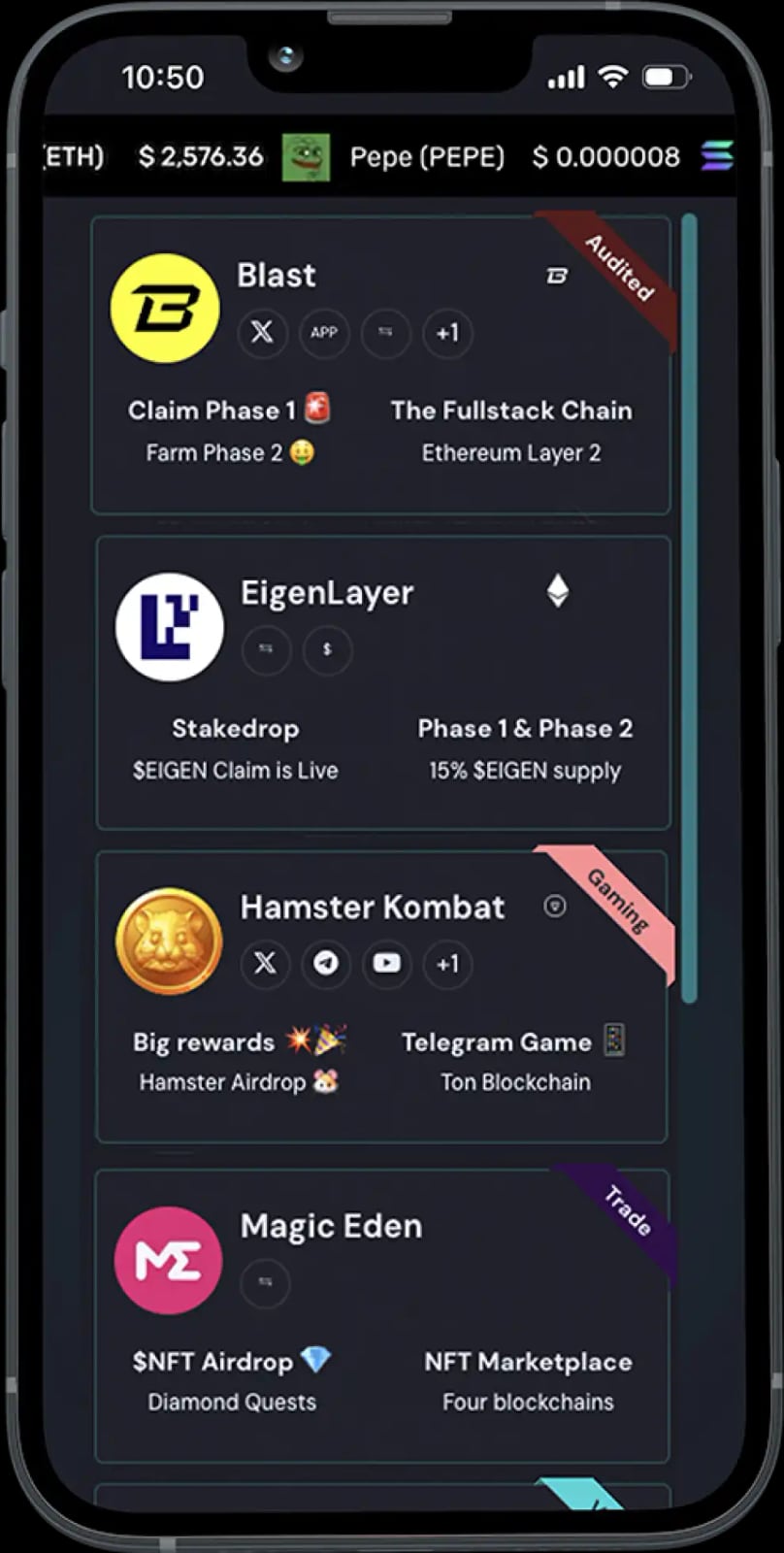
AirdropAlert product interface.
AirdropAlert is a long-running airdrop aggregator that has listed campaigns since 2017. It curates and filters opportunities, provides step-by-step guides, and sends notifications for new airdrops, token generation events (TGEs), and eligibility checks. It also tracks crypto prices and market cap data for major coins.
AdsPower is an anti-detect browser that creates isolated browser environments, each with its own fingerprint (Canvas, WebGL, User Agent, IP, and more). That isolation is what makes multi-account airdrop farming viable: each account looks like a separate real user on a separate device.
Put simply, AirdropAlert answers what to farm and when, while AdsPower answers how to run it without accounts getting linked. The combination turns airdrop hunting from a manual, error-prone chore into a structured pipeline.
What each tool does in the workflow
AirdropAlert product interface.
| Task | AirdropAlert | AdsPower |
|---|---|---|
| Discover new campaigns | Daily updated listings, filters, notifications | — |
| Follow task instructions | Step-by-step guides | — |
| Create and run accounts | — | Isolated profiles with unique fingerprints |
| Match geo requirements | — | Proxy integration per profile |
| Scale repetitive actions | — | RPA, Local API |
| Team collaboration | — | Profile sharing and role management |
| Track eligibility and TGEs | Eligibility checks, TGE alerts | — |
Neither tool replaces the other. AirdropAlert without AdsPower leaves you exposed to account linking; AdsPower without a curated source leaves you guessing which campaigns are worth the effort.
Prerequisites
AirdropAlert product interface.
Before you start, prepare:
- An AdsPower account (a free plan is available; paid tiers unlock more profiles and advanced features).
- A subscription to AirdropAlert for full listing access and notifications.
- Proxies — ideally residential or mobile, matched to the region each airdrop targets. If you are new to proxy types, our SOCKS5 proxy guide explains how they differ from HTTP proxies and VPNs.
- Dedicated wallets per account (for example, separate MetaMask or Phantom instances) so funds and activity never overlap.
- A simple tracker (spreadsheet or Notion) for campaign deadlines, tasks, and claim status.
Step-by-step setup
AirdropAlert product interface.
Step 1: Build your airdrop shortlist in AirdropAlert
Open AirdropAlert and use the search and filter options to narrow campaigns by chain, category, effort level, and status. Prioritize:
- Campaigns with clear task lists and reasonable deadlines.
- Projects with verifiable teams and active communities.
- Airdrops where eligibility checks are already available, so you can confirm progress.
Export or note the task requirements for each campaign. This becomes the input for your AdsPower profiles.
Step 2: Create one AdsPower profile per account
In AdsPower, create a new browser profile for each airdrop account. Keep the mapping strict: one profile = one account = one wallet = one proxy. Name profiles clearly (for example, AL-ProjectX-01) so you can trace any account back to its campaign.
Step 3: Assign a matching proxy to each profile
Attach a proxy to every profile before first use. Match the proxy's country to the airdrop's target region — many campaigns weight eligibility by geography. Avoid reusing the same IP across profiles; that is the fastest way to get accounts clustered and disqualified.
If you need a refresher on proxy pairing, see our walkthrough on using AdsPower with Proxy-Cheap, which covers geo-matched profiles end to end.
Step 4: Warm up profiles before doing tasks
Fresh profiles that immediately perform airdrop tasks look unnatural. Spend a few sessions browsing, connecting wallets, and interacting with the project's social channels at a human pace. This also gives you time to confirm the proxy and fingerprint are stable before you commit to a campaign.
Step 5: Execute tasks per campaign
Work through each AirdropAlert guide inside the corresponding AdsPower profile. Typical tasks include:
- Following and engaging with the project on social media.
- Joining Discord or Telegram communities.
- Bridging or swapping small amounts of crypto.
- Minting, staking, or providing liquidity where required.
- Submitting wallet addresses and forms before deadlines.
Complete each task in the profile that owns the account. Never mix tasks between profiles.
Step 6: Automate the repetitive parts
Once a workflow is proven, use AdsPower's RPA or Local API to repeat it across profiles. Automation is best applied to mechanical steps — opening pages, filling forms, checking balances — not to decisions about which campaigns to join. For a broader overview of what is worth automating, see our guide to web automation.
Step 7: Track eligibility and claims
Return to AirdropAlert regularly to check eligibility status and TGE notifications. Log every claim, snapshot date, and result in your tracker. When a token launches, claim from the correct profile and wallet, then record the outcome.
Practical example: a two-week airdrop sprint
Imagine a testnet campaign listed on AirdropAlert with a two-week window and a 10-account target.
- Day 1: Filter AirdropAlert for testnet campaigns, pick one, and read the guide. Create 10 AdsPower profiles, each with a distinct residential proxy and a fresh wallet.
- Days 2–4: Warm up all profiles with normal browsing and social engagement.
- Days 5–11: Run the campaign tasks — bridge funds, complete testnet transactions, submit addresses — one profile per session.
- Days 12–14: Verify eligibility via AirdropAlert's checker, fix any incomplete tasks, and log results.
Without profile isolation, ten accounts completing identical testnet actions from one device and IP would almost certainly be flagged. With AdsPower, each account presents as an independent user.
Problems this combination solves
- Account linking: Shared fingerprints and IPs are the main cause of airdrop disqualification. Isolated profiles remove that signal.
- Missed deadlines: AirdropAlert's notifications and eligibility checks keep campaigns from slipping through the cracks.
- Unclear instructions: Step-by-step guides reduce task errors that invalidate claims.
- Manual scaling limits: RPA and Local API let you repeat proven workflows across many profiles.
- Team coordination: AdsPower's collaboration features let team members share profiles without sharing credentials.
Common mistakes to avoid
- Reusing one proxy across multiple profiles.
- Sending funds between wallets that belong to different profiles.
- Running identical task sequences at identical times across all accounts.
- Skipping warm-up and jumping straight into campaign tasks.
- Ignoring eligibility checks until after the snapshot date.
Related reading
- SMS-Activate Review: What It Was and What to Use Now - An evidence-based SMS-Activate review: how the virtual number service worked, its strengths and limits, and what the 2025 shutdown means for users.
- AdsPower vs Multilogin vs Dolphin Anty: Which Wins in 2026? - Compare AdsPower, Multilogin, and Dolphin Anty across fingerprinting, automation, pricing, and team features to pick the right antidetect browser.
Sources and further reading
- For Beginners: How to Get Crypto Airdrops in 2026 | AdsPower - Discover how to safely join legit crypto airdrops, explore key platforms, and boost your free token gains with tools like AdsPower—perfect for beginners!
- Hunting Airdrops in the Crypto World - Medium - Sep 2, 2025 ... This creates a powerful network effect where the platform becomes more valuable as more people use it. ... AirdropAlert.com, and the ...
- How Ordinary People Can Earn Their First Pot of Gold from Airdrops ... - Mar 26, 2025 ... - Multiple Account Management: Use cloud fingerprint browsers or AdsPower, along with exclusive proxy IPs, to prevent account association ...
FAQ
Is using AdsPower with AirdropAlert allowed?
AirdropAlert is a discovery and tracking platform; AdsPower is a browser tool. Whether multi-account participation is permitted depends on each project's rules. Always read the campaign terms, and treat sybil detection as a real risk.
Do I need a paid AdsPower plan?
For a handful of accounts, the free plan may be enough. If you are running many profiles, need team features, or want to use RPA and Local API at scale, a paid tier is more practical.
Can I use AirdropAlert without AdsPower?
Yes. AirdropAlert works as a standalone airdrop tracker. AdsPower becomes relevant when you manage more than one account and need to keep them unlinked.
What kind of proxies work best?
Residential or mobile proxies that match the campaign's target region generally perform best. Datacenter IPs are cheaper but more likely to be flagged.
How many accounts can I run?
That depends on your AdsPower plan, proxy budget, and the time you can realistically spend per campaign. Quality and consistency matter more than raw account count.
Conclusion
AirdropAlert and AdsPower solve two different halves of the same problem: finding legitimate opportunities and running them without getting accounts linked. Set up one profile per account, match proxies to campaign regions, warm up before acting, and track every deadline and claim. Done consistently, this workflow turns scattered airdrop hunting into a repeatable process — and gives you a much better shot at actually qualifying.