
Web Automation: Tools, Use Cases & How to Start in 2026
Take a Quick Look
Learn what web automation is, the best tools for testing and multi-account workflows, real-world use cases, and a practical step-by-step approach for 2026.
🔥 Limited-Time Offer! Save extra 10% off on your first monthly plan with code: Anitdetect10
Sign upWeb Automation: Tools, Use Cases & How to Start in 2026
Web automation lets software perform browser-based tasks that would otherwise eat up hours of manual clicking, typing, and copying. From filling out forms and scraping competitor prices to running end-to-end tests and managing multiple online accounts, automation has moved from a developer-only niche into a core business capability. This guide breaks down what web automation actually is, the tools worth knowing, real-world applications, and a practical way to get started.
What Is Web Automation?
Web Automation: Tools, Use Cases & How to Start in 2026 - What Is Web Automation?.
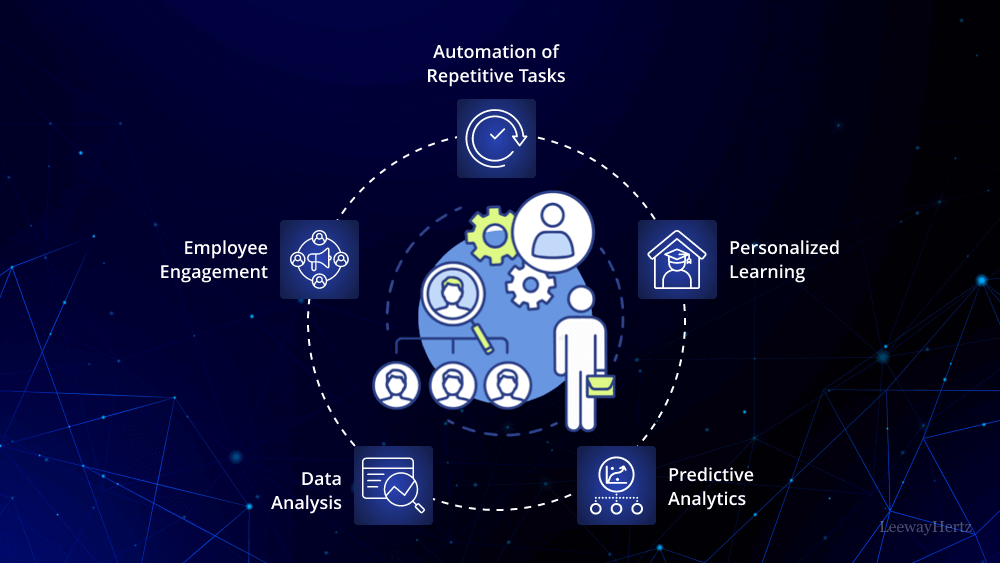
Web automation is the practice of using software robots to execute predefined actions, tasks, and processes inside a web browser or web application. Think of every repetitive action you perform online: logging into dashboards, copying data between systems, checking prices, submitting forms, verifying that a checkout flow works. All of these can be automated.
Common automated actions include:
- Filling out forms and input fields
- Scraping content or structured data from web pages
- Extracting and transferring data between applications
- Clicking buttons, links, and navigation elements
- Running regression tests across browsers and devices
- Managing multiple accounts with isolated browser profiles
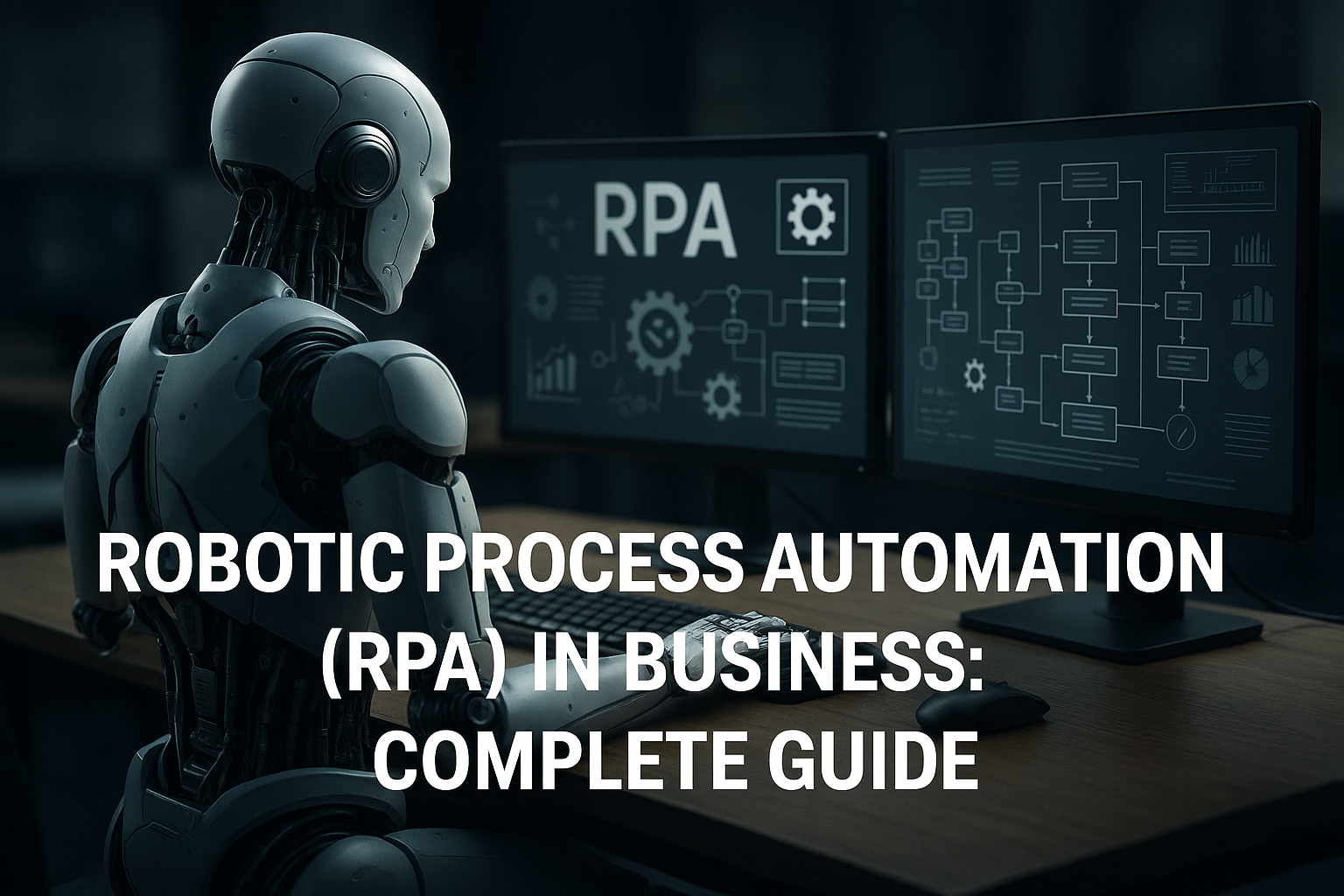
Web automation is often described as a subcategory of robotic process automation (RPA) or business process automation (BPA). While RPA can span desktop, legacy, and cloud systems, web automation focuses specifically on browser-based steps. As more businesses migrate from legacy software to cloud-based applications, that distinction becomes increasingly important.
Why Businesses Invest in Web Automation
Web Automation: Tools, Use Cases & How to Start in 2026 - Why Businesses Invest in Web Automation.
The most obvious benefit is time savings. A web process that takes a human hours can often be completed by a software robot in minutes or seconds. But the value goes deeper.
Faster feedback and early bug detection. Automated tests run continuously, catching regressions within hours instead of days. Teams can deploy features and identify glitches before they reach production.
Reduced human error. Even the most diligent person makes mistakes during monotonous, repetitive work. Software robots perform the same steps the same way every time, eliminating variability in data entry, form filling, and test execution.
Cost reduction over time. Automated testing and task execution require upfront investment, but they reduce expensive post-launch fixes, manual QA hours, and rework caused by human mistakes.
Scalability without proportional headcount. Once a workflow is automated, running it 10 times or 10,000 times costs roughly the same. That makes automation especially valuable for data collection, monitoring, and high-volume account operations.
24/7 execution. Automated processes can run overnight, across time zones, and across multiple browsers and environments simultaneously. This shortens turnaround time for website launches, multi-platform testing, and data refreshes.
How to Approach Web Automation: A Practical Framework
Web Automation: Tools, Use Cases & How to Start in 2026 - How to Approach Web Automation: A Practical Framework.
Jumping straight into scripting without a plan leads to brittle automations that break the moment a website changes. A more reliable approach follows a clear sequence.
1. Define the Problem You're Solving
Start with the task, not the tool. Are you testing functionality, performance, or security? Are you collecting competitor pricing? Are you managing dozens of social media or e-commerce accounts? Understanding the scope guides every later decision.
2. Choose the Right Tool
Tool selection depends on your team's technical skill, the browsers and platforms you need to support, and whether the automation is for testing, scraping, or multi-account management. We'll compare the major options below.
3. Design Test Cases or Workflow Steps
Outline step-by-step what the automation should do, just as a real user would perform the task. For a login test, that might mean navigating to the site, entering credentials, clicking submit, and verifying the landing page. Each step should have a clear expected result.
4. Build the Automation
With code-based frameworks like Selenium or Playwright, this means writing scripts in Python, JavaScript, or another supported language. With no-code or low-code tools, you might record actions or build flowcharts instead.
5. Set Up a Realistic Environment
Your test or automation environment should mirror production as closely as possible: same configurations, network conditions, and data. For multi-account workflows, this also means realistic browser fingerprints and IP addresses.
6. Run, Monitor, and Refine
Watch how the automation performs, identify common failures, and refine the steps. Integrate automated tests into your CI/CD pipeline so every code change triggers validation.
7. Maintain and Update
Web applications change constantly. Selectors break, layouts shift, and new features appear. Regular maintenance keeps automations relevant, which is why some teams prefer tools with lower maintenance overhead.
Top Web Automation Tools Compared
Web Automation: Tools, Use Cases & How to Start in 2026 - Top Web Automation Tools Compared.
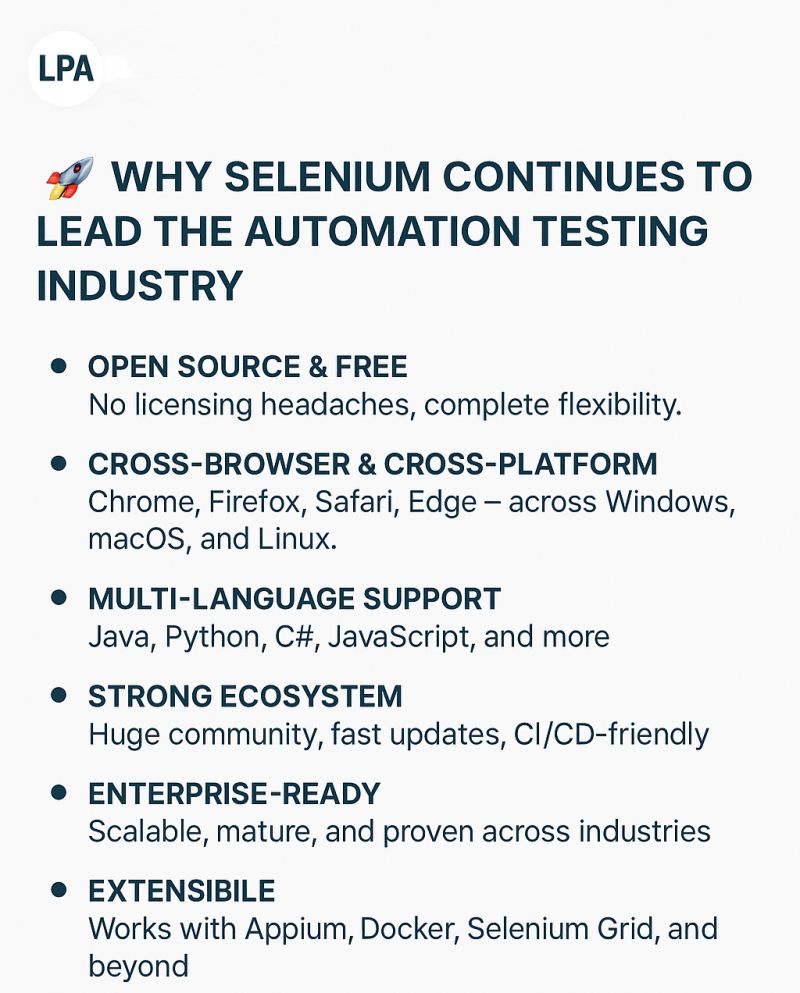
Selenium
Selenium remains the most widely used open-source automation framework for web application testing. It supports multiple programming languages—Java, Python, C#, Ruby, and JavaScript—and works across major browsers and operating systems.
Strengths: Extreme flexibility, large community, extensive integrations.
Limitations: Requires programming knowledge, and test maintenance can become complex for large projects.
Best for: Organizations seeking a scalable, highly customizable automation framework.
Playwright
Developed by Microsoft, Playwright is a modern automation framework built for reliable cross-browser testing. It supports Chromium, Firefox, and WebKit, and excels at fast headless and parallel execution.
Strengths: Multi-browser support, auto-waiting, parallel test execution, network interception.
Limitations: Smaller community than Selenium, and advanced scenarios require coding expertise.
Best for: Teams that need fast, reliable cross-browser testing.
Cypress
Cypress is a JavaScript-based end-to-end testing framework known for real-time execution and developer-friendly debugging. It runs directly inside the browser, which makes tests faster and easier to inspect.
Strengths: Automatic waiting, time-travel debugging, excellent developer experience.
Limitations: Primarily supports JavaScript and TypeScript, with limited multi-tab and multi-browser support.
Best for: Frontend developers and QA teams working on modern web applications.
Puppeteer
Puppeteer is a Node.js library from Google for automating Chromium-based browsers. It's a popular choice for web scraping, performance testing, and browser automation tasks.
Strengths: Fast headless automation, direct Chrome DevTools Protocol access.
Limitations: Limited support outside Chromium-based browsers, requires JavaScript knowledge.
Best for: Developers performing scraping, browser automation, and performance testing.
Katalon Studio
Katalon Studio is an all-in-one automation platform covering web, mobile, API, and desktop testing. It offers codeless automation options alongside scripting capabilities.
Strengths: Beginner-friendly, multiple testing domains in one platform.
Limitations: Advanced features are limited in the free version, and complex scenarios may still require scripting.
Best for: Teams looking for a complete automation platform with minimal setup.
BrowserStack and Cloud Testing Platforms
Cloud platforms like BrowserStack and TestMu AI (formerly LambdaTest) provide access to thousands of browser-device combinations without maintaining your own infrastructure. They integrate with Selenium, Cypress, and Playwright.
Strengths: Extensive device coverage, real-time and parallel testing.
Limitations: Subscription costs can be high for extensive usage, and they require external automation frameworks.
Best for: Teams focused on cross-browser compatibility and cloud testing.
Anti-Detect Browsers for Multi-Account Automation
Standard automation tools assume you're testing or scraping from a single identity. But many real-world workflows—e-commerce store management, affiliate marketing, social media operations—require running dozens or hundreds of isolated browser profiles without triggering platform bans.
This is where anti-detect browsers like AdsPower come in. AdsPower creates isolated browser profiles with unique digital fingerprints, including Canvas, WebGL, user agent, and other parameters that platforms like Facebook, Amazon, Google, TikTok, and YouTube use to detect suspicious activity. Instead of running 50 accounts from one recognizable browser fingerprint, each profile behaves like a separate device.
For automation specifically, AdsPower offers two key capabilities:
- RPA (Robotic Process Automation): A no-code robot builder for automating repetitive in-browser tasks across multiple profiles without writing scripts.
- Local API integration: Connect AdsPower profiles to Selenium, Puppeteer, or Playwright via the Local API and Chrome DevTools Protocol (CDP). This lets developers control isolated browser profiles programmatically while preserving unique fingerprints for each session.
If you're already using Playwright for cross-browser testing or scraping, you can connect AdsPower profiles to Playwright via the Local API and CDP for resilient multi-account automation. The same approach works with Selenium and Puppeteer.
Real-World Web Automation Use Cases
Automated Form Filling
Form filling is tedious, error-prone, and surprisingly common across industries. Web automation can populate forms with correct information almost instantly, reducing bottlenecks in onboarding, registration, and data entry workflows.
Web Scraping and Data Extraction
For e-commerce retailers, knowing up-to-date competitor pricing informs product positioning. For marketers, search data reveals who ranks for specific keywords. Automation scrapes this data from the web and inputs it into internal systems, freeing teams to focus on strategy rather than manual collection.
CRM Data Entry
When a conversion happens or a customer submits a form, that data needs to reach your CRM. Software robots can automatically input web-sourced data into CRM systems, giving sales and marketing teams timely, accurate information without copy-paste work.
Brand Monitoring and Sentiment Analysis
Automation bots can scrape data from social media platforms and review sites, then feed that information into sentiment analysis tools. Marketing teams gain real-time insight into how campaigns are performing with audiences.
Multi-Account Management
Agencies managing multiple client social accounts, e-commerce sellers running multiple storefronts, and affiliate marketers operating across platforms all face the same challenge: platforms flag and ban accounts that appear to come from the same device. Anti-detect browsers solve this by isolating each account in its own fingerprint-protected profile.
For teams combining social scheduling with multi-account safety, AdsPower can be paired with Hootsuite to manage multiple client accounts without cross-contamination. Similarly, pairing an anti-detect browser with IPBurger proxy services adds clean, geo-matched IPs for ban-resistant workflows.
Choosing Between Testing Frameworks and Anti-Detect Browsers
The right tool depends entirely on your goal.
| Scenario | Recommended Approach |
|---|---|
| QA testing across browsers | Selenium, Playwright, or Cypress |
| Web scraping at scale | Puppeteer or Playwright |
| No-code test automation | Katalon Studio |
| Cross-device cloud testing | BrowserStack or TestMu AI |
| Managing multiple online accounts | Anti-detect browser (e.g., AdsPower) |
| Multi-account automation with code | AdsPower Local API + Selenium/Playwright/Puppeteer |
| Multi-account automation without code | AdsPower RPA |
These approaches aren't mutually exclusive. Many teams use Playwright for internal testing and an anti-detect browser for client-facing or multi-account operations. If you're evaluating anti-detect browsers, comparing options like AdsPower vs Multilogin vs Genlogin or AdsPower vs Hidemyacc vs Genlogin can clarify which features matter most for your workflow.
Common Web Automation Challenges and How to Solve Them
Dynamic Selectors and Layout Changes
Websites change frequently. When a button's ID or class name shifts, scripts that rely on those selectors break. Mitigation: use resilient locators (role, text, or data attributes), implement retry logic, and schedule regular maintenance reviews.
Bot Detection and Anti-Automation Measures
Many platforms deploy fingerprinting, CAPTCHAs, and behavioral analysis to block automated traffic. Standard headless browsers are often easy to detect. Mitigation: use realistic browser profiles, rotate IPs through proxies, and consider anti-detect browsers for platforms with aggressive detection.
Scaling Beyond a Single Machine
Running hundreds of parallel automations requires infrastructure. Cloud testing platforms solve this for QA teams, while anti-detect browsers with batch operations handle it for multi-account workflows.
Maintenance Overhead
Code-based frameworks like Selenium offer flexibility but require ongoing upkeep. Low-code tools reduce maintenance but may limit customization. Choose based on your team's long-term capacity.
Related reading
- Incogniton Pricing: Plans, Costs & Value in 2026 - A clear breakdown of Incogniton pricing plans, free trial limits, feature tiers, and how the costs compare for multi-account management in 2026.
Sources and further reading
- Web Automation: Tools, Examples and Guide for 2026 - Today, more than ever, businesses are interacting with their customers online. Your website and web applications are crucial—they’re where you make your sales and engage with your customers. As the world moves faster towards digital solutions, it’s essential for businesses to shift their approach to quality assurance and testing of web applications. In this guide, we’ll...
- Understanding Web Automation: Exploring its Potential and Applications | UiPath - Explore the potential of web automation and its potential to revolutionize business processes beyond internal operations using AI and machine learning (ML).
- Web Automation Tools - Web automation tools have become essential for improving software testing, reducing manual effort, and accelerating web application development. These tools help businesses automate repetitive tasks, enhance accuracy, and ensure faster delivery of high-quality web applications.Simplifies web testing and repetitive browser-based tasks through automation.Improves productivity, accuracy, and efficiency while reducing human
Frequently Asked Questions
What is the difference between web automation and RPA?
Web automation is a subset of RPA that focuses specifically on browser-based tasks. RPA can also automate desktop applications, legacy systems, and API integrations. Many RPA platforms include web automation capabilities.
Do I need to know how to code for web automation?
Not necessarily. No-code and low-code tools like Katalon Studio and AdsPower's RPA feature let you build automations through visual interfaces or record-and-play functionality. However, code-based frameworks like Selenium and Playwright offer more flexibility for complex scenarios.
Is web automation legal?
Web automation is legal when it complies with the target website's terms of service and applicable laws. Scraping publicly available data is generally acceptable, but scraping private data, bypassing paywalls, or violating platform terms can create legal risk. Always review the site's policies before automating.
Can I automate multiple accounts without getting banned?
Yes, but it requires more than just automation scripts. Platforms detect multiple accounts through browser fingerprints, IP addresses, and behavioral patterns. An anti-detect browser like AdsPower creates isolated profiles with unique fingerprints, and pairing it with proxies masks IP addresses. This combination significantly reduces ban risk when used responsibly.
Which web automation tool is best for beginners?
Katalon Studio offers the gentlest learning curve for test automation, with codeless options and a visual interface. For multi-account workflows, AdsPower's RPA feature provides no-code automation across isolated browser profiles. Developers comfortable with JavaScript may prefer Cypress or Playwright.
How do I connect Selenium or Puppeteer to an anti-detect browser?
AdsPower exposes a Local API that lets you launch and control browser profiles programmatically. You can connect via Selenium's WebDriver, Puppeteer's CDP connection, or Playwright's browser automation APIs. This gives you the fingerprint isolation of an anti-detect browser with the scripting power of your preferred framework.
Conclusion
Web automation has evolved far beyond simple test scripts. Today it spans QA testing, data extraction, business process automation, and multi-account management—each with its own tooling ecosystem. The key is matching the tool to the task: Selenium and Playwright for flexible testing, Katalon for low-code workflows, cloud platforms for cross-device coverage, and anti-detect browsers like AdsPower for fingerprint-isolated, ban-resistant multi-account operations.
Start by defining the specific problem you're solving, choose a tool that fits your team's skills and scale, and build incrementally. The most successful automation strategies aren't the most complex—they're the ones that reliably solve a real, recurring problem and are maintained as the web changes around them.