
How to Use AdsPower Fingerprint Browser with Instagram
Take a Quick Look
Learn to use AdsPower anti-detect browser with Instagram to manage multiple accounts, avoid bans, and automate engagement. Step-by-step setup with proxies and fingerprints.
🔥 Limited-Time Offer! Save extra 10% off on your first monthly plan with code: Anitdetect10
Sign upHow to Use AdsPower Fingerprint Browser with Instagram
Running multiple Instagram accounts from one device usually ends in suspensions, shadowbans, or forced identity checks. Instagram’s systems link profiles through shared digital fingerprints—hardware details, browser settings, and IP addresses. AdsPower’s anti-detect browser breaks those links by giving each account a completely isolated environment with a unique fingerprint. This guide walks you through the full workflow, from your first browser profile to safe automation, so you can scale Instagram presence without risking your accounts.
Why Instagram Blocks Multi-Account Setups

How to Use AdsPower Fingerprint Browser with Instagram product interface and feature overview.
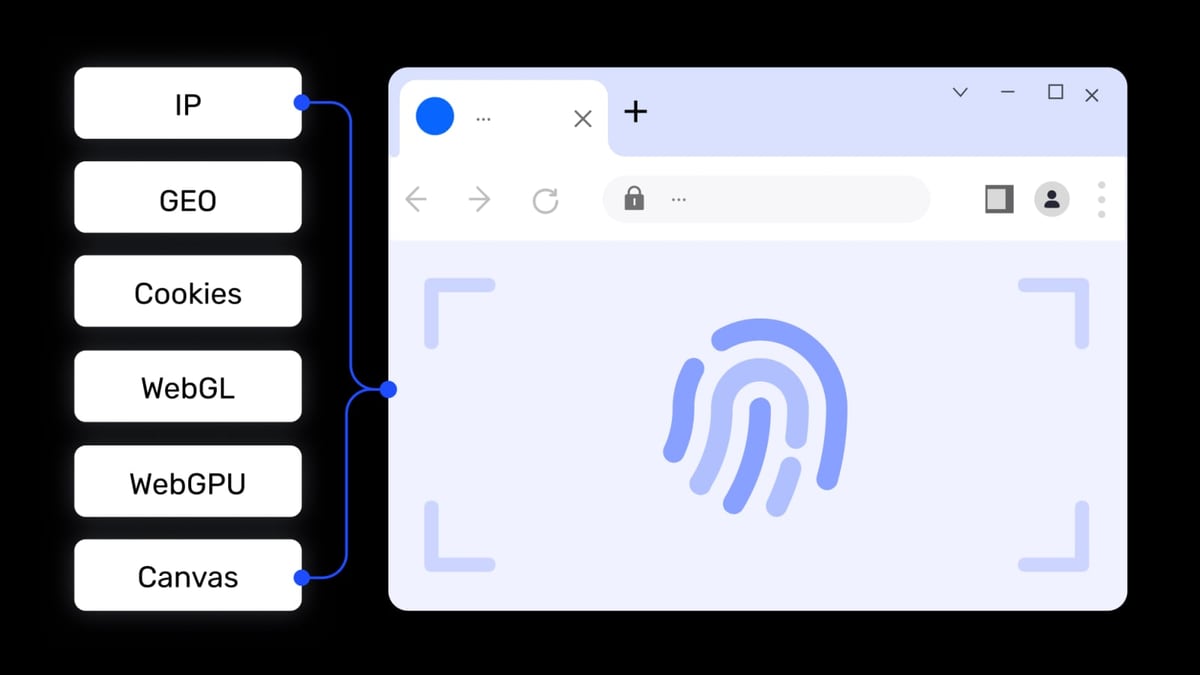
Instagram uses sophisticated browser fingerprinting, not just cookies and IP checks. Canvas hashes, WebGL renderer strings, font lists, audio contexts, and WebRTC leaks combine to form a highly specific identifier. When two accounts log in from almost identical fingerprints, even with different proxies, the platform flags them as related. The same device managing multiple profiles triggers security measures: sudden logouts, phone verification loops, or outright bans.
A Reddit user reported losing accounts within a week while using AdsPower for Instagram automation with proxies. The likely culprits? Insufficient fingerprint variation, low-quality IPs, or aggressive automation without warm-up. The fix isn’t to abandon the tool—it’s to configure every layer correctly. That’s where AdsPower’s deep fingerprint control and proxy integration become critical.
How AdsPower Creates Truly Isolated Instagram Environments

How to Use AdsPower Fingerprint Browser with Instagram product interface and feature overview.
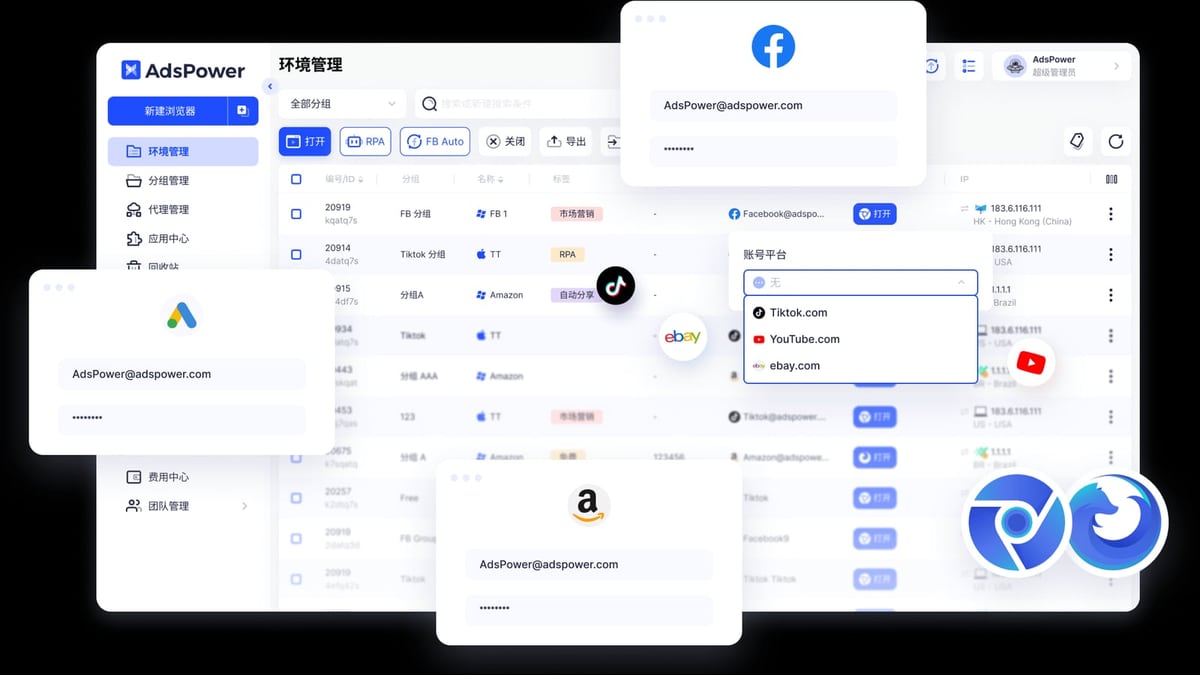
AdsPower doesn’t just spoof a user-agent. It generates a full, independent browser profile for each account, modifying over 20 parameters, including Canvas, WebGL, AudioContext, Client Rects, and WebRTC. Each environment runs in a separate kernel—SunBrowser (Chromium-based) or FlowerBrowser (Firefox-based)—so there’s no cross-contamination of caches or local storage. You can also simulate different operating systems (Windows, macOS, iOS, Android) and screen resolutions to match real device fingerprints.
Crucially, AdsPower allows pre-farmed cookies. You can load a fresh Instagram account with cookies from a warm session, making it appear already active and reducing suspicion. Combined with a dedicated residential or mobile proxy, this setup mimics a real user on a real device, drastically lowering link detection.
Step-by-Step: AdsPower Instagram Setup
How to Use AdsPower Fingerprint Browser with Instagram product interface and feature overview.
1. Create a New Browser Profile
Open AdsPower, click “New Profile,” and give it a clear name (e.g., “IG_BeautyBrand_US”). Choose SunBrowser for better extension support or FlowerBrowser if your workflow requires Firefox. Set a distinct operating system, resolution, and user-agent string that aligns with your target geography.
2. Configure the Fingerprint Deeply
Don’t rely on defaults. Under “Fingerprint Settings,” manually customize:
- Canvas & WebGL: enable noise or generate new values.
- AudioContext: add random variation.
- Client Rects: modify to appear as a common device.
- WebRTC: block or force public IP replacement to prevent leaks.
- Fonts: load a realistic set matching the OS.
AdsPower’s “Advanced” tab lets you set time zones, languages, and geolocation to match your proxy. Profile consistency is key—a US-based IP with a Bangkok time zone is a red flag.
3. Assign a High-Quality Proxy
Instagram scrutinizes IP reputation. Use residential or mobile proxies, never free datacenter IPs. In the profile’s “Proxy” section, paste your proxy details (HTTP, HTTPS, SOCKS5, or SSH). AdsPower supports bulk import and proxy tagging, so you can map proxies to accounts logically. The golden rule: 1 account = 1 proxy = 1 profile. If you’re managing many accounts, consider rotating residential proxies from providers like MyPrivateProxy or other reliable services to maintain clean IP history.
4. Launch and Log In
Click “Open” to launch the isolated environment. Log in to Instagram as you would on a native browser. Before any automation, spend 3–5 days manually engaging—view stories, like a few posts, save content—to warm the account. This builds a trust footprint.
5. Share or Delegate Accounts Securely
For teams, AdsPower’s role-based sharing is invaluable. You can share a profile (including its fingerprint) with colleagues without revealing the password. The partner opens the environment and uses the session directly, eliminating the risk of password-based login from new devices that could trigger security alerts.
Automating Instagram Actions with AdsPower RPA
How to Use AdsPower Fingerprint Browser with Instagram product interface and feature overview.
Manual warm-up works, but scaling demands automation. AdsPower’s built-in RPA (Robotic Process Automation) lets you create repeatable workflows with randomized delays. You can:
- View and like stories from targeted hashtags or competitor accounts.
- Follow/unfollow users gradually (e.g., 10 follows per day with gaps).
- Scroll through feeds and save posts to simulate real consumption.
- Send templated DMs after warm-up.
Pre-built templates from the AdsPower marketplace speed up setup. Drag-and-drop a “Story Viewer” template, set a delay range of 30–90 seconds, and let it run across multiple profiles. Pair RPA with the Synchronizer to open several environments and perform batch operations while keeping each fingerprint isolated. However, always mimic human pacing—Instagram’s machine learning flags uniform, high-speed actions instantly.
Best Practices to Keep Instagram Accounts Safe
- Warm up every new profile. Never rush automation on a freshly logged account. Gradual activity signals a normal user.
- Use mobile or residential proxies. Datacenter IPs are shared and often blacklisted, causing the “verification code not received” error that AdsPower’s Instagram solution page highlights.
- Rotate tasks and content. Repeating the same actions daily triggers pattern detection. Vary times, sequences, and media.
- Monitor account health. AdsPower logs actions and alerts you to failed logins or abnormal IP changes. Use these logs to adjust before a ban.
- Don’t mix personal and business profiles on the same fingerprint. Keep each entity separate.
- Update fingerprints periodically. Change canvas noise or WebGL values after months to avoid long-term linking.
Choosing the Right Anti-Detect Browser for Instagram
AdsPower isn’t the only option. Competitors like MuLogin and GoLogin also offer fingerprint isolation, but differences in automation depth, proxy handling, and team features matter. For a detailed feature-by-feature breakdown, see our AdsPower vs MuLogin vs GoLogin comparison. For Instagram specifically, AdsPower’s RPA integrations and dual kernel support give it an edge, but the right pick depends on your scale and budget.
If you’re also active on other platforms, check our guide on How to Use AdsPower Fingerprint Browser with TikTok—many of the fingerprint and proxy principles carry over.
Related reading
- Amazon Seller Central Review: Features, Pricing & Verdict - In-depth Amazon Seller Central review covering features, pricing, setup process, pros and cons, and who should use it. Evidence-based guide for 2026.
- Top 10 Proxy & Web Scraping Infrastructure Products 2026 - Independent ranking of the top proxy and web scraping infrastructure products in 2026, comparing success rates, proxy types, pricing, and features to help you choose the right stack.
Frequently Asked Questions
Can I use AdsPower’s free plan for Instagram?
Yes, the free tier gives you two browser environments. It’s perfect for testing the setup and for a pair of accounts, but scaling beyond that requires a paid plan.
Does Instagram detect AdsPower?
Instagram doesn’t target AdsPower specifically; it detects anomalies in browser fingerprints and IP behavior. With proper customization and quality proxies, your environments pass as genuine devices. AdsPower’s official documentation stresses that security lies in the details—no tool guarantees anonymity if you cut corners.
Why did my accounts get banned even with AdsPower?
Bans often stem from low-quality proxies, insufficient warm-up, or overly aggressive automation. The Reddit experience we mentioned earlier is a textbook case: automation without proper delays and fingerprint depth leads to rapid detection. Review your proxy provider, slow down actions, and always warm up.
Can I run the Instagram app inside AdsPower?
No, AdsPower creates browser-based environments. You’ll access Instagram via the web, which fully supports stories, reels, DMs, and feeds. The web version is lighter but lacks push notifications; however, it’s perfect for management and automation.
How many Instagram accounts can I manage with AdsPower?
There’s no hard limit—you’re only restricted by your subscription’s profile count and proxy infrastructure. Agencies routinely manage hundreds of accounts, each with its own fingerprint and IP.
Conclusion
Managing multiple Instagram accounts safely isn’t about luck—it’s about eliminating every linkable signal. AdsPower gives you the tools to craft unique, device-like fingerprints, bind them to clean residential IPs, and automate growth without tripping security systems. The process requires discipline: careful proxy selection, paced warm-up, and continuous monitoring. But once you master that workflow, the combination of AdsPower and Instagram becomes a powerful engine for scaling brand presence, influencer outreach, and social commerce—all from a single laptop.