
How to Use AdsPower Fingerprint Browser with TikTok
Take a Quick Look
Learn how to use AdsPower fingerprint browser with TikTok to manage multiple accounts safely, avoid bans, and automate workflows. Step-by-step setup and practical tips.
🔥 Limited-Time Offer! Save extra 10% off on your first monthly plan with code: Anitdetect10
Sign upHow to Use AdsPower Fingerprint Browser with TikTok
Managing multiple TikTok accounts on a single device is a fast track to bans. TikTok’s anti-fraud system scans for browser fingerprints, IP mismatches, and shared environments—and it doesn’t give second chances. That’s where AdsPower comes in. As a professional anti-detect fingerprint browser, it creates isolated digital environments, each with a unique fingerprint, so you can run accounts for advertising, content creation, or TikTok Shop without triggering association flags. This guide walks through the complete setup, shows you how to combine proxies and automation, and explains exactly how the AdsPower + TikTok combination solves real-world multi-account challenges.
Why AdsPower and TikTok Are a Perfect Match
How to Use AdsPower Fingerprint Browser with TikTok product interface and feature overview.
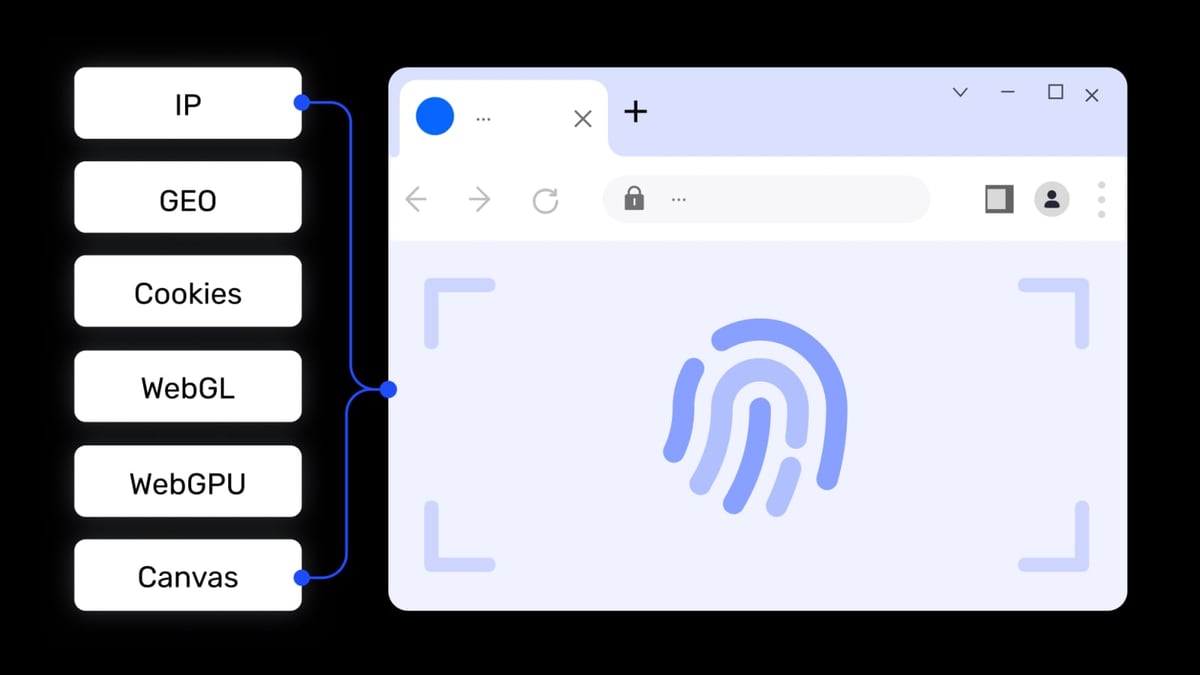
TikTok’s security relies on the device and browser fingerprint. Even if you use separate login credentials, shared Canvas hashes, WebGL renderings, audio contexts, and timezone settings can link accounts. The result: account suspensions, lost ad spend, and ruined content calendars.
AdsPower addresses this at the core:
- Fingerprint isolation: Generates 20+ customizable parameters (Canvas, WebGL, Audio, WebRTC, fonts, etc.) so each profile looks like a distinct physical device.
- Dual browser kernels: Choose between Chrome-based SunBrowser and Firefox-based FlowerBrowser for compatibility with TikTok’s web platform.
- Proxy integration: Supports HTTP, HTTPS, SOCKS5, and SSH proxies to match each environment’s IP to the target region, a must for TikTok’s content localization.
- Team collaboration: Grant role-based access without sharing actual passwords—ideal for agencies managing multiple client accounts.
- Automation: Built-in RPA, window synchronization, and a Local API (compatible with Selenium, Puppeteer, Playwright) for scaling repetitive TikTok tasks.
If you’re still comparing browser options, our AdsPower vs VMLogin vs Octo Browser comparison breaks down fingerprint control, automation depth, and pricing to help you choose the right tool.
Step-by-Step: Setting Up AdsPower for TikTok
How to Use AdsPower Fingerprint Browser with TikTok product interface and feature overview.
1. Create a New Browser Profile
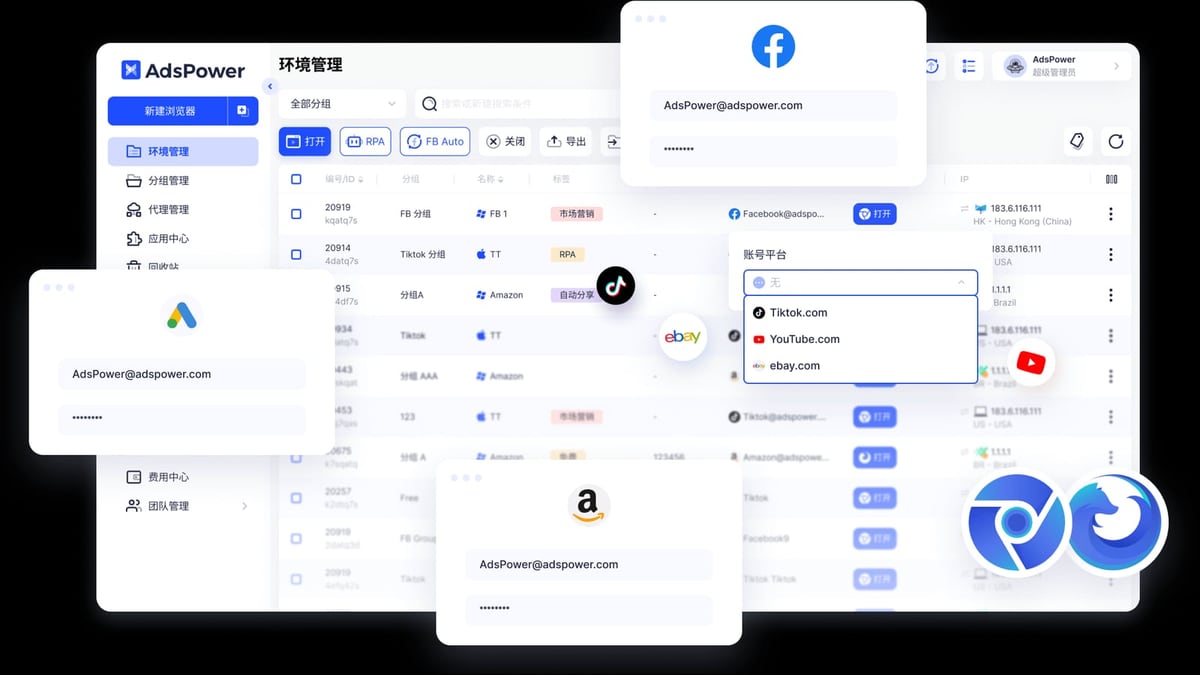
After installing AdsPower, click the “New Browser” button in the top-left corner. Give the profile a descriptive name (e.g., “TikTok Ads – US Campaign”), assign it to a group for easy organization, and add a note if needed. Open the “Account Platform” dropdown and select TikTok. This pre-loads relevant settings, although you’ll still fine-tune the fingerprint.
2. Configure the Browser Fingerprint
Skip the temptation to leave fingerprint settings on automatic. TikTok’s detection looks at hardware-level details:
- Timezone & Locale: Must match your proxy’s geographic location exactly. If your IP is from Los Angeles, set timezone to
America/Los_Angelesand language to English (US). - WebRTC: Set to “Replace” or “Disable” to prevent IP leaks. Test the environment with a leak-detection tool later.
- Canvas, WebGL, Audio, Fonts: Use the “Random” button for each, but verify that the generated values look realistic. AdsPower lets you manually tweak numeric hashes if needed.
- Screen resolution: Choose a common resolution that aligns with the target region’s typical devices (e.g., 1920x1080 for desktop usage).
Save the profile only after a thorough check.
3. Add a High-Quality Proxy
Proxies are non-negotiable. TikTok will flag an account if the IP jumps between countries or appears on a datacenter blacklist. Residential and ISP proxies work best. In AdsPower’s “Network” tab, enter your proxy details. Before finalizing, click “Check Proxy” to confirm connectivity and the displayed IP location matches your intended region.
For reliable proxy recommendations that won’t break the bank, see our detailed Proxy-Cheap review. It covers performance, residential pool size, and setup steps that align perfectly with anti-detect browser workflows.
4. Launch and Log Into TikTok
Back on the “Environment Management” list, click “Open” for the newly created profile. AdsPower launches an isolated browser window. Navigate to https://www.tiktok.com or https://ads.tiktok.com, then sign in or create a new account.
Expect a CAPTCHA during account creation—TikTok’s defense mechanism is aggressive. Manually solving is tedious at scale. Integrate an AI CAPTCHA solver to automate the process; our CapSolver review evaluates success rates and pricing for reCAPTCHA and Cloudflare challenges.
Practical Workflows for TikTok Multi-Account Management
How to Use AdsPower Fingerprint Browser with TikTok product interface and feature overview.
- TikTok Advertising Accounts: Run separate ad manager profiles for different regions, campaigns, or clients. Each environment uses its own billing information and payment method, preventing cross-account financial linking.
- Creator Accounts: Build multiple niche content channels (e.g., cooking, tech reviews, travel) with distinct identities and content styles, all from one computer.
- TikTok Shop Sellers: Operate regional shops with localized IPs, avoiding inventory and payment association across marketplaces.
- Organic Growth & Batch Operations: Use Window Synchronization to replicate actions—like following target accounts or posting scheduled content—across dozens of profiles simultaneously, saving hours of repetitive work.
Boosting Efficiency with AdsPower Automation
How to Use AdsPower Fingerprint Browser with TikTok product interface and feature overview.
Manual management becomes unsustainable past a handful of accounts. AdsPower’s automation features make scaling possible:
RPA (Robotic Process Automation)
Built-in drag-and-drop RPA templates let you build no-code workflows. Automate tasks like logging in, browsing the “For You” page, collecting video links, or posting comments. Pre-built TikTok templates are available in AdsPower’s marketplace, cutting setup time drastically.
Local API for Developers
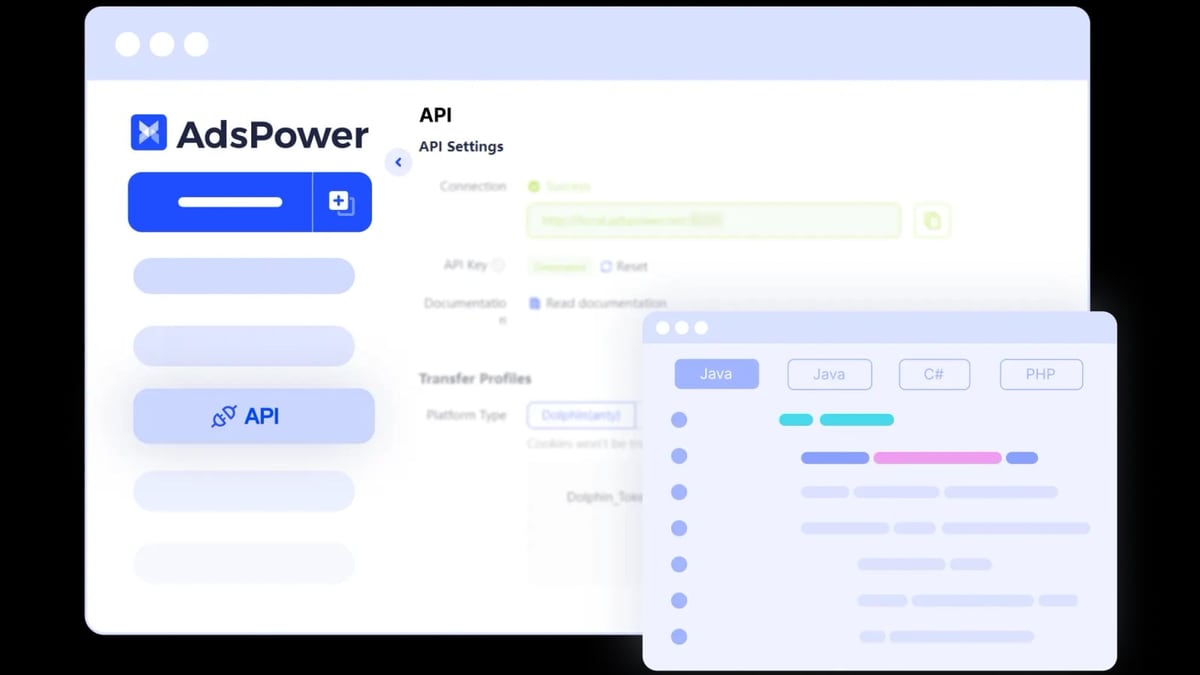
For technical teams, the Local API integrates with Selenium, Puppeteer, and Playwright. Write scripts that control any browser environment programmatically—perfect for data scraping, account warm-up sequences, or applying the same action to hundreds of profiles with minute-level precision.
Window Synchronization
Select multiple profiles, click “Synchronize”, and any action in the master window is mirrored across all others. It’s ideal for simultaneous engagement (liking, sharing, following) without the risk of copy-paste mismatches.
Team Collaboration for TikTok Projects
Agencies and in-house teams benefit from AdsPower’s permission system. Create roles with view-only, edit, or full control rights. Share specific environments with freelancers without revealing raw passwords, and revoke access instantly when a contract ends. This keeps TikTok accounts secure while enabling real-time collaboration.
Common Mistakes and How to Avoid Them
- Using free or shared proxies: They are often flagged by TikTok’s IP reputation database. Invest in dedicated residential or ISP proxies.
- Mismatched timezone and IP: A Los Angeles IP paired with a Tokyo timezone triggers an immediate red flag. Always align these parameters.
- Neglecting fingerprint warmth: New accounts behave differently than aged accounts. Start with a partial profile warm-up—browse, watch videos, interact sparingly—before any aggressive activity.
- Ignoring WebRTC leaks: Even with a proxy, WebRTC can expose a real IP. Disable or replace WebRTC in AdsPower’s settings and verify with a leak test.
Related reading
- Top 10 Web Scraping API & Data Collection Platforms in 2026 - We rank the top 10 web scraping APIs and data collection platforms in 2026 based on independent benchmarks, success rates, and pricing. Find your perfect data extraction solution.
Frequently Asked Questions
Can I use AdsPower’s free plan for TikTok?
Yes. The free tier includes two browser environments, which is enough to test a single TikTok account + backup. For serious multi-account management, upgrading to a paid plan unlocks more profiles, team features, and automation.
Does AdsPower support TikTok Live streaming from a browser?
Yes. Since AdsPower runs a standard Chromium or Firefox engine, you can access tiktok.com/live and go live directly within an isolated environment. Just ensure your proxy has sufficient bandwidth for streaming.
Is using a fingerprint browser against TikTok’s Terms of Service?
Fingerprint browsers are not inherently prohibited. However, TikTok’s ToS restricts abusive activities like spam, fraud, or artificially inflating metrics. Adhere to TikTok’s advertising policies and community guidelines. Use the tool for legitimate multi-account management—running multiple brands or client accounts—and you’ll stay compliant.
Do I need a virtual credit card for TikTok ads?
Not always. TikTok accepts standard payment methods. However, for advertisers running many ad accounts across regions, a virtual card service (like Adpos) can streamline payment and reduce cross-account linking. But AdsPower itself handles the fingerprint separation; the payment layer is optional and outside the browser’s scope.
Conclusion
Combining AdsPower with TikTok gives marketers, creators, and e-commerce operators a proven way to manage multiple accounts without the constant fear of bans. From initial fingerprint configuration to advanced RPA automation, the workflow integrates smoothly and scales with your needs. Start with the free version, map out your account architecture, and when you’re ready to scale, the proxy and automation ecosystem will support you every step of the way. At AdsPower, we’ve tested this stack across dozens of TikTok campaigns, and the time saved—and revenue protected—makes it an essential part of any serious multi-account toolkit.