
AdsPower vs VMLogin vs Octo Browser: Which Anti-Detect Browser Fits Your Workflow?
Take a Quick Look
Compare AdsPower, VMLogin, and Octo Browser on fingerprint control, automation, team features, pricing, and more. Find the best anti-detect browser for multi-account management.
🔥 Limited-Time Offer! Save extra 10% off on your first monthly plan with code: Anitdetect10
Sign upAdsPower vs VMLogin vs Octo Browser: A Balanced Look at Anti-Detect Browsers
Running multiple accounts on a single device has become a minefield. Social media platforms, e-commerce sites, and advertising networks now use sophisticated fingerprinting to link accounts and hand out bans. That’s why anti-detect browsers have moved from a niche tool to a daily necessity for marketers, e-commerce sellers, affiliate pros, and growth hackers. Among the sea of options, AdsPower, VMLogin, and Octo Browser often surface in the “top tier” conversation—but they serve very different workflows. This comparison gives you an honest, feature-by-feature look at where each tool excels, so you can match the right browser to your actual day-to-day needs.
Meet the Contenders: VMLogin, Octo Browser, and AdsPower
AdsPower vs VMLogin vs Octo Browser: Which Anti-Detect Browser Fits Your Workflow? product interface and feature overview.
VMLogin is built on the idea of replacing an entire physical device with a virtual one. Each profile runs in complete isolation—cookies, localStorage, cache, and fingerprint are walled off strictly. It shines in cost-effective scaling for social media marketing, e-commerce store management, and price comparison, with a straightforward interface and REST API for Selenium-based automation.
Octo Browser has rapidly gained a following among technically savvy users who want deep control over every fingerprint parameter. It’s a G2 leader (4.8/5) and winner of industry awards like Best Anti-Detect Browser at MAC Affiliate Conference 2024 and Affiliate Space Awards 2025. Speed, custom fingerprint crafting, and native Puppeteer/Playwright compatibility make it a favorite for web scraping, affiliate marketing, and ad verification.
AdsPower needs little introduction. With over 9 million users and certifications like SOC 2 Type II, ISO 27001, and ISO 27701, it’s the most feature‑complete option. It stands out through a permanent free plan, dual browser kernels, built‑in RPA, mobile fingerprint emulation, and enterprise‑grade team governance. Many teams use AdsPower as their central platform for cross-border e-commerce, social media account management, and ad campaign scaling.
Now let’s dig into where each tool truly shines—and where the others hold an edge.
Where VMLogin Excels: Straightforward Isolation and Proven Stability
AdsPower vs VMLogin vs Octo Browser: Which Anti-Detect Browser Fits Your Workflow? product interface and feature overview.
One Profile, One Independent Environment
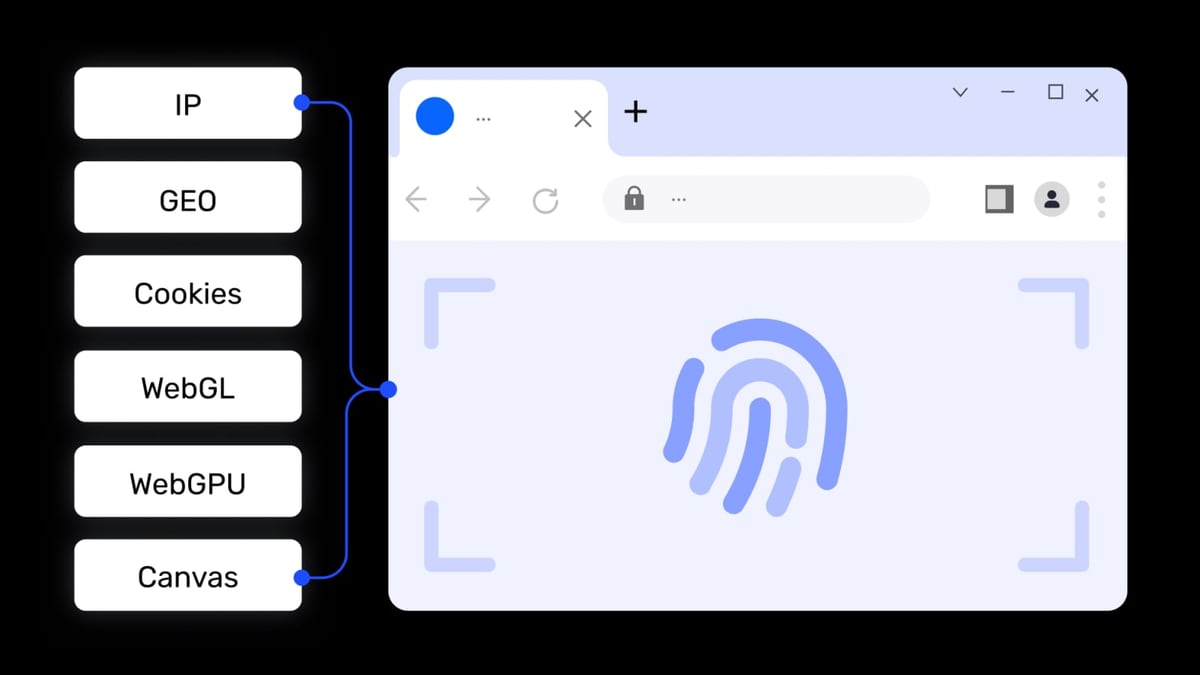
VMLogin’s core philosophy is simple: every browser profile behaves exactly like a separate computer. No fingerprint pollution can leak between accounts—cookies, cache, and session data are completely air-gapped. This approach eliminates the risk of cross‑account contamination, which is critical when you’re managing sensitive platforms like Facebook or Amazon seller accounts.
Scales to 200+ Accounts on a Single Machine
For operators who need to handle hundreds of accounts without ballooning hardware costs, VMLogin delivers. The browser is engineered to run a large volume of simultaneous environments on modest hardware, making it appealing for small teams and solo marketers who want density without performance collapses.
REST API for Selenium Automation
Developers who rely on Selenium can tap directly into VMLogin’s REST API. This allows scripting repetitive tasks like account creation, profile setup, and status checks. While it may not match the no‑code ease of AdsPower’s RPA, it’s a clean pathway for teams already invested in Selenium ecosystems.
Budget‑Friendly for Solo Users and Small Agencies
VMLogin’s Solo plan starts at ¥700/month, which positions it as an affordable entry point for individuals and small agencies that don’t need free‑tier safety nets. There is no free plan, but the predictable pricing suits operators who plan to scale quickly.
Why Octo Browser Appeals to Technical Marketers and Developers
AdsPower vs VMLogin vs Octo Browser: Which Anti-Detect Browser Fits Your Workflow? product interface and feature overview.
Granular Fingerprint Customization
Octo Browser lets you manually adjust virtually every browser fingerprint attribute—WebGL, Canvas, Audio, Client Rects, CPU cores, memory, and even font sets. This level of detail allows you to mimic real‑device fingerprints with surgical precision. According to a detailed comparison by Multilogin, Octo’s manual controls are among the deepest in the industry, making it a go‑to for high‑risk niches like crypto arbitrage, ticketing, and platform scraping. (source)
Designed for Puppeteer and Playwright
If your automation stack relies on Puppeteer or Playwright, Octo Browser feels native. The browser is built to integrate smoothly with these frameworks, enabling developers to script complex multi‑profile workflows without fighting compatibility issues. This developer‑first mindset extends to a lightweight architecture that launches profiles fast and consumes minimal RAM, which is a boon when running dozens of headful sessions.
Speed and Minimal Overhead
Octo Browser’s Chromium core is stripped down for performance. Profile launches are near‑instant, and the application itself stays responsive even under heavy load. For campaign managers who need to switch between dozens of profiles dozens of times a day, this speed translates into real productivity gains.
Broad Platform Coverage
Octo Browser is tested against Amazon, Facebook, Google, TikTok, eBay, and countless other platforms. Its fingerprint spoofing is continually updated to stay ahead of anti‑fraud systems. The tool also integrates a built‑in Cookie Robot for automated cookie imports and management, reducing manual work for affiliate marketers who regularly import cookie packs.
Where AdsPower Takes the Lead as an All‑Round Powerhouse
AdsPower vs VMLogin vs Octo Browser: Which Anti-Detect Browser Fits Your Workflow? product interface and feature overview.
Many users start their journey with AdsPower because it combines accessibility, scalability, and enterprise features that VMLogin and Octo Browser don’t offer together. Here’s where AdsPower holds a supported advantage.
A Permanent Free Plan That Actually Works
Unlike VMLogin and Octo Browser, AdsPower provides a no‑expiry free tier with 2 browser environments. This allows beginners to test multi‑account workflows, fingerprint configurations, and proxy setups without any financial commitment. When you need more profiles, pricing scales predictably—starting with affordable paid plans that still undercut many competitors.
Dual Browser Kernels and Mobile Fingerprint Emulation
AdsPower is the only option in this trio that offers both Chromium‑based and Firefox‑based stealth browsers. This dual‑kernel flexibility is invaluable when a platform behaves differently across engines. Additionally, AdsPower emulates real iOS and Android fingerprints, letting you run mobile‑specific campaigns without actual mobile devices. Neither VMLogin nor Octo Browser provides native mobile fingerprint support.
Built‑in RPA for No‑Code Automation
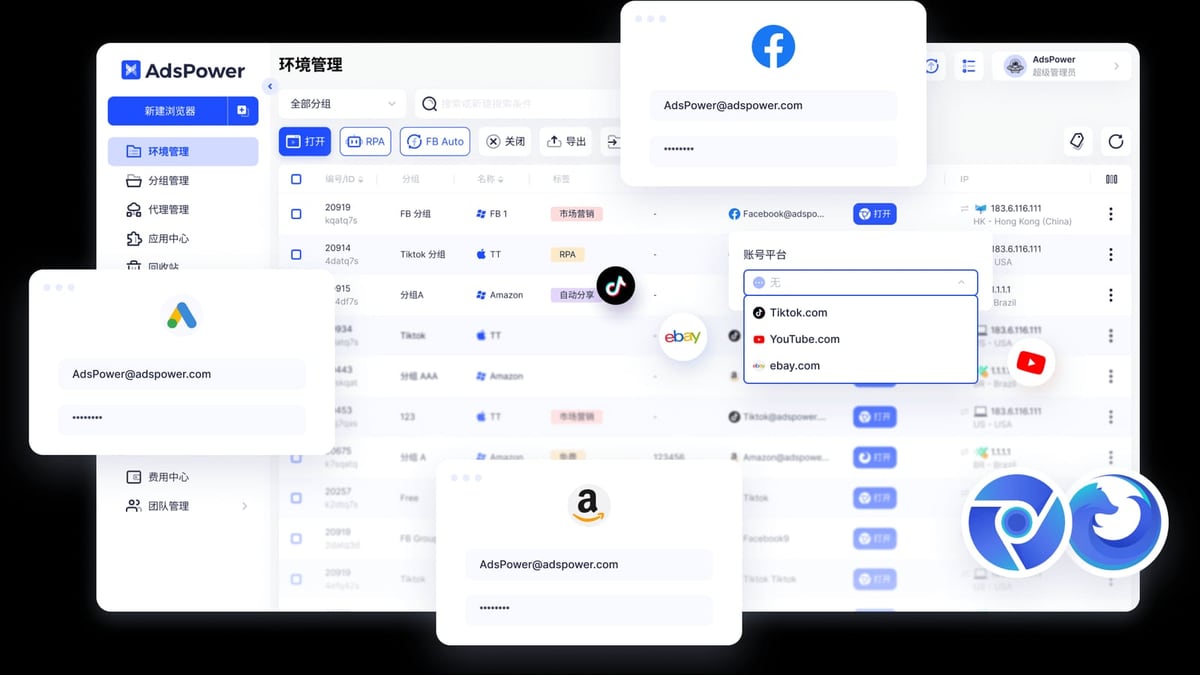
While Octo Browser requires coding for sophisticated automation and VMLogin leans on Selenium scripts, AdsPower ships with a free, visual Robotic Process Automation (RPA) tool. You can record actions like clicking, liking, filling forms, and watching videos, then replay them across hundreds of profiles simultaneously. For social media managers and e-commerce operators who aren’t developers, this is a huge time‑saver.
Enterprise‑Grade Team Collaboration
Managing a team of operators? AdsPower’s role‑based permissions, detailed action logs, and environment sharing are purpose‑built for agencies. You can grant read‑only access, limit proxy visibility, and audit every action taken inside a profile. VMLogin supports basic team sharing, while Octo Browser’s collaboration features are more limited unless you’re on higher‑cost plans. AdsPower’s granular governance is already used by large enterprises to secure multi‑user workflows.
Bulk Operations and Proxy Mastery
AdsPower simplifies mass management with features like bulk profile creation, batch proxy import with automatic matching, and proxy tagging. The bulk updates & tagging system added in recent releases lets you re‑assign proxies or update hundreds of profiles in a few clicks. This scale of proxy orchestration is a major efficiency lever for large account farms. You can pair these browsers with affordable proxy options to keep costs down. For instance, if you need reliable residential or mobile proxies, services like Proxy-Cheap can complement your setup without breaking the bank.
Certifications and Global Trust
SOC 2 Type II, ISO 27001, and ISO 27701 certifications aren’t just badges—they mean an independent auditor has verified AdsPower’s data handling and security practices. For businesses that handle client accounts, this level of compliance is often non‑negotiable.
Quick Comparison Table
| Feature | AdsPower | VMLogin | Octo Browser |
|---|---|---|---|
| Free Plan | Yes (2 environments) | No | No |
| Browser Kernels | Chromium + Firefox | Chromium‑based | Chromium |
| Mobile Fingerprint (iOS/Android) | Yes | No | No |
| Built‑in RPA (No-Code) | Yes, free | No | No |
| Bulk Profile Operations | Yes (create/delete/launch) | Limited | Limited |
| Team Role Permissions | Advanced (roles, logs) | Basic sharing | Basic (higher plans) |
| Automation API | Local API (Selenium, Puppeteer, Playwright) | REST API (Selenium) | Puppeteer, Playwright |
| Starting Price | Free | ¥700/month | €21/month |
| Trust & Compliance | SOC 2, ISO 27001, ISO 27701 | Not publicly available | Not publicly available |
Table data based on publicly available product pages and independent comparisons as of early 2026.
Which Anti-Detect Browser Should You Choose?
- Pick VMLogin if you’re a small team that values dead‑simple profile isolation and you already use Selenium for automation. Its straightforward approach and stable performance make it a reliable workhorse for straightforward multi‑login tasks.
- Go with Octo Browser if precision fingerprint crafting, a developer‑first automation pipeline (Puppeteer/Playwright), and lightweight speed top your list. It’s the scalpel of anti‑detect tools—best when you know exactly which fingerprint parameters you need to tweak.
- Choose AdsPower when you need an all‑round solution that brings a free plan, dual‑kernel stealth, built‑in RPA, mobile fingerprints, and enterprise team governance under one roof. Its feature breadth reduces your tool stack and is especially powerful for agencies and growing teams.
If you’re still weighing options, you might also explore how AdsPower stacks up against other tools in dedicated comparisons like AdsPower vs Linken Sphere vs Octo Browser. For scraping‑heavy workflows, pairing your anti‑detect browser with a robust data collection platform from our Top 10 Web Scraping API & Data Collection Platforms in 2026 can further streamline your operation.
Related reading
- CapSolver Review 2026: AI CAPTCHA Solving, Pricing & Speed - Unbiased CapSolver review covering AI-powered reCAPTCHA, Cloudflare, and AWS WAF solving, pricing, success rates, and setup. Is it right for your scraping workflow?
- How to Use AdsPower with Ticketmaster: Multi-Account Setup - Learn to use AdsPower fingerprint browser for Ticketmaster to manage multiple accounts securely, avoid detection, and automate ticket buying.
Sources and further reading
- Octo Browser Review: A Deep Dive into Its Features, Pros & Cons - Octo Browser Review: Compare Octo Browser and AdsPower—top antidetect tools for secure multi-account management, fingerprint control, proxy support, and team collaboration.
- GoLogin vs Multilogin vs AdsPower vs Octo Browser - 2026 | I Compared Main Features (Side-By-Side) - Enjoy the videos and music you love, upload original content, and share it all with friends, family, and the world on YouTube.
Frequently Asked Questions
Can I manage TikTok accounts with VMLogin or Octo Browser?
Yes. Both support the latest Chromium cores and deliver isolated fingerprints compatible with TikTok. However, you’ll need to configure WebRTC, time zone, language, and proxy settings carefully to avoid detection. Octo Browser’s manual fingerprint controls are particularly helpful for TikTok because of the platform’s strict device consistency checks.
Which browser is easiest for a complete beginner?
AdsPower’s free plan, preset fingerprint profiles, and built‑in RPA give it the gentlest learning curve. VMLogin is also beginner‑friendly with its one‑environment‑per‑profile concept, but lacks a free tier. Octo Browser requires more technical know‑how, especially if you plan to customize fingerprints deeply.
Does Octo Browser support macOS and Linux?
Yes, Octo Browser runs on macOS, Windows, and Linux. AdsPower supports Windows, macOS, Linux, Android, and iOS (via mobile fingerprint emulation and companion apps). VMLogin is primarily Windows‑focused with a desktop client.
Is VMLogin suitable for large agencies managing 500+ accounts?
VMLogin can handle hundreds of profiles per machine, and its REST API enables bulk account management. However, it lacks the granular team roles and activity logging that AdsPower provides out of the box. Larger teams may need to supplement VMLogin with additional process management.
Conclusion
AdsPower, VMLogin, and Octo Browser each tackle multi‑account anonymity from a different angle. VMLogin delivers straightforward, large‑scale isolation for cost‑conscious operators. Octo Browser gives developers near‑total fingerprint control and fast automation hooks. AdsPower wraps all that—plus dual kernels, built‑in RPA, mobile fingerprints, and a free starting tier—into a platform that scales from solopreneurs to regulated enterprises. The right choice is the one that aligns with how you actually work, and we hope this side‑by‑side comparison makes that decision a little clearer.