
How to Use AdsPower with Ticketmaster: Multi-Account Setup
Take a Quick Look
Learn to use AdsPower fingerprint browser for Ticketmaster to manage multiple accounts securely, avoid detection, and automate ticket buying.
🔥 Limited-Time Offer! Save extra 10% off on your first monthly plan with code: Anitdetect10
Sign upHow to Use AdsPower with Ticketmaster: Multi-Account Setup
Buying high-demand tickets on Ticketmaster isn't just about fast clicking anymore. The platform aggressively flags browser tabs, VPN connections, and anything that looks like non-human behavior. If you're a ticket reseller, an affiliate marketer, or just a fan trying to secure seats for multiple events, you've likely hit the dreaded "bot-like activity" wall. That's where AdsPower comes in. This anti-detect browser creates isolated digital identities so you can run multiple Ticketmaster accounts—each behind its own fingerprint and IP—without triggering bans. In this guide, I'll walk you through the full workflow, from initial setup to automated purchases.
Why Combine AdsPower with Ticketmaster? Problems This Pairing Solves

How to Use AdsPower with Ticketmaster: Multi-Account Setup product interface and feature overview.
Ticketmaster's system is built to spot account associations. Opening several accounts from the same device or using a VPN can immediately flag your session. Here's what goes wrong with a standard approach, and how the AdsPower–Ticketmaster combination fixes it:
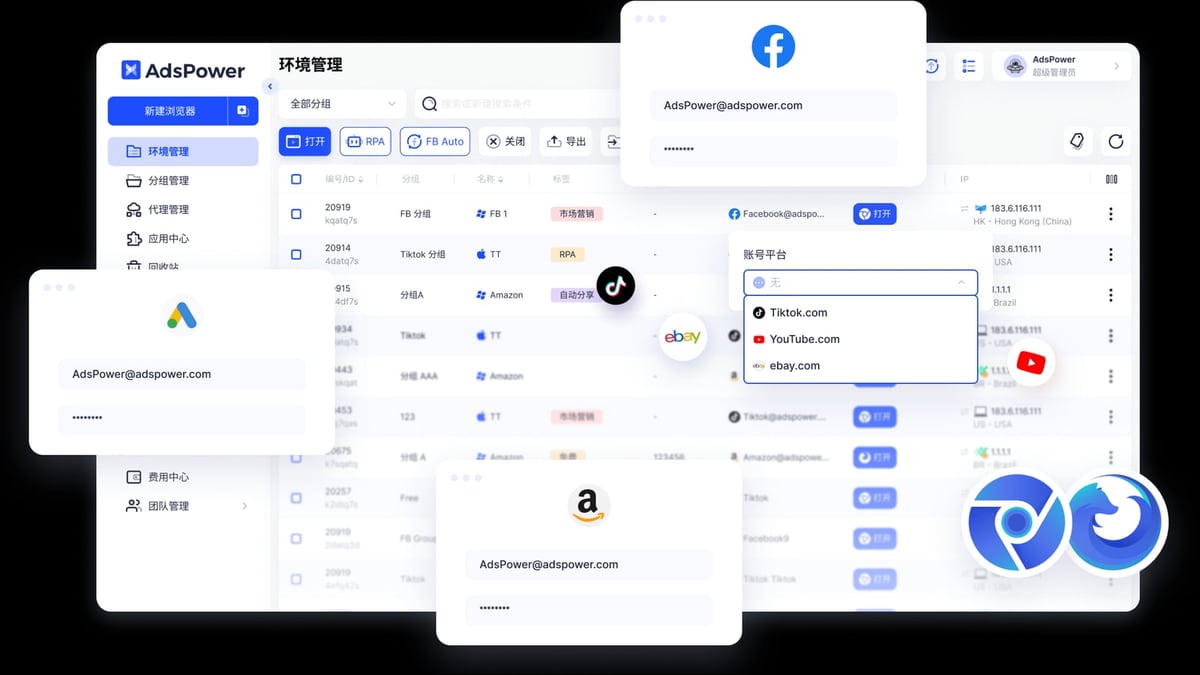
- Account bans from multi-tabbing or VPNs – Ticketmaster explicitly states to "turn off your VPN, Apple Private Relay and other proxy servers" and to avoid multiple tabs. AdsPower gives each account its own independent browser environment with a unique, consistent fingerprint and a dedicated residential proxy, so every session looks like a different real user.
- Hard purchase limits – With a single account you're often capped at 4–6 tickets per event. Juggling multiple profiles lets you buy more tickets legitimately, increasing your inventory without crossing platform limits.
- Queue displacement – During onsales, being in one queue often means you're locked out of others on the same device. Separate environments let you join multiple queues simultaneously without Ticketmaster detecting the overlap.
- Team coordination chaos – When a team shares logins, alarms go off. AdsPower's role-based team sharing lets everyone work from their own machine while maintaining distinct, secure environments. No more risky password sharing.
Step-by-Step: Setting Up AdsPower for Ticketmaster

How to Use AdsPower with Ticketmaster: Multi-Account Setup product interface and feature overview.
1. Create an AdsPower Account and Download the Browser
Go to AdsPower's website and sign up for a free account (you'll get two browser environments to start). Download the desktop client for Windows or macOS. The application uses Chromium-based SunBrowser and Firefox-based FlowerBrowser; for Ticketmaster, SunBrowser is the better choice because of wider compatibility.
2. Configure a New Browser Profile with a Unique Fingerprint
Open the AdsPower client and click "Create Profile." Give the profile a clear name like "Ticketmaster Account 1 – NYC Reseller." Under "Fingerprint Settings," you'll see over 20 parameters you can tweak:
- Browser kernel: Select SunBrowser (Chrome).
- User Agent: Choose a recent Chrome UA that matches a real device. You can auto-generate one based on your operating system.
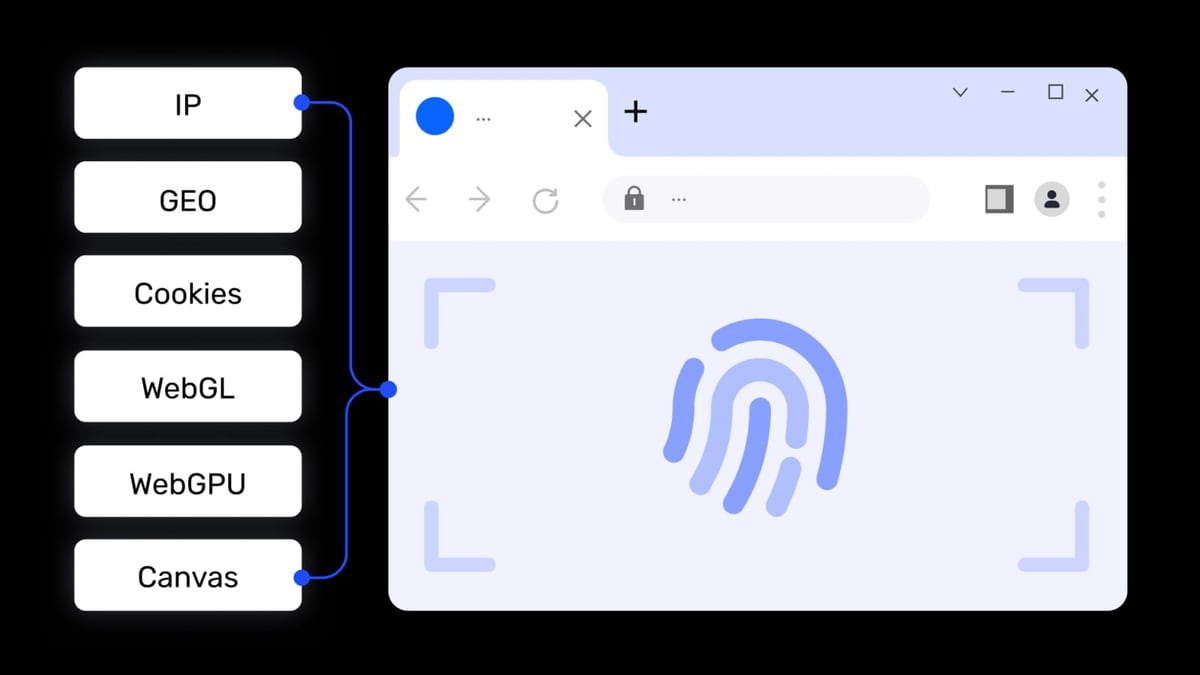
- Canvas, WebGL, Audio, WebRTC, etc.: Set all to "Random" or "Noise" mode. AdsPower will fabricate a fingerprint that passes real-world tests.
- Time zone, language, geolocation: Match these to the proxy location you'll use later.
- Screen resolution: Pick a common one like 1920×1080.
- WebRTC: Set to "Disabled" or "Replace" to avoid IP leaks.
Don't skip these details. Ticketmaster checks for inconsistencies between your browser fingerprint and IP location. A mismatched time zone can be a red flag.
3. Add a Residential Proxy for Each Profile
In the same profile creation window, go to the "Proxy" tab. For Ticketmaster, you must use a high-quality residential proxy—datacenter IPs are easily flagged. Select the proxy type (HTTP, HTTPS, or SOCKS5) and paste your proxy credentials. AdsPower supports any major proxy provider. If you're unsure which one to pick, check out our proxy network review for tested options. For every new Ticketmaster account, create a new profile with a new proxy IP from the same country/region as the account's billing address.
4. Launch the Profile and Log into Ticketmaster
Hit "Open" on the newly created profile. AdsPower will open an isolated SunBrowser window. Navigate to Ticketmaster.com and log in or register a new account. From this point on, always open this specific Ticketmaster account through this same AdsPower profile. That consistency builds trust with the platform—every visit maintains the exact fingerprint, cookies, and local storage.
5. Verify Fingerprint with BrowserScan (Optional but Recommended)
Before you start buying, confirm that your profile doesn't leak real information. Open a tab inside the profile and go to BrowserScan. Check that the reported IP matches your proxy, WebRTC shows no local IP, and the fingerprint is not flagged. If any leak appears, adjust the WebRTC and proxy settings in AdsPower and re-test. Our in-depth Adspower-BrowserScan setup guide walks through this process.
Practical Examples: Using AdsPower for Ticket Buying
How to Use AdsPower with Ticketmaster: Multi-Account Setup product interface and feature overview.
Solo Reseller: Grabbing Tickets for a Hot Concert
Imagine Taylor Swift announces a new tour leg. You have three Ticketmaster accounts—each tied to a different family member's email and payment method. You create three AdsPower profiles, each with a unique fingerprint and a residential IP from the same city. On sale day, you launch all three profiles side by side on the same computer. As soon as the queues open, you're in all three. With AdsPower's window synchronization feature, you can even mirror mouse and keyboard actions to fill in seat selections across profiles, though manual selection is safer for precision.
Team Ticket-Flipping Operation: Coordinated Drops
A small team of three runs a ticket-reselling side hustle. Using AdsPower's team feature, the admin creates 20 Ticketmaster profiles and assigns them to team members with specific permissions. One person handles profiles for East Coast events, another for West Coast. The admin can monitor all session activity via the operation log. When a high-demand NBA playoffs drop occurs, they coordinate: each member launches their assigned profiles, enters the waiting room, and purchases up to the per-account limit. After the purchase, profiles can be transferred back or rotated for the next event.
Automated Purchase Flow with AdsPower RPA
For repetitive ticket-buying processes, AdsPower's built-in RPA (Robotic Process Automation) is a game-changer. You can create or import a workflow that automatically:
- Opens the event page at a scheduled time.
- Clicks "See Tickets" once the queue ends.
- Selects a price level and quantity.
- Fills in payment details securely.
Even without coding, the drag-and-drop editor lets you record these steps. For advanced users, the Local API works with Selenium, Puppeteer, or Playwright so you can integrate your own scripts. This is ideal for securing seats to multiple events in a short window while you handle other tasks.
AdsPower vs. Standard Browser for Ticketmaster: Quick Comparison
How to Use AdsPower with Ticketmaster: Multi-Account Setup product interface and feature overview.
| Factor | Standard Browser (Chrome) | AdsPower Fingerprint Browser |
|---|---|---|
| Multi-account safety | High risk of bans – cookies, IP, and fingerprint link accounts | Each account runs in an isolated, unique environment; platform sees separate users |
| Proxy integration | Manual proxy extensions leak WebRTC and can break | Seamless proxy integration per profile; no WebRTC leaks |
| Team collaboration | Sharing login details is insecure and triggers flags | Role-based access, environment sharing, and full audit logs |
| Automation | Requires third-party bots that are easily detected | Built-in RPA with anti-detection and API for custom scripts |
| Ticket limit scaling | Limited to one account per device | Scale to dozens of accounts on a single machine |
Related reading
- Whoer.net Review: Is This Privacy Suite Right for You? - In-depth Whoer.net review covering its IP lookup, VPN, anti-detect browser, proxies, and pricing. See if this privacy suite meets your anonymity needs.
- Zyte Review 2026: Honest Look at Its Web Scraping API & Platform - Evidence-based Zyte review covering web scraping API, pricing, setup, AI extraction, proxy rotation, and ideal users. See how it compares for large-scale data needs.
- Top 10 Social Media Platforms in 2026: Data-Driven Rankings - Our evidence-based ranking of the top 10 social media platforms in 2026, with user stats, growth trends, and business use cases to help you choose the right channels.
Sources and further reading
- What browsers can I use for Ticketmaster.com? - You can find tickets better with the latest version of your favorite browser.Get started on any of these supported browsers: Download Safari on this Apple page. Download Chrome on this Google page....
Frequently Asked Questions
Can I use the AdsPower free plan for Ticketmaster?
Yes. The free tier provides two browser environments. You can fully test the fingerprint isolation and proxy setup with two Ticketmaster accounts before upgrading. Paid plans unlock more profiles, RPA, and team features.
Will Ticketmaster detect AdsPower?
When configured correctly, no. AdsPower doesn't leave any detectable traces that identify it as an anti-detect browser. Its SunBrowser kernel mimics a standard Chrome installation, and the randomized fingerprints behave just like real devices. The key is using quality residential proxies that aren't blacklisted.
Do I need a separate proxy for each Ticketmaster account?
Absolutely. Each Ticketmaster account should have its own dedicated residential IP. If two accounts share an IP, even through two different AdsPower profiles, Ticketmaster will link them. One profile, one proxy, one account—that's the golden rule.
Is it legal to use AdsPower for ticket buying?
Using an anti-detect browser itself is legal. However, buying tickets with the intent to resell may violate Ticketmaster's terms of service, and in some jurisdictions specific ticket scalping laws exist. Always comply with local regulations and platform rules. AdsPower is a tool for privacy and multi-account management, not a circumvention device for illegal activities.
Conclusion
Combining AdsPower with Ticketmaster transforms how you approach high-stakes ticket buying. You move from crossing your fingers with a single browser to running a professional, scalable multi-account setup that respects each identity's isolation. By following the steps above—creating unique fingerprints, pairing them with residential proxies, and verifying with tools like BrowserScan—you'll drastically cut down on bans and missed opportunities. For deeper dives into anti-detect browser comparisons or setting up automation, explore resources like our AdsPower vs Linken Sphere vs Octo Browser comparison. AdsPower regularly tests and reviews the tools that make multi-account workflows safer and more efficient—so you can focus on securing those tickets while we handle the research.