
How to Use AccsMarket: Buy Accounts Safely in 2026
Take a Quick Look
Step-by-step guide to buying accounts on AccsMarket, plus proxy, device isolation, and anti-detect browser tips to keep purchased accounts alive.
🔥 Limited-Time Offer! Save extra 10% off on your first monthly plan with code: Anitdetect10
Sign upHow to Use AccsMarket: A Practical Guide to Buying Accounts Safely
AccsMarket is an online marketplace where you can buy social media, email, marketplace, and gaming accounts. If you are new to it, the process is simple, but the part that decides whether your purchase survives is what you do after checkout. This guide walks through the buying flow, the store's own rules, and the tools that keep accounts from being linked and banned.
What AccsMarket Is and What It Sells
AccsMarket is an accounts store that sells registered accounts across a wide range of platforms. According to its partner FAQ, the store sells accounts it registers itself as well as accounts supplied by partners. The catalog covers:
- Social networks: Facebook, Instagram, Threads, LinkedIn, X (Twitter), TikTok, Reddit, Snapchat, Pinterest, Twitch, Telegram, VK, OK.ru
- Marketplaces: eBay, Etsy, Temu, Alibaba, AliExpress, Shein, 1688.com, Yelp, Quora
- Email: Gmail, Outlook/Hotmail, Yahoo/AOL, Yandex, Protonmail, GMX
- AI and gaming: ChatGPT, DeepSeek, and various gaming accounts
One important rule from the store: accounts must not be registered with real personal data, stolen accounts are prohibited, and accounts must not contain personal information such as bank cards or real addresses.
How to Place an Order on AccsMarket
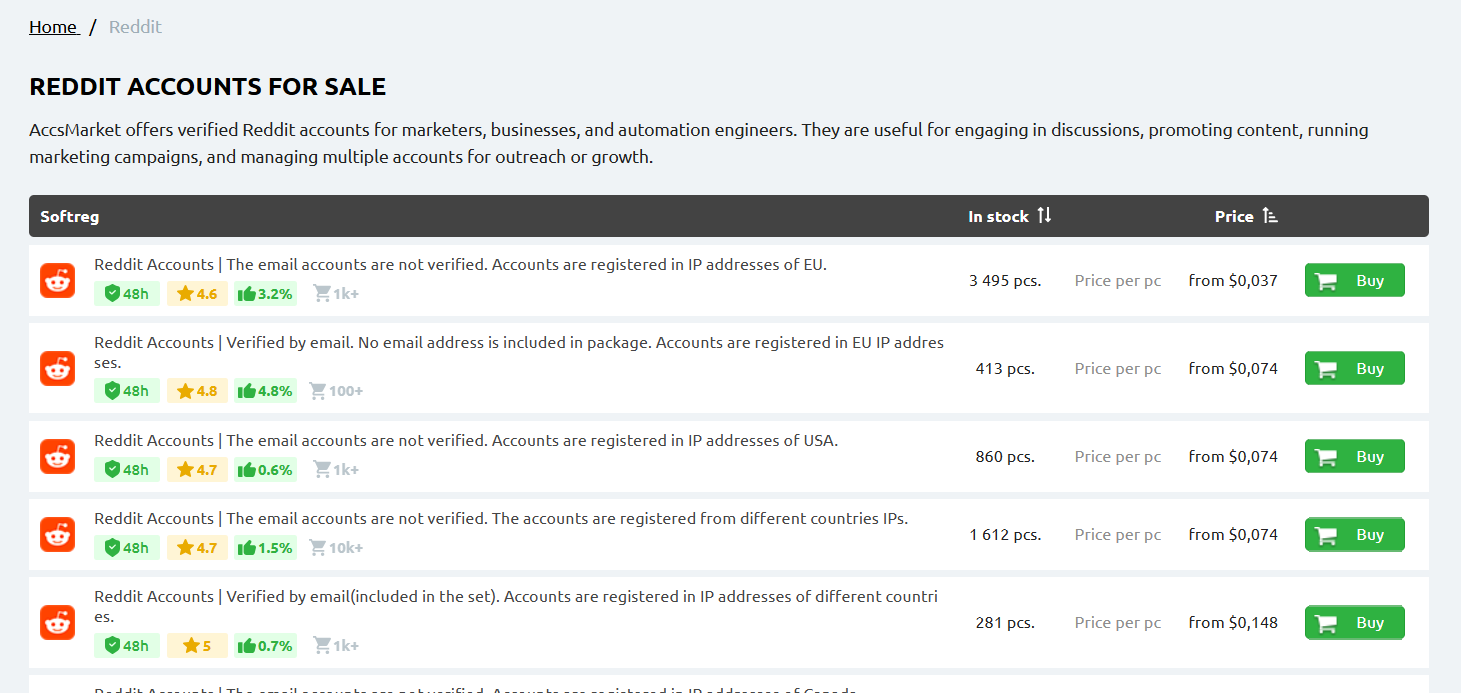
How to Use AccsMarket: Buy Accounts Safely in 2026 - How to Place an Order on AccsMarket.
The official buying instructions describe a short, mostly automated process:
- Read the store rules first. They define what you can and cannot do with purchased accounts.
- Pick your product. Browse the catalog and open the item page to read its description.
- Click "to buy." Enter an email address you can access, choose the quantity, and select a payment method.
- Accept the terms. Check the box confirming you agree with the Terms of Accounts Purchase and verify your details.
- Pay. For most payment methods, payment and delivery are fully automatic. You get a download link on the store page and by email.
- Webmoney exception. If you pay with Webmoney, copy the wallet number and the payment note (for example, "order [54654]"), make the transfer, keep the payment tab open, then click "Check payment" to receive your download link.
Once the order is delivered, download the credentials and store them securely. Do not log in yet — read the next section first.
The Rules That Decide Whether Your Account Survives
AccsMarket's accounts guidelines are blunt about the three things that get purchased accounts blocked. Ignoring them is the most common reason buyers lose money.
1. Use high-quality, exclusive proxies
Logging into multiple accounts from one IP address can get all of them blocked. The store's recommendation is to use individual IPv4 proxy servers with exclusive access — one proxy per account.
What the store explicitly warns against:
- Shared proxy packages
- Free VPN apps like Hola or FreeVPN, which share one IP among many users
- IPv6 proxies
- Residential and ISP proxies, because those IPs belong to real users and may already have a history with the target platform
If you authorize two or more accounts, each one needs a different proxy. For a deeper walkthrough of pairing proxies with an anti-detect browser, see How to Use AdsPower with Decodo.
2. Isolate every account on a separate "device"
Logging into multiple accounts from one device can also trigger bans. AccsMarket is clear that these do not count as different devices:
- Normal browser mode vs. incognito mode
- Clearing browser cookies
- Using a different browser
What does count:
- Separate physical computers or phones
- Specialized software for account login
- Changing the User-Agent and related browser signals
- Anti-detect tools that generate distinct device fingerprints automatically
This is where an anti-detect browser becomes practical. Instead of buying ten laptops, you create ten isolated browser profiles, each with its own fingerprint (Canvas, WebGL, User-Agent, timezone, and more) tied to its own proxy. AdsPower, for example, is built for exactly this workflow: it creates isolated environments so accounts on Amazon, Facebook, Google, TikTok, and similar platforms don't get associated with each other. If you're comparing options, this AdsPower vs MuLogin vs BitBrowser comparison breaks down fingerprinting, automation, and pricing.
3. Warm up accounts with human-like behavior
Mass actions right after login — thousands of likes, hundreds of messages — get accounts blocked fast. The store's advice is to act like a normal new user first: fill out the profile, follow a few people, like some posts, add photos, make a few reposts and comments. Ramp up activity gradually over days, not minutes.
A Practical Post-Purchase Workflow
Here is a workflow that follows AccsMarket's rules without requiring a room full of hardware:
- Buy the account and download the credentials.
- Assign one exclusive IPv4 proxy to that account. Never reuse it across accounts.
- Create a dedicated browser profile in an anti-detect browser and bind the proxy to it. Verify the IP and timezone match the account's expected region.
- Check the fingerprint — User-Agent, Canvas, WebGL, and language should look consistent, not contradictory.
- Log in once, then leave the account alone for a while.
- Warm it up with light, human-like activity over the first week.
- Scale slowly. Add automation only after the account shows stable behavior.
If you're running this at scale — say, dozens of marketplace or social accounts for cross-border e-commerce — this same pattern applies. Our cross-border e-commerce and multi-account operations guide covers how account isolation fits into a broader store operation.
Common Mistakes to Avoid
- Reusing one proxy for several accounts. This is the fastest way to link them.
- Trusting incognito mode. It hides cookies, not fingerprints.
- Logging in from your everyday browser. Your real device fingerprint is now attached to the purchased account.
- Going straight to automation. Bots that act instantly on a fresh account look nothing like a human.
- Ignoring regional consistency. A US-registered account logging in from an unrelated country's IP raises flags.
Related reading
- How to Use AdsPower with IPVanish VPN: Setup & Workflow - Learn how to combine AdsPower anti-detect browser profiles with IPVanish VPN for safer multi-account work, including setup steps, workflows, and limits.
FAQ
Is buying accounts on AccsMarket legal? That depends on the platform's terms of service and your local laws. AccsMarket prohibits stolen accounts and accounts containing real personal data, but you are responsible for complying with each platform's rules.
What payment methods does AccsMarket accept? The store says it accepts major e-wallets and credit cards, including from Europe, the USA, and China. Webmoney requires a manual transfer and a "Check payment" step.
How fast is delivery? For most payment methods, payment and delivery are fully automatic. You receive a download link on the store page and by email.
Can I use a VPN instead of a proxy? AccsMarket advises against shared VPN services because many users share one IP. Individual exclusive IPv4 proxies are the recommended option.
Do I really need an anti-detect browser? If you manage more than one account, yes — or you need separate physical devices. Anti-detect browsers replicate the "different device" requirement without buying extra hardware.
What happens if an account gets blocked? AccsMarket states that replacements and refunds total only about 0.5% of sales, and it is not responsible for third-party proxy or software providers. Following the proxy, device, and warm-up rules is your best protection.
Conclusion
Using AccsMarket is straightforward: pick an account, pay, and download it. Keeping that account alive is the real work. Follow the store's three core rules — exclusive high-quality proxies, isolated device fingerprints, and gradual human-like activity — and you avoid the mistakes that cause most bans. An anti-detect browser like AdsPower turns those rules into a repeatable workflow, letting you run multiple accounts from one machine without linking them together.