
AdsPower vs MuLogin vs BitBrowser: 2026 Anti-Detect Comparison
Take a Quick Look
Compare AdsPower, MuLogin, and BitBrowser on fingerprinting, automation, pricing, and team features to choose the right anti-detect browser in 2026.
🔥 Limited-Time Offer! Save extra 10% off on your first monthly plan with code: Anitdetect10
Sign upAdsPower vs MuLogin vs BitBrowser: Which Anti-Detect Browser Fits Your Workflow?
Choosing an anti-detect browser in 2026 is less about finding a single winner and more about matching a tool to your account volume, automation needs, and budget. AdsPower, MuLogin Anti-detect Browser, and BitBrowser all create isolated browser profiles with unique fingerprints, but they differ in pricing model, automation depth, and team features. This comparison breaks down where each tool is strong, so you can pick the one that fits your operation.
What These Anti-Detect Browsers Have in Common
AdsPower vs MuLogin vs BitBrowser: 2026 Anti-Detect Comparison - What These Anti-Detect Browsers Have in Common.
All three tools solve the same core problem: keeping multiple accounts from being linked by the same browser fingerprint. Each one creates separate profiles with their own Canvas, WebGL, User Agent, timezone, and proxy settings, so platforms like Amazon, Facebook, and TikTok see distinct users instead of one operator running many accounts.
- Profile isolation: Every account runs in its own container with independent cookies, storage, and fingerprint data.
- Proxy support: All three accept HTTP, HTTPS, and SOCKS proxies, and let you assign a different IP to each profile.
- Fingerprint parameters: Canvas, WebGL, Audio, fonts, screen resolution, and hardware signals can be customized or randomized per profile.
- Multi-account use cases: Cross-border e-commerce, social media marketing, affiliate marketing, and ad verification are common across all three.
If you are new to multi-account operations, the cross-border e-commerce guide covers how anti-association and tool selection fit into a broader workflow.
AdsPower: Strengths in Automation and Scale
AdsPower is built for teams and operators who need to manage large profile counts without losing control of workflows. Its main advantages show up in three areas.
Automation and API Access
AdsPower supports RPA (robotic process automation) and a Local API, which lets you script repetitive tasks such as logging in, posting, or scraping data across profiles. The platform has also introduced an AI Agent for conversational automation, which lowers the barrier for users who are not comfortable writing scripts.
Team Collaboration and Synchronization
AdsPower includes team collaboration features and cross-device synchronization, so a distributed team can share profile access without passing around credentials manually. This matters when an agency manages accounts for multiple clients.
Scale and User Base
AdsPower reports over 9 million users worldwide and supports up to 10,000 profiles on higher tiers, according to third-party pricing comparisons. For operations that expect to grow from dozens to thousands of profiles, that headroom is a practical advantage.
AdsPower also integrates with proxy providers and VPNs; for a worked example, see the AdsPower with IPVanish VPN setup.
MuLogin Anti-detect Browser: Strengths in Simplicity and Support
MuLogin positions itself as an accessible option for users who want fingerprint protection without a steep learning curve. Its strengths are worth weighing seriously.
Clear Pricing for Profile Counts
MuLogin's plans start at $59/month for up to 100 profiles, with discounts for quarterly subscriptions. That structure suits small teams that know their profile count in advance and prefer predictable billing over usage-based scaling.
Batch Creation and Sub-Account Management
MuLogin supports batch profile creation and sub-account management, which helps when onboarding a new batch of accounts or giving team members limited access. A REST API is available for teams that want to connect MuLogin to their own tooling.
Documentation and Multilingual Support
MuLogin maintains a detailed help documentation site and a blog with practical use cases, and supports multiple languages and proxy providers. For users who value self-service troubleshooting, that documentation depth is a real benefit.
BitBrowser: Strengths in Free Access and Mobile Management
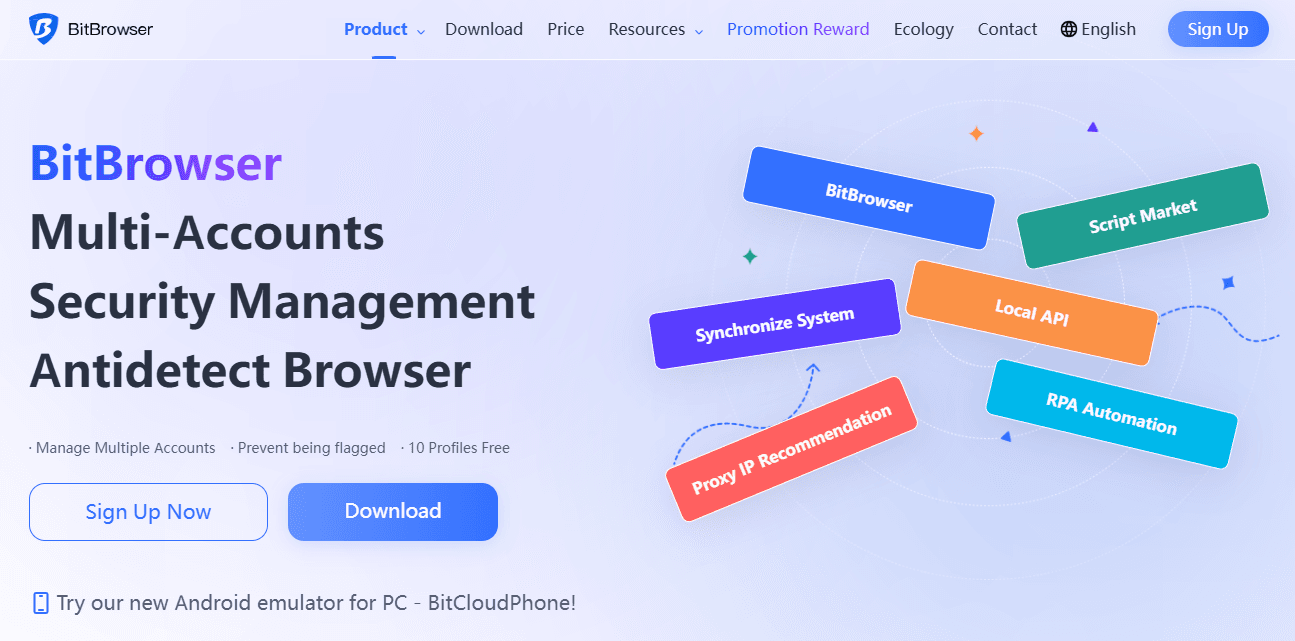
AdsPower vs MuLogin vs BitBrowser: 2026 Anti-Detect Comparison - BitBrowser: Strengths in Free Access and Mobile Management.
BitBrowser stands out for its free tier and its mobile-focused add-on, which makes it a strong entry point for budget-conscious operators.
10 Free Permanent Profiles
BitBrowser offers 10 free permanent browser profiles, which is enough to test the tool on real accounts before committing to a paid plan. Third-party comparisons list BitBrowser as a budget option with script market access.
Fingerprint Coverage and Proxy Flexibility
BitBrowser simulates over 20 fingerprint parameters, including WebGL, Canvas, Audio, Timezone, and Proxy, and supports all major proxy protocols (HTTP/HTTPS/SOCKS5/SSH). That coverage is competitive for a free-tier tool.
Team Permissions and Mobile Cloud Phones
BitBrowser includes team collaboration with permission management, an RPA feature, and an extensions/script marketplace. It also offers BitCloudPhone, an Android emulator and iOS cloud phone service, which extends multi-account management to mobile apps.
Community and Learning Resources
BitBrowser provides video tutorials, community groups on WeChat, Telegram, and WhatsApp, and a help center. Partnerships with proxy providers like IPDEEP and daily activity rewards add practical value for active users.
Where AdsPower Has a Supported Advantage
Not every criterion favors one tool, and it is more useful to be specific about where AdsPower has a documented edge.
- Automation depth: AdsPower's combination of RPA, Local API, and an AI Agent gives it a broader automation toolkit than MuLogin's REST API or BitBrowser's RPA and script marketplace.
- Profile scale: AdsPower supports up to 10,000 profiles on higher tiers, which is more headroom than MuLogin's 100-profile entry plan or BitBrowser's free 10-profile tier.
- Team and cross-device workflows: AdsPower's team collaboration and cross-device synchronization are designed for distributed teams managing many accounts at once.
For a broader field of alternatives, see the AdsPower vs MoreLogin vs Kameleo comparison.
Decision Guide: Which One Should You Choose?
| Your priority | Best fit | Why |
|---|---|---|
| Automation at scale with API and AI Agent | AdsPower | RPA, Local API, and AI Agent support complex workflows |
| Predictable pricing for a fixed profile count | MuLogin | $59/month for up to 100 profiles with quarterly discounts |
| Free start and mobile multi-accounting | BitBrowser | 10 free permanent profiles plus BitCloudPhone |
| Large team with shared profile access | AdsPower | Team collaboration and cross-device synchronization |
| Self-service documentation and multilingual support | MuLogin | Detailed help site and blog with use cases |
| Community-driven learning and script marketplace | BitBrowser | Video tutorials, community groups, and extensions marketplace |
A practical approach is to test each tool against the same set of accounts and proxies. Run a profile through a fingerprint checker such as PixelScan or IPhey, as described in GoLogin's anti-fingerprinting browser review, and compare consistency warnings before committing.
Related reading
- AdsPower vs Linken Sphere vs MoreLogin: 2026 Comparison - Compare AdsPower, Linken Sphere, and MoreLogin on fingerprinting, automation, mobile cloud phones, team features, and pricing to pick the right antidetect browser.
- How to Use AdsPower with FastestVPN: Setup & Workflow - Learn how to combine AdsPower anti-detect browser profiles with FastestVPN for safer multi-account work, plus setup steps and practical workflows.
Sources and further reading
- Quick Comparison - 4 Antidetect Browsers I've Tested - Reddit - Nov 30, 2025 ... ... and AdsPower offer the best balance. If stealth and fingerprint precision matter more than convenience, Linken Sphere or MuLogin give you ...
FAQ
Is AdsPower better than MuLogin and BitBrowser?
It depends on your needs. AdsPower has a supported advantage in automation depth, profile scale, and team collaboration. MuLogin is strong for predictable pricing and documentation, while BitBrowser is strong for free access and mobile cloud phones.
Can I use MuLogin or BitBrowser for free?
BitBrowser offers 10 free permanent browser profiles. MuLogin does not offer a free tier in the same way; its plans start at $59/month for up to 100 profiles. AdsPower offers a free plan with limited profiles.
Which tool is best for automation?
AdsPower offers RPA, a Local API, and an AI Agent, which together provide the broadest automation toolkit among the three. BitBrowser offers RPA and a script marketplace, and MuLogin offers a REST API.
Do all three support proxies?
Yes. All three support HTTP, HTTPS, and SOCKS proxies, and BitBrowser additionally supports SSH. Each tool lets you assign a different proxy to each profile.
Which tool is best for mobile multi-account management?
BitBrowser offers BitCloudPhone, an Android emulator and iOS cloud phone service, which is a distinct advantage for mobile app multi-accounting. AdsPower and MuLogin focus primarily on desktop browser profiles.
Conclusion
AdsPower, MuLogin Anti-detect Browser, and BitBrowser each solve multi-account isolation, but they target different operating styles. AdsPower is the stronger choice when automation depth, large profile counts, and team collaboration matter most. MuLogin suits users who want clear pricing and thorough documentation. BitBrowser is the most accessible starting point thanks to its free profiles and mobile cloud phone option. Test each against your real accounts and proxies, and let your workflow decide.