
RoxyBrowser Review 2026: Antidetect Browser for Multi-Accounting
Take a Quick Look
Evidence-based RoxyBrowser review: fingerprint depth, proxy setup, free trial limits, pricing signals, and who should choose it for multi-accounting in 2026.
RoxyBrowser Review 2026: Antidetect Browser for Multi-Accounting
RoxyBrowser is a Chromium-based antidetect browser that creates isolated browser profiles with unique fingerprints for managing multiple accounts. It targets e-commerce sellers, affiliate marketers, social media managers, and scraping teams who need to keep accounts separated without triggering platform bans. This review examines what the tool actually does, where it falls short, and whether its free trial is enough to evaluate it properly.
What RoxyBrowser Actually Does
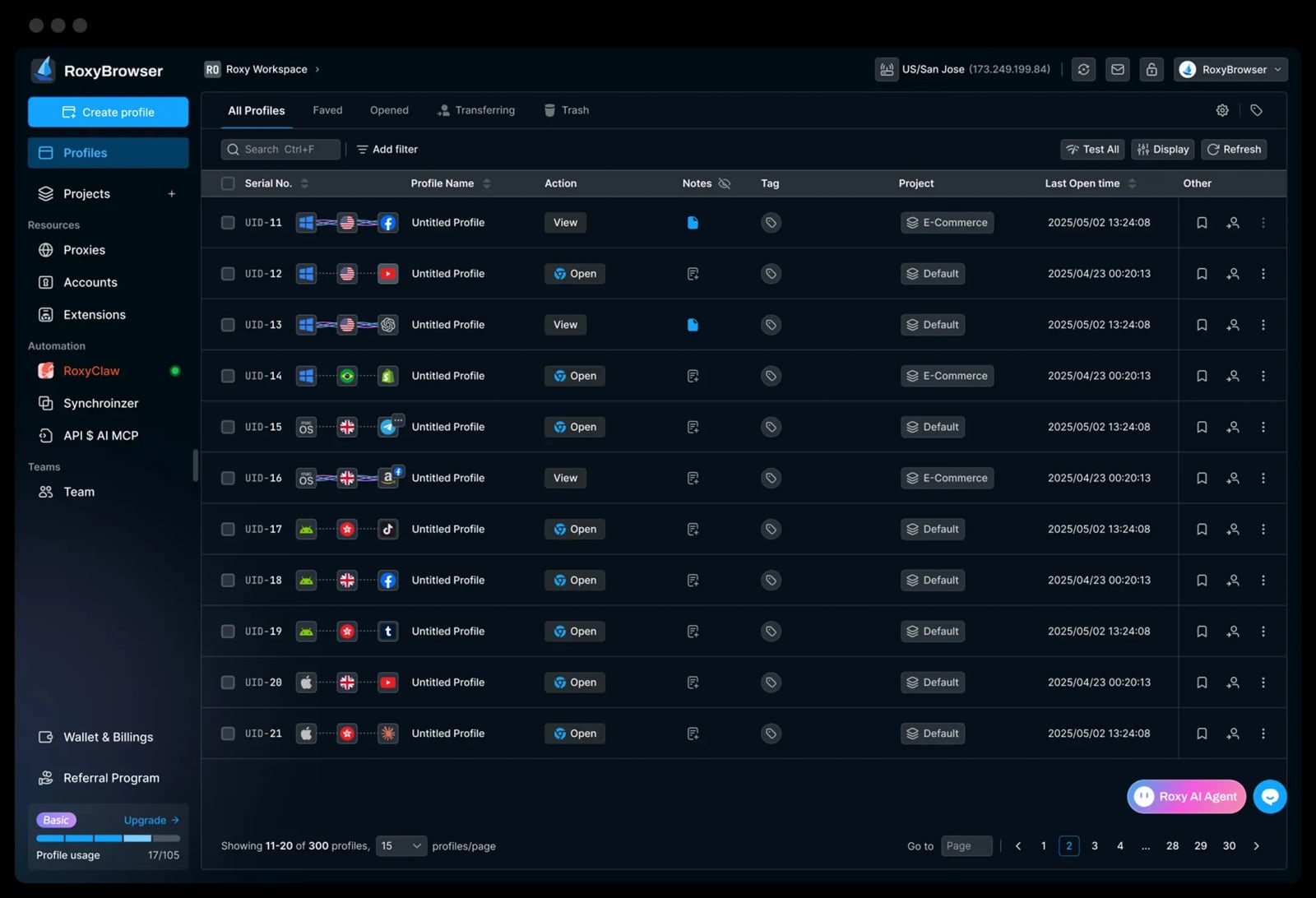
Antidetect Browser for Multi-Accounting - Free Trial | RoxyBrowser product interface.
RoxyBrowser generates a unique browser fingerprint for every profile you create. Each profile runs in its own container with separate cookies, cache, local storage, and configurable fingerprint parameters. The goal is straightforward: when you log into Account A and Account B from the same machine, the target platform should not be able to link them.
The browser is built on Chromium, so the interface feels familiar. You install it on Windows or macOS, create an account inside the app, and start building profiles. The free trial includes 5 profiles, which is enough to test the core workflow but tight for any real operation.
Unlike some competitors, RoxyBrowser does not bundle proxies. You bring your own HTTP, HTTPS, SOCKS4, or SOCKS5 proxies and assign them per profile. That keeps the subscription cost lower but adds a separate line item and a configuration burden.
Fingerprint Customization: What You Can Control
When you create a profile, RoxyBrowser exposes a set of fingerprint parameters:
- Browser version — choose specific Chromium versions to match your target platform's expectations
- Screen resolution and color depth — align with common device configurations
- Language and timezone — match the geographic location your proxy suggests
- WebRTC, Canvas, WebGL, and AudioContext — modify these to reduce tracking surface
- User agent strings — control how the browser identifies itself
The depth here is reasonable for small teams doing basic multi-accounting. It is not the deepest fingerprint engine on the market — competitors like AdsPower and Kameleo expose more granular controls and publish more transparent documentation about what each parameter does. If your threat model includes sophisticated anti-fraud systems, you will want to compare fingerprint depth carefully before committing. For a broader comparison, see AdsPower vs Kameleo: Anti-Detect Browser Comparison 2026.
One practical limitation: RoxyBrowser only supports Chromium. There is no Firefox engine option, which matters if your target platforms expect Firefox-specific fingerprint signals.
Proxy Management: Flexibility With a Cost
RoxyBrowser supports third-party proxies across common protocols. You configure each profile individually, which gives you flexibility to mix providers and geographies. The downside is operational overhead.
Every profile needs a proxy assigned, tested, and maintained. A misconfigured proxy can leak your real IP or trigger a platform's security system. For teams running dozens or hundreds of profiles, this manual layer becomes a meaningful time sink and a source of errors.
If you are already running proxy infrastructure for other tools, this is manageable. If you are starting from scratch, budget for both the proxy service and the setup time. The total cost of ownership is higher than the subscription price suggests.
Automation and API Support
RoxyBrowser offers automation hooks via API, Selenium, and Puppeteer. This is enough for basic scripting — profile creation, launching, and some bulk operations. It is not a full automation platform. Teams doing heavy scraping or complex workflow orchestration may find the hooks limited compared to more mature antidetect browsers.
For teams already using Playwright, the automation model is similar in spirit. If you are evaluating whether RoxyBrowser fits into a Playwright-based pipeline, review Playwright Setup: Install, Configure, and Run Tests to understand the baseline requirements before adding browser fingerprint management on top.
Performance and Stability
In light to moderate use, RoxyBrowser performs acceptably. Profile launch times are reasonable, memory usage stays under control, and crashes are infrequent. Profile isolation works — cookies and cache do not cross between profiles.
At scale, the picture changes. Users running 50+ concurrent profiles on older hardware report lag when switching sessions and occasional freezing during batch operations. macOS performance is slightly behind Windows, with slower load times and less responsive navigation reported by some users.
If you plan to run large profile counts, invest in a machine with sufficient RAM and a modern CPU. The browser is not uniquely resource-hungry, but it is not optimized for extreme scale either.
Team Features and Collaboration
RoxyBrowser includes team-oriented features: separate workspaces, permissions, shared profile control, and encrypted cloud storage. Reviewers on Product Hunt highlight these as strengths, particularly the ability to share profiles without exposing credentials.
For agencies managing client accounts or teams distributing work across operators, these features matter. They are not as deep as what enterprise-focused competitors offer, but they cover the basics. Access control exists but is described as simple — busy agencies may want more granular role management.
Pricing Signals and Free Trial
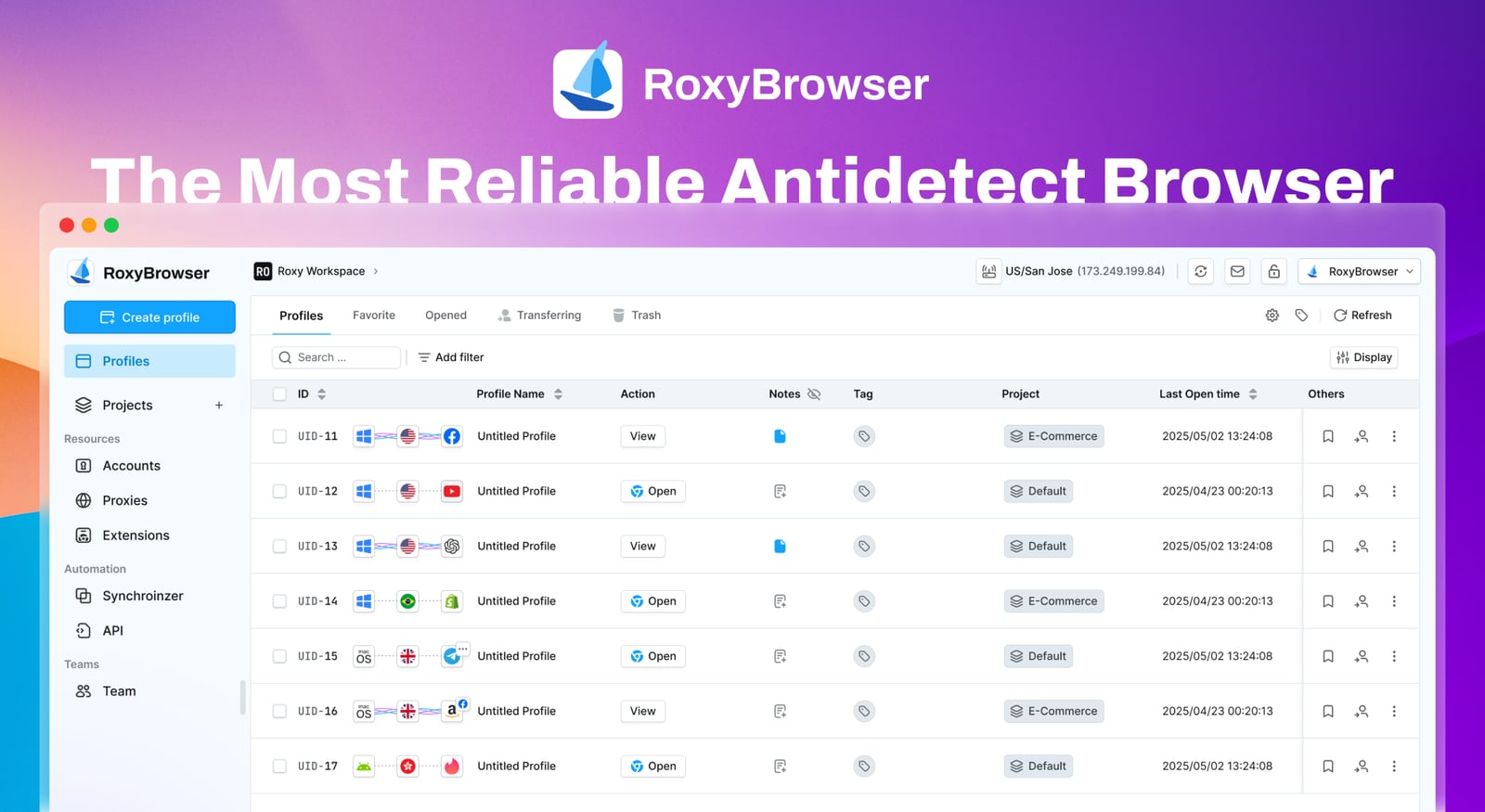
Antidetect Browser for Multi-Accounting - Free Trial | RoxyBrowser product interface.
The free trial includes 5 profiles. That is enough to test fingerprint creation, proxy assignment, and basic multi-account workflows. It is not enough to evaluate performance at scale or team collaboration features meaningfully.
Paid plans scale by profile count. Because RoxyBrowser does not include proxies, your effective monthly cost is subscription plus proxy service. When comparing against tools that bundle proxies, calculate the total before deciding.
For a broader view of how RoxyBrowser's pricing and features stack up against alternatives, see the Top 10 Anti-Detect Browser & Cloud Phone Platforms 2026.
Who RoxyBrowser Fits
First viewport screenshot of Earn More with Secure Affiliate Marketing | RoxyBrowser.
Good fit:
- Small teams or solo operators managing 5–30 accounts
- E-commerce sellers running multiple marketplace storefronts
- Affiliate marketers separating campaigns across geographies
- Users who already have proxy infrastructure and want a clean Chromium-based profile manager
- Teams that value a simple interface over deep configuration
Poor fit:
- Operations running 100+ concurrent profiles on modest hardware
- Teams needing Firefox fingerprint support
- Users who want built-in proxies without sourcing their own
- Advanced automation workflows requiring deep API control
- Linux users — RoxyBrowser is Windows and macOS only
Decision Criteria: How to Evaluate RoxyBrowser Against Alternatives

Antidetect Browser for Multi-Accounting - Free Trial | RoxyBrowser product interface.
Before committing, run this checklist:
- Profile count — Does the free trial's 5-profile limit let you test your real workflow? If you need 20 profiles to validate, the trial will not get you there.
- Proxy strategy — Do you already have proxies? If not, factor in the cost and setup time of sourcing them.
- Fingerprint depth — Does your target platform use advanced anti-fraud? If yes, compare RoxyBrowser's fingerprint controls against AdsPower, Kameleo, or Multilogin before deciding.
- Automation needs — Will you script profile management? Test the API and Selenium/Puppeteer hooks during the trial.
- Team size — If multiple operators need access, test the workspace and permission features early.
- Hardware — If you plan to run many profiles, confirm your machine can handle the load.
For a direct comparison of fingerprint browsers across these dimensions, see AdsPower vs Maskfog vs Nstbrowser: How to Choose a Fingerprint Browser in 2026.
Related reading
- Top 10 Anti-Detect Browser & Cloud Phone Platforms 2026 - Independent 2026 ranking of the top 10 antidetect browser and cloud phone platforms, scored on fingerprint depth, mobile support, automation, and pricing.
- How to Use AdsPower with Amazon Seller Central - Learn how to pair AdsPower anti-detect profiles with Amazon Seller Central: setup steps, proxy rules, multi-account workflow, and common pitfalls.
Sources and further reading
- RoxyBrowser Reviews 2026: Details, Pricing, & Features - G2 - RoxyBrowser is an antidetect browser designed to streamline your workflows and manage multiple accounts. By generating unique browser fingerprints for each ...
- RoxyBrowser Antidetect Browser Review 2026: Pros and Cons - Discover RoxyBrowser's features, performance, and a detailed comparison with Multilogin in 2026. Get a 50% discount inside!
- RoxyBrowser Reviews (2026) | Product Hunt - Read reviews and experiences from users of RoxyBrowser. Get comprehensive feedback about features, pros, cons, and alternatives.
FAQ
Is RoxyBrowser free?
RoxyBrowser offers a free trial with 5 profiles. Paid plans scale by profile count. Proxies are not included, so budget separately for a proxy service.
Does RoxyBrowser include proxies?
No. You must source and configure your own HTTP, HTTPS, SOCKS4, or SOCKS5 proxies. This adds cost and setup complexity but gives you flexibility in provider choice.
What operating systems does RoxyBrowser support?
Windows and macOS. There is no native Linux support, which rules it out for Linux-based operations.
Can RoxyBrowser run on Mac?
Yes, but some users report slower load times and less responsive navigation compared to Windows. Performance is acceptable for moderate profile counts.
Does RoxyBrowser support automation?
Yes, via API, Selenium, and Puppeteer. The hooks cover basic profile creation and launching but are less extensive than some competitors' automation frameworks.
How many profiles can RoxyBrowser handle?
The free trial includes 5. Paid plans scale higher. Users report performance degradation when running 50+ concurrent profiles on older hardware.
Is RoxyBrowser good for e-commerce multi-accounting?
It can work for small to mid-sized e-commerce operations managing multiple storefronts, provided you have proxies and your target platforms do not require Firefox fingerprints. For a deeper look at e-commerce-specific workflows, see the Cross-Border E-Commerce Seller Guide: Tools, Risks & Setup.
Conclusion
RoxyBrowser is a capable entry-level antidetect browser for small teams and solo operators who need clean Chromium-based profile isolation without a steep learning curve. Its strengths are a simple interface, flexible proxy integration, and basic team features. Its limitations are the absence of built-in proxies, Chromium-only fingerprinting, limited automation depth, and performance constraints at high profile counts.
The free trial with 5 profiles is enough to test the core workflow but not enough to evaluate scale. If you are managing a handful of accounts and already have proxies, RoxyBrowser is worth testing. If you need deep fingerprint control, built-in proxies, or heavy automation, compare it against more mature alternatives before committing.
Start with the trial, run your real workflow, and measure where it breaks. That will tell you more than any feature list.


