
Puppeteer Review: Headless Browser Automation for Devs & Testers
Take a Quick Look
In-depth Puppeteer review covering setup, headless mode, scraping, testing, cross-browser support, limitations, and how it compares to Playwright and Selenium.
🔥 Limited-Time Offer! Save extra 10% off on your first monthly plan with code: Anitdetect10
Sign upPuppeteer Review: A Deep Dive into Google’s Headless Browser Automation Library
When you search for “Puppeteer review,” you might land on articles about a charming PS3 platformer. This review is different—it focuses on the Puppeteer library that developers and QA engineers use every day. Puppeteer is a Node.js library from Google that gives you a high‑level API to control Chrome (and now Firefox) over the DevTools Protocol. Whether you need to generate server‑side PDFs, crawl single‑page applications, or automate end‑to‑end tests, Puppeteer promises to make the browser programmable. But after years of evolution, does it still deserve a spot in your toolchain? In this evidence‑based review, we’ll examine its strengths, limitations, ideal use cases, and how it stacks up against Playwright and Selenium.
What Is Puppeteer?
Puppeteer Review: Headless Browser Automation for Devs & Testers - supporting product research image 1.
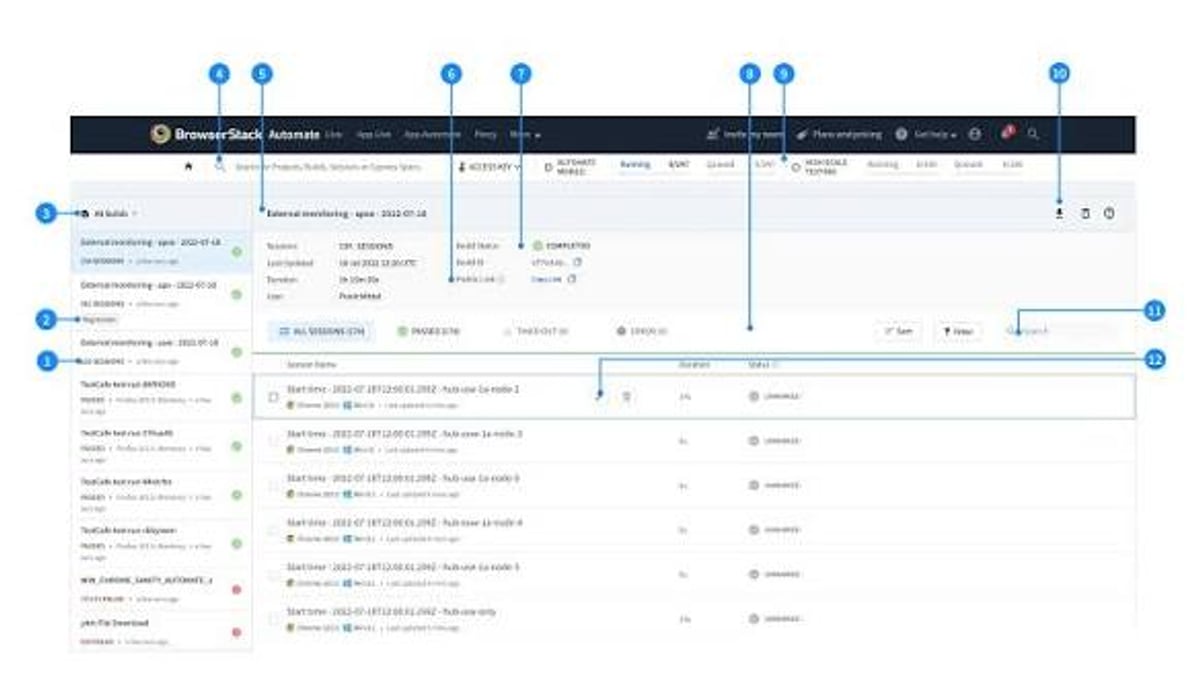
Puppeteer is an open‑source JavaScript library that launches and controls a real Chromium‑based browser (or Firefox) without showing the UI—what developers call “headless mode.” Under the hood, it talks directly to the browser via the Chrome DevTools Protocol (CDP) and, more recently, supports WebDriver BiDi for Firefox. This gives you programmatic access to almost everything a human can do: click buttons, fill forms, capture screenshots, intercept network requests, and even inspect the accessibility tree.
Because Puppeteer is a pure Node.js module, you install it with npm, yarn, pnpm, or bun. The library ships with a compatible version of Chromium by default, so you don’t need to manage a separate browser binary.
Key Features and Capabilities
- Headless Operation: Run browsers without a GUI—perfect for servers, CI pipelines, and scraping jobs.
- Cross‑Browser Support: Starting from version 23, Puppeteer offers stable Firefox support alongside Chrome. Older versions only supported Chromium.
- Rich API Surface: Puppeteer provides methods for navigation, wait strategies, DOM selectors, keyboard/mouse emulation, intercepting network requests, and generating PDFs or screenshots.
- DevTools Protocol Integration: Because it talks CDP, you can simulate mobile devices, throttle network speed, and tweak geolocation directly.
- MCP Server: An experimental Model Context Protocol server lets AI agents control a browser for debugging and automation tasks—a cutting‑edge addition for tool‑using LLMs.
- Lightweight & Self‑Contained: The package bundles Chromium. There’s no external WebDriver to install, reducing setup complexity.
Who Should Use Puppeteer? Ideal Users and Real‑World Use Cases
Puppeteer Review: Headless Browser Automation for Devs & Testers - supporting product research image 2.
Puppeteer fits several distinct workflows:
- Web Scraping & Data Extraction: Puppeteer renders JavaScript‑heavy pages that traditional HTTP clients can’t handle. It’s commonly used for price monitoring, lead generation, and aggregating content. For more evasive targets, you might pair Puppeteer with proxy rotation and anti‑detect solutions—similar to those discussed in our AdSPower + Scrapingpass guide.
- Automated Testing: QA teams leverage Puppeteer to write end‑to‑end tests that run in a real browser. Combined with Jest or Mocha, it can assert UI behavior. However, many teams now consider Playwright a stronger alternative for testing due to its auto‑waiting and multi‑browser support out of the box.
- PDF & Screenshot Generation: Generate invoices, reports, or social‑media previews server‑side with pixel‑perfect accuracy.
- Performance Auditing: With CDP access, you can capture tracing data and measure Core Web Vitals programmatically.
- Browser Automation for Admin Tasks: Filling out repetitive web forms, monitoring dashboards, or automating workflow steps that lack an API.
Getting Started with Puppeteer
Puppeteer Review: Headless Browser Automation for Devs & Testers - supporting product research image 3.
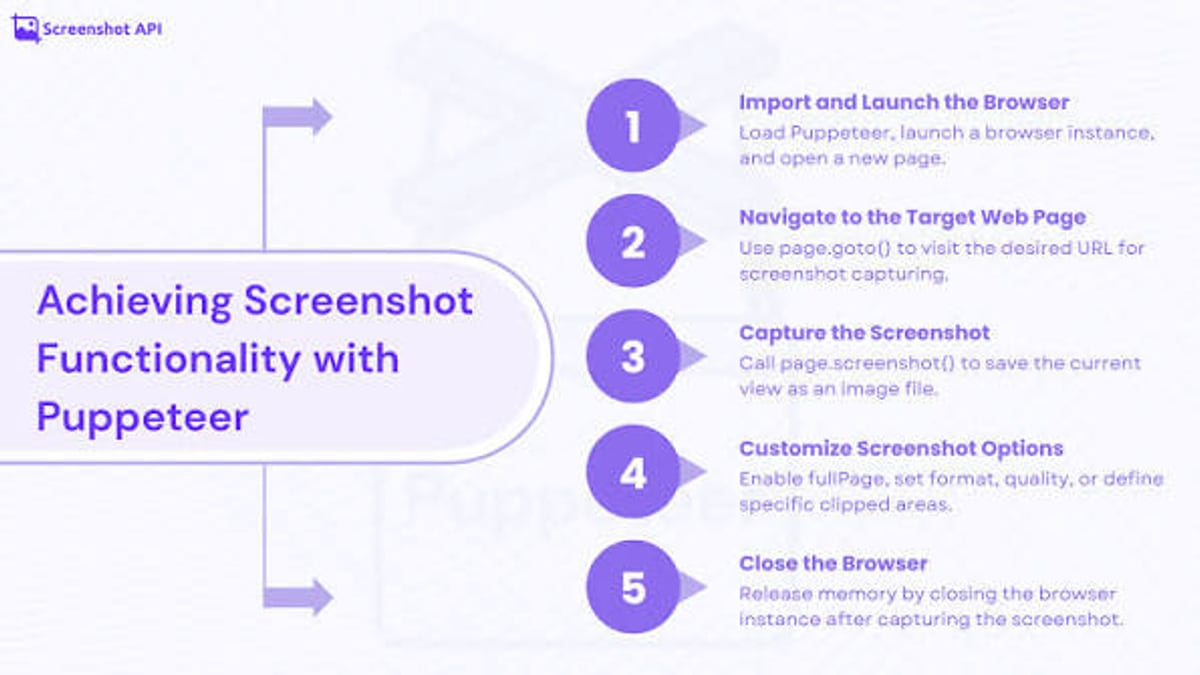
Setup takes minutes. Install the library:
npm install puppeteer
A simple headless script to take a screenshot looks like this:
const puppeteer = require('puppeteer');

(async () => {
  const browser = await puppeteer.launch();
  const page = await browser.newPage();
  await page.goto('https://example.com');
  await page.screenshot({ path: 'example.png' });
  await browser.close();
})();
By default, Puppeteer runs in headless mode. You can switch to headed mode by passing { headless: false } in launch() for debugging. The API is well‑documented at pptr.dev, and the npm package stays updated with Chrome releases.
Strengths of Puppeteer
Puppeteer Review: Headless Browser Automation for Devs & Testers - supporting product research image 4.
- Native Chromium Communication: Because Puppeteer speaks CDP, it unlocks features that are otherwise unavailable through WebDriver alone—think coverage data, CDP events, or advanced debugging.
- Single‑Binary Simplicity: You never fight browser‑driver mismatches; the right Chromium is bundled.
- Mature & Well‑Documented: Years of community use mean abundant tutorials, Stack Overflow answers, and a stable API.
- Active Development: Google continues to release updates, and the adoption of WebDriver BiDi signals long‑term commitment to cross‑browser standards.
- Perfect for Specific Tasks: For jobs that demand deep Chrome integration (performance metrics, Chrome DevTools MCP server), Puppeteer is the natural choice.
Limitations and Caveats
- Delayed Cross‑Browser Support: While Firefox support exists now, it’s still less battle‑tested than Chrome. Playwright had first‑class cross‑browser coverage from day one.
- No Built‑In Parallelism: Puppeteer lacks a native grid or sharding mechanism. Running many browser instances concurrently demands extra orchestration (e.g., Puppeteer Cluster).
- Fragile Selectors Without Auto‑Waiting: Unlike Playwright, Puppeteer doesn’t automatically wait for elements to become actionable. You must manually add
waitForSelector, which can lead to flaky tests if not handled carefully. - Heavier Resource Footprint: Bundling Chromium makes installation larger (~350 MB). In containerized environments, this can bloat images.
- Limited to Modern Browsers: No Internet Explorer or legacy Safari support; Selenium covers those niche cases better.
Puppeteer vs. Playwright vs. Selenium: A Quick Decision Matrix
| Criterion | Puppeteer | Playwright | Selenium |
|---|---|---|---|
| Browser Support | Chrome, Firefox (via CDP/BiDi) | Chrome, Firefox, Safari (WebKit), Edge | Chrome, Firefox, Safari, IE, Edge, Opera |
| Auto‑Waiting | Manual (use explicit waits) | Automatic actionability checks | Manual |
| Speed | Fast, CDP latency is low | Similar to Puppeteer; often faster for multi‑browser scenarios | Slower due to WebDriver JSON Wire Protocol |
| Setup Complexity | npm install + bundled Chromium | npm install + browser binaries (or channels) | Language bindings + driver management |
| Community & Ecosystem | Large, focused on Chromium | Rapidly growing, excellent docs | Huge, supports many languages |
| Unique Strengths | Deep CDP access, MCP server | Reliable multi‑browser, API testing, trace viewer | Extensive language bindings, legacy browser support |
For testing modern web applications across multiple browsers, Playwright often delivers a smoother developer experience. If you need to support legacy IE or tie into existing Java/C# Selenium grids, Selenium remains relevant. Puppeteer shines when your use case revolves around Chromium’s full capabilities, including tasks like Chrome extension testing or leveraging CDP for performance traces. Our ranking of the top 10 end‑to‑end testing frameworks compares these and other tools in detail.
Real‑World Adoption and Pricing Signals
Puppeteer is free and open‑source under the Apache 2.0 license. There are no enterprise pricing tiers; hosting cost is just the infrastructure you run it on. This makes it attractive for startups, side projects, and large‑scale scraping operations alike. At AdsPower, we often recommend Puppeteer to teams that already work within the Google Cloud ecosystem or need a quick, dependable way to turn Chrome automation into a microservice. The absence of licensing fees also simplifies vendor approval processes in larger organizations.
Related reading
- How to Use AdsPower with Whoer.net for Leak-Free Multi-Accounting - Step-by-step guide to combining AdsPower fingerprint browser with Whoer.net to detect WebRTC, DNS, and IP leaks, verify browser fingerprints, and secure your multi-account management.
- AdsPower vs Multilogin vs BitBrowser: 2026 In-Depth Comparison - Which anti-detect browser is right for multi-account management? We compare AdsPower, Multilogin, and BitBrowser on pricing, fingerprints, mobile support, automation, and security.
Sources and further reading
- Puppeteer (PS3) Review - A Strange Premise, A Great Game. - We didn't know what to expect when this game arrived, but are we ever glad we took the time to play it.
- Puppeteer Review - Studio Japan's new game Puppeteer is outrageously whimsical and drowning in charm. And that means you should probably play it.
- Thoughts on Puppeteer? : r/PS3 - Superb I actually purchased an Australian version to keep the costs down. As you might have noticed it’s not cheap. It’s one of the best platform games on the PS3.
Frequently Asked Questions
Is Puppeteer still maintained?
Yes. Puppeteer sees regular updates that keep it aligned with Chrome releases. The project remains under active Google stewardship and the community contributes patches and plugins.
Can I use Puppeteer with Firefox?
Absolutely. Starting with version 23, Puppeteer supports Firefox stable via the WebDriver BiDi protocol. You need to install a separate Firefox binary and specify it in the launch options.
What’s the main difference between Puppeteer and Playwright?
While both automate browsers, Puppeteer was originally Chromium‑only and relies on the DevTools Protocol. Playwright was created by the same team but built from the ground up for cross‑browser support with auto‑waiting, network interception that works across all browsers, and a more developer‑friendly API for tests. Choose Puppeteer when you need deep CDP features or prefer Google’s tooling; choose Playwright when you need robust multi‑browser testing with less flakiness.
Does Puppeteer work in serverless environments?
Yes, but the bundled Chromium is large (~350 MB). Slimmer versions (puppeteer‑core) let you bring your own browser binary, which works well on platforms like AWS Lambda if you include a compatible Chromium layer.
Can Puppeteer bypass anti‑bot detection?
Alone, Puppeteer is detectable because it leaves automation traces. But many developers combine it with anti‑detect browsers, proxy rotation, and stealth plugins to mimic human behavior. Our guide on how to use AdsPower with Scrapingpass demonstrates one such approach for leak‑free multi‑accounting and scraping.
Conclusion
Puppeteer remains a reliable workhorse for browser automation that gives you unrestricted control over a real Chromium engine. Its simplicity, deep DevTools integration, and zero‑cost licensing make it a go‑to for scraping, PDF generation, and Chrome‑specific testing. The introduction of Firefox support and the MCP server show that the project continues to evolve. However, if your primary goal is cross‑browser end‑to‑end testing, the built‑in auto‑waiting and broader browser coverage of Playwright may save you hours of debugging. Ultimately, Puppeteer is not obsolete—it’s specialized. When you need to talk to Chrome at the protocol level, nothing else does it quite like Puppeteer.