
How to Use AdsPower with Whoer.net for Leak-Free Multi-Accounting
Take a Quick Look
Step-by-step guide to combining AdsPower fingerprint browser with Whoer.net to detect WebRTC, DNS, and IP leaks, verify browser fingerprints, and secure your multi-account management.
🔥 Limited-Time Offer! Save extra 10% off on your first monthly plan with code: Anitdetect10
Sign upHow to Use AdsPower Fingerprint Browser with Whoer.net for Leak-Free Multi-Accounting
Managing multiple accounts on platforms like Amazon, Facebook, or TikTok used to mean juggling separate devices and praying nothing linked them. AdsPower’s fingerprint browser solves that by giving you isolated digital environments with unique identities. But how do you know your setup is truly bulletproof? That’s where Whoer.net comes in—a privacy toolkit that acts as a litmus test for your anonymity. This guide walks you through combining AdsPower and Whoer.net to verify fingerprints, spot proxy leaks, and lock down every account environment before you even log in.
What Are AdsPower and Whoer.net?

How to Use AdsPower with Whoer.net for Leak-Free Multi-Accounting product interface and feature overview.
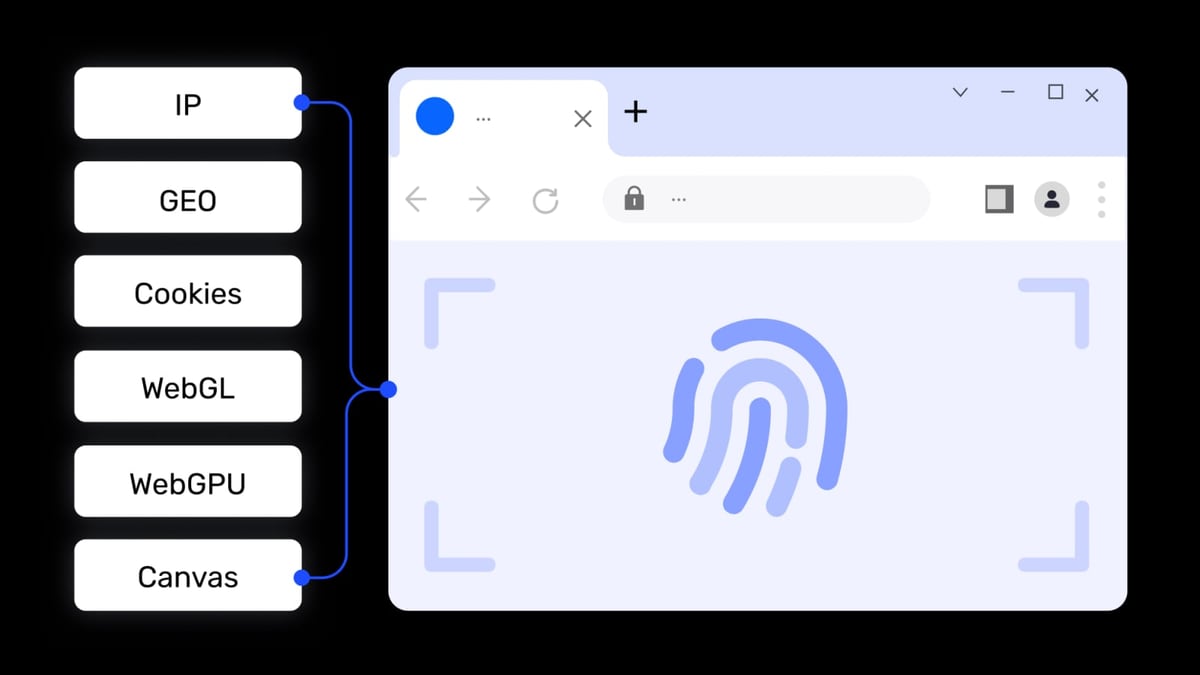
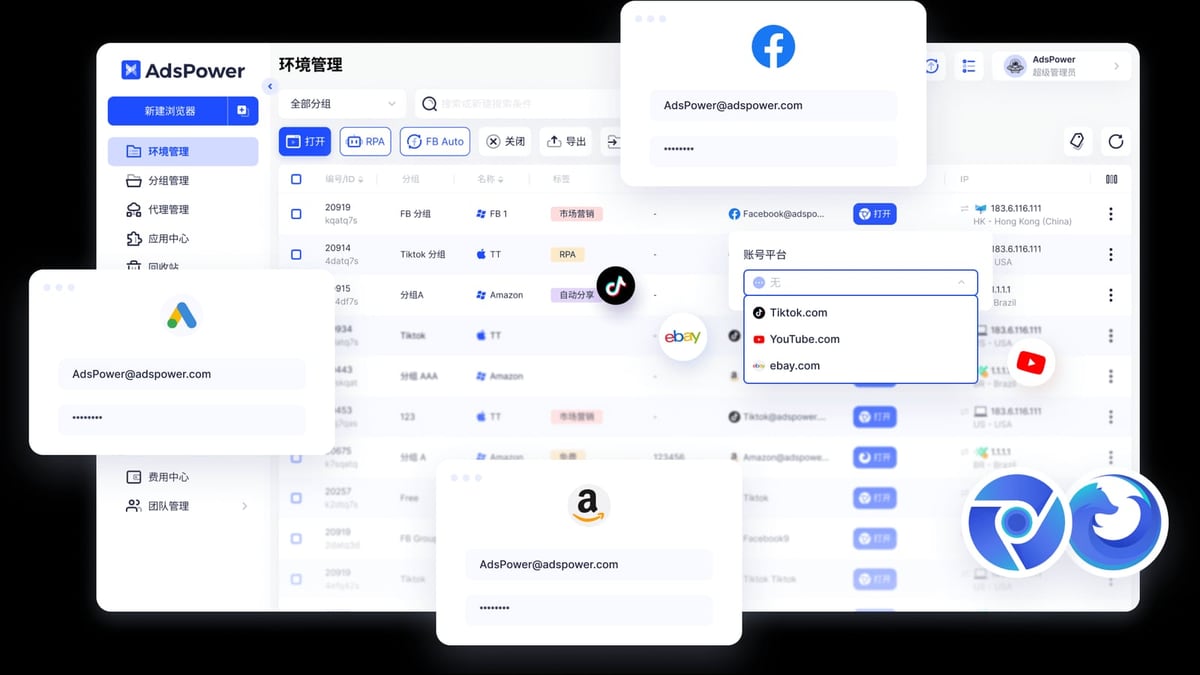
AdsPower is a professional anti-detect browser built for cross-border e-commerce sellers, affiliate marketers, and social media managers. It creates isolated browser profiles where each one gets a distinct fingerprint—things like Canvas, WebGL, AudioContext, and WebRTC—paired with its own proxy. The result? Each profile looks like a completely separate device to any website. With dual Chromium and Firefox kernels, RPA automation, team collaboration, and support for all major proxy types, AdsPower turns a single laptop into a full-scale multi-account command center. (For a head-to-head comparison of leading anti-detect browsers, you might find our AdsPower vs Multilogin vs BitBrowser analysis helpful.)
Whoer.net complements AdsPower by offering a free online privacy check. Visit the site, and it instantly shows your IP address, location, ISP, and a detailed privacy score. More importantly, it detects leaks: WebRTC exposing your real IP, DNS mismatches, browser fingerprint inconsistencies, and timezone or language mismatches. Beyond the checker, Whoer.net provides a VPN (WhoVPN), residential proxies, and its own anti-detect browser WADE X, but for this workflow, we focus on using it as a verification tool.
Why Combine AdsPower and Whoer.net?

How to Use AdsPower with Whoer.net for Leak-Free Multi-Accounting product interface and feature overview.
Even a small misconfiguration can blow your cover. A proxy that doesn’t route correctly, a WebRTC setting that leaks your home IP, or a fingerprint that doesn’t match your chosen location—any of these can trigger account bans or association flags. By running every AdsPower environment through Whoer.net’s checks, you gain a reliable second opinion. The combination solves three common problems:
- IP and proxy validation: Confirm that the proxy applied inside an AdsPower environment is working and that the IP location matches your intended geo.
- Fingerprint consistency: See if your spoofed fingerprint (OS, screen resolution, fonts, etc.) aligns with the IP’s location and doesn’t raise red flags.
- Leak detection: Catch WebRTC, DNS, or browser-storage leaks before they link accounts.
In short, AdsPower builds the fortress, and Whoer.net tests the walls.
Step-by-Step: Testing Your AdsPower Environment with Whoer.net
How to Use AdsPower with Whoer.net for Leak-Free Multi-Accounting product interface and feature overview.
Prerequisites
- An AdsPower account (even the free tier with two environments works).
- A paid proxy (residential or static ISP proxy recommended for account farming).
- Access to whoer.net.
Step 1: Create or Open a Browser Environment in AdsPower
Inside the AdsPower client, go to Environment Management and click New Browser. Give the profile a name (e.g., "US Facebook Account 1"). Under Proxy Settings, add your proxy details—protocol (HTTP/HTTPS/SOCKS5), host, port, username, and password. Save and open the environment. AdsPower will launch an isolated browser window with its own fingerprint and IP.
Step 2: Visit Whoer.net and Run the Test
In the newly launched browser, navigate to whoer.net. The page will display your public IP, approximate location, and a privacy score. Scroll down to the detailed sections: IP, WebRTC, DNS, Browser. Note any yellow or red warnings.
Step 3: Interpret the Results
A perfect setup should show:
- IP: Matches your proxy’s location exactly. If the IP shows your real home country, the proxy isn’t working. Check your proxy credentials and local network—AdsPower normally needs a stable VPN or a working proxy within the profile.
- WebRTC: Should say “Off” or show the proxy IP, not your local machine’s IP. If it leaks, go back to AdsPower’s fingerprint settings and ensure WebRTC is set to “Replace,” “Block,” or your proxy IP.
- DNS: Must not reveal your ISP’s DNS servers. If it does, you may need DNS leak protection or a more reliable proxy.
- Browser Fingerprint: Whoer.net displays a hash. Change the AdsPower profile’s fingerprint parameters (Canvas, WebGL, User Agent, etc.) and re-test; the hash should change. Consistency with the IP location (timezone, language) is what matters.
- Timezone and Language: Should automatically match the IP’s location. If not, override them in AdsPower’s advanced fingerprint settings.
Step 4: Adjust AdsPower Fingerprint Settings Based on Feedback
If the Whoer.net score is below 90%, tweak the following inside AdsPower’s environment configuration:
- WebRTC: Set to “Proxy” or “Disabled”—never “Real”.
- Geolocation: Enable “Mask based on IP”.
- Timezone & Language: Sync with the proxy’s country.
- Canvas/WebGL/Audio: Use “Noise” mode to randomize the fingerprint without breaking browser behavior.
- User Agent: Ensure it’s realistic for the OS and browser version you’re mimicking.
After making changes, close the environment and reopen it. Then visit Whoer.net again to confirm the score improves. For a deeper dive into proxy troubleshooting, AdsPower’s own proxy verification guide offers additional steps using browser extensions if needed.
Step 5: Re-Test Until You’re Satisfied
Repeat the process until you get a near-perfect score (75% is often enough for most platforms, but aim for 100% if you deal with strict sites like PayPal or banking). Once stable, use the environment to log into your target platform with confidence.
Practical Scenarios
How to Use AdsPower with Whoer.net for Leak-Free Multi-Accounting product interface and feature overview.
E-Commerce Sellers Managing Multiple Storefronts
A seller runs three Amazon US seller accounts. They create three AdsPower profiles, each with a different US residential proxy. Before logging in, they test each with Whoer.net to make sure the IP location is "United States," the timezone is correct, and no WebRTC leaks expose their real IP. Even one misconfigured environment could link all accounts, causing an instant suspension. After verification, they log in, manage inventory, and run ads without fear.
Social Media Managers Juggling Client Pages
An agency handles 20 Facebook ad accounts for clients. They use AdsPower’s team collaboration to share environments, but each manager must verify the environment’s anonymity before launching a campaign. They run Whoer.net to see if the fingerprint matches the proxy location; if the language header says "ru" while the IP is in Germany, they adjust UA settings. This simple habit prevents account blocks that could kill a month’s campaign in seconds.
Web Scrapers and Ad Verification
A data scraper uses AdsPower with rotating residential proxies to collect pricing data from e-commerce sites. Before starting a batch, they open a test environment, visit Whoer.net to confirm the IP rotates correctly and that browser fingerprint randomization works. If any leak is detected, they adjust the scraper’s AdsPower automation script via the Local API. For more on combining anti-detect browsers with proxy services, check our guide on how to use AdsPower with Scrapingpass.
Related reading
- Playwright Review 2026: Features, Strengths & Limitations - Evidence-based Playwright review covering speed, cross-browser testing, auto-waiting, AI integration, limitations, and decision criteria for QA teams.
- Top 10 E-Commerce Platforms 2026: Tested & Ranked - Compare the 10 best e-commerce platforms for 2026 with hands-on testing, pricing, and real case studies. Find the perfect fit for your online store.
FAQ: AdsPower and Whoer.net Troubleshooting
Q: Whoer.net shows my real country even though I set a proxy in AdsPower. Why? A: This usually means the proxy isn’t routing correctly. Ensure your local network has a stable connection to the proxy server—AdsPower doesn’t replace your VPN; you often need a system‑wide VPN or a proxy that works without it. Also verify proxy credentials and try using SOCKS5 instead of HTTP for better compatibility.
Q: My WebRTC still leaks after I changed the setting in AdsPower. A: Some fingerprint configurations require a complete environment restart. After changing WebRTC to “Disabled” or “Replace,” close the browser and open it fresh. If the leak persists, disable WebRTC entirely in the profile’s advanced settings and test again.
Q: The fingerprint hash on Whoer.net is flagged as suspicious. What does that mean? A: A unique fingerprint hash isn’t inherently bad; inconsistencies with the IP (e.g., Windows timezone in Moscow while the IP is in New York) are suspicious. Use “Noise” mode for Canvas and WebGL, and manually set timezone and language to match the proxy country.
Q: Can I use Whoer.net’s VPN or browser instead of AdsPower? A: Whoer.net’s tools are privacy-focused but not full-fledged multi-account management solutions. If you need to manage dozens of platform accounts with separate digital identities, AdsPower remains the better choice. Whoer.net’s checker is a sanity check, not a replacement. For a free alternative, our BitBrowser review explores other options.
Q: How often should I re-test an AdsPower environment with Whoer.net? A: Every time you change the proxy or fingerprint settings. Also run a quick check before critical actions, like submitting an appeal or running high-budget ads. Many experienced users make it a ritual before each login.
Conclusion
AdsPower gives you the tools to create hundreds of isolated browser identities, but true safety comes from verifying that those identities hold up to scrutiny. Pairing AdsPower with Whoer.net’s free leak tests turns a good setup into a bulletproof one. By methodically checking IP location, WebRTC, DNS, and fingerprint consistency, you eliminate the guesswork and drastically reduce the risk of account bans. Whether you’re managing e-commerce stores, scaling social media, or scraping data, this simple workflow will save you hours of recovery and money. For additional insights into anti‑detect browsers and automation, explore AdsPower’ growing library of tested comparisons and tutorials.