
MuLogin Anti-Detect Browser Review 2026: Multi-Account Safety
Take a Quick Look
Evidence-based MuLogin review: fingerprint isolation, Windows-only limits, pricing signals, setup, and ideal users for safe multi-account management.
MuLogin Anti-Detect Browser Review: The Safest Way to Run Multiple Business Accounts?
Managing multiple e-commerce, social media, or affiliate accounts from one computer often triggers platform flags. MuLogin Anti-detect Browser promises to solve this by giving each account an isolated browser environment. But does it deliver? This review examines MuLogin's fingerprinting depth, platform support, pricing signals, and real-world limitations so you can decide if it fits your workflow.
What MuLogin Does and Who It's For
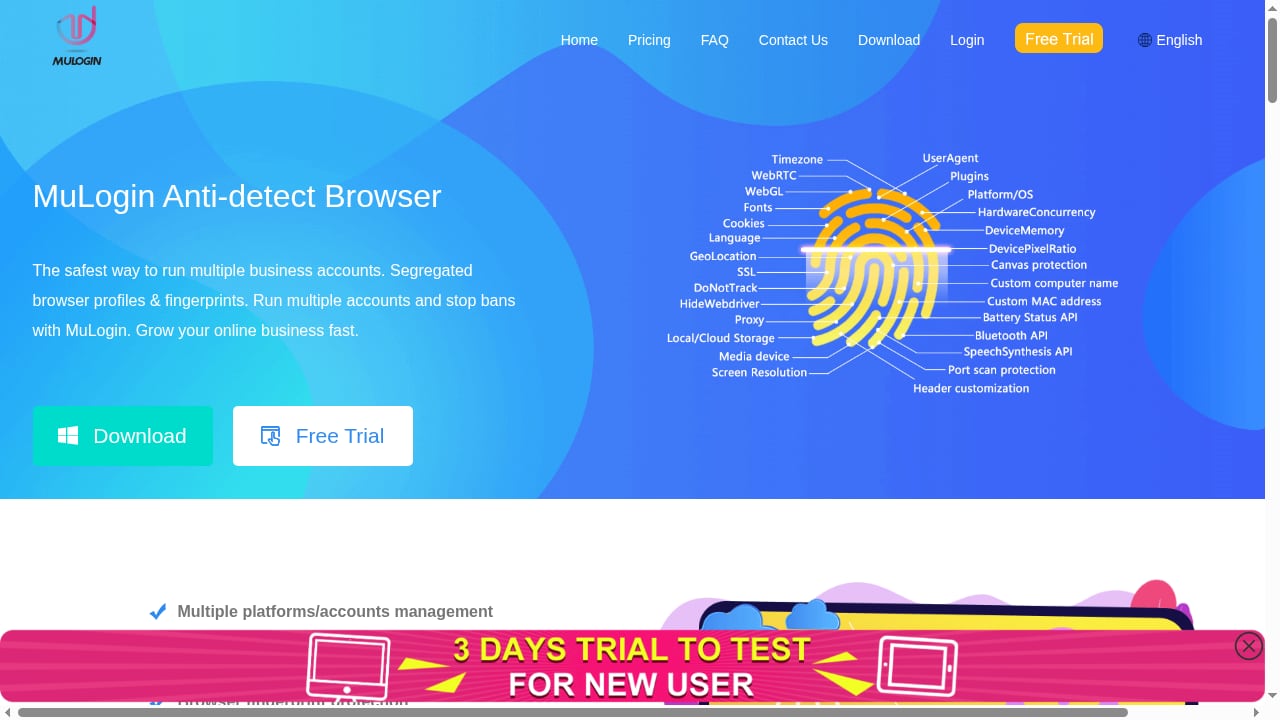
First viewport screenshot of MuLogin Anti-detect Browser | The safest way to run multiple business accounts without detection. Grow your online business fast..
MuLogin creates separate browser profiles, each with its own cookies, cache, and spoofed fingerprint (user agent, screen resolution, time zone, WebGL, etc.). The goal is to prevent platforms from linking accounts that share the same device. It's aimed at:
- E-commerce sellers running multiple storefronts on Amazon, eBay, or Shopify.
- Social media marketers managing client accounts on Facebook, Instagram, or TikTok.
- Affiliate marketers operating several campaign accounts without cross-contamination.
- Team leads who need to share profiles securely among staff.
If you only manage one or two accounts, MuLogin is overkill. But for agencies or sellers with 10+ accounts, isolation becomes essential.
Key Features and Strengths
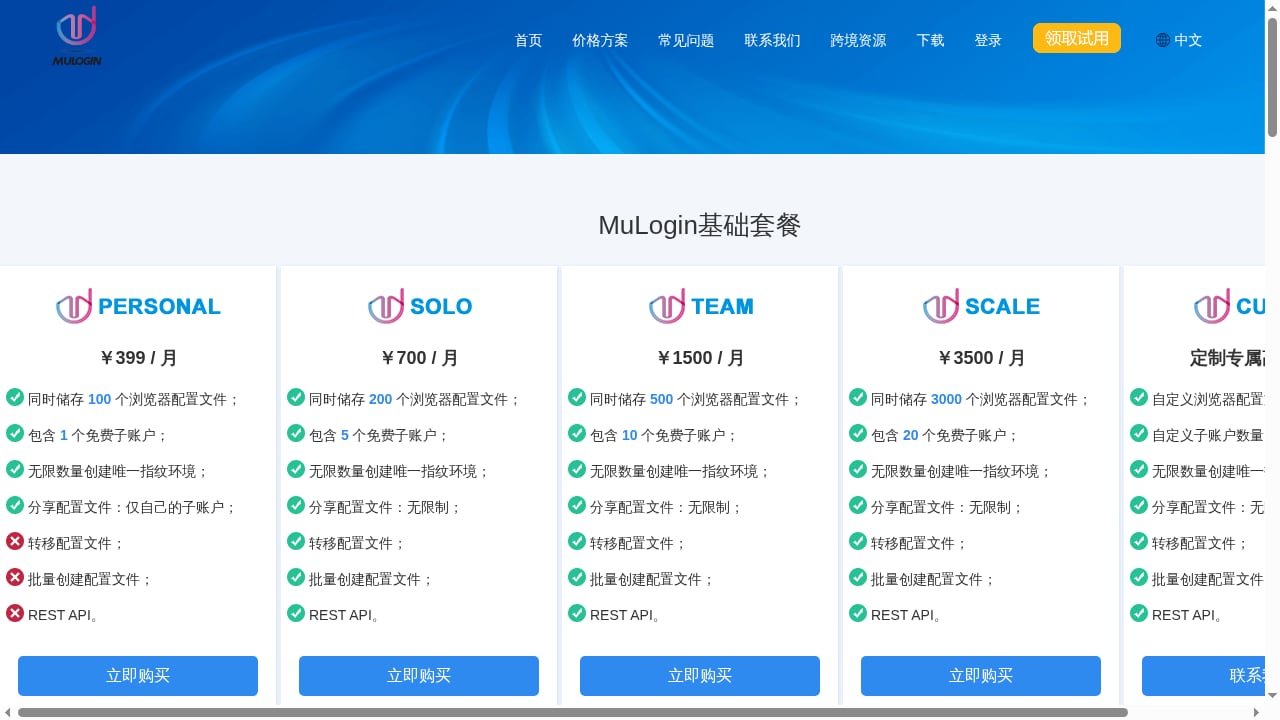
First viewport screenshot of Pricing Plans | MuLogin multi-account virtual multi-login fingerprint cross-border e-commerce Amazon super browser.
Fingerprint Customization Depth
MuLogin offers extensive fingerprint controls: OS, browser version, hardware concurrency, fonts, WebGL, and more. According to a Gologin comparison, MuLogin's fingerprinting options are more advanced than some competitors, though also more complex to configure. You can choose between Chromium-based (Mimic) and Firefox-based (Stealthfox) engines per profile—a rare feature that helps diversify engine-level signals.
Proxy Support
MuLogin supports HTTP(S) and SOCKS5 proxies, allowing you to assign a unique IP to each profile. However, it lacks a built-in proxy tester, so you'll need to verify proxies externally. For a deeper look at proxy and fingerprint strategy, see our guide to anti-detect browsers and multi-accounting software.
Team Collaboration
Profiles can be shared across team members with sub-accounts, and MuLogin now offers real-time cloud sync for shared profiles. This reduces the risk of credential sharing and improves efficiency for agencies.
Automation and API
MuLogin provides a Local REST API with Selenium and Puppeteer compatibility for its Mimic engine, enabling scripted profile control. This is useful for scraping or automated posting, though it requires technical setup.
Limitations and Risks
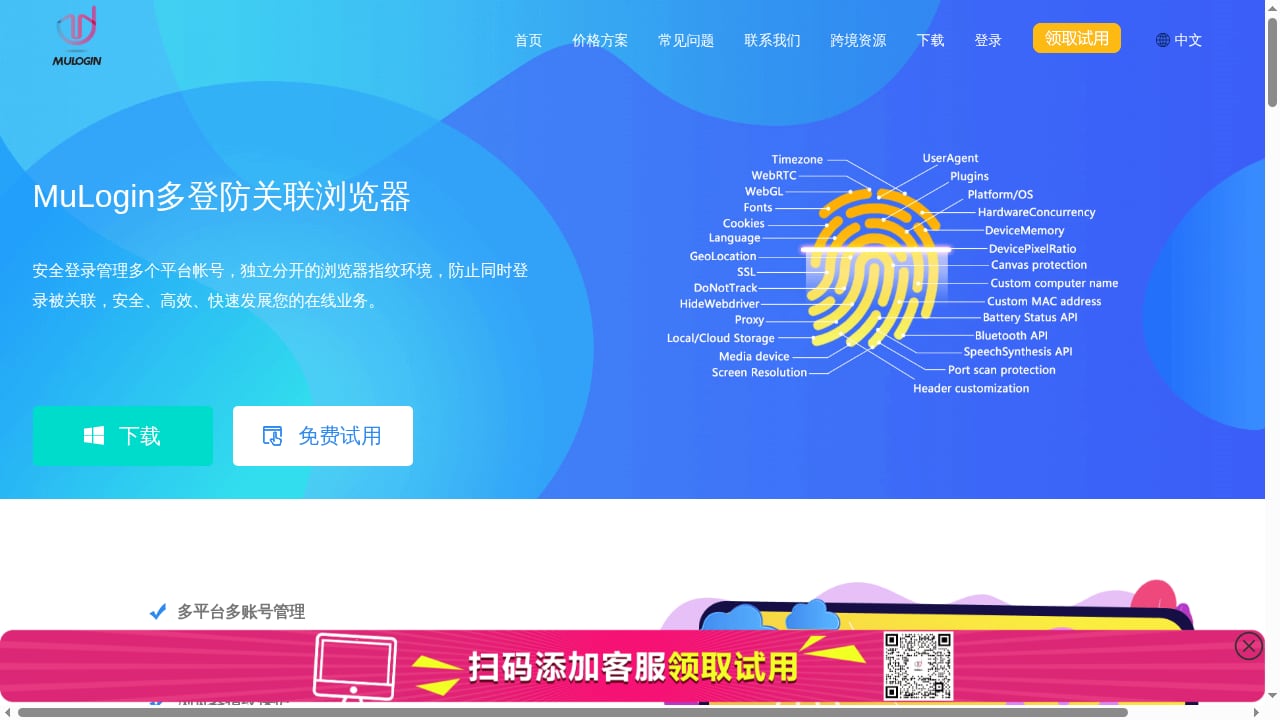
First viewport screenshot of MuLogin Anti-detect Browser | MuLogin multi-account virtual multi-login fingerprint cross-border e-commerce Amazon super browser.
Windows-Only
MuLogin runs only on Windows. Mac, Linux, and mobile users are out of luck. If your team uses mixed devices, this is a dealbreaker.
No 2FA or Tor Support
As of the latest review, MuLogin lacks two-factor authentication and Tor integration—features some competitors offer. This weakens security for high-value accounts.
Local Storage by Default
Profile data is stored locally, which means losing a device could mean losing access. Cloud sync exists but is limited to shared profiles.
Setup Complexity
The interface is powerful but overwhelming for beginners. Creating a profile involves many manual steps, and the trial activation can take up to 24 hours via Telegram or Skype support.
Detection Risk Remains
No anti-detect browser guarantees 100% safety. Platforms like Facebook and Amazon analyze behavior patterns, IP reputation, and fingerprint consistency. As Designrush's compliance guide notes, tools alone cannot prevent flags—you need disciplined behavior and documentation.
Pricing Signals
MuLogin uses a subscription model with tiers based on profile count. While exact prices vary, expect to pay monthly for each profile slot. A 3-day trial is available but requires manual activation. Compared to competitors like AdsPower or GoLogin, MuLogin sits in the mid-range. For a broader pricing comparison, see our AdsPower vs Undetectable.io breakdown.
How MuLogin Compares to Alternatives
| Feature | MuLogin | GoLogin | AdsPower |
|---|---|---|---|
| Platform support | Windows only | Windows, macOS, Linux, Android | Windows, macOS |
| Fingerprint depth | High (manual) | High (automated) | High |
| Engine choice | Chromium + Firefox | Chromium only | Chromium only |
| 2FA | No | Yes | Yes |
| Proxy tester | No | Yes | Yes |
| Trial | 3 days (manual) | 7 days (instant) | Free plan |
MuLogin's edge is its dual-engine fingerprinting and deep manual controls. Its weaknesses are platform lock-in and missing security features.
Setup Walkthrough
- Download and install MuLogin on a Windows machine.
- Activate trial or subscription via support channels (Telegram/Skype).
- Create a profile: click "Add Browser" or "Quick Create".
- Configure fingerprint: choose OS, browser engine (Mimic or Stealthfox), screen resolution, time zone, and language.
- Assign a proxy: enter HTTP(S) or SOCKS5 details. Test the proxy externally first.
- Launch profile and log into your account. Repeat for each account.
For teams, set up sub-accounts and share profiles with role-based permissions.
Who Should Choose MuLogin?
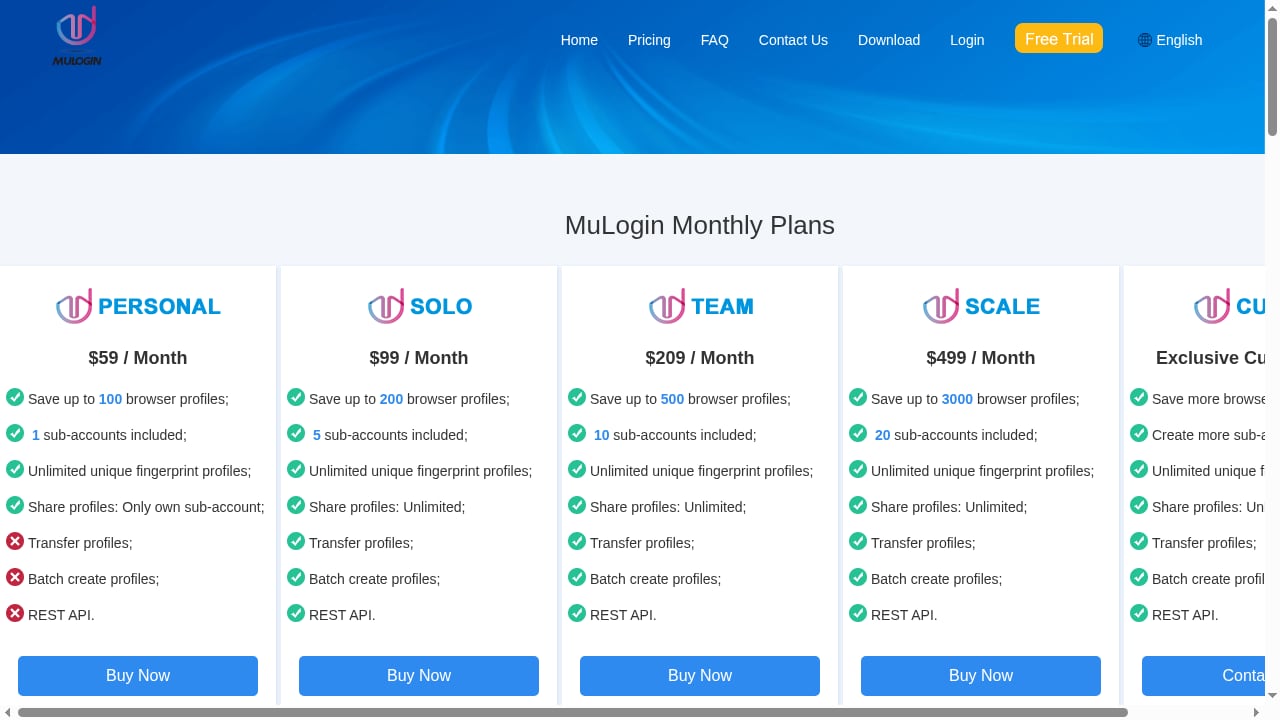
First viewport screenshot of pricing plan | The safest way to run multiple business accounts without detection. Grow your online business fast..
MuLogin is a good fit if:
- You run a Windows-only team and need deep fingerprint control.
- You value engine diversity (Chromium + Firefox) for high-risk accounts.
- You have technical staff who can handle manual setup and proxy management.
Look elsewhere if:
- You need Mac, Linux, or mobile support.
- You require 2FA or Tor for security.
- You prefer a simpler, more automated setup.
Related reading
- Anti Captcha Explained: How CAPTCHA Solving APIs Work - Learn what Anti Captcha is, how CAPTCHA solving APIs work, pricing, supported challenge types, and how to integrate them safely into automation workflows.
- How to Use AdsPower with Hootsuite for Multi-Account Social Media - Pair AdsPower anti-detect profiles with Hootsuite to schedule, publish, and analyze multiple social accounts safely from one device.
- AdsPower vs Whoer.net vs Kameleo: Anti-Detect Browser Guide - Compare AdsPower, Whoer.net, and Kameleo for multi-accounting and web scraping. Learn which anti-detect browser fits your workflow, budget, and scale.
Sources and further reading
- Best Verisoul Device Fingerprinting Alternatives & Competitors - Compare the best Verisoul Device Fingerprinting alternatives in 2026. Explore user reviews, ratings, and pricing of alternatives and competitors to Verisoul Device Fingerprinting.
FAQ
Is MuLogin safe to use? MuLogin is a legitimate tool for managing multiple accounts, but safety depends on how you use it. Follow platform terms of service and avoid prohibited behavior like fake engagement.
Does MuLogin work on Mac? No, MuLogin is Windows-only.
Can I try MuLogin for free? Yes, there's a 3-day trial, but activation may take up to 24 hours via support.
How many profiles can I create? Profile limits depend on your subscription tier. Check MuLogin's pricing page for current plans.
Does MuLogin offer automation? Yes, via Local REST API with Selenium and Puppeteer for the Mimic engine.
Conclusion
MuLogin Anti-detect Browser is a capable tool for Windows-based teams that need granular fingerprint control and engine diversity. Its deep customization and dual-engine support are genuine strengths for high-stakes multi-accounting. However, the lack of cross-platform support, 2FA, and built-in proxy testing are significant drawbacks. If you're on Windows and willing to invest time in setup, MuLogin can be a reliable part of your stack. For most others, a more automated and cross-platform alternative may be a better fit. Always pair any anti-detect browser with compliant behavior and quality proxies—tools alone won't keep accounts safe.


