
AdsPower vs Whoer.net vs Kameleo: Anti-Detect Browser Guide
Take a Quick Look
Compare AdsPower, Whoer.net, and Kameleo for multi-accounting and web scraping. Learn which anti-detect browser fits your workflow, budget, and scale.
AdsPower vs Whoer.net vs Kameleo: Which Anti-Detect Browser Fits Your Workflow?
If you manage dozens of online accounts or scrape data at scale, you have probably compared AdsPower, Whoer.net, and Kameleo. Each tool approaches the problem differently: AdsPower is a dedicated anti-detect browser built for multi-accounting; Whoer.net is an online privacy and IP intelligence platform that also promotes its own anti-detect browser (WADE X) and VPN; Kameleo is an anti-detect browser focused on automation and realistic user behavior for scraping and multi-profile management. This article breaks down where each one shines, where it falls short, and how to choose based on your actual workflow.
What Each Tool Actually Does
AdsPower vs Whoer.net vs Kameleo: Anti-Detect Browser Guide - What Each Tool Actually Does.
AdsPower: A Dedicated Anti-Detect Browser for Multi-Accounting
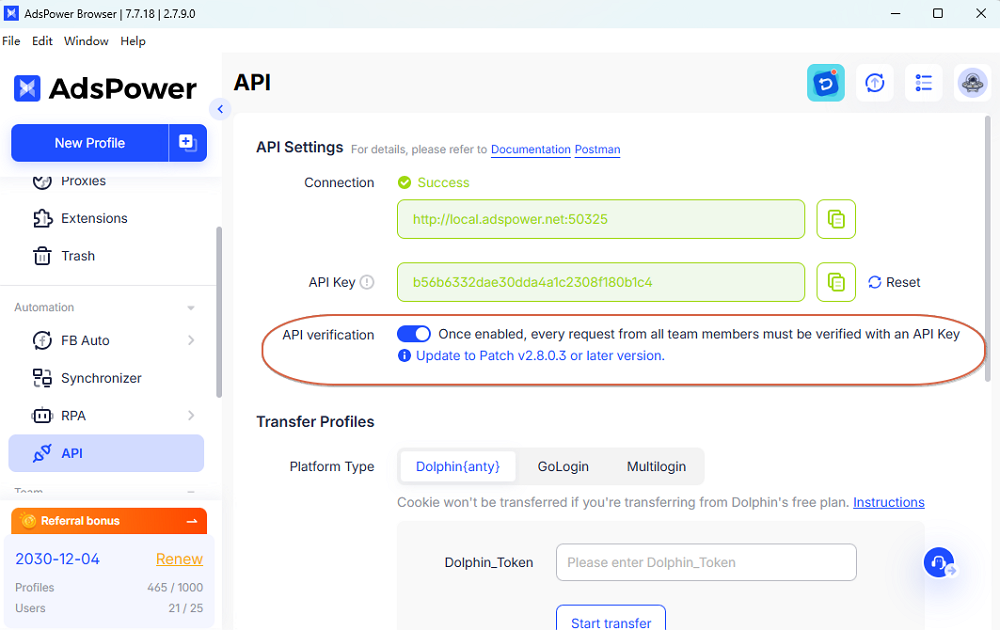
AdsPower is designed from the ground up for managing hundreds of isolated browser profiles on a single device. Each profile gets a unique fingerprint covering Canvas, WebGL, network parameters, and user agent. The platform offers two stealth browsers—SunBrowser and FlowerBrowser—and supports batch profile management, proxy configuration, encrypted profile data, cross-device sync, and automation tools. It is trusted by over 10 million users and holds SOC 2 Type II, ISO 27001, and ISO 27701 certifications. Pricing includes a Free plan, Professional, Business, and Enterprise tiers, plus a 7-day free trial. Teams get role-based access and scalable profile counts.
Whoer.net: Privacy Intelligence Plus an Anti-Detect Browser
Whoer.net is primarily an online privacy and IP intelligence platform. It provides a free suite of tools: IP lookup, DNS leak test, port scanner, whois, speed test, ping, and anonymity checks. You can check your IP address, location, ISP, ZIP code, and get a privacy score. The site also promotes WADE X, an anti-detect browser, WhoVPN, and residential proxies. Whoer.net serves individuals concerned about privacy, digital marketers, e-commerce professionals, and businesses that need to verify IP addresses or manage multiple accounts. Its blog offers extensive educational content on hiding IP addresses, VPN usage, browser fingerprinting, and anti-detect browsers. The core toolset is free; premium offerings include VPN and the anti-detect browser.
Kameleo: Anti-Detect Browser for Automation and Web Scraping
Kameleo positions itself as an anti-detect browser that behaves like a real user. It is built to boost automation, web scraping, and multi-profile management success. The tool focuses on realistic browser fingerprinting and smooth integration with automation frameworks. It offers a free tier with limited profiles and browser minutes, and paid plans for heavier usage. Kameleo is often chosen by developers and scraping teams who need reliable profile isolation without manual overhead.
Head-to-Head Comparison
AdsPower vs Whoer.net vs Kameleo: Anti-Detect Browser Guide - Head-to-Head Comparison.
Fingerprint Customization and Stealth
AdsPower provides deep fingerprint control across Canvas, WebGL, network, and user agent parameters, with two stealth browsers (SunBrowser and FlowerBrowser) to match different operating systems and use cases. Its fingerprint technology is backed by independent testing and certifications, making it a strong choice for high-stakes multi-accounting.
Whoer.net's WADE X anti-detect browser is a newer entrant. While Whoer.net has deep expertise in IP intelligence and privacy checks, its browser is less established than AdsPower's. The platform's strength lies in its free diagnostic tools, which help you verify whether your fingerprint and proxy setup are leaking information.
Kameleo emphasizes realistic user behavior and automation-friendly fingerprinting. It is particularly good at mimicking real user interactions, which matters for scraping and automation. However, its fingerprint customization depth may not match AdsPower's granular controls for manual multi-accounting.
Multi-Accounting and Profile Management
AdsPower excels here. It supports batch profile creation, profile grouping, tagging, and sharing with team members. Cross-device sync and encrypted profile data keep accounts secure. Role-based access control makes it suitable for teams managing hundreds of profiles. The platform is used in e-commerce, affiliate marketing, social media marketing, crypto, and online betting.
Whoer.net does not offer a full multi-accounting dashboard in its free toolset. Its anti-detect browser (WADE X) is the multi-accounting component, but the platform's core identity remains an IP and privacy checker. If you need to manage many accounts, you would rely on WADE X, which has a smaller feature set and user base compared to AdsPower.
Kameleo supports multi-profile management, but its primary focus is automation and scraping. It allows you to create and manage profiles, but the interface and features are geared toward developers who script their workflows rather than marketers who need a visual dashboard.
Automation and Web Scraping
Kameleo is built with automation in mind. It integrates with popular automation frameworks and is designed to behave like a real user, reducing the chance of detection during scraping. If your primary goal is scraping at scale with minimal manual intervention, Kameleo is a strong contender.
AdsPower also offers automation tools, including API access and integrations with Selenium, Puppeteer, and Playwright. Its automation capabilities are robust, but the platform is more often used for multi-accounting than pure scraping. That said, many scraping teams use AdsPower because of its fingerprint depth and proxy management.
Whoer.net is not an automation platform. Its tools are diagnostic and informational. While you can use Whoer.net to check your scraping setup, it does not provide automation features itself. For scraping, you would need a separate automation tool or a browser like Kameleo or AdsPower.
Proxy Management and IP Intelligence
Whoer.net shines in IP intelligence. Its free tools let you check your IP address, location, ISP, DNS leaks, and anonymity score. It also offers residential proxies and a VPN. This makes Whoer.net an excellent companion tool for any anti-detect browser setup. You can use it to verify that your proxy is clean and your fingerprint is consistent.
AdsPower includes proxy configuration and management within its browser. You can assign proxies to profiles, test them, and manage them in bulk. It does not, however, provide its own proxy network; you bring your own proxies.
Kameleo also supports proxy integration, allowing you to assign proxies per profile. Like AdsPower, it does not supply proxies, so you need a separate provider.
Pricing and Free Tiers
AdsPower offers a Free plan (limited profiles), Professional, Business, and Enterprise tiers, with a 7-day free trial. Paid plans start at around $9 per month, with discounts for annual billing. The free plan is suitable for testing but limited in profile count.
Whoer.net's core tools are free. Its anti-detect browser (WADE X) and VPN are premium offerings. Pricing for WADE X is not as transparent as AdsPower's; you may need to contact the vendor or check the site for current plans.
Kameleo offers a free tier with 2 browsers, 100 profiles, and 300 minutes, according to third-party reviews. Paid plans start at approximately €59 per month (around $64). This makes Kameleo more expensive than AdsPower for comparable profile counts, but its automation focus may justify the cost for scraping teams.
Team Collaboration and Security
AdsPower provides role-based access, profile sharing, and encrypted data storage. Its SOC 2 Type II, ISO 27001, and ISO 27701 certifications are a strong signal for businesses that need compliance. Team members can collaborate without exposing sensitive account data.
Whoer.net does not emphasize team collaboration. Its tools are mostly individual-focused, though businesses can use its IP intelligence for verification. WADE X may offer some sharing features, but details are limited.
Kameleo supports profile sharing and team features, but its collaboration tools are less developed than AdsPower's. It is more suited to individual developers or small teams.
When to Choose Each Tool
AdsPower vs Whoer.net vs Kameleo: Anti-Detect Browser Guide - When to Choose Each Tool.
Choose AdsPower If:
- You need to manage hundreds of online accounts across e-commerce, social media, or affiliate marketing.
- You want a mature, certified platform with strong fingerprint customization and team collaboration.
- You value a free tier and transparent pricing to start small and scale.
- You need batch operations, cross-device sync, and role-based access.
For a deeper comparison with another popular tool, see our AdsPower vs Kameleo comparison.
Choose Whoer.net If:
- Your primary need is IP intelligence, privacy checks, and anonymity verification.
- You want free tools to test your current setup before investing in a browser.
- You are interested in WADE X as a secondary anti-detect browser and want to pair it with Whoer.net's VPN and proxies.
- You need educational content on fingerprinting and privacy.
Choose Kameleo If:
- Your main focus is web scraping and automation.
- You need a browser that behaves like a real user to avoid detection during automated tasks.
- You are comfortable with a developer-oriented interface and higher price point.
- You want a free tier to test automation workflows before committing.
Practical Examples
AdsPower vs Whoer.net vs Kameleo: Anti-Detect Browser Guide - Practical Examples.
E-commerce seller managing 50 Amazon accounts: AdsPower is the clear fit. You can create 50 isolated profiles, assign residential proxies, and use batch tools to update listings or check orders. The team features let you delegate tasks without sharing passwords. See our guide on how to use AdsPower with Amazon Seller Central.
Data scientist scraping competitor prices: Kameleo's automation-friendly fingerprinting and realistic behavior make it a good choice. You can script profile creation and rotation, and use its API to integrate with your scraping pipeline. Pair it with a proxy service and verify with Whoer.net.
Privacy-conscious freelancer checking IP leaks: Whoer.net's free tools are perfect. Run the IP lookup, DNS leak test, and anonymity check to see what websites can see about you. If you need more, consider WADE X or a VPN.
Marketing agency managing 200 social media profiles: AdsPower's team collaboration, role-based access, and scalable pricing make it the most practical option. You can organize profiles by client, share with team members, and maintain fingerprint integrity.
Related reading
- AdsPower vs Undetectable.io: Mac & Windows Anti-Detect Browser - Compare AdsPower and Undetectable.io for Mac and Windows multi-accounting: fingerprint depth, profile limits, automation, pricing, and who each fits.
- RoxyBrowser Review 2026: Antidetect Browser for Multi-Accounting - Evidence-based RoxyBrowser review: fingerprint depth, proxy setup, free trial limits, pricing signals, and who should choose it for multi-accounting in 2026.
- Playwright Setup: Install, Configure, and Run Tests - Learn Playwright setup from scratch: install via npm, configure projects, run tests, add global setup, and fix common errors in CI.
Sources and further reading
- 10 Best Antidetect Browsers in 2026 (Tested + Free Picks) - Multilogin, GoLogin, and AdsPower lead our tested ranking of the best antidetect browsers in 2026, compared on pricing, free plans, and Android support.
- 11 Best Antidetect Browsers in 2026: How To Choose One - Here's a guide on how to choose from best antidetect browsers for your business. There's a bonus at the end: Our Biased Rating Chart!
- 12 Best Antidetect Browsers for Work and Web Scraping | Infatica - Looking for the best antidetect browsers for web scraping? Learn how to use these software tools to spoof your browser fingerprints, rotate your IPs, and access any website anonymously.
Frequently Asked Questions
Can I use Whoer.net as my main anti-detect browser?
Whoer.net is primarily an IP intelligence platform. Its anti-detect browser, WADE X, is a secondary offering. For heavy multi-accounting, a dedicated browser like AdsPower or Kameleo is more suitable. Whoer.net is best used alongside an anti-detect browser to verify your setup.
Is Kameleo better than AdsPower for web scraping?
Kameleo is designed with automation and scraping in mind, so it may be more convenient for developers. However, AdsPower also supports automation and offers deeper fingerprint customization. The better choice depends on whether you prioritize scripting ease (Kameleo) or multi-accounting depth (AdsPower).
Does AdsPower offer a free trial?
Yes, AdsPower offers a 7-day free trial and a Free plan with limited profiles. You can test the platform before committing to a paid tier.
How does Whoer.net compare to AdsPower for proxy management?
Whoer.net provides IP intelligence and sells proxies, but it does not manage proxies within an anti-detect browser. AdsPower lets you assign and manage proxies per profile. For a complete setup, you might use Whoer.net to check proxy quality and AdsPower to manage profiles.
Which tool is best for team collaboration?
AdsPower is the strongest for team collaboration, with role-based access, profile sharing, and compliance certifications. Kameleo offers some sharing, but it is less developed. Whoer.net is not focused on teams.
Conclusion
AdsPower, Whoer.net, and Kameleo serve different needs. AdsPower is the most complete anti-detect browser for multi-accounting, with robust fingerprinting, team features, and transparent pricing. Whoer.net is an excellent free toolkit for IP intelligence and privacy checks, and its WADE X browser is a bonus for light multi-accounting. Kameleo is a strong choice for automation and web scraping, especially for developers who need realistic behavior. Evaluate your primary use case—multi-accounting, scraping, or privacy verification—and choose the tool that aligns with your workflow. You can also explore our top 10 anti-detect browser and cloud phone platforms for more options.


