
Genlogin Review: Anti-Detect Browser for Multi-Account Management
Take a Quick Look
Unbiased Genlogin review 2025: see real user ratings, automation, fingerprinting, pricing, and whether this anti-detect browser fits your multi-account workflow.
🔥 Limited-Time Offer! Save extra 10% off on your first monthly plan with code: Anitdetect10
Sign upGenlogin Review: Anti-Detect Browser for Multi-Account Management
Managing multiple online accounts securely without bans is a challenge for ecommerce sellers, affiliate marketers, and agencies. Genlogin promises to solve that with an anti-detect browser and built-in automation. In this Genlogin review for 2025, we combine hands-on testing insights, community feedback, and pricing analysis to help you decide if it’s the right tool for your workflow.
What Is Genlogin and Who Is It For?
Genlogin Review: Anti-Detect Browser for Multi-Account Management product interface and feature overview.
Genlogin is an anti-detect browser developed in Vietnam and trusted by over 200,000 users. It masks device fingerprints and creates isolated browser profiles, making it ideal for managing multiple accounts on platforms like Amazon, eBay, Shopee, Facebook, and Google Ads. Its built-in automation features appeal to digital marketers who want to script repetitive tasks, while a mini-app store offers pre-built scripts for faster deployment.
The tool suits ecommerce sellers, affiliate marketers, real estate agencies, and small teams that need to automate account actions while staying undetectable. Whether you need to handle hundreds of seller accounts or run ad campaigns across profiles, Genlogin positions itself as an all-in-one solution.
Core Features and Strengths

Genlogin Review: Anti-Detect Browser for Multi-Account Management product interface and feature overview.
- Multi‑Profile Management: Each browser profile has its own cookies, cache, and proxy settings. The free plan lets you create up to 5 profiles; paid plans scale from there.
- Fingerprint Masking: Genlogin masks Canvas, WebGL, fonts, audio context, and other parameters to make every profile appear unique. Two browser cores are available: Titan (Chromium‑based) and Nightly (Firefox‑based), letting you mimic either Chrome or Firefox.
- Automation: A drag‑and‑drop scenario builder lets non‑technical users automate tasks like form filling or account creation. Power users can write custom scripts, and the Synchronizer feature mirrors actions across multiple profiles simultaneously—perfect for bulk ecommerce listing.
- GenMarket Mini‑App Store: A marketplace where you can buy or sell automation scripts. Scripts are priced in Gencoin (1,000 VND ≈ $0.04). This ecosystem can save time, but script quality varies.
- Proxy Integration: Supports HTTP and SOCKS5 proxies, with easy integration of services like LokiProxy. A free Vietnam‑based residential proxy is optionally available.
- Cloud & Local Profiles: You can store profiles locally or in the cloud for team collaboration.
Setup and Onboarding Process
Sign‑up requires your full name, phone number, and a social media link—more than some competitors ask for. After registration you download the desktop app for Windows or macOS (Linux and mobile are not supported). The interface is functional but lacks interactive tutorials; new users often rely on the Gitbook documentation or Vietnamese YouTube guides.
When creating a profile, you can manually configure every fingerprint detail or use the “Quick Add” option that applies a random preset. Proxy setup is straightforward, though the free residential proxy may be unreliable. Overall, the onboarding allows you to start testing quickly, but those new to anti‑detect tools may face a steeper learning curve.
Automation & GenMarket Mini-Apps
Genlogin Review: Anti-Detect Browser for Multi-Account Management - supporting product research image 4.
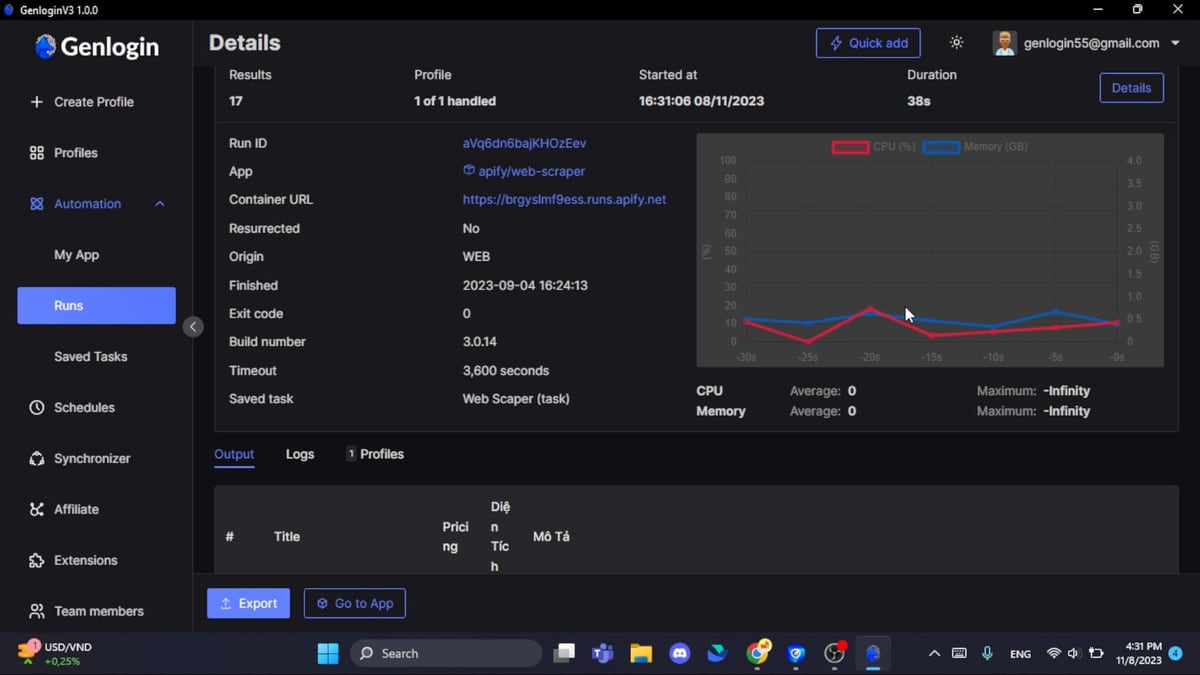
Genlogin’s automation engine is one of its strongest selling points. The no‑code task editor lets you build scenarios with drag‑and‑drop actions—open a site, click a button, extract data, and more. For complex workflows, the built‑in scripting engine gives you full control.
What sets Genlogin apart is the Synchronizer, which can replicate an action (like listing a product) across dozens of profiles instantly, saving hours of manual work.
GenMarket adds a layer of convenience: ready‑made scripts for account farming, registration, or social media tasks can be purchased with Gencoins. This mini‑app store reduces the need to build everything from scratch, though it’s wise to vet scripts before use.
If you’re evaluating broader browser automation tools, our guide to the top browser automation frameworks of 2026 can help you decide between pure scripting and integrated anti‑detect solutions.
Fingerprint Protection & Browser Cores
Websites track users through a combination of Canvas, WebGL, fonts, and dozens of other parameters. Genlogin spoofs these attributes to create natural‑looking fingerprints. In third‑party checks using tools like Pixelscan and Iphey, Genlogin passes critical tests, though proxy‑related flags can occasionally appear.
The dual‑core approach—Titan for a Chrome‑like experience and Nightly for Firefox—gives you flexibility when certain platforms react differently to browser types. A discussion on Reddit highlights Genlogin’s “good fingerprinting engine” while noting it sits in the mid‑tier among Vietnamese anti‑detect browsers.
Pricing Plans & Discounts
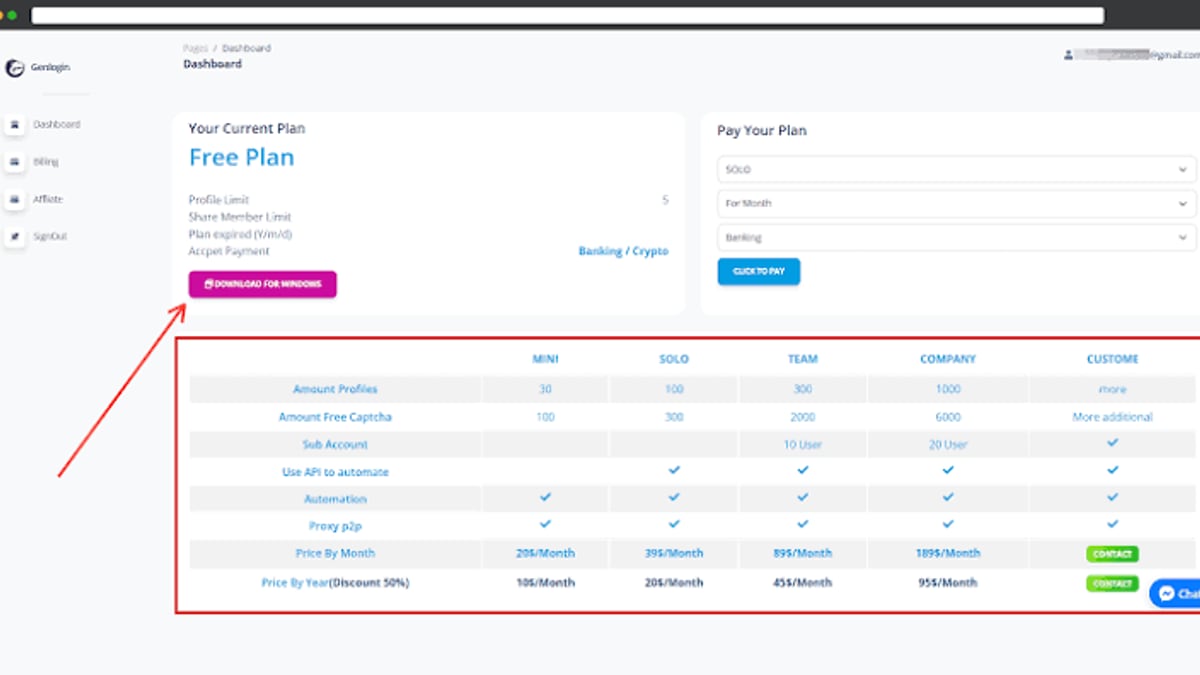
Genlogin offers a free plan with 5 profiles, which is perfect for a risk‑free evaluation. Paid subscriptions are available monthly or yearly, with a 50% discount on annual billing—a competitive move that lowers the cost for long‑term users. Exact pricing is not publicly displayed without sign‑in, but it typically falls in the low‑to‑mid range compared to rivals. Additional costs may arise if you purchase GenMarket scripts or premium proxies.
On Trustpilot, Genlogin holds a 3.2 out of 5 average, with many users appreciating the automation but criticizing support responsiveness. This signals that the value proposition works best when you’re comfortable troubleshooting on your own.
Limitations and Concerns
- Support & Documentation: Live chat wait times can exceed 30 minutes. Public documentation is mainly in English but incomplete; the most thorough help comes from Vietnamese Telegram groups and YouTube channels.
- Registration Privacy: Requiring a phone number and social media link may feel intrusive. There’s no evidence of misuse, but privacy‑conscious users should weigh this.
- International Checkout: Payment sometimes defaults to Vietnamese đồng (VND), which can confuse non‑Vietnamese buyers.
- Platform Reach: No Linux or mobile app limits cross‑platform compatibility.
- Market Perception: With only a 3.2 Trustpilot score, some users question long‑term reliability. At AdsPower, we always recommend starting with the free plan to test stability with your specific platforms.
Genlogin vs Alternatives: When to Choose What
Genlogin Review: Anti-Detect Browser for Multi-Account Management product interface and feature overview.
Genlogin excels when automation is central to your workflow. The Synchronizer and GenMarket ecosystem give it a unique edge over simpler anti‑detect browsers. However, if you prioritize enterprise‑grade fingerprinting, polished support, or large team management, you may lean toward browsers like AdsPower or GoLogin.
For a side‑by‑side analysis, read our detailed comparison of AdsPower, MoreLogin, and Genlogin to see which fits your multi‑account needs.
Quick decision guide:
- Choose Genlogin if you need built‑in no‑code automation, a mini‑app store, and you’re comfortable with a slightly less polished but cost‑effective tool.
- Choose an alternative if rock‑solid support, a more established reputation, and a gentler learning curve are non‑negotiable.
Related reading
- How to Use AdsPower with Google Analytics (Step-by-Step) - Learn to pair AdsPower fingerprint browser with Google Analytics for secure multi-account tracking. Step-by-step setup, practical examples, and solving fingerprint interference.
- NetNut Review 2025: Speed, Plans & Reliable Web Scraping - Unbiased NetNut review covering residential, ISP, datacenter & mobile proxies. See real performance tests, pricing breakdown, setup, and best use cases for business.
Sources and further reading
- GenLogin Browser Alternative For Business: Honest Review 2025 - GenLogin browser from Vietnam has all the basic multi accounting features. But is it safe, trusted and worth the money for 2025 business?
Frequently Asked Questions
Is Genlogin safe and legitimate?
Yes, Genlogin is a legitimate anti‑detect browser used by thousands. However, mixed Trustpilot reviews and a small English‑language community mean you should thoroughly test it with a free plan before committing sensitive accounts.
Does Genlogin work on Mac?
Yes, the desktop app supports both Windows and macOS. Linux and mobile versions are not available.
How does Genlogin’s automation compare to using a third‑party bot?
Built‑in automation avoids fingerprint mismatches that often occur when pairing external bots with a browser. The Synchronizer and mini‑app store add convenience, but advanced users can still use the API for custom scripting.
Can I try Genlogin for free?
Absolutely. The free plan gives you 5 profiles with core fingerprinting and automation, letting you evaluate the tool risk‑free.
Conclusion
Genlogin is a capable anti‑detect browser with a unique blend of multi‑account management and powerful automation. Its affordable pricing, Synchronizer feature, and GenMarket mini‑app ecosystem make it especially attractive for ecommerce sellers and marketers who handle repetitive tasks across many profiles. On the flip side, spotty support, a smaller English knowledge base, and some trust concerns keep it in the mid‑tier.
At AdsPower, we recommend starting with the free plan and pairing it with reliable proxies. If the automation strengths align with your workflow and you’re comfortable navigating a growing but imperfect tool, Genlogin can save you hours while keeping your accounts under the radar.