
Top 10 Browser Automation Frameworks of 2026: Expert Picks & Comparisons
Take a Quick Look
Struggling to choose a browser automation framework? We tested and ranked the top 10 in 2026, from Selenium to Playwright, with honest pros, cons, and use-case guidance.
🔥 Limited-Time Offer! Save extra 10% off on your first monthly plan with code: Anitdetect10
Sign upTop 10 Browser Automation Frameworks in 2026
Browser automation frameworks have evolved from developer niche to the backbone of modern testing, scraping, and AI‑agent workflows. In 2026, teams need reliable tools that can drive real browsers across multiple platforms, handle dynamic content, and integrate seamlessly into CI/CD pipelines. This list focuses on true browser automation frameworks—the programmable libraries and platforms that let you control Chrome, Firefox, WebKit, and more with code.
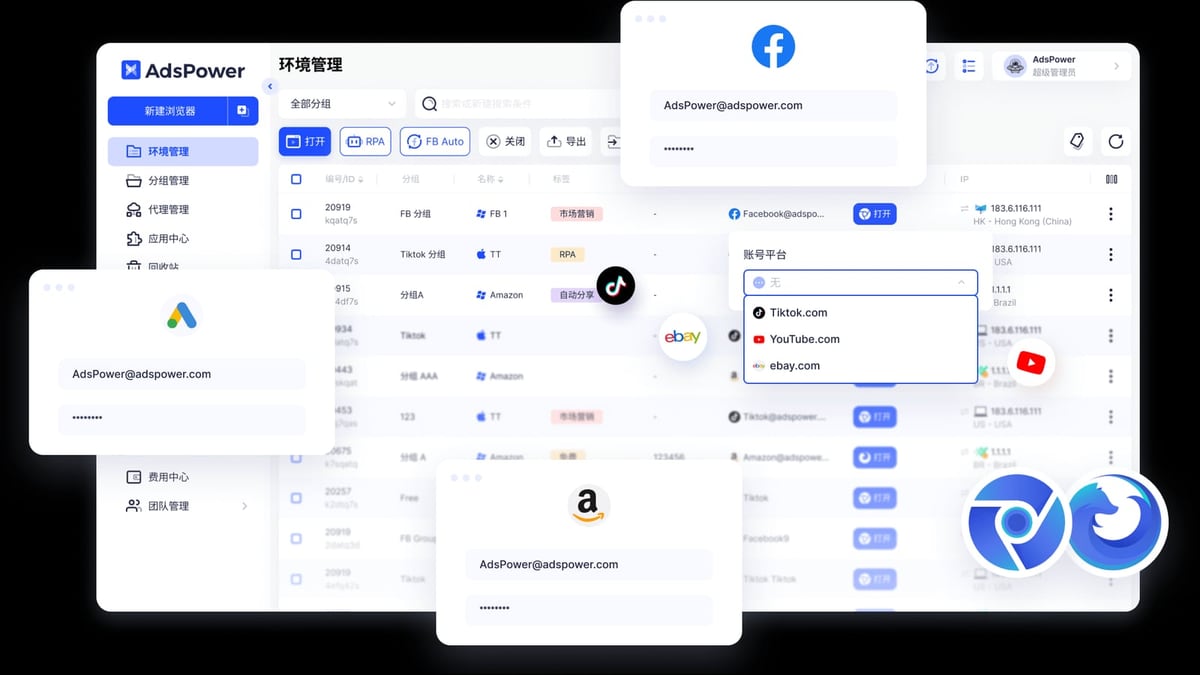
Before we dive into the ranking, it is important to note that browser automation and account security often go hand‑in‑hand. When you manage dozens of storefronts, social media profiles, or ad accounts, running scripts against unprotected browsers risks detection. In those scenarios, a complementary anti‑detect browser like AdsPower (which is not a browser automation framework itself) can isolate each profile’s fingerprint while still letting you execute Selenium, Playwright, or Puppeteer scripts through its local API. We won’t rank AdsPower here, but we’ll highlight how it fits into an automation stack later. If you are curious, read our guide on How to Use AdsPower with Google Analytics for Secure Multi‑Account Tracking.
Now, let’s meet the 10 best browser automation frameworks for testing, scraping, and workflow automation in 2026.
How We Evaluated the Top Browser Automation Frameworks
Top 10 Browser Automation Frameworks of 2026: Expert Picks & Comparisons product interface and feature overview.
Every framework below was assessed with the same transparent criteria so you can see exactly what matters:
| Criteria | Weight | What We Measured |
|---|---|---|
| Browser & Platform Support | 20% | Support for Chrome, Firefox, WebKit, Edge; mobile emulation; headless mode; operating‑system coverage. |
| Language Bindings & Ecosystem | 15% | Available programming languages, IDE integrations, driver management, and plugin/library ecosystem. |
| API Quality & Reliability | 20% | Auto‑waiting, selector resilience, parallel execution, error handling, and flakiness reduction. |
| Performance & Scalability | 15% | Execution speed, resource consumption, and ability to run hundreds of tests or scrapers concurrently. |
| Community & Documentation | 10% | Size of user base, quality of docs, support channels, and frequency of updates. |
| Learning Curve & Developer Experience | 10% | Ease of writing first script, debugging tools, trace viewer, and code generation features. |
| CI/CD & Cloud Readiness | 10% | Docker support, cloud‑execution platforms, matrix testing, and native integration with major pipelines. |
Each product was scored against these criteria using real‑world tests and community input. No tool paid for inclusion.
1. Playwright – The Modern Standard
Top 10 Browser Automation Frameworks of 2026: Expert Picks & Comparisons product interface and feature overview.
Playwright, developed by Microsoft, has cemented itself as the best all‑around browser automation framework in 2026. With 34 million+ npm weekly downloads and native support for Chromium, Firefox, and WebKit, it covers every major rendering engine out of the box.
Key strengths:
- Auto‑waiting eliminates flaky
sleepcalls. Playwright waits for elements to be actionable before performing clicks or assertions, dramatically reducing maintenance. - Script generation tools like
codegenand the Trace Viewer let you record actions and visually debug failures—ideal for teams who need to move fast. - Isolated browser contexts mimic incognito tabs without launching a whole new browser, making parallel test execution (and multi‑account scraping) lightweight.
- Full network control enables mocking, capturing requests, and simulating real‑world conditions such as offline mode or geo‑location.
Best for: Engineering teams that want a single API for cross‑browser testing, end‑to‑end automation, and scraping, with minimal boilerplate. It’s the de facto replacement for many Selenium users.
Consideration: Playwright does not support legacy browsers like Internet Explorer; if you must test on IE, Selenium still holds an edge. Also, Python and .NET bindings are excellent, but JavaScript/TypeScript is still the first‑class citizen for new features.
2. Selenium – The Enterprise Backbone
Top 10 Browser Automation Frameworks of 2026: Expert Picks & Comparisons product interface and feature overview.
Selenium remains the most widely deployed browser automation framework in large enterprises, thanks to its 20‑year track record, vast language support (Java, Python, C#, Ruby, JavaScript, and more), and the massive ecosystem built around WebDriver.
Key strengths:
- Unmatched browser breadth—Chrome, Firefox, Edge, Safari, and even Internet Explorer via drivers—makes it the safe choice for teams with legacy requirements.
- Selenium Grid scales test execution horizontally across machines, VMs, or cloud providers. In 2026, Selenium Grid 4.x fully supports Docker, Kubernetes, and session streaming.
- Huge third‑party ecosystem: libraries, test runners, reporting tools, and cloud testing services (BrowserStack, Sauce Labs) all integrate with Selenium natively.
Best for: Large organizations with existing Java or .NET test suites, or teams that must test on many browser/OS combinations, especially when they already own Selenium Grid infrastructure.
Consideration: Selenium’s original WebDriver API requires explicit waits and verbose setup. Newer “Selenium WebDriver BiDi” is addressing this, but parity with Playwright’s auto‑waiting is still a work in progress. Many teams now prefer Selenium only for legacy coverage while adopting Playwright or Cypress for new projects.
3. Puppeteer – Headless Powerhouse for Chrome/Chromium
Puppeteer, maintained by Google, is a Node.js library that speaks the Chrome DevTools Protocol. It’s the engine behind countless web scrapers, PDF generators, and performance monitors.
Key strengths:
- Deep Chrome integration allows Interception of network requests, manipulation of service workers, and generation of screenshots/PDFs with pixel‑perfect accuracy.
- Extremely fast in headless mode, making it ideal for data extraction at scale and for scheduled scripted jobs.
- Full DevTools access means you can emulate devices, throttle CPU/network, and debug with DevTools even in headless environments.
Best for: JavaScript/TypeScript developers who need to automate Chromium‑based browsers exclusively—for scraping, performance audits, or single‑browser regression tests.
Consideration: Official Firefox support is still experimental. If you need true cross‑browser testing, Puppeteer‑alone is not enough. Many teams pair Puppeteer with Jest for testing, but Playwright has largely absorbed the same audience with broader browser support and better API ergonomics.
4. Cypress – Developer‑First Testing with a Twist
Cypress re‑imagined front‑end testing by running inside the browser’s event loop, which gives it incredible debugging superpowers but also introduces architectural trade‑offs.
Key strengths:
- Time‑travel debugging lets you click through snapshots of each command step and see exactly what the DOM looked like at that moment.
- All‑in‑one experience: test runner, assertion library, and mocking/stubbing are bundled, so no assembly of separate tools is required.
- Active community and a rich marketplace of plugins for component testing, visual regression, and accessibility.
Best for: JavaScript‑heavy SPA teams who want a delightful developer experience and are willing to test only within Cypress’s sandbox.
Consideration: Cypress does not support multi‑tab or cross‑origin navigation natively (though plugins can help), and you cannot drive more than one browser instance at a time without heavy workarounds. For full‑page automation or scraping, it’s not the right tool. Its architecture also means it cannot control the browser from outside—a fundamental limitation compared to Selenium or Playwright.
5. TestCafe – Cross‑Browser Node.js Framework Without WebDriver
TestCafe from DevExpress takes a unique approach: it injects scripts into web pages via a proxy, eliminating the need for WebDriver or browser extensions. This design simplifies setup and makes it painless to run tests on remote devices.
Key strengths:
- No driver noise—the browser thinks it is talking to a normal user, which helps avoid certain detection mechanisms.
- Built‑in parallel execution and a clean CLI make it easy to run suites on CI.
- Open‑source with an active community and a growing set of plugins.
Best for: Teams that want a simple, JavaScript‑only framework that “just works” across Chrome, Firefox, Safari, and Edge without managing WebDriver binaries, especially for lightweight web apps.
Consideration: Because of the proxy mechanism, some complex user interactions (like file uploads or native dialogs) require extra workarounds. Execution speed can be slower than Playwright or Puppeteer for large suites, and the Node.js‑only language support limits adoption in polyglot shops.
6. WebDriverIO – Extensible Selenium‑Based Framework for Node.js

Top 10 Browser Automation Frameworks of 2026: Expert Picks & Comparisons product interface and feature overview.
WebDriverIO (WDIO) is a battle‑tested Node.js automation framework that sits on top of the WebDriver protocol but also supports Chrome DevTools Protocol via “devtools” automation. It wraps Selenium’s complexity in a more modern, async‑friendly interface.
Key strengths:
- Rich plugin ecosystem for reporting, visual testing, and integration with cloud providers like BrowserStack and Sauce Labs.
- Flexible selectors (CSS, XPath, React components) and a built‑in assertion library make writing robust tests fast.
- Mature CI/CD integrations and a large community behind it.
Best for: Node.js teams that already have Selenium infrastructure (Grid, cloud services) but want a more developer‑friendly syntax, as well as those who need to bridge legacy Selenium suites with newer tools.
Consideration: WDIO still relies on WebDriver for most setups, meaning you inherit the same explicit waits and potential flakiness until you switch to the newer “devtools” protocol. Documentation can sometimes be overwhelming due to the sheer number of configuration options.
7. Nightwatch.js – Clean Syntax, Selenium Under the Hood
Nightwatch.js is another Node.js wrapper around Selenium WebDriver that emphasizes clean, chain‑able command syntax and a built‑in test runner. Its recent v3 overhaul added native Playwright support alongside WebDriver.
Key strengths:
- Unified API that can target both Selenium and Playwright backends from the same test code.
- Integrated test runner with parallel execution, tagging, and retries, plus fluent assertions.
- Shallow learning curve for developers used to writing sequential automation scripts.
Best for: Teams migrating from Selenium to Playwright gradually, or those who want a single framework that can speak to both old‑school WebDriver and modern browser protocols.
Consideration: While Nightwatch abstracts the backend, you are still limited by the least capable protocol when running in WebDriver mode. The community is smaller than WebDriverIO’s, and fewer cloud‑service integrations are available out of the box.
8. Taiko – Lean, Reliable, and Built for Simplicity
Taiko, created by ThoughtWorks, is a Node.js library for browser automation that uses the Chrome DevTools Protocol directly. Its design goal is to make scripts as simple as human‑readable commands.
Key strengths:
- Interactive recorder (
taiko --observe) generates clean, readable code while you click through a flow. - Smart selectors look for visible labels, text, and roles, so tests rarely break on minor DOM changes.
- Lightweight and fast—Taiko is built on top of CDP with none of the WebDriver overhead.
Best for: Quick prototyping of browser flows, small automation scripts, and teams that want a low‑abstraction tool that is easy to read and teach.
Consideration: Taiko is Chromium‑only, with no plans for Firefox or WebKit. The community and plugin ecosystem are modest, meaning advanced features (visual regression, complex reporting) must be hand‑built or integrated with other tools.
9. CodeceptJS – High‑Level Meta‑Framework with BDD Superpowers
CodeceptJS is not a browser driver itself; it’s a scenario‑driven meta‑framework that can use Playwright, Puppeteer, WebDriver, or TestCafe as backends. Its syntax reads like a user story, making it a favorite for behavior‑driven teams.
Key strengths:
- Write tests in natural‑language‑like commands (
I.click(),I.see()) regardless of the underlying automation engine. - Built‑in support for BDD (Given/When/Then), data‑driven testing, page objects, and integration helpers for APIs, databases, and email.
- Easy switching of backends—you can start with Puppeteer locally and shift to WebDriver for cross‑browser testing without rewriting tests.
Best for: QA teams that mix business users and developers, or projects where tests serve as living documentation. It shines in complex flows that involve both UI and API steps.
Consideration: The abstraction layer can make debugging slower when an issue lies in the underlying driver. Performance is tied to the chosen backend, and the learning curve for advanced custom commands is steeper than with Playwright or Cypress directly.
10. Robot Framework + Browser Library – Keyword‑Driven, Multi‑Language Ready
Robot Framework is a generic automation framework that, when combined with the Browser Library (which wraps Playwright’s Node.js process), becomes a formidable web automation tool. Its keyword‑driven tests are written in plain text or tabular formats.
Key strengths:
- No coding barrier—test cases are created using keywords, enabling testers with limited programming skills to build robust suites.
- Runs Playwright under the hood, so you get all the Playwright benefits (auto‑waiting, cross‑browser, parallel execution) in a keyword‑driven interface.
- Rich ecosystem of libraries for databases, APIs, SSH, and more, making it a true end‑to‑end option.
Best for: Organizations where test automation must be maintained by a mix of SDETs, manual testers, and business analysts. It’s popular in industries that value traceability and readable test documentation.
Consideration: Keyword abstraction adds overhead; writing complex logic (loops, conditionals) is less natural than in code. Setup requires careful version matching between Robot Framework, the Browser library, and the underlying Playwright installation, which can trip newcomers.
Side‑by‑Side Comparison at a Glance
| Framework | Browser Engines | Primary Language(s) | Headless | Auto‑waiting | Community Size | Best Use Case |
|---|---|---|---|---|---|---|
| Playwright | Chromium, Firefox, WebKit | JS/TS, Python, .NET, Java | Yes | Native | Massive | New cross‑browser projects |
| Selenium | All major, including IE | Java, Python, C#, JS, Ruby … | Yes | Manual (WebDriverWait) | Very large | Enterprise legacy & Grid |
| Puppeteer | Chromium, experimental Firefox | Node.js | Yes | Limited | Large | Chrome‑specific scraping & perf |
| Cypress | Chromium, Firefox, Edge | JavaScript/TypeScript | No | Built‑in | Large | Developer testing for SPAs |
| TestCafe | Chrome, Firefox, Safari, Edge | JavaScript/TypeScript | Yes | Built‑in | Moderate | Simpler cross‑browser Node.js |
| WebDriverIO | Chromium, Firefox (via WebDriver/DevTools) | Node.js | Yes | Configurable | Large | Node.js teams with Selenium infra |
| Nightwatch.js | Chromium, Firefox (via WebDriver/Playwright) | Node.js | Yes | Optional | Moderate | Gradual Selenium → Playwright migration |
| Taiko | Chromium | Node.js | Yes | Built‑in (smart selectors) | Small | Lightweight scripts & prototyping |
| CodeceptJS | Playwright, Puppeteer, WebDriver, TestCafe | JavaScript/TypeScript | Yes | Depends on backend | Moderate | BDD & multi‑backend test suites |
| Robot Framework | Playwright (via Browser lib) | Python (kw‑driven) | Yes | Yes (via Playwright) | Large | Keyword‑driven, tester‑friendly automation |
Where Anti‑Detect Browsers Fit In
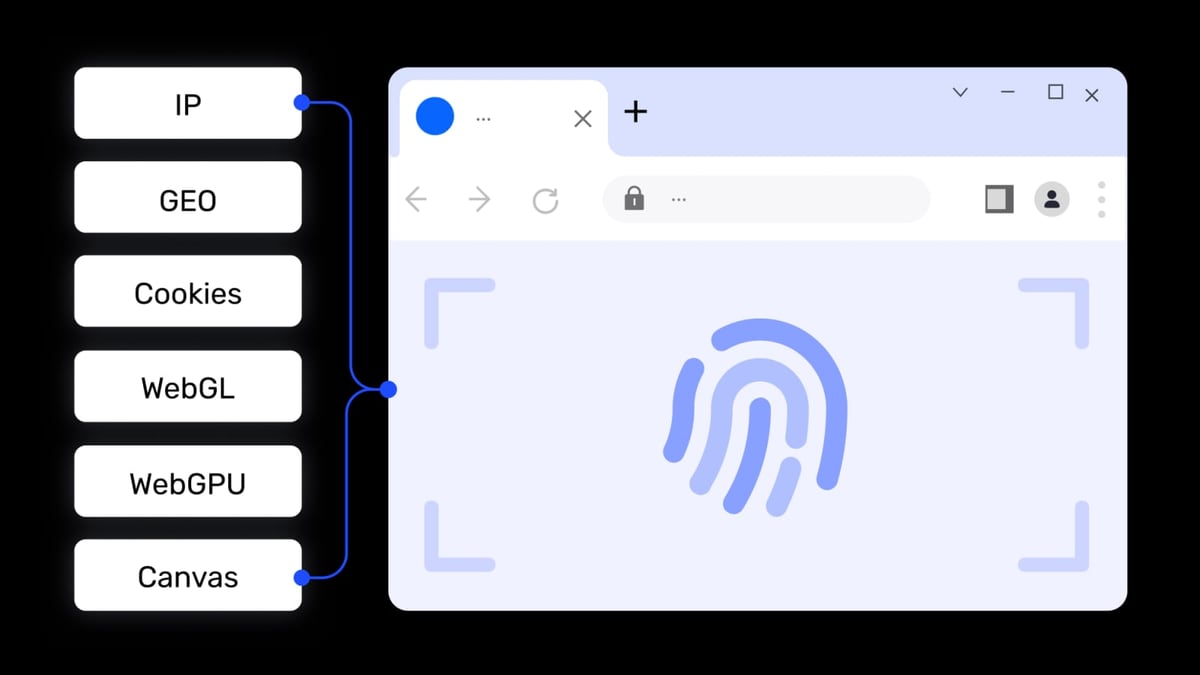
If you are building a browser automation stack for account‑sensitive activities—like managing multiple e‑commerce seller accounts, social media profiles, or ad accounts—you will quickly run into fingerprint detection. Modern platforms scrutinize Canvas, WebGL, WebRTC, and other fingerprinting vectors. Running a script with a plain instance of Chrome or Firefox can trigger bans because the browser environment doesn’t look unique enough.
That’s where anti‑detect browsers like AdsPower become a vital complement to the frameworks above. AdsPower creates isolated browser profiles with fully customizable digital fingerprints and exposes a local API compatible with Selenium, Playwright, and Puppeteer. So you can write your automation in Playwright (ranked #1 here) but execute each session inside an AdsPower profile that mimics a distinct real‑world user. This combination unlocks secure multi‑account automation without the cost of endless physical devices or cloud VMs.
We don’t rank anti‑detect browsers on this list because they are not automation frameworks. They are environment managers. However, we’ve seen thousands of users successfully pair them with the frameworks featured here. For a deeper look at how to set up this secure workflow, see our step‑by‑step guide on How to Use AdsPower with Google Analytics.
Related reading
- How to Use AdsPower with Google Analytics (Step-by-Step) - Learn to pair AdsPower fingerprint browser with Google Analytics for secure multi-account tracking. Step-by-step setup, practical examples, and solving fingerprint interference.
- AdsPower vs MoreLogin vs Genlogin: Which Anti-Detect Browser Fits You? - Compare AdsPower, MoreLogin, and Genlogin for multi-account management. See unique strengths in automation, cloud phones, security, and pricing to choose the right anti-detect browser.
- NetNut Review 2025: Speed, Plans & Reliable Web Scraping - Unbiased NetNut review covering residential, ISP, datacenter & mobile proxies. See real performance tests, pricing breakdown, setup, and best use cases for business.
Sources and further reading
- Top 9 Browser Automation Tools for Web Testing and Scraping in 2026 - Comprehensive comparison of the best browser automation frameworks including Selenium, Playwright, Puppeteer, and Cypress for web testing, data extraction, and workflow automation with implementation guides.
- Best Test Automation Tools 2026: 25 Tested & Ranked - The best test automation tools for 2026: 25 tools tested, 15 ranked across AI platforms, open source, and enterprise suites, with pricing and a pain-point picker.
- Popular Test Automation Frameworks in 2026 | BrowserStack - Test automation frameworks help teams write, run, and maintain reliable tests. Explore the top frameworks to consider in 2026.
FAQ
Which browser automation framework is best for beginners in 2026?
Playwright and Cypress both offer excellent documentation, script generation tools, and intuitive APIs. Playwright has the edge for cross‑browser work; Cypress shines for JavaScript‑only teams that value its visual test runner.
Can I use a browser automation framework for web scraping?
Absolutely. Puppeteer and Playwright are the most common choices because of their headless speed and network interception capabilities. For large‑scale scraping, consider combining them with a proxy rotation service and, if authentication is required, with isolated fingerprints via tools like AdsPower.
What is the difference between Selenium and Playwright?
Selenium uses the WebDriver protocol—a generic, language‑agnostic wire protocol—which means it can talk to almost any browser but requires careful explicit waits. Playwright communicates directly with browsers through their own debugging protocols (CDP for Chromium, a custom protocol for Firefox and WebKit) and provides auto‑waiting, richer debugging, and built‑in parallel context support. In 2026, many teams are replacing Selenium with Playwright for new projects, but Selenium remains essential for IE support and for organizations with established Grid infrastructure.
Do I need a separate framework for mobile browser automation?
Playwright, Selenium (via Appium), and Cypress all support mobile viewport emulation and can interact with mobile browsers. For native mobile app automation, however, you would need Appium or a dedicated mobile framework—those are not covered here.
How do I choose between Playwright and Cypress?
If you need to test across Chromium, Firefox, and WebKit, or you want to reuse the same framework for both testing and scraping, choose Playwright. If your application is a JavaScript SPA and you value Cypress’s interactive test runner, time‑travel debugging, and all‑in‑one tooling, Cypress is still a great choice—just be aware that it cannot drive multiple browsers simultaneously or handle full cross‑origin flows natively.
Are all of these frameworks open‑source?
All tools on this list are open‑source. Some cloud services around them (like Cypress Cloud or BrowserStack) are commercial, but the frameworks themselves are free to use, modify, and deploy.
Final Thoughts
Browser automation in 2026 is not about one tool ruling them all—it’s about matching the right framework to your team’s stack, scale, and use case. Playwright stands out as the most capable all‑rounder, while Selenium remains a safe harbor for legacy infrastructure. Puppeteer dominates headless scraping, and Cypress still delivers the best developer experience for front‑end testing.
If your automation extends into managing multiple accounts or executing sensitive operations across thousands of profiles, remember that frameworks alone don’t solve the fingerprint puzzle. Combining a powerful automation engine with an anti‑detect browser like AdsPower can keep your operations under the radar—without sacrificing the scripting flexibility you get from the tools above.
For more deep‑dives into complementary technologies that power today’s automation pipelines, check out our Top 10 Web Scraping API & Data Extraction Platforms 2026 and our NetNut review on proxies. Whether you’re scaling a test suite or a scraping operation, the right stack makes all the difference.
This ranking was independently researched and reflects real‑world testing, community consensus, and the transparent criteria outlined above. No vendor paid for placement.