
AdsPower vs Undetectable vs Incogniton: Which Anti-Detect Browser Wins?
Take a Quick Look
Compare AdsPower, Undetectable, and Incogniton anti-detect browsers. See fingerprinting, automation, pricing, and team features to choose the best tool for multi-account management.
🔥 Limited-Time Offer! Save extra 10% off on your first monthly plan with code: Anitdetect10
Sign upAdsPower vs Undetectable vs Incogniton: Which Anti-Detect Browser Wins?
Managing multiple accounts on platforms like Facebook, TikTok, Amazon, or Google without getting banned is a constant challenge for digital marketers, affiliate managers, and e-commerce sellers. Anti-detect browsers solve this by creating unique browser fingerprints for each profile, making each session appear as a separate real user.
Three popular options—AdsPower, Undetectable, and Incogniton—each take a different approach. AdsPower is a feature-rich platform built for teams and automation. Undetectable focuses on cutting-edge fingerprinting and frequent updates. Incogniton offers a clean, beginner-friendly experience at a lower cost.
This guide compares them across the criteria that matter most: fingerprint quality, multi-account tools, automation, team features, pricing, and real-world use cases. By the end, you'll know which tool fits your workflow and scale.
Fingerprint Management and Spoofing Capabilities
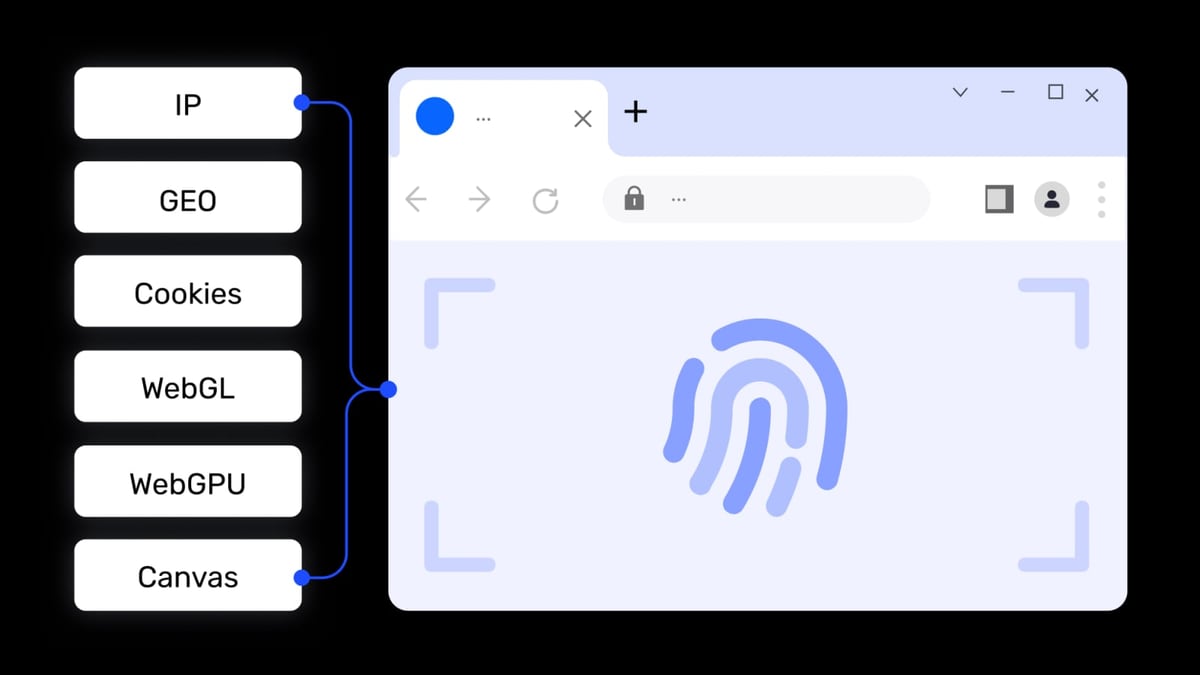
AdsPower product interface and feature overview.
The core job of any anti-detect browser is to reliably spoof browser fingerprints—user agent, screen resolution, fonts, WebGL, timezone, and dozens of other parameters—so websites see each profile as a unique visitor.
AdsPower: Flexible but Limited Templates
AdsPower supports both Chromium and Firefox engines, letting you choose the browser type per profile. You can customize fingerprint parameters like operating system, hardware concurrency, and audio context. However, AdsPower only allows saving one profile template at a time—every new profile uses that same base configuration unless you manually adjust each one. This works for uniform setups but becomes tedious if you need diverse fingerprint types across profiles.
Undetectable: Granular Control and Regular Updates
Undetectable runs on an up-to-date Chromium core (currently version 150) and offers deep fingerprint customization. You can spoof Android configurations, network settings, and connection types. It also includes advanced features like x-browser-validation header imitation to mimic Google’s trust signals and Widevine updates for streaming compatibility. The team releases frequent updates with detailed changelogs, ensuring fingerprints stay current against evolving detection methods.
Incogniton: Simple and Consistent
Incogniton provides granular control over fingerprint parameters—user agent, screen resolution, language, fonts, and more. Its anti-fingerprint engine automatically cycles through fingerprints to avoid patterns. The interface makes it easy to configure each profile without overwhelming beginners. While it lacks some advanced spoofing options (like mobile emulation), its fingerprints are reliable for standard multi-account management.
Verdict: Undetectable leads for fingerprint depth and update frequency. AdsPower offers engine choice but limited templates. Incogniton is solid for standard needs.
Multi-Account Management and Profile Tools
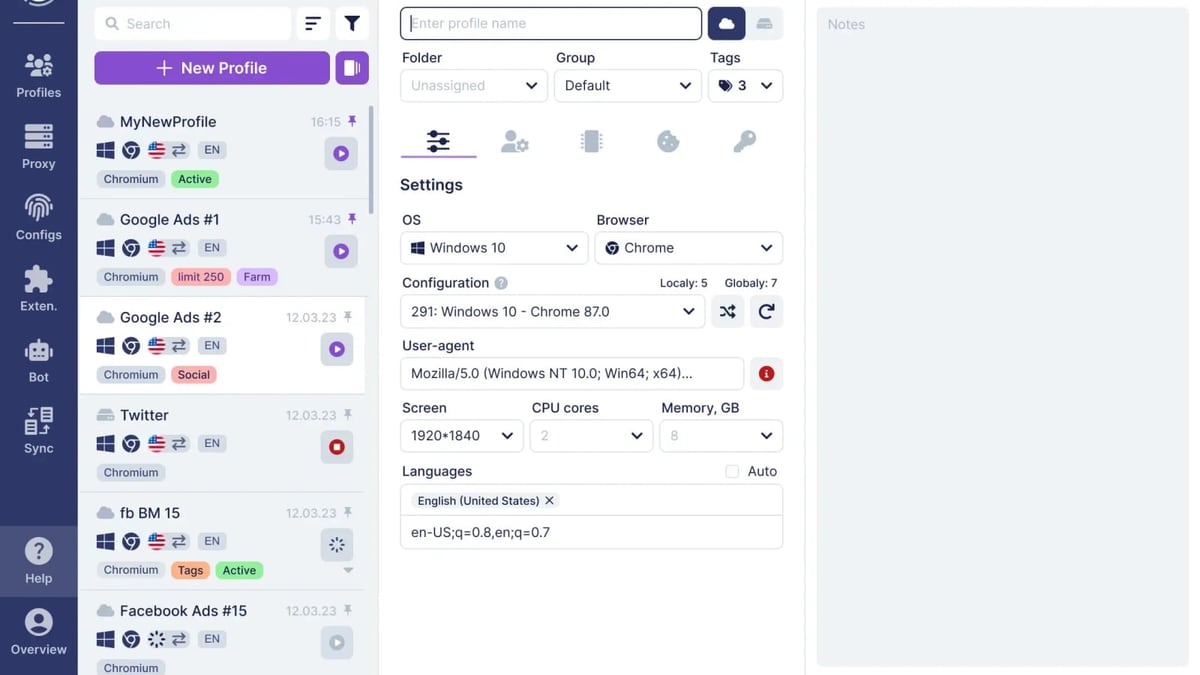
Undetectable product interface and feature overview.
Creating and organizing dozens or hundreds of profiles efficiently is critical. All three tools offer bulk creation, but their supporting features differ.
AdsPower: Batch Operations and Synchronizer
AdsPower excels at bulk profile management. You can create profiles in batches, export/import them via CSV, and use tags and folders for organization. The multi-window synchronizer lets you control multiple profiles simultaneously—useful for testing ad variations or managing accounts across platforms. Team collaboration features include role-based permissions, profile sharing, and activity logs.
Undetectable: Mass Creation and Cookie Robot
Undetectable offers a mass profile creator that spins up many profiles at once. Its cookie robot automates cookie collection and injection, helping profiles appear more established. The synchronizer mirrors actions across profiles. Undetectable also provides microservices like a Popular Websites Generator for profile warming (visiting common sites to build browsing history) and a Cookies Converter for importing cookies from other browsers.
Incogniton: Clean Dashboard and Bulk Creator
Incogniton’s profile dashboard is clean and intuitive. The bulk profile creator works with a few clicks. Advanced filtering and search make it easy to navigate hundreds of profiles. Incogniton also includes automated cookie management to keep profiles persistent. Team features (profile sharing, permissions) are available on paid plans.
Verdict: AdsPower and Undetectable are tied for advanced multi-account tools. Incogniton is simpler but still capable for smaller operations.
Automation and API Capabilities
Incogniton product interface and feature overview.
Automation separates basic profile management from scalable operations. Whether you need to scrape data, post content, or run repetitive tasks, built-in automation saves time.
AdsPower: Built-in RPA and API
AdsPower includes a free RPA (Robotic Process Automation) engine that records browser actions and converts them into scripts. You can replay, edit, and schedule these scripts without coding. For developers, AdsPower offers a RESTful API and WebDriver API, enabling integration with Selenium and Puppeteer. This makes it suitable for teams that need turnkey automation or custom scripting.
Undetectable: API and MCP Server for AI
Undetectable provides an automation API for developers. It also offers an MCP (Model Context Protocol) server for AI integration, allowing you to connect language models to browser profiles for advanced automation workflows. This is unique among the three tools and appeals to tech-savvy users building custom automations.
Incogniton: Limited Automation
Incogniton does not include built-in automation. It integrates with Selenium and Puppeteer for scripting, but this requires technical expertise. Its free tier supports only manual profile management. Automation is available on higher-tier plans but remains less polished than AdsPower’s RPA.
Verdict: AdsPower wins for built-in, no-code automation. Undetectable is strong for developer-focused AI integration. Incogniton lags behind in automation.
Team Collaboration and Permissions
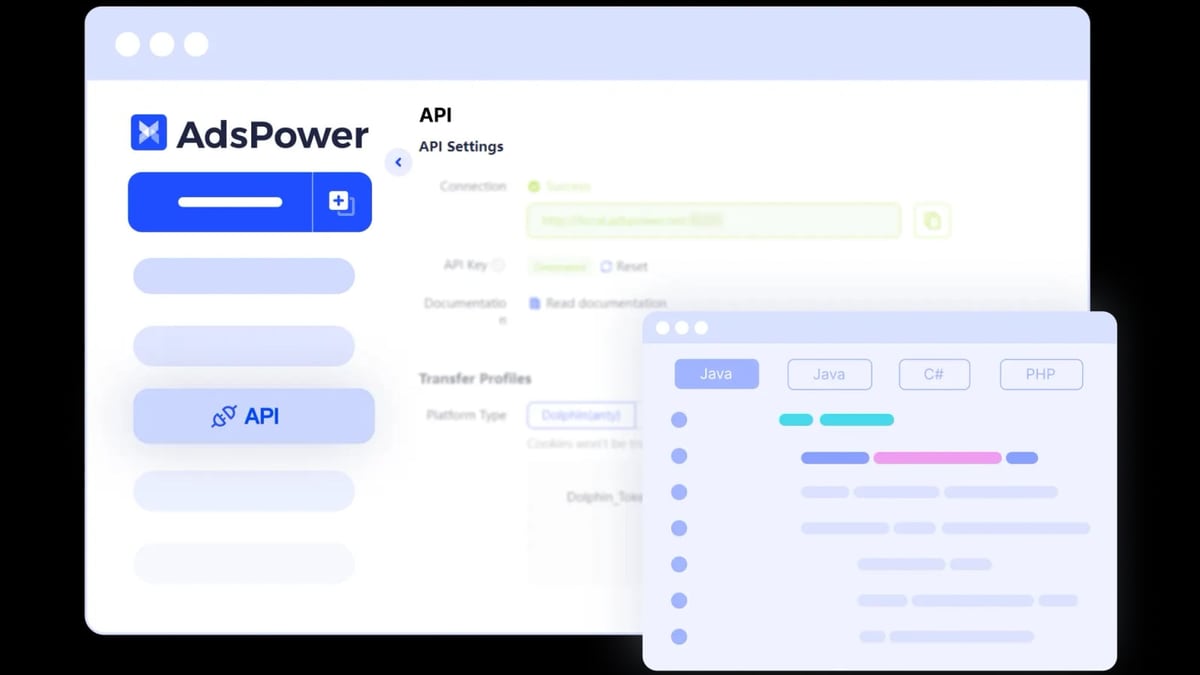
AdsPower product interface and feature overview.
For agencies and teams managing multiple clients, collaboration features are essential.
AdsPower: Advanced Role-Based Access
AdsPower offers granular permission controls: you can assign roles (admin, operator, viewer), restrict profile access, and audit team activity. Profiles can be shared securely within the team. This makes it ideal for agencies with multiple account managers.
Undetectable: Basic Sharing
Undetectable supports profile sharing and team features, but its permission system is less detailed than AdsPower’s. It’s suitable for small teams but may lack the controls needed for larger organizations.
Incogniton: Team Features on Paid Plans
Incogniton offers team collaboration on Business and Enterprise plans. You can share profiles and set permissions, but the feature set is not as comprehensive as AdsPower’s.
Verdict: AdsPower is the clear leader for team collaboration.
Pricing and Value
Pricing affects which tool fits your budget and scale.
| Feature | AdsPower | Undetectable | Incogniton |
|---|---|---|---|
| Free Tier | 2 profiles | Unlimited profiles (limited features) | 10 profiles (manual only) |
| Paid Starting Price | $9/month (Professional) | $49/month (Starter) | $19.99/month (Solo) |
| Profile Limits | Up to 1000+ | Unlimited (paid plans) | Up to 200+ (paid plans) |
| Automation | Built-in RPA + API | API + MCP server | Limited (Selenium/Puppeteer) |
| Team Features | Advanced roles | Basic sharing | On higher plans |
AdsPower’s free tier is minimal (2 profiles) but its paid plans are affordable for small teams. Undetectable’s unlimited profiles on paid plans appeal to heavy users. Incogniton offers the most generous free tier (10 profiles) and lower entry price, making it attractive for beginners.
Use Case Scenarios
Solo Affiliate Marketer Starting Out
If you’re managing 5–10 ad accounts for affiliate offers, Incogniton’s free tier and clean interface let you get started without cost. Its manual workflows are sufficient for low-volume operations.
Agency Managing 50+ Client Accounts
AdsPower’s team permissions, bulk profile management, and built-in automation streamline client onboarding and daily tasks. The synchronizer helps manage multiple accounts simultaneously.
Tech-Savvy User Building Custom Automations
Undetectable’s API and MCP server for AI integration allow you to build sophisticated workflows—like automated content posting with AI-generated text. Its frequent updates keep fingerprints fresh.
E-commerce Seller on Amazon and eBay
AdsPower’s Firefox engine support and RPA can handle product listing automation across marketplaces. Its batch profile creation speeds up account setup.
Related reading
- AdsPower vs RoxyBrowser: Which Anti-Detect Browser Wins in 2026? - Compare AdsPower vs RoxyBrowser for multi-account management. See fingerprinting, automation, pricing, security, and which tool fits your workflow.
- Fingerprint Review 2026: Is It the Best Device Intelligence Platform? - Evidence-based Fingerprint review covering ideal users, use cases, strengths, limitations, pricing, setup, and decision criteria. Compare with alternatives and see real-world examples.
- AdsPower + PacketStream: Setup, Workflow & Real Examples - Learn how to integrate PacketStream residential proxies with AdsPower antidetect browser. Step-by-step setup, workflow tips, and real use cases for marketers.
Sources and further reading
- Incogniton vs Adspower: Which Anti-Detect Browser is Right for You? - Find out which anti-detect browser is right for you: Incogniton vs Adspower. Compare features, pricing, and more in this blog.
- AdsPower vs Incogniton: Which Anti Detect Browser Wins? - AdsPower vs Incogniton—need the best anti detect browser? Compare features, pricing, and stealth. Is AdsPower or Incogniton better in 2026?
- Best Antidetect Browser 2026: AdsPower vs Multilogin vs Incogniton - Enjoy the videos and music you love, upload original content, and share it all with friends, family, and the world on YouTube.
FAQ
Which anti-detect browser is best for beginners?
Incogniton offers the most intuitive interface and a free tier with 10 profiles, making it the easiest to start with.
Can I use these browsers for Facebook ad accounts?
Yes, all three support Facebook ad account management. AdsPower’s automation and team features are particularly useful for scaling Facebook ad operations.
Do any of these tools support mobile fingerprinting?
Undetectable supports Android configuration emulation. AdsPower and Incogniton offer limited mobile spoofing (user-agent only).
Which tool has the best automation without coding?
AdsPower’s built-in RPA recorder lets you automate tasks without writing code. Undetectable requires API knowledge for advanced automation.
Is there a free option for testing?
Incogniton provides 10 free manual profiles. AdsPower offers 2 free profiles. Undetectable has a free tier with unlimited profiles but limited features.
Conclusion
Choosing between AdsPower, Undetectable, and Incogniton depends on your scale, technical comfort, and team needs.
- AdsPower is the best all-around choice for teams and users who need built-in automation, advanced collaboration, and flexibility across Chromium and Firefox. Its RPA and API support make it scalable for growing operations. If you’re managing multiple client accounts or running automated workflows, AdsPower delivers the most value. For more on how AdsPower compares to other tools, see our AdsPower vs MoreLogin vs Octo Browser comparison.
- Undetectable excels in fingerprint depth and regular updates. Its API and MCP server appeal to developers building custom automations. It’s a strong choice for users who prioritize staying ahead of detection algorithms.
- Incogniton is ideal for solo users and beginners who want a simple, low-cost entry into multi-account management. Its generous free tier and clean UX lower the barrier to entry.
No single tool fits every use case, but understanding these differences helps you pick the right one for your workflow. For a broader look at anti-detect browsers, check our Top 10 Online Privacy Diagnostics Tools 2026 guide.
Disclosure: Some links in this article are affiliate links. We may earn a commission at no extra cost to you.