
AdsPower vs MoreLogin vs Octo Browser: Which Anti-Detect Tool Wins?
Take a Quick Look
Compare AdsPower vs MoreLogin vs Octo Browser for multi-account management. See fingerprinting, automation, pricing, and team features side-by-side.
🔥 Limited-Time Offer! Save extra 10% off on your first monthly plan with code: Anitdetect10
Sign upAdsPower vs MoreLogin vs Octo Browser: Which Anti-Detect Tool Wins?
Managing multiple accounts across platforms like Facebook, Amazon, Google, and TikTok demands a tool that balances security, scalability, and ease of use. Three leading contenders—AdsPower, MoreLogin, and Octo Browser—each bring distinct strengths. This guide compares them across the criteria that matter most: fingerprint quality, automation, team collaboration, pricing, and mobile support. By the end, you’ll know which tool fits your workflow.
Fingerprint Depth and Privacy
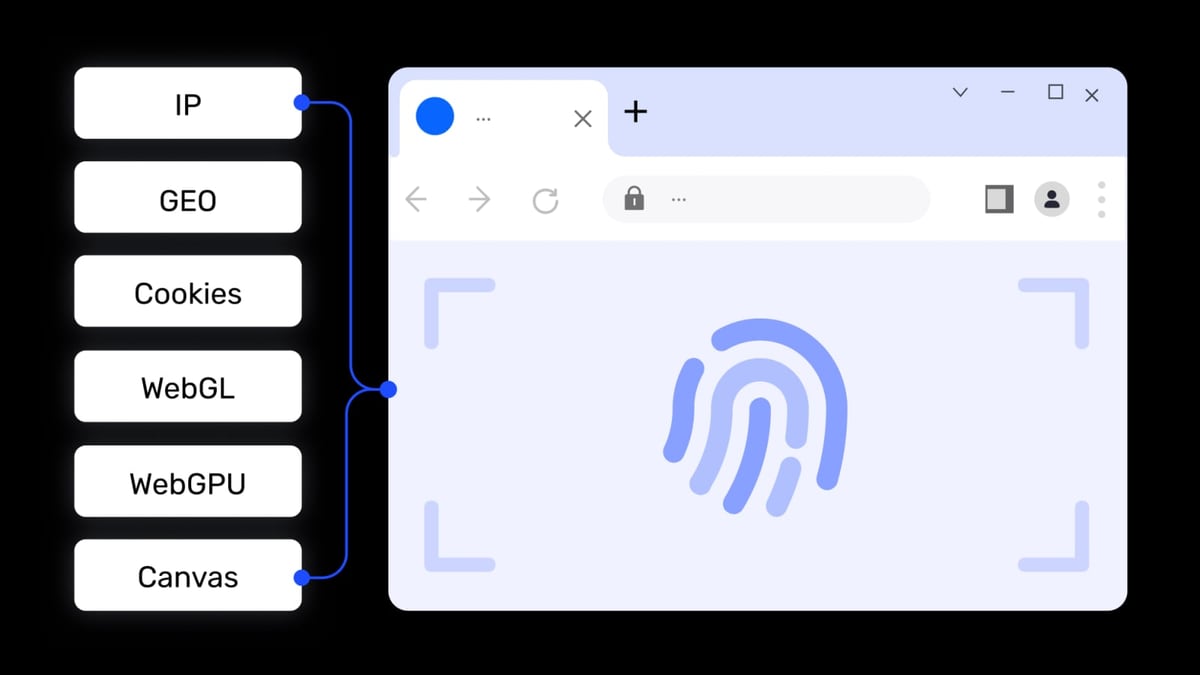
AdsPower product interface and feature overview.
Octo Browser: Precision for Technical Users
Octo Browser gives you manual control over nearly every fingerprint parameter—WebGL, Canvas, AudioContext, fonts, language, time zone, and even mouse behavior. This granularity is ideal for high-risk niches like crypto arbitrage or scraping, where mimicking a specific device setup is critical. Profiles are stored locally by default, reducing data exposure. However, the learning curve is steeper; beginners may find the interface technical.
AdsPower: Preset Simplicity at Scale
AdsPower uses preset-based fingerprinting that prioritizes speed over fine-tuning. You can spin up dozens of profiles quickly with decent stealth, making it a favorite for agencies and social media teams. It supports both Chromium and Firefox cores, offering flexibility for platforms that behave differently in each browser. The trade-off is less control over individual fingerprint variables.
MoreLogin: Dual-Engine Flexibility
MoreLogin combines a Chromium-based antidetect browser with cloud-based Android devices. Each browser profile gets a unique fingerprint, and the cloud phone feature provides a full Android OS environment—useful for mobile-first platforms like Instagram or TikTok. MoreLogin emphasizes security with zero-knowledge encrypted sync, meaning even the provider cannot access your data. For users who need both desktop and mobile isolation, this dual-engine approach is a clear advantage.
Verdict: Choose Octo for deep manual control, AdsPower for fast preset-based scaling, and MoreLogin if you require integrated mobile environments.
Automation and API Capabilities
Octo Browser product interface and feature overview.
AdsPower: No-Code RPA for Teams
AdsPower’s built-in RPA (Robotic Process Automation) lets you record and repeat actions without writing code—ideal for repetitive tasks like logging into accounts or posting content. Its Local API supports custom integrations for developers. This makes AdsPower accessible to non-technical team members while still offering power users a path to automation.
Octo Browser: Developer-First Automation
Octo Browser integrates directly with Puppeteer and Playwright, giving developers full scripting control. This is perfect for custom workflows like automated scraping or campaign management. However, there is no no-code automation layer, so beginners may need to rely on external tools or learn scripting.
MoreLogin: Unified Automation Across Environments
MoreLogin supports RPA, API, CLI, and MCP (Model Context Protocol) for both browser profiles and cloud phones. This means you can automate web tasks and Android app interactions from a single interface. For example, you could script a workflow that logs into a social media account via the browser, then switches to the cloud phone to post content from the mobile app—all without manual intervention. This cross-environment automation is unique among the three.
Verdict: AdsPower wins for no-code ease, Octo for developer flexibility, and MoreLogin for unified automation spanning desktop and mobile.
Team Collaboration and Profile Management
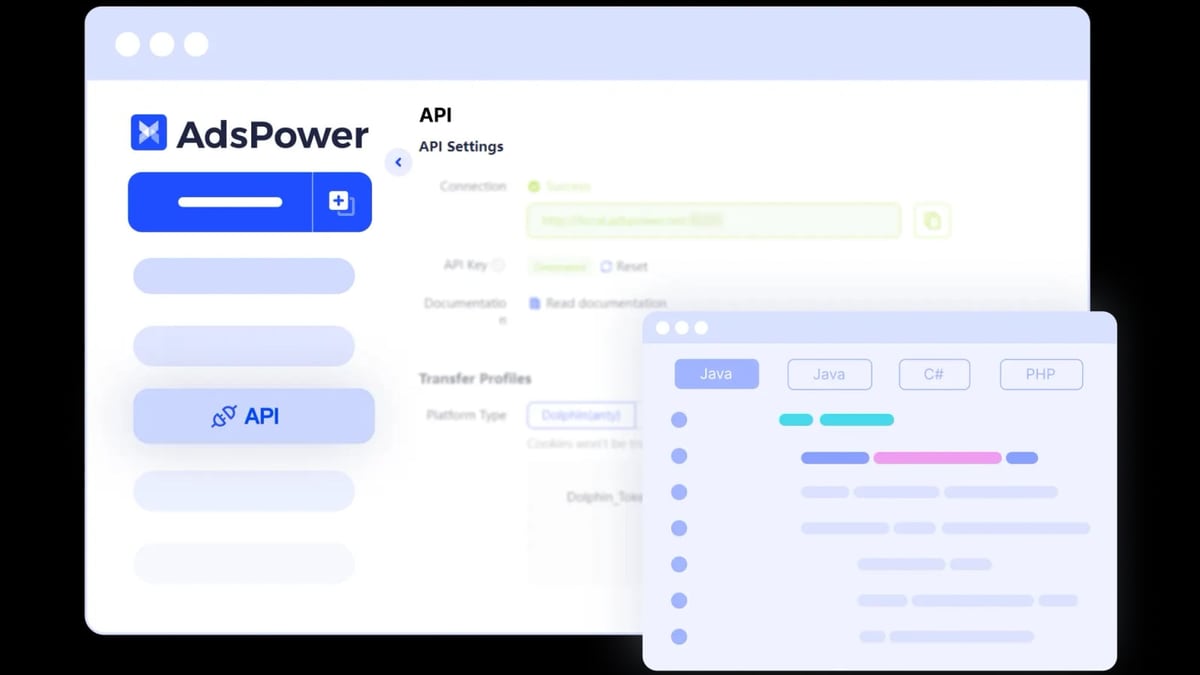
AdsPower product interface and feature overview.
AdsPower: Built for Agencies
AdsPower offers granular role-based permissions, activity logs, and shared proxy pools. Team members can collaborate on profiles without stepping on each other’s toes. Batch operations—like updating proxies or exporting cookies across hundreds of profiles—are straightforward. This makes AdsPower a strong choice for digital agencies managing client accounts.
Octo Browser: Solo Operator Focus
Octo Browser supports local and cloud profile storage with encryption, but team sharing features are basic. You can duplicate and export profiles, but there is no role-based access or centralized permission management. It’s best suited for individual professionals or small teams that don’t need complex collaboration.
MoreLogin: Secure Sync with Permissions
MoreLogin provides profile sharing with permission management, similar to AdsPower. Its zero-knowledge encryption means team members can sync profiles without exposing sensitive data to the provider. The cloud phone feature also allows shared access to mobile environments, which is useful for teams managing both web and app accounts.
Verdict: AdsPower and MoreLogin both excel for teams; Octo is better for solo operators.
Pricing and Value

Octo Browser product interface and feature overview.
| Tool | Free Tier | Paid Plans | Key Differentiator |
|---|---|---|---|
| AdsPower | 2 profiles | Professional, Business, Enterprise | Free tier for testing; scales with profile count |
| MoreLogin | 2 profiles + 100 cloud phone minutes | Pay-as-you-go for cloud phone; subscription for browser | Cost-effective mobile automation |
| Octo Browser | No free plan | Subscription only | Predictable pricing for advanced users |
AdsPower’s free tier is great for beginners. MoreLogin’s pay-as-you-go cloud phone billing means you only pay for mobile minutes you use. Octo Browser requires a paid commitment from day one, which may deter casual users but appeals to professionals who want a no-nonsense subscription.
Verdict: AdsPower for budget-conscious beginners, MoreLogin for flexible mobile costs, Octo for committed professionals.
Mobile and Cloud Phone Support
Neither AdsPower nor Octo Browser offers a native iOS or Android app. If you need to manage mobile accounts natively, you’ll need a remote desktop setup or a separate mobile antidetect solution.
MoreLogin fills this gap with its cloud phone feature—a full Android OS running in the cloud, accessible from your desktop. You can install any Android app, manage multiple mobile accounts, and automate tasks via RPA or API. This is a game-changer for users who rely on mobile-first platforms like TikTok, Instagram, or gaming apps.
Verdict: MoreLogin is the only tool here that provides integrated mobile support.
Practical Examples: Which Tool for Which Scenario?
- Affiliate marketer managing 50 Facebook ad accounts: AdsPower’s batch operations and no-code RPA let you create profiles, assign proxies, and automate posting without developer help. Team members can collaborate with role-based access.
- Crypto airdrop farmer needing precise fingerprints: Octo Browser’s manual fingerprint tuning helps you mimic real devices, reducing the risk of detection on high-security platforms. Solo operation fits your workflow.
- E-commerce seller running both web stores and mobile apps: MoreLogin’s cloud phone lets you manage Amazon seller accounts on the browser and TikTok shop campaigns on Android, all from one workspace. Automation scripts can handle both environments.
Related reading
- MaxBounty Review 2026: Is It the Right CPA Network for You? - Evidence-based MaxBounty review covering ideal users, strengths, limitations, pricing, and setup. Compare CPA, CPL, CPS offers and decide if this network fits your goals.
- AdsPower + Proxyrack: Setup, Workflow & Real Examples - Learn how to use AdsPower with Proxyrack for secure multi-account management. Step-by-step setup, workflow tips, and real use cases for marketers.
Sources and further reading
- Octo Browser vs AdsPower: Ultimate Comparison 2026 - Octo Browser vs AdsPower — compare price, features, and performance in 2026. Which anti-detect browser is best?
- GoLogin vs Multilogin vs AdsPower vs Octo Browser - 2026 | I Compared Main Features (Side-By-Side) - Enjoy the videos and music you love, upload original content, and share it all with friends, family, and the world on YouTube.
- AdsPower vs Octo Browser: Comparison of anti-detection browsers - Comparison of AdsPower and Octo Browser: which is better for working with anti-detection? Overview of features, prices, and API. Choose the right browser on LTESOCKS!
FAQ
Can I use these tools for social media management?
Yes. All three support multi-account management on Facebook, Instagram, TikTok, and more. MoreLogin adds mobile app support via cloud phones.
Which tool is best for beginners?
AdsPower’s free tier and no-code RPA make it the most beginner-friendly. MoreLogin also offers a free tier with cloud phone minutes for testing.
Do these tools work with proxies?
Yes. All support HTTP, HTTPS, and SOCKS5 proxies. AdsPower and MoreLogin offer bulk proxy management; Octo integrates smoothly with proxy providers.
Is my data secure with these tools?
MoreLogin uses zero-knowledge encryption, meaning even the provider cannot access your data. AdsPower and Octo store profiles locally or in encrypted cloud sync.
Can I automate tasks without coding?
AdsPower’s built-in RPA and MoreLogin’s RPA support allow no-code automation. Octo requires scripting with Puppeteer or Playwright.
Conclusion
Choosing between AdsPower, MoreLogin, and Octo Browser depends on your specific needs:
- AdsPower is the best all-rounder for teams and beginners, offering a free tier, no-code automation, and strong collaboration features.
- MoreLogin stands out with its integrated cloud phone, unified automation across browser and mobile, and zero-knowledge security—ideal for users who need both web and app multi-accounting.
- Octo Browser delivers unmatched fingerprint precision for technical solo operators who prioritize control over convenience.
For a deeper look at how AdsPower compares with other antidetect tools, check out our AdsPower vs MuLogin comparison and our AdsPower vs Linken Sphere vs Octo Browser guide. If you’re evaluating privacy tools more broadly, our top online privacy diagnostics tools can help you verify your setup.
Ultimately, the right choice aligns with your workflow—whether that’s fast scaling, mobile integration, or deep fingerprint control. Test the free tiers of AdsPower and MoreLogin, or explore Octo’s subscription, to see which environment feels right for your operations.
For more details on Octo Browser’s features, visit their official site. For independent reviews, check G2 ratings and community forums.