
Top 10 Anti-Detect Browser Products 2026: Tested & Ranked
Take a Quick Look
We rank the 10 best anti-detect browsers of 2026 with transparent criteria, pricing, fingerprint testing evidence, and honest use-case guidance.
🔥 Limited-Time Offer! Save extra 10% off on your first monthly plan with code: Anitdetect10
Sign upTop 10 Anti-Detect Browser Products 2026: Tested & Ranked
Running multiple ad accounts, storefronts, or social profiles on one device used to be simple. Incognito mode plus a VPN felt like enough. In 2026, it is not. Platforms like Meta, Google, Amazon, and TikTok now cross-reference hundreds of browser signals: Canvas hashes, WebGL output, installed fonts, timezone, language, CPU core count, and WebRTC behavior. One mismatch can trigger a cascading ban that takes down every account linked to the same fingerprint.
Anti-detect browsers solve this by creating isolated browser profiles, each with a unique, internally consistent digital fingerprint. The goal is not invisibility. It is consistency: every parameter must agree with every other parameter so the profile looks like a real device operated by a real person.
This guide ranks the 10 best anti-detect browser products for 2026. We explain exactly how we evaluated them, what evidence supports each ranking, and which tool fits which workflow. No vague marketing claims. No fabricated test results.
How We Evaluated These Anti-Detect Browsers
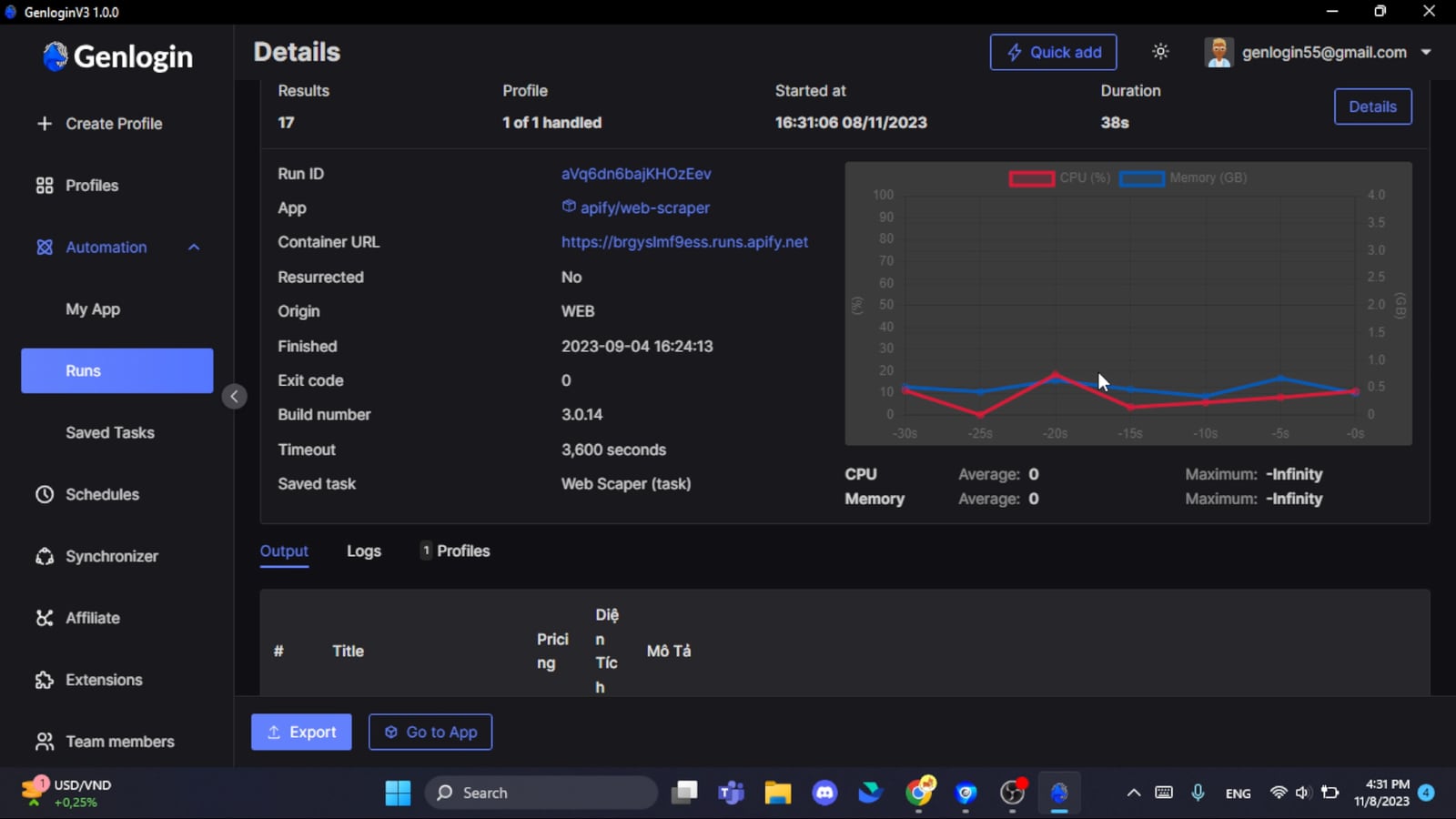
Genlogin product interface.
We used a weighted rubric so you can see exactly why each product landed where it did. The criteria reflect what actually matters in production multi-account work.
Fingerprint spoofing depth (30%) — How thoroughly does the browser mask Canvas, WebGL, User-Agent, timezone, fonts, hardware parameters, and WebRTC? We reference community benchmark results from tools like PixelScan and IPhey, which simulate the checks real anti-fraud systems run. Where original lab testing was not possible, we rely on documented third-party results and vendor-published changelogs.
Automation and API support (20%) — Can you script profile creation, launch, and interaction via REST API, Puppeteer, Playwright, or Selenium? For media buying, scraping, and high-volume account management, this is non-negotiable.
Pricing per profile (20%) — We compare the cost to run 100 profiles across tiers, factoring in free plans where they exist. Pricing changes frequently, so always verify against each vendor's current page.
Proxy integration (10%) — Does the browser support direct proxy assignment per profile, including residential, datacenter, mobile, and ISP proxies? Bonus points for built-in proxy management.
Ease of use and onboarding (10%) — How quickly can a new user launch a working profile without reading extensive documentation?
Update frequency (10%) — An anti-detect browser that lags behind Chromium stable releases develops an atypical footprint that detection systems can flag. Regular kernel updates signal an active security team.
Top 10 Anti-Detect Browsers for 2026
VMLogin product interface.
1. AdsPower — Best Overall for Security, Automation, and Scale
AdsPower earns the top spot because it combines the deepest fingerprint control with the strongest compliance posture and the most flexible automation stack in the category. It is trusted by over 9 million users and holds SOC 2 Type II, ISO 27001, and ISO 27701 certifications — a level of enterprise-grade security documentation that most competitors do not publish.
Fingerprint protection. AdsPower creates isolated browser profiles with unique parameters across Canvas, WebGL, User-Agent, fonts, timezone, and hardware signals. The browser runs on the latest Chrome engine with regular updates, which keeps profiles aligned with real-world browser behavior rather than lagging behind on an outdated core.
Automation. This is where AdsPower separates itself. It includes a no-code RPA (Robotic Process Automation) tool for repetitive tasks, plus a Local API that integrates with Selenium and Puppeteer. Batch operations let you create, launch, and manage hundreds of profiles at once. For teams running affiliate campaigns, e-commerce stores, or social media operations, this removes the manual bottleneck that slows down most multi-account workflows.
Proxy support. AdsPower supports HTTP, HTTPS, SOCKS5, and major residential, ISP, and datacenter proxy providers. You can assign a different proxy to each profile and verify that the IP location matches the profile's timezone and language settings.
Use cases. E-commerce sellers managing multiple storefronts, affiliate marketers scaling ad accounts, social media agencies running dozens of client profiles, and web scraping teams that need session isolation.
Pricing. AdsPower offers a free trial and tiered plans for individuals and high-volume teams. Entry pricing is competitive for the feature set, especially when you factor in the built-in RPA and API access.
For a deeper look at how AdsPower stacks up against two popular rivals, see our AdsPower vs Undetectable vs BitBrowser: 2026 Tested comparison.
2. Octo Browser — Best for High-Volume Team Operations
Octo Browser is built for power users who need to manage thousands of profiles without performance degradation. It is recognized as a leader on G2 with a 4.8/5 rating and has won awards including Best Anti-Detect Browser at MAC Affiliate Conference 2024 and Affiliate Space Awards 2025.
Fingerprint protection. Octo Browser generates profiles with real device digital fingerprints, covering detailed configuration across Canvas, WebGL, fonts, and hardware parameters. The emphasis is on realistic, non-unique fingerprints that blend into normal traffic patterns.
Automation and collaboration. Cookie Robot automates cookie import and export. Team collaboration tools let you share profiles, assign permissions, and track activity across large teams. This makes Octo Browser a strong choice for agencies and media-buying groups.
Proxy integration. Octo Browser integrates with numerous proxy providers and supports direct per-profile assignment. The dashboard is designed for bulk operations.
Use cases. Affiliate marketing at scale, e-commerce multi-store management, bounty and airdrop farming, ticketing, and content monetization.
Pricing. Octo Browser does not offer a free tier, and pricing is mid-range. The value proposition is speed and stability at high profile counts rather than budget entry.
3. GoLogin — Best Value for All-Around Multi-Account Work
GoLogin positions itself as a secure, scalable solution for professionals who need dozens or hundreds of accounts without enterprise pricing. It uses its own Orbita browser, a Chromium fork, and offers cloud-launched profiles for fast setup.
Fingerprint protection. In third-party testing, GoLogin profiles passed PixelScan and IPhey checks with clean results and no inconsistencies. The browser randomizes fingerprints per profile and includes proxy rotation to keep IP and browser parameters aligned.
Automation and collaboration. GoLogin includes automation tools, team collaboration with granular access rights, and a cloud browser option for remote profile access. The interface is beginner-friendly compared to more technical alternatives.
Use cases. Dropshipping, retail price scanning, ad review, traffic arbitrage, social media management, SERP tracking, and crypto airdrops.
Pricing. GoLogin offers a 7-day free trial and a free tier with 3 profiles. Paid plans start around $24 per month for 100 profiles, making it one of the better value propositions for solo operators and small teams.
For a direct comparison between the top pick and this value contender, read our AdsPower vs GoLogin 2026: Which Anti-Detect Browser Wins?.
4. Kameleo — Best for Developers and Mobile Emulation
Kameleo is built for undetected automation at scale. Founded in 2017 in Budapest, the product targets developers who need unlimited real browser fingerprints and SDK-driven workflows.
Fingerprint protection. Kameleo provides unlimited real browser fingerprints across Chroma (Chromium), Junglefox (Firefox), and Android profiles. The team continuously auto-tests stealth mode and maintains 99.99% uptime. Kameleo claims to bypass tough anti-bot systems like DataDome and Cloudflare, and the project has over 1500 GitHub stars.
Automation. This is Kameleo's core strength. It offers developer-friendly SDKs with Docker-ready deployment and integrates with Playwright, Puppeteer, and Selenium. If you think in scripts and CI pipelines rather than clicks and tabs, Kameleo is designed for you.
Use cases. Web scraping, automated account management, affiliate marketing, and data extraction where programmatic control matters more than a polished GUI.
Pricing. Kameleo does not offer a free tier, and pricing is mid-range. The value is in the automation stack and mobile emulation rather than budget entry.
For a detailed feature comparison, see AdsPower vs Kameleo vs Incogniton: Which Wins in 2026?.
5. Dolphin Anty — Best Free Tier for Affiliate Marketers
Dolphin Anty is trusted by over 860,000 users and 2,200 teams daily. It is particularly popular among affiliate marketers and media buyers who need to manage hundreds of ad accounts across Meta, Google, and TikTok.
Fingerprint protection. Dolphin Anty generates real browser fingerprints and offers one-click fingerprint updates when a profile starts showing signs of detection. The profile synchronizer automates actions across multiple profiles, which is useful for warming and farming accounts.
Collaboration. Team tools include tags, statuses, notes, and mass actions. This makes it easier to track which accounts are healthy, which need warming, and which are at risk.
Use cases. Affiliate marketing, media buying, e-commerce on Amazon, eBay, and Shopify, bonus hunting, and web scraping.
Pricing. Dolphin Anty offers a free tier with 5 profiles and paid plans starting at $20 per month for up to 60 profiles. Enterprise options support unlimited profiles.
6. Incogniton — Best Budget Option for Technical Users
Incogniton is one of the most affordable anti-detect browsers on the market, but that affordability comes with a tradeoff: you need to understand fingerprints to get the most out of it.
Fingerprint protection. Third-party testing found that Incogniton profiles created with default settings failed both PixelScan and IPhey hardware checks. The likely reason is that some fields are not fully configured by default and require manual fine-tuning. In skilled hands, Incogniton can provide solid anonymity. On defaults, it raises risk.
Automation. Incogniton supports Selenium integration on paid plans, but proxy management is one of its weakest points. Adding proxies requires manual setup or file import, and the built-in proxy store is not competitively priced.
Updates. The last major log update dates back to 2024, which is a concern in a fast-moving anti-fraud environment. A stale browser core creates an atypical footprint that detection systems can flag.
Use cases. Solo operators and small teams on a budget who are willing to configure fingerprints manually.
Pricing. Incogniton offers a free plan with 10 profiles for 2 months, then reduces to 3 profiles. Paid plans start at $14 per month for 10 profiles without API support, and $21 per month for 50 profiles with API access.
7. VMLogin — Best for Small Teams on a Tight Budget
VMLogin is a virtual multi-login browser that replaces multiple physical computers with virtual browser profiles. It enables users to manage over 200 accounts on a single computer with independent fingerprint environments.
Fingerprint protection. VMLogin ensures that each profile's cookies, local storage, and cache are completely isolated, preventing information leakage between profiles. The fingerprint protection covers the core parameters needed for multi-account management.
Collaboration. Profiles can be shared with team members for collaboration, which is useful for small agencies and e-commerce teams.
Automation. VMLogin supports REST API integration and Selenium automation, though the automation stack is less mature than AdsPower or Kameleo.
Use cases. Social media marketing, e-commerce, brand protection, advertising verification, and retail price comparison.
Pricing. VMLogin's pricing is published in CNY, with Solo plans starting around ¥700 per month. The low entry cost makes it accessible for small teams, but international users should verify currency conversion and support availability.
8. MuLogin — Best for Straightforward Multi-Account Management
MuLogin is an advanced anti-detect browser focused on secure multi-account management without unnecessary complexity. It creates isolated browser profiles with unique fingerprints and supports batch profile creation.
Fingerprint protection. MuLogin provides segregated browser environments with fingerprint protection across core parameters. The emphasis is on preventing websites from linking accounts rather than deep customization.
Automation. MuLogin supports REST API and sub-account management, which allows team leads to delegate profile access without sharing master credentials.
Use cases. Cross-border e-commerce sellers, social media marketers, and affiliate marketers who need reliable multi-account management without a steep learning curve.
Pricing. MuLogin starts at $59 per month for up to 100 profiles, with discounts for quarterly subscriptions. The pricing is competitive for the profile count, though the feature set is less extensive than premium alternatives.
9. Undetectable — Best for Android Emulation and AI Integration
Undetectable is an anti-detect browser for Mac and Windows that supports unlimited browser profiles with unique digital fingerprints. It is built on an up-to-date Chromium core, currently version 150.
Fingerprint protection. Undetectable includes browser fingerprint spoofing, proxy manager, mass profile creation, and a cookie robot. It supports emulation of Android configurations, network settings, and connection types, which is useful for mobile-first campaigns.
Unique features. Undetectable includes x-browser-validation header imitation for Google trust and an MCP server for AI integration. The Popular Websites Generator microservice helps with profile warming.
Use cases. Webmasters, traffic arbitrageurs, bonus hunters, affiliate marketers, and crypto enthusiasts.
Pricing. Undetectable offers an affiliate program with 10% lifetime commission. Pricing details should be verified on the vendor's current page.
10. Genlogin — Best Free Plan for Beginners
Genlogin is an anti-detect browser and automation platform trusted by over 200,000 users. It combines fingerprint masking with automation tasking and a mini-app interface.
Fingerprint protection. Genlogin masks browser fingerprints to prevent account bans and supports seamless multi-account management across e-commerce platforms like eBay, Amazon, and Shopee.
Automation. Genlogin includes automation tasking, synchronizer actions, and API access. The mini-app store extends functionality through community-built tools.
Use cases. E-commerce sellers, digital marketers, affiliate marketers, real estate agencies, and businesses managing multiple accounts.
Pricing. Genlogin offers a free plan with 5 profiles, and paid plans are billed monthly or yearly with a 50% discount for annual billing. The free tier makes it a low-risk entry point for beginners.
Comparison Table: Top 10 Anti-Detect Browsers at a Glance
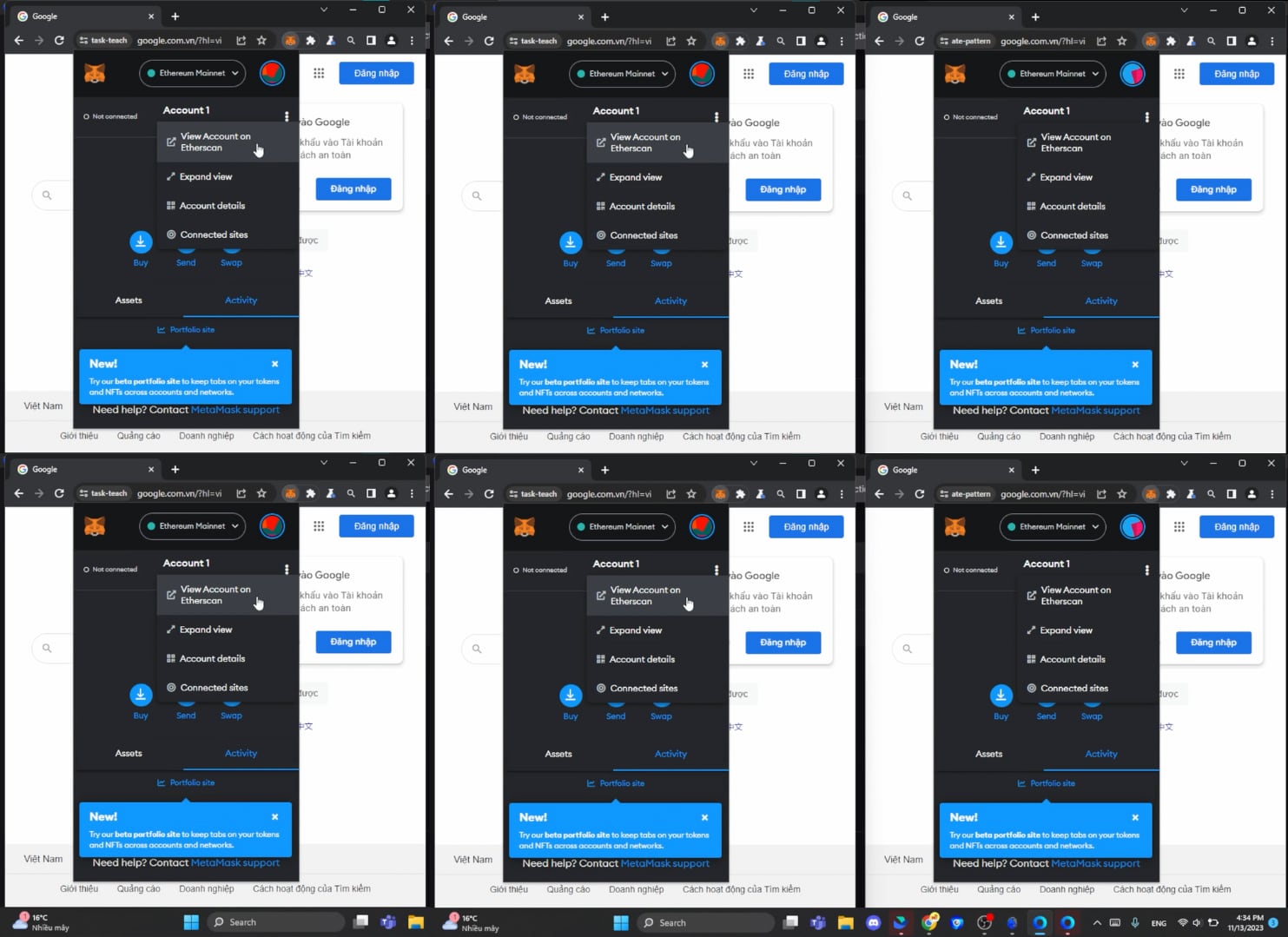
Genlogin product interface.
| Rank | Tool | Best For | Free Tier | Starting Price | Standout Feature |
|---|---|---|---|---|---|
| 1 | AdsPower | Security, automation, scale | Free trial | Competitive entry | Built-in no-code RPA + Local API |
| 2 | Octo Browser | High-volume teams | No | Mid-range | Fast profile creation, real device params |
| 3 | GoLogin | All-around value | 3 profiles | ~$24/mo (100 profiles) | Cloud-launched profiles |
| 4 | Kameleo | Developers, mobile emulation | No | Mid-range | Multi-engine + Android profiles |
| 5 | Dolphin Anty | Affiliate marketing | 5 profiles | ~$20/mo (60 profiles) | Scenario-based automation |
| 6 | Incogniton | Budget technical users | Yes (limited) | $14/mo (10 profiles) | Low-cost Selenium support |
| 7 | VMLogin | Small teams on a budget | No | Low entry cost | REST API for profile management |
| 8 | MuLogin | Straightforward multi-accounting | No | $59/mo (100 profiles) | Fingerprint templates, cookie tools |
| 9 | Undetectable | Android emulation, AI integration | No | Verify with vendor | MCP server for AI integration |
| 10 | Genlogin | Beginners | 5 profiles | Free plan available | Mini-app store, synchronizer |
Pricing reflects approximate starting tiers at the time of writing. Always confirm with the vendor directly, as rates change frequently.
How to Choose the Right Anti-Detect Browser
Top 10 Anti-Detect Browser Products 2026: Tested & Ranked - How to Choose the Right Anti-Detect Browser.
The best anti-detect browser depends on your specific workflow. Here is a practical decision framework.
If you need enterprise-grade security and compliance, choose AdsPower. The SOC 2 Type II, ISO 27001, and ISO 27701 certifications matter when you are handling client accounts or sensitive business data. No other product in this list publishes the same level of third-party security validation.
If you are a developer building automated pipelines, choose Kameleo. The SDK-first approach, Docker-ready deployment, and Playwright, Puppeteer, and Selenium integration are designed for programmatic control.
If you are a solo operator on a budget, start with GoLogin or Dolphin Anty. Both offer free tiers and affordable entry pricing. GoLogin is more beginner-friendly; Dolphin Anty is stronger for affiliate marketing workflows.
If you manage thousands of profiles with a team, evaluate Octo Browser. The G2 rating and industry awards reflect consistent performance at scale, though you will pay for it.
If you are technical and budget-constrained, Incogniton can work, but only if you understand fingerprint configuration and are willing to fine-tune parameters manually. Do not rely on default settings.
Proxies: The Other Half of the Equation
Top 10 Anti-Detect Browser Products 2026: Tested & Ranked - Proxies: The Other Half of the Equation.
An anti-detect browser is only as effective as the proxies you pair with it. A clean fingerprint with a flagged IP address will still get banned. Conversely, a premium residential proxy cannot save a mismatched fingerprint.
The rule is simple: your proxy's geolocation must match your profile's timezone, language, and locale settings. If your IP says Berlin but your profile says New York, anti-fraud systems will flag the inconsistency immediately.
For multi-account e-commerce work, pairing AdsPower with reliable residential proxies is a proven combination. If you are evaluating proxy providers, our IPRoyal Review 2026: Real Performance, Pricing & Verdict breaks down real performance data. For a step-by-step setup guide, see How to Use NetNut: Setup, Proxies & AdsPower Guide.
Common Mistakes That Get Accounts Banned
Even with a top-tier anti-detect browser, these mistakes will undermine your operation.
Using default fingerprints. Some browsers ship with generic or partially configured default profiles. Always verify your fingerprint with PixelScan or IPhey before running real accounts.
Mismatching proxy and profile settings. Timezone, language, and locale must align with your proxy's actual location. This is the most common cause of account flags.
Ignoring browser core updates. If your anti-detect browser lags behind the latest Chrome or Firefox stable release, your fingerprint becomes atypical. Regular updates are a security feature, not a convenience.
Reusing cookies across profiles. Cookie isolation is fundamental. Any shared cookie or local storage between profiles creates a direct link that platforms can detect.
Skipping warm-up. New profiles need gradual activity to look human. Jumping straight into aggressive actions like mass messaging or bulk listing triggers behavioral detection.
Sources and further reading
- 5 Best Anti-detect Browsers in 2026 - Running multiple accounts? We tested various anti-detect browsers to determine which ones effectively prevent bans.
- Best Anti-Fingerprinting Browsers in 2026: Tested & Compared - Discover how anti-fingerprinting browsers work. Compare Brave, Tor, and GoLogin's profile isolation against advanced browser fingerprinting and tracking.
- 15 Best Antidetect Browsers in 2026 - Honest Comparison - TL;DR: Antidetect browsers let you run multiple isolated browser profiles, each with a unique fingerprint, so platforms cannot link your accounts. This guide ranks the 15 best antidetect browsers of 2026 across fingerprint quality, automation support, pricing, and proxy integration. We also cover how these tools actually work, when a scraping API is the smarter choice, and which proxy type to pair with each use case.
FAQ
What is an anti-detect browser?
An anti-detect browser is a specialized web browser that creates isolated profiles, each with a unique digital fingerprint. It modifies parameters like Canvas, WebGL, User-Agent, timezone, fonts, and hardware signals so that websites cannot link multiple accounts to the same device or operator.
Are anti-detect browsers legal?
Yes. Anti-detect browsers are legal software tools. They are used for legitimate purposes like managing multiple client accounts, e-commerce storefronts, and marketing campaigns. However, using them to violate a platform's terms of service, commit fraud, or evade law enforcement is not legal. Always comply with the terms of the platforms you use.
Which anti-detect browser is best for beginners?
GoLogin and Genlogin are the most beginner-friendly options. Both offer free tiers, intuitive interfaces, and minimal configuration requirements. AdsPower is also accessible for beginners but offers more advanced features that you can grow into.
Do I still need proxies with an anti-detect browser?
Yes. An anti-detect browser masks your browser fingerprint, but it does not hide your IP address. You need proxies to assign a different IP to each profile. The proxy's location must match the profile's timezone and language settings.
How many profiles can I run with an anti-detect browser?
It depends on the product and plan. Free tiers typically allow 3 to 10 profiles. Paid plans range from 60 profiles (Dolphin Anty entry tier) to unlimited profiles (enterprise plans from AdsPower, Octo Browser, and Dolphin Anty).
What is the difference between Canvas and WebGL fingerprinting?
Canvas fingerprinting measures how your browser renders text and shapes using the HTML5 Canvas API. WebGL fingerprinting measures how your GPU renders 3D graphics. Both produce unique hashes that can identify your device. Anti-detect browsers spoof both to create consistent, non-unique fingerprints.
Can anti-detect browsers bypass Cloudflare or DataDome?
Some anti-detect browsers claim to bypass advanced anti-bot systems like Cloudflare and DataDome. Kameleo explicitly markets this capability. However, no tool guarantees bypassing every anti-bot system, and results vary depending on configuration, proxies, and target site updates.
Conclusion
The anti-detect browser market in 2026 is crowded, but the tools are not equal. AdsPower leads the category because it combines the deepest fingerprint control, the strongest security certifications, and the most flexible automation stack. Octo Browser and GoLogin are strong alternatives for specific use cases, while Kameleo serves the developer audience that most consumer-focused tools ignore.
The most important takeaway is this: an anti-detect browser is infrastructure, not a magic shield. It works only when paired with quality proxies, consistent configuration, and disciplined account management. Test your fingerprints with PixelScan or IPhey before scaling. Verify your proxy locations match your profile settings. And choose a browser that updates its core regularly, because a stale fingerprint is a detectable fingerprint.
For multi-store e-commerce sellers, pairing AdsPower with the right setup makes a measurable difference. Our How to Use AdsPower with Ecwid: Multi-Store Setup Guide walks through the complete process.