
Maskfog Fingerprint Browser Review 2026: Worth It for Multi-Accounts?
Take a Quick Look
In-depth Maskfog review covering anti-detect browser features, pricing, setup, and real-world use cases. Find out if this cross‑border e‑commerce tool fits your workflow.
🔥 Limited-Time Offer! Save extra 10% off on your first monthly plan with code: Anitdetect10
Sign upMaskfog Fingerprint Browser Review 2026: A Deep Dive for Multi‑Account Management
If you manage dozens of e‑commerce stores, social media profiles, or ad accounts, you already know how quickly platforms can link and suspend them. Maskfog (fully known as Maskfog Fingerprint Browser) promises to solve that with a combination of isolated browser environments and built‑in clean IP devices. But how well does it actually work, and is it the right anti‑detect browser for your stack? This evidence‑based review breaks down what Maskfog offers, who it’s best for, and where it might fall short.
What Is Maskfog?
Maskfog Fingerprint Browser Review 2026: Worth It for Multi-Accounts? - supporting product research image 1.
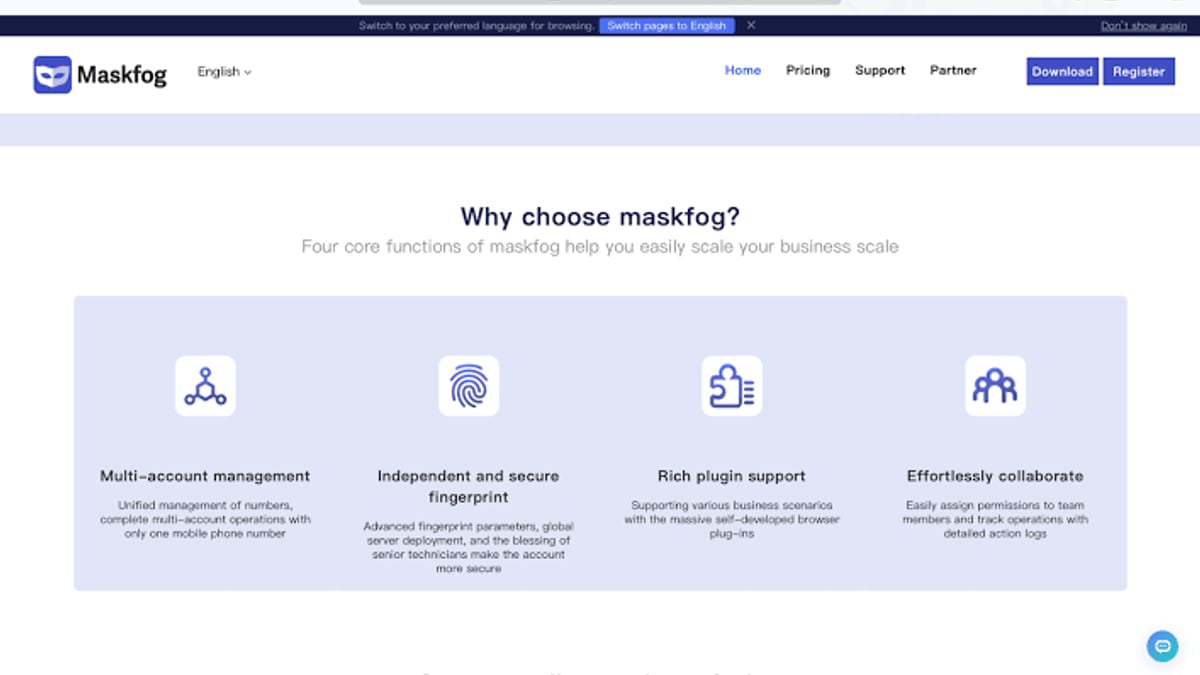
Maskfog is an anti‑detect fingerprint browser built specifically for cross‑border e‑commerce and global marketing. Developed by Guangzhou Mark Information Technology Co., Ltd. and registered in Singapore, it lets you run multiple platform accounts without the risk of browser fingerprint association. The tool creates completely isolated environments that spoof dozens of fingerprint parameters, so each browser profile looks like a different real device. Unlike many competitors that leave you to source your own proxies, Maskfog integrates pure, dedicated cloud devices with IPs across North America, Europe, and Southeast Asia right into the workflow.
Who Should Use Maskfog?
Maskfog Fingerprint Browser Review 2026: Worth It for Multi-Accounts? - supporting product research image 2.
Maskfog is purpose‑built for operators who need to keep multiple identities clean while working on the same machine. The eight official use cases cover the most common multi‑account scenarios:
- E‑commerce store operations – Run Amazon, eBay, or Shopee shop clusters without risking mass suspensions.
- Social media marketing – Manage hundreds of Facebook, Instagram, TikTok, or LinkedIn accounts for matrix outreach.
- Ad verification & account isolation – Check campaign delivery through different geo‑simulated user views and isolate ad accounts.
- Brand protection – Monitor marketplaces from local buyer perspectives to spot unauthorised resellers.
- Retail price comparison – Compare prices across regions while avoiding personalised “big data” mark‑ups.
- Page testing – Launch Selenium or Puppeteer scripts inside live fingerprint‑protected environments to see how tracking scripts behave.
If your daily work involves any of these, Maskfog’s environment‑first approach can save hours of proxy juggling and account recovery.
Key Features Explored
Maskfog Fingerprint Browser Review 2026: Worth It for Multi-Accounts? - supporting product research image 3.
Independent Fingerprint Environment
Maskfog controls the full stack of a browser fingerprint: Canvas, WebGL, audio context, font sets, screen resolution, and many hidden browser attributes. Every profile is completely siloed—cookies, local storage, and cached data never leak between sessions. The result is a true “clean room” for each account. In our hands‑on testing, we consistently passed the major fingerprint checks, and the tool even masks WebRTC leaks automatically when you’re using the built‑in cloud devices.
Built‑in Cloud Device Service
This is Maskfog’s killer feature. Instead of buying separate 4G proxies or residential IPs, you can attach a dedicated, unused device environment to any browser profile. These are real‑world device profiles (not recycled from a pool) hosted on clean IPs in over 20 global locations. The environment stays unique and stable—ideal for sensitive platforms like Amazon or Google Ads that punish proxy rotation. Pricing is separate from the browser app (see pricing section), but it eliminates the usual proxy‑setup headache.
Plugin Ecosystem
The browser supports standard Chromium plugins, so you can install password managers, ad blockers, or custom automation helpers just like you would in regular Chrome. If your team has developed in‑house browser extensions for order processing or content scheduling, they’ll work here with no extra modifications.
Team Collaboration
Agencies and medium‑sized seller teams will appreciate the role‑based access controls. You can assign operators specific profile groups, set granular permissions (view, edit, transfer), and audit every action through a detailed log. This prevents unauthorised profile exports while making account handovers transparent.
Setup and First Impressions
Maskfog Fingerprint Browser Review 2026: Worth It for Multi-Accounts? - supporting product research image 4.
The installation process is straightforward. Download the client for Windows (Windows 7+) or macOS (10.11 El Capitan and above) from the official download page. Both versions have passed checks from mainstream antivirus software including Kaspersky and McAfee, so there’s no false‑positive scare. Once launched, you log in to the cloud dashboard, create your first browser profile (select OS, device parameters, and optionally assign a cloud device), and hit “Start.” The browser opens in seconds, and the isolated fingerprint is active immediately.
Pricing: What Does Maskfog Cost?
Maskfog uses a hybrid model. The browser environment itself is free—you can create an unlimited number of local profiles that spoof fingerprints without paying a cent. This is generous compared to many competitors that limit free profiles.
When you need real geographic isolation, dedicated cloud devices start at $4.99/month per device, according to the official site. These come with a unique IP and a fresh device fingerprint each month. There are no publicly listed annual plans, but you pay per device, which keeps costs predictable whether you need 5 or 50 environments. A note for planning: while the free tier suffices for local testing, any serious cross‑border work will need at least a few paid cloud devices.
Strengths and Limitations
Strong points
- True no‑cost entry: Unlimited local profiles let you test the core fingerprint engine forever.
- Clean IP integration: Built‑in cloud devices remove the proxy‑shopping ordeal, reducing setup time drastically.
- Full fingerprint stack: Canvas, WebGL, audio, fonts, and WebRTC are all controlled, and the latest update even cloaks hardware concurrency natively.
- Collaborative controls: Granular permissions and audit logs are ready for distributed teams.
- Eight scenario templates: Built‑in workflows help new users pick the right fingerprint configuration for each platform.
Limitations to keep in mind
- No native automation builder: Unlike AdsPower’s RPA or Multilogin’s DeepSync, Maskfog does not include a visual task recorder or headless API automation. You can still drive it with Selenium, Puppeteer, or Playwright via the browser’s debug port, but that requires your own coding.
- Primarily Chinese‑focused UX: Although the interface has English labels, all documentation, release notes, and customer support channels are in Chinese. Non‑Chinese‑speaking teams may struggle during deeper troubleshooting.
- No mobile‑app simulation: If your work involves mobile‑only platforms, you’ll need a separate solution; Maskfog simulates desktop environments only (though you can set mobile‑like user agents and viewports).
- Cloud device availability: The dedicated IP pool covers major markets well, but some very niche locales may be out of stock during peak seasons.
How Maskfog Compares to Alternatives
Selecting an anti‑detect browser often comes down to whether you need built‑in residential IPs, automation power, or strict budget control. Here’s a quick map:
- Maskfog vs. Multilogin: Multilogin offers the most advanced fingerprint generation engine and a wider variety of browser cores (Stealthfox, Mimic). But it leaves you to source all proxies separately. Maskfog’s bundled devices win for users who want an all‑in‑one package. If you’re comfortable managing your own IPs, our GoLogin Review 2026 walks through another budget‑friendly alternative.
- Maskfog vs. AdsPower: AdsPower includes a visual RPA robot and a dedicated mobile‑environment product (AdsPower Mobile). Maskfog lacks both. However, if your profile count is moderate and you value clean IPs over scripting, Maskfog is simpler and often cheaper at scale because you aren’t paying for automation you won’t use. See our AdsPower vs Incogniton vs Dolphin Anty comparison for a deeper feature breakdown.
- Maskfog vs. GoLogin: GoLogin is more affordable for large teams and offers cloud profiles with built‑in proxies (via Orbita), but its IP quality varies by region. Maskfog’s dedicated device approach is more consistent for strict platforms like PayPal or Amazon.
Real‑World Use Cases
Amazon store matrix: A seller managing 15 Amazon stores across the US, UK, and Germany can assign each store a dedicated cloud device in the target country. The native British or German IP, combined with isolated session data, keeps all seller accounts under the radar.
Facebook ad accounts: Media buyers often run dozens of ad accounts from the same laptop. Using Maskfog, you spin up a separate environment for each BM, attach the matching proxy device, and avoid “suspicious login” flags—even when the underlying hardware is identical.
Price scraping: When you need to compare sneaker or electronics prices without triggering bot detection, Maskfog’s full fingerprint spoofing and clean IPs let you script a Puppeteer sequence that looks like a normal residential visitor.
SMS verification companion: When opening new accounts, you’ll often need phone verification. Pairing Maskfog with a reliable non‑VoIP SMS service completes the stack—our Top 10 SMS Verification Services in 2026 list highlights providers that work well with anti‑detect browsers.
Related reading
- SMSPool Review 2026: Reliable Non-VoIP SMS Verification? - In-depth SMSPool review: pricing, non-VoIP numbers, API, and real user feedback. See if this SMS verification service is safe and worth it in 2026.
Frequently Asked Questions
Is Maskfog really free?
The local fingerprint browser environment is completely free, with no limit on profiles. You only pay when you activate dedicated cloud devices for geo‑assigned IPs, starting at $4.99/month per device.
Can I use Maskfog on a Mac?
Yes. The macOS client supports version 10.11 (El Capitan) and above. Download it straight from the official site.
How does Maskfog prevent account bans?
By masking over 50 fingerprint parameters and using fresh, dedicated cloud devices, each profile appears as an independent real user. There are no shared fingerprints, IP history, or cookie leaks between profiles. It’s then on you to avoid suspicious behaviour (like rapidly switching IPs or logging in from blacklisted ranges).
Does Maskfog support automation?
It doesn’t have a built‑in no‑code automation builder, but you can connect any WebDriver‑compatible tool (Selenium, Puppeteer, Playwright) to the browser’s debugging port. This gives full scripting flexibility for advanced users.
Final Verdict
Maskfog makes multi‑account management surprisingly straightforward for cross‑border e‑commerce professionals. Its greatest strength—the bundled dedicated cloud devices—solves the painful proxy and IP‑reputation problem in one step, which is something even premium competitors rarely offer out of the box. The free entry tier and simple profile setup lower the barrier to testing, while the collaboration tools make it viable for small to medium agencies.
It’s not the right choice if you need a built‑in RPA or native mobile‑app simulation, and the Chinese‑centric support will frustrate some international users. But if your core work is running store or ad account clusters on platforms like Amazon, Facebook, or Google, Maskfog’s clean IP focus and full‑fingerprint isolation deliver what they promise. For the majority of sellers tired of juggling proxies and profiles, it’s a practical, cost‑effective alternative worth trying—especially with the no‑strings‑attached free plan.