
GoLogin Review 2026: Anti-Detect Browser Tested & Rated
Take a Quick Look
In-depth GoLogin review: features, pricing, fingerprinting, pros/cons, and real user feedback. See if this anti-detect browser fits your multi-account workflow.
🔥 Limited-Time Offer! Save extra 10% off on your first monthly plan with code: Anitdetect10
Sign upGoLogin Review 2026: Anti-Detect Browser Tested & Rated
Managing dozens or even hundreds of online accounts without triggering bans is a daily challenge for affiliate marketers, e-commerce sellers, and social media managers. GoLogin tackles this precisely by creating unique digital fingerprints for every browser profile—making each account appear to platforms as a separate, genuine user. In this evidence-based review, we break down what GoLogin actually delivers, who should use it, and where it might fall short.
Who Should Use GoLogin? Ideal Use Cases
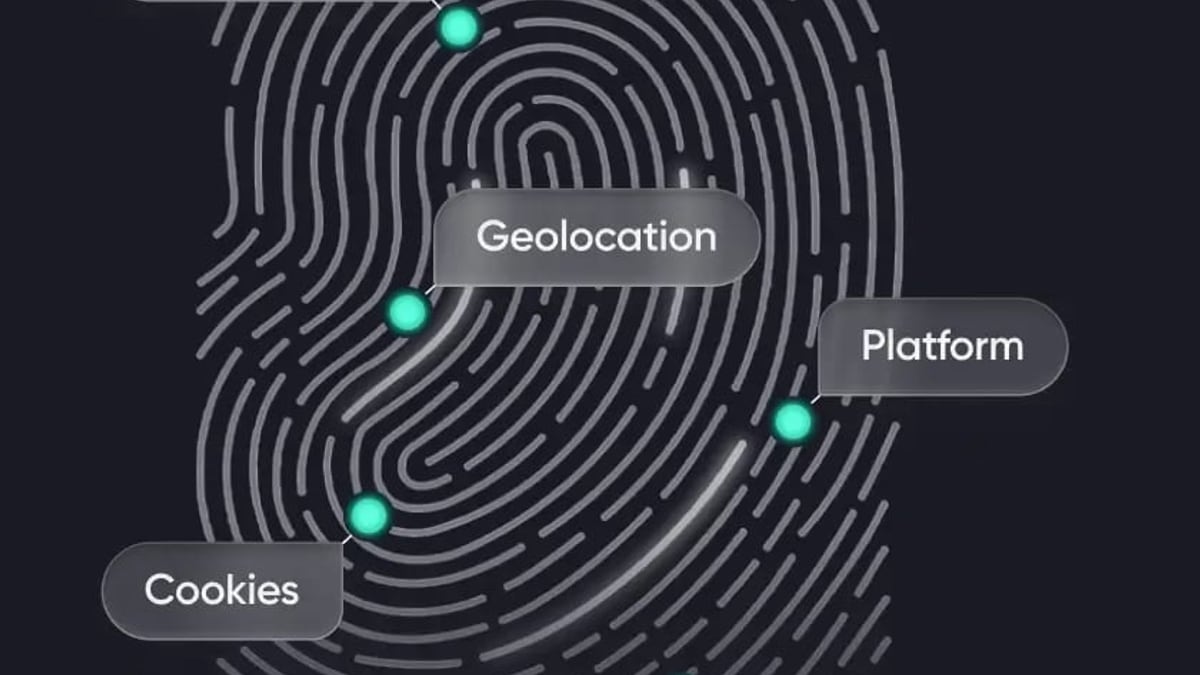
GoLogin Review 2026: Anti-Detect Browser Tested & Rated product interface and feature overview.
GoLogin isn’t a one-size-fits-all tool. It’s built for professionals who need reliable multi-account management and value a balance between simplicity and power.
- Affiliate & Traffic Arbitrage: Run hundreds of ad accounts on Facebook, Google Ads, or TikTok without footprint overlap. GoLogin’s fingerprint randomization and proxy support are tailored for campaign scaling.
- E‑commerce & Dropshipping: Manage seller accounts across Amazon, eBay, Shopify, and regional marketplaces. Price scanning and competitor research become safer when each session looks distinct.
- Social Media Management: Operate multiple LinkedIn, Instagram, or Twitter profiles for outreach or brand management. Built-in team collaboration lets you grant granular access to virtual assistants.
- Web Scraping & SEO: Perform SERP tracking or scrape data without IP blocks. GoLogin integrates with Puppeteer and Selenium, streamlining large-scale data collection (see our Puppeteer review for automation deep dives).
- Crypto & Airdrops: Secure wallet management and participating in airdrop campaigns often demand multiple isolated identities. GoLogin’s cloud profiles and TOR integration add a layer of anonymity.
Key Features That Set GoLogin Apart
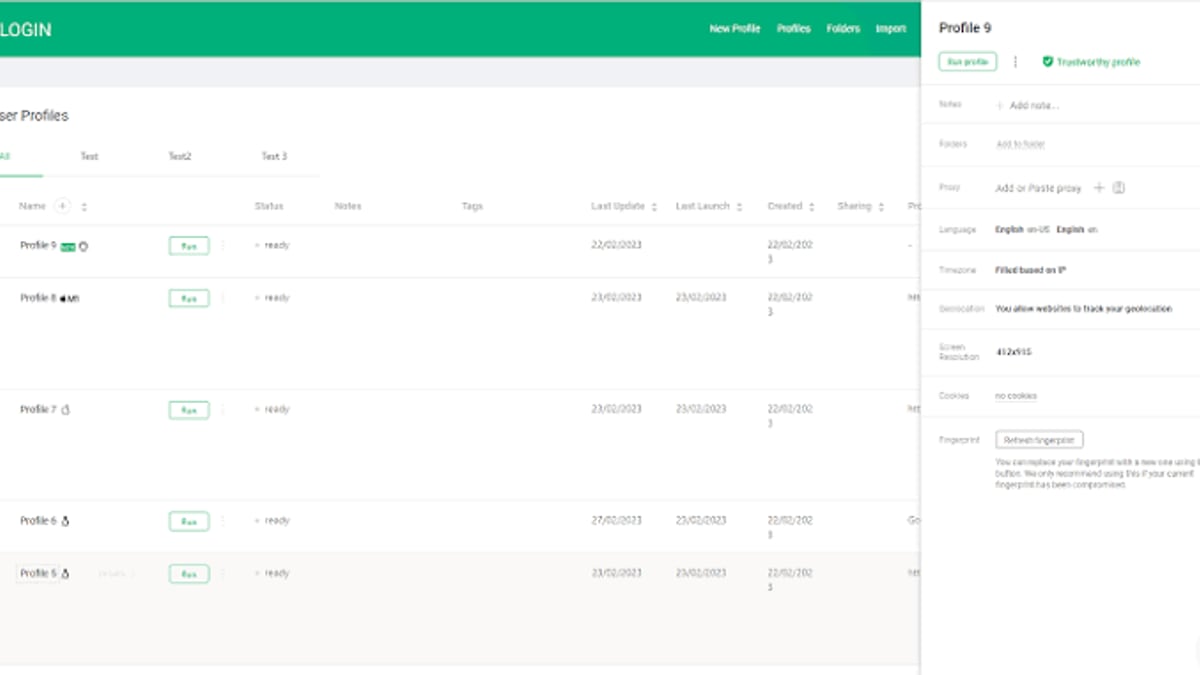
GoLogin Review 2026: Anti-Detect Browser Tested & Rated - supporting product research image 2.
Fingerprint Randomization
The core of any anti-detect browser. GoLogin replaces your real browser fingerprint with a synthetic one by altering Canvas, WebGL, WebRTC, fonts, user-agent, and more. Each profile gets a unique, consistent fingerprint that mimics real human devices—reducing the chance of detection by advanced anti-fraud systems.
Proxy Integration & Built‑in Free Proxies
You can attach any HTTP(S) or SOCKS5 proxy per profile. GoLogin also provides a handful of free proxies, which is handy for quick testing. For heavy lifting, pairing with residential or mobile proxies is recommended. The browser automatically manages proxy rotation if your provider supports it.
Automation & API Access
GoLogin offers native integrations with Puppeteer, Selenium, and a REST API. This allows scripted creation of profiles, launching browsers, and scraping workflows. While not as developer-centric as some competitors, the documentation is growing and sufficient for most marketing automation tasks.
Cloud Profiles & Cross‑Device Sync
All profiles are stored in the cloud (with end‑to‑end encryption). You can switch between a Windows desktop, a Mac, and an Android device seamlessly. The “cloud browser” option even lets you run sessions without a local installation—useful for team reviews or lightweight browsing.
Team Collaboration & Access Rights
The Professional plan includes profile sharing with custom permissions. You can allow a teammate to use a profile without seeing credentials, or grant full control. Audit logs track who did what, which is essential for agency workflows.
Android App & TOR Integration
GoLogin is one of the few anti-detect browsers with a dedicated Android app, allowing true mobile fingerprint management. Built‑in TOR support can route traffic through the onion network for maximum privacy, though speed will take a hit.
Setting Up GoLogin: A Quick Walkthrough
GoLogin Review 2026: Anti-Detect Browser Tested & Rated - supporting product research image 3.
Getting started is straightforward.
- Download & Install: Available for Windows, macOS, Linux, and Android. No credit card required for the free plan.
- Create a Profile: Click “New Profile,” give it a name, and optionally choose a base operating system, browser (Chrome or Firefox), and proxy. GoLogin auto‑generates a fingerprint; you can tweak it manually.
- Connect Proxies: In the profile settings, paste your proxy details. The browser will test connectivity before launch.
- Launch & Work: Click “Start” to open the profile as a regular browser tab. Cookies, history, and bookmarks are isolated per profile.
- Share with Team: From the profile list, invite team members by email and set their permission level.
The 7‑day free trial of the Professional plan unlocks all features, so you can test cloud sync, automation, and team sharing without upfront payment.
Strengths of GoLogin: What Users & Data Show
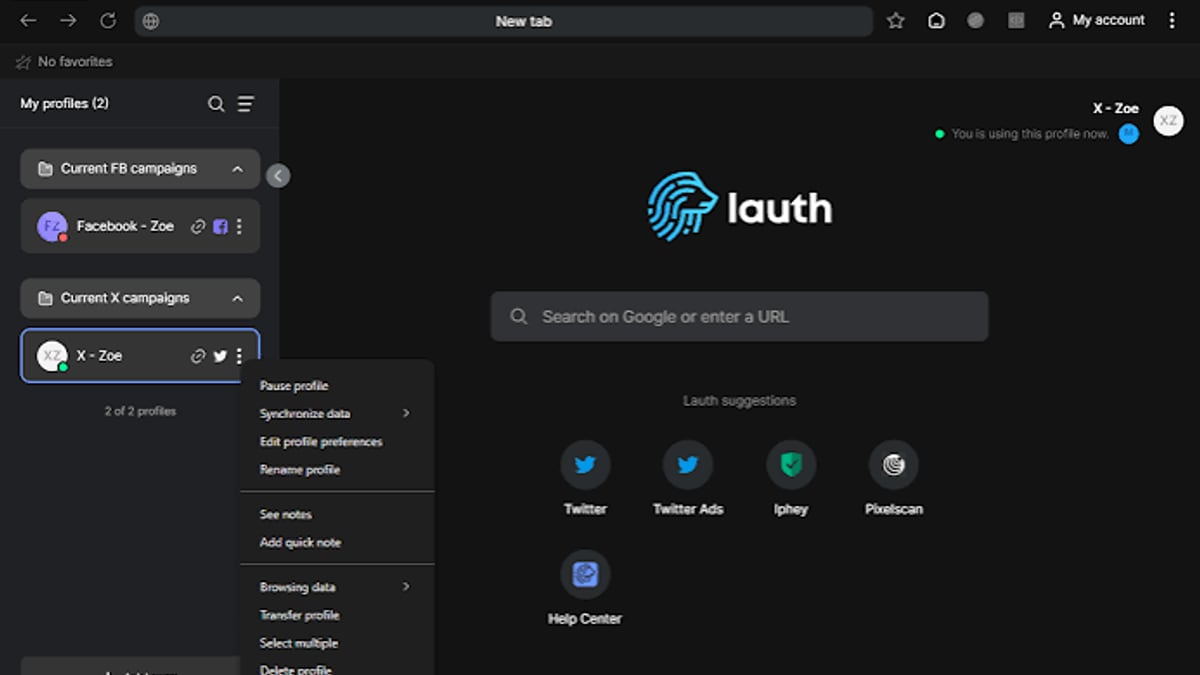
GoLogin Review 2026: Anti-Detect Browser Tested & Rated - supporting product research image 4.
Real user feedback from platforms like Trustpilot highlights a few consistent strengths:
- Ease of Use: The interface is clean and intuitive. Non‑technical users report getting up and running in minutes.
- Regular Updates: The development team ships new features and bug fixes frequently, often addressing user‑requested improvements.
- Responsive Support: Live chat and email support are generally quick to resolve issues. The knowledge base and video tutorials are solid.
- Generous Free Plan: Three permanent profiles cost nothing, which is ideal for testing or very small-scale operations. The 7‑day trial of the Professional plan requires no credit card.
- Cross‑Platform Consistency: Cloud sync works reliably, so profiles behave the same on any device.
Limitations and Potential Drawbacks
No tool is perfect. Be aware of these points:
- No Local Profile Storage: All profiles live in the cloud. This boosts mobility but concerns users who want complete local control. A competitor like AdsPower offers local storage options (compare in our AdsPower vs Incogniton vs Dolphin Anty guide).
- Mobile App: Android Only: There is no iOS version. If your workflow relies on iPhone or iPad fingerprinting, you’ll need an alternative.
- Free Plan Cap: Three profiles are enough for evaluation, but serious multiaccounting quickly demands a paid plan.
- Automation Learning Curve: While API and Puppeteer support exist, power users migrating from Multilogin or AdsPower might find the automation layer slightly less mature.
- Pricing for Small Teams: At $49/month for 100 profiles, it’s competitive, but very small teams might feel the pinch if they need only a handful of extra profiles.
GoLogin Pricing and Plans (2026)
GoLogin keeps its pricing transparent with a free tier and one main paid tier, plus a custom enterprise option.
| Plan | Monthly Price | Annual Price (per month) | Profiles | Key Features |
|---|---|---|---|---|
| Free | $0 | $0 | 3 | Basic fingerprints, no sharing, limited features |
| Professional | $49 | $24.50 (50% off) | 100 | Cloud sync, mobile app, API, proxies, team sharing |
| Business | Custom | Custom | Unlimited | Priority support, advanced team roles, higher limits |
All paid plans include the 7‑day free trial without requiring a credit card. The Professional annual plan brings the cost down to about $24.50/month—a solid value for the features offered.
GoLogin vs Competitors: How It Stacks Up
When choosing an anti‑detect browser, you’ll often encounter names like AdsPower, Multilogin, Dolphin Anty, and Incogniton. Here’s a quick framing:
- Ease of use & onboarding: GoLogin is among the most beginner‑friendly, with a simpler interface than Multilogin and a faster setup than some AdsPower configurations.
- Free offering: GoLogin’s free plan (3 profiles) is permanent, while Dolphin Anty gives 10 free profiles but with some feature restrictions. AdsPower offers 2 free profiles.
- Cloud & sync: GoLogin is fully cloud‑dependent; if you prefer local storage, AdsPower or Incogniton provide that flexibility.
- Automation depth: Multilogin and AdsPower often lead in advanced automation scripting, but GoLogin covers most marketing needs well.
For a detailed side‑by‑side breakdown of top alternatives, read our AdsPower vs Incogniton vs Dolphin Anty 2026 comparison.
Related reading
- SMSPool Review 2026: Reliable Non-VoIP SMS Verification? - In-depth SMSPool review: pricing, non-VoIP numbers, API, and real user feedback. See if this SMS verification service is safe and worth it in 2026.
Sources and further reading
- Best GoLogin Alternatives in 2025 | Free & Paid Competitors - Check out the best alternatives and competitors to GoLogin. Find the best free and paid apps similar to GoLogin for your needs.
- GoLogin vs AntBrowser: A Comparison of Pricing and Features - Discover the key differences between Gologin and AntBrowser. Explore pricing plans, features, and more to help you choose the best antidetect browser.
Frequently Asked Questions
Is GoLogin legal?
Yes. GoLogin is a privacy tool designed for legitimate multi‑account management. It is not intended for fraudulent activity. You must comply with the terms of service of the platforms you access.
Does GoLogin offer a free trial?
Yes, the Professional plan comes with a 7‑day free trial—no credit card needed. The free plan remains available forever with 3 profiles.
How effective is GoLogin’s fingerprint masking?
Very effective when properly configured. It randomizes dozens of parameters to create a convincing, consistent fingerprint. Regular updates mean it stays ahead of many detection algorithms. Always pair with clean residential or mobile proxies for best results.
Can I run GoLogin with Puppeteer or Selenium?
Absolutely. GoLogin provides dedicated API and Puppeteer/Selenium integration. For a primer on automating headless Chrome, check our Puppeteer review.
How many profiles can I create?
Free: 3. Professional: 100. Business and custom plans allow unlimited profiles. Profiles are stored in the encrypted cloud and can be accessed from any device.
Do I need proxies with GoLogin?
For any account worth protecting, yes. GoLogin includes a few free proxies for testing, but you should use your own residential, mobile, or data‑center proxies. When creating new accounts, you’ll also need reliable SMS verification; see our top 10 SMS verification services to pair with your fingerprint setup.
Final Verdict: Is GoLogin Right for You?
GoLogin occupies a sweet spot: it’s powerful enough for professional marketers yet remains approachable for newcomers. The cloud‑first design, regular updates, and responsive support make it a trustworthy daily driver. If you manage fewer than 100 account profiles and value mobility and simplicity over extreme automation control, GoLogin is an excellent choice.
However, if your workflow demands local profile storage, iOS fingerprints, or deeply customizable scripting environments out of the box, explore local‑storage‑oriented alternatives like AdsPower or Multilogin. For everyone else, the free plan and no‑risk trial make it easy to test whether GoLogin fits your multi‑account stack.
At AdsPower, we continuously evaluate tools that keep your online operations smooth and secure. GoLogin earns a strong recommendation for its consistent fingerprint protection, thoughtful feature set, and beginner‑friendly design.