
How to Use AdsPower with TikTok: 2026 Setup & Workflow
Take a Quick Look
Learn how to combine AdsPower's anti-detect browser with TikTok for safe multi-account management, account warm-up, TikTok Shop, and automation in 2026.
🔥 Limited-Time Offer! Save extra 10% off on your first monthly plan with code: Anitdetect10
Sign upHow to Use AdsPower with TikTok: A Practical 2026 Workflow
TikTok rewards creators and sellers who can move fast, but its risk-control system punishes anyone who looks like a bot, a ban evader, or an account farm. That tension creates a real problem: you want to run several TikTok accounts, test content angles, manage client profiles, or operate TikTok Shop stores, but logging into multiple accounts from one device is exactly the kind of signal that triggers suspensions.
AdsPower solves that problem by giving each TikTok account its own isolated browser environment with a unique digital fingerprint. Instead of juggling phones or risking cross-account detection, you manage everything from one dashboard. This guide walks through the full workflow: why the combination works, how to set it up, how to warm up accounts safely, and how to scale without getting banned.
Why AdsPower and TikTok Work Well Together

How to Use AdsPower with TikTok: 2026 Setup & Workflow - Why AdsPower and TikTok Work Well Together.
TikTok's trust system looks at more than your username and password. It evaluates the device you log in from, the browser fingerprint you leave behind, your IP address, your cookie history, and whether your behavior matches a normal human user. When several accounts share the same fingerprint, cache, or network, TikTok can link them and apply restrictions across the entire group.
AdsPower addresses each of these signals:
- Isolated browser profiles: Every TikTok account gets its own environment with separate cookies, cache, local storage, and fingerprint parameters such as Canvas, WebGL, user agent, time zone, and language.
- Proxy support: You can assign a dedicated residential or mobile proxy to each profile so every account appears to log in from a realistic, consistent location.
- Stable fingerprinting: AdsPower runs on the latest Chrome engine, so the browser environment looks authentic rather than like a patched or outdated client.
- Automation tools: RPA and Local API integration with Selenium or Puppeteer let you automate repetitive TikTok actions without manual errors.
The result is a setup where TikTok sees multiple independent, human-like users instead of one person operating a suspicious account cluster.
What Problems This Combination Solves
How to Use AdsPower with TikTok: 2026 Setup & Workflow - What Problems This Combination Solves.
Before diving into setup, it helps to know which scenarios benefit most from AdsPower plus TikTok:
- Agencies managing client accounts: You can keep every client's TikTok profile in a separate environment without logging in and out all day.
- TikTok Shop sellers: Run multiple stores or regional storefronts without triggering bans caused by shared device fingerprints.
- Affiliate marketers: Operate several creator accounts to test niches, content styles, and affiliate offers.
- Content teams and account matrices: Scale from one account to ten or more while keeping each profile isolated and stable.
- TikTok Ads managers: Access multiple TikTok Ads accounts from one device without suspension risks tied to frequent device switching.
If you are still comparing anti-detect browsers before committing, the AdsPower vs Multilogin vs MuLogin comparison breaks down fingerprinting quality, automation depth, and pricing in more detail.
Step-by-Step Setup: AdsPower for TikTok
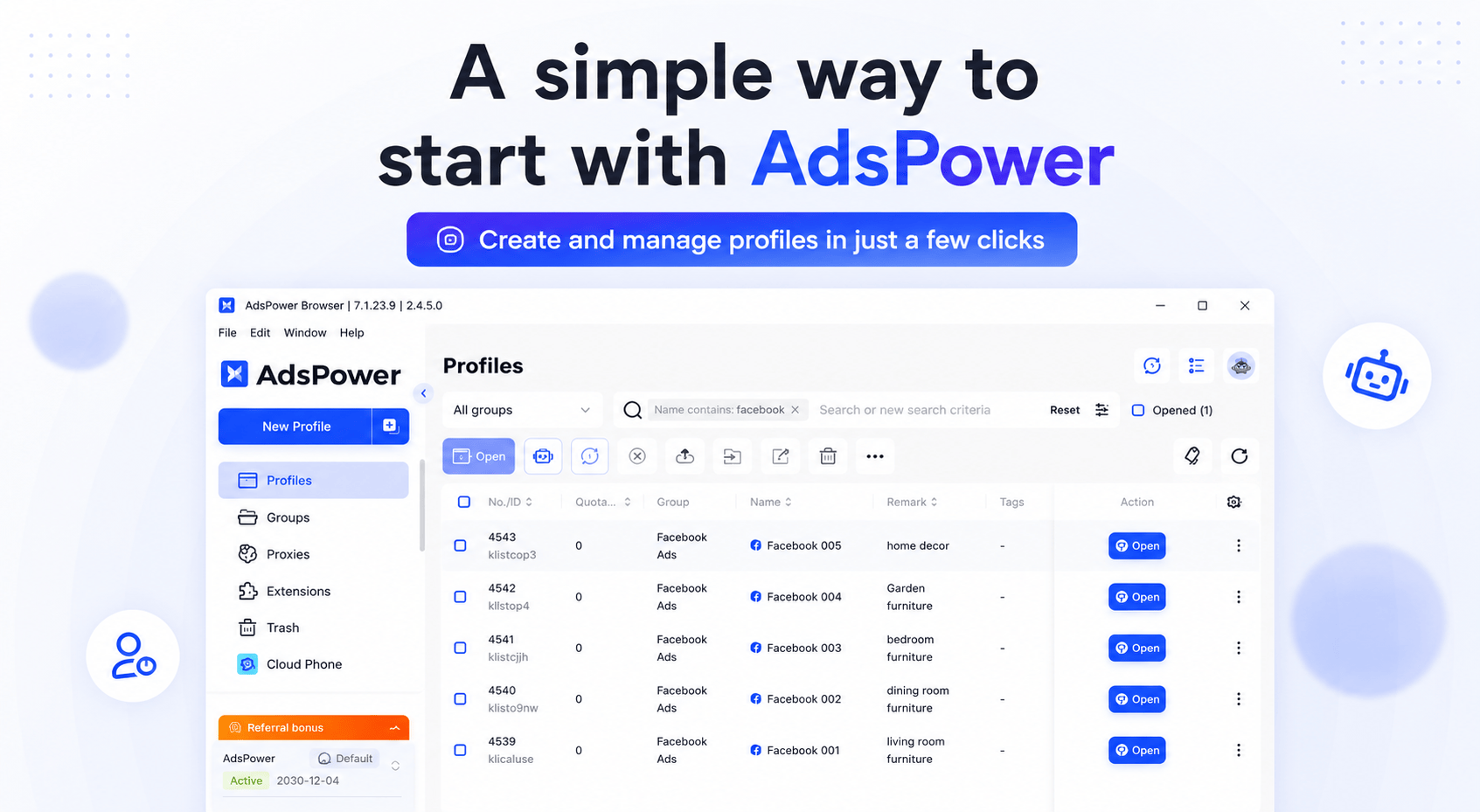
How to Use AdsPower with TikTok: 2026 Setup & Workflow - Step-by-Step Setup: AdsPower for TikTok.
1. Create an AdsPower Account and Install the Client
Start by signing up for an AdsPower account. The free trial gives you a limited number of profiles, which is enough to test the workflow before choosing a paid plan. Download the desktop client for Windows, Mac, or Linux and log in.
2. Create a Dedicated Profile for Each TikTok Account
Open the AdsPower client and click New Profile. For each TikTok account you plan to run, create a separate profile:
- Give the profile a clear name, such as
TikTok - US Beauty Niche. - Choose the Chrome kernel. Avoid Firefox for TikTok workflows that rely on the Cookie Robot, which currently supports Chrome only.
- Configure fingerprint settings. You can let AdsPower generate a realistic fingerprint automatically or customize parameters like user agent, time zone, language, and screen resolution to match your target region.
- Assign a proxy. For TikTok, a residential or mobile proxy from the same country as your target audience is strongly recommended. Avoid free or datacenter proxies that TikTok commonly flags.
3. Match the Environment to Your Target Region
TikTok pays close attention to whether your IP location, time zone, language, and browser fingerprint tell a consistent story. If you are targeting a US audience, set the profile time zone to a US time zone, use a US proxy, and keep the browser language consistent. Mismatched signals are one of the fastest ways to get a new account restricted.
4. Log In and Warm Up the Account
Launch the profile and log in to TikTok. Do not post immediately. New accounts need a warm-up period where they behave like normal users: scrolling the For You feed, watching videos fully, liking occasionally, following a few relevant creators, and searching for topics. AdsPower's Cookie Robot can automate this process, which we cover in the next section.
5. Scale with Batch Operations
Once your first account is stable, repeat the process for additional profiles. AdsPower's batch tools let you open multiple profiles, run synchronized actions, or apply settings across a group of accounts. This is where the setup becomes genuinely efficient for teams.
Warming Up TikTok Accounts with the Cookie Robot

How to Use AdsPower with TikTok: 2026 Setup & Workflow - Warming Up TikTok Accounts with the Cookie Robot.
Manual warm-up is inconsistent. People get tired, skip sessions, scroll too fast, or interact in patterns that look automated. TikTok's risk system monitors cookie behavior continuously, so gaps and irregularities can hurt a new account's reach.
AdsPower's Cookie Robot solves this by simulating natural, long-term browsing behavior automatically. It can:
- Open TikTok's official pages
- Browse recommendation, search, and topic feeds
- Watch videos for randomized durations
- Scroll at variable speeds
- Exit and revisit the platform like a real user
How to Run the Cookie Robot
- Create a new AdsPower profile for your TikTok account as described above.
- Find the profile in the Profiles list and launch the Cookie Robot.
- Enter the full TikTok URL in the Target website field, starting with
https://. - Adjust optional behavior settings: scrolling speed, feed depth, video watch duration, profile browsing, thumbnail preloading, autoplay, and headless mode.
- Click OK to start. The robot will browse TikTok in the background and build authentic cookie history.
- Check Action Logs to confirm the robot ran successfully and troubleshoot any errors.
Run the Cookie Robot daily for several days before publishing your first video. This builds a baseline of normal activity that makes the account look established and trustworthy to TikTok's risk controls.
Using AdsPower for TikTok Shop and TikTok Ads
TikTok Shop Multi-Store Management
TikTok Shop sellers often need to manage multiple stores, test products across regions, or separate personal and business accounts. AdsPower keeps each store's login isolated, so TikTok cannot link your stores through shared device data. You can also use separate profiles to research competitor shops without exposing your own account identity.
TikTok Ads Account Management
If you manage multiple TikTok Ads accounts for clients or campaigns, switching between them on a normal browser is risky. AdsPower lets you keep each ads account in its own fingerprint-stable environment, monitor several accounts at once through the synchronizer, and use RPA tasks to check campaign performance or pull reports automatically.
Market and Competitor Research
Dedicated research profiles let you browse TikTok, analyze trending content, and inspect competitor shops without mixing that activity into your main account's cookie history. This keeps your primary profiles clean while giving you the data you need to make content and product decisions.
Practical Workflow Example: A TikTok Affiliate Matrix
Imagine you are an affiliate marketer testing three niches: home fitness, skincare, and pet products. Here is how the AdsPower plus TikTok workflow looks in practice:
- Create three AdsPower profiles, each with a unique fingerprint, a residential proxy in your target country, and a name that identifies the niche.
- Register one TikTok account per profile using separate email addresses or phone numbers.
- Run the Cookie Robot on each profile for 5–7 days, letting it build natural browsing history around niche-relevant topics.
- Post your first videos only after the warm-up period. Keep each account's content strictly within its niche.
- Monitor account health in AdsPower. If one account gets flagged, the others remain unaffected because they share no fingerprint or cookie data.
- Scale gradually. Once the first three accounts are stable, duplicate the process for new niches or content angles.
This approach prevents the single point of failure that kills most multi-account TikTok strategies: all accounts linked to one device and one identity.
Common Mistakes to Avoid
- Skipping warm-up: Posting immediately after registration is the fastest way to get a new account deprioritized or restricted.
- Using free or datacenter proxies: TikTok flags these IP ranges aggressively. Invest in residential or mobile proxies.
- Mixing account regions: A US proxy with a European time zone and mismatched language settings creates an inconsistent fingerprint.
- Reusing the same profile for multiple accounts: Even with different logins, shared cookies and cache will link the accounts.
- Over-automating too early: RPA and API automation are powerful, but aggressive automated actions on a brand-new account look unnatural. Warm up first, then automate gradually.
AdsPower vs. Other Anti-Detect Browsers for TikTok
AdsPower is not the only anti-detect browser on the market, and the right choice depends on your scale and workflow. If you are deciding between options, the AdsPower vs Dolphin Anty comparison covers fingerprinting, automation, team features, and pricing. For a broader look at the category, the Linken Sphere review examines another popular alternative and where it falls short.
For TikTok specifically, AdsPower's advantages include the built-in Cookie Robot for account warm-up, RPA automation for repetitive actions, and a mature proxy integration system. Teams managing dozens or hundreds of TikTok accounts also benefit from batch operations and role-based permissions.
Related reading
- Ticketmaster Reviews: Fees, Service, and What Buyers Really Say - We analyzed thousands of Ticketmaster reviews to break down real complaints about fees, customer service, refunds, and whether it's still worth using in 2026.
- Top 10 Performance Marketing Network Products for 2026 - Compare the 10 best performance marketing network products for 2026, from CPA networks to tracking platforms, with features, pricing, and ideal use cases.
- How to Use AdsPower with ScraperAPI: 2026 Workflow - Learn how to combine AdsPower's anti-detect browser with ScraperAPI's scraping engine for resilient, large-scale data collection without IP bans or CAPTCHAs.
Sources and further reading
- Grow Your TikTok Accounts and Business with Multi-Login Browser - Scale your TikTok presence & manage TikTok Shop with AdsPower's secure multi-login browser. Automate tasks, manage accounts, and boost engagement - all in one place.
- Cookie Robot for TikTok: A Beginner's Guide to Stable Account Setup - Learn how to use a Cookie Robot to warm up your new TikTok account, simulate real user behavior, and ensure a stable start for long-term growth.
- I Used ADSPOWER MultiLogin and Created HUNDREDS of Accounts Without Getting Banned - Want to run multiple TikTok, Facebook, Gmail, or LinkedIn accounts without getting banned? Learn how to create unlimited accounts online using the powerful A...
Frequently Asked Questions
Is it safe to use AdsPower with TikTok?
AdsPower itself is a legitimate browser tool used by millions of marketers and agencies. Safety depends on how you use it: combine isolated profiles with quality residential proxies, warm up accounts properly, and avoid spam-like behavior. No tool can guarantee zero bans if you violate TikTok's terms of service.
How many TikTok accounts can I run with AdsPower?
The number depends on your AdsPower plan and available proxies. The free trial offers a limited number of profiles, while paid plans scale to hundreds or thousands. The practical limit is usually your proxy budget and your ability to manage content quality across accounts.
Do I need a proxy for each TikTok account?
Yes, for multi-account TikTok workflows, a dedicated proxy per account is strongly recommended. Sharing one IP across multiple TikTok accounts is a major linking signal. Residential or mobile proxies from your target region work best.
Can I use AdsPower on Mac for TikTok?
Yes, AdsPower supports Windows, Mac, and Linux. The TikTok workflow, including the Cookie Robot, works on Mac as long as you use the Chrome kernel.
Does the Cookie Robot work with TikTok?
Yes. The Cookie Robot is designed to simulate natural browsing behavior on TikTok and other sites. Enter the full TikTok URL, configure your behavior settings, and run it daily during the warm-up phase.
Will AdsPower prevent all TikTok bans?
No tool can prevent all bans. AdsPower reduces the technical signals that cause account linking and suspicious-device flags, but content violations, spam reports, and terms-of-service breaches can still lead to restrictions.
Conclusion
AdsPower and TikTok are a practical match for anyone who needs to manage multiple accounts without triggering TikTok's risk controls. The key is not just installing the browser, but using it correctly: isolated profiles, region-consistent fingerprints, quality proxies, patient warm-up, and gradual automation.
Start with one or two accounts, run the Cookie Robot consistently for a week, and only then begin posting and scaling. Once the workflow feels stable, expand into TikTok Shop management, affiliate matrices, or client account operations. For a deeper look at TikTok's platform dynamics before you invest heavily, the TikTok review covers the For You feed, creator tools, and monetization options in 2026.