
How to Use AdsPower with ScraperAPI: 2026 Workflow
Take a Quick Look
Learn how to combine AdsPower's anti-detect browser with ScraperAPI's scraping engine for resilient, large-scale data collection without IP bans or CAPTCHAs.
🔥 Limited-Time Offer! Save extra 10% off on your first monthly plan with code: Anitdetect10
Sign upHow to Use AdsPower with ScraperAPI: A Practical 2026 Workflow
Web scraping at scale usually hits the same wall: websites detect automated traffic, throw up CAPTCHAs, and block your IP. AdsPower and ScraperAPI solve different halves of that problem. AdsPower gives you isolated browser profiles with unique fingerprints so your sessions look like real users. ScraperAPI handles proxy rotation, anti-bot bypass, and CAPTCHA solving behind a single API. Used together, they create a resilient data collection pipeline that survives aggressive anti-scraping defenses.
This guide explains why the combination works, how to set it up step by step, and where it makes the most sense in real workflows.
Why Pair AdsPower with ScraperAPI?
How to Use AdsPower with ScraperAPI: 2026 Workflow - Why Pair AdsPower with ScraperAPI?.
AdsPower is an anti-detect browser that creates isolated profiles with distinct digital fingerprints, including Canvas, WebGL, user agent, and other parameters. It prevents platforms like Amazon, Google, TikTok, and Facebook from linking your accounts or flagging repeated sessions. However, AdsPower does not supply proxies or solve CAPTCHAs on its own. You still need a reliable IP layer to avoid detection.
ScraperAPI fills that gap. It provides automatic IP rotation across a large residential and datacenter pool, anti-bot bypass, CAPTCHA solving, and structured JSON endpoints. Instead of managing proxy lists manually, you send requests through ScraperAPI and let it handle retries, headers, and IP changes.
Together, the two tools cover the full stack:
- AdsPower manages the browser identity: fingerprint, cookies, local storage, and session isolation.
- ScraperAPI manages the network identity: IP rotation, geo-targeting, and anti-bot challenges.
This division matters because browser fingerprinting and IP reputation are separate detection signals. A clean fingerprint with a flagged IP still gets blocked. A residential IP with an inconsistent fingerprint also raises suspicion. Combining both layers reduces the chance that either signal exposes your automation.
When Should You Use Both Tools?
How to Use AdsPower with ScraperAPI: 2026 Workflow - When Should You Use Both Tools?.
Not every scraping job needs a full anti-detect browser. ScraperAPI alone handles many API-based requests, especially for public pages with moderate protection. AdsPower alone suits multi-account management where you manually operate profiles.
The combination becomes valuable when you need:
- JavaScript-heavy sites that require a real browser to render content.
- Logged-in scraping where session cookies and local storage must persist across requests.
- High-value targets like Amazon, Airbnb, or AliExpress that aggressively fingerprint browsers.
- Multi-account data collection where each profile represents a different user, region, or persona.
- Hybrid workflows that mix manual browsing with automated data pulls.
For example, an e-commerce team might use AdsPower profiles to monitor competitor storefronts from different regional identities while using ScraperAPI to pull structured pricing data at scale. The AdsPower sessions maintain realistic browsing behavior; ScraperAPI handles the bulk API calls that would otherwise burn through proxy bandwidth.
Setup Overview: Two Integration Paths
There are two practical ways to use AdsPower with ScraperAPI:
- Proxy integration: Configure ScraperAPI as the proxy inside an AdsPower profile. This routes all browser traffic through ScraperAPI's rotating IP pool.
- API + browser hybrid: Use ScraperAPI's endpoints for bulk data collection and AdsPower for tasks that require persistent browser sessions or manual interaction.
Most teams start with the proxy integration because it is the simplest way to combine both tools in one environment. The hybrid approach works better for advanced pipelines that separate high-volume API calls from selective browser-based scraping.
Step-by-Step: Configure ScraperAPI as a Proxy in AdsPower
How to Use AdsPower with ScraperAPI: 2026 Workflow - Step-by-Step: Configure ScraperAPI as a Proxy in AdsPower.
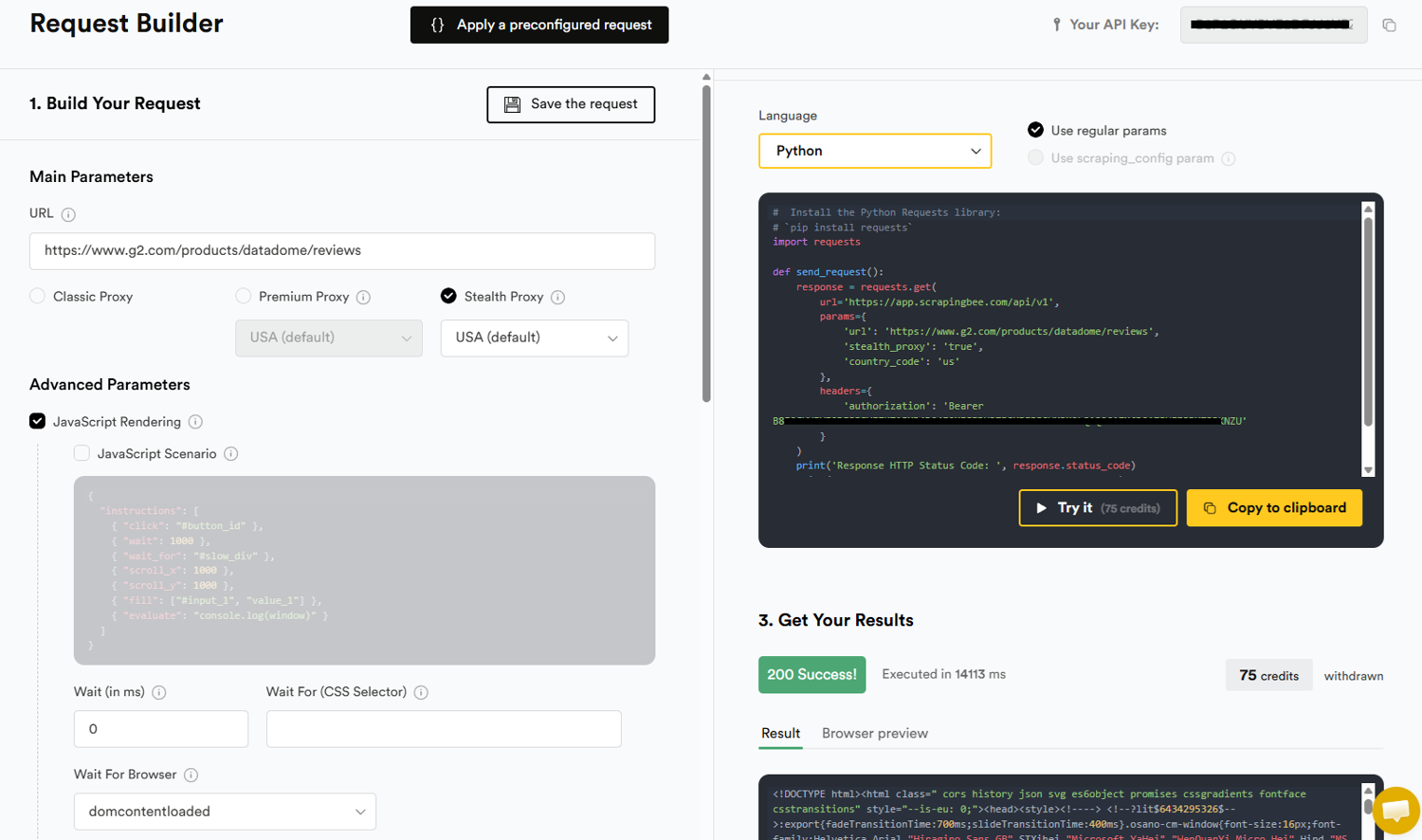
ScraperAPI exposes a proxy endpoint that accepts standard HTTP requests. You can point an AdsPower profile at that endpoint and let ScraperAPI rotate IPs automatically.
1. Get Your ScraperAPI Credentials
Log in to your ScraperAPI dashboard and copy your API key. The proxy endpoint uses the following format:
proxy-server.scraperapi.com:8001
Your username is scraperapi, and your password is your API key. For geo-targeted requests, you can append a country code to the username, such as scraperapi.country_code=us.
2. Create a New AdsPower Profile
Open AdsPower and click New Profile. Give the profile a descriptive name, such as ScraperAPI-US-Amazon. Set the operating system and user agent to match the target site's expectations. AdsPower lets you customize Canvas, WebGL, timezone, language, and other fingerprint parameters. Keep these consistent with the geo-location you plan to target through ScraperAPI.
3. Add the ScraperAPI Proxy
Scroll to the Proxy section in the profile settings. Select Custom as the proxy type. Choose HTTP or HTTPS as the protocol. Enter the following details:
- Host:
proxy-server.scraperapi.com - Port:
8001 - Proxy username:
scraperapi - Proxy password: your ScraperAPI API key
If you want country-level targeting, modify the username. For example, to route requests through US IPs, use scraperapi.country_code=us. ScraperAPI supports country codes for major markets, which lets you match the profile's timezone and language settings to the proxy location.
4. Test the Connection
Click Check Proxy in AdsPower. A successful test shows the external IP address and location that ScraperAPI assigned. If the check fails, verify that your API key is correct and that your ScraperAPI plan includes proxy access.
5. Launch and Verify the Profile
Save the profile and click Open. Visit a fingerprint-checking site such as BrowserScan to confirm that the IP, timezone, language, and browser fingerprint align. Mismatches between IP location and browser locale are a common detection trigger, so adjust the profile settings if needed.
Practical Example: Scraping Amazon Product Data
Let's walk through a realistic use case: collecting Amazon product prices and availability from multiple regional storefronts without triggering bot detection.
Goal: Gather pricing data for 50 products across Amazon US, UK, and Germany.
Setup:
- Create three AdsPower profiles:
Amazon-US,Amazon-UK, andAmazon-DE. - Configure each profile with a matching timezone, language, and user agent.
- Add ScraperAPI as the proxy in each profile, using
scraperapi.country_code=us,scraperapi.country_code=uk, andscraperapi.country_code=derespectively. - Launch each profile and log in to the corresponding Amazon storefront if needed.
Execution:
- For bulk API requests, send product URLs directly to ScraperAPI's endpoint with the
country_codeparameter. This returns structured JSON without opening a browser. - For pages that require JavaScript rendering or logged-in sessions, use the AdsPower profiles to browse manually or run AdsPower's RPA automation.
- Rotate between profiles to distribute request volume and avoid concentrating traffic on a single session.
Result: You get localized pricing data from three regions while keeping browser fingerprints and IP reputations separate. ScraperAPI handles CAPTCHAs and IP blocks automatically; AdsPower maintains realistic session behavior.
Practical Example: SEO Rank Tracking Across Locations
SEO teams often need to check search results from specific cities or countries. Google personalizes results based on IP location, browser language, and search history. AdsPower profiles with ScraperAPI proxies let you simulate searches from different regions without contaminating your main browser.
Goal: Track keyword rankings for a travel site across New York, London, and Sydney.
Setup:
- Create three AdsPower profiles with US, UK, and AU timezone and language settings.
- Configure ScraperAPI proxies with the corresponding country codes.
- Launch each profile and run searches on Google or Bing.
Execution:
- Use AdsPower's batch operation feature to open all three profiles simultaneously.
- Run the same query in each profile and record the top results.
- For high-volume keyword tracking, send requests through ScraperAPI's API with the
country_codeparameter and parse the HTML response.
This approach gives you unbiased SERP data from multiple locations without risking IP bans on your primary connection. For more on proxy selection for SEO work, see the AdsPower guide to SEO proxies.
Hybrid Workflow: When to Use API vs. Browser
A common mistake is treating AdsPower and ScraperAPI as interchangeable. They serve different roles in a scraping pipeline.
| Task | Best Tool | Why |
|---|---|---|
| Bulk product data extraction | ScraperAPI API | Faster, cheaper, no browser overhead |
| JavaScript-heavy pages | AdsPower + ScraperAPI proxy | Real browser renders dynamic content |
| Logged-in account scraping | AdsPower | Persistent cookies and local storage |
| CAPTCHA-heavy targets | ScraperAPI API | Built-in CAPTCHA solving |
| Multi-region SERP checks | AdsPower + ScraperAPI proxy | Location-specific fingerprints and IPs |
| High-volume keyword tracking | ScraperAPI API | Handles millions of requests asynchronously |
For most projects, a hybrid pipeline works best. Use ScraperAPI's API for the heavy lifting: product feeds, search results, and structured data endpoints. Reserve AdsPower for the tasks that genuinely need a browser: login-protected pages, complex JavaScript interactions, and workflows that require human-like session persistence.
Common Problems the Combination Solves
IP Bans and Rate Limiting
ScraperAPI rotates IPs automatically, so repeated requests from an AdsPower profile do not accumulate on a single IP. This prevents the gradual reputation damage that leads to hard bans.
CAPTCHA Walls
ScraperAPI solves CAPTCHAs at the proxy level. When an AdsPower profile hits a CAPTCHA through the ScraperAPI proxy, the challenge is resolved before the page loads. This keeps manual browsing and RPA automation moving without interruption.
Fingerprint Inconsistency
AdsPower ensures that Canvas, WebGL, user agent, and other fingerprint signals stay consistent within each profile. ScraperAPI ensures that the IP location matches the profile's geo-settings. Together, they eliminate the two most common detection triggers.
Session Persistence
ScraperAPI supports sticky sessions for requests that need to maintain state. Combined with AdsPower's cookie and local storage isolation, this lets you run long-lived scraping sessions that survive across multiple requests.
Limitations to Keep in Mind
This combination is powerful but not a magic bullet.
- Cost: Running both tools adds up. ScraperAPI charges per successful request or bandwidth, and AdsPower has tiered pricing based on profiles and team seats. Budget carefully for high-volume projects.
- Complexity: Managing dozens of AdsPower profiles with individual proxy settings requires discipline. Use naming conventions and tags to stay organized.
- Terms of service: Some websites prohibit automated access. Always review the target site's policies and comply with applicable laws.
- Latency: Routing browser traffic through a proxy adds a small delay. For time-sensitive tasks, test whether the API-only approach meets your speed requirements.
Alternative Approaches
If you do not need browser fingerprinting, ScraperAPI alone may be sufficient. Its API handles proxies, CAPTCHAs, and retries without any browser setup. This is the fastest path for basic scraping tasks.
If you need multi-account management but not large-scale data collection, AdsPower with a dedicated proxy provider may be simpler. You can compare AdsPower against other anti-detect browsers like Multilogin and MuLogin or Dolphin Anty to find the right fit.
For teams already using AdsPower for social media or e-commerce operations, adding ScraperAPI as the proxy layer is a natural extension. The same profiles that manage storefronts can also feed data into your analytics pipeline.
Related reading
- TikTok Review 2026: Pros, Cons, Features, and Verdict - In-depth TikTok review for 2026: how the For You feed works, creator tools, monetization, safety controls, limitations, and who should use it.
- Shopify Pricing in 2026: Plans, Fees, and Real Cost Breakdown - Understand Shopify pricing in 2026: Starter, Basic, Grow, Advanced, and Plus plans, transaction fees, POS costs, and how to choose the right tier.
Sources and further reading
- How to Use IPRoyal Proxies With AdsPower - How to Use IPRoyal Proxies With AdsPower
FAQ
Can I use ScraperAPI as a proxy in AdsPower?
Yes. ScraperAPI provides a proxy endpoint at proxy-server.scraperapi.com:8001. Enter your ScraperAPI API key as the proxy password in AdsPower's proxy settings, and all browser traffic from that profile will route through ScraperAPI's rotating IP pool.
Do I need both tools for web scraping?
Not always. ScraperAPI alone handles many scraping tasks through its API. AdsPower becomes necessary when you need a real browser environment, persistent sessions, or manual interaction with JavaScript-heavy sites.
How do I target a specific country with ScraperAPI in AdsPower?
Append the country code to your proxy username. For example, use scraperapi.country_code=de to route traffic through German IPs. Make sure your AdsPower profile's timezone and language settings match the target country.
Does AdsPower include proxies?
No. AdsPower is an anti-detect browser and does not provide proxy services. You need to supply your own proxies, whether from ScraperAPI, a dedicated proxy provider, or another source. For detailed proxy setup instructions, see Oxylabs' AdsPower integration guide.
Can ScraperAPI solve CAPTCHAs inside AdsPower?
Yes. When an AdsPower profile routes traffic through the ScraperAPI proxy, CAPTCHA challenges are handled at the proxy level. The page loads normally in the browser without manual CAPTCHA solving.
Is this combination suitable for social media automation?
It can work, but proceed cautiously. Social platforms have strict anti-automation policies. AdsPower's fingerprint isolation helps with multi-account management, and ScraperAPI's residential IPs reduce ban risk. However, aggressive automation may still violate platform terms. For Facebook-specific workflows, see the AdsPower Facebook guide.
Conclusion
AdsPower and ScraperAPI address complementary parts of the web scraping challenge. AdsPower controls the browser identity: fingerprints, cookies, and session isolation. ScraperAPI controls the network identity: IP rotation, geo-targeting, and anti-bot bypass. When configured together, they create a data collection pipeline that survives the defenses that stop most scrapers.
Start with the proxy integration described above, test it on a small target, and scale up once you confirm that fingerprints and IP locations align. For high-volume jobs, shift bulk requests to ScraperAPI's API and reserve AdsPower for the browser-dependent tasks. This balanced approach keeps costs manageable while maximizing success rates.