
How to Use AdsPower with Facebook: A 2026 Workflow Guide
Take a Quick Look
Learn how to combine AdsPower's anti-detect browser with Facebook for safe multi-account management, ad campaigns, and automation. Step-by-step setup included.
🔥 Limited-Time Offer! Save extra 10% off on your first monthly plan with code: Anitdetect10
Sign upHow to Use AdsPower with Facebook: A 2026 Workflow Guide
Facebook remains one of the most powerful channels for marketers, agencies, and e-commerce operators. But running multiple Facebook accounts, Business Managers, or ad accounts from one device is a fast track to bans, verification loops, and lost ad spend. Facebook tracks far more than your IP address—it builds a profile from your browser fingerprint, cookies, device settings, and behavioral patterns.
AdsPower solves this by giving every Facebook identity its own isolated, fingerprint-protected browser environment. This guide walks through exactly how to set up AdsPower for Facebook, when the combination makes sense, and how to avoid the most common mistakes that trigger account restrictions.
Why Facebook Alone Is Risky for Multi-Account Workflows

How to Use AdsPower with Facebook: A 2026 Workflow Guide - Why Facebook Alone Is Risky for Multi-Account Workflows.
Facebook's detection systems are designed to link accounts operated by the same person or device. Even if you use separate logins, Facebook can connect accounts through:
- Browser fingerprints: Canvas, WebGL, user agent, installed fonts, screen resolution, and dozens of other signals create a unique device signature.
- IP address: Logging into multiple accounts from one IP—especially a datacenter IP—raises immediate red flags.
- Cookies and local storage: Shared browser storage leaks identity across sessions.
- Behavioral patterns: Identical posting times, navigation habits, and interaction styles make accounts look automated or linked.
A proxy alone only masks the IP. It does nothing to separate fingerprints, cookies, or behavioral signals. That is why serious Facebook operators pair a residential or mobile proxy with an anti-detect browser like AdsPower.
What AdsPower Adds to Your Facebook Workflow
How to Use AdsPower with Facebook: A 2026 Workflow Guide - What AdsPower Adds to Your Facebook Workflow.
AdsPower creates a separate browser profile for each Facebook identity. Every profile gets its own digital fingerprint, storage, and proxy configuration, so Facebook sees each account as a distinct user on a distinct device.
Key capabilities for Facebook work:
- Unique fingerprints per profile: AdsPower generates and manages parameters like Canvas, WebGL, timezone, language, user agent, and screen resolution. You can customize these to match your proxy's geolocation.
- Account isolation: Each profile runs in its own environment with separate cookies, cache, and local storage. If one account gets flagged, the others remain insulated.
- Proxy integration: AdsPower supports datacenter, residential, ISP, and mobile proxies. You can assign one IP per profile and verify it before launching.
- Batch profile creation: Create dozens or hundreds of Facebook profiles at once using bulk import and template settings.
- Automation tools: RPA templates and Local API integration with Selenium or Puppeteer let you automate repetitive Facebook tasks like posting, friend requests, and page management.
- Team collaboration: Share profiles with team members without exposing passwords, and control permissions by role.
Step-by-Step: Setting Up AdsPower for Facebook
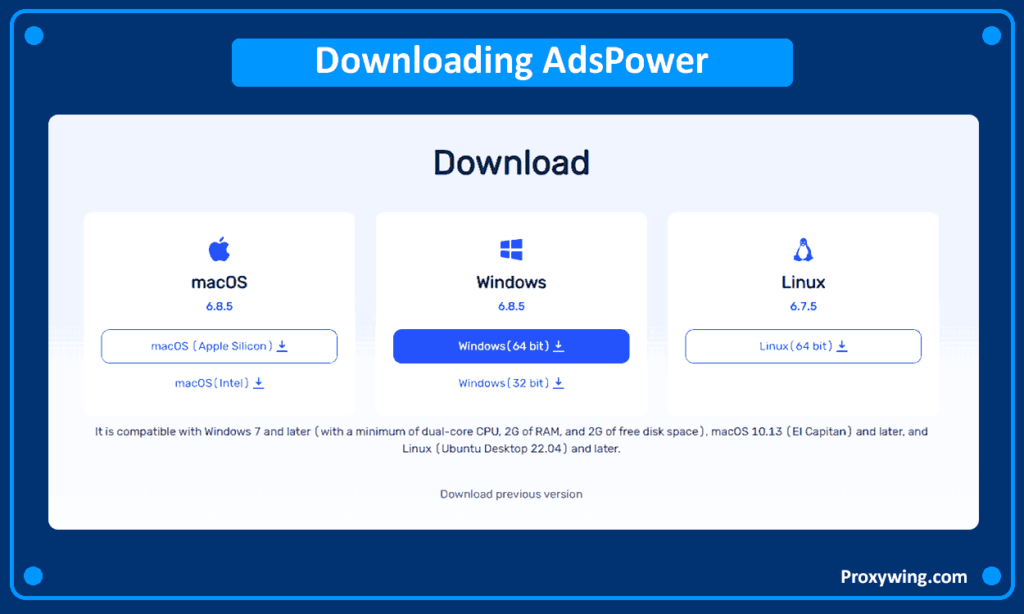
How to Use AdsPower with Facebook: A 2026 Workflow Guide - Step-by-Step: Setting Up AdsPower for Facebook.
1. Download and Install AdsPower
Go to the AdsPower website and download the version for your operating system—Windows, Mac, or Linux are all supported. Install the application and sign in to your AdsPower account. New users can start with the free trial to test the workflow before committing to a paid plan.
2. Prepare Your Proxy Details
Before creating a profile, have your proxy information ready. For Facebook work, residential or mobile proxies are strongly recommended. Datacenter proxies are cheaper but easier for Facebook to detect, especially for account creation or ad management.
You will need:
- Proxy type (HTTP, HTTPS, SOCKS5)
- Host/IP address
- Port
- Username and password (if required)
If you are managing long-term Facebook accounts or running ad campaigns, consider ISP proxies with fixed IPs and high trust scores. They combine the speed of datacenter infrastructure with the legitimacy of residential IPs.
3. Create a New Browser Profile
Open AdsPower and click New Profile. You will see configuration options for:
- Name: Label the profile clearly, such as "FB Account 1 - US Residential"
- Group: Organize profiles by client, campaign, or region
- Operating system: Match the OS to your proxy's typical user base
- User agent: AdsPower automatically generates a matching user agent based on your OS and browser version
4. Enter Proxy Details
In the Proxy section, select your proxy type and paste the connection details. AdsPower supports all major proxy formats, so you can copy-paste directly from your provider. Use the Proxy Check function to confirm the IP is live and matches your target geolocation before proceeding.
5. Customize the Fingerprint
AdsPower auto-generates a fingerprint, but you should align key settings with your proxy location:
- Timezone: Match the proxy's country and city
- Language: Set the browser language to the proxy's region
- Screen resolution: Use a common resolution for the target device type
- WebRTC: Set to "Replace" or "Disable" to prevent IP leaks
- Geolocation: Match the proxy coordinates
This consistency matters. A US proxy paired with a Vietnam timezone and Russian keyboard layout is an instant red flag for Facebook's anti-fraud systems.
6. Save and Launch the Profile
Click OK to save. Then click Open to launch the isolated browser environment. Navigate to Facebook and log in. The profile will retain cookies and session data, so subsequent launches keep you logged in without re-entering credentials.
7. Scale with Batch Creation
For multiple accounts, use the Batch Create feature. You can import a list of account details and proxy assignments via CSV, then generate dozens of profiles with consistent settings in one action. This is essential for agencies managing client accounts or e-commerce teams running multiple Facebook Pages and ad accounts.
Practical Facebook Use Cases with AdsPower
How to Use AdsPower with Facebook: A 2026 Workflow Guide - Practical Facebook Use Cases with AdsPower.
Managing Multiple Facebook Pages and Groups
Community managers often run Pages for several brands or clients. With AdsPower, each Page gets its own profile with a dedicated IP and fingerprint. You can switch between profiles in one click without logging out or risking cross-account contamination.
Running Facebook Ad Accounts Safely
Ad account bans are expensive. When you manage multiple Business Managers or client ad accounts, AdsPower keeps each one in a separate environment. You can also use RPA templates to automate repetitive tasks like checking account quality, pulling spending data, or retrieving access tokens.
Example workflow for an agency:
- Create one AdsPower profile per client Business Manager
- Assign each profile a residential proxy from the client's target region
- Customize fingerprints to match the proxy geolocation
- Launch profiles individually to manage campaigns without cross-linking
- Use team sharing so media buyers can access profiles without seeing passwords
Warming Up New Facebook Accounts
New accounts are fragile. Facebook watches early behavior closely. With AdsPower, you can create a dedicated profile for each new account and perform gradual, human-like warm-up actions—browsing the feed, joining groups, liking posts—before scaling activity. The isolated environment prevents a flagged account from affecting your established profiles.
Automating Facebook Operations
AdsPower's RPA templates handle repetitive Facebook tasks without API access:
- Auto-creating Facebook accounts and Pages
- Sending and confirming friend requests
- Liking posts on the first screen
- Inviting friends to like specific Pages or join groups
- Scheduling posts across multiple profiles
For developers, the Local API integrates with Selenium and Puppeteer to build custom automation scripts that control AdsPower profiles programmatically.
AdsPower + Facebook: Common Mistakes to Avoid
1. Reusing Proxies Across Accounts
Never assign the same IP to two Facebook accounts. If one account gets flagged, Facebook will link the second account through the shared IP. Use one dedicated proxy per profile.
2. Ignoring Fingerprint Consistency
A mismatched fingerprint—wrong timezone, language, or resolution—undermines the entire setup. Always align fingerprint settings with your proxy's geolocation before logging in.
3. Scaling Too Fast on New Accounts
Even with perfect technical setup, aggressive behavior triggers bans. New accounts need gradual warm-up. AdsPower protects the environment, but you still need to mimic natural usage patterns.
4. Using Free Proxies
Free proxies are shared, slow, and often already flagged by Facebook. They create more problems than they solve. Invest in residential or mobile proxies from reputable providers.
5. Forgetting to Verify the IP
Always run the proxy check in AdsPower before launching a profile. If the IP is dead or from the wrong region, fix it before logging into Facebook.
Choosing the Right AdsPower Plan for Facebook
AdsPower offers a free trial and tiered pricing. Your choice depends on scale:
- Individual users: The free tier or entry-level plan covers a handful of profiles for personal multi-account management.
- Small teams: Mid-tier plans add team sharing, batch operations, and more profiles for agencies managing 10–50 Facebook accounts.
- High-volume operations: Enterprise plans unlock API access, advanced automation, and unlimited profiles for large-scale Facebook marketing.
If you are comparing AdsPower with other anti-detect browsers, see our AdsPower vs BitBrowser comparison and the AdsPower vs Octo Browser test for detailed feature and pricing breakdowns.
AdsPower vs. Using Facebook Directly: When to Make the Switch
| Scenario | Facebook Directly | AdsPower + Facebook |
|---|---|---|
| One personal account | Fine | Unnecessary |
| Two or three accounts | Risky—fingerprint linking likely | Recommended |
| Client or team account management | High ban risk | Essential |
| Running multiple ad accounts | Very high risk | Essential |
| Automating repetitive tasks | Not supported | RPA + Local API |
| Accessing Facebook from restricted regions | Blocked | Works with proxy |
For a deeper look at how AdsPower handles fingerprinting compared to other tools, check our AdsPower vs Linken Sphere vs Incogniton test.
Related reading
- Scrapy Review 2026: Is This Python Framework Worth It? - In-depth Scrapy review: how the open source Python scraping framework handles large crawls, setup, limitations, pricing, and when to choose it over alternatives.
- How to Use AdsPower with Fingerprint: A 2026 Workflow Guide - Learn how to combine AdsPower's anti-detect browser with Fingerprint's device intelligence platform for safer multi-account management and fraud prevention.
Sources and further reading
- How to Use Facebook with a Proxy in 2026 (Safely & Effectively) - How to access Facebook through proxies? Choose a suitable Facebook proxy to bypass the restrictions. Picking up the fittest anti-detect browser to manage your accounts.
- Reliable Antidetect Browser for Multiple Facebook Accounts - Run multiple Facebook accounts safely and broaden your business. Let's see how this best anti-detect browser helps avoid bans and streamline workflows!
- AdsPower Tutorial: Run Multi-Account Ads without Bans - Try AdsPower and run multiple accounts without bans:https://share.adspower.net/saasreport ^ Don't forget to use our referral code: saasreport for additional ...
Frequently Asked Questions
Can I use AdsPower for a single Facebook account?
Yes, but it is most valuable when you manage multiple accounts or need to access Facebook from a restricted region. For one personal account on an unrestricted network, a standard browser is sufficient.
What type of proxy should I use with AdsPower for Facebook?
Residential proxies are the safest choice for long-term account management and ad operations. Mobile proxies offer the highest trust level but cost more. Avoid free or shared datacenter proxies for anything beyond low-stakes browsing.
Will AdsPower guarantee my Facebook accounts never get banned?
No tool can guarantee zero bans. AdsPower significantly reduces detection risk by isolating fingerprints and IPs, but Facebook also evaluates behavior. Combine proper technical setup with natural usage patterns and gradual scaling.
Can I automate Facebook actions with AdsPower?
Yes. AdsPower includes RPA templates for common Facebook tasks and a Local API for custom automation with Selenium or Puppeteer. Use automation cautiously—excessive or unnatural activity can still trigger restrictions.
Does AdsPower work on Mac and Linux?
Yes. AdsPower is available for Windows, Mac, and Linux, with regular updates to the latest Chrome engine for authentic browser environments.
How many Facebook accounts can I manage with AdsPower?
There is no hard limit imposed by AdsPower. The practical limit depends on your plan's profile capacity, your proxy resources, and your ability to manage accounts without behavioral patterns that trigger detection.
Conclusion
AdsPower and Facebook work together to solve a specific problem: running multiple Facebook identities safely from one device. The anti-detect browser handles the technical layer—fingerprints, proxies, and isolation—while Facebook remains the platform where you build audiences, run ads, and grow communities.
The workflow is straightforward: install AdsPower, create a profile per Facebook identity, assign a dedicated proxy, align the fingerprint with the proxy's geolocation, and launch. From there, you can scale with batch creation, automate repetitive tasks with RPA, and collaborate with your team without exposing credentials.
Start with the free trial, test the setup with two or three profiles, and expand once you are comfortable with the workflow. The combination of proper proxy selection, fingerprint consistency, and gradual account warm-up gives you the best chance of running Facebook operations at scale without bans.