
How to Use AdsPower Fingerprint Browser with PacketStream
Take a Quick Look
Integrate PacketStream residential proxies into AdsPower fingerprint browser for secure multi-account management and IP rotation. Step-by-step setup, examples, and troubleshooting.
🔥 Limited-Time Offer! Save extra 10% off on your first monthly plan with code: Anitdetect10
Sign upHow to Use AdsPower Fingerprint Browser with PacketStream
Managing dozens of e-commerce, social media, or advertising accounts without triggering platform bans requires more than just separate profiles—it demands a perfectly paired anti-detect browser and residential proxy network. AdsPower creates isolated fingerprint environments, while PacketStream supplies fresh residential IPs that look like real home connections. Combining them gives you an unlinkable, geolocation-flexible setup for cross-border operations, web scraping, and multi-account marketing. This guide walks you through integrating the two from scratch, complete with practical examples and fixes for common pitfalls.
Why Combine AdsPower and PacketStream?

How to Use AdsPower Fingerprint Browser with PacketStream product interface and feature overview.
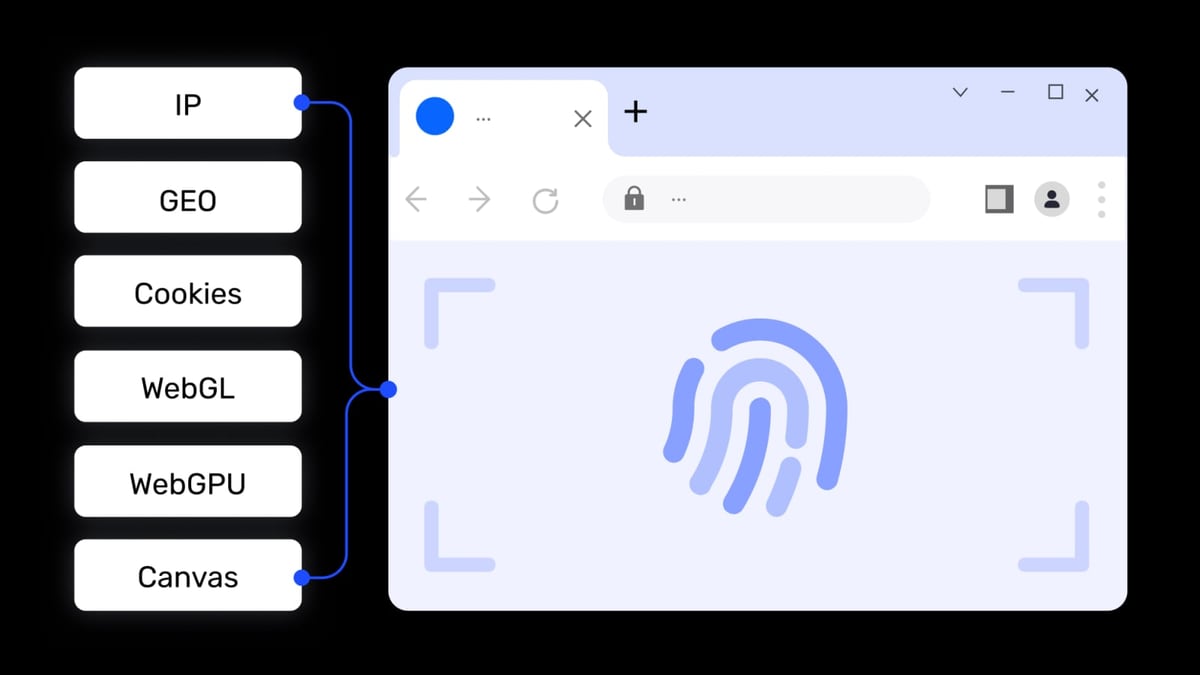
Platforms like Amazon, Facebook, Google, and TikTok use advanced linking algorithms—browser fingerprinting, IP address analysis, and behavioral patterns—to flag related accounts. AdsPower alone spoofs over 20 fingerprint parameters (Canvas, WebGL, AudioContext, WebRTC, fonts, etc.) inside independent browser environments. But if all environments share the same datacenter IP or a small proxy pool, the IP footprint still correlates. PacketStream’s peer-to-peer residential network fills this gap with undetectable IPs from real devices worldwide.
This combination solves three core problems:
- Account association – Every AdsPower profile gets a unique, residential-looking IP, breaking IP-based linking.
- Geo‑restrictions – Launch profiles in specific countries or cities to access localized content, verify ads, or manage region‑locked stores.
- Scraping and automation – Rotating PacketStream IPs prevent rate limiting and CAPTCHAs when AdsPower’s RPA tool or API runs automated tasks.
Whether you’re an affiliate marketer running global campaigns, a dropshipping seller managing multiple storefronts, or a data analyst scraping competitors, the dual-layer isolation keeps your operations smooth and ban‑free.
Prerequisites
How to Use AdsPower Fingerprint Browser with PacketStream product interface and feature overview.
Before starting, make sure you have:
- An AdsPower account (free tier gives 2 environments; upgrade for teams or bulk automation).
- A PacketStream account with a topped‑up balance. PacketStream uses pay‑as‑you‑go at $1.00/GB and offers a free trial for new users.
- Your PacketStream proxy credentials – hostname, port, username, and password. These are found in the PacketStream dashboard under “Proxy Setup.”
- AdsPower desktop client installed. The web‑based management console is not enough; you need the local client to launch profiles.
Step‑by‑Step Setup: PacketStream Proxies in AdsPower

How to Use AdsPower Fingerprint Browser with PacketStream product interface and feature overview.
1. Create a New Browser Profile in AdsPower
Open the AdsPower client and navigate to Environment Management. Click New Browser.
Give your profile a descriptive name (e.g., “Amazon‑US‑Store1”). Select a browser kernel—SunBrowser (Chromium‑based) for most use cases, or FlowerBrowser (Firefox) if your platform demands it. You can leave the default fingerprint settings or customize them for advanced spoofing; AdsPower auto‑generates a unique digital fingerprint for each profile.
2. Configure PacketStream Proxy Settings
In the same creation window, go to the Proxy section. Select Custom. Now fill in the details from your PacketStream account:
- Proxy type:
HTTPorSOCKS5. PacketStream supports both; HTTP is sufficient for most platforms. - Proxy host:
proxy.packetstream.io - Proxy port:
31112 - Proxy username: your PacketStream username
- Proxy password: your PacketStream API key or assigned password
📘 For the latest PacketStream endpoint and authentication details, always refer to the PacketStream setup page and the general AdsPower proxy configuration guide.
If you want to force a specific country, append the country code to your username: username‑us. PacketStream supports over 200 countries and thousands of cities. Add the country code without spaces for geo‑targeted IPs.
3. Verify the Proxy Connection
Before saving, click Check Proxy. AdsPower will test the connection using the provided credentials. You should see a success message with the detected IP address and location. If it fails, double‑check the host, port, and credentials, and confirm that your PacketStream account has bandwidth remaining.
4. Save and Launch the Profile
Click OK to create the profile. Back in Environment Management, find your new profile and click Open. AdsPower launches a fresh, isolated browser window with its own fingerprint and the PacketStream residential IP. Visit an IP‑check site like ipinfo.io to confirm you’re seeing a residential IP from the correct country.
Real‑World Example: Managing 10 Amazon Seller Accounts
How to Use AdsPower Fingerprint Browser with PacketStream product interface and feature overview.
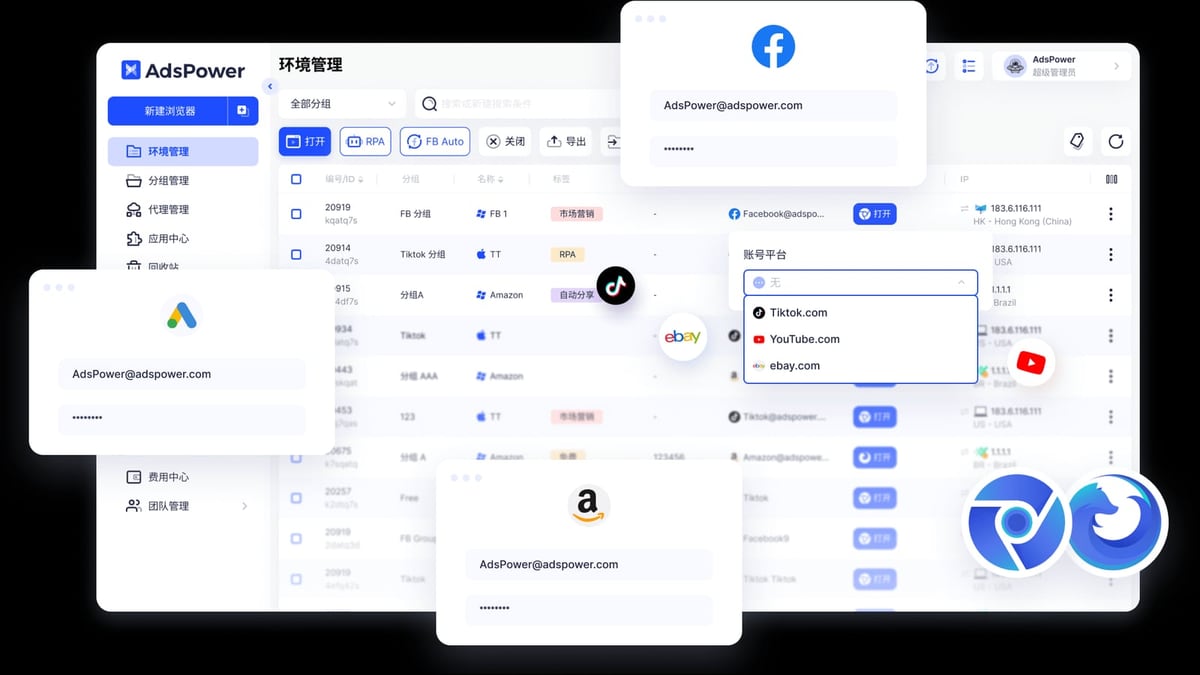
Imagine you operate ten Amazon seller accounts across the US, UK, and Germany. Amazon aggressively links accounts through browser fingerprints and IP patterns. Here’s how to set them up safely:
- Create ten separate AdsPower profiles, one per account.
- In each profile’s proxy settings, use a PacketStream username suffixed with the target country code:
youruser‑us,youruser‑gb,youruser‑de. - Let AdsPower randomize the browser fingerprint for each profile.
- Open each profile only from its dedicated IP, never mix.
With this setup, every account looks like it’s operated from a different home computer in the required country. PacketStream’s IP rotation ensures the IP changes periodically (or you can keep a static session by using a consistent username suffix), preventing long‑term IP blacklisting while staying undetectable.
Advanced Workflows: Automation and Window Sync
Once your profiles are running, you can scale further with AdsPower’s built‑in tools:
- Window Sync – Open multiple profiles simultaneously and replicate actions (clicks, form filling) across all windows. Perfect for mass account maintenance or social media campaigns. Each window maintains its own PacketStream IP, so actions remain independent.
- RPA Automation – Use AdsPower’s no‑code RPA builder to automate repetitive tasks like logging in, posting content, or checking inventory. Combine with rotating PacketStream IPs to avoid rate limits.
- Local API – For developers, AdsPower exposes a REST API compatible with Selenium, Puppeteer, and Playwright. Pair this with PacketStream proxies to build large‑scale scraping pipelines. The API lets you launch profiles, manipulate pages, and rotate fingerprints programmatically.
For an example of integrating AdsPower with another premium proxy network, see our guide on using AdsPower with NetNut. The proxy setup steps are identical; only the credential format differs.
Troubleshooting Common Setup Issues
“Check Proxy” Fails
- Validate that you copied the host, port, and credentials exactly. PacketStream usernames are case‑sensitive.
- Ensure your firewall or VPN isn’t blocking port 31112.
- If you’re on a corporate network, try switching to a residential internet connection (e.g., mobile hotspot) to rule out network restrictions.
Profile Opens but No Internet / Slow Speeds
- PacketStream provides residential IPs, which are inherently slower than datacenter proxies. Choose a geographically close exit node (e.g.,
youruser‑nycfor New York City) to reduce latency. - In AdsPower’s proxy settings, try switching from HTTP to SOCKS5 if speed issues persist.
- Check your PacketStream dashboard for bandwidth consumption and account status.
IP Does Not Match the Intended Country
- Verify the country code suffix is correct (ISO 3166‑1 alpha‑2 codes). Use
us, notusa. - Sometimes the requested location is unavailable; PacketStream falls back to the nearest available IP. Try a different city code or wait a few minutes.
Related reading
- AdsPower vs Octo vs Hidemyacc: Anti-Detect Browser Comparison - Honest comparison of AdsPower, Octo Browser, and Hidemyacc anti-detect browsers. Compare fingerprint spoofing, automation, team features, pricing, and find your best multi-accounting tool.
- 5SIM Review: Is This SMS Verification Service Legit in 2026? - Read our evidence-based 5SIM review covering features, pricing, Trustpilot rating (2.3/5), refunds, and who should use this virtual number service for SMS verification.
- Similarweb Review 2026: Features, Pricing & Real-World Accuracy - Honest Similarweb review: See how this competitive intelligence tool stacks up for traffic analysis, SEO, and ecommerce. Includes pricing, pros & cons, and who should use it.
Frequently Asked Questions
Can I use PacketStream’s free trial with AdsPower?
Yes. Sign up for PacketStream; you’ll receive a small amount of free bandwidth to test. Follow the same steps above. The trial is enough to set up and verify a few profiles.
Does PacketStream work with both SunBrowser and FlowerBrowser?
Absolutely. AdsPower’s proxy settings apply to both kernels identically. Use the same credentials in the profile’s proxy tab regardless of which engine you choose.
How many proxies do I need for 50 accounts?
The general rule is one unique PacketStream IP per profile at a time. Since PacketStream uses rotating residential IPs, you don’t need static IPs unless a platform requires a consistent IP for login. For most platforms, create 50 profiles, each with its own PacketStream credential entry (you can reuse the same PacketStream account across all profiles; the service manages IP rotation automatically).
What’s the difference between this combo and using AdsPower with datacenter proxies?
Datacenter proxies are faster and cheaper but easily flagged by strict platforms. Residential proxies from PacketStream mimic real home connections, drastically reducing CAPTCHAs and blocks. For high‑security platforms like banking sites or strict social networks, residential is essential.
Get More from Your Proxy & Anti‑Detect Stack
Integrating PacketStream with AdsPower is straightforward and immediately improves account safety, geolocation flexibility, and automation reliability. The key is ensuring every profile lives in its own clean bottleneck—isolated fingerprint plus undetectable residential IP. Once you’ve mastered this setup, explore AdsPower’s RPA and team collaboration features to scale without adding hardware.
Still deciding which anti‑detect browser fits your operation? We’ve tested the leading alternatives in our detailed AdsPower vs. Octo vs. Hidemyacc comparison. And for more proxy‑browser integration guides, check out the resources at AdsPower—where we break down every tool you need for secure multi‑account management.
Start your free trials, run a few test profiles, and you’ll quickly see why thousands of cross‑border operators rely on this exact combination for daily wins.