
AdsPower vs Octo vs Hidemyacc: Anti-Detect Browser Comparison
Take a Quick Look
Honest comparison of AdsPower, Octo Browser, and Hidemyacc anti-detect browsers. Compare fingerprint spoofing, automation, team features, pricing, and find your best multi-accounting tool.
🔥 Limited-Time Offer! Save extra 10% off on your first monthly plan with code: Anitdetect10
Sign upAdsPower vs Octo Browser vs Hidemyacc: Which Anti-Detect Browser Fits Your Workflow?
Running multiple accounts on the same device without getting linked or banned is the daily reality for e-commerce sellers, affiliate marketers, social media managers, and web scrapers. Platforms like Amazon, Facebook, Google, and TikTok have become ruthless at detecting shared browser fingerprints—and a single slip can wipe out dozens of accounts. Anti-detect browsers solve this by giving every account its own isolated, unique digital identity.
In this comparison, we put three popular options side by side: AdsPower, Octo Browser, and Hidemyacc. Each has its own philosophy—AdsPower aims to be an all-in-one team platform, Octo Browser prioritizes raw fingerprinting precision and speed, and Hidemyacc focuses on simplicity and unlimited profiles. We’ve evaluated them on the criteria that matter most for daily multi-accounting, based on hands-on testing, community feedback, and available benchmark data.
How We Evaluated These Anti-Detect Browsers
AdsPower vs Octo vs Hidemyacc: Anti-Detect Browser Comparison product interface and feature overview.
Rather than rattling off feature lists, we looked at what actually determines success in the real world:
- Fingerprint spoofing & undetectability: How convincingly can each browser mimic a real device?
- Profile management & team collaboration: Can you organize hundreds of profiles and share them safely?
- Automation muscle: How do they handle repetitive tasks—no-code or developer-friendly?
- Proxy & bulk operations: How smooth is it to assign IPs and handle accounts at scale?
- Performance & resource use: Do they slow down your machine when you’re running many profiles?
- Pricing & accessibility: What’s the cost to get started and grow?
Fingerprint Spoofing & Undetectability

AdsPower vs Octo vs Hidemyacc: Anti-Detect Browser Comparison product interface and feature overview.
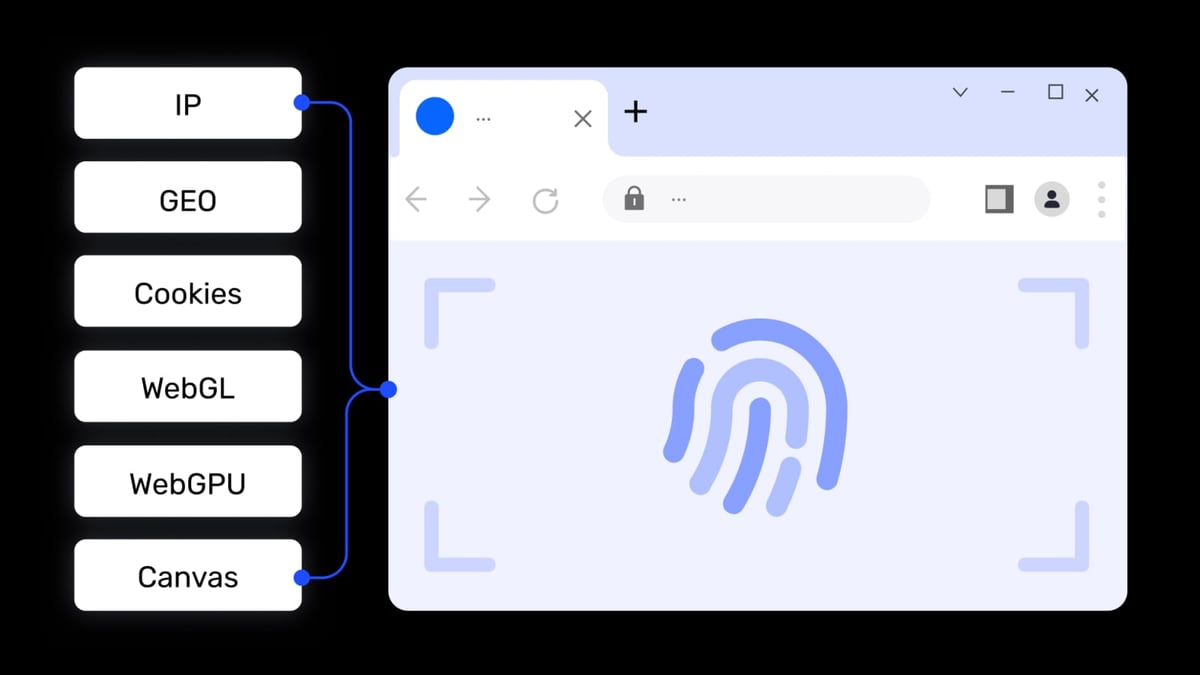
The entire game hinges on whether a browser can fool detection systems. All three browsers let you modify key parameters like Canvas, WebGL, AudioContext, fonts, and WebRTC, but they approach it differently.
Octo Browser gives you surgical control over every fingerprint variable. You can manually tweak individual parameters, mirror a specific device, or randomize everything. This level of granularity is a major advantage for users in high-risk niches like crypto arbitrage or scraping platforms with aggressive bot detection. The consistency of the spoofed fingerprints has been praised in several community reviews, and Octo Browser was named Best Anti-Detect Browser at the MAC Affiliate Conference 2024.
Hidemyacc stands out with its claim of unlimited customizable fingerprint parameters. The interface makes it easy to adjust screen resolution, installed fonts, hardware details, and more, aiming to generate profiles that score highly on fingerprint testing sites. For users who want a clean, test-passing browser identity without excessive manual configuration, Hidemyacc’s presets and unlimited profile creation are appealing.
AdsPower takes a different route. It supports both Chromium-based (SunBrowser) and Firefox-based (FlowerBrowser) kernels—a unique strength because some platforms behave differently or apply stricter checks on one engine. Combined with mobile device emulation for Android and iOS, AdsPower can match the User Agent to the underlying browser kernel more consistently. A 2024 research study by Arizona State University and Amazon confirmed AdsPower’s kernel-level consistency as a key factor in passing modern detection systems. This dual-kernel flexibility is a supported advantage for operations that need to blend in across diverse platform environments.
Winner? Precision control: Octo Browser. Unlimited parameter space: Hidemyacc. Kernel variety and mobile emulation: AdsPower.
Profile Management & Team Collaboration

AdsPower vs Octo vs Hidemyacc: Anti-Detect Browser Comparison product interface and feature overview.
If you’re running more than a few accounts—especially with colleagues—profile organization and permission controls become critical.
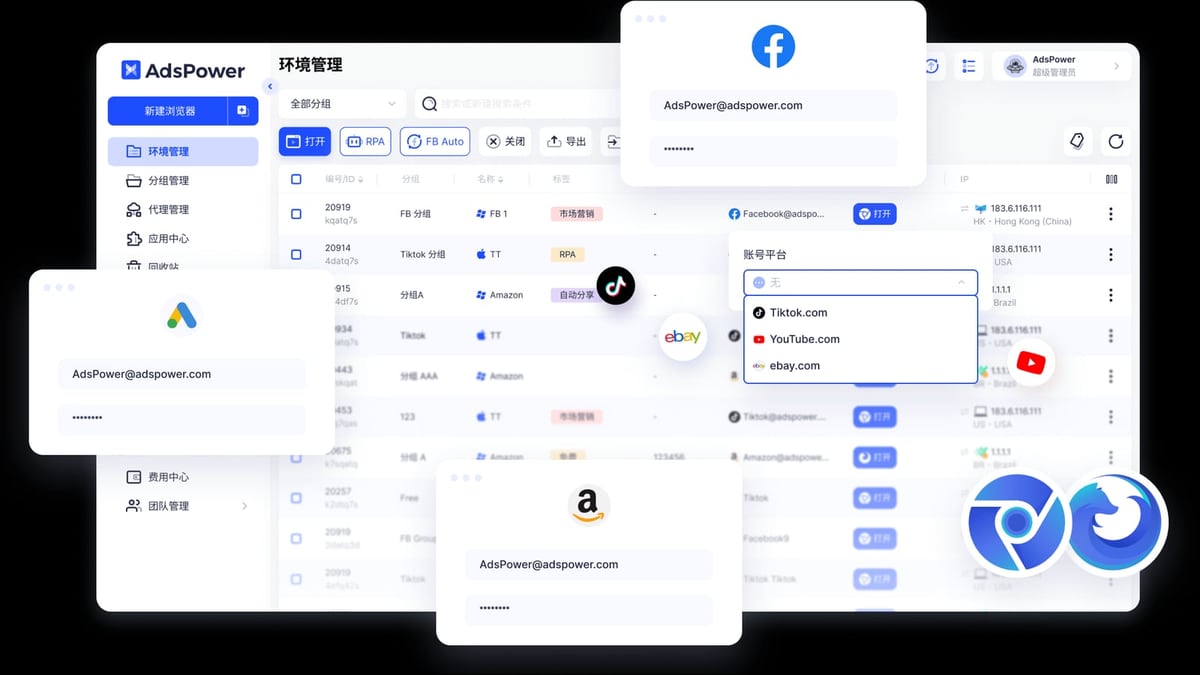
AdsPower dominates this category. It offers grouping, tagging, bulk creation, and bulk launch of profiles, plus a granular role-based permission system with operation logs that track every team member’s IP and actions. A standout feature is the Synchronizer, which mirrors actions across multiple profiles in real time—a massive productivity boost for account farming or gaming. For agencies and large e-commerce teams, these tools eliminate the chaos of spreadsheets and shared passwords.
Octo Browser supports basic team sharing, but its collaboration features are limited: no role-based permissions, no detailed activity logs, and no built-in synchronizer. It works well for a solo operator or a tiny team that just needs to exchange profiles occasionally.
Hidemyacc includes cloud sync for profiles and basic import/export, as well as team collaboration tools. However, it lacks the deep permission controls and bulk management workflows found in AdsPower. It’s sufficient for small groups that need to share access, but won’t satisfy a compliance-conscious enterprise.
If team scalability is non-negotiable, AdsPower has a clear, supported advantage. For solo operators, Octo’s lightweight structure or Hidemyacc’s simplicity may be all you need.
Automation Capabilities
AdsPower vs Octo vs Hidemyacc: Anti-Detect Browser Comparison product interface and feature overview.
Repetitive tasks—cookie harvesting, friend requests, product listing updates—can be automated. Here’s how each browser handles that.
AdsPower offers a two-pronged automation strategy: a local API that’s compatible with Selenium, Puppeteer, Playwright, and even the MCP protocol for AI agent integration, and a built-in RPA (Robotic Process Automation) with pre-built templates and a drag-and-drop workflow creator. This means both non-technical users and developers can automate at scale. One template can warm up Facebook accounts or scrape Amazon listings without writing a single line of code.
Octo Browser caters to developers with direct support for Puppeteer and Playwright via its API. There is no built-in RPA or no-code tool, so you’ll need scripting skills to automate anything. This is perfect for tech teams who want to integrate Octo into a custom pipeline—if you’re comfortable writing code, you’ll appreciate the clean API. For more context on how these frameworks stack up, see our guide to browser automation frameworks.
Hidemyacc focuses on manual profile management and does not expose advanced automation APIs or RPA tools. Users who need to automate workflows would have to rely on external scripting and may face integration hurdles.
For mixed teams blending no-code and code, AdsPower’s combined RPA and API is the most flexible option currently.
Proxy Integration & Bulk Operations
All three browsers handle HTTP, HTTPS, and SOCKS5 proxies, but bulk management differs.
AdsPower supports bulk proxy assignment across profiles, proxy grouping, and environment-level proxy settings. The interface simplifies managing different IPs for hundreds of accounts, and a recent step-by-step guide on pairing AdsPower with NetNut proxies shows how easy integration can be.
Octo Browser makes individual proxy assignment seamless during profile creation, but lacks bulk assignment and bulk profile creation—a friction point when you’re spinning up 100 accounts simultaneously.
Hidemyacc includes proxy integration but does not emphasize bulk operations, making it less suitable for large-scale proxy switching.
For bulk proxy management, AdsPower’s toolset saves hours of manual work.
Performance & Resource Usage
Octo Browser is noticeably lightweight. Profile launches are fast, and the RAM footprint stays low even with multiple profiles open. This makes it a top choice for users on less powerful machines or those who value speed above all.
AdsPower is a bit heavier due to its dual-kernel support and built-in automation tools. However, it remains stable when running many concurrent sessions—a trade-off where stability at scale is prioritized over raw launch speed.
Hidemyacc offers acceptable performance for moderate use. While not as sleek as Octo or as feature-packed as AdsPower, it handles daily multi-accounting without major slowdowns.
Pricing & Free Plans
Cost can be the deciding factor.
- AdsPower offers a permanent free plan with 2 browser environments and a 3-day trial for Base/Pro plans. Paid plans are modular—you pay for the number of profiles and team seats you need, making it affordable for both individuals and large teams.
- Octo Browser has no free tier. Pricing starts at around €29/month for the basic plan, and the Team plan (€169/month) is where collaboration features become available. It’s predictable but demands a financial commitment from day one.
- Hidemyacc provides a 7-day free trial, giving you full access to test the service. The absence of a perpetual free plan may be a drawback for long-term exploration, but the trial lets you validate performance before subscribing.
For budget-conscious beginners or those wanting to test the waters, AdsPower’s free tier is the most accessible. You can also compare AdsPower with Hidemyacc and Indigo for a deeper pricing breakdown.
Which Browser Is Best for Your Workflow?
There’s no universal winner—your choice depends on your primary use case.
- Choose AdsPower if: You manage accounts as a team, need role-based permissions, heavy automation (RPA + API), or dual-browser kernel flexibility. It’s built for agencies, large e-commerce operations, and social media managers who scale fast.
- Choose Octo Browser if: You’re a solo power user or developer who demands surgical fingerprint control, lightweight performance, and a clean scripting interface. It shines in affiliate marketing, web scraping, and any niche where manual fingerprinting precision is critical.
- Choose Hidemyacc if: You want a straightforward, unlimited-profile antidetect browser with easy customization and a no-nonsense trial. It’s a solid pick for freelancers, gamers running multiple webgame accounts, and small-scale affiliate projects that don’t require automation.
Related reading
- 5SIM Review: Is This SMS Verification Service Legit in 2026? - Read our evidence-based 5SIM review covering features, pricing, Trustpilot rating (2.3/5), refunds, and who should use this virtual number service for SMS verification.
- Similarweb Review 2026: Features, Pricing & Real-World Accuracy - Honest Similarweb review: See how this competitive intelligence tool stacks up for traffic analysis, SEO, and ecommerce. Includes pricing, pros & cons, and who should use it.
- Top 10 Ecommerce Platforms for 2026 (Expert Tested & Compared) - Compare the 10 best ecommerce platforms in 2026 with in-depth reviews, pricing, and use-case guidance. Find the right fit for your online store.
FAQ
Can I run all three browsers on the same device?
Yes, but it’s unnecessary. Each browser creates isolated profiles, so you only need one tool. Running multiple antidetect browsers simultaneously can lead to resource conflicts and fingerprint leaks.
Do these browsers support mobile app accounts?
AdsPower can emulate Android and iOS environments within the desktop browser, which helps manage mobile-only accounts. Octo Browser and Hidemyacc do not offer true mobile emulation, though you can pair them with separate cloud phone services for that purpose.
How do I migrate profiles between these browsers?
Generally, you can export cookies and credentials from one browser and import them into another, but fingerprints won’t transfer because each browser uses its own spoofing engine. It’s often better to start fresh to avoid detection anomalies.
Is there a browser that combines all strengths?
No single tool excels at everything. The key is matching the browser to your scale, team size, and technical skill level. AdsPower regularly tests and updates multi-account tool comparisons to help you stay current.
Final Thoughts
AdsPower, Octo Browser, and Hidemyacc each earn their place in the antidetect landscape. Octo Browser impresses with its lean profile and high-end fingerprinting for technical users, Hidemyacc offers simplicity and generous customization options, and AdsPower delivers the most complete team and automation platform for scaling operations securely.
Your best bet is to map out your non-negotiables—team collaboration, automation, proxy bulk management, free tier—and run a trial. We’ve linked to hands-on setup guides throughout this article to give you a head start. Whatever you choose, a well-matched antidetect browser will save you from the headache of account bans and let you focus on growing your business.