
How to Use AdsPower Fingerprint Browser with ScrapingAnt
Take a Quick Look
Learn to set up AdsPower anti-detect browser with ScrapingAnt's proxies and scraping API to bypass anti-bot measures, rotate IPs, and scrape dynamic sites without bans.
🔥 Limited-Time Offer! Save extra 10% off on your first monthly plan with code: Anitdetect10
Sign upHow to Use AdsPower Fingerprint Browser with ScrapingAnt
Modern web scraping faces a two‑pronged threat: aggressive bot detection that profiles your browser, and IP‑based blocking that kills your requests before they land. Combining an anti‑detect browser like AdsPower with ScrapingAnt’s scraping API and proxy network gives you a hardened environment where each session looks like a genuine user on a different residential connection. This guide walks through why the combo works, step‑by‑step setup, a practical automation example, and answers to the questions you’ll run into.
Why Pair AdsPower with ScrapingAnt?
How to Use AdsPower Fingerprint Browser with ScrapingAnt product interface and feature overview.
When you scrape protected platforms—e‑commerce giants, sneaker sites, social media, or aggregation portals—you fight two layers of defense:
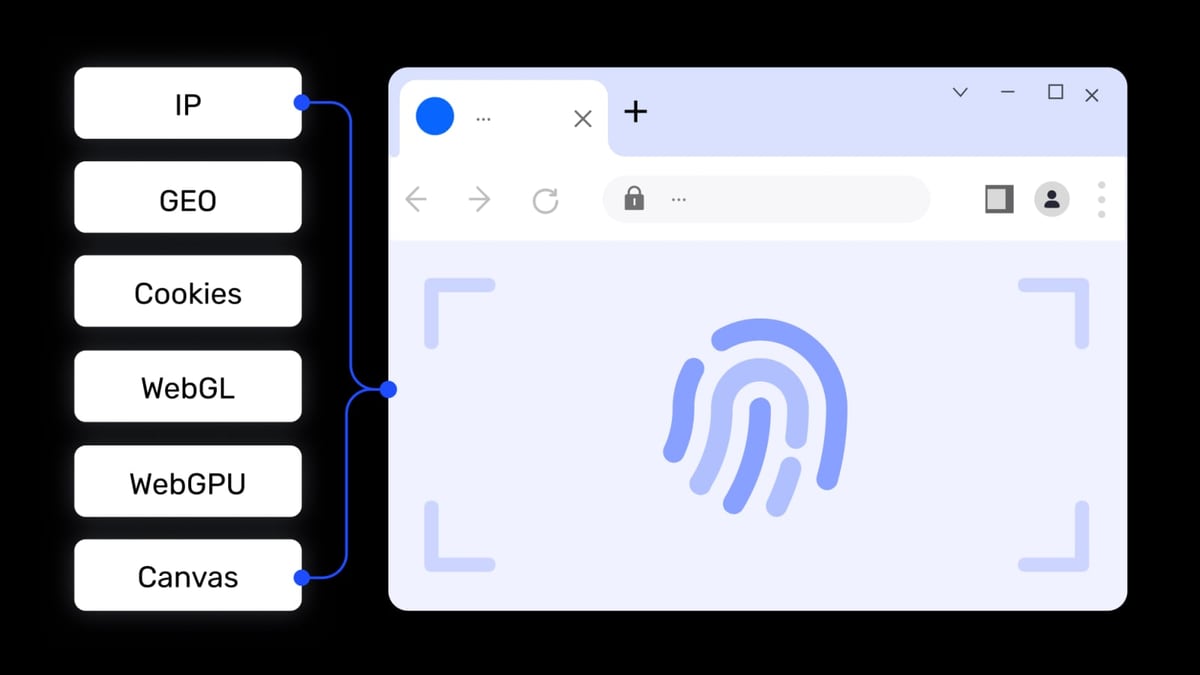
- Browser fingerprinting: scripts measure Canvas, WebGL, audio, WebRTC, and dozens of other signals. If the fingerprint repeats, the site links your sessions and bans them all.
- IP reputation and geo‑restrictions: even a perfect fingerprint gets blocked when hundreds of requests hit from a single datacentre IP.
AdsPower solves the first problem: you launch isolated browser environments, each with a random, fully customisable fingerprint (50+ parameters). ScrapingAnt solves the second: it puts a pool of over 3 million rotating residential IPs behind one API, complete with country/state/city targeting. Used together, you get a virtual user who lives in a real neighbourhood and leaves no repeatable digital trace.
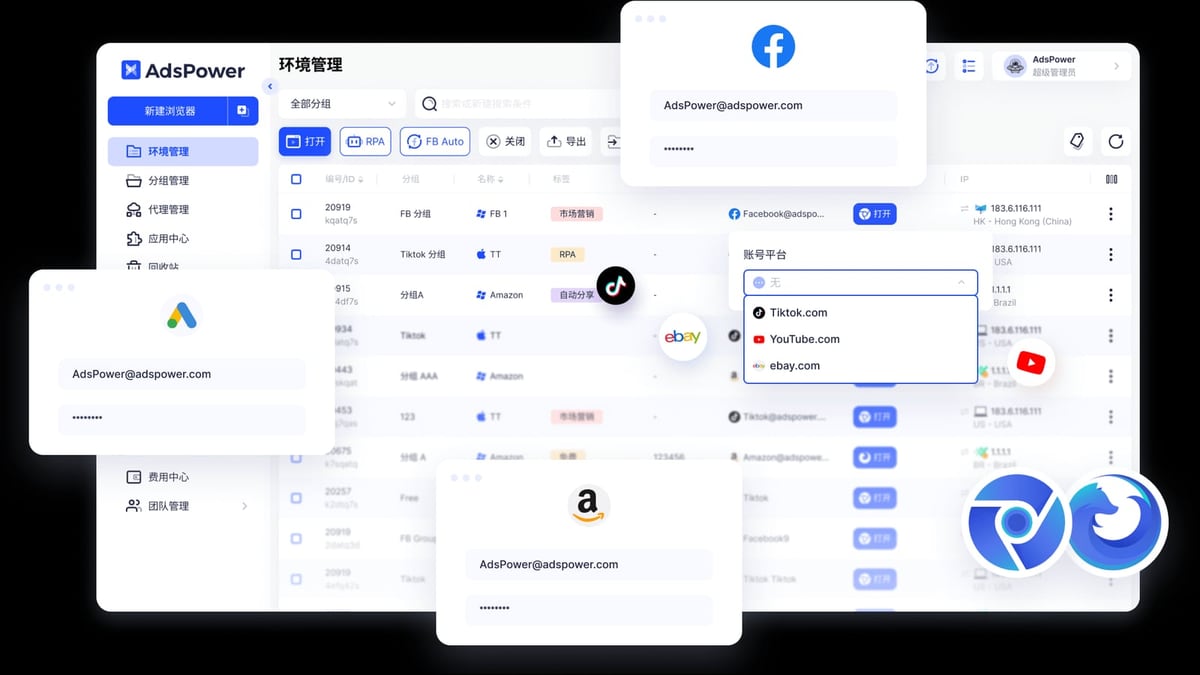
Beyond scraping, this combination supports multi‑account login workflows (e.g., managing storefronts, affiliate dashboards, or competitor research) where you must keep sessions separate without triggering anti‑fraud alarms.
Prerequisites
How to Use AdsPower Fingerprint Browser with ScrapingAnt product interface and feature overview.
Before you start, have these ready:
- AdsPower account: free tier gives you 2 browser environments, which is enough to test. Download AdsPower for Windows, macOS, or Linux.
- ScrapingAnt account: 10,000 monthly credits free, no credit card required. Sign up at ScrapingAnt and get your API token.
- Basic familiarity with browser automation. We’ll use Selenium and AdsPower’s local API, but the same logic works with Puppeteer or Playwright.
Step‑by‑Step Setup
How to Use AdsPower Fingerprint Browser with ScrapingAnt product interface and feature overview.
1. Create an Isolated AdsPower Profile with a Unique Fingerprint
Log in to AdsPower and click + New profile.
- Give the profile a descriptive name, e.g.,
ScrapingAnt‑US. - Under Fingerprint settings, leave most options on Random – this guarantees each profile gets a believable, first‑time‑seen fingerprint. You can manually tweak the OS, browser type (SunBrowser for Chrome, FlowerBrowser for Firefox), and user agent, but always keep fingerprint elements consistent with your real OS for performance.
- If you plan to automate later, note that you can select a specific Chrome version and install extensions from the Chrome Web Store (extensions stay pinned to that profile).
2. Plug ScrapingAnt’s Residential Proxy into the Profile
Scroll to the Proxy section inside the profile creation form and choose Custom.
- Proxy type: HTTP or SOCKS5 (ScrapingAnt supports both; HTTP is the easiest starter).
- Proxy host:
proxy.scrapingant.com - Port: ScrapingAnt provides different ports for residential and datacenter pools. For rotating residential, use
8080(check your dashboard for the exact endpoint). - Username: your ScrapingAnt API key.
- Password: your ScrapingAnt API key (repeat it).
Click Check Proxy. If successful, AdsPower shows the IP address and its country. You can now save the profile. Every browser session opened with this profile will route through a fresh, real residential IP – no IP‑ban correlation between sessions.
ℹ️ If you’re managing many accounts, use AdsPower’s Proxies tab to batch‑import proxy credentials. ScrapingAnt’s rotate‑on‑every‑request behaviour means you don’t need to fill in a rotating link; the proxy service handles rotation automatically.
3. Automate Scraping Through AdsPower’s Local API
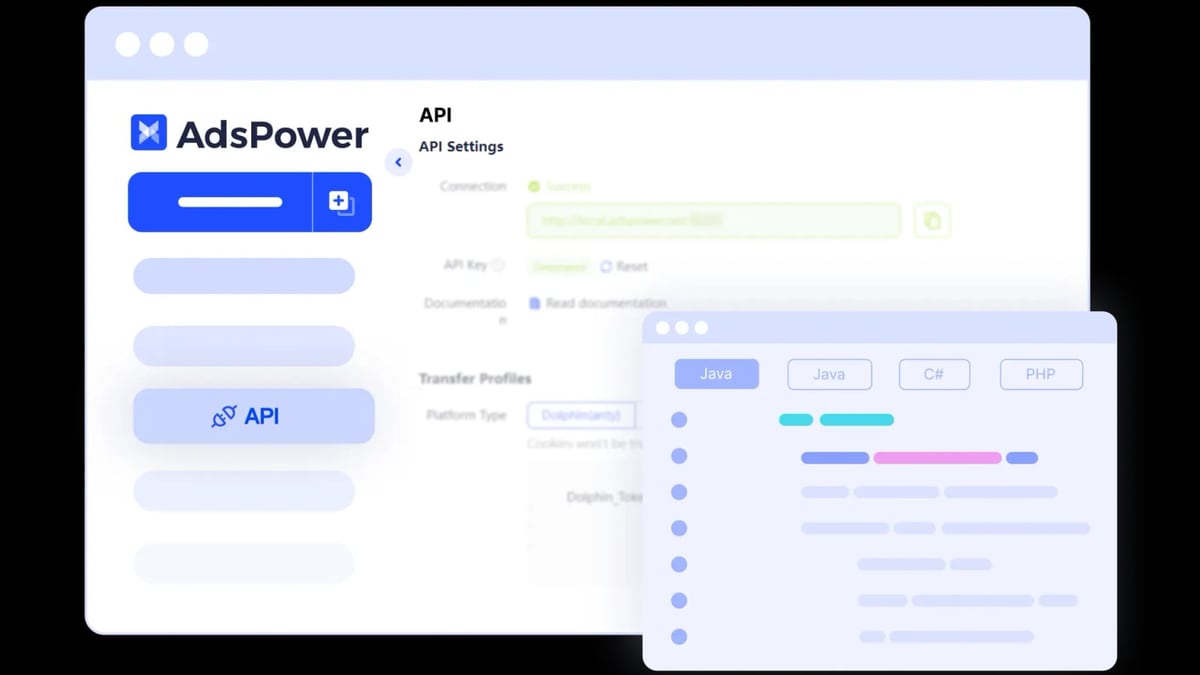
AdsPower exposes a local REST API that lets you open, close, and control browser environments programmatically. Combine this with Selenium to drive the actual scraping.
Below is a Python example that:
- Calls the AdsPower API to start the
ScrapingAnt‑USprofile. - Connects Selenium to the launched browser instance.
- Navigates to a target page, waits for dynamic content, and extracts data.
import requests
from selenium import webdriver
from selenium.webdriver.chrome.options import Options

ADS_POWER_API = "http://127.0.0.1:50325/api/v1/"

# Find the profile ID (you can get it from AdsPower UI or via list endpoint)
profile_id = "your_profile_id_here"

# Start the browser environment
start_params = {"profile_id": profile_id}
resp = requests.post(f"{ADS_POWER_API}start", json=start_params).json()
if resp["code"] != 0:
    raise Exception(resp["msg"])

chrome_driver_path = resp["data"]["webdriver"]
debugger_address = resp["data"]["ws"]["selenium"]

# Connect Selenium via the debugger address
options = Options()
options.add_experimental_option("debuggerAddress", debugger_address)
driver = webdriver.Chrome(executable_path=chrome_driver_path, options=options)

# Now browse through ScrapingAnt’s residential proxy
driver.get("https://example-ecommerce.com/products")
# … wait for selector, extract data …
driver.quit()

# Stop the AdsPower environment
requests.get(f"{ADS_POWER_API}stop", params={"profile_id": profile_id})
The profile launches with the ScrapingAnt proxy already active, so every HTTP request from your script appears to come from a different residential IP. AdsPower’s fingerprint isolation ensures the website sees a unique device each run.
4. Combine with ScrapingAnt’s API for Off‑Browser Extraction
Sometimes you don’t need a full browser – you just want to fetch a pre‑rendered page or extract structured data at scale. AdsPower can handle login and keep the session state (cookies, local storage), while ScrapingAnt’s API does the heavy lifting on subsequent pages using that session.
- After logging in to a site inside AdsPower, export cookies from Selenium (
driver.get_cookies()). - Pass those cookies to ScrapingAnt’s API endpoint as a custom header.
- Use ScrapingAnt’s
js_snippetor AI scraper to extract clean JSON, or use the Markdown API to feed data directly into LLM pipelines.
This hybrid workflow gives you the speed and scale of an API with the stealth of a real browser session.
Practical Example: Scraping a JavaScript‑Heavy Marketplace
How to Use AdsPower Fingerprint Browser with ScrapingAnt product interface and feature overview.
Imagine you need to monitor competitor pricing on a site protected by Cloudflare, which serves a JavaScript challenge before showing product data. A plain HTTP request or even ScrapingAnt’s API alone might still trigger CAPTCHAs if the fingerprint looks like a headless bot. The AdsPower + ScrapingAnt setup handles it in one pass:
- AdsPower presents a real‑device fingerprint (touch‑enabled, timezone, WebGL noise) that Cloudflare deems human.
- ScrapingAnt’s residential proxy rotates your IP, so even a request burst doesn’t sketchy.
- Use AdsPower’s Window Synchronization to replicate mouse movements across several profiles if you need to scrape from multiple geo‑locations simultaneously.
After each run, confirm your fingerprint hasn’t leaked. Tools like Pixelscan (read our Pixelscan Review) show exactly what a tracker sees, including WebRTC leaks or proxy inconsistencies. If anything is off, adjust the AdsPower fingerprint parameters before the next scrape.
When to Use This Combination vs. ScrapingAnt Alone
ScrapingAnt’s API is already powerful: it renders JavaScript, evades basic anti‑bot checks, and extracts data with AI. So why add AdsPower?
Choose the combination when:
- You need persistent logins across multiple sessions (e.g., scraping member‑only areas or dashboards).
- You interact with the page before extraction – filling forms, clicking dynamic elements, or scrolling infinite lists – and you need that interaction to look identifiably human.
- You manage dozens of accounts on the same platform and must keep them absolutely siloed.
- You’re automating workflows that Selenium, Puppeteer, or Playwright already handle, and you just want to upgrade the stealth layer.
Use ScrapingAnt by itself when:
- You only need rendered HTML or a screenshot of public pages.
- Your target doesn’t require complex login/cookie persistence, or you can pass a static cookie jar.
- You want the lowest coding overhead – a single API call with a schema returns typed JSON.
If you’re still choosing an anti‑detect browser, our AdsPower vs RoxyBrowser vs MoreLogin comparison breaks down fingerprint depth, automation hooks, and team features.
Related reading
- Python Review 2026: Pros, Cons, and Who Should Use It - Evidence-based Python review covering key features, ideal users, real-world uses, limitations, pricing, and setup. See if Python is the right fit for your project in 2026.
- Top 10 Social Media Account Marketplace Products in 2026 - Looking to buy or sell social media accounts? Discover the 10 best account marketplaces of 2026, ranked by security, account variety, and buyer protection. Find your perfect platform.
Sources and further reading
- Web Scraping techniques | ScrapingAnt | Web Scraping API - Documentation of ScrapingAnt web scraping REST API that enables to scrape websites with a headless Chrome browser.
- Setting Up Proxies on AdsPower: A Complete Guide - Master AdsPower proxy integration with our comprehensive guide. Learn to set up and manage your proxies efficiently.
FAQ
Do I need both AdsPower and ScrapingAnt to scrape safely?
No, but they protect different layers. AdsPower fixes your browser fingerprint; ScrapingAnt gives you fresh residential IPs. Together, they defeat the most common anti‑scraping stacks. If your target is lightly defended, ScrapingAnt alone might be enough.
How much does this setup cost?
AdsPower’s free plan includes 2 profiles; the Base plan (around $9/month) gives 10 profiles and API access. ScrapingAnt offers 10,000 free credits monthly, after which you pay as you go. For small‑scale scraping, you can test everything at no charge.
Can I use ScrapingAnt’s datacenter proxies instead of residential?
Yes. In AdsPower’s proxy settings, replace the residential port with the datacenter port from your ScrapingAnt dashboard. Datacenter proxies are cheaper and faster but more likely to be flagged. Use them for sites with weak anti‑bot protection.
How do I verify my fingerprint configuration?
Launch the AdsPower profile and visit a scanner like BrowserScan or Pixelscan. Check for mismatches between the reported user agent, platform, and browser version. AdsPower’s randomisation normally passes these checks; manual tweaking is rarely needed.
Can I run this setup headlessly on a server?
Yes. AdsPower installs on Linux and works with Xvfb (virtual display). Pair it with Selenium in headless mode, and the combination runs on cloud VMs without a physical GPU – the ScrapingAnt proxy still routes traffic correctly.
Conclusion
The AdsPower + ScrapingAnt stack turns you into the invisible data collector: every session looks like a different human on a different street, yet you automate it like a machine. Start with the free tiers of both tools, build a single scraping profile, and scale up as your data needs grow. At AdsPower, we’ve helped teams integrate this exact pipeline to gather competitor intelligence without waking up to a dashboard full of CAPTCHA screens.
For deeper dives into browser automation, check out our Selenium Review 2026, and when you’re ready to lock down your anti‑fingerprint workflow, the Pixelscan Review can guide you on what a tracker really sees.