
How to Use AdsPower Fingerprint Browser with Proxyrack
Take a Quick Look
Step-by-step guide to integrating Proxyrack proxies with AdsPower for secure multi-account management, covering setup, use cases, and troubleshooting proxy failures.
🔥 Limited-Time Offer! Save extra 10% off on your first monthly plan with code: Anitdetect10
Sign upHow to Use AdsPower Fingerprint Browser with Proxyrack
AdsPower fingerprint browser gives you isolated browser environments with unique digital fingerprints, allowing you to run dozens—or even hundreds—of online accounts from one machine. But without reliable residential or mobile IPs behind those environments, account platforms will still see IP connections that raise red flags. Proxyrack adds the missing layer: a massive, clean proxy pool with unmetered bandwidth, so every browser profile in AdsPower gets a genuine IP address that matches the profile’s geolocation and browsing behavior.
Combining AdsPower and Proxyrack solves the core problem of large-scale account management: platforms like Facebook, Amazon, TikTok, and Google track both browser fingerprints and IP addresses. When you use AdsPower’s 20+ customizable fingerprint parameters alongside Proxyrack’s 35 million residential, datacenter, and mobile IPs across 70+ countries, you create fully isolated identities that look and behave like real, distinct users. This guide walks you through the entire workflow—from choosing the right Proxyrack product to configuring your first AdsPower environment and troubleshooting common snags.
If you’re still evaluating fingerprint browsers, see how AdsPower compares to MuLogin and GoLogin in our AdsPower vs MuLogin vs GoLogin comparison.
Why Pair AdsPower with Proxyrack?

How to Use AdsPower Fingerprint Browser with Proxyrack product interface and feature overview.
The Problem: Account Linking and IP Bans
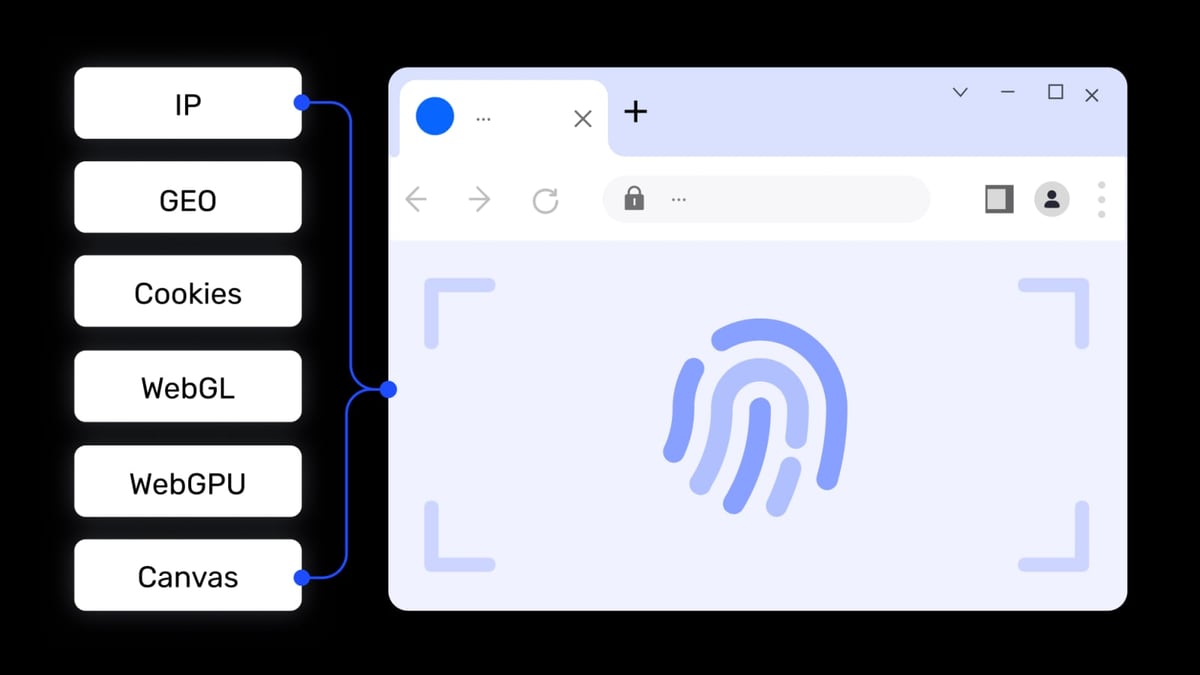
Websites use two major signals to connect accounts: browser fingerprinting and IP address. Even if you randomize every fingerprint parameter inside AdsPower, reusing the same IP—or pulling IPs from a contaminated pool—will quickly expose your operation. Social platforms may flag you for suspicious login locations, marketplaces may suspend your seller accounts, and scrapers will hit captchas or outright bans.
The Solution: Proxyrack’s Diverse IP Pool + AdsPower’s Fingerprint Isolation
Proxyrack supplies IPs that are home-user residential, real mobile carrier, or fast datacenter IPs, all with a strong emphasis on cleanliness and high success rates (up to 99% for mobile proxies). When you plug these into AdsPower, every browser environment gets a separate, untarnished IP. AdsPower then handles Canvas, WebGL, WebRTC, audio, timezone, language, and other fingerprints so the environment aligns with the IP’s location. The result is a convincing digital identity that dramatically lowers the risk of account association and bans.
Proxyrack Proxy Types: Choosing the Right Fit for Your AdsPower Environments
How to Use AdsPower Fingerprint Browser with Proxyrack product interface and feature overview.
Proxyrack isn’t a one-size-fits-all service. The right IP type depends on how many environments you manage, which platforms you target, and whether you need long sessions or high-frequency rotation. Below is a quick decision guide, followed by configuration steps for each type inside AdsPower.
Residential Proxies
Best for: multi-account social media, e-commerce store management, ad verification, and SEO monitoring where IP reputation is paramount.
Proxyrack’s residential pool contains over 35 million IPs sourced from real ISP connections. They support HTTP, SOCKS, and UDP protocols and come with unmetered bandwidth—you never pay per gigabyte. Use residential IPs when every account needs a genuine, non-datacenter fingerprint and you require sticky sessions over several hours or days.
Datacenter Proxies
Best for: fast bulk actions such as mass account creation, automated data collection where speed outweighs carrier authenticity, and some ad verification tasks.
With 20,000+ IPs, Proxyrack’s datacenter proxies offer high throughput at a lower cost. They are less suited for platforms that strictly fingerprint residential-only connections (e.g., Instagram, TikTok) but work well for scraping content behind moderate anti-bot walls.
Mobile Proxies
Best for: managing social media accounts that primarily use mobile apps (TikTok, Snapchat, Instagram’s app-facing endpoints) and tasks that require carrier IP rotation.
Proxyrack’s 1.4 million mobile IPs rotate through real 3G/4G/5G carriers. In AdsPower, you’ll pair these with mobile-user-agent profiles to mimic smartphone traffic on a desktop environment, which often achieves the highest trust scores.
Proxyrack Scraping API
Best for: replacing browser-based scraping entirely when you need raw response data at scale.
If your goal is data extraction rather than account management, Proxyrack’s scraping API may be a more efficient choice than spinning up AdsPower environments. It offers flat concurrency-based pricing with unlimited requests and boasts an 85.9% first-try success rate against Web Application Firewalls. You can still use AdsPower for the login and exploration phase, then pull bulk data through the API.
Step-by-Step Setup: Integrating Proxyrack into AdsPower
How to Use AdsPower Fingerprint Browser with Proxyrack product interface and feature overview.
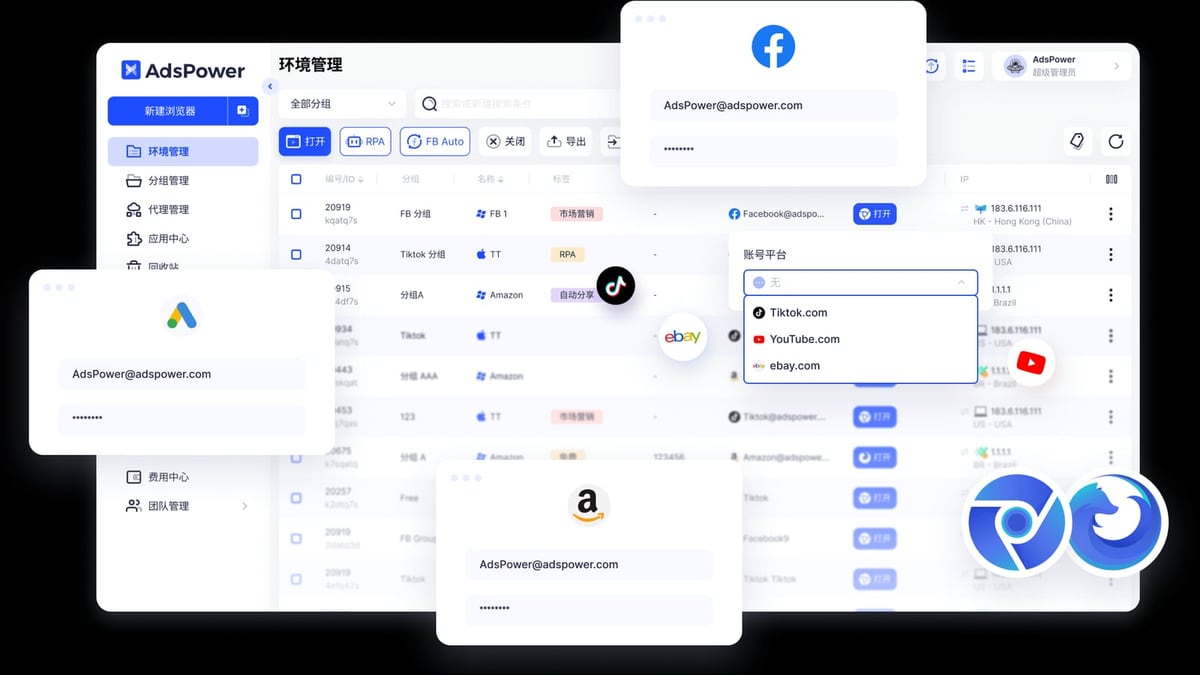
Before you begin, download and install the latest AdsPower client from the official website. Make sure your computer meets the minimum specs (2 GB RAM, 2 GB free disk, valid GPU, Windows 10+/macOS).
Prerequisites
- An active Proxyrack account with purchased proxy plan (residential, datacenter, or mobile).
- A stable overseas network connection (most proxy providers require your local network to be outside mainland China to pass through). See AdsPower’s proxy configuration guide for more details on network setup.
- AdsPower client installed and logged in.
Step 1: Get Your Proxyrack Credentials
Log into the Proxyrack dashboard and retrieve the endpoint, port, username, and password for your proxy type. For residential and mobile proxies, you’ll typically get a gateway hostname or IP, a port number, and a session-control string (e.g., session-<random> added to the username to hold a sticky IP). Datacenter proxies often use IP:Port lists with username/password authentication.
Step 2: Add a Single Proxy in AdsPower
- Open AdsPower and go to Proxies in the left sidebar.
- Click Add Proxy.
- Choose the proxy protocol: HTTP, HTTPS, or SOCKS5 based on what Proxyrack provides.
- Fill in the IP/Host, Port, Username, and Password from your Proxyrack dashboard.
- For residential proxies wanting a static IP for a session, append
session-<your_session_id>to the username field (e.g.,yourUsername_session-abc123).
- For residential proxies wanting a static IP for a session, append
- Click Check to test the connection. If it shows “Available,” the proxy is valid.
- If the check fails, double-check your credentials and ensure your local network can reach the proxy (see troubleshooting below).
- Give your proxy a recognizable name, like
Proxyrack-US-Res-01, then save it.
Step 3: Batch Import Multiple Proxyrack Proxies
If you’re managing 50+ environments, AdsPower supports batch import. Prepare a CSV file with the following columns:
Proxy Type(http, https, socks5)IP/HostnamePortUsernamePassword
In AdsPower, go to Proxies > Add Proxy > Batch Import, upload your CSV, and the proxies will be added automatically. Each proxy can later be assigned to a browser profile.
Step 4: Create a Browser Environment with Proxyrack Proxy
- Click New Browser in the environment list.
- Give the environment a descriptive name (e.g., “Amazon Seller US #1”).
- Under Proxy, select Existing Proxy and choose the Proxyrack proxy you just saved. AdsPower will populate the settings.
- Configure the Fingerprint tab. AdsPower auto-generates a unique fingerprint based on the proxy’s IP location, but you can adjust the User Agent, Language, Time Zone, Resolution, Media Device, and others manually. For the highest isolation, leave the fingerprint on “Random” or “Based on IP.”
- For social accounts, consider setting the User Agent to match a mobile device if you’re using Proxyrack mobile proxies (e.g., an iPhone 15 UA with Safari).
- Add any platform-specific cookies or account credentials on the Account Information tab (optional).
- Click Save. The environment is ready.
Step 5: Verify Your IP and Fingerprint
Open the environment you just created. Navigate to BrowserScan or Whoer to confirm that the public IP matches your Proxyrack proxy and that WebRTC is not leaking your real IP. Check the fingerprint score; a high score indicates that the site sees a genuine device.
Practical Use Cases with AdsPower and Proxyrack
How to Use AdsPower Fingerprint Browser with Proxyrack product interface and feature overview.
Social Media Multi-Account Management
Running 20 Instagram accounts for different clients? Create a separate AdsPower environment for each, each attached to a Proxyrack residential IP from the account’s target country. AdsPower’s isolation prevents Instagram from linking profiles through browser storage or canvas fingerprint, and Proxyrack’s clean residential IPs avoid IP-based blocks. For a detailed walkthrough, read our guide on using AdsPower with Instagram.
Cross-Border E-Commerce on Amazon
Amazon aggressively tracks seller IPs. With AdsPower and a Proxyrack residential proxy matching the store’s registered country, you can log in as if you’re a local seller. Use one environment per Amazon storefront, keeping cookies and credentials isolated. Pair this with AdsPower’s RPA automation to perform repetitive tasks like bulk listing updates or review monitoring.
Web Scraping and Ad Verification
Need to scrape Google search results from multiple locations? Spin up several AdsPower environments, each with a Proxyrack datacenter IP from a different city, and use AdsPower’s Local API to automate the scraping with Playwright or Puppeteer. For larger-scale data extraction that doesn’t require full browser rendering, Proxyrack’s Scraping API may be more cost-effective, but you can still use AdsPower to log into gated sites and export cookies for the API.
Troubleshooting Common Proxy Failures in AdsPower
Even with a top-tier proxy service, you may encounter “proxy failed” errors. The most frequent causes are:
- Incorrect credentials – a single typo in the username or password will break the connection. Re-enter the credentials from the Proxyrack dashboard.
- Network restrictions – many proxy providers require a non-Chinese mainland IP to establish the tunnel. Verify your local outbound network is stable and unrestricted. For detailed network optimization, refer to AdsPower’s troubleshooting guide for proxy failures.
- Proxy type mismatch – ensure the protocol (HTTP, SOCKS5) selected in AdsPower matches what Proxyrack delivers. Residential proxies often use HTTP, while mobile proxies may require SOCKS5.
- Expired or exhausted proxy plan – check your Proxyrack dashboard for remaining balance or session limits.
- Local firewall/antivirus interference – temporarily disable aggressive firewalls and add AdsPower to the allowed list.
If the proxy works outside AdsPower (e.g., in a standalone browser) but not inside, contact AdsPower support with your proxy details and logs.
Related reading
- AdsPower Fingerprint Browser vs Multilogin vs Genlogin Compared - Compare AdsPower, Multilogin, and Genlogin on fingerprint control, automation, proxy integration, pricing, and team features to choose the right anti-detect browser.
- Facebook Review 2026: Features, Pros, Cons & Who Should Use It - Evidence-based review of Facebook in 2026: strengths, privacy concerns, ad pricing, ideal users, and honest verdict for personal and business use.
- Binance Review 2026: Is It Safe? Fees, Pros & Cons Examined - Unbiased Binance review covering fees, security, pros & cons, and user experience. Evidence-based verdict for beginners and advanced traders in 2026.
FAQ
Can I use Proxyrack’s mobile proxies in AdsPower?
Yes. Add them as SOCKS5 or HTTP proxies (depending on your Proxyrack plan) following the same steps. In the AdsPower environment settings, choose a mobile user agent and enable the “mobile browser” kernel to better emulate a smartphone. Proxyrack’s mobile IPs rotate through real carriers, giving you high trust scores on platforms like TikTok and Instagram.
Why does my Proxyrack proxy show as failed in AdsPower?
Most failures come from network connectivity issues, incorrect credentials, or using a proxy type that doesn’t match the protocol. Verify your credential string exactly, test the proxy manually using a browser extension like Proxy SwitchyOmega, and make sure your local network has a steady overseas path.
Do I need an overseas network to use Proxyrack with AdsPower?
In most cases, yes. Proxyrack’s proxy endpoints are typically only reachable from outside mainland China. You may need a VPS, a global internet access tool, or a dedicated line. AdsPower itself does not provide overseas network routing; it only configures the proxy.
Can I rotate IPs automatically in AdsPower with Proxyrack?
For sticky residential sessions, you can set a session ID in the proxy username. If you want automatic IP rotation (e.g., a new IP every 10 minutes), you would need to use Proxyrack’s rotating gateway and not append a session ID, or use the Proxyrack API to programmatically replace the proxy in AdsPower via AdsPower’s Local API. Mobile proxies from Proxyrack often rotate automatically.
Which Proxyrack proxy type is best for managing TikTok accounts?
Mobile proxies combined with AdsPower’s mobile browser profile offer the highest authenticity for TikTok. Proxyrack’s mobile IPs rotate through real carrier networks, which TikTok trusts more than residential datacenter IPs. However, if mobile proxies are cost-prohibitive, high-quality residential IPs can also work, provided you mimic mobile device fingerprints accurately.
Conclusion
Combining AdsPower and Proxyrack turns your single machine into a fleet of independent devices, each with a unique browser fingerprint and a clean, real-world IP. This stack is purpose-built for marketers, sellers, and automators who need to operate at scale without borders—or bans. Start with the proxy type that matches your risk profile, follow the integration steps, and always verify your fingerprints before going live. For more in-depth comparisons and guides on anti-detect browsers, proxy services, and multi-account strategies, explore the resources at AdsPower.