
Ecwid Review 2026: A Fast, Flexible Ecommerce Widget—But Who Is It Really For?
Take a Quick Look
In-depth Ecwid review covering pricing, setup, features, and real user feedback. Learn if this embeddable ecommerce platform is right for your existing site or social selling.
🔥 Limited-Time Offer! Save extra 10% off on your first monthly plan with code: Anitdetect10
Sign upEcwid Review: A Fast, Flexible Ecommerce Widget—But Who Is It Really For?
Ecwid promises to turn any existing website into a fully functional online store in minutes, without the need for a developer or a complete site rebuild. For small business owners, artists, and side hustlers who already have a web presence, that pitch is compelling. But after testing the platform and analyzing user feedback, the reality is more nuanced. This Ecwid review breaks down who the platform truly serves, where it shines, and the critical limitations you need to know before signing up.
What Is Ecwid and How Does It Work?
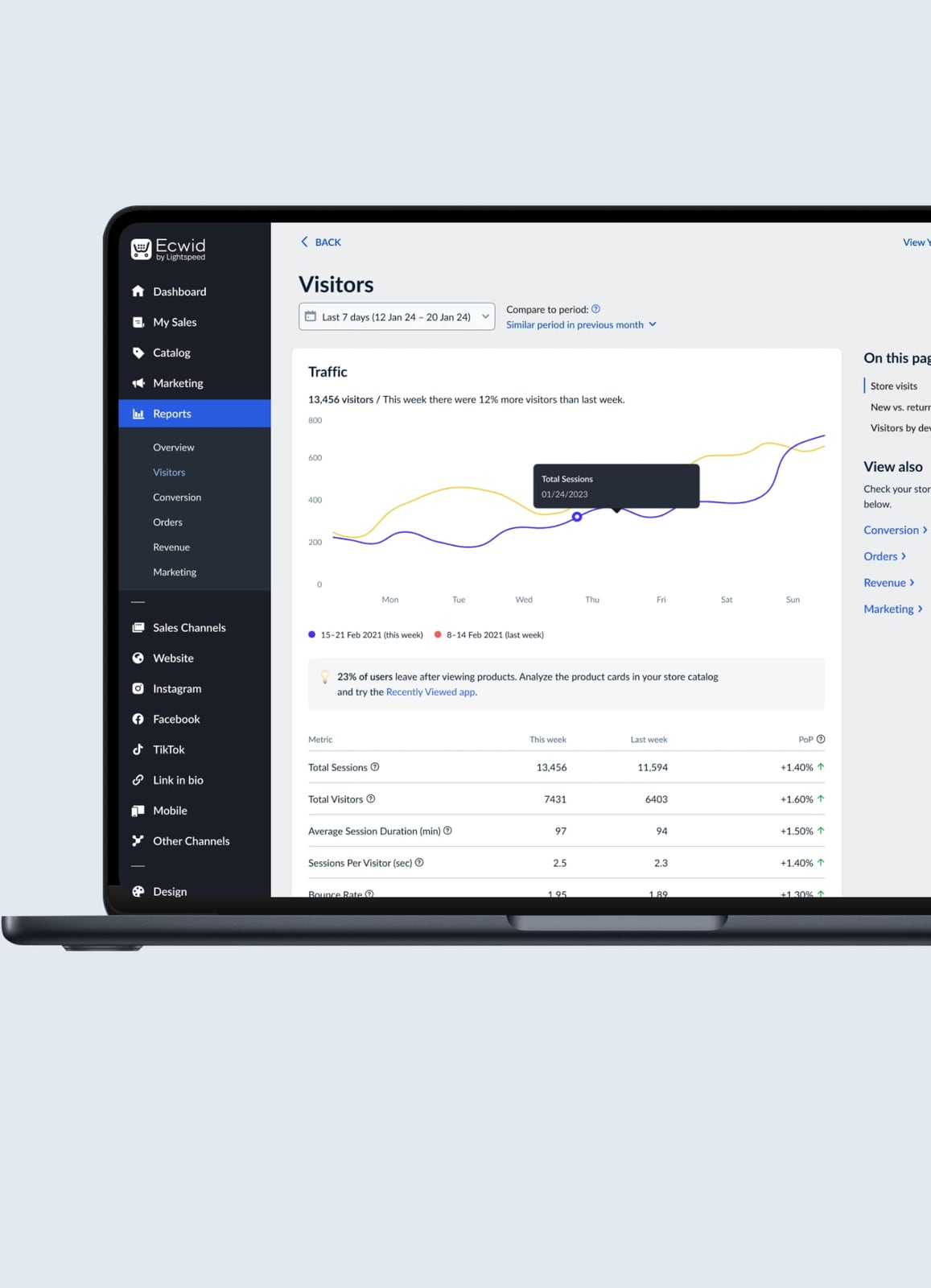
Ecwid product interface.
Ecwid (short for "ecommerce widget") is not a standalone website builder like Shopify or Wix. Instead, it’s an embeddable shopping cart and storefront that you plug into an existing site—whether that’s a WordPress blog, a Squarespace portfolio, or a custom-coded HTML page. You copy a few lines of code, paste them into your site, and a fully functional store appears. Beyond website embedding, Ecwid also syncs your product catalog across social media channels including Facebook, Instagram, TikTok, and Pinterest, plus marketplaces like Google Shopping and Amazon.
This widget-based approach makes Ecwid uniquely suited for a specific type of seller: someone who already has an audience on a content site or social platform and wants to add commerce without migrating everything to a new platform.
Ideal Users and Core Use Cases
Ecwid is not a one-size-fits-all solution. The platform works best for:
- Existing website owners who want to add a store to a WordPress, Wix, Squarespace, or custom site without rebuilding.
- Social-first sellers who generate most of their sales through Facebook Shop, Instagram Shopping, or TikTok and need a central catalog to sync everywhere.
- Artisans, artists, and small-batch makers with a limited product line who need simple inventory management and a clean storefront.
- Service providers selling a few products on the side—coaches selling ebooks, photographers selling prints, or musicians selling merch.
- B2B sellers with simple needs who require basic wholesale pricing or quote requests, though Ecwid’s B2B features are not as deep as dedicated platforms.
Ecwid’s own case studies reinforce these use cases. Quincey Cattle reportedly generated over $200K in revenue within two years using Ecwid, while Creative Sound Solution expanded internationally by integrating the widget into their Wix site.
Ecwid Pricing: What You Get at Each Tier

Ecwid product interface.
Ecwid’s pricing structure is one of its biggest draws—and one of its biggest sources of frustration once you dig into the details.
Free Plan: $0/month
- Up to 10 products
- Responsive shopping cart
- Facebook and Instagram selling
- No tax calculation
- No discount coupons
- No abandoned cart recovery
Venture Plan: $21/month (or $19/month annually)
- Up to 100 products
- Sell on Instagram and Facebook
- Discount coupons
- Automated tax calculations
- Inventory tracking
- Chat support
Business Plan: $39/month (or $35/month annually)
- Up to 2,500 products
- Sell on Amazon and eBay
- Abandoned cart recovery
- Wholesale pricing groups
- Product filters
- Phone and chat support
Unlimited Plan: $89/month (or $79/month annually)
- Unlimited products
- Point-of-sale (POS) integration via Square
- Priority support
- All features included
A critical detail: Ecwid charges no transaction fees on any plan, which is a genuine advantage over platforms like Shopify that take a cut unless you use their in-house payment processor. However, standard payment gateway fees from Stripe, PayPal, or Square still apply.
Strengths: Where Ecwid Excels

Ecwid product interface.
1. Genuinely Fast Setup
You can create an account, add a few products, and embed a working store into an existing website in under 30 minutes. The admin interface is clean and uncluttered, with a logical left-hand navigation that new users can navigate without training.
2. No Transaction Fees
This is a meaningful cost saver for businesses processing significant volume. Every percentage point matters, and Ecwid’s hands-off approach to payment processing fees keeps more money in your pocket.
3. Multi-Channel Selling from One Dashboard
Sync your product catalog to Facebook, Instagram, TikTok, Pinterest, Snapchat, Google Shopping, and Amazon from a single interface. For social-first brands, this eliminates the headache of managing inventory across disconnected platforms.
4. True Embeddable Flexibility
Because Ecwid is a widget, you’re not locked into a specific theme or hosting provider. You can use it on WordPress, Wix, Squarespace, Weebly, Joomla, or a custom site. If you redesign your website, your store moves with you.
5. Solid International Selling Basics
Ecwid supports multi-currency display, automatic language detection for storefronts, and localized payment options. For businesses testing international markets, these features work well out of the box.
Limitations and Pain Points: What Real Users Report
1. EU VAT and B2B Invoicing Gaps
This is the most consistent complaint across user reviews. On Trustpilot, Ecwid holds a 2.5 out of 5 rating across 432 reviews, with multiple sellers reporting that the platform does not handle EU VAT correctly and lacks mandatory B2B invoicing features. If you sell to European customers, this is a serious compliance risk that requires manual workarounds or a different platform entirely.
2. The Free Plan Is Barely Functional for Real Business
Limiting the free tier to 10 products is understandable, but the absence of automated tax calculations on the free plan is a dealbreaker for anyone selling in jurisdictions with sales tax obligations. One Reddit user summarized the frustration: “I do not want to be messing around with tax compliance problems.”
3. Feature Gating Feels Aggressive
Essential features like abandoned cart recovery, product filters, and marketplace selling are locked behind the $39/month Business plan. Competitors like Shopify include abandoned cart recovery on their $29/month Basic plan, making Ecwid’s mid-tier feel expensive for what you get.
4. Limited Design Customization
While the widget embeds cleanly, you have minimal control over the storefront’s appearance beyond basic color and font changes. If you need a highly branded, pixel-perfect shopping experience, Ecwid’s widget will feel restrictive compared to a native Shopify or WooCommerce store.
5. POS Is an Add-On, Not a Core Feature
In-person selling requires the Unlimited plan ($89/month) plus a Square account. For businesses that split revenue between online and in-person sales, this adds complexity and cost compared to Shopify’s integrated POS system.
Ecwid vs. Shopify vs. WooCommerce: Quick Comparison
Ecwid product interface.
| Feature | Ecwid | Shopify | WooCommerce |
|---|---|---|---|
| Approach | Embeddable widget | Standalone platform | WordPress plugin |
| Starting price (usable) | $21/month | $29/month | Free (plus hosting) |
| Transaction fees | None | Up to 2% without Shopify Payments | None |
| Abandoned cart recovery | Business plan ($39/mo) | Basic plan ($29/mo) | Free via plugin |
| EU VAT handling | Reported issues | Built-in | Via plugins |
| POS | Unlimited plan + Square | Integrated Shopify POS | Via plugins |
| Best for | Adding store to existing site | Building a new online store | Full control on WordPress |
If you already have a website you love and just need to bolt on commerce, Ecwid is the most elegant solution. If you’re starting from scratch, Shopify’s all-in-one approach is often simpler. If you need maximum control and are comfortable with WordPress, WooCommerce remains the most flexible option.
Setup Walkthrough: How to Start Selling with Ecwid
- Create an account at ecwid.com. No credit card is required for the free plan.
- Add products from the Catalog section. Upload images, set prices, configure variants, and assign categories.
- Configure payment methods under Settings → Payment. Ecwid integrates with Stripe, PayPal, Square, and dozens of regional gateways.
- Set up shipping under Settings → Shipping. Define rates by weight, order total, or flat fee; connect carriers like USPS, UPS, or FedEx for real-time calculations.
- Configure taxes under Settings → Taxes. Manual rates are available on all plans; automated calculations require the Venture plan or higher.
- Embed the store by copying the integration code from Website → Overview and pasting it into your existing site’s HTML.
- Connect social channels from the Sales Channels menu to sync your catalog with Facebook, Instagram, TikTok, and other platforms.
Decision Criteria: Is Ecwid Right for You?
Choose Ecwid if:
- You already have a website with traffic and just need to add a store.
- You sell primarily through social media and want a central catalog.
- You have a small to medium product catalog (under 2,500 SKUs).
- You value no transaction fees and don’t need advanced customization.
Avoid Ecwid if:
- You sell to the EU and need compliant VAT handling and B2B invoicing.
- You need deep design control over your storefront.
- You run a large-scale operation requiring advanced inventory, warehousing, or multi-location POS.
- You’re building a new online store from scratch and want an all-in-one platform.
For businesses evaluating tools that manage multiple digital profiles—whether for ecommerce brand management or multi-account operations—understanding how platforms handle identity and session isolation is increasingly important. Our Top 10 Anti-Detect Browsers for Multi-Account Management in 2026 guide explores tools that help maintain separate, secure profiles across platforms, which can be useful for social sellers managing multiple brand accounts alongside their Ecwid store.
Related reading
- Playwright Pricing: Is It Really Free? A 2026 Cost Breakdown - Understand the true cost of Playwright in 2026. While the framework is free and open-source, discover hidden infrastructure, token, and scaling costs for testing and AI agents.
- How to Use AdsPower with ScrapingBee for Ban‑Free Web Scraping - Combine AdsPower's anti-detect browser profiles with ScrapingBee's headless scraping API to bypass advanced anti-bot systems and extract data reliably at scale.
- AdsPower vs Undetectable vs Indigo: Which Antidetect Browser Should You Choose? - Compare antidetect browsers AdsPower, Undetectable, and Indigo: fingerprints, automation, pricing, and use cases. Choose the best solution for multi-accounting and traffic arbitrage.
Sources and further reading
- Ecwid by Lightspeed Reviews - Useless if you sell to the EU. Doesn't handle VAT properly, doesn't handle mandatory B2B invoicing, 2.7 Poor TrustScore 2.5 out of 5 432 reviews 5-star 4-star ...
- Anyone tried Ecwid? I just saw a commercial for it on Instagram and I'm curious about other's experiences, if any. : r/EtsySellers - Their website has details on the additional features you get with the paid options. The free version limits you to 10 items. I didn't want to be stuck with a limited-feature shop as I tried to scale bigger and had to pay more than I wanted for its limited features and limited integrations. To me, even the free version wasn't appealing -- for example, they don't offer tax calculations without a paid plan, and that's a deal breaker for me. I do not want to be messing around with tax compliance problems.
- Product reviews and ratings - Product reviews and ratings are customer feedback on product quality and user experience that you can collect and publish on your website. They help store visitors make informed decisions when buyi...
Frequently Asked Questions
Is Ecwid really free?
Yes, Ecwid offers a free plan with up to 10 products and basic selling features. However, the free plan lacks automated tax calculations, discount coupons, and abandoned cart recovery, making it impractical for most serious sellers.
Does Ecwid charge transaction fees?
No. Ecwid does not charge transaction fees on any plan. You only pay the standard processing fees charged by your payment gateway (Stripe, PayPal, Square, etc.).
Can I use Ecwid with my existing WordPress site?
Yes. Ecwid provides a dedicated WordPress plugin that integrates seamlessly with most themes. You can also use the universal embed code on any website platform.
How does Ecwid handle EU VAT?
This is a known weak point. Multiple user reviews report that Ecwid does not handle EU VAT correctly and lacks mandatory B2B invoicing features. If you sell to EU customers, verify compliance carefully or consider an alternative platform.
Can I sell on Amazon and eBay with Ecwid?
Yes, but only on the Business plan ($39/month) or higher. The Venture plan includes Facebook and Instagram selling; Amazon and eBay integration requires the upgrade.
Does Ecwid work for in-person selling?
Yes, through integration with Square POS, but this requires the Unlimited plan ($89/month) plus a Square account. It’s not an integrated first-party POS system like Shopify’s.
Final Verdict
Ecwid delivers on its core promise: it’s the fastest way to add a functional online store to an existing website. For the right user—a content creator, artist, or small business with an established web presence and a modest product line—it’s a cost-effective, low-friction solution that avoids transaction fees and platform lock-in.
However, the platform’s limitations are real and consequential for certain sellers. The EU VAT compliance gaps are a red flag for international sellers. The feature gating pushes essential tools into higher-priced tiers. And the widget-based design, while flexible, sacrifices the deep customization that growing brands eventually need.
Before committing, take advantage of the free plan to test the embedding experience and catalog management. But if you anticipate needing advanced tax handling, B2B features, or a fully branded storefront, evaluate Shopify or WooCommerce alongside Ecwid to ensure you’re not outgrowing the platform within your first year.