
How to Use AdsPower with ScrapingBee for Ban‑Free Web Scraping
Take a Quick Look
Combine AdsPower's anti-detect browser profiles with ScrapingBee's headless scraping API to bypass advanced anti-bot systems and extract data reliably at scale.
🔥 Limited-Time Offer! Save extra 10% off on your first monthly plan with code: Anitdetect10
Sign upHow to Use AdsPower with ScrapingBee for Unblockable Web Scraping
Web scraping at scale often hits a wall when target sites deploy advanced anti-bot defenses. Fingerprint tracking, JavaScript challenges, and behavioral analysis can block even well-configured scrapers. By pairing AdsPower—an anti-detect browser that creates isolated, human-like browser environments—with ScrapingBee—a scraping API that handles headless browsers and rotating proxies—you build a two-layer defense that mimics real user behavior while automating extraction. This guide walks through why this combination works, how to set it up, and practical workflows for scraping protected sites without bans.
Why Combine AdsPower and ScrapingBee?
How to Use AdsPower with ScrapingBee for Ban‑Free Web Scraping - Why Combine AdsPower and ScrapingBee?.
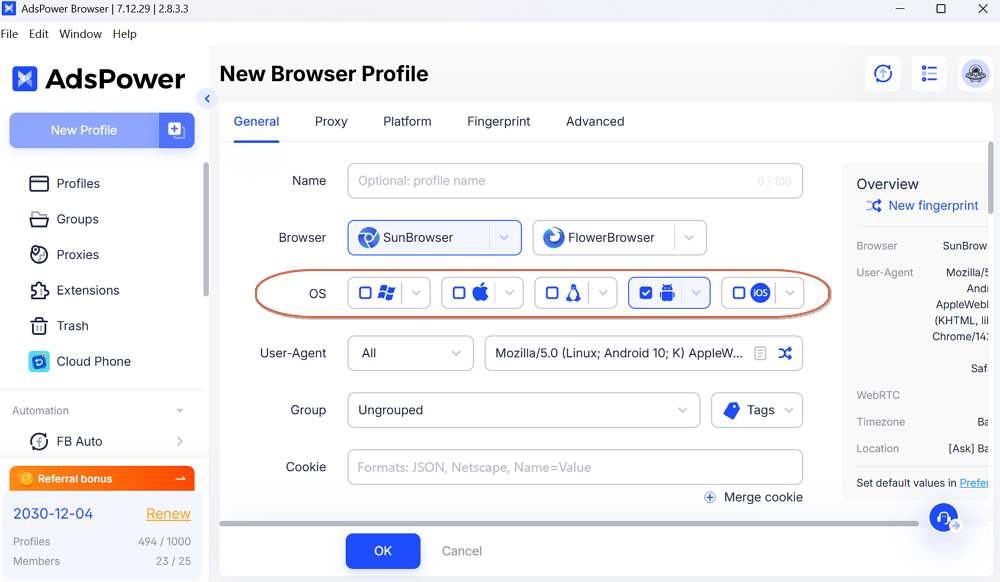
AdsPower excels at generating unique browser fingerprints. It spoofs over 20 parameters—Canvas, WebGL, AudioContext, WebRTC, fonts, and more—so each profile appears as a distinct device operated by a different person. ScrapingBee provides a managed scraping backend: it renders JavaScript, rotates IPs automatically, and returns clean HTML or structured data. Together, they solve a critical gap.
The problem: ScrapingBee’s headless Chrome instances, while powerful, can still be fingerprinted as automated browsers. Some sites fingerprint the headless mode itself. AdsPower profiles, however, launch full, non-headless browser environments with real fingerprints. By using an AdsPower profile to generate authenticated sessions or cookies, then feeding those into ScrapingBee, you combine the authenticity of a real browser with the scale of an API.
What this combination solves:
- Fingerprint consistency: AdsPower maintains persistent fingerprints across sessions, building trust with target sites.
- Session persistence: Log in once via AdsPower, export cookies, and reuse them in ScrapingBee requests without re-authentication.
- JavaScript rendering: ScrapingBee executes JavaScript and waits for dynamic content, while AdsPower provides the initial human-like entry point.
- IP rotation: AdsPower profiles bind to dedicated proxies; ScrapingBee rotates IPs per request. Layering both prevents IP-based rate limiting.
Setting Up AdsPower for Scraping Workflows
How to Use AdsPower with ScrapingBee for Ban‑Free Web Scraping - Setting Up AdsPower for Scraping Workflows.
Before integrating with ScrapingBee, configure AdsPower to create reliable, ban-resistant browser profiles.
1. Create a Dedicated Browser Profile
Each scraping target should have its own AdsPower profile. This isolates cookies, local storage, and fingerprints.
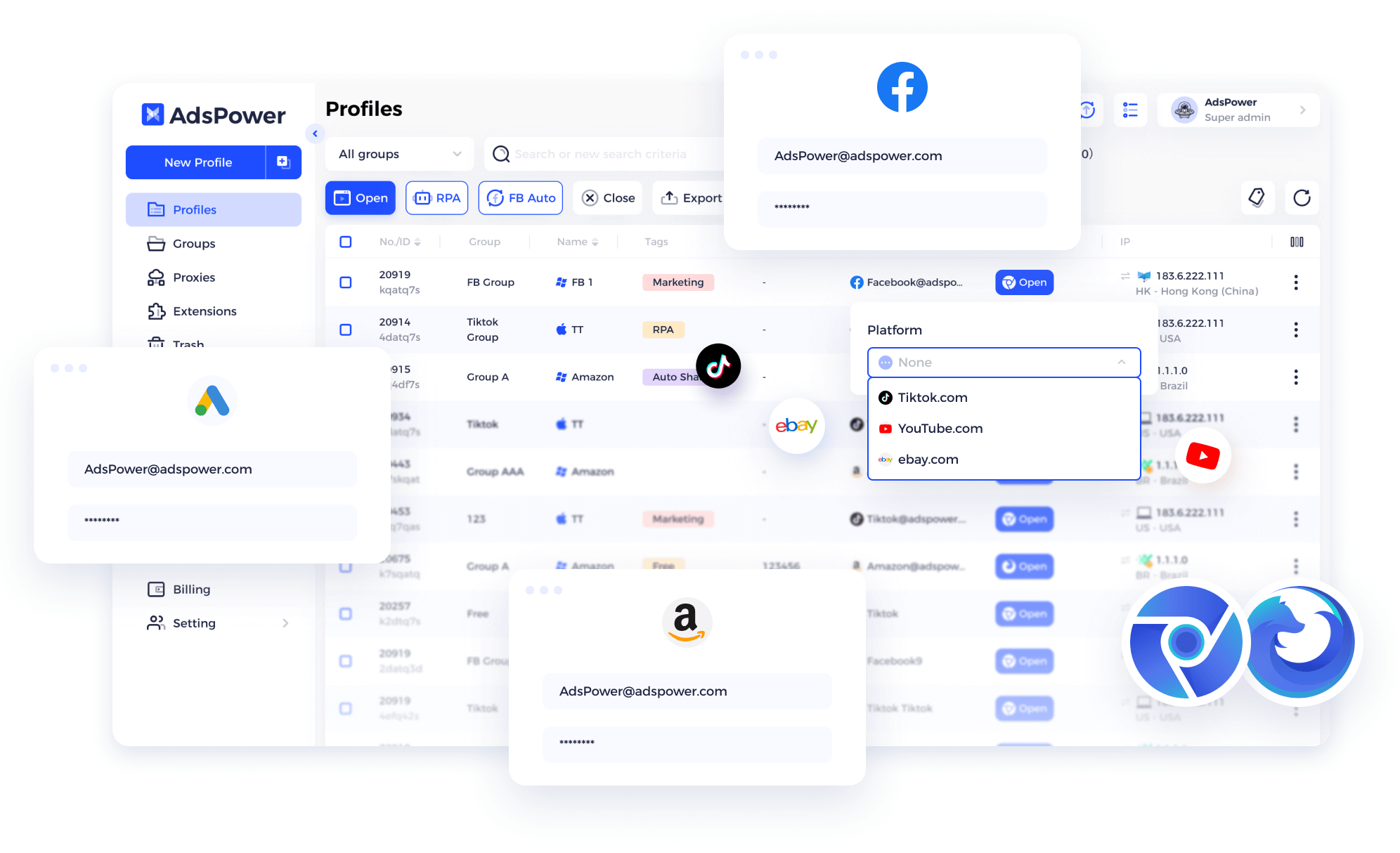
- Open AdsPower and click New Profile.
- Name the profile after the target site (e.g.,
target-shop-scraper). - Choose a Browser Kernel—Chrome is recommended for broad compatibility.
- Under Fingerprint, select Random to generate a unique device identity, or customize specific parameters if you need a consistent OS/device type.
- Assign a Proxy to this profile. AdsPower does not supply proxies; you must add your own. If you use ScrapingBee’s proxy rotation, you can configure a residential or datacenter proxy here that matches your scraping region. Learn how to add and manage proxies in AdsPower.
- Save the profile and launch it.
2. Generate Authenticated Sessions
Manually perform any login or consent steps inside the AdsPower profile. Once logged in, export the cookies:
- Use a browser extension like EditThisCookie to export cookies in JSON format.
- Alternatively, use AdsPower’s Local API to automate cookie extraction programmatically. The Local API lets you open profiles, execute scripts, and retrieve
document.cookiewithout manual intervention.
These cookies become the bridge to ScrapingBee.
3. Automate Profile Launch with the Local API
AdsPower’s Local API enables headless-like orchestration of browser profiles. You can programmatically open a profile, navigate to a page, and extract data—all while the browser runs with a real fingerprint. This is useful for pre-warming sessions or performing actions that require a fully rendered browser before handing off to ScrapingBee for bulk extraction.
Example API call to launch a profile:
curl -X POST http://local.adspower.net:50325/api/v1/browser/start \
  -H "Content-Type: application/json" \
  -d '{"profile_id": "your-profile-id"}'
The response includes the WebSocket debugging URL, which you can connect to via Puppeteer or Playwright for scripted interactions.
Integrating AdsPower Sessions with ScrapingBee
How to Use AdsPower with ScrapingBee for Ban‑Free Web Scraping - Integrating AdsPower Sessions with ScrapingBee.
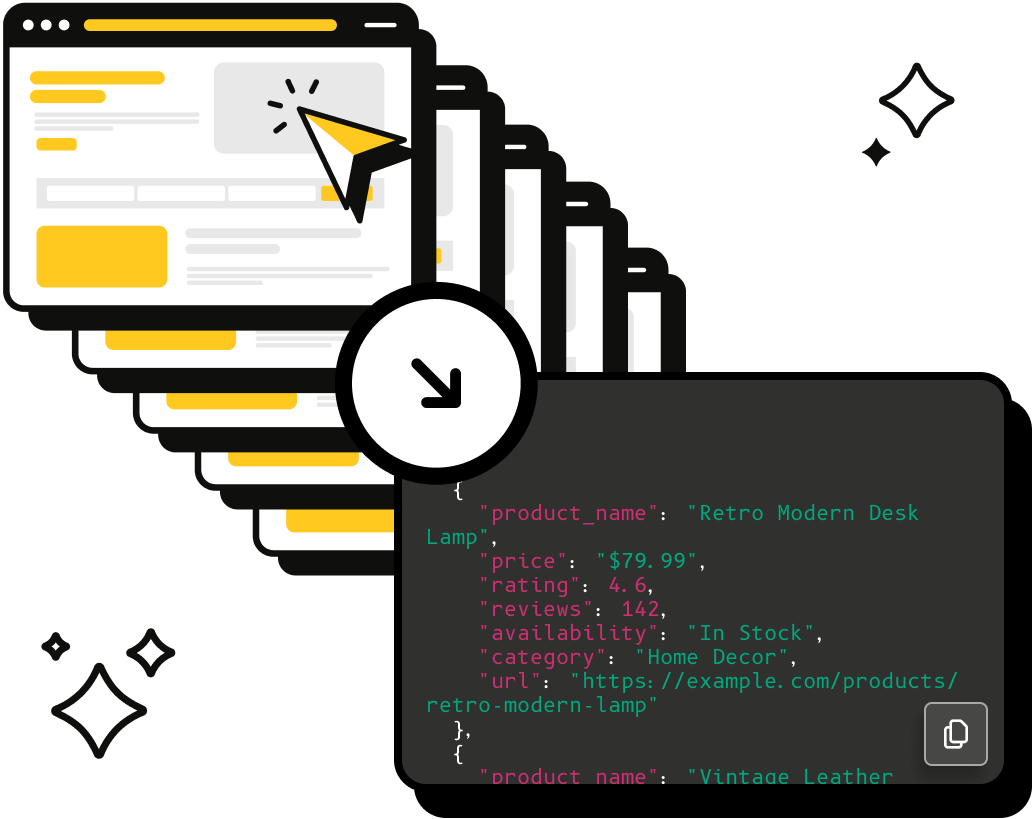
Once you have an authenticated session from AdsPower, ScrapingBee takes over for scalable, high-speed extraction.
1. Pass Cookies to ScrapingBee
ScrapingBee accepts custom cookies via its API. Use the cookies exported from your AdsPower session in the cookies parameter of your scraping request.
import requests

response = requests.get(
    "https://app.scrapingbee.com/api/v1/",
    params={
        "api_key": "YOUR_SCRAPINGBEE_API_KEY",
        "url": "https://target-site.com/protected-page",
        "cookies": "session_id=abc123; user_token=xyz789",
        "render_js": "true"
    }
)
print(response.text)
By injecting the cookies from a real, fingerprint-authenticated AdsPower session, ScrapingBee’s headless browser inherits the trust already established. The target site sees a logged-in user with a consistent device history, dramatically reducing block rates.
2. Use ScrapingBee’s AI Extraction on AdsPower-Fetched Pages
For complex pages that require interaction (infinite scroll, shadow DOM, dynamic content), you have two paths:
- Path A (AdsPower-first): Use AdsPower’s Local API with a script that scrolls, clicks, and waits for content. Extract the final HTML and send it to ScrapingBee’s AI extraction endpoint for parsing.
- Path B (ScrapingBee-first): Pass the AdsPower session cookies to ScrapingBee and let its headless Chrome handle JavaScript rendering. Use ScrapingBee’s
wait_forparameter to pause for specific CSS selectors.
Path B is simpler for most use cases. Path A gives you more control when a site requires complex, multi-step interactions that ScrapingBee’s rendering alone cannot replicate.
3. Rotate Fingerprints and IPs Together
To scrape at scale without patterns:
- Maintain a pool of AdsPower profiles, each with a unique fingerprint and dedicated proxy.
- Rotate which profile’s cookies you pass to ScrapingBee for each batch of requests.
- Use ScrapingBee’s built-in proxy rotation (
premium_proxy: true) to further vary the exit IP.
This dual rotation makes your traffic appear as multiple distinct users connecting from different devices and networks—exactly what anti-bot systems look for in legitimate traffic.
Practical Example: Scraping a JavaScript-Heavy E-Commerce Site
Imagine you need to extract product prices and stock levels from a site that blocks headless browsers and requires login.
Step 1: Create and Warm Up an AdsPower Profile
- Create a profile with a residential proxy matching the target country.
- Launch the profile, manually log into the e-commerce site, and browse a few product pages to build a natural behavior history.
- Export the cookies.
Step 2: Automate Extraction with ScrapingBee
Use the exported cookies in a ScrapingBee request that renders JavaScript and waits for the price element:
params = {
    "api_key": "YOUR_KEY",
    "url": "https://shop.example.com/product/12345",
    "cookies": "auth_token=...; session=...",
    "render_js": "true",
    "wait_for": ".price-current",
    "extract_rules": '{"price": ".price-current", "stock": ".availability"}'
}
Step 3: Scale Across Products
Loop through product URLs, reusing the same cookies until they expire. When the session degrades, launch the AdsPower profile again, refresh the login, and export fresh cookies. For larger scale, automate cookie refresh via AdsPower’s Local API.
When to Use Each Tool as the Primary Engine
| Scenario | Primary Tool | Role of the Other |
|---|---|---|
| Site requires login with strong fingerprint checks | AdsPower | ScrapingBee uses exported cookies for bulk extraction |
| Site uses simple anti-bot but heavy JavaScript | ScrapingBee | AdsPower provides backup profiles for manual verification |
| Need to interact with page elements (clicks, scrolls) before extraction | AdsPower + Local API | ScrapingBee parses the resulting HTML |
| High-volume, price-comparison scraping | ScrapingBee | AdsPower warms sessions and refreshes credentials |
For most teams, the optimal workflow is AdsPower for session management and trust-building, and ScrapingBee for high-speed, parallel extraction. This mirrors how professional scraping pipelines separate "browser farms" from "data extraction layers."
Avoiding Common Pitfalls
- Don’t mix fingerprints. Always use the same AdsPower profile for the same account. Switching fingerprints between sessions triggers account verification.
- Monitor proxy health. A failing proxy in AdsPower will cause login failures. Use AdsPower’s built-in proxy checker to verify connectivity before launching profiles.
- Respect rate limits. Even with perfect fingerprints, aggressive request rates trigger bans. Use ScrapingBee’s
throttleparameter or add delays between requests. - Keep cookies fresh. Most sessions expire. Build a script that uses AdsPower’s Local API to periodically refresh logins and update the cookie store ScrapingBee reads from.
Related reading
- AdsPower vs Undetectable vs Indigo: Which Antidetect Browser Should You Choose? - Compare antidetect browsers AdsPower, Undetectable, and Indigo: fingerprints, automation, pricing, and use cases. Choose the best solution for multi-accounting and traffic arbitrage.
- ZenMate VPN Review 2026: Merged, But Is CyberGhost Better? - An evidence-based ZenMate VPN review covering its merger with CyberGhost, original strengths, critical DNS leak flaws, and who should consider the transition.
- SEO Automation in 2026: Tasks, Tools & Practical Workflows - Discover which SEO tasks you can realistically automate in 2026, the best tools for the job, and how to build workflows that save hours without sacrificing quality.
Sources and further reading
- Proxies: Add, Buy, Renew, Check, Filter - If you still have no idea what a proxy is and how does it work, check this video below:
AdsPower Browser neither provides proxies nor has any proxies built in. However, the Proxies section allows you to save
- Guides to Use AdsPower Antidetect Browser - Learn how to use AdsPower undetectable browser to fix your need with those step-by-step guides, so that you can efficiently manage your tasks.
- How to Use AdsPower for Different Use Cases - AdsPower browser- Best guides and use cases for you apply AdsPower browser. Simplify managing multiple accounts for e-commerce, marketing, social media, crypto, and more.
FAQ
Do I need a separate AdsPower profile for each ScrapingBee API key?
No. ScrapingBee API keys are unrelated to browser fingerprints. Use one AdsPower profile per target site account, and reuse the same ScrapingBee API key across all requests.
Can ScrapingBee’s headless browser replace AdsPower entirely?
For sites with basic anti-bot measures, yes. But when a site fingerprints headless Chrome or requires a persistent, human-like browser history, AdsPower’s full browser environment is essential. The two tools complement rather than replace each other.
How do I automate cookie export from AdsPower?
Use AdsPower’s Local API to open a profile, inject a script that reads document.cookie, and return the cookie string. You can then store it in a database or pass it directly to ScrapingBee.
What proxy type works best with this setup?
Residential or ISP proxies work best in AdsPower profiles because they mimic real user IPs. ScrapingBee’s own proxy pool handles the extraction layer, so you only need a few high-quality proxies for the AdsPower profiles themselves.
Is this combination suitable for scraping Google or Facebook?
These platforms have extremely sophisticated detection. While the AdsPower + ScrapingBee stack improves success rates, no method guarantees permanent access. Always comply with platform terms of service and consider official APIs first.
Conclusion
Combining AdsPower and ScrapingBee gives you a resilient scraping architecture: AdsPower handles the browser-level fingerprinting and session persistence that defeats advanced anti-bot systems, while ScrapingBee provides the API-driven speed and proxy management needed for extraction at scale. By exporting authenticated cookies from AdsPower profiles and feeding them into ScrapingBee requests, you maintain the appearance of real, logged-in users without sacrificing automation. Start with a single AdsPower profile for your target site, integrate it with ScrapingBee’s API, and scale up by rotating profiles and proxies as your data needs grow.
For more on configuring AdsPower for specific platforms, see how to use AdsPower with Instagram. If you're comparing anti-detect browsers for your scraping stack, check out our AdsPower vs Linken Sphere comparison.