
AdsPower vs Undetectable 2026: Which Anti-Detect Browser Wins?
Take a Quick Look
Compare AdsPower vs Undetectable for multi-account management. See fingerprint security, automation, pricing, and which tool scales best for your workflow.
🔥 Limited-Time Offer! Save extra 10% off on your first monthly plan with code: Anitdetect10
Sign upAdsPower vs Undetectable 2026: Which Anti-Detect Browser Wins?
Managing multiple online accounts without getting banned is a high-stakes game. A single fingerprint mismatch can lock you out of ad accounts, marketplaces, or social profiles you’ve spent months building. Two tools that promise to keep you safe are AdsPower and Undetectable. But they take very different approaches to security, automation, and team scaling.
This comparison breaks down exactly where each tool excels, where it falls short, and which one fits your workflow—whether you’re a solo operator or running a multi-person agency.
Why Anti-Detect Browsers Matter for Multi-Account Safety
Websites like Facebook, Amazon, TikTok, and Google don’t just check your IP. They examine dozens of browser fingerprint parameters—canvas, WebGL, audio signatures, fonts, timezone, language, and even behavioral patterns like typing speed. If two profiles share enough of these signals, the platform flags them as connected and bans them.
Anti-detect browsers solve this by generating unique, human-like fingerprints for each profile. When paired with clean proxies, each account appears to come from a completely separate device. The result? Fewer bans, less downtime, and more reliable scaling.
AdsPower Overview
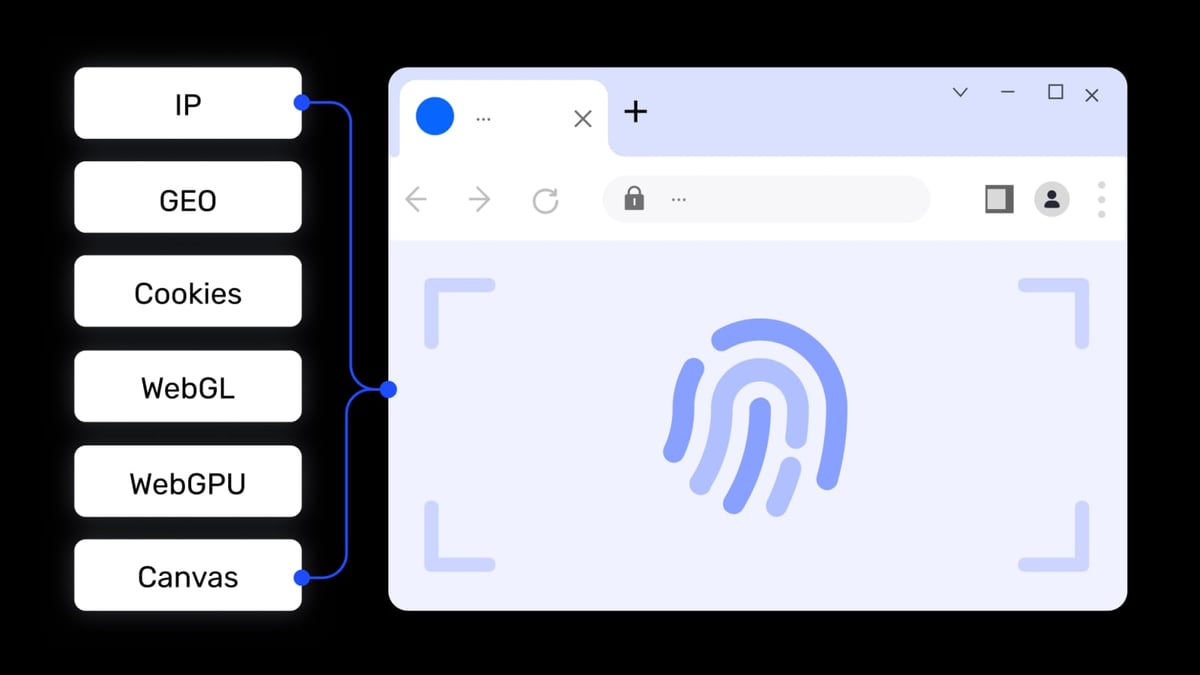
AdsPower product interface and feature overview.
AdsPower is a leading anti-detect browser trusted by over 9 million users across affiliate marketing, e-commerce, crypto, web scraping, social marketing, and traffic arbitrage. It runs on Windows, macOS, and Linux, and offers both Chromium-based (SunBrowser) and Firefox-based (FlowerBrowser) stealth browsers.
Key strengths:
- Customizable fingerprints: Over 20 fingerprint options with 50+ adjustable parameters.
- Built-in RPA automation: No-code robotic process automation with ready-made templates for repetitive tasks like account warming, posting, and data collection.
- Local API & CLI support: For developers who want to script and integrate with other tools.
- Team collaboration: Granular role-based permissions, profile sharing, and activity logs.
- Security certifications: End-to-end encryption, local data storage, and a bug bounty program.
- Free tier available: Start with 2 profiles at no cost.
Where it can improve:
- The interface can feel dense for absolute beginners.
- Proxies must be sourced separately.
- Some users report occasional detection on very strict platforms like Meta Ads when using default settings.
Undetectable Overview
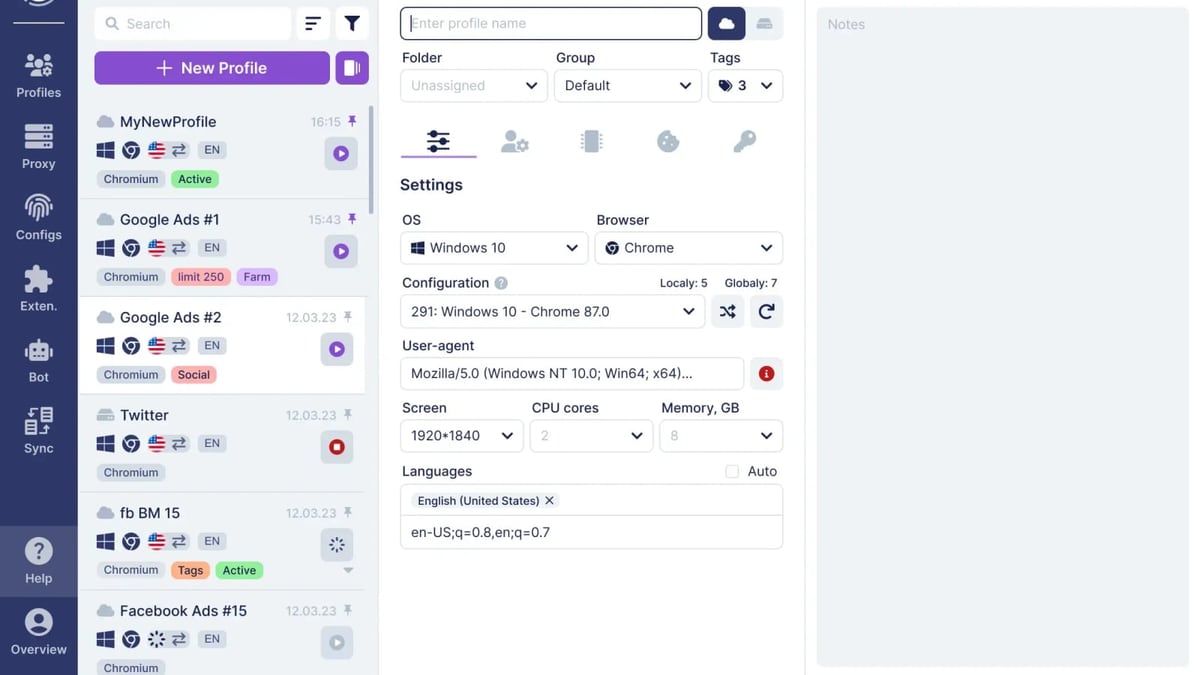
Undetectable product interface and feature overview.
Undetectable is a newer anti-detect browser designed for Windows and Mac. It focuses on simplicity and affordability, making it popular among freelancers, bonus hunters, and entry-level multi-account users.
Key strengths:
- Clean, beginner-friendly interface: Low learning curve.
- Unlimited profiles: No cap on the number of profiles you can create.
- Chromium core (version 150): Up-to-date engine with Widevine support and x-browser-validation header imitation for Google trust.
- Cookie robot & synchronizer: Tools for bulk cookie management and multi-window syncing.
- Affiliate program: 10% lifetime commission on referrals.
Where it falls short:
- No built-in proxies: You must bring your own, adding complexity.
- Basic fingerprinting: Less customization and lower reliability on strict platforms compared to mature tools.
- Limited team features: Minimal role management and sharing capabilities.
- Weak mobile emulation: Poor support for Android/iOS profiles needed for TikTok and Instagram.
- No free tier: Paid plans only.
Side-by-Side Feature Comparison
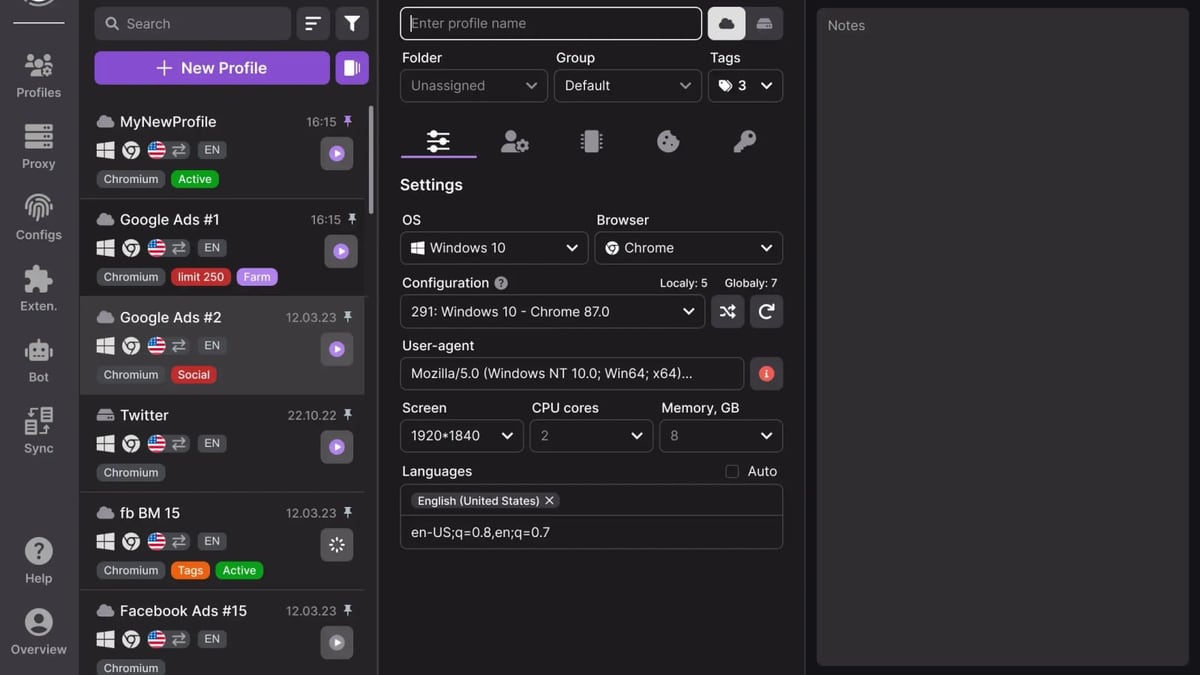
Undetectable product interface and feature overview.
| Feature | AdsPower | Undetectable |
|---|---|---|
| Fingerprint customization | 20+ options, 50+ parameters | Basic, fewer adjustable fields |
| Built-in automation | RPA templates + Local API + CLI | Selenium support only (coding required) |
| Team collaboration | Role-based permissions, sharing, logs | Minimal |
| Mobile profile emulation | Yes (Android via SunBrowser) | Weak |
| Proxy integration | External only, manual setup | External only, manual setup |
| Storage | Local + cloud | Local only |
| Free tier | 2 profiles | None |
| Starting price | Free (then $9/month for 100 profiles) | $5.99/month for 100 profiles |
| Supported OS | Windows, macOS, Linux | Windows, macOS |
| Security certifications | Yes (encryption, bug bounty) | None publicly listed |
Automation & Workflow: Where AdsPower Pulls Ahead
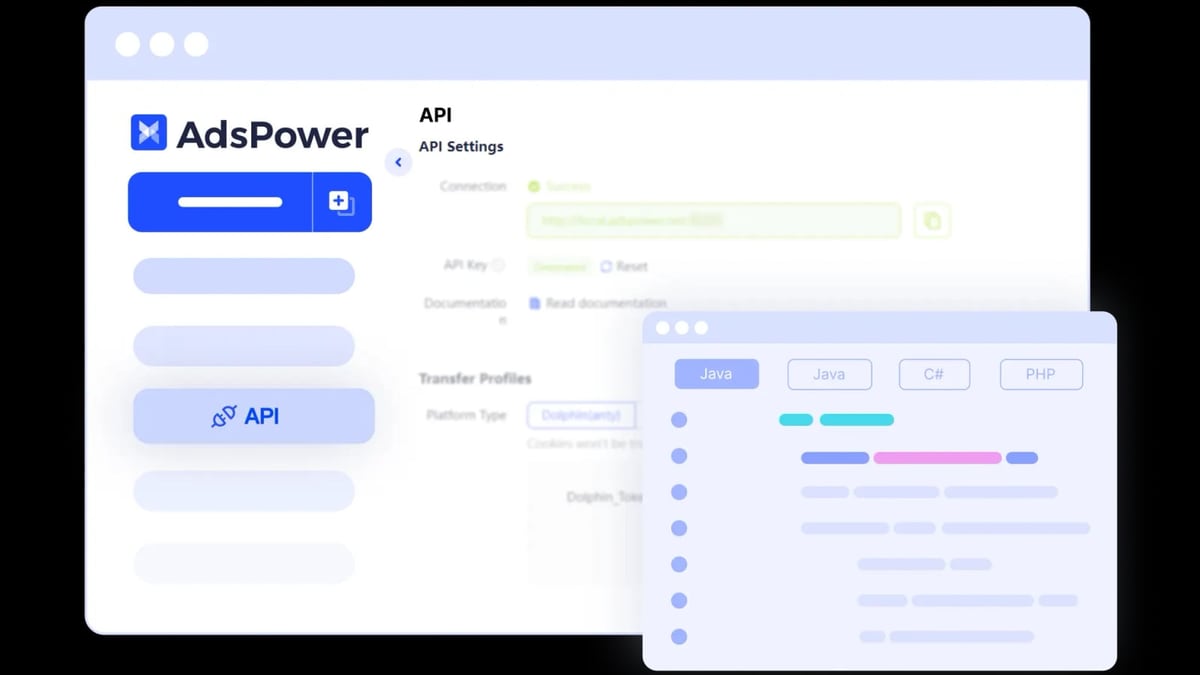
AdsPower product interface and feature overview.
For anyone running repetitive tasks—like warming up new accounts, posting content across profiles, or scraping data—automation is a game-changer.
AdsPower includes a built-in RPA (Robotic Process Automation) engine. You can choose from pre-built templates or record your own actions. No coding required. This means you can set up an account-warming sequence that mimics human behavior (scrolling, clicking, typing) and run it across dozens of profiles simultaneously.
Undetectable, on the other hand, only supports Selenium-based automation. That’s fine if you’re comfortable writing Python scripts, but it adds friction for non-developers.
Practical example: Imagine you need to create 50 Facebook ad accounts and warm each one for 7 days. With AdsPower, you can set up a single RPA workflow, apply it to all profiles, and let it run overnight. With Undetectable, you’d need to write a Selenium script and handle error handling yourself.
Team Collaboration & Security
If you work with a team—even a two-person operation—permissions matter. AdsPower lets you assign roles (admin, manager, member), restrict which profiles each person can access, and track every action in an activity log. You can also enforce two-factor authentication and receive alerts for suspicious logins.
Undetectable offers basic profile sharing but lacks granular permissions. For agencies managing dozens of client accounts, this is a significant limitation.
On the security front, AdsPower encrypts all data in transit and at rest. It also runs a bug bounty program where security researchers can report vulnerabilities. Undetectable does not publicly disclose similar measures.
Pricing: Which One Fits Your Budget?
Both tools are affordable compared to enterprise anti-detect browsers, but the value differs based on your needs.
- AdsPower: Free for 2 profiles. The Professional plan ($9/month) gives you 100 profiles, RPA automation, and team features. Business and Enterprise plans add more profiles, API access, and priority support.
- Undetectable: No free tier. Paid plans start at $5.99/month for 100 profiles, but you miss out on automation and team tools. Higher tiers add synchronizer and cookie robot.
Verdict: If you only need basic fingerprinting for a handful of accounts and don’t mind manual work, Undetectable’s lower entry price is tempting. But for any serious scaling, AdsPower’s automation and collaboration features deliver far more value per dollar.
Real-World Use Cases
Solo Affiliate Marketer
- Scenario: You run 20 Google Ads accounts for different verticals.
- Best pick: AdsPower. Use the free tier to test, then upgrade to Professional for RPA-based account warming and bulk profile management.
Small Agency (3-5 People)
- Scenario: You manage Facebook and TikTok accounts for multiple clients.
- Best pick: AdsPower. Role-based permissions keep client data separate, and the activity log helps with compliance.
Freelance Bonus Hunter
- Scenario: You create dozens of profiles to claim sign-up bonuses on betting or crypto sites.
- Best pick: Undetectable. The low price and unlimited profiles work well if you don’t need automation or team features.
Related reading
- Upfluence Review 2026: Is It the Right Influencer Platform for Your Brand? - Evidence-based Upfluence review: ideal users, use cases, strengths, limitations, pricing signals, setup, and decision criteria for ecommerce and DTC brands.
- Top 10 Captcha Solving Services 2026: Ranked & Reviewed - Expert-ranked top 10 captcha solving services for 2026. Transparent criteria, evidence-based reviews, and a clear winner for multi-account automation.
- AdsPower vs VMLogin 2026: Which Anti-Detect Browser Wins? - Compare AdsPower vs VMLogin for multi-account management. See fingerprint security, automation, pricing, and which tool scales best for your workflow.
Sources and further reading
- Undetectable vs AdsPower: Which Antidetect Browser Really Keeps You Safe in 2026? - Antidetect browser choice confusing? Undetectable vs AdsPower — which is best for multiaccount management? Find out why Multilogin wins.
- AdsPower - Best Antidetect Browser for Multi-Accounting - Create unique browser fingerprints with AdsPower antidetect browser to manage all your online accounts without getting banned. Trusted by businesses in Facebook, Amazon, Google, TikTok, YouTube, etc.
- Just a moment... - Compare - AdsPower Browser vs. Undetectable BrowserSlashdothttps://slashdot.org › Software › Antidetect BrowsersSlashdothttps://slashdot.org › Software › Antidetect BrowsersAdsPower stands out as a top antidetect browser designed for effective multi-account management, particularly in fields such as
Frequently Asked Questions
Is AdsPower safer than Undetectable?
AdsPower has more mature fingerprint customization, end-to-end encryption, and a bug bounty program. Undetectable’s fingerprint engine is less tested at scale, which can lead to higher detection rates on strict platforms.
Can I use AdsPower and Undetectable for free?
AdsPower offers a free tier with 2 profiles. Undetectable has no free plan.
Which tool is better for TikTok and Instagram?
AdsPower supports Android profile emulation, which is critical for mobile-first platforms. Undetectable’s mobile support is weak.
Do I need to buy proxies separately?
Yes, both tools require external proxies. AdsPower integrates with major proxy providers, but you still need to set them up manually.
Can I automate tasks without coding?
Yes, with AdsPower’s built-in RPA. Undetectable requires Selenium scripting.
Conclusion
Choosing between AdsPower and Undetectable comes down to your workflow complexity and growth plans.
If you’re a solo user running a handful of low-stakes accounts on a tight budget, Undetectable’s simplicity and low price might be enough. But the moment you need automation, team collaboration, or reliable fingerprinting for strict platforms like Meta Ads or TikTok, AdsPower is the stronger choice.
For a deeper dive into how AdsPower compares with other anti-detect browsers, check out our AdsPower vs VMLogin vs Dolphin Anty comparison. And if you’re looking to automate CAPTCHA solving alongside your multi-account setup, see our guide on AdsPower + 2Captcha integration.
Ultimately, the best anti-detect browser is the one that keeps your accounts safe while letting you scale without friction. AdsPower delivers on both fronts—and its free tier makes it easy to test before you commit.