
AdsPower vs Octo vs Kameleo: Anti-Detect Browser Comparison
Take a Quick Look
Compare AdsPower, Octo Browser, and Kameleo on fingerprinting, automation, pricing, and team features. Find the best anti-detect browser for multi-accounting in 2026.
🔥 Limited-Time Offer! Save extra 10% off on your first monthly plan with code: Anitdetect10
Sign upAdsPower vs Octo Browser vs Kameleo: Anti-Detect Browser Comparison
Managing dozens or hundreds of online accounts from one device without triggering platform bans requires more than just clearing cookies. Anti-detect browsers isolate digital fingerprints so every profile appears to run on a completely different device. AdsPower, Octo Browser, and Kameleo are three popular options, but they cater to different skill levels and use cases. This article compares their fingerprinting depth, automation capabilities, team features, pricing, and the real-world scenarios where each shines.
Quick Comparison Table

AdsPower vs Octo vs Kameleo: Anti-Detect Browser Comparison product interface and feature overview.
| Feature | AdsPower | Octo Browser | Kameleo |
|---|---|---|---|
| Browser engines | Chromium + Firefox | Chromium | Chromium + Firefox (Chroma & Junglefox) |
| Free tier | Yes (2 profiles) | No | No |
| Fingerprint control | Preset-based, 20+ parameters | Manual, highly granular | Unlimited real fingerprints, auto-tested stealth |
| Automation style | No‑code RPA, Local API, MCP | Puppeteer & Playwright | SDKs for Playwright, Puppeteer, Selenium; Docker‑ready |
| Team collaboration | Roles, permissions, activity logs | Basic profile sharing | Developer‑focused, no built‑in team management |
| Mobile emulation | Android & iOS emulation | Not supported | Mobile browser simulation |
| Starting price | Free; paid from ~$29/month | €21/month (individual) | €59/month (basic) |
Fingerprint Spoofing & Detection Evasion

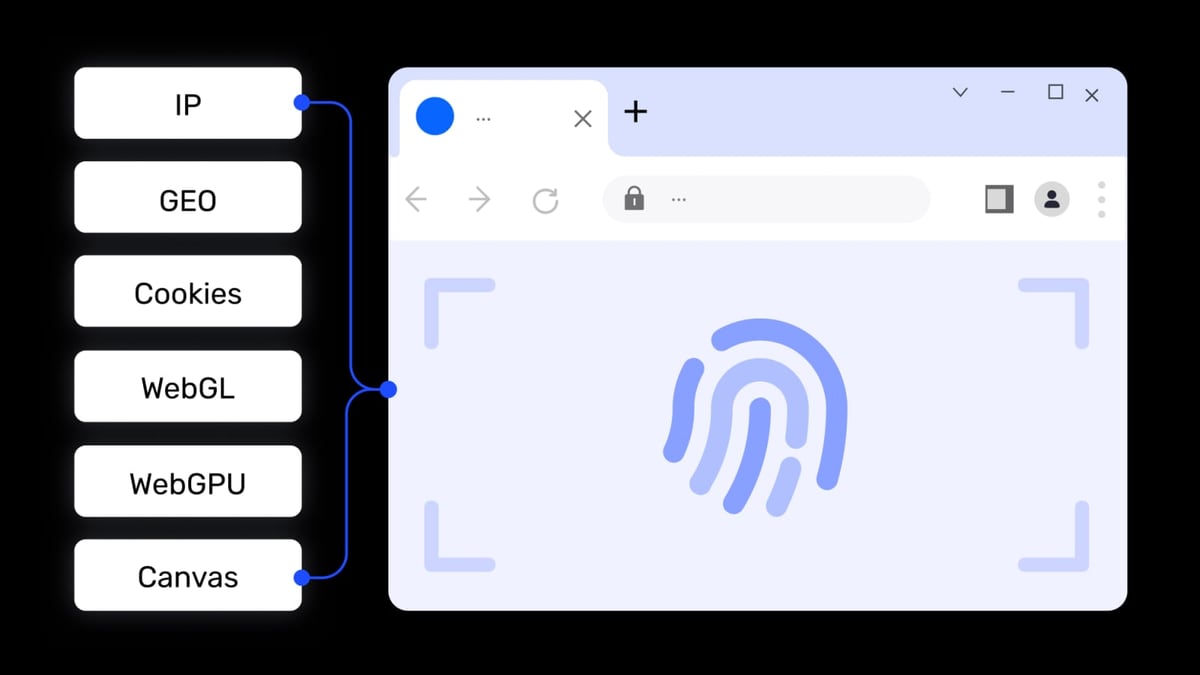
AdsPower vs Octo vs Kameleo: Anti-Detect Browser Comparison product interface and feature overview.
Octo Browser: Granular Manual Control
Octo Browser lets you tweak almost every variable—Canvas, WebGL, fonts, OS, hardware details—either to mimic a specific device or randomize the fingerprint entirely. This level of control makes it a favorite among technical affiliate marketers and crypto arbitrage operators who need to pass the strictest platform checks. Octo is also recognized as a G2 leader with a 4.8/5 rating and has won “Best Anti‑Detect Browser” at major affiliate conferences.
Kameleo: Real Fingerprints & Auto‑Tested Stealth
Kameleo generates unlimited real-device fingerprints, continuously auto‑tests its stealth against modern anti‑bot systems (including DataDome and Cloudflare), and releases browser updates almost instantly when new Chrome or Firefox versions drop. It also supports external spoofing—you can load Kameleo settings through a QR code and apply them to your everyday browser. For developers scaling web scraping, Kameleo offers Docker‑ready deployment and rich SDKs.
AdsPower’s Advantage
AdsPower provides preset‑based fingerprint management with over 20 adjustable parameters, which is quicker to configure for non‑technical users. Additionally, it supports mobile device emulation (Android and iOS), something Octo Browser does not offer, making AdsPower a solid choice for teams that manage social media accounts across desktop and mobile platforms.
Profile Management & Team Collaboration
AdsPower vs Octo vs Kameleo: Anti-Detect Browser Comparison product interface and feature overview.
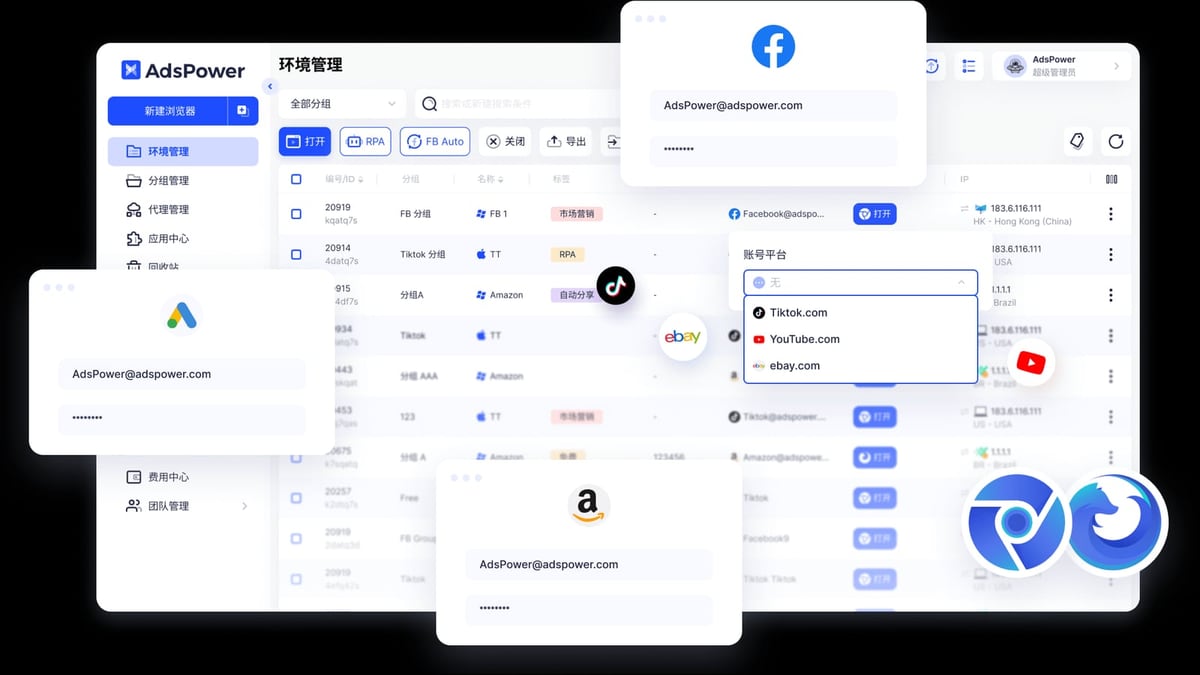
Managing thousands of profiles demands robust organization. AdsPower excels here with role‑based access controls, detailed activity logs, profile grouping, and bulk profile creation or launching. This makes it a natural fit for agencies and in‑house marketing teams that share dozens of accounts among members.
Octo Browser offers profile duplication, import/export, and Cookie Robot for automated cookie management. While it allows profile sharing, the collaboration layer is more basic—best suited for solo operators or small groups who don’t need granular permission hierarchies.
Kameleo focuses on programmatic profile management. Its APIs let developers spin up, update, and tear down profiles at scale. It does not ship with a built‑in team dashboard comparable to AdsPower, so teams that rely on visual management tools will need additional orchestration.
Automation & API Support
AdsPower vs Octo vs Kameleo: Anti-Detect Browser Comparison product interface and feature overview.
For Developers: Kameleo and Octo Browser
Kameleo is purpose‑built for undetected automation at scale. Its Playwright, Puppeteer, and Selenium SDKs let you script complex browsing tasks while rotating fingerprints seamlessly. The Docker‑ready infrastructure simplifies scaling on cloud servers. Kameleo’s 1500+ GitHub stars and claims of bypassing tough anti‑bot systems underline its developer appeal.
Octo Browser integrates natively with Puppeteer and Playwright, allowing technical marketers to write custom scripts for ad verification, coupon harvesting, or data scraping. For a deeper look at Octo’s capabilities, read our Octo Browser review.
For No‑Code Users: AdsPower RPA
AdsPower’s built‑in RPA (Robotic Process Automation) requires no coding. You can record actions on Facebook, TikTok, Amazon, or any site and replay them across multiple profiles. Pre‑built templates cover common tasks, and the visual workflow builder lets you chain steps with drag‑and‑drop simplicity. Developers also get a local API compatible with Selenium, Puppeteer, Playwright, and the MCP protocol for AI agent integration—giving the best of both worlds. The Window Synchronizer even repeats actions across several profiles simultaneously, a handy tool for account farmers.
Proxy Integration & Geo‑Targeting
All three browsers support HTTP, HTTPS, and SOCKS5 proxies. Octo Browser makes proxy assignment smooth during profile creation. Kameleo integrates with major proxy providers and supports SSH tunnels, giving advanced users more networking flexibility. AdsPower adds bulk proxy switching and a proxy partner catalog, plus it works with residential and mobile proxies for geo‑specific multi‑accounting. For large‑scale operations, pairing any of these browsers with a reliable proxy network is essential; our Bright Data review evaluates one of the most popular options.
If web scraping is your primary goal, you may also want to check our ranking of the top 10 web scraping API platforms to complement your browser automation stack.
Pricing & Plans
- AdsPower: A free plan with 2 browser profiles makes it easy to test. Paid plans start around $29/month (annual billing) for more profiles and team seats, with enterprise custom pricing available. The scalable model fits solo users, startups, and large teams.
- Octo Browser: Purely subscription‑based, no free tier. Individual plans begin at €21/month, while team plans start at €119/month. Predictable pricing appeals to professionals who know their required profile count.
- Kameleo: Starts at €59/month for basic features. Adding automation unlocks a €199/month individual plan. The feature‑based model can get expensive for teams, but the developer toolchain justifies it for heavy automation users.
Which One Should You Choose?
Pick AdsPower if:
- You need a free starter plan to test workflows.
- No‑code RPA and the Window Synchronizer are vital for your daily tasks.
- Team collaboration with role‑based permissions and activity logs is a must.
- You manage mobile‑oriented social accounts and want built‑in mobile emulation.
Pick Octo Browser if:
- You require extreme manual control over every fingerprint parameter.
- Fast, lightweight profile launches matter more than team dashboards.
- You prefer scripting with Puppeteer/Playwright and need reliable detection evasion in competitive niches.
Pick Kameleo if:
- Undetected automation at scale is your top priority.
- You want Docker‑ready, CI‑compatible browser profiles that self‑update.
- Mobile simulation and external spoofing features fit your testing or scraping architecture.
Related reading
- Shopify Review 2026: Pricing, Pros & Cons – Is It Worth It? - In-depth Shopify review covering pricing, features, pros, cons, user feedback, and setup. Find out if Shopify is the right ecommerce platform for your business.
- Top 10 AI CAPTCHA Solving APIs of 2026 - Compare the top 10 AI CAPTCHA solving APIs of 2026, ranked by speed, accuracy, pricing, and supported CAPTCHA types. Find the best tool for web scraping and automation.
Sources and further reading
- Why is AdsPower a better choice than Octo Browser? - In this article you can find reasons for choosing AdsPower over Octo Browser
FAQ
What is an anti‑detect browser?
An anti‑detect browser creates isolated browsing environments with unique digital fingerprints (Canvas, WebGL, fonts, etc.) so that platforms cannot link multiple accounts back to the same device. It is widely used for affiliate marketing, e‑commerce, social media management, web scraping, and ad verification.
Can I use these browsers for web scraping?
Yes. Kameleo and Octo Browser are especially popular among developers because they integrate directly with automation frameworks. AdsPower’s local API and RPA also support scraping workflows. Combine them with a residential proxy network and a reliable web scraping API platform for the best results.
Which browser is best for airdrop farming?
AdsPower is commonly used for multi‑account crypto airdrops. Our step‑by‑step guide on how to use AdsPower with AirdropAlert covers proxy setup, profile isolation, and workflow examples to keep each wallet claim separate and safe.
Does any of these browsers offer a free trial?
AdsPower has a permanent free tier (2 profiles) and a 3‑day trial for paid plans. Octo Browser and Kameleo do not offer free tiers, but Kameleo sometimes provides limited demo access upon request.
How do they handle browser updates?
Kameleo’s fast release cycles update profiles within hours of a new browser version. Octo Browser follows Chromium updates closely. AdsPower maintains both Chrome‑ and Firefox‑based kernels and releases updates regularly.
Final Thoughts
There is no universal “best” anti‑detect browser—only the one that matches your technical skills, team structure, and use case. AdsPower brings a free plan, no‑code automation, and enterprise‑grade team controls. Octo Browser emphasizes speed and fine‑grained fingerprint customization for the technically inclined. Kameleo stands out for undetected automation at scale, with developer‑first tooling that fits modern CI/CD pipelines. AdsPower’ analysts find that combining the right browser with quality proxies and consistent operational hygiene is what ultimately keeps multi‑accounting profiles alive.
For further reading, explore this third‑party comparison of AdsPower and Octo Browser and Bright Data’s comprehensive guide to the best anti‑detect browsers for additional market insights.