
AdsPower vs Maskfog 2026: Detailed Fingerprint Browser Comparison and Selection Guide
Take a Quick Look
Comprehensive comparison of AdsPower and Maskfog fingerprint browsers: features, automation, security, pricing. Combined with real-world scenarios, help you choose the best anti-detection browser for multi-account management.
🔥 Limited-Time Offer! Save extra 10% off on your first monthly plan with code: Anitdetect10
Sign upAdsPower vs Maskfog 2026: Detailed Fingerprint Browser Comparison and Selection Guide
Cross-border e-commerce, social media marketing, and advertising campaigns—in these scenarios, multi-account management is almost a daily necessity. Fingerprint browsers (also known as anti-detection browsers) are the core tools for preventing account association and reducing the risk of bans.
Among the many options, AdsPower Fingerprint Browser and Maskfog Fingerprint Browser are two products often compared. AdsPower positions itself as a professional multi-account management platform with over 9 million global users; Maskfog focuses on "pure exclusive cloud devices" and low entry pricing.
This article provides an in-depth comparison from dimensions such as features, automation capabilities, security, team collaboration, and pricing. It does not avoid facts or exaggerate advantages, helping you make a choice better suited to your business needs.
1. Core Feature Comparison: Fingerprint Spoofing and Environment Isolation
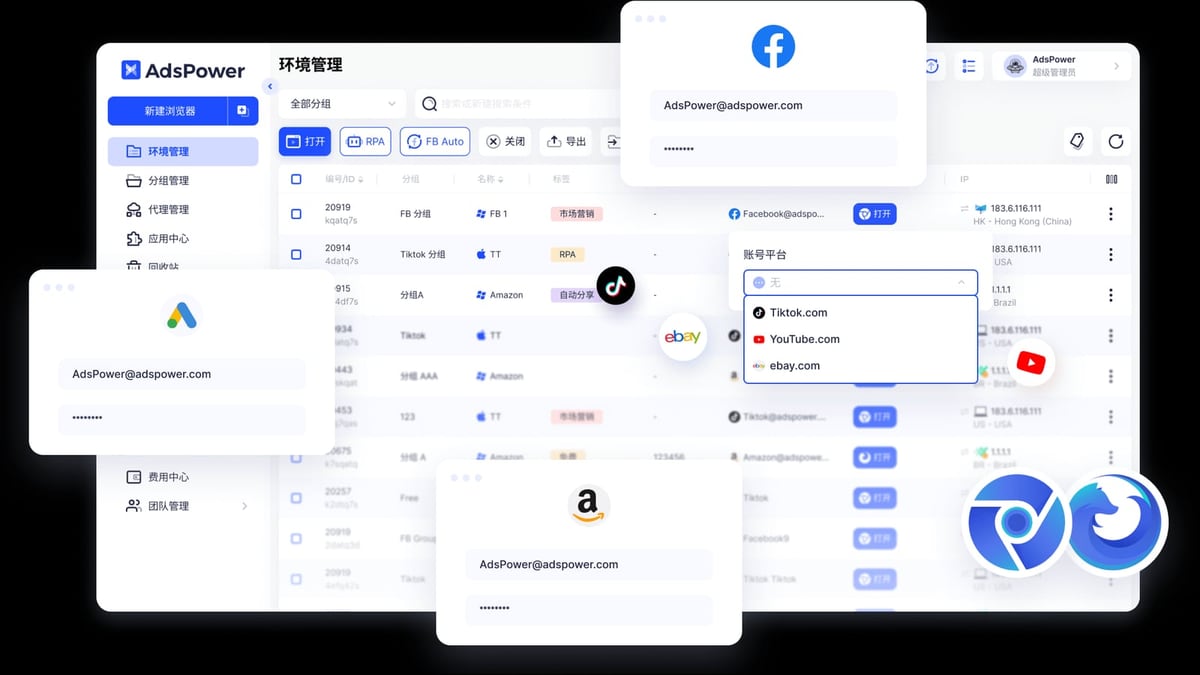
AdsPower Fingerprint Browser product interface and feature overview.
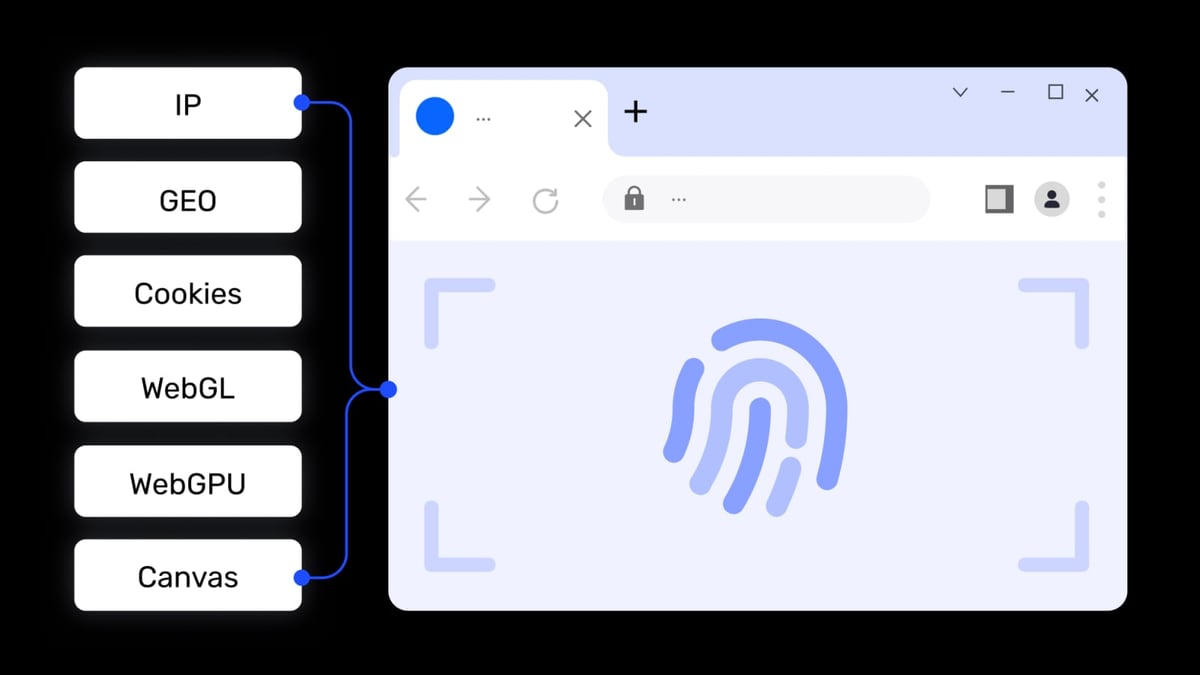
The core value of a fingerprint browser is to create an independent browser environment for each account, modifying over 20 fingerprint parameters such as Canvas, WebGL, Audio, and WebRTC, making it impossible for platforms to recognize that these accounts come from the same device.
AdsPower: Dual Kernel + 20+ Adjustable Parameters
AdsPower supports Chrome (SunBrowser) and Firefox (FlowerBrowser) dual kernels, making it the first domestic fingerprint browser to achieve dual kernels. The advantage of dual kernels is that some platforms have different detection strategies for Chrome or Firefox; switching kernels can reduce the risk of being identified as an automation tool.
In terms of fingerprint parameters, AdsPower offers over 20 customizable parameters, including user agent, language, resolution, fonts, time zone, Canvas, WebGL, WebRTC, etc. All fingerprints are generated based on real device data, requiring no manual configuration by the user—ready to use out of the box.
Maskfog: Full Fingerprint Coverage + Cloud Devices
Maskfog also claims to "cover full fingerprint information settings," achieving complete isolation of browser environments. Its highlight is the built-in pure exclusive cloud device service—users can directly rent real device environments in the cloud, ensuring that each account's IP and browser environment are unique and authentic.
Cloud device locations cover global regions such as North America, Europe, and Southeast Asia, which is convenient for users who need to operate accounts in different regions.
Comparison Summary: Both meet daily needs in basic fingerprint spoofing. AdsPower's dual kernel and real device fingerprint library offer more flexibility, suitable for scenarios requiring fine control over fingerprint parameters; Maskfog's cloud device service reduces the difficulty of configuring proxies and fingerprints for users, but offers relatively less flexibility.
2. Automation Capability: RPA vs Plugin Ecosystem
AdsPower Fingerprint Browser product interface and feature overview.
Automation is key to improving multi-account management efficiency. AdsPower and Maskfog have taken different paths in this regard.
AdsPower: No-Code RPA + Local API
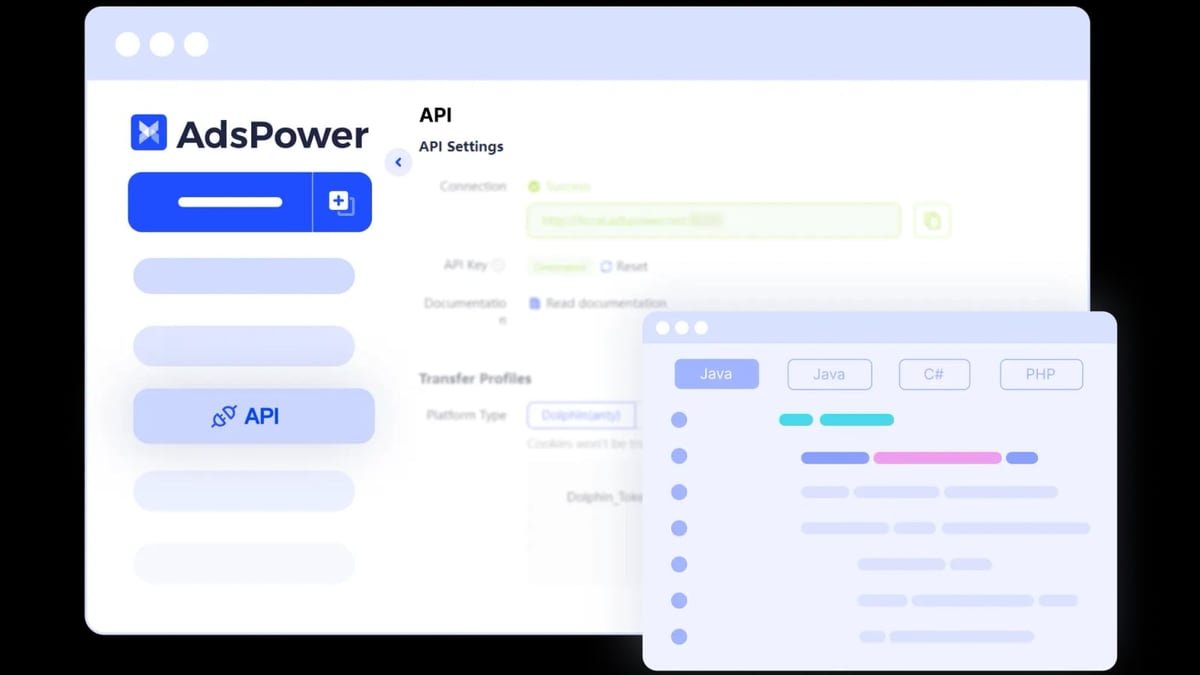
AdsPower has a built-in no-code RPA (Robotic Process Automation) feature, allowing users to create automated workflows for repetitive tasks through drag-and-drop and simple configuration, such as auto-login, form filling, content publishing, and data scraping. Currently, AdsPower's RPA feature is completely free, which is very friendly for individuals and small teams with limited budgets.
Additionally, AdsPower provides a Local API, supporting integration with mainstream automation frameworks like Selenium, Puppeteer, and Playwright, and even supports MCP protocol for AI Agent integration. This means technical teams can fully control the browser environment with code, enabling large-scale, complex automation operations.
If you need to batch register accounts or automate operations, refer to the tutorial: AdsPower Fingerprint Browser + 5SIM: Multi-Account Registration and Anti-Detection Practical Tutorial
Maskfog: Relies on Plugins and Manual Operations
Maskfog supports rich plugin extensions, allowing users to install common Chrome extensions to assist with work. However, in terms of automation, Maskfog does not provide a built-in RPA or Local API like AdsPower.
This means that if you need batch operations, you either have to repeat them manually or rely on third-party automation tools (such as UiBot or Key Wizard), but compatibility between these tools and the fingerprint browser requires additional testing and may introduce new fingerprint inconsistency risks.
Comparison Summary: AdsPower clearly leads in automation capability. RPA and Local API cover automation needs from no-code to full-code, while Maskfog's lack in this area is a significant drawback for users requiring scaled operations.
3. Security: Certification and Data Protection
AdsPower Fingerprint Browser product interface and feature overview.
Security is the lifeline of multi-account management. Once a fingerprint browser itself has a security vulnerability, the consequences can be catastrophic.
AdsPower: International Security Certifications
AdsPower holds SOC 2 Type II, ISO 27001, and ISO 27701 three international security certifications. These certifications mean that AdsPower has passed third-party audits in information security and data privacy protection, with a standardized management system.
Additionally, AdsPower supports team role permission management and operation log auditing, ensuring data security and control during multi-user collaboration.
Maskfog: Privacy Policy and Operating Entity
Maskfog is registered in Singapore and operated by Guangzhou Mark Information Technology Co., Ltd. Its website emphasizes that "account opening environments are unique, authentic, safe, and stable," but has not publicly disclosed any third-party security certifications.
For users who value compliance and data security (especially enterprise users), the lack of independent security audits may be a concern.
Comparison Summary: AdsPower is more transparent and standardized in security certification, suitable for teams with strict data security requirements. Maskfog lacks public third-party verification in privacy protection, and users need to assess the risks themselves.
4. Team Collaboration: Permissions and Sharing
AdsPower Fingerprint Browser product interface and feature overview.
For team operations, the collaboration features of a fingerprint browser directly impact work efficiency.
AdsPower: Role Permissions + Environment Sharing
AdsPower provides comprehensive team management features:
- Role permission settings: Administrators can customize member permissions, such as read-only, edit, manage, etc.
- Environment sharing: Browser environments can be shared with designated members without sharing passwords.
- Operation logs: Records all member operations for traceability and auditing.
Maskfog: Basic Collaboration
Maskfog also supports team collaboration, but the features are relatively basic. According to official descriptions, it mainly provides "efficient team collaboration features," but does not detail advanced functions like permission levels or log auditing.
Comparison Summary: AdsPower's team collaboration features are more mature, suitable for complex team structures with multiple people and roles. Maskfog's collaboration capability is more suitable for small teams or single users.
5. Pricing and Free Plans
| Product | Free Plan | Paid Starting Price | Main Paid Tiers |
|---|---|---|---|
| AdsPower | 2 environments, permanently free | $9/month (Base version) | Base $9/month, Pro $50/month |
| Maskfog | Offers a free plan (specific number of environments not disclosed) | $4.99/month (exclusive device) | Exclusive device from $4.99/month |
Maskfog's starting price is lower, but note that $4.99/month is for the "exclusive cloud device" service, not the browser's feature plan. If you only need a browser environment, you may need to choose another plan.
AdsPower's free plan, though limited to 2 environments, includes all basic features such as RPA, window sync, and cookie import, which is sufficient for personal testing or small-scale use.
6. Use Cases and Selection Recommendations
Choose AdsPower if you:
- Need automation to handle a large number of repetitive tasks (e.g., batch registration, data scraping, account warming)
- Have a larger team requiring fine-grained permission management and operation auditing
- Have high data security requirements and prefer a product with international certifications
- Need dual kernels to adapt to different platform detection strategies
- Plan for long-term, scaled multi-account operations
Choose Maskfog if you:
- Have a very limited budget and need the lowest-cost entry solution
- Primarily rely on cloud devices and do not want to configure proxies and fingerprints yourself
- Have a small operation scale where manual management is sufficient
- Have no strict requirements for automation, team collaboration, or security certifications
Frequently Asked Questions (FAQ)
1. Which is more secure, AdsPower or Maskfog?
AdsPower holds SOC 2 Type II, ISO 27001, and ISO 27701 international security certifications, with a more transparent security system. Maskfog has not publicly disclosed security certifications; users need to assess for themselves.
2. Which operating systems do both support?
AdsPower supports Windows, macOS, Linux, Android, and iOS. Maskfog supports Windows and macOS.
3. Which is better for cross-border e-commerce multi-account management?
Both are suitable. However, if you need automated operations (e.g., batch listing, auto-reply), AdsPower's RPA and Local API offer an advantage.
4. Are the free plans sufficient?
AdsPower's free plan provides 2 environments, suitable for testing or very few accounts. Maskfog's free plan's specific number of environments is not disclosed; it is recommended to confirm after registration.
5. Can I use multiple fingerprint browsers simultaneously?
Yes. Different fingerprint browsers can be installed on the same computer without conflict. However, it is recommended not to open the same account's environment at the same time to avoid conflicts.
Conclusion
Both AdsPower and Maskfog are qualified fingerprint browsers, but they have different positioning.
AdsPower is more like a "multi-account management platform"—it builds a complete ecosystem with RPA, Local API, dual kernels, and security certifications, suitable for users pursuing efficiency, security, and scalability. If you need automation, team collaboration, or have data security requirements, AdsPower is a more reliable choice.
Maskfog is more like a "lightweight tool"—it lowers the entry barrier with cloud devices and a lower price, but its features are relatively limited. If your needs are simple and your budget is tight, Maskfog can meet basic multi-account isolation needs.
The final choice depends on your business scale, technical capabilities, and pursuit of efficiency. If you are still undecided, start with a free plan and make a decision after actual experience.
Want to see more fingerprint browser comparisons? Check out our other reviews: AdsPower vs Kameleo vs BitBrowser: 2026 Detailed Comparison and AdsPower vs GoLogin: 2026 Detailed Comparison Review
Related reading
- Top 10 Private Proxy Services 2026: Ranked & Reviewed - In-depth 2026 review of the top 10 private proxy services. Transparent criteria, evidence-based rankings, and decision guidance for buyers.
Sources and further reading
- Global Top 7 Fingerprint Browser Rankings (2026 Latest) - This article introduces the world's top 7 fingerprint browsers, analyzing which fingerprint browser is better. Follow this article to deeply understand the 2026 global top 7 anti-detection browser rankings and find the best anti-fingerprint browser for you.
- AdsPower Fingerprint Browser's Answer - AdsPower Fingerprint Browser's answer on Zhihu. May 28, 2023 — AdsPower Fingerprint Browser is one of the leading fingerprint browsers in China, specializing in cross-border e-commerce... MaskFog Fingerprint Browser focuses on providing one-stop security isolation and account protection for cross-border business accounts... Read more
- 2025 Top 10 Fingerprint Browsers: How to Choose - Here is a guide on how to choose the best anti-detection browser for your business. Finally, a bonus: our biased scoring table!