
1Password Review 2026: Is It Still Worth It?
Take a Quick Look
Evidence-based 1Password review: ideal users, strengths, limitations, pricing, and decision criteria for individuals, families, and enterprises.
🔥 Limited-Time Offer! Save extra 10% off on your first monthly plan with code: Anitdetect10
Sign up1Password Review 2026: Is It Still Worth It?
1Password has long been a top contender in the password management space, but with rising prices and a shift toward enterprise features, is it still the right choice for you? This evidence-based review examines 1Password’s strengths, limitations, ideal users, and how it compares to alternatives. We’ll cover everything from its dual-key encryption to its secrets management capabilities, so you can decide if 1Password fits your security needs in 2026.
What Is 1Password?
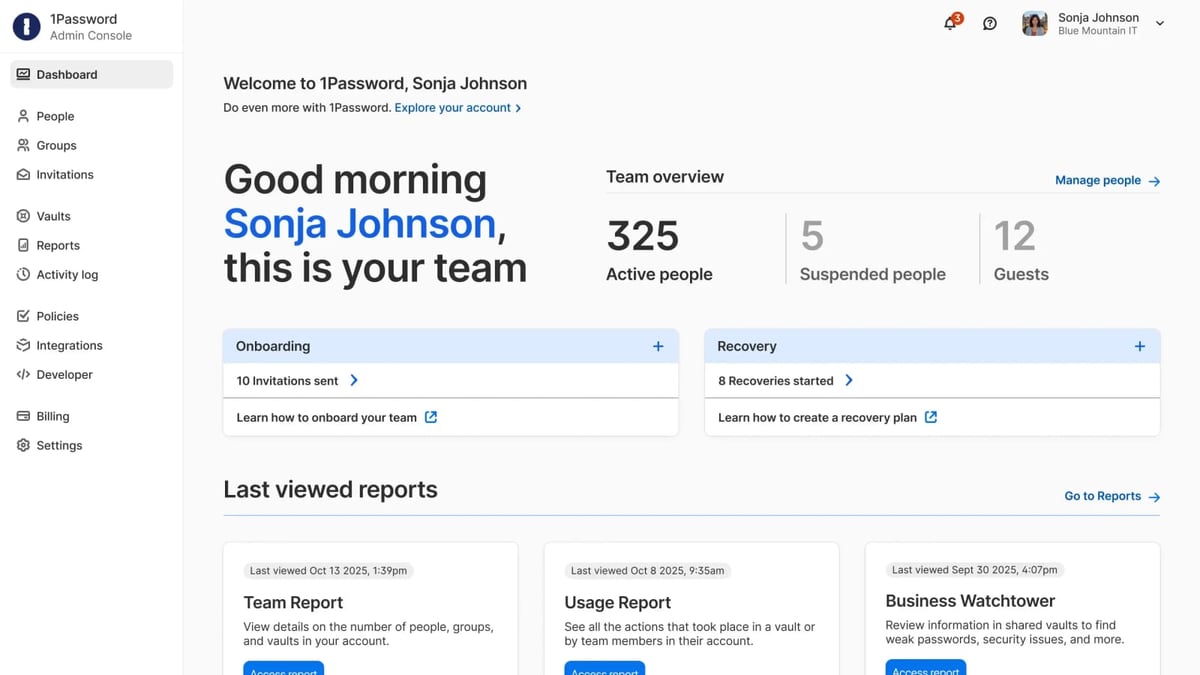
1Password product interface and feature overview.
1Password is a modern identity security platform that goes beyond simple password storage. It unifies password management, secrets management, SaaS governance, device trust, and extended access management for both humans and AI agents. Originally designed for individuals and families, 1Password now serves growing teams to large enterprises, providing visibility and control over credentials, secrets, apps, and access across all environments.
Ideal Users and Use Cases
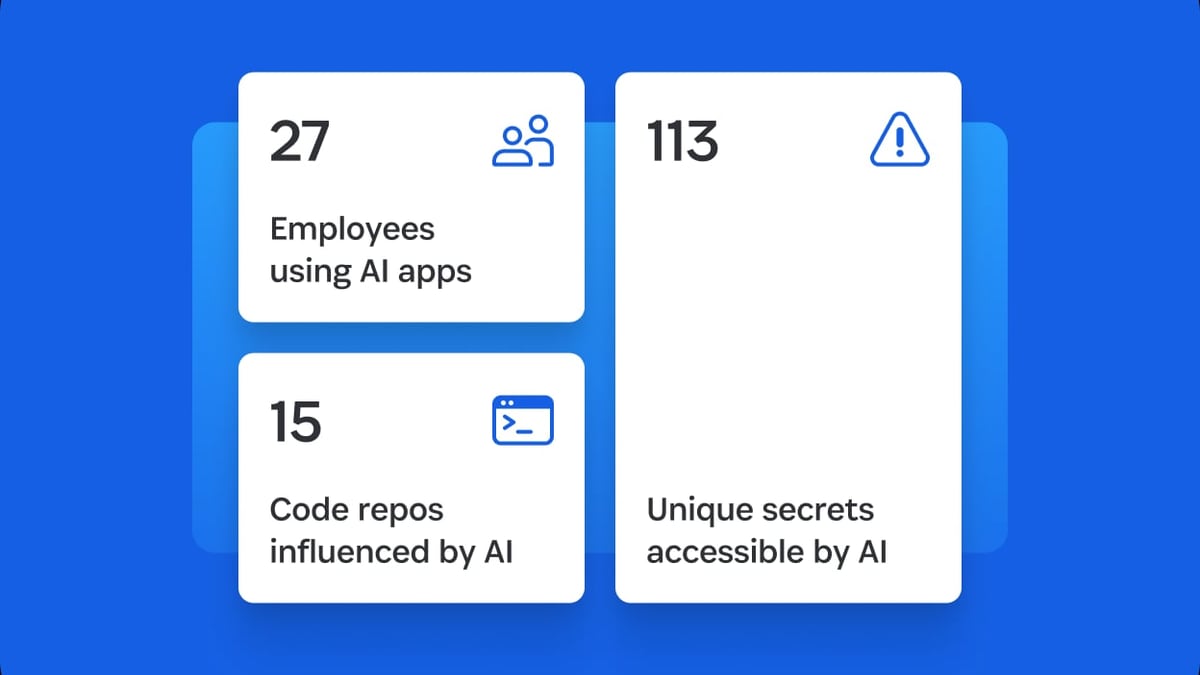
1Password product interface and feature overview.
1Password is versatile, but it shines brightest for specific audiences:
Individuals and Families
- Secure password storage with unlimited passwords and 1 GB of document storage per user.
- Password sharing with customizable access settings, including expiration dates and recipient restrictions.
- Cross-platform syncing across Windows, macOS, Linux, Android, iOS, and all major browsers.
Small to Medium Businesses
- Team plans with secure sharing, access controls, and admin tools.
- Guest accounts for secure collaboration with external partners (up to 20 guests on Business plans).
- Activity logs to monitor credential usage and enforce security policies.
Large Enterprises
- Single sign-on (SSO) integration for streamlined access management.
- Secrets management for API keys, tokens, and developer credentials.
- SaaS discovery and spend optimization to govern shadow IT and reduce costs.
- Device trust monitoring to ensure only trusted devices access company resources.
- Unified access governance to enforce compliance across the organization.
Key Features and Strengths
Dual-Key Encryption (Secret Key + Master Password)
1Password’s security model is its standout feature. Each account has a unique 34-character Secret Key stored locally on your device, combined with your Master Password. This means even if 1Password’s servers are breached, your data remains encrypted and inaccessible. This zero-knowledge architecture is a major reason why 1Password is trusted by organizations like Red Bull Racing, Duke University, and Under Armour.
Secure Remote Password (SRP) Authentication
1Password uses SRP to authenticate without ever sending your Master Password over the network. This prevents credential theft during login and adds an extra layer of protection against phishing attacks.
AI-Powered Browser Integration
The 1Password browser extension intelligently detects login fields, suggests strong passwords, and autofills credentials. It also supports passkeys, the emerging standard for passwordless authentication. However, as noted in user reviews, form filling can be inconsistent with complex fields like addresses and credit cards.
Secrets Management for Developers and AI Agents
For businesses, 1Password extends beyond passwords to manage API keys, tokens, and other secrets. This is critical for DevOps teams and organizations deploying AI agents that need secure access to services.
SaaS Governance and Spend Optimization
1Password’s enterprise features include discovering shadow IT, managing SaaS subscriptions, and optimizing spending. This is particularly valuable for organizations looking to reduce costs and enforce compliance.
Limitations and Drawbacks
No Free Plan and Short Trial
1Password does not offer a free tier, and its 14-day free trial is shorter than many competitors (e.g., Bitwarden offers a free plan, and Dashlane has a 30-day trial). This can be a barrier for users who want to thoroughly test the service before committing.
Cloud-Only Storage
Since version 8, 1Password no longer supports local vaults. All data is stored in the cloud, which may be a dealbreaker for users with strict security policies or those who prefer offline storage. As one Reddit user noted, “At work cloud password managers aren’t permitted. So I use KeePassX for work passwords.”
Inconsistent Form Filling
While 1Password handles basic username and password autofill well, it struggles with more complex forms. In testing, it frequently missed fields like state or credit card expiration dates, which can be frustrating for everyday use.
Limited Customer Support
1Password offers 24/7 email support but lacks live chat or phone support. Users who need immediate assistance may find this limiting, especially compared to competitors like Dashlane, which offers live chat.
Rising Prices
1Password’s pricing has increased over the years. The Individual plan is $2.39/month (billed annually), Families is $4.99/month for up to five users, Teams starts at $19.95/month for up to 10 users, and Business is $7.99/user/month. While competitive, the lack of a free tier and the price hikes have drawn criticism from long-time users.
Pricing Overview
| Plan | Price (billed annually) | Best For |
|---|---|---|
| Individual | $2.39/mo | Single users |
| Families | $4.99/mo (up to 5 users) | Families and small groups |
| Teams | $19.95/mo (up to 10 users) | Small businesses |
| Business | $7.99/user/mo | Mid to large businesses |
| Enterprise | Custom quote | Large organizations with advanced needs |
All plans include a 14-day free trial, unlimited passwords, and 1 GB storage per user (5 GB for Business, custom for Enterprise).
Setup and Onboarding
Getting started with 1Password is straightforward:
- Sign up for a free trial on the 1Password website.
- Download the app for your desktop (Windows, macOS, Linux) or mobile device (Android, iOS).
- Install the browser extension for Chrome, Firefox, Edge, Brave, or Safari.
- Create your account by setting a Master Password and saving your Secret Key (print or store it securely).
- Import passwords from your existing manager or browser using the built-in import tool.
- Start using autofill and password generation across your devices.
The initial setup is smooth, but the requirement to enter your Secret Key on new devices can feel cumbersome compared to password managers that rely solely on a master password.
1Password vs Alternatives

1Password product interface and feature overview.
| Feature | 1Password | Bitwarden | Dashlane |
|---|---|---|---|
| Free plan | No | Yes (limited) | No (30-day trial) |
| Local vaults | No | Yes | No |
| Secrets management | Yes | No | No |
| SSO integration | Yes (Business+) | No | Yes (Business+) |
| Form filling accuracy | Good for basics, inconsistent for complex forms | Good | Excellent |
| Customer support | Email only | Community + email | Live chat + email |
| Starting price | $2.39/mo | Free | $2.75/mo |
For users who prioritize security and enterprise features, 1Password is a strong choice. However, if you need a free plan or local vault storage, Bitwarden is a better fit. For those who want the best form filling and live support, Dashlane is worth considering.
Who Should Choose 1Password?
1Password product interface and feature overview.
- Security-conscious individuals who value zero-knowledge encryption and dual-key protection.
- Families who need secure password sharing across multiple devices and users.
- Small to medium businesses that want easy-to-manage password security with admin controls.
- Large enterprises that require secrets management, SSO, SaaS governance, and device trust.
Who Should Look Elsewhere?
- Budget-conscious users who need a free plan (consider Bitwarden).
- Users who prefer offline storage (consider KeePass or Bitwarden with self-hosting).
- Those who need live customer support (consider Dashlane or RoboForm).
- Users who rely heavily on complex form filling (consider Dashlane or NordPass).
Related reading
- AdsPower + AccsMarket: Setup, Workflow & Real Examples - Learn how to use AdsPower with AccsMarket for secure multi-account management. Step-by-step setup, workflow tips, and real use cases.
- AdsPower vs Undetectable vs GoLogin 2026: Which Anti-Detect Browser Wins? - Compare AdsPower, Undetectable, and GoLogin antidetect browsers for multi-account management. See fingerprinting, automation, pricing, and which tool fits your workflow.
- AdsPower vs Undetectable 2026: Which Anti-Detect Browser Wins? - Compare AdsPower vs Undetectable for multi-account management. See fingerprint security, automation, pricing, and which tool scales best for your workflow.
Frequently Asked Questions
Is 1Password safe?
Yes. 1Password uses AES-256-bit encryption, a zero-knowledge architecture, and a unique Secret Key stored locally. Even if 1Password’s servers are breached, your data remains encrypted.
Does 1Password have a free plan?
No, 1Password does not offer a free plan. It provides a 14-day free trial for all plans.
Can I use 1Password offline?
1Password requires internet access to sync your vault. While you can view cached data offline, you cannot add or edit items without a connection.
Does 1Password support passkeys?
Yes, 1Password supports passkeys, allowing you to log in without a password on supported websites.
How does 1Password compare to Bitwarden?
1Password offers stronger enterprise features like secrets management and SSO, but Bitwarden has a free plan and supports local vaults. For most individuals, Bitwarden is more affordable, while 1Password is better for teams and businesses.
Conclusion
1Password remains a top-tier password manager in 2026, especially for users who prioritize security and need enterprise-grade features. Its dual-key encryption, secrets management, and SaaS governance set it apart from many competitors. However, the lack of a free plan, cloud-only storage, and rising prices may deter some users. If you’re looking for a password manager that balances security with advanced business capabilities, 1Password is an excellent choice. For those on a tight budget or with specific offline needs, alternatives like Bitwarden or KeePass may be more suitable.
For more on securing your accounts, check out our Top 10 Two-Factor Authentication Apps 2026: Ranked & Reviewed and our Hetzner Review 2026 for hosting considerations.
External references: PasswordManager.com 1Password Review, PCMag 1Password Review, Reddit 1Password Discussion.