
Top 10 Cloud-Based Messaging Apps 2026
Take a Quick Look
Our 2026 ranking of the 10 best cloud-based messaging apps. Transparent criteria, evidence-based reviews, and decision guidance for teams and individuals.
🔥 Limited-Time Offer! Save extra 10% off on your first monthly plan with code: Anitdetect10
Sign upTop 10 Cloud-Based Messaging Apps 2026: Ranked & Reviewed
Cloud-based messaging apps have become the backbone of modern communication — for teams, communities, and personal connections. But with dozens of options claiming to be the fastest, most secure, or most feature-rich, choosing the right one in 2026 is harder than ever.
We evaluated the top cloud-based messaging apps using transparent criteria: security architecture (end-to-end encryption defaults, metadata practices, open-source audits), cross-platform sync, group and channel capabilities, automation and API support, and real-world adoption data. Below is our evidence-based ranking of the 10 best cloud-based messaging apps for 2026.
How We Evaluated Cloud-Based Messaging Apps
Top 10 Cloud-Based Messaging Apps 2026 product interface and feature overview.
Every app on this list was assessed against five core criteria:
- Security & Privacy: Is end-to-end encryption on by default? Is the code open-source? How is metadata handled?
- Cloud Sync & Multi-Device: Can you seamlessly switch between phone, desktop, and tablet without losing context?
- Group & Channel Features: Maximum group size, broadcasting tools, moderation capabilities.
- Automation & API: Bot support, webhooks, and developer extensibility.
- Adoption & Ecosystem: Active user base, third-party integrations, and regional penetration.
The Top 10 Cloud-Based Messaging Apps for 2026

Top 10 Cloud-Based Messaging Apps 2026 product interface and feature overview.
1. Signal — The Gold Standard for Private Messaging
Signal tops our list because it delivers uncompromising privacy without sacrificing usability. Every message, voice call, and video call is end-to-end encrypted by default using the open-source Signal Protocol — the same protocol adopted by WhatsApp and Google. Signal is run by a nonprofit foundation, collects minimal metadata, and stores nothing on its servers. Its "sealed sender" feature prevents even Signal's servers from knowing who is messaging whom.
Key evidence: Signal has been independently audited multiple times. Its code is fully open source. In 2025, Signal introduced username-based contacts, removing the requirement to share phone numbers.
Best for: Privacy-conscious individuals, journalists, activists, and anyone who needs default encryption.
Limitation: Smaller user base compared to WhatsApp or Telegram — you need your contacts to also use it.
2. Telegram — Speed, Scale, and Automation
Telegram is a cloud-based messaging app that emphasizes speed, security, and powerful features. It supports groups of up to 200,000 members, channels for broadcasting to unlimited audiences, and a robust bot ecosystem powered by an open API. Telegram syncs seamlessly across all devices — messages are stored in the cloud, so you never lose history when switching phones.
Key evidence: Telegram claims faster message delivery than any other app. It has over 1 billion monthly active users. Recent 2025-2026 updates include AI-powered guardians for group moderation, smartwatch apps, and advanced bot capabilities.
Best for: Large communities, broadcast channels, developers building bots, and users who want rich features with cloud sync.
Privacy note: Standard chats are encrypted in transit but not end-to-end encrypted by default. For E2EE, you must use Secret Chats. This trade-off enables cloud sync but means Telegram can technically access your non-secret messages.
3. WhatsApp — Global Reach with Strong Encryption
WhatsApp is the world's most widely used messaging app, with over 2 billion users across 180+ countries. All messages, calls, and media are end-to-end encrypted by default using the Signal Protocol. WhatsApp's cloud backup feature (iCloud and Google Drive) now supports end-to-end encryption when enabled.
Key evidence: WhatsApp dominates in regions like Brazil (85% penetration), India (70%), and much of Europe. Meta's 2025 transparency report confirmed WhatsApp does not read message content.
Best for: International communication, family groups, and businesses needing reach.
Limitation: Owned by Meta, which raises metadata concerns. Requires phone number for signup.
4. Discord — Community Voice and Text Hub
Discord evolved from a gaming chat app into a full-featured community platform. It offers text channels, voice channels with end-to-end encryption (via the DAVE protocol rolled out in 2024-2026), and robust moderation tools. Discord's cloud sync means your messages and settings follow you across devices.
Key evidence: Discord has over 90 million daily active users. Its DAVE protocol encrypts all voice and video calls end-to-end. Discord publishes transparency reports and does not sell personal data.
Best for: Gaming communities, hobby groups, study groups, and team collaboration.
Limitation: Text messages are not end-to-end encrypted — they can be scanned by automated moderation systems.
5. iMessage — Apple's Ecosystem Lock-In with Post-Quantum Security
iMessage offers strong end-to-end encryption for Apple-to-Apple conversations, using Apple's PQ3 post-quantum cryptographic protocol. Messages sync across iPhone, iPad, Mac, and Apple Watch via iCloud. In 2026, Apple is rolling out E2EE for RCS cross-platform messaging, addressing the long-standing gap with Android users.
Key evidence: PQ3 is the first messaging protocol designed to resist future quantum computing attacks. Apple's 2025 security whitepaper confirmed independent audits of iMessage encryption.
Best for: Apple ecosystem users who want seamless device sync.
Limitation: iCloud backups without Advanced Data Protection can expose message history to legal requests.
6. Session — Anonymous and Decentralized
Session is an open-source messaging app that prioritizes anonymity above all else. It requires no phone number or email to sign up, uses onion routing to obscure connection metadata, and operates on a decentralized network of nodes. All messages are end-to-end encrypted by default.
Key evidence: Session disables screenshots by default on mobile. Its decentralized architecture means no central server to compromise. Independent security audits confirmed its encryption implementation.
Best for: Users who need complete anonymity and don't want to share any personal identifier.
Limitation: Slower message delivery due to onion routing. Smaller user base limits network effects.
7. Threema — Enterprise-Grade Privacy
Threema is a Swiss-based messaging app designed for businesses and privacy-conscious users. It offers end-to-end encryption for all messages, voice calls, and file transfers. Threema does not require a phone number or email — users are identified by a randomly generated ID. The app is open-source and has been independently audited.
Key evidence: Threema's servers are located in Switzerland, subject to strict Swiss privacy laws. It offers on-premises deployment for enterprises. Threema has published multiple independent security audits.
Best for: Enterprises requiring verifiable privacy, legal teams, and organizations in regulated industries.
Limitation: Paid app (one-time purchase). Smaller user base than free alternatives.
8. Slack — Team Collaboration with Deep Integrations
Slack is a cloud-based team messaging platform designed for workplace collaboration. It offers organized channels, direct messaging, voice and video calls, and a vast app directory with thousands of integrations. Slack's cloud sync ensures messages are searchable across devices and history.
Key evidence: Slack has over 40 million daily active users. Its 2025 feature updates include AI-powered message summaries and workflow automation. Slack's enterprise grid supports organizations with hundreds of thousands of users.
Best for: Business teams, remote work, project management, and organizations needing deep tool integrations.
Limitation: Free tier has message history limits. End-to-end encryption is not available in standard plans.
9. Microsoft Teams — Enterprise Communication Hub
Microsoft Teams is the communication layer within Microsoft 365, offering chat, video conferencing, file collaboration, and app integration. Teams syncs across devices and provides cloud-based message history with enterprise-grade compliance features.
Key evidence: Teams has over 320 million monthly active users. Its 2026 update includes AI-powered meeting recaps and real-time translation. Teams supports end-to-end encryption for one-on-one calls.
Best for: Organizations already using Microsoft 365, large enterprises needing compliance and administrative controls.
Limitation: Can be resource-heavy. Chat features are less intuitive than dedicated messaging apps.
10. Briar — Offline-First Secure Messaging
Briar is an open-source messaging app designed for scenarios where internet access is unreliable or monitored. It uses direct peer-to-peer connections via Bluetooth, Wi-Fi, or the Tor network. Messages are end-to-end encrypted and stored only on users' devices, not on any server.
Key evidence: Briar has been recommended by human rights organizations for use in repressive environments. Its decentralized architecture means no central point of failure. Independent security audits confirmed its encryption.
Best for: Activists, journalists in high-risk environments, and users in areas with limited internet connectivity.
Limitation: Requires contacts to be nearby for Bluetooth/Wi-Fi sync. Slower than cloud-based alternatives for remote communication.
Comparison Table: Top Cloud-Based Messaging Apps 2026
Top 10 Cloud-Based Messaging Apps 2026 product interface and feature overview.
| App | E2EE by Default | Max Group Size | Open Source | Cloud Sync | Best For |
|---|---|---|---|---|---|
| Signal | Yes | 1,000 | Yes | Yes | Privacy-first communication |
| Telegram | No (Secret Chats only) | 200,000 | Partial | Yes | Large communities & bots |
| Yes | 1,024 | No | Yes | Global reach | |
| Discord | Voice/Video only | 500,000+ | No | Yes | Communities & gaming |
| iMessage | Yes (Apple-only) | 32 | No | Yes | Apple ecosystem |
| Session | Yes | N/A | Yes | No (decentralized) | Anonymity |
| Threema | Yes | 256 | Yes | Yes | Enterprise privacy |
| Slack | No | Unlimited | No | Yes | Team collaboration |
| Teams | One-on-one calls | 10,000 | No | Yes | Enterprise Microsoft users |
| Briar | Yes | N/A | Yes | No (peer-to-peer) | Offline & high-risk environments |
How to Choose the Right Cloud-Based Messaging App
Top 10 Cloud-Based Messaging Apps 2026 product interface and feature overview.
Your choice depends on your primary use case:
- For personal privacy: Signal or Session
- For large communities and automation: Telegram
- For global reach: WhatsApp
- For team collaboration: Slack or Microsoft Teams
- For Apple-only households: iMessage
- For offline or high-risk scenarios: Briar
Complementary Tools: Managing Multiple Accounts Securely
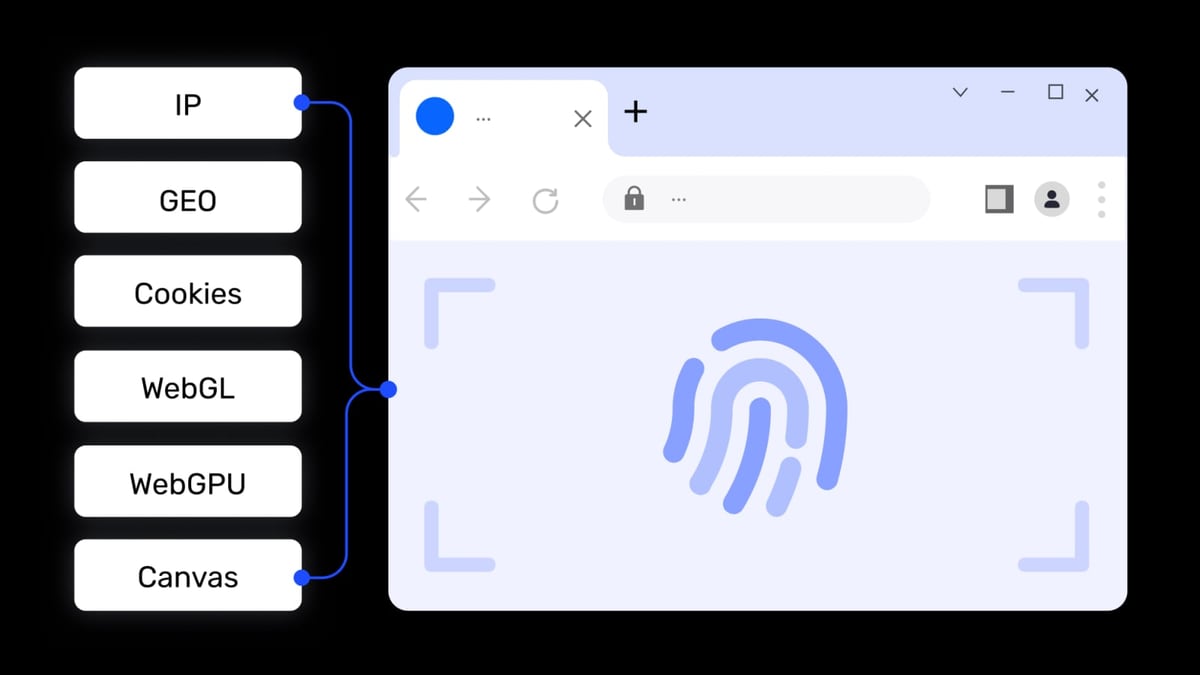
If you manage multiple business accounts across messaging apps — for example, running several Telegram channels or WhatsApp Business accounts — you may need tools to keep those identities separate. An anti-detect browser like AdsPower creates isolated browser environments with unique digital fingerprints, allowing you to log into multiple messaging web apps simultaneously without triggering platform detection. This is especially useful for social media marketers and e-commerce sellers who operate multiple brand accounts.
For a deeper comparison of anti-detect browsers, see our AdsPower vs VMLogin vs Kameleo: 2026 Anti-Detect Browser Face-Off.
Related reading
- How to Use AdsPower with Proxy-Seller: Step-by-Step Setup Guide - Learn how to set up Proxy-Seller proxies in AdsPower fingerprint browser. Step-by-step guide, troubleshooting tips, and real-world use cases.
- Dolphin Anty Browser Review 2026: Is It Still Safe for Affiliates? - Honest Dolphin Anty Browser review: ideal users, features, pricing, and the 2026 detection risk. Compare with top anti-detect browsers.
Sources and further reading
- The Best Private Messaging Apps for 2026 - These are the top private messaging services we've tested to keep your conversations confidential from advertisers, governments, and any other prying eyes.
- Most popular messaging apps by country - Messaging app penetration rates: The most definitive and accurate list of messaging app usage in countries across the globe.
- Which Messaging Apps Are Most Secure in 2026? | Shift Browser - Which messaging apps are actually secure in 2026? We reviewed six top apps for encryption strength, metadata practices, and privacy.
Frequently Asked Questions
What is a cloud-based messaging app?
A cloud-based messaging app stores messages on remote servers rather than locally on your device. This allows you to access your chat history from any device — phone, tablet, or computer — as long as you're logged into your account.
Are cloud-based messaging apps secure?
It depends on the app. Apps like Signal and WhatsApp offer end-to-end encryption by default, meaning even the service provider cannot read your messages. Others, like Telegram, only encrypt certain chats end-to-end. Always check whether E2EE is enabled by default and whether the app has been independently audited.
Which messaging app has the largest user base?
WhatsApp has over 2 billion users worldwide, making it the most widely used messaging app. Telegram has over 1 billion users, while Signal has a smaller but highly engaged user base.
Can I use multiple messaging apps on one device?
Yes. Most messaging apps run simultaneously on a single device. For managing multiple accounts on the same app (e.g., multiple Telegram or WhatsApp accounts), you may need additional tools like an anti-detect browser or a dual-SIM phone.
What is the best messaging app for business teams?
For most businesses, Slack or Microsoft Teams offer the best balance of features, integrations, and administrative controls. For privacy-focused teams, Threema or Signal with dedicated workspaces are strong alternatives.
Conclusion
The best cloud-based messaging app in 2026 depends on your priorities. Signal leads for privacy and security. Telegram offers unmatched scale and automation. WhatsApp provides global reach. And for team collaboration, Slack and Microsoft Teams remain the enterprise standards.
For users managing multiple messaging accounts across platforms, consider pairing your primary messaging app with an anti-detect browser like AdsPower to maintain separate identities securely. Check out our AdsPower vs Genlogin comparison for more on multi-account management tools.
This article was last updated in April 2026. App features and security policies may change — always verify with the official provider before making a decision.