
SEO Automation in 2026: Tasks, Tools & Practical Workflows
Take a Quick Look
Discover which SEO tasks you can realistically automate in 2026, the best tools for the job, and how to build workflows that save hours without sacrificing quality.
🔥 Limited-Time Offer! Save extra 10% off on your first monthly plan with code: Anitdetect10
Sign upSEO Automation in 2026: What to Automate, What to Keep Human, and the Tools That Deliver
SEO automation has moved far beyond scheduled reports and rank trackers. Today, AI agents can build content briefs, cluster keywords, audit pages, and even manage cross-platform workflows—all while you focus on strategy. But the real question isn't can you automate something; it's should you? This guide breaks down the tasks that benefit most from automation, the tools that actually work, and how to combine them into a system that saves hours without churning out generic, low-value output.
Which SEO Tasks Can You Realistically Automate in 2026?
SEO Automation in 2026: Tasks, Tools & Practical Workflows - Which SEO Tasks Can You Realistically Automate in 2026?.
Not every SEO activity is a candidate for automation. Strategy, original research, and nuanced editorial judgment still require a human. But a surprising number of repetitive, data-heavy tasks are now prime for AI-driven automation. Here’s where the biggest time savings live.
1. Content Brief Creation and Outline Generation
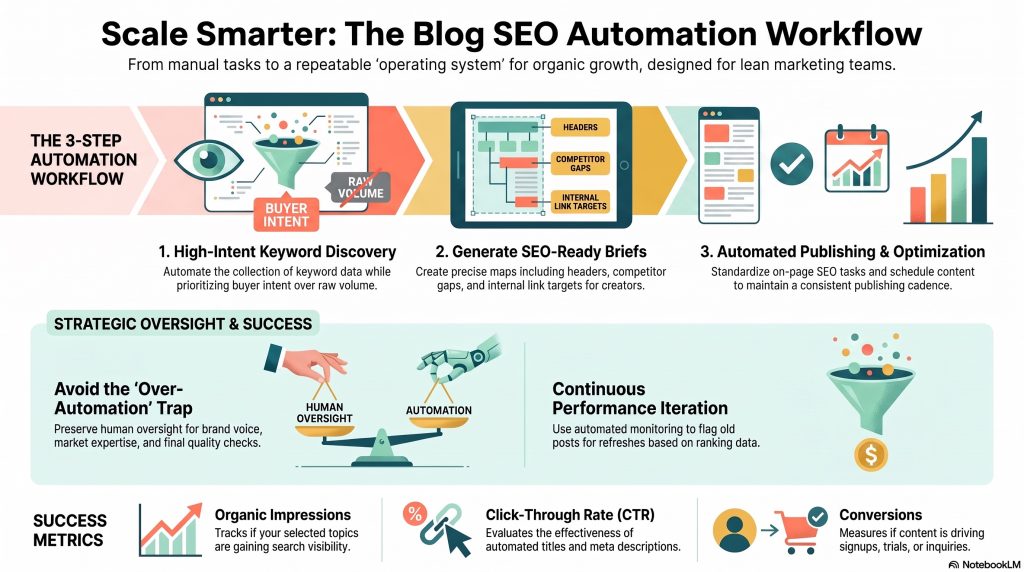
Building a content brief from scratch—analyzing SERP competitors, pulling questions from People Also Ask, structuring H2s and H3s—can eat up two to three hours. Automation tools can now generate a first draft of that brief in minutes by scraping the top-ranking pages and synthesizing common subtopics. You still need to inject your unique angle and expertise, but roughly 50% of the grunt work disappears.
2. Keyword Clustering and Pillar Planning
Manually grouping hundreds of keywords by intent and SERP overlap is tedious. Automation can cluster terms that share four or more of the same top-10 ranking URLs, then suggest pillar pages and supporting content clusters. This turns a week-long spreadsheet exercise into an afternoon review session.
3. On-Page Audits and Prioritized Fix Lists
Site audit tools have existed for years, but traditional crawlers dump a flat list of issues. Modern automation layers on AI that prioritizes fixes by estimated traffic impact, bundles related on-page issues into single tickets per URL, and even drafts updated meta tags in your brand voice—across multiple languages.
4. SERP Scraping and Competitive Monitoring
Instead of manually checking rankings and competitor pages, you can schedule agents to scrape SERPs daily or weekly, pull fresh data from SEO platforms, and deliver a digest of new competitor content, keyword wins, and ranking movements directly to Slack or email.
5. Internal Linking Suggestions
Some CMS-integrated tools now automatically surface internal linking opportunities as you publish new content, analyzing your existing corpus to recommend anchor text and target URLs. This keeps your site structure tight without manual audits.
6. Reporting and Client Communication
Weekly performance dashboards, top-mover summaries, and even draft client emails can be automated. The agent pulls data from Search Console, GA4, and your rank tracker, formats it into a branded report, and delivers it on schedule.
What You Shouldn't Fully Automate
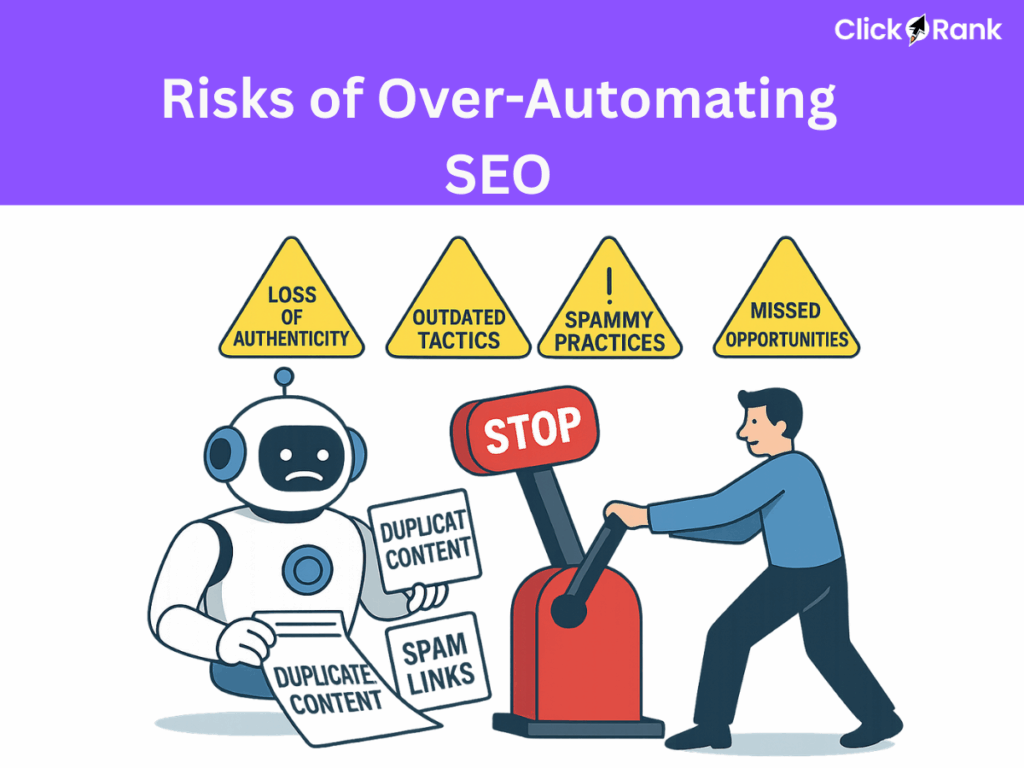
- Original content writing: AI-generated articles without heavy human editing risk being generic, factually shallow, and penalized by readers and algorithms alike.
- High-stakes strategy decisions: Topic selection, brand positioning, and competitive differentiation require context no agent can replicate.
- Sensitive link outreach: Personalized relationship-building still wins over templated emails.
What to Look for in an SEO Automation Tool
SEO Automation in 2026: Tasks, Tools & Practical Workflows - What to Look for in an SEO Automation Tool.
The market is flooded, but many tools are thin wrappers around a single API call. Evaluate any platform against these criteria before committing:
- Integration depth: Does it connect natively to your existing stack—Google Search Console, Ahrefs, Semrush, your CMS, Slack, and project management tools?
- LLM flexibility: Can you choose between models from OpenAI, Anthropic, Google, and others depending on the task?
- Data accuracy and hallucination controls: The tool must ground outputs in real data, not invent metrics or ranking positions.
- Team collaboration features: Role-based access, shared workflows, and audit logs matter once more than one person uses the system.
- Security and compliance: Look for SOC 2 Type II certification, zero data retention policies for AI training, and the ability to deploy in your own cloud if needed.
- Pricing that beats manual costs: If the monthly subscription exceeds what you’d pay a junior specialist to do the same work, the ROI case weakens.
12 SEO Automation Tools Worth Your Time in 2026
SEO Automation in 2026: Tasks, Tools & Practical Workflows - 12 SEO Automation Tools Worth Your Time in 2026.
Here are the platforms that consistently deliver on the promise of automation, based on real-world testing and community feedback.
1. Gumloop — AI Agents for Custom SEO Workflows
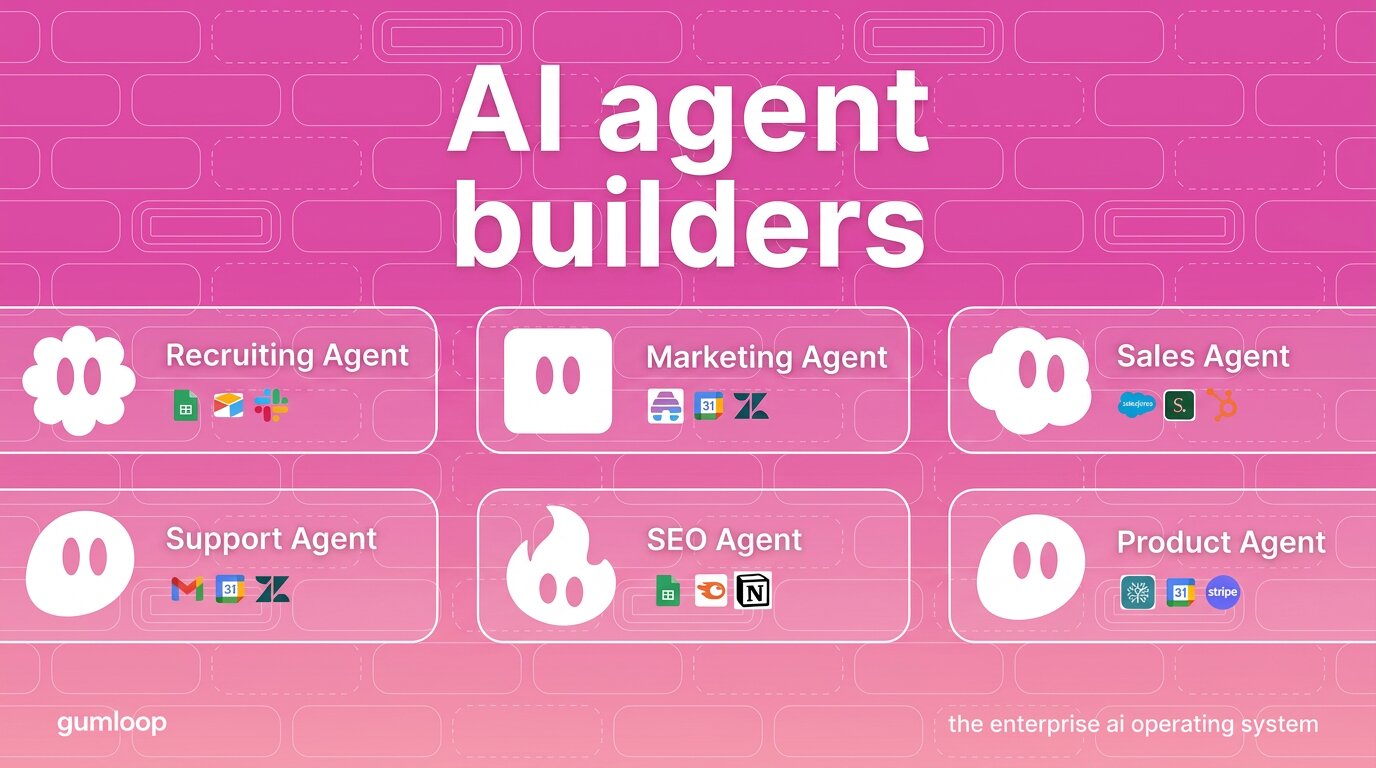
Gumloop lets you build no-code AI agents that connect your SEO tools, LLMs, and internal data. You drag nodes onto a canvas to create flows—like a proofreading agent that edits drafts against your style guide, or a competitor monitor that scrapes SERPs and pushes a weekly digest to Slack. It supports models from OpenAI, Anthropic, and Google, and offers role-based access for teams. The free tier includes 2,000 credits, with paid plans starting at $37/month.
2. AirOps — Content Operations at Scale
AirOps focuses on the content side of SEO: generating topic clusters, content calendars, and briefs using your brand knowledge and live data. It’s particularly useful for teams managing large content programs who need to maintain consistency across hundreds of pages.
3. Surfer AI — AI-Assisted Content Optimization
Surfer AI analyzes top-ranking pages and generates optimized drafts that you can refine. It’s best used as a starting point for writers who then layer on original insights, examples, and expertise.
4. Alli AI — CMS-Level SEO Automations
Alli AI plugs directly into your CMS to automate bulk on-page changes—meta tags, headings, alt text—across thousands of pages. It’s designed for enterprise sites where manual editing isn’t feasible.
5. Page Optimizer Pro — Data-Driven On-Page Recommendations
POP provides specific, AI-recommended on-page adjustments based on what’s actually working in the SERPs for your target keyword. It’s less about full automation and more about precision guidance.
6. ChatGPT — Deep Research and H2 Ideation
While not a dedicated SEO tool, ChatGPT (especially with browsing capabilities) excels at generating H2 ideas, summarizing competitor content structures, and drafting content briefs when given clear prompts and constraints.
7. n8n — Self-Hosted Automation Workflows
For teams with technical resources who want full control, n8n offers self-hosted, open-source workflow automation. You can build complex SEO pipelines without sending data to third-party clouds.
8. SEO Stack — Search Console Analytics
SEO Stack specializes in pulling Google Search Console data into actionable dashboards and reports, automating the analysis of query performance, page-level metrics, and trend spotting.
9. LowFruits — SERP Analysis for Niche Keywords
LowFruits automates the process of finding low-competition keywords by analyzing SERP features, domain authority patterns, and weak spots in the results. It’s a favorite for programmatic SEO and niche site builders.
10. Relume — AI Landing Page Generation
Relume automates the creation of landing page structures and wireframes based on your sitemap and content goals, speeding up the design-to-publish pipeline for SEO-driven pages.
11. Looker Studio — Automated Client Reporting
While not AI-native, Looker Studio (formerly Google Data Studio) remains the backbone of automated SEO reporting. Connect your data sources, build a template once, and let it refresh on schedule.
12. SE Ranking — AI Overviews and Rank Tracking
SE Ranking now tracks AI Overviews appearances and automates rank monitoring across search engines, giving you visibility into how algorithm shifts affect your visibility.
How to Build an SEO Automation Workflow (Step-by-Step Example)
SEO Automation in 2026: Tasks, Tools & Practical Workflows - How to Build an SEO Automation Workflow (Step-by-Step Example).
Let’s walk through a practical workflow that combines several of the tasks above: a weekly competitor content monitor.
Goal: Every Monday morning, receive a Slack message with new content published by your top three competitors, along with their target keywords and estimated traffic.
Tools needed: An automation platform (Gumloop or n8n), a SERP scraper node, an SEO data provider (Semrush or Ahrefs integration), and Slack.
Steps:
- Trigger: Schedule the workflow to run every Monday at 7 AM.
- Scrape competitor blogs: The agent visits each competitor’s blog or news section and extracts URLs published in the last seven days.
- Enrich with SEO data: For each new URL, the agent pulls keyword rankings, search volume, and estimated traffic from your SEO platform.
- Filter and prioritize: The agent flags posts targeting keywords you also compete on, sorting by traffic potential.
- Format and deliver: The agent compiles a digest with titles, URLs, primary keywords, and traffic estimates, then posts it to a designated Slack channel.
This workflow runs entirely in the background. You review the digest over coffee and decide which competitor moves warrant a response.
Balancing Automation with Authentic Multi-Account Management
While SEO automation handles data and content workflows, another layer of operational efficiency comes from managing the accounts you use for research, outreach, and social distribution. If your SEO strategy involves competitor analysis across multiple social platforms, managing brand-owned profiles on Facebook, TikTok, or LinkedIn, or running localized search campaigns, you’ve likely encountered platform restrictions on multi-account usage.
This is where browser profile isolation becomes critical. An anti-detect browser creates unique, isolated environments that prevent platforms from linking your accounts through fingerprinting techniques like Canvas, WebGL, and WebRTC. For SEO professionals and agencies juggling client accounts or running geo-targeted SERP checks, this isolation ensures that research accounts remain separate and ban-free.
AdsPower is a leading anti-detect browser built for exactly this scenario. It simulates over 20 fingerprint parameters and supports thousands of distinct browser profiles with individual proxies, cookies, and local storage. Its no-code RPA robots and Local API can automate repetitive tasks—like checking rankings from different locations or gathering SERP data across profiles—without manual switching. For teams, granular role-based permissions and encrypted data sync keep client account access secure and auditable.
For a deeper look at how this fits into a multi-platform workflow, see our guide on how to use AdsPower with Instagram safely, or compare it against other solutions in the AdsPower vs Multilogin breakdown.
Common Pitfalls to Avoid with SEO Automation
Even the best tools can lead you astray if you’re not careful. Watch for these traps:
- Over-automating content creation: Publishing AI-written posts without substantial human editing can tank your site’s credibility and rankings. Use automation for research and structuring, not for the final draft.
- Ignoring data freshness: An agent that scrapes SERPs once and never refreshes will feed you stale insights. Schedule recurring runs and set alerts for anomalies.
- Neglecting security when connecting accounts: Granting automation tools access to Search Console, analytics, and CMS platforms creates a larger attack surface. Use tools with SOC 2 certification, enforce least-privilege access, and consider self-hosted options for sensitive data.
- Building workflows without documentation: If only one person on the team understands the automation, it becomes a single point of failure. Document each flow’s purpose, nodes, and expected outputs.
Related reading
- VMLogin Review 2026: Anti-Detect Browser for Multi-Accounting - In-depth VMLogin review covering pricing, fingerprint isolation, automation, team sharing, and real-world use cases. See if this Windows-first anti-detect browser fits your workflow.
- 8 Best IPRoyal Alternatives for Proxies in 2026 - Looking for IPRoyal alternatives? Compare 8 top proxy providers on pricing, IP pool size, success rates, and features. Find the best fit for scraping, multi-accounting, and more.
Sources and further reading
- What SEO tasks can realistically be automated in 2026? ... - Hi everyone, I’m trying to understand what parts of SEO can realistically be automated today and what tools you’re using for that. I’m especially ...
- SEO automation made simple with AI agents - Automate your SEO with Gumloop's powerful AI agent builder. Create custom solutions that save time and improve rankings. Start building SEO AI agents.
- 13 best SEO automation tools I'm using in 2026 - I've been on the hunt to find the best SEO automation tools to help me speed up my workflow. Here's my tested list of the best ones you can use in 2026.
FAQ: SEO Automation
Can SEO be fully automated?
No. Strategic decisions, original research, creative content, and relationship-based link building still require human judgment. Automation excels at repetitive, data-intensive tasks that support those human-led activities.
What’s the best free SEO automation tool?
Gumloop offers a free tier with 2,000 credits, which is enough to build and test several workflows. n8n’s self-hosted community edition is also free and open-source, though it requires technical setup. ChatGPT’s free tier can assist with content briefs and keyword ideation.
How much does SEO automation cost?
Costs range from free (limited credits or self-hosted) to $37–$244/month for team plans, up to custom enterprise pricing. The ROI calculation should compare the tool’s cost against the hours saved from manual work.
Is automated content bad for SEO?
Not inherently, but publishing unedited AI content is risky. Google’s guidelines emphasize helpful, people-first content. Use automation to accelerate research and drafting, then apply human expertise to ensure originality, accuracy, and value.
Can I automate technical SEO audits?
Yes. Tools can crawl your site, identify issues, prioritize them by traffic impact, and even create tickets in your project management system. However, implementing fixes often still requires developer involvement.
Conclusion: Automate the Repetitive, Protect the Strategic
SEO automation in 2026 isn’t about replacing SEO professionals—it’s about removing the friction from their daily workflows. By automating content briefs, keyword clustering, SERP monitoring, audits, and reporting, you reclaim hours for the work that actually moves the needle: strategy, creative direction, and genuine audience understanding. Start with one workflow that currently drains your time, build it out in a tool that integrates with your stack, and iterate from there. The goal isn’t to automate everything; it’s to automate the right things.
For a broader perspective on privacy and security tools that complement an automation-heavy workflow, explore our list of the top 10 online privacy and security testing tools.