
Playwright Login: Automate Auth Without Flaky Tests
Take a Quick Look
Learn how to automate Playwright login with storageState, API auth, per-worker sessions, and MFA handling to keep test suites fast and stable.
🔥 Limited-Time Offer! Save extra 10% off on your first monthly plan with code: Anitdetect10
Sign upPlaywright Login: Automate Authentication Without Flaky Tests
Playwright login automation looks simple on the surface: open a page, fill in an email, type a password, click a button. But once a test suite grows past a few dozen cases, the same login flow that worked locally starts failing in CI. Sessions expire mid-run, parallel workers fight over the same account, and every test pays a 5–15 second login tax before it even starts.
This guide breaks down how to handle Playwright authentication the right way. You'll learn when to reuse a saved session, when to isolate accounts per worker, how to authenticate via API instead of UI, and how to keep MFA and OAuth flows from turning your pipeline into a bottleneck.
Why Playwright Login Needs a Strategy
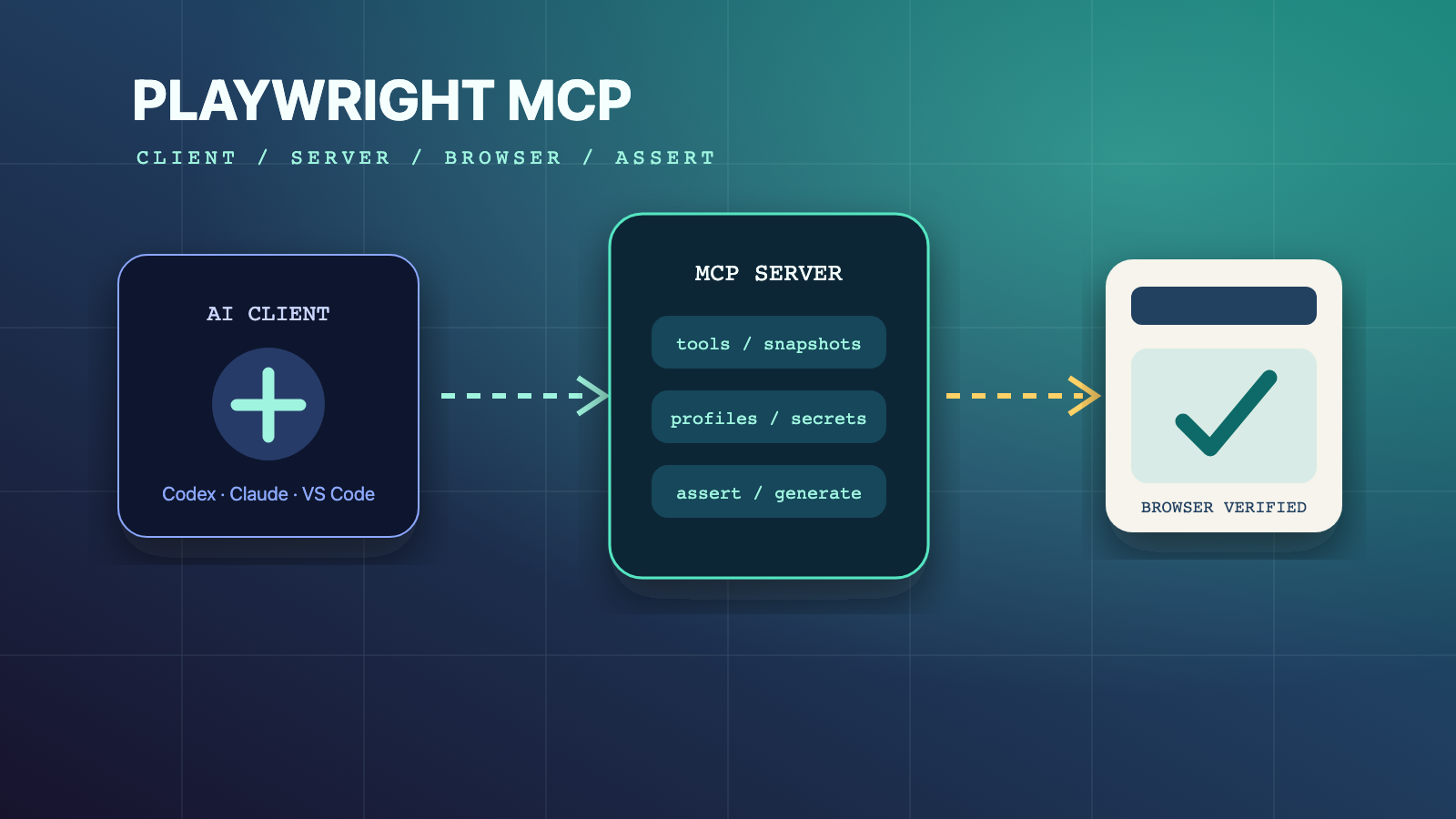
Playwright Login: Automate Auth Without Flaky Tests - Why Playwright Login Needs a Strategy.
Playwright runs every test in an isolated browser context. That means cookies, localStorage, and cache are separate for each test by default. This isolation is great for reproducibility, but it also means authentication does not carry over automatically. Without a strategy, every test logs in from scratch.
At 20 tests, that's annoying. At 200 tests running across eight parallel workers, it's a serious problem. Each UI login takes seconds. Multiply that by hundreds of tests, and you've added 10 to 25 minutes of pure login overhead to every run. Worse, if all workers share one account, one password change or MFA prompt takes down the entire suite.
The solution is to treat authentication as infrastructure, not as boilerplate inside each test. Playwright provides a built-in mechanism for this: storageState.
The Core Pattern: Save Login State Once, Reuse Everywhere
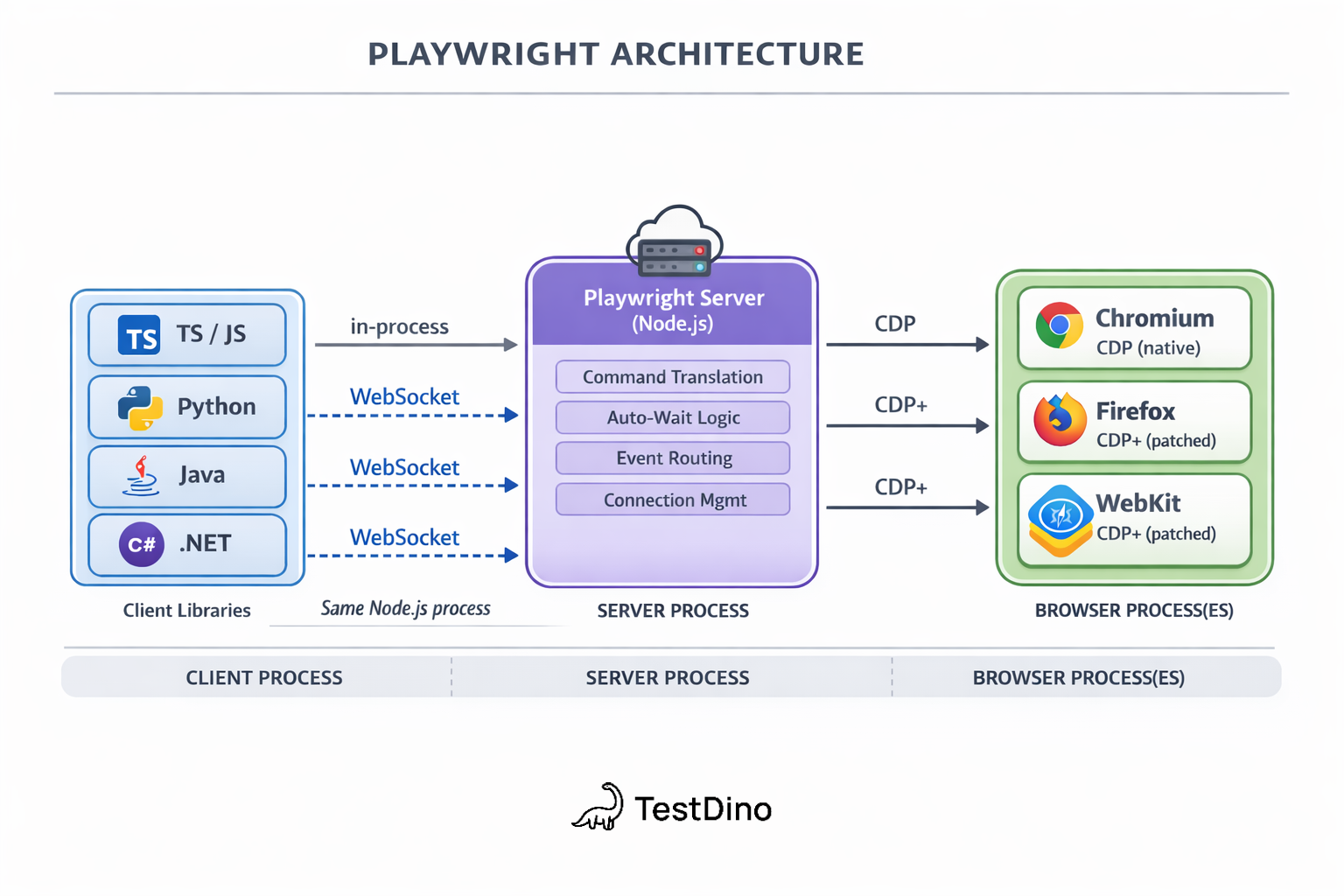
Playwright Login: Automate Auth Without Flaky Tests - The Core Pattern: Save Login State Once, Reuse Everywhere.
Playwright's storageState API captures cookies and localStorage from an authenticated browser context and saves them to a JSON file. Later tests load that file and start already logged in.
Here's the recommended workflow:
- Create a
playwright/.authdirectory and add it to.gitignoreimmediately. The state file contains session cookies and tokens that could impersonate your test account. - Write a setup file that logs in once and saves the state.
- Configure all test projects to load that saved state.
Step 1: Create the Setup File
Create tests/auth.setup.ts:
import { test as setup, expect } from '@playwright/test';
import path from 'path';

const authFile = path.join(__dirname, '../playwright/.auth/user.json');

setup('authenticate', async ({ page }) => {
  // Replace with your own login steps.
  await page.goto('https://github.com/login');
  await page.getByLabel('Username or email address').fill('username');
  await page.getByLabel('Password').fill('password');
  await page.getByRole('button', { name: 'Sign in' }).click();

  // Wait for the final URL to ensure cookies are actually set.
  await page.waitForURL('https://github.com/');

  // Save the authenticated state.
  await page.context().storageState({ path: authFile });
});
Step 2: Wire It Into the Config
In playwright.config.ts, declare the setup project as a dependency for all testing projects:
import { defineConfig, devices } from '@playwright/test';

export default defineConfig({
  projects: [
    { name: 'setup', testMatch: /.*\.setup\.ts/ },
    {
      name: 'chromium',
      use: {
        ...devices['Desktop Chrome'],
        storageState: 'playwright/.auth/user.json',
      },
      dependencies: ['setup'],
    },
    {
      name: 'firefox',
      use: {
        ...devices['Desktop Firefox'],
        storageState: 'playwright/.auth/user.json',
      },
      dependencies: ['setup'],
    },
  ],
});
Step 3: Write Tests That Start Authenticated
import { test } from '@playwright/test';

test('dashboard shows user name', async ({ page }) => {
  // page is already authenticated.
  await page.goto('https://github.com/');
});
This pattern works well when all tests can run with the same account without interfering with each other. If your tests modify server-side state, you need a different approach.
When One Shared Login Isn't Enough
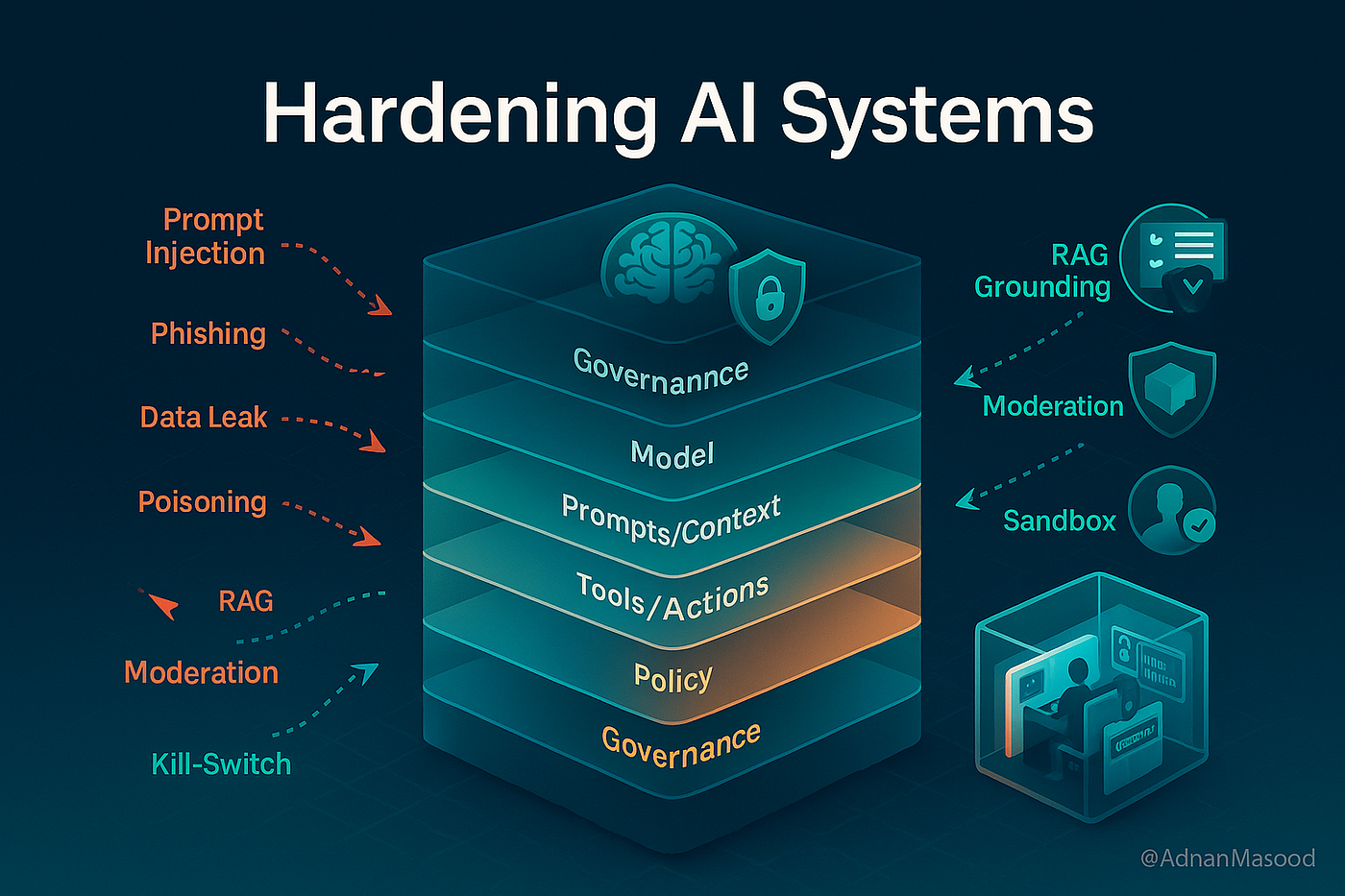
Playwright Login: Automate Auth Without Flaky Tests - When One Shared Login Isn't Enough.
A single saved session breaks down in two common scenarios:
- Tests modify server-side state. One test changes a setting while another reads it. Running in parallel with one account creates race conditions.
- Authentication is browser-specific. Some apps tie sessions to browser fingerprints or user agents, so a state saved in Chromium won't work in Firefox.
For these cases, Playwright recommends one account per parallel worker. Each worker authenticates once with its own account, and all tests in that worker reuse the worker's session.
Per-Worker Authentication Fixture
Create playwright/fixtures.ts:
import { test as baseTest, expect } from '@playwright/test';
import fs from 'fs';
import path from 'path';

export * from '@playwright/test';

export const test = baseTest.extend<{}, { workerStorageState: string }>({
  storageState: ({ workerStorageState }, use) => use(workerStorageState),

  workerStorageState: [async ({ browser }, use) => {
    const id = test.info().parallelIndex;
    const fileName = path.resolve(test.info().project.outputDir, `.auth/${id}.json`);

    if (fs.existsSync(fileName)) {
      await use(fileName);
      return;
    }

    // Authenticate in a clean context.
    const page = await browser.newPage({ storageState: undefined });
    const account = await acquireAccount(id);

    await page.goto('https://github.com/login');
    await page.getByLabel('Username or email address').fill(account.username);
    await page.getByLabel('Password').fill(account.password);
    await page.getByRole('button', { name: 'Sign in' }).click();
    await page.waitForURL('https://github.com/');

    await page.context().storageState({ path: fileName });
    await page.close();
    await use(fileName);
  }, { scope: 'worker' }],
});
Then import test from your fixtures file instead of @playwright/test. Writing auth files under testProject.outputDir means Playwright cleans them up automatically before each run, so stale sessions never leak into the next execution.
Authenticate via API Instead of UI
Playwright Login: Automate Auth Without Flaky Tests - Authenticate via API Instead of UI.
For setup projects, UI login is rarely the fastest path. If your application supports API-based authentication, use Playwright's request fixture to authenticate without opening a browser at all. This is faster and removes flakiness from form interactions, redirects, and client-side rendering.
import { test as setup } from '@playwright/test';

const authFile = 'playwright/.auth/user.json';

setup('authenticate via API', async ({ request }) => {
  await request.post('https://github.com/login', {
    form: {
      'user': 'user',
      'password': 'password'
    }
  });
  await request.storageState({ path: authFile });
});
Use API auth for setup speed. Reserve UI login tests for the dedicated cases that verify the login flow itself.
The Session Storage Gotcha
storageState saves cookies and localStorage by default. It does not save sessionStorage. If your app stores JWT tokens or session IDs in sessionStorage, the standard pattern silently produces unauthenticated tests. It works locally because the browser session persists, then fails in CI.
To check where your app stores auth tokens, open DevTools after logging in and inspect the Application tab. If tokens live in IndexedDB, pass indexedDB: true to storageState() (available since Playwright 1.51). If they live in sessionStorage, you'll need a manual workaround that reads and restores the values explicitly.
Handling MFA, OAuth, and Magic Links
Multi-factor authentication is now the default for most organizations. OAuth providers, SSO systems, and email-based magic links add external dependencies that your test suite can't fully control. Here's how to keep them manageable.
MFA and TOTP Codes
For time-based one-time passwords, generate codes in your test setup using a library like otplib with a shared secret. This avoids waiting for SMS or email delivery. For email-based codes, use a test email service with an API you can poll from your setup file.
import { authenticator } from 'otplib';

const code = authenticator.generate(process.env.TOTP_SECRET);
await page.getByLabel('Verification code').fill(code);
OAuth Flows
Mock OAuth at the feature test layer for speed, but keep at least one integration test that exercises the real redirect flow, token exchange, and callback handling. Misconfigured redirect URIs and broken PKCE implementations only surface when you test the real thing.
Magic Links
For magic link flows, intercept the email with a test mail API, extract the confirmation URL, and navigate to it directly. This avoids waiting for a human to click a link.
Common Playwright Login Anti-Patterns
Avoid these mistakes that show up in real test suites:
- Hardcoded credentials in Git. Store credentials in environment variables or a secrets manager. Leaked storageState files are security incidents, not test failures.
- Globally shared auth tokens. A token stored in a global variable after the first test creates a hidden dependency chain. When it expires mid-run, every downstream test fails.
- Timing-dependent waits. Use
page.waitForURL()orexpect(locator).toBeVisible()instead ofpage.waitForTimeout()after login. Auth flows involve redirects across multiple URLs, and fixed sleeps are the most common source of flakiness. - Testing only the happy path. Cover invalid credentials, account lockouts, expired MFA codes, and failed SSO assertions. Weak lockout logic is a security issue that real users hit.
- Leftover sessions between runs. Write auth files under
testProject.outputDirso Playwright cleans them up automatically. Explicit teardown for server-side sessions keeps the environment consistent.
Playwright Login and Multi-Account Workflows
Playwright's authentication patterns shine in automated testing, but the same principles apply when you need to manage multiple logged-in sessions outside a test suite. For teams running social media operations, e-commerce store management, or affiliate marketing across many accounts, isolated browser profiles with unique fingerprints prevent platforms from linking accounts and triggering bans.
Tools like AdsPower provide this isolation at the browser level. Each profile gets its own cookies, localStorage, and digital fingerprint, so a login for one account never bleeds into another. AdsPower also offers a Local API that integrates with Selenium and Puppeteer, which means you can apply Playwright-style automation patterns to real multi-account workflows without exposing sessions to detection. If you're comparing anti-detect browsers for this kind of work, see AdsPower vs Octo Browser vs Hidemyacc for a detailed breakdown.
For test suites that need to verify fingerprint consistency before running authenticated Playwright tests, combining AdsPower profiles with BrowserScan fingerprint testing helps catch IP leaks and profile mismatches early.
Related reading
- How to Use AdsPower with Ticketmaster: Setup & Workflow - Learn how to combine AdsPower anti-detect browser with Ticketmaster for stable logins, queue access, and multi-account ticket workflows.
- Beautiful Soup Review 2026: Is It Still Worth Using? - In-depth Beautiful Soup review covering strengths, limitations, setup, pricing, ideal use cases, and how it compares to Selenium and Scrapy in 2026.
- How to Use MuLogin Anti-Detect Browser: Full Setup Guide - Learn how to set up MuLogin anti-detect browser, create isolated profiles, configure proxies, and manage multiple accounts without bans in this practical guide.
Sources and further reading
- Playwright - Manage cookies, localStorage, sessionStorage, and save/restore full browser state for authentication persistence. Requires the storage capability.
FAQ
What is the fastest way to handle Playwright login?
Authenticate once in a setup project using the request fixture, save the state with storageState(), and load that state in every test project. This eliminates UI login overhead for all tests except the ones that specifically verify the login flow.
Does Playwright storageState save sessionStorage?
No. storageState saves cookies and localStorage by default. sessionStorage is not saved. If your app stores auth tokens in sessionStorage, you need a manual workaround. IndexedDB support is available with indexedDB: true since Playwright 1.51.
How do I run Playwright tests in parallel with authentication?
Use one account per parallel worker. Create a worker-scoped fixture that authenticates once per worker using testInfo.parallelIndex to differentiate accounts, then reuse that worker's storage state across all tests in the worker.
Should I commit Playwright auth state files to Git?
Never. Auth state files contain session cookies and tokens that can impersonate your test account. Add playwright/.auth to .gitignore and store credentials in environment variables or a secrets manager.
How do I test MFA login with Playwright?
Generate TOTP codes in your setup using a library like otplib with a shared secret, or poll a test email API for emailed codes. Avoid waiting for real SMS or email delivery in automated tests.
When should I use UI login instead of API login in Playwright?
Use UI login only in dedicated tests that verify the login flow itself: form validation, error handling, redirects, and MFA prompts. For all other tests, API-based authentication in the setup project is faster and less flaky.
Conclusion
Playwright login automation is a solved problem when you treat authentication as infrastructure. Save state once with storageState, reuse it across tests, and isolate accounts per worker when tests modify server-side state. Authenticate via API for speed, reserve UI login for dedicated flow tests, and never commit auth files to your repository.
The difference between a suite that runs in 3 minutes and one that runs in 25 is rarely the test logic. It's whether every test pays the login tax or starts already authenticated. Build the setup once, and your entire pipeline gets faster.
For further reading, the official Playwright authentication guide covers the setup project pattern in depth, and Currents' complete guide to testing authentication explores OAuth, MFA, and CI integration at scale.