
How to Use AdsPower with Anti Captcha: Full Setup Guide
Take a Quick Look
Learn how to combine AdsPower anti-detect browser with Anti Captcha to solve reCAPTCHA, hCaptcha, and more across multiple isolated profiles.
🔥 Limited-Time Offer! Save extra 10% off on your first monthly plan with code: Anitdetect10
Sign upHow to Use AdsPower with Anti Captcha: Full Setup Guide
Managing dozens of accounts across Facebook, Amazon, Google, or TikTok means captchas are inevitable. Even with clean residential proxies and isolated browser fingerprints, platforms will occasionally challenge your sessions with reCAPTCHA v2, hCaptcha, FunCaptcha, or Turnstile. When that happens, your workflow stalls unless you have a solving layer in place.
This guide shows you exactly how to pair AdsPower's isolated browser profiles with Anti Captcha's human-powered solving service. You'll learn the setup steps, practical workflows, and the problems this combination solves.
Why AdsPower and Anti Captcha Work Well Together
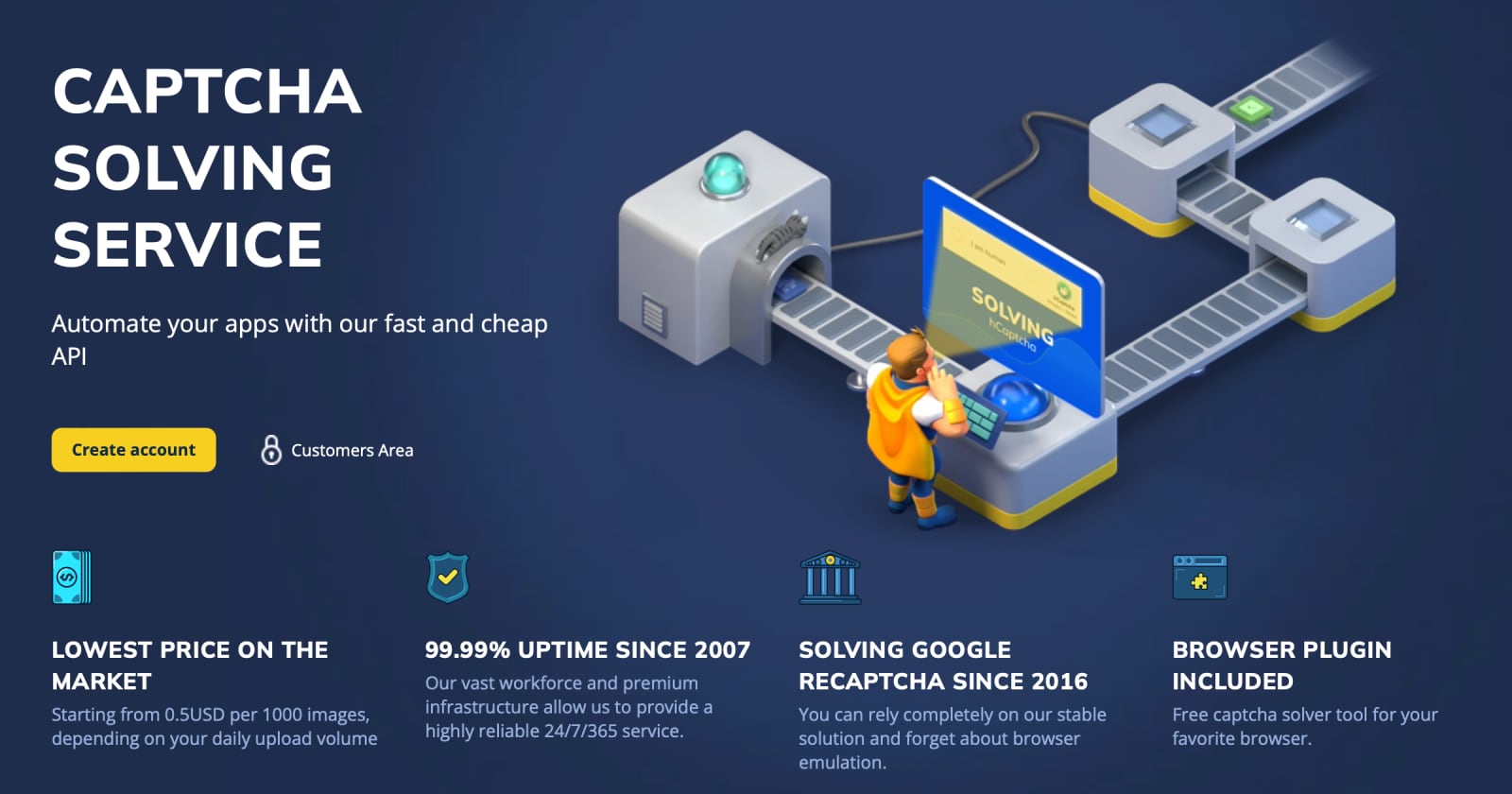
Anti Captcha product interface.
AdsPower and Anti Captcha solve different halves of the same problem.
AdsPower handles the prevention side. Each browser profile gets a unique digital fingerprint—Canvas, WebGL, user agent, screen resolution, fonts, and more—so platforms see separate, consistent identities instead of one scripted visitor. When you add a residential proxy to each profile, your sessions look like real users coming from real locations. This reduces how often captchas appear in the first place.
Anti Captcha handles the resolution side. No setup avoids captchas 100% of the time. When a challenge does appear, Anti Captcha's human workforce solves it—typically within 5 seconds for common types—and returns a token your browser can submit. Because the service uses real people rather than OCR or AI, it maintains high accuracy on image-based and interactive challenges that trip up automated solvers.
Together, they create a workflow where captchas are rare and, when they do appear, they don't break your automation.
Problems This Combination Solves

How to Use AdsPower with Anti Captcha: Full Setup Guide - Problems This Combination Solves.
Here are the concrete scenarios where AdsPower plus Anti Captcha makes sense:
- Multi-account e-commerce sellers managing several Amazon or eBay storefronts from one device need each session isolated. When Amazon WAF or a login captcha appears, Anti Captcha solves it inside the correct AdsPower profile without cross-contaminating other accounts.
- Affiliate marketers running Facebook ad accounts at scale face frequent checkpoint captchas. The combination keeps each ad account's session stable and solves challenges without logging out.
- Social media managers operating dozens of TikTok, Instagram, or X accounts hit captchas during bulk actions. AdsPower's RPA robots can trigger Anti Captcha automatically when a challenge appears, keeping batch operations moving.
- Ticket resellers and sneaker buyers using AdsPower profiles for queue access on Ticketmaster or Shopify drops need fast captcha solving to hold their place. Anti Captcha's typical 5-second solve time fits tight checkout windows.
- Web scraping teams running Selenium or Puppeteer through AdsPower's Local API can call Anti Captcha's API directly when a target site throws a challenge, then resume scraping with the returned token.
Prerequisites
How to Use AdsPower with Anti Captcha: Full Setup Guide - Prerequisites.
Before you start, make sure you have:
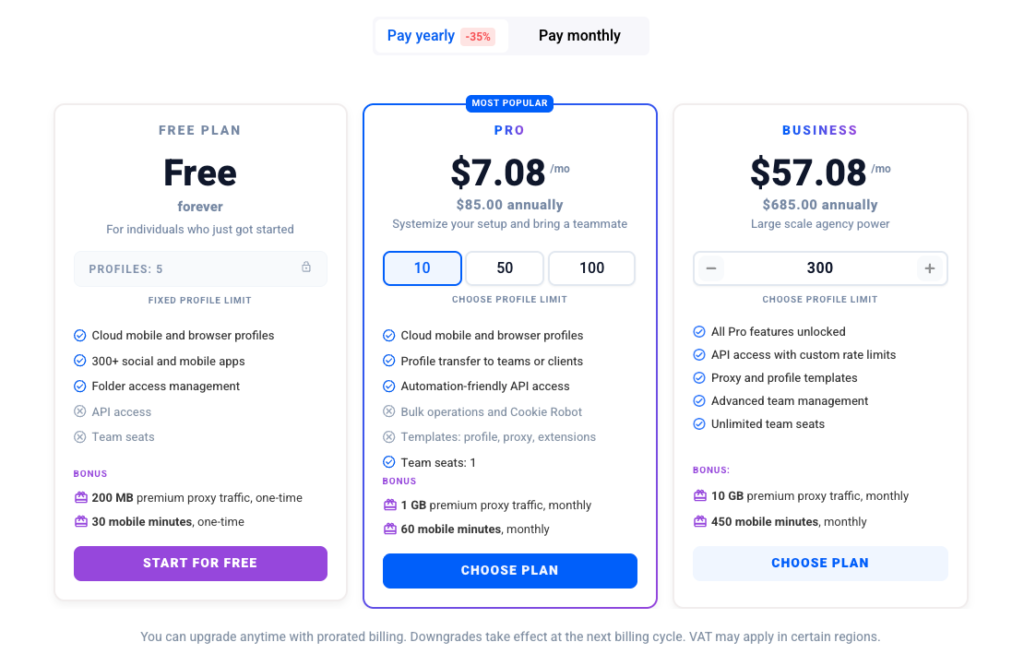
- An AdsPower account with at least one browser profile created. The free plan includes 5 profiles, which is enough for testing.
- An Anti Captcha account with a positive balance. Sign up at anti-captcha.com and fund your account—pricing starts around $0.50 per 1,000 solved image captchas, with volume discounts applied automatically.
- Your Anti Captcha API key, found in your Anti Captcha dashboard under account settings.
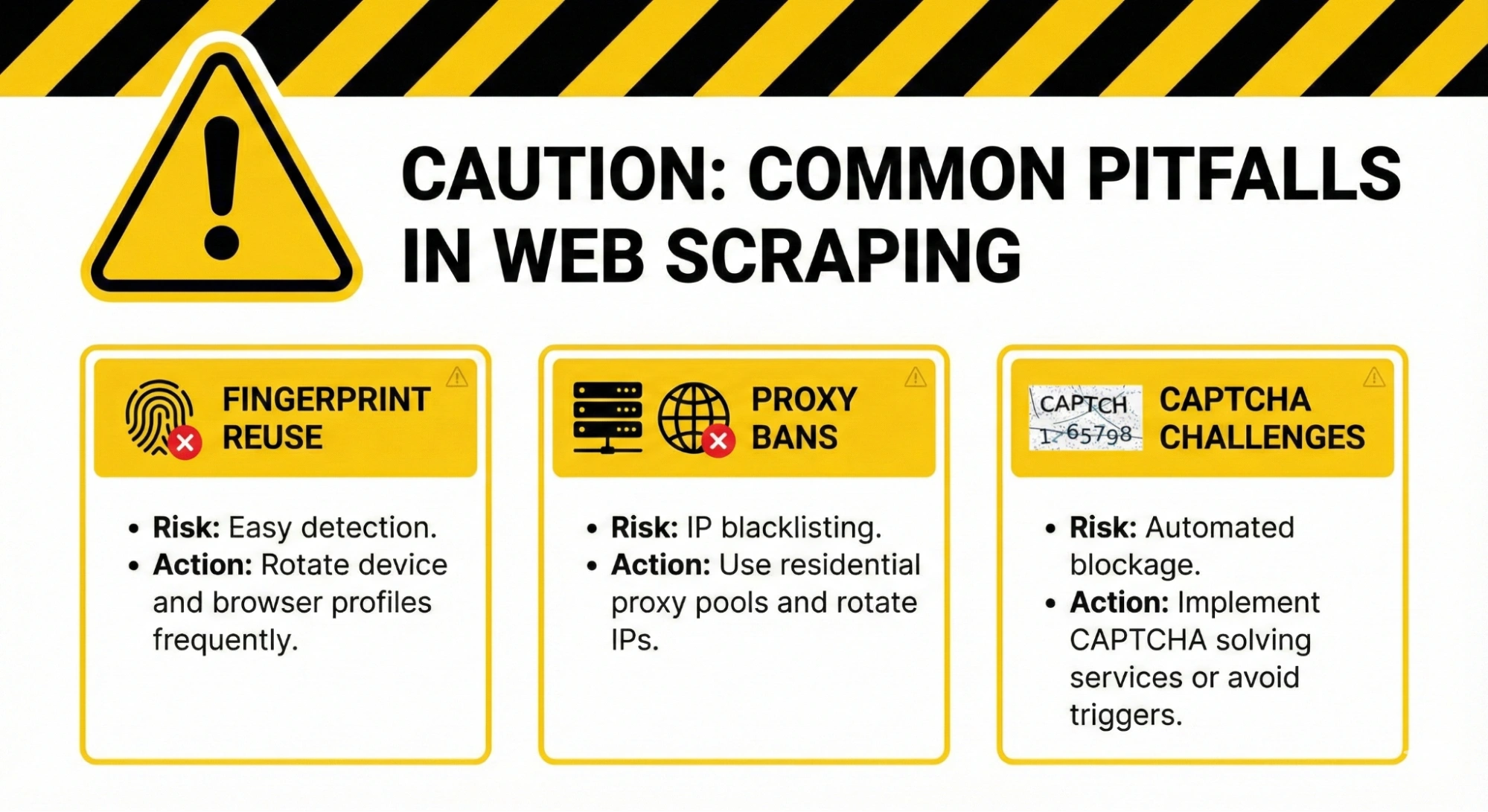
- A residential or mobile proxy for each AdsPower profile (recommended). Datacenter proxies trigger captchas more often, which increases your solving costs.
Method 1: Install the Anti Captcha Extension in AdsPower
How to Use AdsPower with Anti Captcha: Full Setup Guide - Method 1: Install the Anti Captcha Extension in AdsPower.
The simplest approach is to install the official Anti Captcha browser extension directly inside an AdsPower profile. This works well for manual browsing and small-scale operations.
Step 1: Open Your AdsPower Profile
Launch AdsPower and click Open on the profile where you want captcha solving enabled.
Step 2: Install the Anti Captcha Extension
Inside the open profile, visit the Chrome Web Store and search for the official Anti Captcha extension. Click Add to Chrome and confirm the installation.
Alternatively, if you already have the extension's .crx file, you can add it through AdsPower's profile settings:
- Go to your AdsPower dashboard and click Edit on the target profile.
- Scroll to the Extensions section.
- Upload the
.crxfile or paste the extension ID from the Chrome Web Store. - Save the profile and reopen it.
Step 3: Configure the Extension
Once installed, click the Anti Captcha extension icon in the profile's toolbar. Enter your API key and save it. The extension will now automatically detect captchas on pages you visit and solve them using your Anti Captcha balance.
Step 4: Test the Setup
Visit a page known to show a captcha, such as a Google reCAPTCHA demo page. The extension should detect the challenge, send it to Anti Captcha, and fill in the solution automatically. You'll see the token submitted and the page proceed as if a human solved it.
Best for: Manual account management, small teams, quick testing.
Limitation: The extension only works inside the profile where it's installed. If you run 50 profiles, you need to install and configure it 50 times—unless you use AdsPower's batch extension feature.
Batch-Install the Extension Across Profiles
AdsPower supports batch operations. To install the Anti Captcha extension in multiple profiles at once:
- In the AdsPower dashboard, select the profiles where you want the extension.
- Click Batch Operations and choose the extension installation option.
- Upload the
.crxfile or paste the extension ID. - Confirm, and AdsPower will apply it to all selected profiles.
You'll still need to enter your API key in each profile once, but the installation step is handled in bulk.
Method 2: Use Anti Captcha's API with AdsPower Automation
For automated workflows—RPA robots, Selenium scripts, or Puppeteer tasks—the extension isn't enough. You need to call Anti Captcha's API programmatically from within your automation.
How the API Flow Works
The basic flow looks like this:
- Your automation detects a captcha on the page (e.g., a reCAPTCHA v2 iframe appears).
- Your script extracts the
sitekeyand the current page URL. - Your script sends these to Anti Captcha's API using the
createTaskmethod. - Anti Captcha's human workers solve the challenge and return a
gRecaptchaResponsetoken. - Your script injects that token into the page's
g-recaptcha-responsefield and submits the form.
Example: Solving reCAPTCHA v2 with Python
Here's a minimal Python example using the Anti Captcha client library. You can run this script inside an AdsPower profile's automation context or from your local machine while controlling the profile through AdsPower's Local API.
from python3_anticaptcha import AntiCaptchaClient, NoCaptchaTaskProxyless

# Initialize the client with your API key
client = AntiCaptchaClient("YOUR_ANTI_CAPTCHA_API_KEY")

# Create a task for reCAPTCHA v2 (proxyless, since AdsPower already handles the proxy)
task = NoCaptchaTaskProxyless(
    website_url="https://example.com/login",
    website_key="SITEKEY_FROM_THE_PAGE"
)

# Send the task and wait for the result
job = client.createTask(task)
job.join()

# Get the solved token
response = job.get_solution_response()
print(response)  # This is your gRecaptchaResponse token
After receiving the token, inject it into the page:
// Inside the AdsPower profile's browser context
document.getElementById("g-recaptcha-response").value = "TOKEN_FROM_ANTI_CAPTCHA";
document.querySelector("form").submit();
Connecting the API to AdsPower's Local API
AdsPower exposes a Local API that lets you control profiles programmatically. A common architecture looks like this:
- Your script connects to AdsPower's Local API to open a profile and navigate to a target page.
- Your script monitors the page for captcha elements.
- When a captcha appears, your script calls Anti Captcha's API to solve it.
- Your script injects the token and continues the workflow.
This approach gives you full control over timing, retries, and error handling. It's the right choice for scraping pipelines, bulk account creation, or any workflow where you're already writing code.
Example: AdsPower RPA with Anti Captcha
If you prefer a no-code approach, AdsPower's RPA robots can handle captcha solving through the extension or through a custom API step:
- Create a new RPA robot in AdsPower.
- Record your workflow steps (e.g., open login page, fill credentials, click submit).
- Add a Wait for Element step that watches for a captcha iframe.
- If the captcha appears, the Anti Captcha extension (if installed in that profile) will solve it automatically before the robot proceeds.
- Continue recording the remaining steps.
For more complex captcha types that the extension doesn't auto-detect, you can use RPA's custom script step to call Anti Captcha's API directly and inject the token.
Method 3: Proxyless vs. Proxy Tasks—Which Should You Use?
Anti Captcha supports both proxyless and proxy-based task types. Your choice depends on how your AdsPower profile is configured.
| Task Type | When to Use | Notes |
|---|---|---|
| Proxyless | Your AdsPower profile already has a proxy configured | Simpler setup, fewer moving parts. Anti Captcha solves the captcha without needing your proxy details. |
| Proxy | You want Anti Captcha to solve from the same IP as your AdsPower profile | Requires passing your proxy credentials to Anti Captcha. Useful when a site validates the solving IP against the session IP. |
For most AdsPower users, proxyless tasks are sufficient because AdsPower already routes browser traffic through the profile's proxy. The captcha token is submitted from the AdsPower browser session itself, so the site sees the same IP throughout.
Use proxy tasks only when you're solving captchas outside the AdsPower browser context—for example, in a headless script that doesn't use AdsPower at all.
Practical Workflow: Managing 20 Facebook Accounts
Let's walk through a realistic scenario to show how the pieces fit together.
Goal: Run 20 Facebook ad accounts from one machine without bans or captcha stalls.
Setup:
- Create 20 AdsPower profiles, each with a unique fingerprint and a dedicated residential proxy matching the account's target region.
- Install the Anti Captcha extension in all 20 profiles using batch operations.
- Enter your Anti Captcha API key in each profile (or use a shared team key if you're on a team plan).
- Log into each Facebook account inside its own profile and complete initial warm-up actions.
Daily operation:
- Open each profile and perform normal account activity—checking notifications, responding to messages, adjusting ad budgets.
- When Facebook throws a checkpoint captcha, the Anti Captcha extension solves it in about 5 seconds.
- The session continues without logging out, preserving session trust and reducing future challenges.
Automation option:
- Create an AdsPower RPA robot that opens each profile, navigates to the ad manager, and checks campaign status.
- If a captcha appears, the extension handles it before the robot proceeds.
- Run the robot on a schedule to check all 20 accounts without manual intervention.
This workflow keeps accounts healthy because captchas are solved in-session rather than triggering logouts or suspicious retries.
Cost Considerations
Anti Captcha uses a pay-per-solve model with automatic volume discounts. Here's what to expect:
- Image captchas: from $0.50 per 1,000 solves
- reCAPTCHA v2: from $0.50 per 1,000 solves
- reCAPTCHA v3: priced per 1,000 solves, slightly higher due to complexity
- FunCaptcha, GeeTest, Turnstile: priced per type, generally under $3 per 1,000
Your total cost depends on captcha frequency. A well-configured AdsPower profile with a clean residential proxy might see captchas on 1–5% of actions. A poorly configured setup with datacenter proxies could see captchas on 30%+ of actions, multiplying your solving costs.
Optimization tip: Invest in better proxies and profile warm-up before increasing your Anti Captcha budget. Every captcha you prevent is money saved.
Best Practices for the AdsPower + Anti Captcha Workflow
1. Match Proxy, Fingerprint, and Timezone
Inconsistencies trigger captchas. If your AdsPower profile uses a US residential proxy, set the profile's timezone, language, and screen resolution to match US norms. Anti Captcha solves the captcha, but it can't fix a fundamentally suspicious session.
2. Warm Up Profiles Before Heavy Use
New AdsPower profiles face more captchas than aged ones. Spend a few days performing light, human-like activity—scrolling, clicking, reading—before running aggressive automation. Session trust reduces captcha frequency significantly.
3. Keep Cookies Persistent
Don't clear cookies between sessions. AdsPower stores cookies per profile by default. Persistent sessions with history face fewer challenges than fresh sessions every time.
4. Use the Right Task Type
If you're solving captchas inside the AdsPower browser, use proxyless tasks. If you're solving them from an external script, use proxy tasks and pass the same proxy credentials your AdsPower profile uses.
5. Monitor Your Anti Captcha Balance
Set up balance alerts in your Anti Captcha dashboard. A depleted balance mid-workflow means stalled automation and potentially flagged sessions. Top up before running large batch operations.
6. Combine with AdsPower's RPA for Full Automation
For repetitive tasks, build RPA robots that include captcha handling steps. This turns a manual multi-account workflow into a mostly hands-off operation.
AdsPower + Anti Captcha vs. Alternative Setups
| Setup | Captcha Frequency | Solving Speed | Cost | Best For |
|---|---|---|---|---|
| AdsPower + Anti Captcha | Low (isolated fingerprints + proxies) | ~5 seconds (human solvers) | Moderate | Multi-account management, e-commerce, affiliate marketing |
| AdsPower alone | Low, but stalls when captchas appear | Manual solving | Low | Small-scale manual work |
| Anti Captcha alone | High (no fingerprint isolation) | ~5 seconds | High (more captchas to solve) | Single-account automation |
| AdsPower + AI solver | Low | 1–3 seconds | Moderate to high | High-volume scraping where speed matters more than accuracy |
For most multi-account workflows, the AdsPower + Anti Captcha pairing offers the best balance of prevention and resolution. AI solvers are faster but less accurate on complex image challenges; human solvers are more accurate but slightly slower. Anti Captcha's human-only approach prioritizes accuracy, which matters when a wrong solve means a failed login or a flagged session.
If you're still comparing anti-detect browsers before committing to AdsPower, check out our AdsPower vs Multilogin vs MoreLogin comparison or the AdsPower vs Undetectable vs Kameleo breakdown to see how fingerprinting and automation features stack up.
Related reading
- Playwright Login: Automate Auth Without Flaky Tests - Learn how to automate Playwright login with storageState, API auth, per-worker sessions, and MFA handling to keep test suites fast and stable.
- How to Use AdsPower with Ticketmaster: Setup & Workflow - Learn how to combine AdsPower anti-detect browser with Ticketmaster for stable logins, queue access, and multi-account ticket workflows.
- AdsPower vs Octo Browser vs Hidemyacc: Which Wins in 2026? - Compare AdsPower, Octo Browser, and Hidemyacc across fingerprinting, automation, pricing, and team features to pick the right anti-detect browser.
Sources and further reading
- AdsPower Tutorial: Complete Browser Profile Setup Guide | Anti Detect Browser for Multiple Accounts - In this AdsPower tutorial and review, I'll show you step-by-step how to create the perfect browser profile using the best anti-detect browser for managing mu...
Frequently Asked Questions
Does Anti Captcha work inside AdsPower profiles?
Yes. You can install the Anti Captcha browser extension directly inside any AdsPower profile, or call Anti Captcha's API from automation scripts controlling AdsPower profiles through the Local API.
Which captcha types can Anti Captcha solve in AdsPower?
Anti Captcha supports reCAPTCHA v2 and v3, hCaptcha, FunCaptcha, GeeTest, Turnstile, Amazon WAF, image captchas, and text captchas. The extension auto-detects most common types; the API gives you explicit control over task creation.
Do I need a proxy for Anti Captcha to work with AdsPower?
Anti Captcha works without a proxy (proxyless tasks), but your AdsPower profile should still have its own proxy for fingerprint consistency. The captcha token is submitted from the AdsPower browser, so the site sees the profile's IP regardless of how Anti Captcha solved it.
How much does the AdsPower + Anti Captcha setup cost?
AdsPower offers a free plan with 5 profiles; paid plans start around $9/month. Anti Captcha charges per solve, starting at $0.50 per 1,000 image captchas. Total cost depends on your captcha volume, which is influenced by proxy quality and profile warm-up.
Can I use Anti Captcha with AdsPower's RPA robots?
Yes. Install the Anti Captcha extension in the profile where the RPA robot runs, and the extension will solve captchas automatically during robot execution. For advanced cases, use RPA's custom script step to call Anti Captcha's API directly.
Is Anti Captcha better than AI-based solvers for AdsPower workflows?
It depends on your priorities. Anti Captcha's human workforce offers higher accuracy on complex image and interactive captchas, which reduces failed solves and session flags. AI solvers are faster (1–3 seconds vs. ~5 seconds) but may struggle with newer or less common captcha types. For account-sensitive workflows, accuracy usually beats raw speed.
Conclusion
AdsPower and Anti Captcha complement each other cleanly: AdsPower minimizes captcha frequency through isolated fingerprints, persistent sessions, and proxy alignment, while Anti Captcha resolves the challenges that inevitably slip through. The extension method works well for manual and small-scale operations; the API method scales to automated workflows built on AdsPower's Local API or RPA robots.
Start with the extension in a few test profiles, measure your captcha frequency, and expand from there. If you're already running AdsPower for multi-account management, adding Anti Captcha is a low-friction upgrade that keeps your sessions moving when platforms push back.
For more on reducing captcha frequency at the source, see AdsPower's guide on avoiding captchas in web scraping and their breakdown of choosing the best captcha solver.