
AdsPower vs Kameleo vs MuLogin: Which Anti-Detect Browser Wins?
Take a Quick Look
Compare AdsPower, Kameleo, and MuLogin anti-detect browsers on fingerprinting, automation, team features, and pricing. Find the best tool for multi-account management.
🔥 Limited-Time Offer! Save extra 10% off on your first monthly plan with code: Anitdetect10
Sign upAdsPower vs Kameleo vs MuLogin: Which Anti-Detect Browser Fits Your Workflow?
Choosing the right anti-detect browser directly impacts whether your multi-account operations scale smoothly or crash into a wall of bans. AdsPower, Kameleo, and MuLogin each approach the same core problem—creating isolated, believable browser environments—with distinct philosophies. This comparison breaks down their real strengths so you can match the tool to your specific workflow, whether you are automating web scraping pipelines, managing hundreds of e-commerce storefronts, or running affiliate campaigns across strict platforms.
How We Evaluated These Anti-Detect Browsers
AdsPower vs Kameleo vs MuLogin: Which Anti-Detect Browser Wins? - How We Evaluated These Anti-Detect Browsers.
We focused on the criteria that separate a reliable multi-account tool from a risky one. Every browser claims to protect you, but the differences emerge when you push them to scale.
- Fingerprint Authenticity: Can the browser generate fingerprints that pass independent checks and fool platforms like Amazon, Facebook, and Google?
- Automation Depth: Does the tool offer native no-code automation, API access, and integration with frameworks like Selenium or Puppeteer?
- Team and Collaboration Features: How granular are role-based permissions, profile sharing, and encrypted sync across devices?
- Scalability and Pricing: What does it actually cost to run 100, 500, or 1,000 profiles, and does the free tier offer real utility?
- Proxy and Infrastructure Support: How easily can you integrate residential proxies, mobile IPs, and cloud deployment?
Head-to-Head Comparison: AdsPower vs Kameleo vs MuLogin
Fingerprint Quality and Account Protection
All three browsers create isolated environments with unique fingerprints, but their approaches differ significantly.
Kameleo excels at generating mathematically consistent, real-device fingerprints at scale. It offers unlimited real browser fingerprints and continuously auto-tests its stealth mode against tough anti-bot systems like DataDome and Cloudflare. This makes it a strong choice when bypassing sophisticated detection is the primary goal. Its fast release cycles ensure the browser kernel stays current with Chromium updates, reducing the window where outdated fingerprints could flag your profiles.
MuLogin provides solid fingerprint protection by segregating browser environments and masking parameters like Canvas, WebGL, and AudioContext. It focuses on preventing account linking across platforms, which works well for standard e-commerce and social media use cases. The browser supports batch profile creation, letting you spin up dozens of environments with randomized fingerprints quickly.
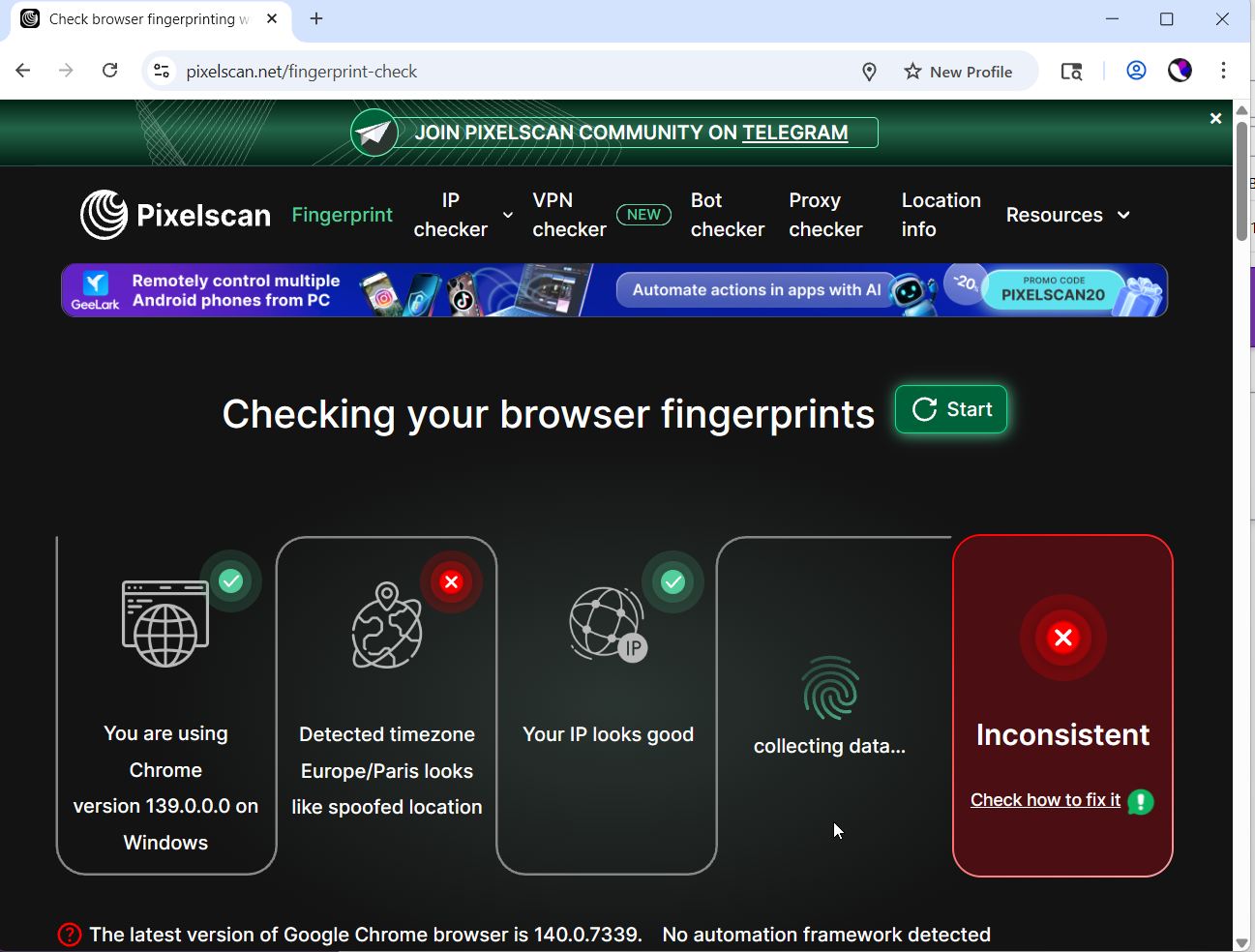
AdsPower simulates over 20 fingerprint parameters and achieved a 100% browser fingerprint authenticity score in independent BrowserScan checks. It supports dual Chrome and Firefox kernels alongside mobile OS emulation for iOS and Android, giving you broader platform coverage. The fingerprint engine balances realism with customizability, avoiding the trap of letting users create mathematically impossible hardware profiles that trigger security flags.
Automation Capabilities
Automation is where these browsers diverge most sharply.
Kameleo is built for developers who need undetected automation at scale. It provides dedicated SDKs with Docker-ready deployment and integrates natively with Playwright, Puppeteer, and Selenium. If your workflow involves headless browser automation, web scraping pipelines, or programmatic profile management, Kameleo’s infrastructure is purpose-built for that. The 99.99% uptime claim and over 1,500 GitHub stars signal a tool that engineers trust for production environments.
MuLogin offers a REST API for programmatic profile control, which covers basic automation needs like launching profiles and managing cookies. However, it lacks a native no-code RPA builder or deep integration with external automation frameworks. This makes it suitable for manual multi-account management or lightweight automated tasks, but less ideal for complex scraping or cross-profile synchronization.
AdsPower bridges the gap between no-code and developer-centric automation. Its visual RPA recorder lets non-technical users string together clicks, form fills, and data entry tasks without writing a single line of code. For developers, the Local API supports 120 requests per minute on the free plan, and the platform integrates with Selenium and Puppeteer. The window synchronizer replicates actions across multiple profiles simultaneously—useful for posting identical content across dozens of social media accounts. For a deeper look at automating social workflows, see our guide on how to use AdsPower with TikTok for Business.
Team Collaboration and Permissions
AdsPower offers the most granular team management features in this comparison. Administrators can assign role-based permissions, organize profiles into folders, and restrict junior team members from accessing sensitive client environments. Encrypted profile storage and cross-device sync ensure that team members always launch the same consistent fingerprint, regardless of which machine they use.
Kameleo focuses more on infrastructure-level collaboration. Its Docker-ready deployment and SDKs allow engineering teams to integrate profile management into CI/CD pipelines. However, it lacks a built-in UI for role-based access control or team folder management, making it less suited for agencies with non-technical staff who need to manually operate profiles.
MuLogin supports sub-account management, which lets you create separate logins for team members. This covers basic delegation but does not offer the fine-grained permission controls or activity logging that larger teams require.
Pricing and Scalability
Pricing structures directly influence which tool fits your budget at scale.
AdsPower offers a free forever plan with 2 profiles, making it the lowest-risk entry point for testing anti-detect technology. Paid subscriptions start at $9 per month, with enterprise tiers available for teams managing thousands of profiles. The free plan includes core features like RPA automation, Local API access, and Chrome and Firefox kernel support.
Kameleo positions itself as a premium automation solution. While exact pricing requires contacting sales, its focus on unlimited real fingerprints, developer SDKs, and enterprise deployment signals a higher price point suited for businesses where automation ROI justifies the investment. A Reddit discussion on anti-detect browser alternatives noted that Kameleo offers more profiles at a lower cost than some enterprise competitors, making it a viable middle ground for ad verification and geo-testing.
MuLogin starts at $59 per month for up to 100 profiles, with discounts for quarterly subscriptions. This flat-rate structure makes costs predictable for teams managing a fixed number of accounts. However, the entry price is higher than AdsPower’s base tier, and there is no permanent free plan for long-term testing.
Proxy Integration and Infrastructure
All three browsers support external proxy integration, but their approaches differ.
Kameleo works seamlessly with popular automation frameworks and supports Windows, macOS, and Android. Its Docker-ready deployment allows you to run browser instances in cloud environments, which pairs well with rotating residential proxy pools for large-scale scraping.
MuLogin integrates with multiple proxy providers and supports batch proxy assignment during profile creation. This simplifies setup when you are configuring dozens of profiles with different IPs.
AdsPower makes bulk proxy import straightforward—paste a list of proxies directly into the dashboard, and it auto-detects the formatting. Per-profile proxy configuration ensures each environment uses the correct IP, which is essential when managing accounts that require consistent geo-location. If you are evaluating proxy providers for multi-accounting, our PacketStream review tests a $1/GB residential proxy network for compatibility with anti-detect browsers.
When to Choose Each Browser
Choose Kameleo When:
- Your primary workflow is undetected browser automation at scale using Selenium, Playwright, or Puppeteer.
- You need to bypass advanced anti-bot systems like Cloudflare or DataDome consistently.
- Your team consists of developers who prefer SDKs and Docker deployment over a GUI.
- You value fast Chromium updates and continuously tested stealth mode over built-in team management features.
Choose MuLogin When:
- You need a straightforward, user-friendly platform for manually managing up to a few hundred accounts.
- Predictable flat-rate pricing for a fixed profile count fits your budget.
- Your use case is standard e-commerce, social media management, or affiliate marketing without complex automation requirements.
- You want batch profile creation and sub-account management without a steep learning curve.
Choose AdsPower When:
- You need both no-code RPA automation and developer API access in one platform.
- Team collaboration with granular role-based permissions is essential for your agency or in-house team.
- You want the broadest platform coverage, including dual browser kernels and mobile OS emulation.
- You prefer starting with a free forever plan and scaling costs as your profile count grows.
- You manage high-value accounts on strict platforms like Amazon, Facebook, or Google and need a proven fingerprint engine trusted by over 9 million users. For a focused comparison with another popular alternative, read our AdsPower vs Incogniton breakdown.
Related reading
- Temporary Phone Numbers: How They Work & Safe Free Options - Learn how temporary phone numbers protect your privacy during SMS verification. Compare free online services, understand the risks, and find safer alternatives.
- AdsPower vs Kameleo: Which Anti-Detect Browser Wins in 2026? - Compare AdsPower vs Kameleo on fingerprinting, automation, team features, and pricing. See why AdsPower’s 9M+ users and built-in RPA make it the safer, more scalable choice.
Sources and further reading
- AdsPower vs Multilogin: Which Antidetect Browser Is Right for You? - Compare AdsPower vs Multilogin to choose the ideal anti-detect browser for securely managing multiple accounts.
FAQ
Do I need a separate proxy provider with these anti-detect browsers?
Yes. Anti-detect browsers mask your browser fingerprint, but your IP address still reveals your location and can link accounts. Pairing any of these browsers with residential or mobile proxies is essential for complete anonymity. All three tools support external proxy integration.
Can I transfer profiles between AdsPower, Kameleo, and MuLogin?
No. Each browser uses a proprietary engine and fingerprint generation method. You can export cookies from one browser and import them into another, but you must generate a new fingerprint on the target platform before logging into your accounts.
Which browser is best for web scraping?
Kameleo is purpose-built for undetected scraping at scale, with native Playwright, Puppeteer, and Selenium integration plus Docker support. AdsPower offers a strong alternative with its Local API and no-code RPA for teams that need both scraping and manual account management.
Is there a completely free anti-detect browser?
AdsPower offers a free forever plan with 2 profiles, which includes core features like RPA automation and API access. Most other browsers either limit free plans by time or restrict essential features behind paid tiers. For a broader overview of free options, see this comparison of free anti-detect browsers.
Final Verdict
AdsPower vs Kameleo vs MuLogin: Which Anti-Detect Browser Wins? - Final Verdict.
Kameleo dominates when your operation runs on code—automated scraping pipelines, headless browser fleets, and developer-centric workflows that demand Docker-ready infrastructure and battle-tested stealth against advanced anti-bot systems. MuLogin serves teams that want a clean, predictable interface for manual multi-account management without the complexity of automation frameworks.
AdsPower occupies the middle ground that most growing teams actually need: a platform that lets non-technical users automate repetitive tasks visually while giving developers API access, all wrapped in team-friendly permissions and a free entry point. The combination of dual kernel support, mobile emulation, and a massive user base makes it the most versatile option for businesses that manage accounts across e-commerce, social media, and affiliate marketing simultaneously.