
AdsPower vs BitBrowser vs Kameleo: Best Free Antidetect Browser?
Take a Quick Look
AdsPower vs BitBrowser vs Kameleo compared for e-commerce, Facebook, Instagram, and TikTok multi-accounting. Free plans, fingerprints, automation, and pricing.
AdsPower vs BitBrowser vs Kameleo: Which Antidetect Browser Fits Your Workflow?
If you run multiple seller accounts, ad accounts, or social profiles, an antidetect browser is what keeps those accounts from being linked and banned together. AdsPower, BitBrowser, and Kameleo all solve that core problem, but they solve it for different people. This comparison looks at where each tool is genuinely strong, so you can match one to your actual workload instead of picking on price alone.
What an Antidetect Browser Actually Does
First viewport screenshot of Release Notes – Kameleo.
Every time you open a site, your browser reports dozens of signals: operating system, screen resolution, fonts, time zone, Canvas and WebGL output, language, and more. Platforms combine those signals into a device fingerprint. If two accounts share a fingerprint, anti-fraud systems can connect them even when you use different IPs and clear cookies.
An antidetect browser generates a separate, internally consistent fingerprint for each profile and lets you attach a different proxy to each one. To the platform, every profile looks like a different person on a different computer. That is the entire mechanism behind safe multi-accounting, and it is the baseline all three tools here are judged against.
Quick Comparison: AdsPower, BitBrowser, and Kameleo
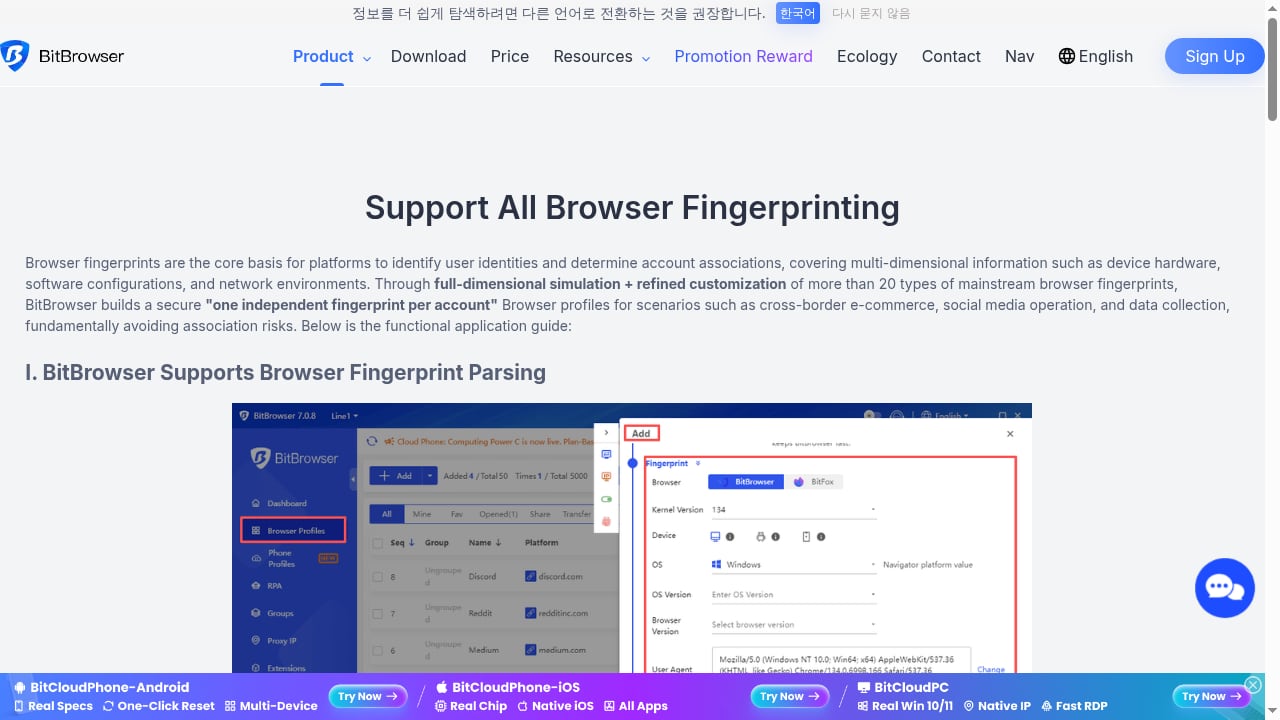
First viewport screenshot of Support All Browser Fingerprinting | bitbrowser.
| Criterion | AdsPower | BitBrowser | Kameleo |
|---|---|---|---|
| Free tier | 2 profiles, forever free | Permanent free tier, around 10 profiles | 2 concurrent browsers, 100 cloud profiles, 300 minutes of browser usage |
| Paid entry point | Professional plans from roughly $9/month | Paid plans from roughly $10/month for 50 profiles | Paid plans from roughly €59/month |
| Best fit | Automation-heavy multi-accounting, teams, e-commerce and social ops | Budget-conscious individuals and small teams starting out | Developers, scraping, automation, mobile emulation |
| Automation | Built-in no-code RPA, AI Agent with scheduled tasks, Local API, Multi-Windows Synchronizer | Automation support, local API, extensions and script market | Developer-friendly SDK, Docker-ready deployment |
| Fingerprint control | Customizable Canvas, WebGL, network, and user agent parameters; Chrome and Firefox stealth browsers | High-fidelity fingerprint simulation with proxy integration | Unlimited real browser fingerprints, Fingerprint Inspector, mobile browser emulation |
| Certifications | SOC 2 Type II, ISO 27001, ISO 27701 | Not stated in available material | Not stated in available material |
AdsPower: Where It Has a Real Advantage
AdsPower is built for people who manage many accounts at once and want the repetitive parts handled for them. Three areas stand out.
Automation depth
The no-code RPA builder, the AI Agent with scheduled tasks, and the Multi-Windows Synchronizer let you run the same sequence of actions across many profiles without writing scripts. For e-commerce sellers syncing listings across storefronts or social media teams posting to dozens of accounts, this removes hours of manual work per week. If you want a concrete walkthrough, see how to use AdsPower with Ecwid for a multi-store setup.
Fingerprint coverage across two browser engines
AdsPower ships SunBrowser (Chrome-based) and FlowerBrowser (Firefox-based), with customizable fingerprints across Canvas, WebGL, network, and user agent parameters. Having two engines matters when a platform behaves differently depending on the browser core.
Team and compliance infrastructure
Profile syncing across computers, batch profile management, encrypted profile data, and granular member permissions make AdsPower practical for teams rather than solo operators. Its SOC 2 Type II, ISO 27001, and ISO 27701 certifications are relevant if your client contracts or internal policy require documented security controls.
AdsPower reports more than 10 million users across e-commerce, affiliate marketing, social media marketing, crypto, web scraping, and online betting. Its free forever plan covers 2 profiles, which is enough to test the workflow but not enough to run a real account portfolio.
BitBrowser: The Strongest Free Starting Point
First viewport screenshot of BitBrowser - Best Free Antidetect Browser for E-Commerce/FB/Ins/Tiktok.
BitBrowser's clearest advantage is its permanent free tier, which covers roughly 10 profiles and most core features. That is a meaningfully larger free allowance than AdsPower's 2 profiles or Kameleo's time-limited free tier, and it makes BitBrowser the natural first stop for someone testing whether antidetect browsing fits their workflow at all.
Beyond the free plan, BitBrowser is positioned for e-commerce and social media account management on Facebook, Instagram, and TikTok. It combines high-fidelity fingerprint simulation with proxy integration, and it scales into paid plans starting around $10 per month for 50 profiles. Cost-effectiveness comparisons consistently place BitBrowser near the top of the value ranking for individuals and mid-sized teams, largely because the free tier is not artificially crippled.
Where BitBrowser asks for patience is in advanced automation. It supports automation and a local API, but the tooling is less developed than AdsPower's RPA and synchronizer stack. If your workflow depends on running complex scripted sequences across hundreds of profiles, BitBrowser will feel like a starting point rather than a destination.
Kameleo: Built for Scraping, Automation, and Mobile Emulation
First viewport screenshot of Anti-Detect Browser for Multi-Accounting & Web Scraping – Kameleo.
Kameleo targets a different audience entirely: developers and technical teams who need programmatic control. Its developer-friendly SDK and Docker-ready deployment make it straightforward to plug into an existing scraping or automation pipeline, which is not something you can say about most consumer-facing antidetect browsers.
Its other differentiator is mobile browser emulation. Kameleo can generate virtual profiles with authentic Android and iOS device fingerprints, which matters for platforms where mobile traffic is the norm, including TikTok and Instagram. If your accounts need to look like they are running on real phones, that capability is difficult to replicate elsewhere.
Kameleo also provides unlimited fresh fingerprints, fast release cycles for browser updates, continuously auto-tested stealth mode, and a stated 99.99% uptime. The Fingerprint Inspector is a genuinely useful tool for reverse-engineering what anti-bot systems are checking, and the project's 1,500+ GitHub stars suggest an engaged technical community.
The trade-off is cost and complexity. Paid plans start around €59 per month, and emulated mobile browsers sit in a higher tier. The free tier gives you 2 concurrent browsers, 100 cloud profiles, and 300 minutes of browser usage, which is enough to evaluate the SDK but not to run production scraping at scale. Kameleo supports macOS and Windows.
How to Choose Between Them
The decision usually comes down to three questions.
How many accounts are you running right now? If the answer is under ten and budget is tight, BitBrowser's free tier is the most generous place to start. If you are already past that and need to scale, compare paid tiers on a per-profile basis rather than on headline price.
Do you need automation, or just isolation? Isolation alone is enough for simple account management. If you are syncing storefronts, posting across social accounts, or running repetitive tasks, AdsPower's RPA and synchronizer are the more complete answer. If you need to drive the browser from your own code, Kameleo's SDK is the better fit.
Do your accounts need to look mobile? For TikTok and Instagram especially, mobile fingerprints can matter. Kameleo handles this natively; the other two rely on desktop fingerprint profiles.
For a broader view of how these tools stack up against the wider market, see the top 10 antidetect browser software products for 2026.
Practical Notes Before You Commit
Whichever tool you pick, the fingerprint is only half the equation. Your proxy quality, your behavioral patterns, and whether your profile data stays consistent between sessions all affect whether accounts survive. A clean fingerprint paired with a reused residential IP will still get linked.
It also helps to understand the failure mode you are trying to avoid. Accounts rarely get banned for one dramatic reason; they get suspended because a platform quietly connects them to another account you already lost. That mechanism is explained in detail in this guide to bypassing account suspensions through device fingerprints.
Finally, test before you scale. Every one of these tools offers some form of free access. Create a profile, run it through a fingerprint checker, log into a low-value account, and watch it for a week. That tells you more than any comparison table.
Related reading
- AdsPower vs ixBrowser: Forever Free Anti-Detect Browser? - AdsPower vs ixBrowser: compare the forever free anti-detect browser claim against AdsPower's fingerprint isolation, automation, team tools, and certifications.
- Multilogin Homepage Review 2026: Cloud Phones, Pricing, Pros & Cons - An evidence-based Multilogin review covering Cloud Phones, browser profiles, proxies, pricing signals, setup, limits, and who should choose it in 2026.
Sources and further reading
- Best Antidetect Browsers in 2025: Cost-Effectiveness Comparison - Compare the most cost-effective anti-detect browsers of 2025. See prices, profiles, and features in our cost-effectiveness table.
- Top 41 antidetect browsers of 2026: price comparison and discounts - The most comprehensive table of antidetect browsers: prices from $5, free plans, CPARIP promo codes. For traffic arbitrage, crypto and multi-accounting.
- Top 10 Antidetect Browsers You Need for Enhanced Privacy in 2025 - Discover the top 10 antidetect browsers for 2025 that safeguard privacy, prevent bans, and simplify multi-account management—featuring DICloak, Dolphin Anty, AdsPower, and more.
FAQ
Is BitBrowser really free?
BitBrowser offers a permanent free tier covering around 10 profiles and most core features, which is unusually generous for this category. Paid plans start at roughly $10 per month for 50 profiles if you outgrow it.
Is AdsPower free?
Yes. AdsPower has a free forever plan with 2 profiles. Paid Professional and Business plans add more profiles and team members, and an Enterprise plan covers 5,000+ profiles with custom pricing.
Does Kameleo have a free plan?
Kameleo offers a free tier with 2 concurrent browsers, unlimited fresh fingerprints, 100 cloud profiles, and 300 minutes of browser usage. It is designed for evaluation rather than sustained production use.
Which is best for Facebook, Instagram, and TikTok multi-accounting?
All three isolate profiles effectively. BitBrowser is the most accessible entry point for social media account management on a budget. Kameleo has an edge when mobile fingerprints matter, particularly for TikTok and Instagram. AdsPower is stronger when you need automation and team collaboration across many accounts.
Which is best for web scraping?
Kameleo. Its SDK, Docker support, Fingerprint Inspector, and mobile emulation are built for programmatic scraping and automation pipelines rather than manual account management.
Can I use more than one antidetect browser at the same time?
Technically yes, but profiles do not transfer between tools. You would need to recreate each profile in the second browser, which is why most operators standardize on one tool and scale within it.
Conclusion
There is no single winner here, because the three tools are optimized for different jobs. BitBrowser wins on free access and value, making it the right first test for individuals and small teams. Kameleo wins on developer tooling, scraping, and mobile emulation, at a correspondingly higher price. AdsPower sits in the middle and leans toward operators who need automation, two browser engines, team permissions, and documented security certifications while managing large account portfolios.
Pick based on what your workflow actually requires, run a free profile through a fingerprint checker before you pay, and scale only after the accounts hold.


